
Certified vs. Promoted Dataset?
Power BI continues to grow and strengthen its position in the enterprise space. A feature that you may not be aware of, but can be extremely valuable, is the ability to certify datasets. This capability offers organizations a way to help end users identify that certain datasets are more concrete than others. In this episode we discuss different criteria by which we think a dataset should reach a promoted or certified level. Do you use this feature? Do you know the difference between a Certified vs. Promoted Dataset?
Promoted Datasets
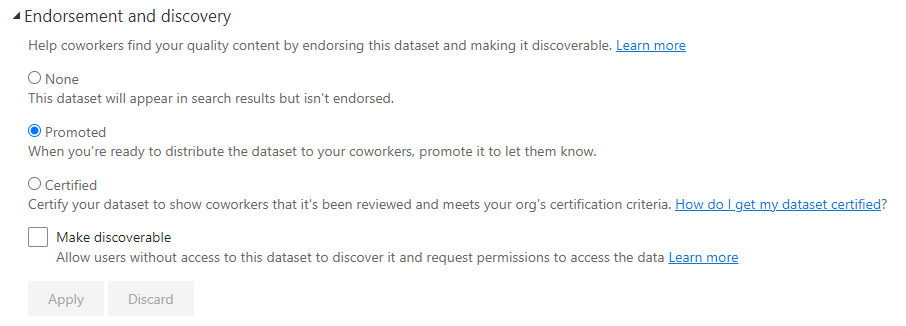
Sample of Promoted Dataset Setting
This endorsement doesn’t have any guard rails. Any user with edit permissions on a workspace can add a promoted dataset/report. Business users should have a clear idea of what a promoted dataset means. However, this certification setting does not have any gates for sign off from admins or user bodies. The end user should have confidence in the accuracy of data, but there is no direct governance that requires it.
Certified Datasets
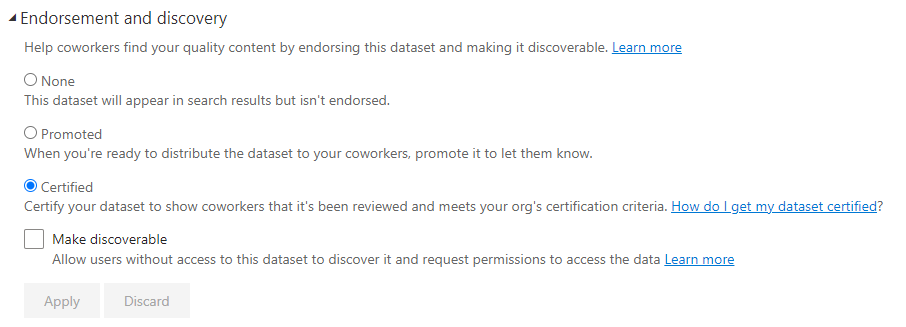
Sample of Certified Dataset Setting
We spend a lot of time discussing and getting some great feedback in the live chat around this area. The Certified endorsement can be tightly controlled. It is a setting that is allowed for admins or a governing user to implement. This endorsement can carry a significant amount more weight. It should imply that there are a series of steps, processes, and reviews that ensure the data is as trusted as possible. Join us as we explore what should or shouldn’t be a requirement using these endorsements. The best ways to implement these features and the value they provide to your overall implementation.