
September 2, 2026
Business Ops Has Moved to GitHub
Business Ops, the Power BI Desktop external-tools manager, has moved from PowerBI.tips Products to GitHub for better distribution, simpler updates, and easier code management.

Tag
333 posts
September 2, 2026
Business Ops, the Power BI Desktop external-tools manager, has moved from PowerBI.tips Products to GitHub for better distribution, simpler updates, and easier code management.

August 13, 2026
Mike has been building apps on Fabric as a backend since January, and he's coining it FAB. The case isn't that you already own Fabric — it's that the workspace identity, git integration, and SQL database remove the wiring you'd otherwise do by hand in Azure.

August 11, 2026
Meagan Longoria's five-stage maturity model for agentic Power BI development gives Mike and Tommy a framework to argue with. They mostly agree — except on the crawl stage, where Mike thinks starting with an MCP server beats starting with a chatbot.

August 6, 2026
Desktop Bridge gives agents a local server to drive Power BI Desktop — reload files, check report state, and take screenshots so the agent can verify its own work. Mike and Tommy agree on the prerequisite: don't use it without skills.
August 4, 2026
Austin asks whether a hub-and-spoke composite model pattern is the right structure. Mike and Tommy say the shape is defensible but they'd reach for master-and-mini models instead — and that every composite model needs a data contract, change control, and git-backed monitoring.

July 30, 2026
Microsoft is a Leader in the 2026 Gartner Magic Quadrant for Analytics and BI — first on execution, fourth on vision. Mike and Tommy read the strengths and cautions closely, and land on why "throw AI at your data and ask it questions" is the wrong story.

July 28, 2026
A listener watches junior staff prompt their way to DAX they don't understand, and asks how to train them. Mike and Tommy name the three fundamentals they'd require before handing over agentic tooling — and argue the senior's real job is now building the agent that teaches everyone else.

July 23, 2026
AI-written pipelines don't fail the way human-written ones do — no red squiggles, no thrown exceptions, generous comments, and wrong data. Mike and Tommy work through Nikola Ilic's specify, bound, validate framework and what it means for who you let near an agent.

July 21, 2026
Mike is deleting paid subscriptions and rebuilding them as Fabric apps; Tommy wants to know who maintains all this and whether enterprise security teams will ever allow it. Plus the licensing discovery of the episode — agents talking to semantic models over XMLA with no Power BI Pro license required.

July 16, 2026
Show the same chart to two people and one says "makes sense" while the other asks for the source. Mike and Tommy dig into motivated skepticism, why a report that says a team is down is never just a number, and how to release data without wrecking the boat.

July 14, 2026
Agents will not run your data governance program — most of governance is a committee, not a computer. What they will do is the mundane discoverability work: cataloguing models, surfacing ambiguous definitions, and making lineage human-readable.

July 9, 2026
A mailbag question about request tracking turns into the clearest description yet of what a working harness contains: skills, agents, organized context, and the ability to talk to other harnesses. Plus Mike hits real Rayfin limitations trying to build a simple forms app.
July 7, 2026
"I built 35 reports this year." "Did anyone look at them?" Mike and Tommy dig into measuring app usage properly — active users over a rolling window rather than raw opens, tied to the business outcome the app was supposed to move.

July 2, 2026
A mailbag question about 30-60-90 day AI plans turns into an honest accounting of why organizations are stuck: IT doesn't know what an agent is, nobody has bought into the value yet, and there is essentially no training. Mike and Tommy separate AI strategy from AI theater and each give a real 30-60-90.

June 30, 2026
Executives run on hunches and twenty years of experience, and "increase revenue" is too fuzzy to build a report against. Mike and Tommy cover how to get leadership and the BI team speaking the same language — plus Microsoft's new report-authoring skills and a request for an AI folder in semantic models.

June 25, 2026
Part two picks up at the skills and validation layers of Anthropic's analytics stack, and Tommy arrives at a hot take he'll defend: no agentic solution on your Fabric data until governance is in place. Along the way — why perspectives are Power BI's most untapped feature and why Microsoft needs skills for models.

June 23, 2026
Anthropic published how they run self-service analytics internally, and the answer starts with dimensional modeling and a semantic layer — not with the agent. Mike and Tommy read it as validation that everything Power BI professionals already do well is now the thing that makes AI work at all.

June 18, 2026
Agent skills live on your laptop, which is fine until three people on your team each have their own version of the same one. Mike and Tommy work out which skills should be governed, which should stay personal, and why nobody has a good answer yet for measuring whether a skill is any good.

June 16, 2026
If agents write the DAX and the Python, the job shifts from producing code to vetting it — and that makes you a professional reviewer. Mike and Tommy work through what still has to be in your head to review well, and the uncomfortable question of how juniors become seniors when the MCP server is doing the junior's job.

June 11, 2026
Rayfin lets you build full applications on top of Fabric, and Mike calls it the biggest Microsoft release since Power BI Desktop. This episode covers what Rayfin actually is, why the semantic model matters more than ever, and the handoff problem nobody on your team has solved yet.

June 10, 2026
Mike and Tommy recap Microsoft Build 2026 through a Power BI and Fabric lens, focusing on the announcements that matter most for report builders, semantic models, and agent-driven app development. They unpack why Rayfin, Replit integration, OneLake, and new Fabric skills signal a shift from asking AI for answers toward using agents to create real production artifacts.

June 5, 2026
Mike and Tommy explore how agents can simplify CI/CD in Fabric by helping teams work through Git workflows, merge conflicts, validation, and deployment automation. They also compare deployment pipelines with Git-based approaches and explain why small, testable automations are the safest way to start.

May 29, 2026
Mike and Tommy break down the habits, tools, and modeling decisions that help Power BI developers move faster without creating more technical debt. You’ll learn practical ways to speed up report design, organize semantic models, and prototype more effectively so teams can ship better work with less rework.

May 8, 2026
In Episode 526 of Explicit Measures, Mike Carlo and Tommy Puglia unpack the latest Power BI and Microsoft Fabric topics from the show. You’ll get a quick read on the episode’s biggest ideas, why they matter, and where to dig deeper in the full conversation.

May 6, 2026
In Episode 525 of Explicit Measures, Mike Carlo and Tommy Puglia unpack the latest Power BI and Microsoft Fabric topics from the show. You’ll get a quick read on the episode’s biggest ideas, why they matter, and where to dig deeper in the full conversation.

May 1, 2026
In Episode 524 of Explicit Measures, Mike Carlo and Tommy Puglia unpack the latest Power BI and Microsoft Fabric topics from the show. You’ll get a quick read on the episode’s biggest ideas, why they matter, and where to dig deeper in the full conversation.

April 29, 2026
In Episode 523 of Explicit Measures, Mike Carlo and Tommy Puglia unpack the latest Power BI and Microsoft Fabric topics from the show. You’ll get a quick read on the episode’s biggest ideas, why they matter, and where to dig deeper in the full conversation.
April 24, 2026
In Episode 522 of Explicit Measures, Mike Carlo and Tommy Puglia unpack the latest Power BI and Microsoft Fabric topics from the show. You’ll get a quick read on the episode’s biggest ideas, why they matter, and where to dig deeper in the full conversation.
April 22, 2026
In Episode 521 of Explicit Measures, Mike Carlo and Tommy Puglia unpack the latest Power BI and Microsoft Fabric topics from the show. You’ll get a quick read on the episode’s biggest ideas, why they matter, and where to dig deeper in the full conversation.

April 21, 2026
A hard look at why rigid SaaS stacks are breaking down, how AI agents are becoming the new interface layer, and what that means for teams building on Microsoft Fabric and Power BI.

April 17, 2026
In Episode 520 of Explicit Measures, Mike Carlo and Tommy Puglia unpack the latest Power BI and Microsoft Fabric topics from the show. You’ll get a quick read on the episode’s biggest ideas, why they matter, and where to dig deeper in the full conversation.
April 15, 2026
In Episode 519 of Explicit Measures, Mike Carlo and Tommy Puglia unpack the latest Power BI and Microsoft Fabric topics from the show. You’ll get a quick read on the episode’s biggest ideas, why they matter, and where to dig deeper in the full conversation.

April 10, 2026
In Episode 518 of Explicit Measures, Mike Carlo and Tommy Puglia unpack the latest Power BI and Microsoft Fabric topics from the show. You’ll get a quick read on the episode’s biggest ideas, why they matter, and where to dig deeper in the full conversation.
April 8, 2026
In Episode 517 of Explicit Measures, Mike Carlo and Tommy Puglia unpack the latest Power BI and Microsoft Fabric topics from the show. You’ll get a quick read on the episode’s biggest ideas, why they matter, and where to dig deeper in the full conversation.

April 3, 2026
In Episode 516 of Explicit Measures, Mike Carlo and Tommy Puglia unpack the latest Power BI and Microsoft Fabric topics from the show. You’ll get a quick read on the episode’s biggest ideas, why they matter, and where to dig deeper in the full conversation.

April 1, 2026
In Episode 515 of Explicit Measures, Mike Carlo and Tommy Puglia unpack the latest Power BI and Microsoft Fabric topics from the show. You’ll get a quick read on the episode’s biggest ideas, why they matter, and where to dig deeper in the full conversation.

March 27, 2026
Mike and Tommy break down what CI/CD actually means for Power BI and Fabric teams, including where deployment pipelines help and where Git-based workflows offer more control. If you're trying to move from manual publishing to a repeatable release process, this episode gives you the tradeoffs that matter.

March 11, 2026
Mike and Tommy tackle a mailbag question about submitting Fabric ideas, what makes a good idea stick, and where data engineering is headed next. Plus, Mike reveals he has 147 versions of Power BI Desktop downloaded.

February 27, 2026
Mike and Tommy dive into the February 2026 feature updates for Power BI and Fabric, with a deep focus on the new input slicer going GA and what it means for report filtering. The conversation gets into filter overload — when too many slicers and options hurt more than they help.

February 12, 2026
Episode 501 covers the new OneLake Catalog updates, AI's impact on workplace productivity, and strategies for organizing workspaces in Power BI.

February 6, 2026
Celebrating 500 episodes and 5 years of the Explicit Measures podcast. Reflecting on the journey, predictions, and what's next for Power BI and AI.

January 21, 2026
Mike and Tommy unpack a viral LinkedIn article where a consultant saved a client $57,000 per year by moving from Fabric F64 to Premium Per User — sparking a bigger conversation about when Fabric actually makes sense, licensing confusion, and the tipping points that justify the investment.

December 5, 2025
Mike and Tommy recap Microsoft Ignite and the November 2025 updates across Fabric, OneLake, and Power BI—highlighting Fabric IQ, data integration improvements, and platform tooling. They also share practical ways they’re using AI for productivity, from meeting facilitation to developer workflows with Claude Code.
August 1, 2025
Mike and Tommy discuss SQLBI's bold claim that AI in Power BI is ready to pay attention to—driven by MCP servers that let AI agents query and control Power BI. Plus the Fabric July 2025 feature summary.
July 30, 2025
Mike and Tommy celebrate Power BI's 10th anniversary by reflecting on the evolution of the data analyst role. Plus: the default semantic model is finally being sunset, and Fabric data agents get multi-agent orchestration.

July 21, 2025
Tommy and Mike discuss the state of Data Science as it relates to Fabric. Learn from MVPs where you should invest your time with Fabric and Data Science.

July 9, 2025
Mike and Tommy break down the Fabric June 2025 update with a rapid-fire draft of the features they’re most excited about. They also cover Copilot inline code completion in Fabric notebooks, shortcut transformations from files to Delta tables, and new data agent data-source instructions.
May 7, 2025
Mike and Tommy dive into the Power Query skills every Power BI user should master. From essential daily transforms to advanced M language techniques, they break down what to learn first and what to tackle as you level up.
April 4, 2025
Mike and Tommy tackle the common request of getting report data delivered straight to users' inboxes via subscriptions. They explore the options, limitations, and best practices for giving people their data in Power BI.

March 14, 2025
Mike and Tommy explore what you can accomplish with just $100 invested in Microsoft Fabric and Power BI. They also check out PowerTable's new private preview for building data apps on modern data platforms.

March 5, 2025
Mike and Tommy dive deep into composite models in Power BI, reviewing how they work and when to use them. They also cover the new Spark connector for Fabric Data Warehouse now in public preview.

February 28, 2025
Mike and Tommy reflect on the journey of a citizen developer growing with Power BI. They share practical advice on leveling up from self-taught report builder to trusted data professional.
February 5, 2025
Mike and Tommy walk through their ‘draft’ of the Microsoft Fabric January 2025 update, calling out the changes they think will matter most for Power BI and Fabric practitioners. From TMDL scripting and semantic model version history to Copilot/Q&A improvements and OneLake catalog metadata, this episode helps you prioritize what to test next.
January 8, 2025
Mike and Tommy revisit Power BI’s core visuals and share practical design and interaction tips that make everyday reports clearer and more trustworthy. They also touch on a Fabric pipeline pattern (pipeline calling pipeline) and how small workflow tweaks can scale your delivery.

January 1, 2025
In this episode, Mike and Seth walk through what it really takes to migrate Excel-based reporting into Power BI without losing trust in the numbers. They share practical guidance on scoping, modeling, and rollout so your migration improves the experience instead of recreating spreadsheet chaos at scale.

December 13, 2024
Mike, Tommy, and Seth talk through report commenting in Power BI: when it helps, how teams can use it effectively, and the gotchas to watch for in real collaboration workflows.

December 11, 2024
Mike, Tommy, and Seth unpack how much ‘knowing data’ matters versus knowing *the* data in your organization, and what that means for your career in analytics. They also dig into practical ways to add narrative context to KPI snapshots—without losing the thread over time.
December 6, 2024
Mike, Tommy, and Seth break down filter context in DAX—what it is, how it’s created, and why it’s the root of so many ‘my measure is wrong’ moments. They walk through practical mental models for reading a visual’s filters and using CALCULATE intentionally, so you can predict results instead of trial-and-error debugging.

December 4, 2024
Mike, Tommy, and Seth break down what’s new (and what’s changing) in Power BI’s core visuals, plus what those updates mean for report builders. They also share practical guidance for when to lean on built-in visuals versus custom visuals as the platform evolves.

November 6, 2024
Mike, Tommy, and Seth discuss Mass-format reports in Power BI—with practical tips you can apply right away in Power BI.

November 1, 2024
Mike, Tommy, and Seth discuss Beginner, Intermediate, Advanced - Ep.368 - Power BI tips—with practical tips you can apply right away in Power BI.
October 30, 2024
Mike and the team discuss Medallion Architecture in Fabric - Ep.367 - Power BI tips—with practical tips you can apply right away in Power BI.
October 18, 2024
In Episode 364, the crew digs into Domains, Tags, and Workspaces and how they impact organization and governance in Fabric and Power BI.
October 16, 2024
In Episode 363, the crew talks through building more advanced visuals in Power BI and where custom visuals fit into real-world reporting.
October 11, 2024
In this episode, the team digs into the Default Semantic Model—what it is, why it matters, and how to use it in real-world Power BI projects.

August 28, 2024
Clear naming conventions aren’t just about aesthetics — they reduce cognitive load, make models easier to maintain, and help your team move faster. In this episode, Mike, Tommy, and Seth talk through practical approaches to naming and the habits that make knowledge transfer stick.
August 23, 2024
Validation is where content lifecycle management turns from a plan into a repeatable, trustworthy process. In this episode, Mike, Tommy, and Seth walk through what to validate, who should validate it, and how to make validation part of your release rhythm.
August 21, 2024
Domains in Microsoft Fabric help you organize content, standardize ownership, and make discovery easier — but they also add a new layer to how teams think about governance. In this episode, Mike, Tommy, and Seth talk through when domains help, what to watch out for, and how to roll them out without creating chaos.

August 16, 2024
Sharing Power BI reports with free-license users can be confusing — in this episode, Mike, Tommy, and Seth break down what works, what doesn’t, and the practical options for organizations.

August 7, 2024
In this episode, the crew talks through atomic design concepts and how to apply them to building consistent, scalable Power BI reports.

July 12, 2024
Mike and Tommy discuss how Microsoft Fabric is changing the day-to-day work of Power BI developers and analysts, plus share links and community resources mentioned in the episode.

July 3, 2024
In this episode of Explicit Measures, we dig into Creative Solutions & Data Products - Power BI tips and what it means for Power BI practitioners.

May 22, 2024
What does a modern BI/Fabric team look like? The team talks roles, first hires, and how to bridge data engineering, modeling, and reporting so adoption actually happens.

May 10, 2024
Fabric is shifting roles across BI teams. The discussion covers how report developers, modelers, and data engineers are converging—and what skills and processes help teams adapt.

May 8, 2024
Quick wins create momentum in BI projects. The team discusses how to pick the right wins, build trust, and avoid trading short-term speed for long-term maintainability.

April 29, 2024
Welcome to today’s tutorial where we’ll explore an exciting feature implemented to streamline your background creation process in Power BI. If you’ve...

April 26, 2024
In this episode of Explicit Measures, we discuss the importance of semantic link.

April 24, 2024
In this episode of Explicit Measures, we discuss the value of demos power bi tips.

April 19, 2024
In this episode of Explicit Measures, we discuss abnormal data documentation.

April 17, 2024
In this episode of Explicit Measures (Ep. 311), the team covers Power BI news and the main discussion topic.

April 12, 2024
In this episode of Explicit Measures (Ep. 310), the team covers Power BI news and the main discussion topic.

March 13, 2024
In Episode 301, Mike and Tommy break down the key takeaways from 'Two Edged Swords - Ep.301 - Power BI tips from the Real World'. You’ll hear what matters most for Power BI and Fabric practitioners and what to try next.
February 27, 2024
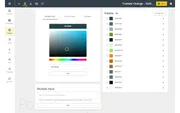
## Introduction Welcome to today’s tutorial where we dive into the powerful capabilities of the Power BI Tips+ Theme Generator. In this post, we won’...
February 16, 2024
In Ep. 294, the team draws a clean line: analytics turns raw data into meaning; visualization turns meaning into a message. If your Power BI work feels like ‘just charts,’ this one helps you reset the goal—and includes a quick sidebar on why Copilot feels inconsistent across Microsoft 365 right now.

February 14, 2024
Requirements shouldn’t be a dead document—they should be the shared decisions that drive your semantic model, visuals, and rollout. In Ep. 293, the team breaks down solution planning requirements that prevent churn and keep a Power BI build aligned with real business outcomes.

February 9, 2024
Most teams don't need a unicorn - they need clear responsibilities. In Ep. 292, Mike, Tommy, and Seth unpack why one person owning engineering, modeling, reporting, and governance becomes a bottleneck, and how to scale delivery without burnout.

February 7, 2024
In Ep. 291, the team translates Microsoft’s tactical planning guidance into a simple operating model: ship measurable BI solutions, run enablement initiatives in parallel, and revisit the plan every 1–3 months so priorities stay real.

February 2, 2024
It's mailbag time. In Ep. 290, Mike, Tommy, and Seth answer listener questions on adopting Power BI in a Google/BigQuery environment, surviving terminology changes like 'dataset' to 'semantic model', and balancing process vs. technology as tools evolve.

January 31, 2024
Defining key results is where BI strategy turns into execution. In this episode, Mike, Tommy, and Seth continue their walk-through of Microsoft's Power BI strategy guidance and focus on tactical planning: how to write OKR-style key results that reduce ambiguity, align teams, and make progress measurable.

January 29, 2024
Welcome to today’s tutorial where we’ll explore the Power BI Tips+ Theme Generator and its incredible features designed to streamline your Power BI re...

January 24, 2024
Power BI implementation success is won in tactical planning. In Ep. 287, Mike, Tommy, and Seth break down Microsoft’s Step 1 guidance: define actionable objectives, prioritize time-sensitive work, choose quick wins that compound, and lay the adoption/governance groundwork without stalling.

January 19, 2024
Creativity in Power BI isn’t decoration—it’s the discipline of making intentional choices (story, layout, emphasis, and interaction) so the report communicates fast and earns trust. Ep. 286 breaks down how to stay creative while still building something consistent and scalable.
January 18, 2024
In podcast #286 we take the time to review an older video of John Cleese giving a talk about the Creative Process in Management. We thought this would...

January 17, 2024
Strong BI goals turn Power BI from a queue of disconnected requests into an intentional program. In Ep. 285, Mike, Tommy, and Seth break down how to define goals you can measure, prioritize what matters, and keep the team aligned as the work scales.

January 12, 2024
Data programs don’t break because DAX is hard—they break because ownership is fuzzy and incentives don’t line up. In Ep. 284, Mike, Tommy, and Seth dig into the politics of data and how to create decision-rights, trust, and accountability that actually scale.

January 3, 2024
Most BI teams fail by skipping discovery. In Ep. 281, Mike, Tommy, and Seth unpack Microsoft’s guidance for planning workshops and doing strategic research so you can document business context, choose the right stakeholders, and prioritize the work that matters.

December 29, 2023
Customer 360 isn’t a dashboard—it’s an operating model for joining CRM, marketing, product, and support signals into one story. In Ep. 280, the team breaks down why Fabric’s shortcuts/mirroring + Direct Lake are promising for reducing data-copy chaos (while still forcing you to solve identity and definitions).

December 27, 2023
Ep. 279 is a holiday ‘Secret Santa for Fabric’: Mike, Tommy, and Seth swap feature wish-lists—better admin oversight, smarter lineage and monitoring, smoother migration into Fabric, and tooling that makes semantic models easier to build and trust.

December 22, 2023
Ep. 278 explains Fabric’s Semantic Link—how it connects Python to semantic models—and why that matters for repeatable data-quality checks with tools like Great Expectations (plus quick hits from the December Power BI Desktop release).

December 20, 2023
Ep. 277 breaks down BI strategic planning—how to align outcomes, define ownership and governance, and build an achievable roadmap so your Power BI program keeps momentum.
December 15, 2023
Ep. 276 unpacks Explore (public preview) in the Power BI service—how it helps users slice a semantic model fast, where it overlaps existing features, and what governance needs to be in place for it to scale.

December 13, 2023
Ep. 275 breaks down business alignment for Power BI and Microsoft Fabric—how to connect analytics work to real business outcomes, decision-makers, and priorities. The crew shares practical ways to translate strategy into an operating rhythm your data team can actually execute.

December 8, 2023
Ep. 274 explores Microsoft Fabric Real-Time Analytics—how event streams, KQL databases, and alerting fit together for streaming scenarios. The crew also highlights the practical gotchas: governance boundaries, storing history, and the cost surprises that show up when “easy to turn on” becomes “left running for weeks.”
December 6, 2023
Ep. 273 breaks down two power-user additions: DAX Query View in Power BI Desktop (plus Performance Analyzer integration) and Fabric’s new `DeltaLake.Table` M function—bringing Power Query closer to Delta tables.

December 1, 2023
Ep. 272 breaks down change management for Power BI/Fabric programs—how to make platform shifts stick through communication, enablement, and an adoption rhythm—plus a practical PSA on Direct Lake data-type gotchas in semantic models.

November 29, 2023
Can Tableau plug into Power BI/Fabric semantic models? Yes—but Ep. 271 explains the real tradeoffs: XMLA/SQL endpoints, licensing/capacity cost, and when a shared semantic layer is a migration bridge vs. an operational burden.

November 24, 2023
It’s a mailbag episode: the team breaks down how to ship Power BI content like a product (Apps + Teams), why external sharing is still messy without Embedded, and what to do as Data Marts/Charticulator/Access fade into a Fabric-first world.

November 22, 2023
Ep. 269 breaks down the difference between delivering BI as a one-off project versus operating it as a data product—clear ownership, continuous feedback, and a pragmatic hybrid approach to intake vs. big platform work.

November 17, 2023
Ep. 268 distills the Microsoft Ignite and November 2023 release wave into what BI teams actually need to know: the most meaningful Fabric + Power BI updates, where Copilot fits, and how to roll changes out without breaking governance or capacity.

November 15, 2023
Ep. 267 turns Microsoft’s System Oversight guidance into an actionable playbook: what to monitor, what to standardize, and how to avoid governance-by-surprise. You’ll get practical patterns for balancing tenant controls with empowerment, plus tips for using capacity signals and APIs to keep Power BI + Fabric healthy at scale.

November 10, 2023
Ep. 266 defines managed self-service in Power BI: shared semantic models with clear ownership + certification so business teams can build fast without breaking trust in the numbers.

November 8, 2023
A rapid-fire mailbag: incremental refresh vs full reloads, migrating off Report Server, pragmatic workspace governance, and how Fabric adds new compute choices without changing the core tables→model→report pattern.

November 3, 2023
Low adoption isn’t a mystery—it’s usually a measurement problem. Ep. 264 breaks down how to define adoption for analytics work and which signals (report usage, model reuse, enablement, and outcomes) actually correlate with impact.

November 1, 2023
A tour of Fabric’s underrated workflow accelerators—OneLake File Explorer, Data Wrangler, and Shortcuts—plus a pragmatic look at burstable capacity guardrails and why the Capacity Metrics app should be your first install.

October 27, 2023
Ep. 262 is a practical walkthrough of bringing Azure DevOps + Git into your Power BI / Fabric workflow—using PBIP as the source format—so deployments become repeatable, reviewable, and less fragile as your content moves from dev to prod.

October 25, 2023
Ep. 261 uses a hilarious ‘ordering data like food’ skit to unpack why BI requests derail—panic timelines, shifting requirements, and invisible validation work—and what teams can do to align expectations before the next board-meeting fire drill.

October 20, 2023
Ep. 260 breaks down Microsoft Fabric workspace roles (Admin/Member/Contributor/Viewer) and how to assign them with least-privilege in mind—so teams can build fast without turning every workspace into an admin free-for-all.

October 18, 2023
Ep. 259 asks the question every Fabric builder runs into: does a star schema still matter in a Direct Lake world? The answer: yes—especially if DAX is involved—but Fabric changes where the shaping work belongs (upstream) and raises the bar on governance.
October 15, 2023
## **The Power BI Tips Theme Generator: Your Ultimate Theming Tool** The Power BI Tips Theme Generator is the go-to resource for users aiming to crea...

October 11, 2023
Ep. 257 tackles a super-common reality: executives live in PowerPoint, while the truth lives in Power BI. The crew breaks down when to embed live report pages vs. ship static screenshots, and how to use slides as a bridge to better data culture (without creating KPI telephone).

October 6, 2023
Ep. 256 explores Power BI’s updated Q&A linguistic schema—how richer relationships and shareable synonyms can improve natural-language questions, and why governance is still the make-or-break factor.

October 4, 2023
Ep. 255 outlines a practical Power BI skills matrix you can use to measure team capability, spot gaps and single points of failure, and turn vague 'we need a Power BI person' conversations into a clear hiring and training plan.
October 4, 2023
The Power BI Tips Theme Generator tool already allows you to easily interact with, and adjust, all the visual properties, wireframes, etc… How could w...

September 27, 2023
Ep. 253 answers a mailbag question every org is about to face: will Microsoft Fabric’s bigger toolbox overwhelm business users—or can you introduce it without killing self-service momentum? Mike, Tommy, and Seth share practical rollout language, guardrails, and adoption patterns that keep Power BI approachable.

September 22, 2023
Ep. 252 clarifies the analytics job-title soup—data engineer, analyst, BI developer, analytics engineer, and data scientist—by mapping each role to the real deliverables your Power BI workflow needs. The crew shares how to set ownership boundaries so modeling, security, and reporting don’t fall into the cracks.

September 20, 2023
Ep. 251 focuses on where AI genuinely helps (and where it doesn’t) in a BI workflow—turning vague questions into clear requirements, accelerating DAX and documentation, and improving communication—while staying realistic about security, governance, and hallucinations.

September 13, 2023
Ep. 249 uses Jevons Paradox to explain a familiar analytics reality: when BI gets easier, demand for “just one more metric” accelerates. Mike, Tommy, and Seth unpack what that means for self-service, governance, and strategy—so your organization gets more clarity, not just more dashboards.

September 6, 2023
Working in data is hard for reasons most org charts ignore: shifting requirements, fuzzy definitions, and the constant translation between business goals and measurable outcomes. In Ep. 247, Mike, Tommy, and Seth break down where the friction comes from—and the small process changes that make delivery calmer and faster.

September 1, 2023
Ep. 246 is a practical guide to spotting the difference between Power BI trivia and real capability: knowledge, understanding, and wisdom—and how to hire for (and build) the kind of judgment that survives messy, real-world projects.

August 30, 2023
Moving a Power BI solution from your laptop to the cloud isn’t just ‘Publish’—it’s gateways, credentials, refresh, and ownership. In Ep. 245, Mike, Tommy, and Seth map the operational checklist that keeps a dataset reliable once it leaves Power BI Desktop.

August 25, 2023
Most orgs aren’t short on data—they’re short on agreement and follow-through. In Ep. 244, Mike, Tommy, and Seth break down what ‘data-driven’ really looks like: decisions tied to metrics, shared definitions, and a feedback loop that turns insight into action.

August 18, 2023
In Ep. 242, Mike, Tommy, and Seth break down a sneaky performance lesson: you can cut render time dramatically without rewriting DAX by rethinking the visual and using constant lines from the Analytics pane.

August 16, 2023
Ep. 241 covers a practical Dataflows Gen2 approach to build history over time—and a bigger lesson: solving data problems means addressing technical, business, and adoption realities (not just shipping a clever automation).
August 14, 2023
### **Introducing the New PowerBI.Tips WireFrames Feature** In the dynamic landscape of data visualization, staying ahead of the curve is crucial. Th...

August 11, 2023
Ep. 240 is a reminder that ‘the art of the possible’ isn’t just flashy dashboards—real Power BI/Fabric value comes from automation, clarity on the business outcome, and designing for adoption.

August 9, 2023
Ep. 239 breaks down six practical ways to add context to metrics—comparisons, history, scale, and confirmation—so your Power BI visuals actually drive decisions.

August 4, 2023
Episode 238 is a practical walkthrough of Power BI tooltips—why they matter, where they go wrong, and how to design them so users get answers without leaving the visual. Mike, Tommy, and Seth share patterns for tooltip pages, context-preserving visuals, and performance-friendly designs you can reuse across reports.

August 2, 2023
Episode 237 digs into chartjunk and visual clutter—how it erodes trust, hides the point of a chart, and slows down decision-making. You’ll get practical Power BI design tactics (tooltips, emphasis, and consistency) to add context without turning your report into noise.
July 28, 2023
Ep. 236 breaks down the Fabric ‘SQL vs OneLake’ decision: what’s just different interfaces over the same Delta storage, where governance and permissions still matter, and how to keep architectures understandable as the platform converges.

July 26, 2023
Ep. 235 is a practical episode for anyone stuck in ‘fix the dashboard’ mode: it shows how to trace undesirable effects back to real root causes using a systems mindset. You’ll also learn what Chris Webb’s Fabric tests reveal about Direct Lake ‘data hotness’, capacity limits, and why some queries can quietly fall back to DirectQuery.

July 21, 2023
Ep. 234 breaks down what makes a ‘perfect’ data analyst: not just technical ability, but the communication and business context needed to turn messy questions into decisions. The team also uses Fabric’s data-integration options (pipelines, Dataflow Gen2, notebooks) to talk through tradeoffs, missing ‘table stakes’ features, and what lock-in really means while the platform is still maturing.

July 19, 2023
In Ep. 233, the crew answers a mailbag question on how much detail belongs in a Power BI report—covering model grain, drillthrough patterns, and ways to keep users in flow without turning VertiPaq into a row-level warehouse.
July 14, 2023
In Ep. 232, Mike, Tommy, and Seth break down the symbiotic relationship between data governance and data storytelling—why trust, ownership, and clear lineage are what turn dashboards into decisions.
June 7, 2023
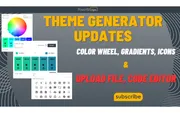
At Power BI Tips, we’re committed to providing you with the best tools and resources to enhance your report building experience. That’s why we’re thri...
May 31, 2023
Ep. 219 is all about Power BI’s evolving button experience—especially navigators and slicer apply/clear patterns—and how a few small UX choices can make reports easier to understand, faster to use, and harder to break by accident.

May 19, 2023
Ep. 216 explores where Python fits in the modern Power BI skill stack—why notebooks are creeping into BI workflows, when SQL and DAX still matter more, and practical ways to start learning without derailing your day job.

May 18, 2023
In this episode of the Explicit Measures Podcast, we discuss the values of adding Python k...

May 17, 2023
Ep. 215 dives into the March 2023 visual container upgrades—subtitle, divider, and padding—and how they unlock cleaner report layouts. The team also explores viewing PBIX reports directly from SharePoint/OneDrive and what it means for versioning and governance.
February 28, 2023
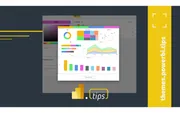
How do I create a complex Power BI theme without writing JSON?
November 3, 2022
_PowerBI.Tips LOVES community. And we are out to prove it._ We are so proud to announce [Community Jam by PowerBI.Tips](https://jam.powerbi.tips/), t...

October 12, 2022
When the moon hits your eye… If Dean Martin were still alive and loved Power BI as much as we do… Do you think he might change up the lyrics of his so...
September 20, 2022
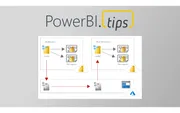
When you have really large data models loaded in powerbi.com there are challenges around quickly loading gigs of data into a data model. This is parti...
May 6, 2022
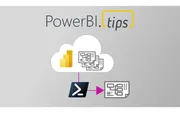
How do I download a Power BI report authored in the browser as a PBIX?
April 30, 2022
When organisations deploy Power BI, it is important to offer support to users. Often this can be in the form of formal help desk and tickets. In addit...
February 10, 2022
If you want to start learning Power BI, or are looking to improve your skills, there are lots of areas you can start. However, learning itself is a sk...
February 10, 2022
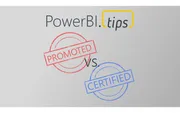
Power BI continues to grow and strengthen its position in the enterprise space. A feature that you may not be aware of, but can be extremely valuable,...
February 3, 2022
Howdy folks, and Happy New Year! We’ve just released Business Ops 3.0.2, which contains long-awaited updates for the following External Tools: * [...
January 9, 2022
In the day to day operations of businesses speed of delivery, cost effectiveness, and satisfaction of outcome is a trifecta of challenges we run again...
December 15, 2021
First of all, go read this amazing blog put out by Alberto Ferrari over at SQLBI that he posted awhile ago. It is the context for the conversation we...
December 12, 2021
This month we partnered with the relaunch of the Des Moines user group to host Matthew Roche. This month’s topic is all about data culture. If you don...
December 9, 2021
This topic was gleaned from the absolute wealth of knowledge put down in the MSFT [Power BI Adoption Roadmap](https://docs.microsoft.com/en-us/power-b...
December 7, 2021
To say this another way. Not all columns have datatypes in DAX, specifically speaking to using dynamic ranking with an “Other” category. Let me explai...
December 2, 2021
Trolling… we should clear up the definition of this right off the bat. We aren’t talking about the type of trolling where we spend a bunch of time fin...
November 27, 2021
We’ve been having an amazing amount of fun having conversations on our podcast “[Explicit Measures](https://powerbi.tips/explicit-measures-power-bi-po...
October 19, 2021
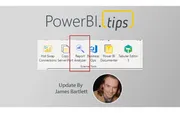
Howdy, folks! This past weekend, I was a man on a mission. There were two pressing reasons for a new release of Business Ops: 1. The authors of man...
October 6, 2021
Learn how to use the Power BI Scanner API to manage your tenant's entire metadata. Thanks to Ferry Bouwman and Rui Romano for their contributions.
October 3, 2021
**UPDATE**: All downloads for business ops has moved to github releases page dedicated to this project here: [https://github.com/MikeCarlo/BusinessOps...
September 23, 2021
Where does the Power BI Mobile app fit within your report building plan? This topic is widely un-discussed within the Power BI community. Many blogs a...
September 23, 2021
Howdy folks! I just published three new time-saving scripts for Tabular Editor to the PowerBI.tips TabularEditor-Scripts repository.
September 12, 2021
Howdy, folks! A few months ago, I was writing and running various PowerShell scripts to manipulate the connected data models in my Power BI Desktop f...
May 19, 2021
_This article follows from Episode 5 of the new Explicit Measures Podcast, a whole new way to talk about Power BI. If this article strikes you as rele...
May 11, 2021
This is part 3 of 3 in a series designed to help Power BI users and enthusiasts. This post focuses on representing your skills when the time comes.
May 4, 2021
Welcome to a new podcast from PowerBI.tips — the Explicit Measures Podcast featuring Mike Carlo, Tommy Puglia, and Seth Bauer.
April 25, 2021
**One of the biggest improvements you can make to your life and career is embracing a learning mentality.** If you are here, I assume one of your inte...

March 9, 2021
Using Power Apps Power BI and Power Automate together can unleash huge benefits and enhance your solutions. Creating an end-user-centric dashboard and...

February 19, 2021
Well, it’s Friday, time to take a little break and play the Dice Game! The Power BI community is creative and is always developing amazing ideas. This...
February 16, 2021
Power BI Version Control is a free, fully-packaged solution that lets users apply version control, local editing, and manage PBIX or PBIT files. The s...
February 11, 2021
Power BI took the BI world by storm 5 years ago, there has been a release of the Power BI Desktop almost every single month. The infant that was Power...
January 5, 2021
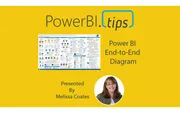
Melissa Coates of Coates Data Strategies has produced a new version of the Power BI End-to-End architecture document. If you haven’t seen this documen...
January 1, 2021
## **Please navigate to the following page to see Power BI Version Control:** https://powerbi.tips/2021/02/power-bi-version-control/...

December 22, 2020
I was having a candid conversation with Phil Seamark from DAX.tips about Aggregation Tables. During that conversation, I was aski...
December 16, 2020
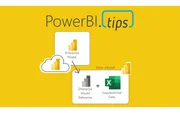
What is a Power BI composite model, and how does DirectQuery to a semantic model work?
December 13, 2020
This article will focus on Power BI architecture within a data solution. In this context, Power BI architecture describes how Power BI can slot in a...

November 18, 2020
We just completed an amazing webinar from Parker Stevens over at BI Elite. In this webinar, Parker walks us through how to connect to the Power BI Admin APIs.
November 18, 2020
The Power BI Field Finder created by Stephanie Bruno was just updated. In this recent update the HTML viewer has been updated since the old custom vis...

October 30, 2020
I was recently contacted by Power BI Community member Gomathy Viswanathan and Ashwini Nayak. Thus, it is my pleasure share with you their incredible r...
October 29, 2020
The Milwaukee Crew is back at it again with the October 2020 Power BI User Group (PUG). This month we have the amazing Gil Raviv talk to us about Powe...

October 26, 2020
Daniel Marsh-Patrick is a custom visual developer who recently released the HTML Content, a custom visual. This month we go over this visual in detail...
October 23, 2020
Horary! The Power BI desktop for October finally arrived and it is packed with tons of updates. I’m super excited about this month’s release. We ralli...

October 23, 2020
Power BI is a powerful reporting tool that has been dominating the market and rapidly evolving. Yet, in many organizations people seem unaware of its...
October 22, 2020
In the October 2020 release of Power BI desktop you have the ability to load a dataset from the splash page. For this tutorial we dig in on how Micros...

October 15, 2020
This month I had the privilege of participating in the Power BI Quiz. If you don’t know about the Power BI Quiz show, this is an event that is put on...

September 30, 2020
We were excited to welcome a good friend of PowerBI.Tips Alex Powers to speak with us at this months PUG meet...
September 29, 2020
What does it take to design and create a great looking report in Power BI? Do you have a clear understanding of what tools and techniques you should u...
September 29, 2020
This month we got the Power BI desktop update a little bit later because it was released during the 2020 Ignite conference. Here's our MVPs React recap.
September 8, 2020
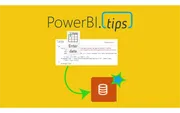
This tip outlines an easy deployment method for data tables that have been manually added to a model via “Enter data” in Power BI Desktop. This is a v...
August 31, 2020
Back again with another Power BI User group for Milwaukee. This month Mike and Seth walk through the beta release of external tools. If you didn’t see...
August 13, 2020
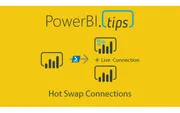
Latest Version Download: ### Download the latest version of Hot Swap Connections using Business Ops...
August 13, 2020
We are excited to announce a new tool from PowerBI.tips — The Business Ops tool. One tool to install them all!
August 7, 2020
The Monkey Tools add-in for excel is really amazing. As a developer for Power BI for many years I’ve learn a ton of tips and tricks while working with...
July 31, 2020
Welcome to July! This month we have Tommy Puglia from the Chicago Power BI User Group joining us to discuss and talk about driving organizational succ...
July 22, 2020
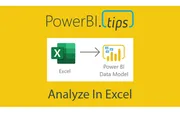
A common ask from users is the ability to view data related to visuals in excel. While there is an option to export data, the format is often unfriend...
July 21, 2020
This month we are trying something brand new. We are introducing a new series called MVPs react. As you may already know Power BI has monthly desktop...
July 15, 2020
If you haven’t heard about DAX Studio, well now you have. DAX studio is an essential tool for Power BI developers. It enables you to explore and tune...
July 1, 2020
This month’s Milwaukee Power BI User group we have Reza Rad from Radacad.com. Reza has a long history within the Power BI MVP...

June 16, 2020
I am working on a project that uses Power BI embedded to display reports to external users via an application. I’ve used the progression of A sku’s (e...
June 8, 2020
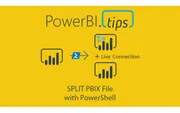
How do you split a Power BI file into a shared dataset and a separate report?
June 3, 2020
Understand more about your model then you thought possible! This is part two in our series on DAX Studio. If you missed part one be sure to check out...
May 29, 2020
Let’s say you have a Power BI file connected to an Analysis Services machine. Then you want to change the data source to PowerBI.com using a Live Conn...

May 25, 2020
If you’ve played around with MapBox in Power BI – you’ll know that it has loads of great features to create really rich and beautiful maps, including...

May 19, 2020
If you’ve played around with MapBox in Power BI – you’ll know that it has loads of great features to create really rich and beautiful maps! One featur...

May 14, 2020
Darren Gosbell & Marco Russo join PowerBI.Tips in a 4 part series on how and why to use DAX Studio! They show us why **DAX Studio is the ultimate tool...

May 12, 2020
If you’ve played around with MapBox in Power BI – you’ll know that it has loads of great features to create really rich and beautiful maps! And one of...

May 8, 2020
The Milwaukee Brew City PUG for April kicks off with some quick updates and highlights of upcoming events. We spend a quick minute on why we’re so exc...
May 6, 2020
The April 2020 Power BI desktop release is an amazing release. This month the Power BI team has released a new lasso feature to enable users to select...

April 16, 2020
The ALM Toolkit is an excellent tool for aiding users with Tabular Model management. Christian Wade has been generous enough to provide us with a deta...

April 7, 2020
Maps are a fantastic way to communicate spatial data – and lucky for us Power BI has loads of awesome mapping visuals to choose from. However, the Map...

April 2, 2020
Tabular Editor is an incredible Tool that enables users to manipulate a Tabular model at lighting speeds. Daniel Otykier is the creator of the Tabula...
March 23, 2020
The Milwaukee Brew City PUG for February had tons of rich demo content. Steve Campbell delivered quite a session for an hour and a half. We were able...
March 4, 2020
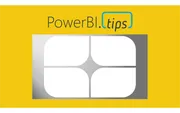
I was recently working on some new ideas for a Scrim when I stumbled upon something interesting. A scrim is pretty specific in its layout, and this on...

February 17, 2020
As a report author it is important that you build the necessary context for your end users. The main areas most often needing context either relate to...
February 12, 2020
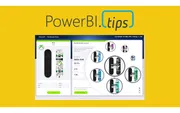
This report is just over the top amazing cool! Check out the work done by the Microsoft team to make this incredible report. It is called the Microsof...

February 10, 2020
This article is the second part in a series on API calls. It will look at some best practices and considerations when using API calls in Power Query....

February 4, 2020
Recently I had the privilege of working with Microsoft doing a Webinar on layouts. One thing we are passionate about at PowerBI.Tips is good looking r...
February 4, 2020
Here we are, jumping in to 2020. This Month PowerBI.Tips is kicking off and sponsoring the next year of Power BI user groups (PUGs) for Milwaukee. If...
January 29, 2020
How do I find where columns and measures are used in a Power BI report?

January 22, 2020
This month we did a webinar with the Microsoft team on how to build different custom visuals in Charts.PowerBI.Tips a...
January 16, 2020
This article examines using the advanced editor in Power Query to better handle when things go wrong. It will also allow custom actions to be triggere...
January 14, 2020
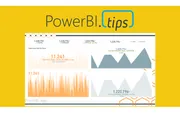
KPIs are a key visualization type used to convey high level metrics to the end users. They provide an at-a-glance metric that allows business users to...
December 23, 2019
PowerBI.tips is excited to announce our new tool to help you build the best looking reports, Scrims. We’ve...
December 21, 2019
Thanks for your interest in our product Scrims. For more details on what is a scrim click this link to Learn More. **Download** a scrim from the prod...

December 6, 2019
In some recent conversations the notion of minimizing the number of required visuals came up as a topic. While I know from talking with the Microsoft...
November 27, 2019
Over the course of time Power BI has come to encompass a wide variety of technologies and tools. One such product that has been integrated into the su...

November 20, 2019
For each visual in Power BI Desktop there is a button called Focus Mode. This feature highlights a single visual. While this can be helpful, it does r...
November 12, 2019
How do I consolidate several report pages into one page with visual groups and bookmarks?

November 9, 2019
This post will walk through how to pull an estimated household income from a US address. It will be completed all in the Power Query Editor. We will c...
November 5, 2019
For this week we are building a stacked bar chart on https://Charts.PowerBI.Tips. While you can build this type of char...
October 30, 2019
This month at our Power BI User group in Milwaukee Seth and myself walk through some of the basics of Power BI. We digest how can we leverage Power BI...
October 23, 2019
In October of 2019 Power BI released a new file type, PBIDS. The Power BI Desktop Source (PBIDS) file is a JSON object file that aids users connecting...

October 22, 2019
How do you get historical stock prices in Power Query?
October 15, 2019
As a user that builds Power BI reports, did you know the different technologies that come into play when you interact with the tool? This is one of th...
October 8, 2019
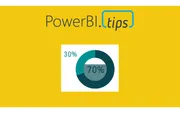
We are starting today off with a fun chart. We will be making a filled donut chart. Typically, I don’t use donut charts but in this case I think we ha...
October 2, 2019
How should you organize Power BI datasets for report authors?

September 30, 2019
How do I set a custom sort order inside a DAX measure?
September 26, 2019
# Grouping with Style The release of grouping visuals was an extremely welcomed feature. As one who builds lots of reports grouping elements together...
September 17, 2019
I recently encountered a really frustrating experience related to a set of reports seeming to not update after some data source changes. I’d done this...
September 11, 2019
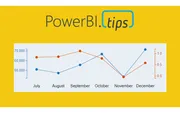
Ever need two different scales on the Y-Axis of a line chart? If so, then this tutorial is for you. Learn how to create a dual y-axis line chart.
August 30, 2019
This layout continues to deliver fantastic visual guides to make your reports look top notch. This layout utilizes buttons for navigation without lock...
August 8, 2019
How do I use buttons to switch one chart between Volume, Dollars, and Margin?
July 18, 2019
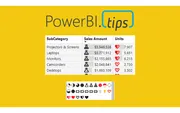
I am just bursting with excitement!! This month the amazing Power BI team has yet again come out with a great new feature, Icon sets. In addition to t...
July 11, 2019
How do I build a Power BI matrix that shows days, weeks, months, and years up to today?
July 3, 2019
I’m a lazy engineer. Let me qualify my statement. In lazy I mean I like to find the path of least resistance, the shortest distance between two poin...
June 20, 2019
This year the Microsoft Business Application Summit (MBAS) was held in Atlanta Georgia. Despite some travel snafu’s (3 rebooking’s and 9 delays), we m...
June 20, 2019
Welcome to another installment of building custom visuals with the Charts tool from PowerBI.Tips.
May 1, 2019
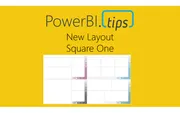
“Square One” utilizes the color theme as a background component that adds a pop of accent color only. This gives you the end user the maximum flexibil...
March 21, 2019
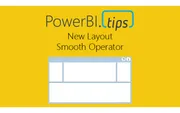
Hey everyone! We're excited to release our latest layout 'Smooth Operator'. Download it now and give your reports a fresh look.
February 12, 2019
With the release of the custom visuals building tool Charts.PowerBI.Tips we received a number of comments requesting tu...

January 21, 2019
To celebrate joining the Power BI Cat team next week, I thought I would update a DAX game I built last November (2018) which was a DAX-based maze game...
December 4, 2018
If you are like me and you like making your reports look extra good with different visual elements you’ve probably come across the issue before where...

November 26, 2018
If you haven’t had your mind melted over the past few games that Phil Seamark has developed here is one more, aMAZEing DAX. This month’s game is a Ga...
November 13, 2018
I have been holding on to a copy of Satya Nadella’s book “Hit Refresh” for quite some time. With all the Power BI goodness, the job, etc.… I just hadn...
October 2, 2018
In the September 2018 blog post the Microsoft team released a new layout. This layout has a number of really nice design elements. However, upon rev...
September 10, 2018
In Power BI reports various features are used to enhance the reporting experience. Drillthrough allows users to navigate to different report pages wi...
September 10, 2018
In Power BI reports various features are used to enhance the reporting experience. A hierarchy is a ordered set of values that are linked to the leve...
September 10, 2018
In Power BI reports various features are used to enhance the reporting experience. Focus mode allows for a single visual to expand for dedicated inte...
September 10, 2018
In Power BI reports various features are used to enhance the reporting experience. The Ellipsis allows users to open an option menu specific to a vis...
September 10, 2018
In Power BI reports various features are used to enhance the reporting experience. Tooltips appear when the cursor is hovering over a visual. Not al...
September 4, 2018
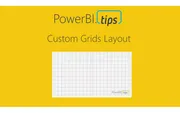
When you design a report, there are a number of things to consider. For example, the types of visuals, the colors used within the visuals, and the lo...

August 21, 2018
PowerBI.Tips and Phil Seamark are proud to release our third game written in Power BI, DAX Mission Impossible. This game is similar to the game play...
July 30, 2018
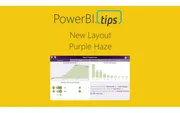
In honor of the 2018 Business Applications Summit, PowerBI.Tips has published a new layout, Purple Haze. Purple Haze is the brain child of Seth Bauer...
July 28, 2018
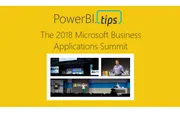
Want to give a special thanks to the Microsoft PowerBI team for allowing PowerBI.Tips to participate in the 2018 Microsoft Business Application Summit...

July 17, 2018
I am proud to announce another joint development game between Philip Seamark and myself (Mike Carlo) of a Tic Tac Toe game. To read about how this ga...
July 9, 2018
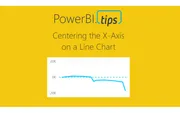
Sometimes when your working on a line chart you want the x-axis to stay centered on a chart. This tutorial will walk you through how to create an X-Ax...

June 22, 2018
This week Philip Seamark, an avid Power BI developer has released a joint project with PowerBI.Tips, a full Sudoku game in Power BI. To be totally ho...
June 20, 2018
This weeks tutorial focuses on the need to control groups of visuals independently. This recently came up in a project where I needed to adjust all t...
June 6, 2018
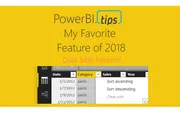
Hands down best feature this year to date, Data Table Filtering! In the June 2018 Power BI Desktop Microsoft released the ability for you to navigate...
May 17, 2018
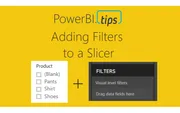
Often when working with a Power BI report you will add a slicer that has a “Blank” item in the selection criteria. From a usability standpoint you mi...

April 23, 2018
There are often questions surrounding Publish to Web. What is it? How can I use it to share my reports? This video walks through the proper usage f...

April 18, 2018
Update: This tool has been deprecated as of 2024-11-27. You can now find this as a downloadable HTML file on GitHub.
February 26, 2018
Of all the connection types, I’ve always gravitated towards this one. I imagine it is because I come from the database developer side of things. I’m a...
February 21, 2018
This is part 2 in the 3 part series on developing super cool tables using some fancy measures. In part 1 we walked through how to build a table that...
February 14, 2018
When I teach Power BI to new users, there are typically questions about how to get Power BI to act more like Pivot Tables in Excel. Through my discus...
January 31, 2018
How do I set a custom column's data type in Power Query without an extra Changed Type step?

January 19, 2018
First off, let me say WOW! The announcement of Layouts was well received by the Power BI Community. Thank you so much for the positive feedback. So...
January 15, 2018
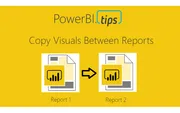
There are cases when working with Power BI files, that you would want to transfer a visual from one report to another report. While this feature is n...
December 29, 2017
Now that we've covered the basics of connection types, let's dive into Direct Query and when to use it for your Power BI reports.

December 20, 2017
How do I build a DAX date table with only the first day of each month?
November 24, 2017
How do you build custom Power BI usage metrics reporting?
November 16, 2017
Power BI’s default connection type is Import. In fact, if you have never dealt with a data source that handles multiple loading methods, you may never...
November 14, 2017
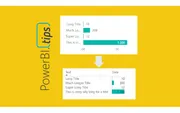
The more you work with Power BI Desktop it is more than likely you will find some tool limitations that impact your overall design pursuits. As I hav...
October 16, 2017
What is the difference between Import, DirectQuery, and Live Connection in Power BI?

October 12, 2017
DAX (Database Access Expressions) can be quite complex. It is essential to being able to appropriately manipulate the Power BI data model for the vis...
October 11, 2017
To everyone who was able to attend the Power BI World Tour 2017, Thank you! It has been a pleasure presenting my favorite tips and trips. This post...
September 8, 2017
September is here and there is a new update for Power BI desktop! I’m so excited for this month’s update as there are many solid features. One of th...

August 14, 2017
I’ve been using Power BI since it was released back in 2015, and I’ve found that when talking with other PowerBI users there is always a little confus...
August 11, 2017
I love these updates, it’s like Christmas comes every month!! This month we get a ton of really great features, I for one am super pumped to get into...
July 25, 2017
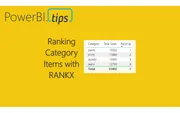
How do I rank categories with a DAX measure that updates when the slicer changes?
July 5, 2017
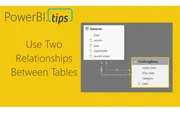
For those of you who work in supply chain management this tutorial will be right up your alley. In my previous job position I had a lot of interactio...
July 3, 2017
Here is another great tutorial from Curbal. This tutorial teaches you how to use the DAX function UserRelationship. This is important when your deal...

June 13, 2017
This year I had the wonderful privilege to attend the Microsoft Data Insights summit for 2017 as a speaker. My topic was the Top Ten Tutorials from P...
June 10, 2017
This month we have a big release for Power BI Desktop and for the Power BI service. There are a number of great new features. For the everyday user...
May 5, 2017
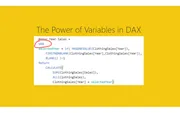
How do I use CALCULATE and DAX variables to compare this year vs last year after a visual filter?
May 3, 2017
It’s that exciting time of month again. Time for another power BI desktop release. This month here are a couple of good highlights you should check...
April 6, 2017
Learn how to use SUM() and SUMX() with this great video from Curbal. As you become more familiar with PowerBI you will increase your understanding of...

April 5, 2017
This video talks about how to create custom links that apply report level filters. This is super cool and provides a ton of wide flexibility when bui...
April 4, 2017
With another month comes another exciting release of PowerBI desktop. This month we have a number of really interesting features releases. One of th...
March 28, 2017
Here is a super helpful video from Guy in a Cube about how to have multiple logins using Google Chrome. Often I find my self juggling between a work...
March 21, 2017
This week I had a number of team members tell me how difficult it was to share a PBIX file and the corresponding data between team members. The depar...
March 6, 2017
March is an exciting month, and with this release of Power BI we have been given some long asked for features. One such feature is the ability to impo...
March 5, 2017
This month it is a major game changer. PowerBI has introduced the ability to change the color theme of your Power BI reports. What does this mean fo...

February 28, 2017
For a while now I have been longing to spend more time learning all the ins and out of Power BI embedded. From the line of work that I do, I can see...
February 21, 2017
For those of you who are following my tutorials, you are most likely to understand that each tutorial comes with it’s own data source. This has been...
February 16, 2017
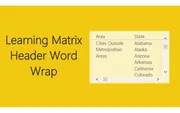
Power BI has been an continually evolving tool over the last year. The Matrix visual is powerful and mimics much of the functionality of a Pivot Tabl...
February 7, 2017
The long awaited PowerBI Desktop release is here. I’d like to point out a couple of key features that will help you improve your reports. First, the...

December 23, 2016
This past week I was talking with the big guy up north, jolly old fella, and the discussion came up about his toy production levels. Santa was compla...
December 5, 2016
How do I calculate year-over-year percent change with DAX measures?
November 16, 2016
In the October update of PowerBI Desktop we were given a number of really useful features, ranging from a new Date Slicer, Grid lines, Grouping, Binni...
May 2, 2016
Learn how to create percent change calculations in Power BI using DAX measures with practical examples using real-world automotive production data.
April 27, 2016
Learn how to create histograms with custom bins in Power BI using DAX measures to categorize and visualize your data distributions.

April 20, 2016
Learn how to pull data directly from Wikipedia into Power BI and create a beautiful filled map showing US population growth by state.
April 14, 2016
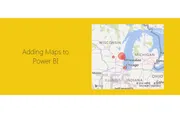
Learn how to create impressive map visualizations in Power BI Desktop using latitude and longitude data with this step-by-step mapping tutorial.
April 13, 2016
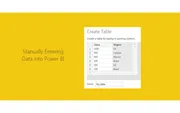
Learn how to manually enter data directly into Power BI Desktop to create small tables for your visualizations without needing external files.
April 11, 2016
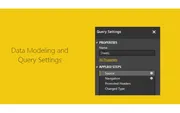
How do I fix a Power BI Desktop query when its Excel source file has moved?
April 7, 2016
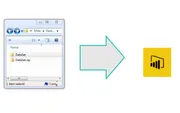
Learn how to load multiple files from a folder into Power BI Desktop using the powerful automated data loading feature that will change how you work with data.
April 1, 2016
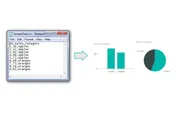
Learn how to import CSV files into Power BI Desktop, create tables and charts, and copy visuals to build compelling data visualizations.
March 29, 2016
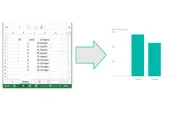
Learn how to load data from Excel into Power BI Desktop with this simple step-by-step tutorial covering the Get Data function and basic visualizations.
March 26, 2016
Welcome to PowerBI.tips, a blog dedicated to learning and developing visualizations for Power BI Desktop, PowerBI.com, and data modeling in Excel.