
PowerBI.tips

Business Ops Update: Bugfix
October 3, 2021 By Mike Carlo
Business Ops Update: Bugfix

UPDATE: All downloads for business ops has moved to github releases page dedicated to this project here: https://github.com/MikeCarlo/BusinessOps/releases

Howdy folks!

We have just published a bugfix release for Business Ops; Version 2.0.2 is now available for download. Please see the instructions below for details.

Instructions

If you have installed Business Ops 2.0 or 2.0.1, you should use the “Edit External Tools” menu to remove the External Tools you have installed, then close and uninstall Business Ops.
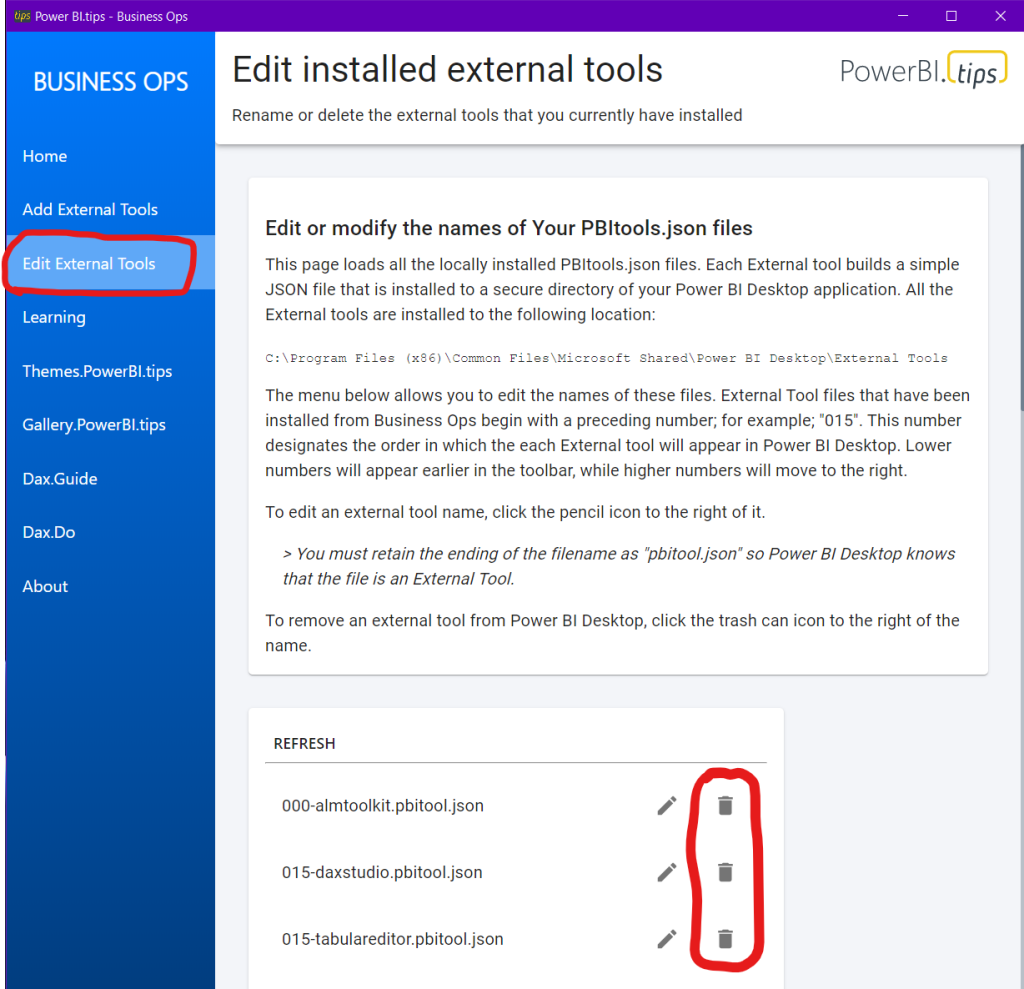
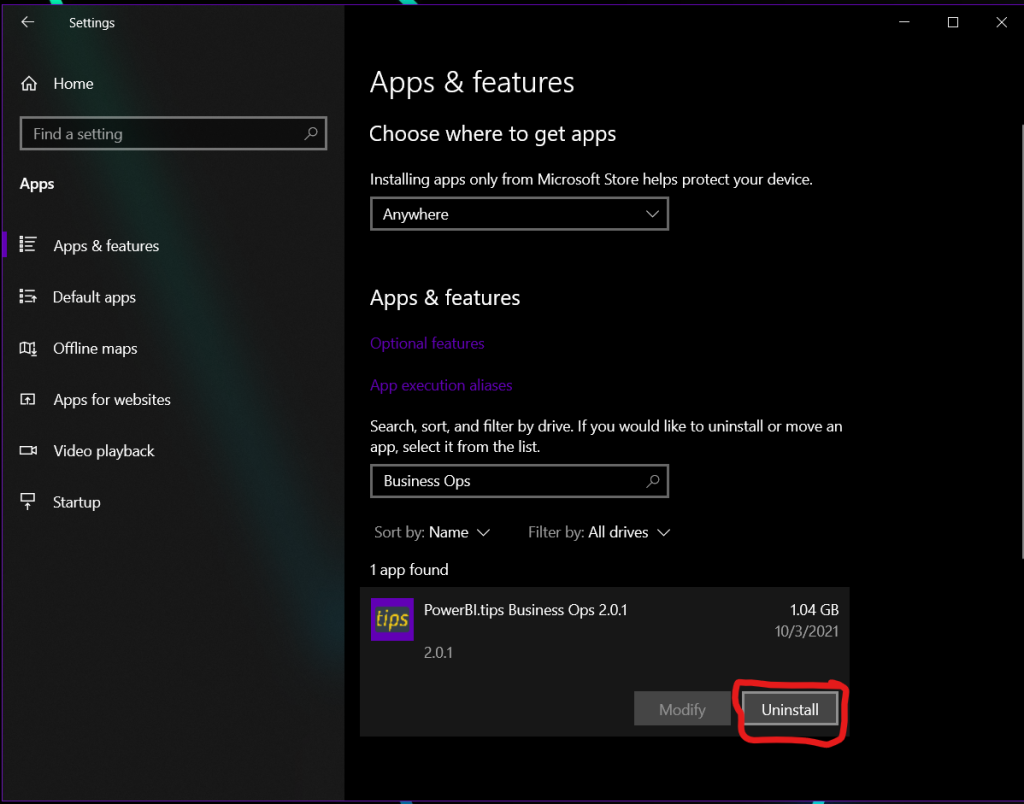
Then, just download and install the latest version of Business Ops, and reinstall your favorite External Tools. That’s it!

What Happened?

In previous versions of Business Ops, its installation path was C:\Users\\AppData\Local\Programs\pbi-tips-business-ops\, which could be accessed by any process running on the machine. This struck us as somewhat insecure, so we decided to beef up the security. When we released Business Ops 2.0, we changed the installation path to C:\Program Files\PowerBI.tips Business Ops\, which requires elevated permissions to modify any files inside. This change increased the security of Business Ops, but those of you who are familiar with how file paths work can probably guess how it also had some other, unintended consequences. For those who aren’t, here’s what happened:

The installation path in previous versions did not have any spaces in it, and everything was working fine. But when we changed the installation path to one that includes spaces, several of the included External Tools in Business Ops stopped working. This wasn’t immediately obvious because it only affected the handful of External Tools which launch a PowerShell script by calling its absolute path. Once we identified the cause of the issue, the fix was pretty straightforward, and we got everything working again.

Thanks for reading!

James

Previous

A better way to Mobile

More Posts

May 15, 2026

Importance of Skills for the Fabric Developer - Ep.528

In this episode, Mike and Tommy dig into why building the right skills matters for Fabric developers and how that thinking changes what you learn first. They also discuss how to evaluate skill depth, avoid tool-chasing, and create a plan for steady growth.

May 13, 2026

Semantics Layer Genie & Data Agents - Ep.527

Mike and Tommy explore what ‘semantic layer genies’ and data agents could mean for Fabric and Power BI teams, from metadata-driven modeling to assisted development workflows. They break down where agents help today, what needs governance, and how to stay practical as the hype accelerates.

May 8, 2026

Stop Using Bookmarks - Ep.526 - Power BI tips

In Episode 526 of Explicit Measures, Mike Carlo and Tommy Puglia unpack the latest Power BI and Microsoft Fabric topics from the show. You’ll get a quick read on the episode’s biggest ideas, why they matter, and where to dig deeper in the full conversation.