
PowerBI.tips

Stacked Bar Chart

November 5, 2019 By Mike Carlo
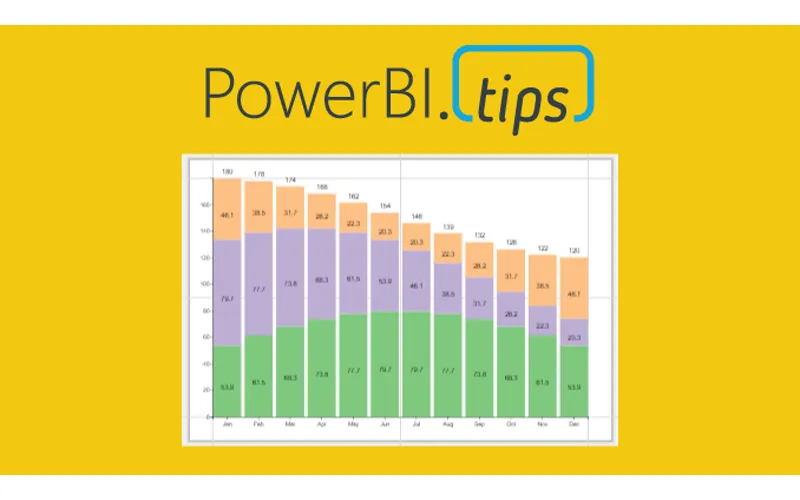
Stacked Bar Chart

For this week we are building a stacked bar chart on https://Charts.PowerBI.Tips. While you can build this type of chart within Power BI Desktop this video is more of an example showing how you can build a similar custom visual chart. There are two areas that i’d like to point out.

  1. When working with a chart you can add a Legend to a shape object (2:40)
  2. Adding a grand total requires an additional Glyph (3:14)

While these two tips are pretty simple it really does help you when building more complex custom visuals.

Watch the Tutorial

Download this Custom Visual

If you liked this visual and want to download it, head over to this repository to download.

Learn More About Custom Visuals

We have been working hard to help you learn how to make custom visuals. Check out our full YouTube Playlist to learn more about using Charts.PowerBI.Tips.

Previous

Act like the business, Think like I.T.

More Posts

May 8, 2026

Stop Using Bookmarks - Ep.526 - Power BI tips

In Episode 526 of Explicit Measures, Mike Carlo and Tommy Puglia unpack the latest Power BI and Microsoft Fabric topics from the show. You’ll get a quick read on the episode’s biggest ideas, why they matter, and where to dig deeper in the full conversation.

May 6, 2026

Less Guessing? More Building! - Ep.525 - Power BI tips

In Episode 525 of Explicit Measures, Mike Carlo and Tommy Puglia unpack the latest Power BI and Microsoft Fabric topics from the show. You’ll get a quick read on the episode’s biggest ideas, why they matter, and where to dig deeper in the full conversation.

May 1, 2026

Fabric's Most Underrated Features - Ep.524 - Power BI tips

In Episode 524 of Explicit Measures, Mike Carlo and Tommy Puglia unpack the latest Power BI and Microsoft Fabric topics from the show. You’ll get a quick read on the episode’s biggest ideas, why they matter, and where to dig deeper in the full conversation.