
PowerBI.tips

Data Table Filters

June 6, 2018 By Mike Carlo
Data Table Filters

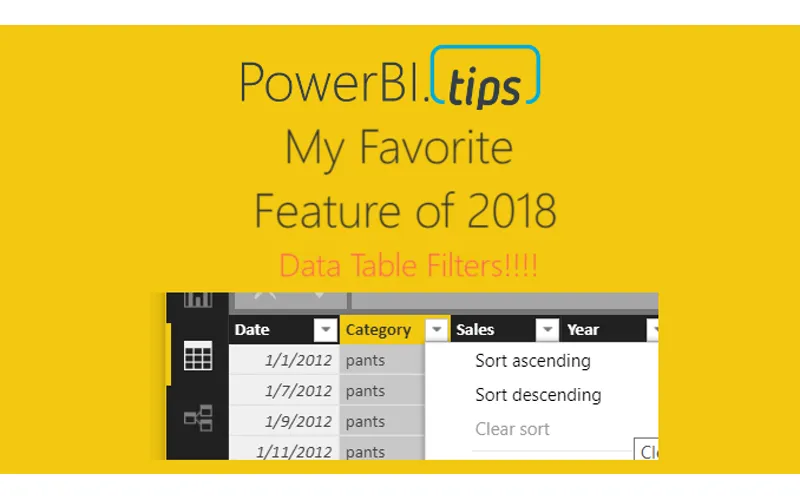
Hands down best feature this year to date, Data Table Filtering!  In the June 2018 Power BI Desktop Microsoft released the ability for you to navigate to the Data Table view.  While on this view drop down icons now appear which enable filtering of the Data Table.  This is super helpful when looking at the raw data that has been loaded into your data model.  Check out the video below to see how the feature works.

Other Thoughts:

For those of you who like Excel, and data tables in Excel, this feature will make you feel right at home within a pivot table type feel.  I hope you enjoy this month’s update as much as I did.  Thanks for stopping by.

For the official documentation from Microsoft follow this link to the blog announcement.

Previous

Apply a Filter to a Slicer

More Posts

Mar 25, 2026

Git Best Practices Diff Noise & Naming - Ep. 513

Mike and Tommy break down the Git habits that make pull requests easier to review, cleaner to merge, and less painful to maintain over time. If your team fights diff noise, inconsistent naming, and mystery changes buried in commits, this episode gives you a practical framework for cleaning that up.

Mar 20, 2026

Publish to Web vs. Embedded - Ep. 512

Mike and Tommy break down the real difference between Publish to Web and Power BI Embedded, and why mixing them up creates security and governance headaches fast. If you need to share reports outside your organization, this episode gives you the practical framework for choosing the right option without accidentally turning convenience into a data leak.

Mar 18, 2026

Scaling a Power BI Side Hustle - Ep. 511

Mike and Tommy break down what it actually takes to grow a Power BI side hustle from occasional freelance work into a repeatable consulting engine. If you're balancing client delivery, productized offers, and the reality of limited time, this episode gives you a sharper playbook for scaling without creating chaos.