
Edit Data Models in PBI.com – Ep. 213
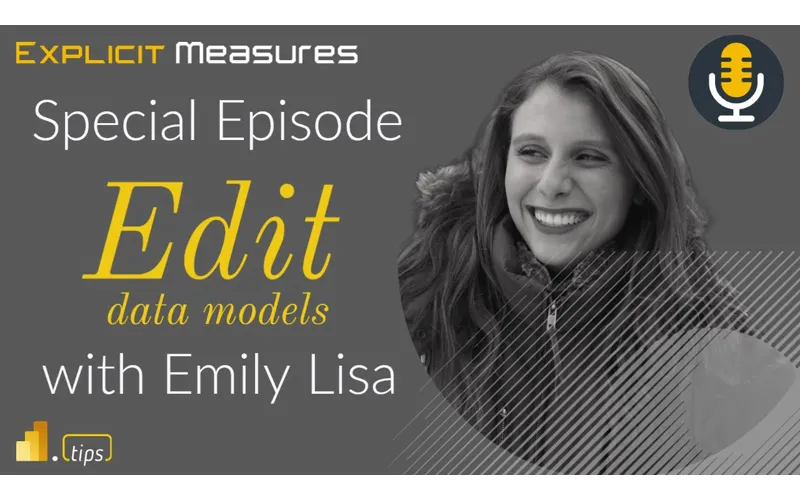
Power BI modeling has traditionally lived in Desktop—download a PBIX, make changes, publish, repeat. In Ep. 213, Mike, Tommy, and Seth are joined by Emily Lisa from Microsoft to talk about a major shift: editing your semantic model directly in the Power BI service (public preview).
They cover what you can (and can’t) do today, why this reduces friction for small-but-critical fixes, and the bigger question every team will face as web editing expands: where does the source of truth live, and how do you review changes safely?
News & Announcements
-
Edit your data model in the Power BI service (Public Preview) — Microsoft’s announcement + opt-in steps for editing measures, relationships, and other model elements directly in the Service.
-
Emily Lisa on LinkedIn — Follow Emily for product updates and context on how semantic model features are evolving in the Power BI service.
-
Submit a Topic for the Podcast — Drop a Fabric/Power BI scenario you want the crew to debate on a future show.
-
Subscribe to the PowerBI.tips Podcast — Browse the backlog and pick your favorite platform to follow the show.
Main Discussion
Topic: Editing semantic models in PowerBI.com
This conversation is less about ‘cool new UI’ and more about workflow: when does it make sense to do modeling work in the browser versus Desktop? Emily walks through the intent for the feature (fast updates on existing semantic models), while the crew pushes on the practical realities—version history, collaboration, and the developer experience when you’re doing serious model work.
Takeaways you can apply immediately:
- Use web editing for targeted changes that unblock the business (fix a measure, adjust a relationship, tweak a model property) without the full PBIX roundtrip.
- Keep Desktop as your ‘heavy-lift’ tool for big refactors; treat the Service as an accelerator for smaller edits and iteration.
- Decide who is allowed to edit models in the Service and what the review/rollback story is before you rely on it in production.
- Be explicit about the source of truth (PBIX in Git, workspace artifact, etc.)—multi-surface editing without a rule will create drift.
- If your team already struggles with undocumented measures/columns, start building lightweight documentation habits now—web editing will make change faster, not clearer.
- Watch the feature as a gateway to broader accessibility (including Mac users) and to more collaborative semantic model management.
- Give product feedback early (Ideas + preview usage); these workflows will solidify based on what real teams push on.
Looking Forward
Try one safe, non-production semantic model in the preview and write down your team’s rules for who can edit in the Service and how those edits get reviewed.
Episode Transcript
0:02 [Music] foreign welcome back to the explicit measures podcast with Tommy Seth and Mike we have
0:34 podcast with Tommy Seth and Mike we have for you today a special episode everyone is aptly woken up we are no longer running out of bed at 7am to try and get down to a podcast this is a midday podcast should be fun very excited today hello everyone welcome thank you Mike thank you how are you today see it looks that’s already yes that’s already like more perky and ready to go on top of it moving forward we should do 12 pass squeezing this right in between meetings yes there we go this is this is my
1:06 yes there we go this is this is my okay let’s keep it going let’s keep it going let’s be prompt please yeah with this special episode this is this has been a a long talk topic with us we’ve actually talked on this topic many times throughout the podcast so far and we’re talking about a topic around modeling data in the powerbi. com service and with us we have a Microsoft again make sure I get this right Emily welcome this is Emily Lisa from the Microsoft product team who’s been working on this feature directly to deliver this new
1:37 feature directly to deliver this new experience and just for a record inside the description is this feature the Microsoft blog released a post I think it was at the end of April where Emily I think you wrote up a little blog post around this is the new feature it’s coming to the service by the way you can use it in my workspace right away and you can turn the feature on in various workspaces as you see fit so welcome Emily hi yeah thank you for having me we appreciate you joining us on the podcast podcast as everyone knows our audience the
2:08 as everyone knows our audience the three goofballs that are that are the explosive major guys Emily we would love to have just a brief background like where do you sit in the Microsoft space and maybe a little bit about your background how did you get there how did you get to Microsoft Microsoft yeah absolutely yeah so my name is Emily and Emily and I’m a product manager on the power bi team and currently I’m focused on modeling capabilities for power bi especially around driving parity between our modeling capabilities that are offered across our different surface areas so being able to do your modeling
2:40 areas so being able to do your modeling capabilities not only in desktop but also bringing these capabilities to the service as well I’m so excited about this yeah yeah and how so I actually I’ve been at Microsoft for about five years now and prior to being on the power bi team which I joined the power bi team about a year ago prior to that I was on the Azure SQL team primarily focused on features in the high availability and Disaster Recovery space nice so you you make Seth’s heart very happy right there he’s when you
3:10 very happy right there he’s when you hear Disaster Recovery sequel you hear Disaster Recovery sequel these These are these are things know these These are these are things that make Seth’s heart sing yeah there you go we shared that in common old old sequel background to into Power bi newness right exactly right well excellent yeah there’s a lot of go ahead go ahead I was just gonna say yeah there’s a lot of cool overlap between SQL and power bi lots of interesting data Concepts so glad that you’re also a fan of both products the more I dig into what what power bi is doing there’s actually
3:40 power bi is doing there’s actually surprise a shockingly amount a large amount of SQL all the data queries are sql-esque there’s a lot of you sql-esque there’s a lot of query faulting that’s happening on know query faulting that’s happening on the back end of things you do a lot of direct query stuff all that stuff generating SQL all over the place so yeah it Seth and I have had maybe some heated discussions per se around what is the language that runs the business what what is the language that runs the data world and I’m firmly convinced it’s SQL like SQL runs the data world it is everywhere across every product it is so robust to be able to
4:11 product it is so robust to be able to manipulate and and get that data shaped in a way even even databricks right I’m using databricks and I’m constantly using SQL databricks as well excellent well jumping in let’s talk more about this new feature so you’ve been working on the product team really around modeling for the website so this is where can we find this feature today inside powerbi. com yeah so this is available in power bi service
4:47 so you can test it out directly there but if you have a collaborative workspace whether it be like premium or Pro user type workspace you do have to enable a preview feature switch in order to test out data model editing in those workspaces so you just go to workspace settings and they’re under the power bi section there’s a feature switch you turn that on and you can test it out in those workspaces as well so for every setting between now and honestly modeling the web it’s always been something in the tenant level settings that you can enable is there a
5:17 settings that you can enable is there a reason why Microsoft decided to push this in like my workspace enabled by default and then something per workspace rather than the 10 level and security groups groups yeah which is a good where it’s enabled vault at the tenant admin level but we do provide tenant admins an option to disable this for specific like users or also the organization following us similar look and feel to the the data
5:47 similar look and feel to the the data Mart tenant admin settings if you’re familiar with that just because we know this is an exciting but very powerful feature so we wanted to give tenant admins that kind wanted to give tenant admins that fine-tuned control to be able to of fine-tuned control to be able to choose who has access to this powerful tool tool so we still have that the reason we have the workspace level feature switch as well is we really wanted to make sure users who are testing this out are aware that this is currently a preview and there are limitations associated with this so that’s why we wanted you actively opt-in recognize like
6:18 you actively opt-in recognize like everything in my workspace by choosing to do this I am using a preview experience I’m encouraging users not to have necessarily their mission critical data sets edited directly in the web have some process in place just because it’s a preview changes are automatically saved there’s not an easy way to revert to a previous point in time at this stage if you make a mistake so we just wanted to to add that extra level of acknowledgment that I’m testing a preview right now totally makes sense
6:49 so thinking through some of these features here I want to go a little bit high level here for just for a brief moment so moment so as I think about like the the personas or the people that are engaging with powerba. com I’m thinking through like in Microsoft’s mind where where is this user Persona fitting like when would be a good use case and again I think again we’re talking about preview things right I could okay I’ll I’ll be I’ll be on it but we’re gonna get we’re gonna get heated here for a moment so Tommy and I disagree on some of these things here so
7:20 disagree on some of these things here so I’m of a huge proponent around I like everything in the web browser the more you can give me in the web browser the more mobile I can be the more I can be flexible with what I’m designing granted this is in preview so there’s probably more features coming in the future but where do you see this Persona fitting where where does this model in the web experience fit within a data modeler report Builder and a release manager type Persona Within said the party ecosystem it was just really targeted for
7:54 yeah so I would say long term in the fullness of time we’re really targeting any type of Creator like power bi Creator who prefers using the web and there’s a lot of reasons why a user would prefer using the browser whether it be just because it’s for some people quicker and easier to make changes in a browser rather than downloading desktop opening the application making changes there republishing so that’s one reason why users would prefer them enable non-windows users to be able to
8:25 enable non-windows users to be able to try out this feature so that’s another big Persona that I could see preferring using a browser type experience so in fullness of time I would say really any creators who would want to be able to make changes to a data model whether it be your analysts or your bi Pros like I see value in both of those personas using this feature at this stage we have a pretty like not all the capabilities that exist in desktop today yet exist in the service you can
8:51 today yet exist in the service you can only edit existing data sets so right now I see it more as your analyst type Persona who wants to make quick changes to their existing data sets data sets awesome and and again I’m picking up some pieces that I understand about Azure and how it lives today right so if again if I’m thinking about like the SQL experience that I’m used to I go into Azure I can build a SQL Server I can even log into the SQL server using the web interface
9:21 the SQL server using the web interface and then even add additional SQL queries directly inside the SQL Server then I can start writing queries against the database right there inside the web browser and I feel like this is another evolution of that experience coming directly to the modeling experience inside power bi so for me I’m very much a proponent of being able to make quick changes modify some things right the the next question I have here is we’re now diverging and this may
9:51 here is we’re now diverging and this may be Tommy I might be stepping your question here but feel free to jump in we may be stepping on a little bit of what the desktop user would traditionally do so if I if I think about the workflow right now I would maybe come in and want to modify a measure change the data type on a column these are simple changes that should not I should not require to go download this whole file so how does this work when I make simple changes to a column or a measure and what happens to my desktop experience can I still get that model out and manipulate it in desktop after I’ve made some changes in service
10:25 yeah so when you make changes to the service if you then download the pbix like associated with the changes you made in the service you can then open it in desktop and see all those changes within desktop and then likewise you can republish to the service from desktop and then see the changes you made in desktop in the service as well so we really do anticipate users using both service and desktop but we have that that download and republish flow in place the thing to be aware of though is if you make a change to say a measure in the service it’s not going to automatically reflect in your
10:56 going to automatically reflect in your pbix file and desktop you need to do that download okay yeah that makes sense so with that being said and I know right now like xmla any update you make to that you can no longer download or there’s still those limitations and someone who still somewhat upset that power apps desktop is gone and not not that it’s harping on it but just a little piece he’s mad he’s a little a little mad obviously there’s the limitations like if I were to create a report in power bi service I I can’t do bookmarks I can’t there’s a lot
11:26 bookmarks I can’t there’s a lot of features missing I still have to download the whole feature what is as much as you can speak to Microsoft’s roadmap or in a sense of plan when it comes to that Synergy or that working between service and desktop so I’m gonna have to download service every time if I make a minor change where do they see that relationship working for someone who is dedicated to power bi desktop or get dedicated to that developer role
11:58 which this is something that like people have feedback on what’s the easiest way to interact between service and desktop like really interested in hearing feedback that you may have on this so please the blog post that you included in the description for this that’s a great place to give us feedback we’re really looking into this but yeah right now like we’re really the primary thing we’re targeting is the download republish flow we are looking to bring more and more of these modeling type capabilities though to the service over time which hopefully will help with some of those interactions but in terms of just like how to interact with both desktop and
12:30 how to interact with both desktop and service if you’re like modeling in both of them right now we’re looking at download republish but any additional feedback on how to make this more streamlined we’d love to hear from you all love it so one one question related to this is with with any new preview or documentation that Microsoft puts out I usually just scroll all the way to the bottom for the unsupported features so I won’t I won’t I won’t ask you as far as like timelines on unsupported features or anything like that but you did mention like in the fullness of time
13:01 did mention like in the fullness of time right is is the goal to reach feature parity with what we have in terms of the desktop experience or or better yeah which that is a really great question question in the fullness of time we do want functional parity in modeling capabilities offered in the desktop and the service there might be some nuances in what the look and feel is like in desktop and service just because there are some cases where you might expect to interact with something in a different way in a
13:31 with something in a different way in a browser than you would in application but functional parity is our long-term goal it’ll take us a while to get there which is why we really love hearing feedback from users on what to prioritize next what can help unblock different scenarios but yes that is our long-term goal and on a similar topic I just want to address it up front we do not plan on getting rid of the desktop application don’t don’t you just made Tommy’s dad or something literally I was going to ask that question like if I had to check my SAT score like I don’t want to look I don’t
14:02 score like I don’t want to look I don’t want to open the envelope so okay so so as a as a quick follow-up to that based on feedback that you may have gotten already or plans prior can you share any of like four of those unsupported features like are there are there ones that are top priorities as as far as like getting out in the next release there’s how much time is involved in supporting all the features
14:33 supporting all the features ones that are top of mind for me that we’re hoping that we’re actively at least investigating in are things such as like right now you can only edit existing data sets in the service so being able to also create new data sets with more different types of connectors is very top of mind for us removing basic limitations is another one one and then also this will be a bit more long term and it’s still an investigation phase but allowing users a way to recover to a previous point in time whether it be like version history
15:04 time whether it be like version history or similar type functionality we’ve heard lots of feedback on this we hear you we’re looking into it we understand why this is important this also feels a bit reminisce of what I see in like Azure synapse at this point because there’s there’s this concept of in in synapse there’s an environment where you can you can jump into building a notebook or a SQL notebook you can write code and then it does it like almost like locally until you like check it in or commit it basically into a library that is synapse where it deploys
15:36 library that is synapse where it deploys it to everyone so for example Tommy and I could both work on a Model together and we could admit those changes I would imagine the story here is very potentially challenging because I could I could totally in the web it makes it very easy for multiple people to get access to the same stuff at the same time right so I could see there could be a really big challenge design wise like hey Mike open up the model oh Tommy opened up the model okay well whose changes go in if we’re either touching the same measure or we’re doing
16:07 measure or we’re doing different measures or I’m creating new measures and Tommy’s creating new tables right that all could be happening simultaneously on the data set which is really cool but I would imagine that makes a nightmare or a headache from your standpoint of okay well how do we take all these pieces and then re-stitch them together and and again I’m reading between the lines here a little bit I feel like this this Tyndall experience that Microsoft has has made where the the tab your model definition definition language where you’re you’re manipulating a data model
16:37 you’re you’re manipulating a data model more with like text files and table definitions and it seems to me it feels better from a merging standpoint being able to say okay if we use this Tim Dom type modeling system we could have multiple people editing different parts of the model and doing a true merging of like a CI CD pipeline now many people can work on different pieces and we can say okay when Tommy edits the model we’re not editing the entire Bim or or the tabular the tmsl or we’re editing like a portion of it like
17:07 we’re editing like a portion of it like Tommy only edited line 10. okay great like you edited line 30. okay good we can then pick those changes merging together and now we have a single model that that represents both of those that man that’s very exciting to be able to see like that capability but I would that’s going to take a lot of work as as Mike so Emily Emily you’ll just have to forgive Mike sometimes he goes off and I’m sorry developing yeah developing these Solutions so if you want to take that as feedback I know there’s I know there’s
17:38 feedback I know there’s I know there’s also some in the chat that are definitely talking about the like this
17:43 definitely talking about the like this multi-editing experience as well yeah so Mike’s question is huh yeah I don’t have another question that was literally not a question you that was literally not a question that was a more of a statement know that was a more of a statement around that is what a feedback item I’ll provide to you on your blog post or I’ll go put it on ideas. powerba. com I’ll land it there for you you can pick it up and throw it away in the garbage later on if you don’t even want it or whatever for the record because I think we need to touch on this version control control a little more but I’m not an old man
18:13 a little more but I’m not an old man yelling at Clouds when it comes to desktop but I am a huge proponent if I am going to do something wherever it’s located it has to be a better experience than it was before I don’t care a lot of browser experiences are fine because that’s the only option but a lot of times you’re sacrificing the user experience or the developers experience because my goodness forbid if you press Ctrl Q or control W on your keyboard and the browser closes or you don’t have a lot of the same features
18:43 don’t have a lot of the same features available which I personally can’t stand so I’m assuming service is also going to do things better than desktop or as in a sense has to is that maybe that collaboration area has that conversation that had a Microsoft where what is service going to offer that desktop doesn’t yeah so I would say our mindset isn’t really to make service better than desktop honestly if we bring something that we feel is good to the service and we get a lot of positive feedback on we
19:14 we get a lot of positive feedback on we want to bring that to desktop too like our goal is really parody between the experiences the key drivers of why we really want to support this in the server the service is to be able to unlock non-windows users and also allow users to make quick and easy changes without having to do the whole like download launch desktop make a change republish workflow it just it could be a lot quicker for some users so that’s what why we’re targeting bringing these capabilities to the service we aren’t looking to make it
19:45 service we aren’t looking to make it necessarily better though we’re looking to make both experiences in service and desktop good and have functional parity so a quick question around that again talking about parity and potentially multiple people editing the model someone actually asked the chat window what would happen if two people opened the model and two people are making changes at the same time is it this idea of of like last one in wins idea here yeah so we have a very like basic first step towards multi-authoring type scenario supported today so if anyone
20:15 scenario supported today so if anyone on the call is familiar with like data Marts in the multi-author experience there it’s going to be really similar to the experience that exists today in data Marts where multiple users could have the same data model open at the same time if one user makes a change other users will have to have their models refreshed in order to see this change and make further changes so it’s a first step yeah so there’s also something we’d love feedback on like do you anticipate actually having multiple users edit the same data model at the same time is this
20:46 same data model at the same time is this something really high priority for you or is this First Step something that will work for your Solutions in the near future makes total sense I I guess I I guess what strikes me with your last comment is I would almost almost I would almost challenge the direction if that is a hard line related to keeping the experience between desktop and the new capability in the service in parity right because if if I look at all of the the newer Innovative
21:16 look at all of the the newer Innovative things coming down the pipe and the conversation we just had earlier this week around low code no no code Solutions especially around challenges that power bi has right like we were discussing power query and and how that interface is is very useful from a low code perspective where end users can do a ton like 80 of the ETL that they would need to when connecting to data sources and cleaning data but where it falls apart is is technically in this modeling experience where people don’t
21:46 modeling experience where people don’t have that that level of understanding of creating facts and dimensions and star schemas Etc where we were pontificating about like a better ways in which you could produce a a wizard is is an overused and poor term for it but like guide guide users through an experience so that by the time they hit the visual framework on the front end you’ve you’ve guided them into building the right things so they don’t go down this like rabbit hole of really complex
22:17 this like rabbit hole of really complex Stacks you keep it really simple for them and that’s done by an experience where you would guide them into hey you’re saying that this is your unique thing we call this a dimension but your data doesn’t support that you need to go fix it right so you’re kind need to go fix it right so you’re like walking through that and I I of like walking through that and I I would almost I would almost to me it almost seems like over time that a service side offering of modeling capabilities and everything would would actually have more opportunity to use more advanced
22:48 more opportunity to use more advanced things down the road because it is an Azure Service as opposed to a desktop thing yeah I don’t know but like I suppose more of the challenge yeah no but it is interesting and it’s something we talk about a lot honestly is that like it’s important to be able to like build a data model before going into recording like and try to keep it simple and usable and something we’re thinking through is like how can we help make this easier
23:19 is like how can we help make this easier especially for beginner users because it could be difficult when you first kind could be difficult when you first enter into Power bi trying to figure of enter into Power bi trying to figure out what is a data model what’s a star schema like what all do I need to do so the topics you brought up are really interesting and I do see potential in service and also desktop to to improve these type of experiences yeah I want to piggyback on that real quick Seth because that raises something that we’ve talked about well when it comes to the governance side obviously there’s restrictions that will be enabled but we know with power bi on the
23:49 enabled but we know with power bi on the roadmap being part of the office install and we we actually had an entire pot episode dedicated to like what does that mean like what is that going to the consequences of that and I think modeling the web where if I have added access to a work space I’m going to be able to edit anything in that workspace from a beginner point of view who may not have the skill set or the knowledge they can just go in and edit we’re so picking up on that item where’s the security or the governance
24:20 where’s the security or the governance going to be playing in and where do you for foresee how do we enable everyone to data for everyone but at the same time in a workspace having those restrictions in place where we also understand the roles of responsibilities yeah which this is a good question that we this is an exciting capability we want to bring it to more and more users but also there’s many cases where you need to make sure you have the proper Security in place because there could be sensitive data that you don’t want everyone to have the access to be able to manipulate the data
24:51 access to be able to manipulate the data model for model for so right now we have the admin setting that I was talking about which can help allow admins at a high level to choose what users and what like security groups in their organization can even do any data model editing and then we also right now to be able to open a data model for a data set you need to have contributor access to that data set so that is build and write permissions that’s how we’re approaching it today it today this is something that if you feel like we need to look into further
25:22 like we need to look into further whether it be like more permissions more ways to like regulate who has access to this I this would be really interesting for us to hear more and more about about now as I think about when I look at the the feature release and kind look at the the feature release and going a bit more in the the concept of going a bit more in the the concept of modeling the web I believe there’s already been a couple good I would say improvements that are already occurring between desktop and what’s coming out for modeling the web I think one of them is looking at row level security right it seemed
25:52 row level security right it seemed like the and also I think relationships is another part of desktop that has slightly changed that has reflected what has been doing what’s been happening in modeling the web so in modeling the web there’s now a well in desktop we had this relationship pane that appeared and so the relationship panel was like a function of well in in modeling the web you don’t want to fly open a a box that basically does relationship management you actually want to have like a proper window or a panel on the right hand side that helps you modify
26:22 right hand side that helps you modify that properties pane for relationships so I feel like in in this case two good improvements that came first to modeling the web eventually made their way back into desktop which I really like those
26:33 into desktop which I really like those two changes and I would actually argue the the new row level security management is a bit more intuitive and you don’t have to write Dax initially to get that relationship modeled now you can actually pick this column equals this and then it just works so I really like what you’re doing already being able to bring some of those features from the website the website side of things into desktop and so as long as as long as there’s not too much of a lead time between both of them I think I’ll be really excited to continue
27:03 think I’ll be really excited to continue to see like a lot more Mile in the web because I feel like that again I I do I do app development in my company right it’s much easier to build to change a website than to change a desktop application it just is so you can iterate and build much faster in the website of things test things out see what works and then take those best features and bring them into desktop which I really like that that mentality that you’re bringing to the to this feature particularly yeah thank you
27:33 yeah thank you is that we want to have like really similar experiences in the service and desktop if we test something out and users like it a lot in the service let’s bring it to desktop and same like there’s tons of things in desktop the users have found a lot of value from that we want to bring to the service as well well and the enhanced RLS editor experience we actually that is in preview also in desktop for those who aren’t aware it is the real level security experience in the service day but we also have a premium desktop so please try it out give us feedback we had a lot of fun developing this like so
28:04 had a lot of fun developing this like so I’m happy to hear that you liked that it’s more of an intuitive I think sound type experience you don’t have to know Dax to be able to like create your row level security roles so yeah it was happy to hear that and the team who’s been working on that editor as well is going to be excited to hear hear the shout out that you enjoy this feature well we’ll have to we’ll have to send them along the way like go find the podcast we talked about we gave you some Kudos and Kudos and yeah I like where things are going so go ahead Tommy what are you saying do we do gift basket it’s oh yeah we should do
28:34 do gift basket it’s oh yeah we should do get baskets down now well one thing we actually have we were having this conversation just earlier one of the differences between desktop and and service is from a pure user point of view I have an amazing PC I’ve nicknamed latigra that’s sitting underneath that handles any processing that I can imagine now in the service is there a bit of pay to play because experts do you need premium and am I paying for whatever modeling changes I’m
29:04 paying for whatever modeling changes I’m doing or is that is that part of the road map too where I I could use my iPad to model but I have to pay for those changes yeah and we are we are introducing new billing concepts with modeling modeling capabilities in the web so whatever setup you have today in the service whether it be premium whether you be a pro user like that all is still going to be the same and we plan on supporting like and we do support support data model editing for both premium
29:34 data model editing for both premium and pro users so we’re not adding any additional cost here but that is a good point that you make that in the service you do pay for those type of licenses whereas in desktop and that you can just download for free so that is accurate yeah we are adding extra costs though okay you just you just pay in a different way Tommy right there’s a lot of upfront costs for you that’s true my friend well then this is this is a lot of where I think Tommy and I potentially disagree a little bit on this topic here because I really again
30:05 this topic here because I really again if I think about changes to the data model like there’s there’s in my mind there’s multiple layers we’re talking about here right there’s there’s the definition of what the model is doing and the definition is fairly lightweight there’s not a lot of definition to the speed or or the impact of speed on things like by comparison right if I’m looking at Power query power query is a different engine altogether right so power query you’re going to get this data I need to load this table if I’m hitting API I have to wait for the data to come to power query online and then basically resolve to me a table
30:37 and then basically resolve to me a table of information that’s visual visual on that page when I’m making when I’m making changes to the data model I’m only modifying the Bim file to this point right now so there’s technically less overhead on the processing side of like what’s occurring inside that data model you’re just manipulating a smaller amount of I call it maybe assets at this point so I could see like and now the way again again I’m putting my my big picture glasses on here right today the way I see modeling the web is it’s pretty lightweight it’s not going to cost a lot
31:08 lightweight it’s not going to cost a lot of extra effort to be able to make changes to a measure or add a column it’s only when you need to process partitions does compute and things start clicking on or if you’re trying to manage incremental refresh or if you’re trying to show a preview of a table that you just modified in modeling on the web that’s where I think you’re going to start seeing okay now we’re talking about more to your point Tommy there’s more compute required for that so the jump between the modeling exercise and the data side of things that’s what I’m
31:38 the data side of things that’s what I’m seeing like the comp the compute might need to be more impactful toward that part of the the application and I would gladly push back or disagree with part of that because I still think like the model in the web is a part of the solution I think Microsoft’s doing again I don’t know but I’m assuming they’re not just going to stop at modeling the web obviously we have power query or data flows yep power is going to be one part of this the idea is if they’re going to do modeling the web is to build a model and create a report in the web so you’re going to need all those
32:09 so you’re going to need all those Solutions available yes you might be only modeling the Bim just like in table or editor or minimal effort but that does play into a bigger role because eventually it’s got to go back to the model question around this one then so oh go ahead you’re going to say something oh I was just gonna say one other thing just on a similar topic since we’ve been talking about capacity impact we do actually have ways for you to monitor the capacity impact in the capacity metrics app for
32:39 in the capacity metrics app for your data model editing capabilities we have two operations in place if you kind have two operations in place if you track like what’s the impact of data of track like what’s the impact of data model editing on my capacity so these topics have been top of mind for us and we do want to allow users to see like what’s the impact this is having on my my capacity is this again you may not know the name of the features of it is this something to make sure I clearly understand what you’re saying there there is now new activities in the activity log that we’re going to be able to observe and that’s related to
33:09 to observe and that’s related to modeling and web correct yeah we have two operations that you can look at specifically for web modeling and I forget cooperation names it’s in our documentation but we have it so that way you can check like you have probably been doing in Your Capacity metrics application be able to see like this is the impact that like web modeling specifically has had on my capacity awesome oh and I just found that mic and say Mike stop it
33:40 say Mike stop it shutting down your contributor access to the workspace yeah yeah stop editing the models in the web all the time oh I’ve been it’s it’s it’s like a Dr Seuss book you it’s it’s like a Dr Seuss book I haven’t been editing it on a know I haven’t been editing it on a train I’ve been editing on a plane I can edit anywhere you edit do you edit in the car do you edit from afar like I think this is gonna be a we’re gonna have to re redo this for let’s see but you do that so yeah next week on Amazon you’ll see
34:11 next week on Amazon you’ll see data editing in web on the Dr Seuss list there that’ll be there well [Laughter] okay so I’ll switch gears a little and I I’m assuming this is going to be part of the road map based on everything else like every blog article coming up from Microsoft right now is Revolt revolves around co-pilot which I have no issue with in the slightest I love it I love it
34:42 love it I love it I’m assuming because we have co-pilot and then we’re in the web is co-pilot going to be one of the features part of modeling the web has that been a conversation or is that again or is this a feedback type of topic question yeah this is a feedback type of topic but it is something we’re really interested in hearing feedback on because because like we’re in investigation mode right now we know anything AI or like co-pilot super hot is really top of mind for people
35:13 for people so what would you like to see in terms of like helping out with data modeling with AI like where can you see this being most powerful like these are things we’re thinking of and would really like to hear any feedback about
35:23 really like to hear any feedback about I’ll give you one right now so some someone I don’t remember who I think it was Darren gospel from deck Studio released a very simple data script or script that where he was he was reading the data model and he was using I think it was co-pilot or or chat GPT or an API and he was basically running every column through that or every measure and it was providing almost a human readable description hey this measure is trying to calculate this
35:53 this measure is trying to calculate this so so I believe the the prime prompting from an AI standpoint is hey chat GPT can you explain this Dax measure and then basically you paste in the Dax measure and it outputs some text like a description and so one thing that I use all the time when we’re working on client models or building things for people we’re always trying to describe like what is this measure here for how did this measure interact with the rest of the model what is the syntax of that measure and so again one of these low-hanging fruits that I think is
36:24 these low-hanging fruits that I think is very time consuming is going through all your columns and all your measures and actually doing proper what I call documentation around what these things are and what they mean like business level so if you can and again you’re probably thinking about these things already this is the I’m just going to throw the ID on The Ether and I’ll go to ideas. powerbay. com I’ll throw this in there for you as well so I think it’d be really fun for us to be able to start leveraging like these more technology tools to capture some of these really low hanging fruits that I
36:54 these really low hanging fruits that I think enhance a lot of the use user experience because I’m the modeler I I understand how the model’s built I don’t need to document anything for me it’s the challenge becomes when I give this thing to somebody else and they try and pick up what I built and there and they don’t one they can’t see a measure or two maybe they can’t see how the data tables or relationships are built together maybe they’re building a thin report but they’re trying to understand like Michael what the heck are you doing with this data model why is this measure here what is it intended for and oh by the way maybe I made this
37:24 the way maybe I made this measure to be purely a title on top of a bar chart right so it’s it’s got very specific formatting for the this is the title only bar chart measure don’t use this in an actual report like those kind this in an actual report like those things there may be some additional of things there may be some additional things there that you could leverage co-pilot with that would help there as well so anyways that’s again I’m Michael hasn’t further divulged into another Rabbit Trail on that one there for you for you no but I appreciate it like we I’m not gonna commit to us doing
37:54 I’m not gonna commit to us doing anything but 100 this is something we want to gather feedback on and hear like what would be beneficial for us to kind what would be beneficial for us to invest in to help like both users of invest in to help like both users who are doing data modeling themselves from like scratch or like users what’s going on how can I build a report based off of this yeah very very cool so any other questions Tommy yeah I got a few sets I I thought you moved the mouse so I’m going to pause real quick Tommy you’re so keyed in right like
38:26 Tommy you’re so keyed in right like the the funny thing before we got online we were talking about my my normal face and an acronym for that but I know but regardless like these little these little nuanced things the guys are keyed in on I no I it was it was more of a curiosity thing right Emily like I would imagine multiple different teams right obviously product owners in to all these these different areas but Mike’s Point is a good one from the standpoint that your area may be modeling but a lot of our conversations
38:56 modeling but a lot of our conversations are around how are we taking the technical things that we’re building and making them reusable because my motto could be my own or it could be an Enterprise model that many people are connecting to but documentation is always part of that whether it’s a business level or report end user level it’s a very manual process right so it I’m I’m in I don’t know if there’s a question in here but does does the do the product people get together to talk
39:26 the product people get together to talk about that end-to-end user experience where a developer is what we push is shouldn’t just be focused on the technical things but the actual user and how they’re interacting with the report because in in many of those cases documentation of like what is this measure doing what is this calculation is obviously one of those but report intent like do we do we start having Pages or hidden pages on a report that describe the intent of things and
39:57 that describe the intent of things and like that end user experience so I guess the general question would be like is it is it siled or do you guys get together periodically and talk about like an end-to-end Solutions and make sure that you’re joining things together because obviously in the power bi ecosystem there are a lot of different components to things yeah which that’s a really good question so definitely there are PMS who are focused on their own specific areas like I’m focused on like the modeling part of things but we do meet across like the
40:27 things but we do meet across like the different PMS to make sure we’re thinking through these end-end experiences and we’re like actively working together and aligning because like you were saying like users aren’t just building data models and that’s the end and that’s that was the goal like they’re usually doing it because they want to like gather insights from this data through something such as a report so the success of data modeling really is also the success of like was this data model useful were users able to actually gather insights from this so I totally hear what you’re saying like
40:57 I totally hear what you’re saying like it’s important for us to make sure that like what we’re doing fits into the larger end-to-end user flow so we do have regular meetings to discuss about these Concepts making sure that we aren’t only working our own silos we think about the actual user Journey since users aren’t just like doing one peace themselves so I hope that answered your question I’m thinking it as a someone listening to this all two people or how many
41:28 to this all two people or how many people we have here but an hour I think regardless if I’m a beginner in power bi or someone who’s been in in the game for a while is there anything that I would want to focus on from a skill from technology that would help prepare me for more features available in the service where I may transition some of what I’m doing in desktop to modeling in the web is there any different skills or any Technologies or anything that I would want to do to prepare for this
41:58 want to do to prepare for this foreign foreign yeah so our goal is really to not introduce new skills that won’t also be added to desktop so I would say in general like if you have been like reading up on and learning how to do data modeling in desktop like those skills we want that to apply in the service as well we don’t want to have users have to learn like a whole new skill set just because we’re bringing existing capabilities to a new platform platform that’s good to know because I think my
42:28 that’s good to know because I think my head’s already full with all the other things that invite me to learn but I I think that’s also been like one of the the biggest things that I’ve always loved about power bi is it it leveraged these long these big technologies that had been cultivated and used in different Enterprise focused areas and brought those to the tool as opposed to Reinventing the wheel and that was one of the things that I was most excited about and I’m glad that is still part of that story where like you
42:59 still part of that story where like you you guys own these areas right for many many years and now our bring our like we now have the capabilities to bring those closer to business users and yes there are challenges in that but at the same time like it it’s fantastic because you don’t like it’s not like everybody had to relearn something on a new platform it was leveraging skills that existed and just enhancing those as we go along so that’s that’s great to hear that that’s still a Forefront in the minds
43:31 still a Forefront in the minds absolutely yeah it’s definitely Forefront in our mind trying to make like using our product easier for users like the last thing we want to do is make it harder require more and more skills in one place and not the other like if anything we want to do the exact opposite we want to think like how can we make this even easier to onboard especially to these potentially difficult to learn data modeling Concepts I think it builds character it’s good for people but Philip’s character is is US figuring
44:01 but Philip’s character is is US figuring out how we actually have to or can Implement some of these yes right so there’s still a challenge I’m just saying there is yeah yeah which makes sense sense so as I as I’m thinking again like about
44:16 so as I as I’m thinking again like about the feature here and where we’re going so one first off wonderful I love the feature and I love the vision that you’re you’re portraying here right is is this is just a launching pad we’re getting to a place where there’s going to be more cool things there’s going to be more integration coming here so I’m very excited to see where you guys are going to take this next and and where where the Microsoft team is really going to build to the next level here you’re doing an incredible job really like the development the design here I’m I’m thrilled to see where where the team will take it in here and again I just want it for listeners who
44:46 again I just want it for listeners who are listening to the podcast make sure you engage with ideas. powerbay. com go out and try the feature and make sure that you are in are really interacting with the tool because this really does inform the team and lets the team know where the priority should live next so again the task here is back here the community you hear it first here and you community you hear it first here and we’re really getting into this know we’re really getting into this modeling inside the web if this is an experience that you like and again one of the announcements that this was round you can model on your on your
45:16 you can model on your on your Mac and you’re now opening up in a whole other audience of individuals who never really had the ability to go get desktop or go bring modeling experiences down to their computer just because they weren’t on a Windows machine and that’s one of the main reasons why I don’t have a bunch of Macs all over my house because I need to open Desktop that’s been one of my primary drivers here is I gotta have desktop around so to be able to open up another whole arena for other companies that are more they’re still data centered but they’re maybe on their their machines their Hardware doesn’t allow them to get desktops so I think this is a really great opportunity but again the challenge back to the
45:46 again the challenge back to the community is make sure you guys voice your opinions that’s why ideas. powery. com exists Emily I’m sure you’re tuned into that as well people are probably providing you reports around what happens on the community looking for hashtags or keywords are there any keywords that you’d want us to use I know that Miguel I think Miguel Myers is using like a a hashtag PBI core visuals or something like that to like key them in to various ideas do you have a hashtag do you have any like
46:16 hashtag do you have any like little monikers or what would you look for in the ideas page that would help you get this Insight or this information out yeah that is a great question we actually don’t have ideas page right now but oh we got to make it now yeah so I guess we can make it something like hashtag like something like that Carlo on the web online yeah yeah I like traveling online
46:47 online yeah yeah I like traveling online yeah yeah maybe I should craft it before officially yeah we’ll refine the idea here we’ll let when it comes out so but we are checking ideas page I’m checking especially like the the public preview blog post comments there I’m sure regularly checking that we have a feedback form as well please like I’m so thankful that you brought this up because this is like so crucial to us being able to deliver a successful product and one that’s useful
47:18 successful product and one that’s useful for users is hearing this feedback being able to iterate on it and being able to prioritize our roadmap based on like what will actually unblock users or or help you in your data modeling need so please take the time to provide us feedback we are looking and this does help shape our roadmap if I again I keep going back to like things that I that like my little wish list that’s like in the back of my mind that I’m tinkering around here with I I think I think there’s a lot of really good resource like I know over today right now one of the features is unsupported as incremental refresh and
47:49 unsupported as incremental refresh and while I understand incremental refresh is is I think it’s my opinion here I think it’s underutilized I think people know about it but I don’t think they know how to set it up or aptly just build it into their data models so anything like again if you if I think about like an efficiency thing from a Microsoft standpoint any every data set honestly should probably be having incremental Refresh on it at some level just because it loads the data faster you don’t it’s it’s more efficient for Microsoft to be able to quickly run
48:19 Microsoft to be able to quickly run through those load processes so again I I’m very excited to see where this goes and and potentially what happens later on for one of the features that I’m interested in is incremental refreshing and seeing how that potentially would be overlaid inside the modeling for web experience as well oh look there Oscar’s actually saying right now he’s like I’m actually he’s just letting incremental refresh is actually something I’m working on right now within my organization so I think it’s an underutilized feature I think it should be everywhere and it the more we can make that easier for people to use and
48:50 make that easier for people to use and generate with would be very helpful I think too as well yeah which that is really helpful to hear this is the exact feedback we’re looking for from like you seeing out this experience be excited to use data modeling in the service so really appreciate this kind service so really appreciate this feedback please keep giving this of feedback please keep giving this feedback to us and also keep checking the monthly power bi release updates because we plan to add more and more functionality over time we are going to keep enhancing this capability so not
49:22 keep enhancing this capability so not only provide feedback but stay tuned to what new capabilities we’re going to offer so lastly that’s going to be my last question but do you foresee that every blog posts just like their service desktop updates is modeling the web going to be a monthly monthly update release plan foreign foreign so we do plan on having regular updates it would be great if it’s every month I can’t promise it’s going to be every single month especially just because some of like removing some of the limitations or addressing some of these
49:53 limitations or addressing some of these longer pull scenarios they just take time so I want to set reasonable expectations that like we are using all this feedback to like plan our roadmap but some things are just hard problems to solve and physically will take a long time to support so some of these like bigger term initiatives might come like a bit further down the road but that doesn’t mean we aren’t working towards them so even if you don’t see every single month an update we are still actively working on things it just might mean we’re working on a longer term so
50:23 we’re working on a longer term so slightly fast slightly more than date of March right now we’ll say that hey it’s not a competition between teams everyone’s working online you’re trying to incite a Revolt inside Microsoft where each team is like oh I’ve got more updates desktop but a little more than data marks Tommy come on you’re just trying to gauge everything off of metrics because metrics is continually updating every every minute like there’s every month over under for release yeah
50:55 over under for release yeah over under you’re now betting on it I get it now awesome well I think we’ve done a really good job talking through the topic Emily we really appreciate your time you’ve been gracious with us in our banter and ideas and we thank you very much for taking the time to introduce this feature to the audience everyone else thank you very much for listening we appreciate your time listening to the podcast our only really ask is if you enjoyed this content if you enjoyed what you’re hearing here if you’re likely to learn about power bi and and the
51:25 learn about power bi and and the direction of where things are going we only ask that you share it with somebody else it’s free to you it’s free to somebody else as well so please share it with somebody else let them know you enjoyed this content and we’ll keep doing more of this if we keep getting good feedback around it if not we’ll keep doing it anyways and you just can listen to what we want so we hold the reins here we make the decision so so anyways Emily thank you very much for your time your time go out to ideas. powery. com go follow the blog post that’s down in the description as well make sure you
51:55 description as well make sure you comment there let the team know what you like what you what you’re interested in and where the team should take it from from here on out so with that Tommy well we’ll do the out the full outro here Tommy where else can we find the podcast not only on a Wednesday but usually where you can find the podcast you gotta break I’m gonna I’m gonna stay on course this time so you’re breaking it are you gonna follow the podcast anywhere they’re available apple and Spotify Google podcast make sure to subscribe you can listen to all of our 200 or 223 episodes available if you want to
52:26 episodes available if you want to join the conversation live you can do so every Tuesday and Thursday at 7 30 a. m Central Central thank you all so much appreciate your time have a great week and we’ll see you tomorrow on Thursday at 7 30 A. M thank you [Music]
53:05 [Music] foreign
Thank You
Want to catch us live? Join every Tuesday and Thursday at 7:30 AM Central on YouTube and LinkedIn.
Got a question? Head to powerbi.tips/empodcast and submit your topic ideas.
Listen on Spotify, Apple Podcasts, or wherever you get your podcasts.