
Power BI Report Accessibility – Ep. 455
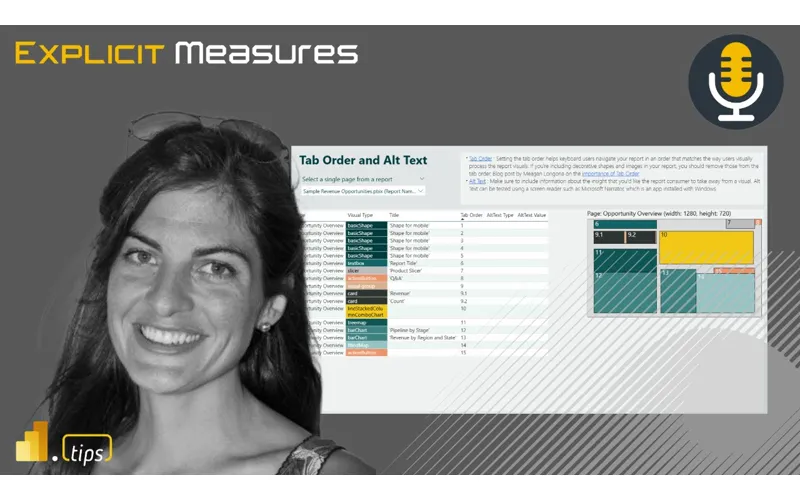
Accessibility in Power BI isn’t optional—it’s essential. Mike and Tommy begin their multi-part accessibility series with the fundamentals: what accessibility means in the context of BI reports, who benefits, and how Power BI’s built-in features support accessible design.
Main Discussion: Report Accessibility Fundamentals
Why Accessibility Matters in BI
- Legal requirements — Many organizations are required to meet accessibility standards (ADA, Section 508, WCAG)
- Broader audience — Color-blind users, low-vision users, keyboard-only users, screen reader users
- Better design — Accessible reports are often clearer and more usable for everyone
- Business impact — If stakeholders can’t consume your reports, the data doesn’t matter
Power BI’s Accessibility Features
Microsoft has invested significantly in accessibility:
- Alt text — Descriptive text for visuals that screen readers can read
- Tab order — Customizable keyboard navigation order
- Show data table — Allow users to view underlying data in tabular form
- Markers and patterns — Alternatives to color-only data encoding
- High contrast modes — Built-in support for high contrast themes
- Keyboard navigation — Full report interaction without a mouse
Getting Started
The Microsoft Learn guide on creating accessible reports is the essential starting point. It covers:
- Setting alt text on every visual
- Configuring tab order
- Choosing accessible color palettes
- Testing with screen readers and keyboard navigation
The Mindset Shift
Mike and Tommy emphasize that accessibility isn’t a feature you add at the end—it’s a design approach you adopt from the start:
- Include accessibility in your report planning
- Test during development, not just before publishing
- Get feedback from users with accessibility needs
- Make it part of your report review checklist
Looking Forward
This is part one of the accessibility series. Upcoming episodes will cover specific methods, tools, and processes for building and maintaining accessible reports at scale. Accessibility is a journey, not a destination—and starting is the hardest part.
Episode Transcript
Full verbatim transcript — click any timestamp to jump to that moment:
0:00 Good morning and welcome back to the explicit measures podcast. We are back again with another fun episode. today’s main topic will be more about
0:35 PowerBI accessibility. So let’s jump into some things more about accessibility items. we’re just going to talk about how you can roll this out. What does it look like for your organization? Just some more topics around that as well. Tommy, good morning. How you doing? I’m doing great. Mike, who ever thought we’d go two episodes in a row about accessibility, but obviously you and I talked about this on where we can go with this. And I think a lot of people are going to like how we are expanding on not just the individuals workload, but again, how do companies put their money where their mouth is?
1:08 I think that’s an important topic to talk about here. But Tommy, , let’s let’s be real here. We’ve done pisodes now. my okay, I I’ll admit here it’s a little bit messed up here. I I put the wrong title on the last video, so we’re like going backwards in time a little bit here, but we’re doing episode 455 now. but I will say in 456 episodes, Tommy, how have we not had at least one or two topic topics around accessibility? I think it’s really about time. Like you say, you’re surprised we have two. I’m surprised we don’t have
1:41 More because of this because I think this is important enough that we should have more of these conversations. And what I think it is? It’s I think it’s going to be a lot of the conversations today. A lot of companies say no, we need to do this. This is a priority. But again, like how do we actually know we’re doing well? How do companies see the the deliverables? So it’s is it a cost? So I think this is going to be a good conversation to have. Well, it is a cost because it adds more time to our projects. But before we get into our main topic, we’re already talking about it. We’re getting excited about it already. Before we get into our main topic, let’s do a little bit of
2:13 News. Tommy, you’ve got some news here. There’s a Chicago event coming up here for the Microsoft Fabric and PowerBI user group in Chicago. Give us the details. Oh yeah. So on October 2nd, Thursday at 300 PM, we are hosting the Microsoft Fabric PowerBI user group downtown right in the Microsoft building on Randolph Street. And we’re going to do Chicago’s crash course in fabric. A lot of people have been hearing only about fabric through us because their company may not have it. So, they want to be
2:47 Able to not just see a video on it, but again, see where else it can go. So, we’re actually going to be doing a a deep dive into a lot of the features there and again taking advantage of being in person. So, if someone wants to drive, we want to take a different direction. That’s what the goal is to really get understand what you can do and how quickly you can do things. , so let me just give you a quick note here. So Tommy, I want to pick you a bit on this this episode or this live event that we’re going to be doing in Chicago. It’ll be down at the AON building downtown Chicago, right above the north side of Millennial Park. If you’ve
3:20 Never been there, we’d love to see you there. Please make sure you use the sign up link and I’ll put the meeting here also in the chat as well. , we are at the Microsoft office. They do require a list of names so they can let people in. So it’s very important that you actually do that one. and then we’ll make sure that you get into there as well. So make sure you sign up for that. There will be some food provided. Tommy will be doing subs. we’ll make sure you have that there. There is a slight fee to help offset some of the cost of food. It’s not the full cost of food. So I think it’s a $3 entrance fee. We want to
3:54 Make sure you commit to showing up. So we need to make sure that you’re you’re committed and we think $3 is amount the right amount to like get you to show up and be there. so I just wanted to point that out as well. Excellent. Anything else, Tommy, around the news? Yeah, Mike, some I can wait as soon as I read this to get your opinion on it. , this I’m surprised we actually missed it, but we haven’t talked about this idea called the semantic model refresh templates. Have you seen this? Yes, I have seen this one. All right,
4:25 I have words. Okay, let’s see what you got to say. So, when I first saw the title, I’m like, “This sounds really unique and great and cool and interesting, a little spicy.” And besides one of the features, everything else, if I’m not mistaken, is it’s already been out or been available to us. So, okay, I’m not going crazy there. So, basically, what these templates are or really what they they’re just more advanced refreshes. not so much templates because the template gallery
4:59 Has four it simply allows you to refresh your model different ways which has been available to us a lot necessarily with a UI for example refresh after data flow I’ve been doing that for quite a while now both power automate and with fabric part partition refreshing the good old days if you had a thirdparty tool scheduled refreshes or advanced table refreshes So say, “Hey, refresh this table, then refresh another table after that, which you can do with a pipeline.”
5:31 Yep. The only one that is really more unique that I’ve not seen is the alert one, but again, that was already available to do. So Mike, what’s your take on this? So I I’ll say let me give you some cont. So this is a really good feature. I think what is happening here and what I believe Microsoft is doing is look there’s there are common refresh patterns that should be be used and it’s just a little bit more difficult because a pipeline is not straightforward. There’s not like a button that says incremental refresh or select this semantic model refresh this
6:04 Partition right there’s a little bit more to it than just clicking a button. So this is Microsoft’s attempt basically to build a pipeline with pre-built items for you to help you make the refresh a little bit easier. So, , , one of the items on this list is called a schedule refresh. , come on, guys. Like, this one’s a little bit basic for me if you ask me. Like, like, okay, if you can’t set that up yourself, I get it. Okay, that’s that one is there. , sequencing multiple semantic models to be refreshed. Again, if you don’t know how to refresh a semantic
6:36 Model by one, doing two of them shouldn’t be rocket science. But, , again, I agree there may be new people to pipelines that are a little bit confused. The ones that I’m more interested here are, , the runaround incremental and partition refreshing. To me, this is the one we really should care about when you start getting into larger semantic models and you need to make APIs or calls directly to a semantic model. Incremental partition refreshing. This is important. And this is why I I’ve done a project recently where we had a client that
7:08 Needed this. their models were much larger in the, , , tens of gigabytes size, 30, 40, 50 gigabytes in size. You don’t ever want to reload that whole thing at once. You want to be very strategic about which partitions, how big are the partitions, is the partition by month, how many years of data are we trying to load at one time because you’re going to make the backend system fall over in accordance to that as well. So, , one thing I’ll just note there is I really like the incremental partition refresh pattern that they’re trying to promote here. I think that’s very good as well. , and I again, all the other ones feel
7:42 Very remedial to me. So, that one I think is important and people should pay attention to. The other ones are just like, yes, they that make sense. Fine. They’re there. Does that make sense, Tommy? Yeah. And I’m looking at the im image they have and it’s getting me a little heated because it’s the incremental refresh that you think they would have more than a sentence and a half about. again you should like no to your point this has been if you are a PowerBI pro you probably haven’t needed to do this at some point however a lot of people either haven’t or they
8:16 Haven’t had the tooling available and all it says is choose a table for a refresh but again what you’re saying is that incremental side that’s this operative word here besides choose a table refresh it yes and the the ding image is just the same one as the one above a data flow actually a table. Yeah. So this is where I’m a little bit vague on some of this is when we talk about like advanced mode or advance so when you build PowerBI desktop files there’s this idea of like dropping replacing partitions right so like we have like this okay I have some data I know I need to drop these partitions and
8:50 Then replace them that’s hard to do and honestly you can do it but you could have to do it in a notebook and it’s just a bit more difficult. This is something that should be really easy to set up. I should be able to set up a semantic model through a pipeline and say this is my semantic model, go read the information for it, and I should be able to set an incremental refresh policy the same way we did it in desktop just within the pipeline in the refresh activity. Hey, , , PowerBI, I want you just to automatically go through and refresh the last 30 days of data. Great. Or there’s other things
9:23 Here too where maybe I want to feed a list of partitions to the refresh activity and say these are the partitions I want to refresh. So in my scenario that I had was we had most of the data. Let’s say like 90% of the data was was refreshing in the last like week or so, week and a half, right? So if you did a 30-day refresh of all the little partitions, you get most of the new data. Every so often something would be restated six months ago, a long time ago, something had to be updated for whatever reason. And so those pieces of
9:56 Data, they get stuck. They get stale because that record for that partition 6 months ago never gets refreshed again. So here you have to have like a bit more on your loading data process side to say, okay, I’m I’m bringing in a bunch of new records. We need to check all of these old partitions to make sure we know which ones need to be refreshed or not. And this is the same thing that PowerBI is doing with the auto refresh or auto auto data detection. I think there’s I don’t remember exactly the name of it, but you can autodetect data. And so anyways, that’s
10:30 It. It’s a good start. I hope we continue to refine this. I hope there’s continue funding for this one to get people to use this a little bit better. But I think this is just trying to remove the barrier between my semantic model needs to be refreshed and I need a pipeline to help me do it 100%. So yeah, it’s I think I like the idea of the templates, but it’s pretty basic. The next piece of news, Mike, I have we don’t have to talk about much because we literally did an entire episode on it. , and of course the episode or the blog comes out later. So there is what’s new in the fabric
11:04 Warehouse. Well, if you really want to know what’s new in the fabric warehouse, go to episode 454, which is when we actually talked to the dang product manager and leading guy at Microsoft Brad went through what’s coming and what’s new in the fabric warehouse. It was cool to read the article and went, “Wow, I talked about each of these for an hour.” with Brad blog helps were more entertaining. So, let’s hope so. Anyways, yeah, it was it was super fun. Having Brad on was a blast and I learned a lot in there.
11:36 Speaking of which, I actually want to call out something here. This is one of my beat from the street items here, Tommy, that I want to call out here. , I was having some recent challenges or friction. Let me just say I’ll call it friction points. I’m having some friction around the SQL server. So, I have a SQL server. It’s on an F2. I believe it runs fine. No issue. We get data in, pipelines run, data gets loaded. Not a problem. Very happy with it. My issue becomes when I have a report and a semantic model linking back to that SQL server. My issue is when I
12:11 Built this SQL server, I have a SQL server and I have a direct query semantic model running on top of that SQL server. Again, I don’t have a lot of data. This is small data volumes. So, it’s easy to send all the queries back upstream. And again, I’m also building my report in a way that doesn’t require a lot of fancy visuals or fancy measures. I’m just aggregating some things, right? So, it’s pretty basic. However, every time I open the report when the SQL server gets paused or turns itself off because I’m using direct query, dude, all the visuals break on the page.
12:42 Have you seen that? Yes, I know exactly what you’re talking about because it’s directly connected. yes. So, I thought so my thinking here. So, let me go let me let me walk you through my mindset as as a user of this. When I was doing this, I had the SQL server, I had direct query semantic model, and I went to the report like a day later. I’m like, “-oh, I broke something.” The whole report, every visual in the entire report had just this visual is un unavailable. This visual is unavailable. I’m like, “What is going on here?” And so then I was like, “Okay, well, let me just refresh the page.” Still nothing. Refresh again.
13:15 Refresh the little button on the report page to refresh and go get new data. Refresh the data. Still not working. I’m like, “What’s going on here? This seems very weird.” I had to close down the report, go back over to the SQL server, open the SQL server up in fabric, run a query against the data, and only then could I go back over to the report and then see the report with the visuals attached. And I was so a paranoid that I screwed something up. I was like opening the report. I was editing the report. I was trying to like change visuals, find
13:47 Different visuals. And it was such a weird, disjointed experience. I thought there just needs to be a message on the report that says, “Hey, you’re using SQL Server Serverless inside Fabric. We’re spinning it up. Please hold while we get it going and we’ll load the report when it’s ready.” Like that’s all I needed. But I but instead I got this really every visual was broken and the messaging was totally Oh, yeah. Then did Yeah, it was so weird. So anyways, my my opinion of the SQL Server is I really like it. I was just talking with
14:20 Another gentleman from the Microsoft team and he was also saying, “Yeah, I really like having SQL Server available to me and building things in SQL. I feel like I have a lot more control around a technology I already know really well.” Like I agree. I really like building on top of the SQL server environment inside Fabric. It’s very enjoyable. I’ll say that. I really enjoy it. it takes away a lot of the other annoying things around having to manage a SQL server. But anyways, now that being said though, okay, here’s here’s the deal, Mike. There’s something to be said for just
14:52 Plain import my data. Like I know it’s not the most seamless and the most fastest and we run into issues but we’re dealing with these situations Mike where you’re trying to give this almost real-time data spin it up immediately and that’s hard for just these random times for it to work because the same things happened to me where things have to spin up or something slowing down. I’m like, , if this was just a PowerBI model by itself, just imported data, like I would not be having this issue at all.
15:25 100%. No. And that’s , that’s but then you’re then, , to some degree, right, you have to wait for like when you want to refresh the model, the SQL server’s got to spin up and then it’s got to give you the data and then it’s got to spin back down and go back to sleep again. So, there’s a little bit of I think roughness around the edges. Again, SQL Server is in preview. It’s probably going to get like better over time. , , it’s it’s definitely I I so I’ll say this init at initial glance. I like the system. I like how easy it was. I was able to easily write
15:57 My pipeline, copy the data I need, and drop it right into the SQL server into tables. Very easy. Really was very happy with it. And I also would agree, Tommy, SQL Server is less intimidating now than it ever has been for me because Copilot is at my disposal. I can always ask it any SQL questions and it’s really good about giving me the information I need to oh yeah that’s how I write this statement or oh yeah this is how I format it. Now I’m giving Tommy I don’t know if you’re doing this but when I’m trying to data engineer things now I’m giving it the requirements of the SQL I was generating
16:30 Some random data for a project test something and I said I need a SQL table that has this this this and this in it. I need a random number that does this. I need a random number that does this. generate a SQL script that creates the table and puts data in it. Boom. Like two seconds later, it came up with here’s your answer. Copy pasted. Boom. It works just fine. I was like, that’s what I’m talking about. Like the barrier to entry for a lot of these code experiences is getting so low because co-pilots are there to help support me. I Mike, I literally had this conversation with someone yesterday
17:03 And they were asking about what can they do with the chashbt and these AI tools with their data. they whether like could they recreate their data do things like right now these tools are not going to be able to go through every single row of your data but to your point you can be that or you can be that conductor to say what you can write a script to generate that for me you may not be looking at over everything yourself but to your point any any workflow that I’m doing right now I’m going through one of the AI
17:36 Tools say Here’s the specs. Here’s the features we’re going to have. It’s going to be a, , , through notebooks and fabric thing. I need to worry about this. The date needs to be here. How, how do I approach this? Yeah, I agree. I like it, Tommy. Super cool. Anyways, so that being said, that’s all we have from Beat from the Streets. , any other topics or other comments around news or things you want to bring up, Tommy? very briefly, there is a transolitical ta task flow contest coming up. I don’t know if you
18:08 Saw this. Oh Tommy, I’m all over. I’m speaking at Transitical Task Flow. I’m doing a demo of Transitical Task Flows in Vienna coming up here this month. So I am very aware of the Transitical Task Flow competition and there are some interesting submissions appearing here on this on this gallery. And actually to that end, I’ll make sure I go get the link for that. Tommy, keep going. talk about what you’re going to say and I’ll see if I can snag the link here and put that in the chat window as well. Yeah. So, who knew? But there’s actually a trans analytical task flow gallery. and I remember when those were kind
18:42 Of my bread and butter for themes and DAX, but now there’s a gallery. I’m surprised we just haven’t moved everything to GitHub yet, but you can go to the galleries and you actually see some pretty unique samples and examples of what we can do with UDFs and trans analytical. This is exactly what I was talking about, Mike. Give me an image or GIF or whatever, , explain a situation go and let me understand the realm of what’s possible. I’m just looking at a few of these here and we’ll we’ll feature by top kudos
19:17 A vacation tracker, dynamic PowerBI experiences, smart event management, modified data and SQL approval workflows, data annotations. So, pretty cool stuff, Mike. Yeah. So, I I will say this, the Transitical Task Flow gallery is really interesting. One of the things I want to point out here is a lot of people think Transitical and they think, “Oh, we’re just going to replace or update data in a table.” There’s way more to this. Like there’s custom AI integration. And if you note the very first six examples here from Sugatada, she’s the PM on the
19:51 Microsoft team and she built these solutions with Miguel Meyers doing the visual and the graphic design and some of the the interactions between these systems and databases. So we will be talking directly about this topic inside the Microsoft fiber conference in Vienna and you’ll see there’s people have built Sudoku as a translitical task flow. That’s that’s something you can have in there. people are building dynamic experiences like a a choose your own character for like a dynamic generation for a user or persona for like like a
20:25 Dunge a dungeons dungeons and dragons game thing. they have decryptting data in the fly. there’s just a lot of really interesting examples that are coming out here and we’re seeing some other things about like smart event management where events or things are getting sent directly to a trans function and that function is directly writing data into tables and databases so you can go see in your reports. Anyways, transitical is way more than writeback. It is oh my gosh anything automation and if it if it can talk to a function it can do other things. So I just want to point that
20:56 Out. Very cool. Super neat technology there. U very excited to see where this is going to go. All right, that being said, I think we’re right up the time for our topic today. Ah, well, we have another we have another caller today. So, let’s bring in our caller today, Stephanie. Welcome to our show. Thank you very much for calling in today. We really appreciate you being here and jumping in with us. Hello again. Hello, friends. Good to see you again. Hello. I’m excited. We’re talking accessibility again. Yes. Let’s go let’s go a little bit more
21:28 On some of the topics today. So let’s unpack some more things around accessibility. We did we did a talk yesterday just talking generally what is it? There’s some tools that are existing inside PowerBI. There’s a couple tools that are out in the community. One of them being yours which is very exciting to have that the accessibility checker which over the time between we talked yesterday and today I’ve downloaded it. I’ve looked at it. I’m looking at what’s inside there. the tab order page like reporting things on this and so yeah let’s just keep unpacking a little bit more around accessibility
22:00 Where would you like to take this today what would you like to talk about for topics yeah I I think it just a nice handoff from Tuesday where Tuesday we were really focused on the individual report author that intimate relationship between me and the person that I know is going to look at the report so the micro side of getting right with accessibility however Mike, we were talking about this a little more. And the thing is too, a lot of people are going to be how do you say pushed or suggested to start doing accessibility by the organization. It’s
22:33 A big push. A lot of leaders says this needs to be part of what we do that we’re inclusive. you that we’re doing everything that we need to do to make sure that everyone can work their best. But the problem is, Mike, a lot of things, especially at the end of our conversation on Tuesday, we realize it wasn’t just a single click and we’re done. There is a lot of consideration that goes into it. And especially if we’re churning out data and turnurning out reports, well, there’s a rubber meets the road. just to borrow your phrase here in terms of getting
23:06 Accessibility right, but also to the value for the organization and what are they expecting when they’re going to say, “Hey, BI, you’re going to be doing accessibility and rolling out to what does that mean in the wider picture with an organization?” Yeah, let’s go. Let’s talk unpack some of that pieces. So, I’ve been in a number of organizations. I’ve had very few organizations that I’ve worked with have pushed heavily for a lot of accessibility, right? So, a lot some simple things, right? So, tab order. ,
23:39 But I very rarely do I see organizations putting like process behind it where they’re allowing the development team to spend or have the checklist of these are what we expect for requirements around accessibility. I think people say the term but don’t really understand what it means and what actually that takes an effect for cuz I think there’s actually some scales here, right? We talked about the easy things, right? Tab order, colors, design of the pages. Those are some starting points. There
24:11 Could be a lot more you go through. So, all right, I’ll leave it right there. I’ll just leave my thought there. Stephanie, what do you think? What other thoughts do you have around this one? Yeah. well I think just like anything it all comes down to funding right because we need to have funding and time to be able to build these in. They’re not instantaneous. I worked at a large organization in the past and one quarter it was told to my team that okay accessibility you got to do this but how and
24:44 You can’t you you can’t drop anything else right so you still have to keep doing everything else you’re doing plus you have to add this in. So really that’s where the idea for the accessibility checker came for me which was that well we don’t have anything built into PowerBI desktop like we do in PowerPoint or Word right to check accessibility. and so I realized okay if everybody on my team is going to have to be doing this we don’t want to have to do this manually. checking all of the visuals on your page to see if they have alt text manually that’s really time
25:17 Consuming. A little bit of work. Yeah. So I I took that on myself to okay well if I have to do this I’m sure other people have to too. So that’s where the idea for this came from but really ideally it would be built into PowerBI desktop. so for Microsoft though is that one of the areas of investment for them I think obviously we all can tell right now what the big areas of investment are co-pilot right so without without having budget to build in accessibility or at
25:52 Any organization Microsoft in the tool itself or any of the organizations the rest of us are working for it’s it’s just not going to happen. So, it’s one thing to say it, it’s another thing to fund it. I I like this point and I think there there’s two things that come out of this that you’re that that rise note to my mind, right? Two things that come to mind at this one. First one is one, you got to put your money where your mouth is, right? There there’s going to be some additional investment from the organization to be able to
26:24 Allow us to do this one. To your point, I what really resonated with me is, well, here’s all your 10 tasks of things you got to do. Oh, and we also want to add to this accessibility, but we’re not going to give you any extra time. , the reports, you still need to build the reports as fast as possible. , get them out as quickly as you can cuz again, we’re wasted. Like, it’s we we can’t have wasting money. We need you to keep getting things done as fast as we need you to, but we want to add this new requirement. So, this is where I feel like sometimes there’s a little bit of double speak coming out of the leadership because they want something, but they’re not willing to give us time
26:55 To accomplish it. But this is where my second thought comes out, which is dog on it. We should be automating this. This should be there should be better tooling that just says, “Here’s the problem. I’m going to show you where the problem is quickly.” If you’ve got a 5, six, seven, eight page report. , that could take you hours to go through all the every little thing, making sure everything has the right effects, taking screenshots of all the pages, running it through a color checker. Like unless you have something that’s helping you, again, I’m also thinking Stephanie, you’re in a team of other people
27:27 Building reports as well, it’s not just you. So all the time you’re spending on this when there’s what, 5, 6, 7, 8, 10 other people also building reports, they have to do the same thing. So why not put someone really smart like yourself on top of the let’s figure out the tooling to build the accessibility checker and then from there you can leverage that across all the reports and now everyone’s saving time. I really think this this concept of focused attention or focused problem solving helps build things that are easier to
28:00 Use for the organization. Does that make sense what I’m describing there? Yeah. And I think Tommy, you brought up the automation piece the other day also. That’s really where it’s got where it’s key, . and then fortunately John Kursky, , he pointed out that he does do it in an automated way and he’s shared his tooling for for that on his GitHub page. so but I don’t I don’t know of a lot of other organizations where it’s, , built into the process like that. John works for government, so he’s required to, right? But the rest of us may not be. but yeah, if we can get
28:33 This tooling built so that it’s more automated, then we can all get into the habit. And Mike, that’s the biggest problem right now is of course the ideal thing is we invest in building an automation platform or purchasing one so we don’t have to spend that tedious time for every single report in our day-to-day. But the problem is even when John Kersy’s repo, which is awesome, again, this is not something where, what, I’m going to vibe code this
29:05 For the next 20 minutes and then I’m done, , in terms of like getting it set up, right? It’s not like, , do I don’t know. I honestly I don’t know about that one. So, like we say that now, Tommy, but now with the PBIP form. So, I have a story around this one. So, sorry I didn’t mean to interrupt, but let’s keep going down this this line thing. But I’m going to make a note here. I’m going to come back to your comment, Tommy. Keep going. But I’m going to make a note on this vibe coding accessibility. Keep going. And I’m I’m just mad I didn’t think about it first, I think. All right, keep going. Keep going.
29:37 No, , gosh darn it. You take the wind out of Okay, actually, you’re 100% right. So before because we’re dealing with binary files like yeah I I where you’re thinking here is there was no like in a sense supply chain or like a turn wheel that you could just push a report through and it would get a score. It’s a lot of things are are we’re dealing with there. So no matter what it’s always going to be somewhat of a manual process. However, however,
30:09 Yeah. So, again, this is all speculation here. I don’t have this until until lunch, but but even then, like, , every organization is going to have their own policies, which I’m sure we can set up for. It sounds easy, but right now there is no global standard. to your to your point Stephanie, you worked at Microsoft and you’re like ah you how about you by yourself make the accessibility checklist or whatever we need u rather than putting a team around it because resources at the end of the day too. and or any any
30:44 Any big company though too is they’re always going to be looking to investing in things that are going to be directly money makers. And it’s hard to invest in something where it’s not just the time, the budget, but with this especially, it’s the time that has to be spent getting it configured right. Well, I want to go back. So, I understand it. I don’t think the idea here is the concept of getting it right. I don’t think it’s I don’t I don’t think I would resonate very well with it
31:15 In the way of saying it that we can be efficient with time as well in I would just it’s going to be like a progression. It’s like what how can we do it better than where we are right now. So I’m not going to say there’s not a right way of doing this one. It’s also not like a one person can make the decision and say this is exactly what we’re doing. This is now correct and like it’s it’s it’s a process. It’s an improvement and we’re going to be incrementally getting better at this. What I wanted to go back to your comment was vibe coding of reports. And so here, let me give paint a scenario here for you.
31:47 We are working with a large customer right now that has a number of business-built reports. Okay, in those business-built reports, there’s a lot of thin measures. Okay, so the report has thin measures in them and those thin measures are causing the report and the semantic model to be slow. Okay. So, what we’ve done is we’ve said, let’s revisit these reports and say, let’s do an analysis on the performance analyzer. Where is the slowness coming from? Okay. Here’s a bunch of measures. Well, in order to make those measures faster, we need to reshape the model a little bit, build some different measures, use
32:20 Calculation groups, new things. We’re basically enhancing our original semantic models, but the business still wants the same reports. Okay. Now, the reason why I’m getting this this scenario up is because we solved this with vibe coding. We have vibecoded a HTML standalone app. And this is what I’ve been saying for a long time where AI can do pretty amazing things. We vibecoded a solution that would like after you save the the files as PBIP files into a desktop application. You could point our
32:54 Vibecoded app directly at the folder and say, “Here’s all the files for the pages and the semantic model. Here’s how they all relate. Give me a graphical image in SVG of where all these visuals sit on every page.” Boom. Like within an hour or two, we had an app that was reading the semantic model in had all the visuals all over the page and and it worked like it we had and so now we can start analyzing at a higher degree where all the visuals came from, what measures
33:26 Were in them. , another thing that this thing came out with all the bookmarks that you may need, right? So if you change a table name or a data point name or column name that bookmark may be inter may be interacting on top of that item. So you have to switch out the the context of the bookmark because you renamed a table. There’s a whole bunch of implications when you try and like rebuild a sementic model but use the same report again. Right? So page by page now you have to go through visual by visual and figure out what broke, how do you fix it, what’s the new equivalent data and how to
33:58 Replace things. So, what we were able to do is using this vibecoded app produce a here’s every visual, here’s every measure, here’s every bookmark, all the things you may need, and you can then click through them and see what information you might need to update. Now, this is like a step one for us. But the reason I bring this up is because within a couple hours, we had a full app meeting some of our solution needs be able to fix this. I feel like this is a great opportunity for
34:32 A vibecoded accessibility checker or vibe coding like here’s what our standards are and then go through this report and go check them and it would then be able to produce a little script or something that would read through the PBIP format and spit out here’s the visuals that are not meeting your tab order. Here’s the visuals that have potentially weird contrasting colors. , hey, I’m going to go use the I’m going to publish this report to powerbay.com. I’m going to go use the export to PDF API, load these PDFs, and then do a color
35:05 Checker on every page. Like, that’s stuff that I think should exist. Like, and it shouldn’t be extremely difficult to vibe code that or it it’s a it’s a barrier to entry that it’s getting less. I’m just going to pause right there. What are your guys’ thoughts on like this whole vibe coding accessibility? Does this seem like a thing? Let me go kick it over to Shannon or sorry Stephanie to you first. , so well what you’re talk what you’re talking is making me think one thing we did not touch on the other day and automation pulling it all together vibe
35:37 Coding is using semantic link for some of this because from what I’m hearing you saying we’re talking about we could analyze report by report by report individual and one of the features I love so much about semantic link and semantic link labs is the ability to troll through your whole your whole tenant and look at a whole bunch of things at once. , so I think with Semantic Link and Semantic Link Labs, we could be really close to putting a lot of these accessibility checks in there as a notebook or as something like the best practice
36:11 Analyzer, right? We could be adding accessibility in there. , so I would love to see that. I did start a little bit because the way the the files are laid out, it’s actually it’s the tab order is coded funny. It’s like coded in the thousands and it’s backwards and you got to convert it and do all the stuff that I don’t know how to do but I’m sure a little help with that. Right. Figure that one out. Yeah. Yes. Exactly. So I think that’s an area too and and multiple things
36:43 Like you said we could create a little app to do it because one thing I do want to make sure that we’re always supporting is not just fabric right because there are a lot of organizations who are using PowerBI without fabric so we want to be able to have a tool that works for them yes for accessibility because semantic link is only going to be if you’re using fabric but the more I think the more tools we can build to support everybody’s scenario IO for this. This is how we’re going to enable it and automate it. , so yes, I think to everybody’s point, we should be doing some vibe
37:16 Coding, doing some automation, just getting it built in. Yeah, I agree with that one. And I think that again focusing I think I think I think as long as we focus the community’s attention like so if we’re talking about community based things around how we like mobilize the community to solve something that Microsoft’s not really investing in at this point like they’re building some accessibility features into PowerBI desktop and it feels like they’re doing like a cursory level development but to get what we really want which are like tooling and checking and like process-based tooling right that we that
37:48 We want to apply right we can we and leverage the community to like move more towards a hey community if you if you need this let’s all band together let’s produce the accessibility tooling that we think we need and do it in a way that we can just leverage this on someone’s computer and to your point right there’s no reason why we can’t use or or build a a notebook or Python library that can just run on someone’s computer so fabric is Python Python does use semantic link labs maybe we skip the semantic link labs part and
38:20 Just build like hey we’re just going to make a couple API calls that way we can still go talk to powerbi.com or not and get the things out that we need or maybe it’s an entire notebook that just runs locally on your machine pick up the files do the work you need to and here’s outputting the information so there’s there’s I think there’s something to this that that has some legs here if we mobilize the community and help organize a direction of where we want to develop towards I think Microsoft is counting on us to do that right that is their stance on some things right is we’re we’re not going to invest in that because we know
38:52 Our community is excellent and you you guys can build some great tools. So that might be where they are with accessibility, . Well, I think they’re I think they’re more I think more than just accessibility, honestly. I think their position on this is they’re actually way more than that, right? So it’s it’s more like we’re building the platform called fabric. You build what you want on top of it and we’ll support it. And so I’m really motivated around workloads. So workloads are extremely exciting to me as a developer because if I dream it up, I can put whatever I want into a
39:24 Workload and I can give it away for free or I can give it away for paid or I can have a license attached to something or I can give part of it away for free and part of it away for paid. Like there’s a lot of flexibility in the workloads experience more so than building custom visuals at this point. And I’m I’m really yeah I’m really excited about the flexibility we get with workloads. And to your point, this is again back to the community like the community can maintain something like this. The community can build its own workload that would be, , an accessibility checker workload, right?
39:57 And then it has all again we’re now talking fabric realm of the workload spaces. But you can now build full-fledged applications as part of fabric and then Microsoft doesn’t have to build it. All they have to do is be able to maintain the API layer so that when we build the tool, we can recall all the reports that Michael has access to. Great. We can run the report on this and have everything spit out answers and say here’s here’s your accessibility score for the organization and now you now have a you can now build process
40:29 Around that. Like that’s that’s my my point here is now that you have some tooling now you can build the process as opposed to making people click buttons all the time. Sorry, pause. Tommy, you’re gonna say something. I I So, I like the idea of this and this sounds great that we can take some of that mantle up, but here’s the thing, Mike. This is going to be something you roll out and I and I I want to also tie this in what we’re talking about if you’re an organization, they’re like, “Yeah, the accessibility side is a really big part of what we’re going to
41:00 Be doing. It’s an initiative that we have.” Well, you’re you have a how do I put this? you have a little hill to climb and even if we were to take on a community-led GitHub repo or whatso not this is such an important part of people’s life if this is something that you have to work with on the day-to-day basis that you almost wish there would be a product that would always be maintained. because again is this the most important thing that we’ll ever do
41:32 In our lives? Probably not. But for people who rely on things being accessible to them to to be as efficient as they can be, I don’t know like the only worry is like the one that it’s great to have a example out there in a repo, but I almost want to say let’s not kid ourselves in terms of this will be this the standard, right? Because here’s the thing and I think that’s where I’m going here a bit. When you talk about a standard of accessibility, we’ve talked a lot about the requirements and the specs the specs of it. But there is
42:06 That whole other side of again how do you purchase acquire set accessibility and in a sense make it part of the workflow. If you bought like just like an email system, it can automate things with even the co-pilot and the AI editor, right? That is a great example, but Mike, I don’t personally I don’t know a company who would look at this GitHub repo and say this is how we’re going to tackle our our accessibility. And I’m not trying to poo poo this. I’m not trying to say that this couldn’t be actually a great
42:39 Inspiration for people, but I’m stuck on the fact that even from all these major companies, what we deal with from the visual side of things, well, my goodness, there really is not a single product, maybe I didn’t have realized that until now, that can streamline things. And again, not making everything perfect, but put it into some type of workflow. Am I making sense here or do is this the time where I need to come back to the conversation? Totally agree, Tommy, because what I’m thinking about is I’ve got some features
43:12 Of the accessibility checker that I would like to build. like there’s just a couple things that I think that are missing, but I just haven’t had time, , and I don’t want people relying on, oh, has Stephanie had enough coffee and does she have enough free time to be be working on this? Right. So, yeah, I think you’re exactly right. because if if if it’s not being maintained then it’s not going to be all that helpful. But I’m going to challenge you guys on this one because let’s think about like we’re talking like just the three of us.
43:43 We already talking about like accessibility is hard. There’s steps to get it done. There’s things that we we’ve built some simple tooling that needs to be better. , John’s Kursk is already using your tooling today currently, right? He’s and to some degree he’s profiting from the money of like the projects he’s getting delivered because the tool exists. So he’s again he’s contributing to the tool himself. So that’s like a fair trade-off. I feel like he’s contributing to the tool as well as using the tool to help his business achieve real like project work, right? That ties to real dollars.
44:17 Let’s think let’s step back though like let’s let’s look at the broader community of this one. Why aren’t we funneling money from lots of organizations down to a Stephanie that knows what we’re doing here and has good ideas around building a solution that would be automatable and usable. To your point, Tommy, this is where I think workloads does make sense to some degree because now you can funnel funds, process, money, dollars. Again, let’s go back to our very early part of the conversation, which was if companies want this stuff to be participating in
44:50 Their reporting, they got to put some skin in the game. They got to put some money down and say, not only Microsoft by making it accessible and giving us the ability to make the features we need to make it our part of our process, but organizations need to step in and say, “Yeah, we think this is important. We’re going to go buy a tool. We’re going to pay $2 per report that we run through this system that checks our accessibility and has an output. And that money should go to Stephanie that is now building and maintaining and creating this tool. So if we if we do it one organization at a time, we don’t get
45:23 Very far because the level investment for that one company is massive. But if we start scaling out to like the thousands, the hundreds of thousands of companies and all participating at a little bit level like, hey, we want accessibility. Great. Here’s a tool you can run these reports through for a buck or two per report. It’ll spit out what you need to go fix or even fix some simple things. Tab order, recommend colors, these colors are too stark. Check check these things here or here’s the areas of report that are not how valuable is that, right? So, I I guess what I’m saying is like the the the
45:58 Community needs to momentum like to collaborate around this a little bit and figure out how do we centralize this, get someone to own it and then funnel people with real money, real dollars down to making the solution better. Does that make sense? Does. Unfortunately, I think I’m a little bit cynical and jaded somewhat because I don’t think accessibility is a high priority for a lot of organizations. If they don’t have to do it, they’re they’re not going to pay for it. Sorry, that’s my cynicism there. I think they’ll pay for it. I think it’s the threshold on what they’ll pay for
46:31 It, right? I’m not going to pay $1,000 per report or I’m not going to pay an engineer a week of time to keep going through and checking all the accessibility, but I’d be happy to pay a $20 co-pilot a month to run an automation on all my reports. I’d be happy to pay $200 for a co-pilot to run across all my like so it’s just a to me it’s it’s not a matter of if they’ll pay. It’s more of like what they’re willing to pay I feel like is the story here, right? And I think the threshold on what they’re willing to pay is actually much lower than what you
47:03 Actually need to do the investment to make it work. Does that make sense? Like like the investment side is way higher. And so if you need to get if you need to have a lot of something built, you need a lot of sponsors, supporters, like people that like, hey, we’re committed to making this work, but I can only give you just a little bit of money. But if you pull enough of the little bit of monies, you get enough to to actually make a movement on something. And that’s how I Okay. All right. Yeah. Little optimism here. I like it. Well, and I know I know this works because this is how I’ve built my
47:36 Entlexo product. So, Entexos is a embedded solution that we have and we have built enough to prove that the technology works and then we partner with companies and say look what here’s here’s the proof we have the solution. So I had to so I upront I had to put some initial investment in to like make it go right figure out how it works. But now we’re at a place where we can embed anything anywhere and it works. And now hopefully again knock on some wood here hopefully this week we’re not only be
48:07 Able to use our app to embed PowerBI reports but you can also embed data bricks dashboards in the same tool in the same website. So, it’s it’s really being born of like, okay, I have a product. I it’s it’s adding clear value at a level that we’re at right now. Other organizations are coming in saying, “Hey, we’d like to use that, but it’s missing a little something or we’d like to add a little bit more.” Great. Here’s the software at a low price. Help me fund the feature that you need to add to the product. And so now we’re getting a better product for every customer, but now I’m getting like
48:40 Companies to give me ideas and suggestions and like things that would make it easier for them. That’s what we’re using to help fund the better product. And I think this is the same idea. It’s almost like crowdfunding to some degree. You have to have a product that’s usable and then get people to buy into it and then say, “Well, John’s like, “Well, if we add a little bit more automation, I can do this in in DevOps.” Great. Help us like show up, spend some money on it. like and that’s what that’s how I think products like this actually get off the ground. Thoughts? Mike, if you and I worked on every vibe
49:12 Coding project that we’ve talked about, we’d either be much richer or we’d never have a family. I don’t think there’s any in between. So, but no, but honestly, but to be very honest, Mike, as soon as you started explaining when I was like, “Yeah, there’s no way to streamline this.” like is there I as soon as I thought about that I really think we’re beginning to see a lot of we’re just on the cusp of a lot of unknown incredible ideas and and use
49:46 Cases because of two things I think for the first time ever we as developers quote unquote have a codingbased language for what we do and that can open up so many doors that just that alone having everything built on tindle that can modify everything. Even if there wasn’t a thing called AI right now that I look at any other scripting language that can build an app or things are hosted on there are so many people extending that and
50:18 Building packages to help those workflows and en enhance and and extend what it can do. We’ve never read that because we lived in the binary world anyways. Now we have that that can modify every detail of report page, the order of things, and we have this neat thing called AI where we don’t have to go through all this that I think we’re going to begin to see. While we may not see the enterprise solution, I think there’s going to be some great opportunity. I think just great examples out there just coming up and I
50:50 Think it’s really because those two things are open to us now. Not sure what your point was, Tommy. What’s your main point there? Well, I’m just saying well like for all the projects that we’re we’re talking about, hey, this would be great if we had used TIMDLE and AI to streamline our accessibility. Well, what we’re really beginning to see is that’s going to be the conversation we’re going to have, I think, on a lot of other things as well because we would ne if AI was out here, Mike, without Tindel and the PEP, we’d never have this conversation. We would never be Yeah,
51:21 I would. Okay, so now I see where you’re going with this one. I would 100% agree. To me the revolutionary step was and Stephanie you did this one in the early days with PBX files. You were doing initial like ripping part files apart showing you where visuals were in the page. It was a arduous and super painful thing. You had to unzip a PBX. You had to unpack all the files in it. And there’s all this crazy parsing for like where does the visual sit? What’s the properties of the visual? It’s JSON as a string which was a nightmare. It’s still it’s still the same. It’s I was so excited for the PBIP
51:54 Really. and it it’s it’s a little easier, but it you still have to it’s the same logic though. So even though there’s maybe just a little bit less of the JSON that I have to clean up, it’s still the same structure. So to to test for the accessibility pieces and where the where each visual sits and all that stuff, every all of that’s the same. It’s just a little bit cleaner now. So, yeah, I was so excited that oh, this is going to make it so much easier. It did make it a little a little, but
52:28 But not as much as I hoped. Maybe maybe I’m underestimating the accessibility side of things, but I have found like the automation of reports is way easier with the PBIP format. Yes. So, so maybe that’s where I’m maybe that’s why I’m saying if I maybe I’m downplaying a little bit of the accessibility side of things too much and I’m focusing because I we now have a project we just did with a company that was we want to automate reports and we basically defined a grammar language around hey this is what a report should look like. Here’s the name of it. Here’s page one. Here’s the visuals I want on the page. Oh, I want a header. Here’s
53:00 What that’s defined as. Here I want a footer. Boom. That’s what I want. This is a navigational element. I want to put it here. So we could define general things and then we made a scripts that would run through and just build 30 40 pages of report like in in less than a minute right to have that like the amount of time we can now save by doing report automation was huge. So I feel like from a from a developer standpoint when I’m looking at a report and trying to pull apart the pieces of report and not even talking to like the APIs in fabric I can say go get the report API bring out that PBIP formatted object
53:34 Much easier to work with from a developer standpoint like the the but to your point the stuff is still like all over the place. The tab order is still in a weird thing and you got to like format it the right way. Like I’m not I’m not trying to diminish the technical challenges of the accessibility side, but I’m just saying for me I am much more comfortable throwing a developer at this and say figure this out. Here’s a here’s a spec. Here’s a schema. Do what you got to do. And I also think AI likes that stuff better as well. So AI is much easier to go talk to it and say here’s
54:08 What I want you to go produce and build. And who knows, maybe we should vibe code a, , solution that talks to the PowerBI APIs and gets a downloaded PDF of that same report and then uses that to do something else and an open standard like we can start really stitching things together here in a very unique way. , and building something for reasonably low cost. I agree. I think you’re right. And definitely the automation piece, it has improved, but , yeah, for the accessibility piece, it’s still weird and complex. And so I can see that the three of us here are getting
54:41 Excited about possibility of vibe co vibe coding something. Hopefully some of your listeners are too and we can invite them to to join and help build this. I would agree. Fantastic. I think it’d be a lot of fun to get a something started there. I will again no guarantees life’s busy. We got a lot of things going on. But I would love to do like a workshop around vibe coding things like this. This would be that would be a very fun workshop to get a a bunch of people on a call and say, “Let’s all try to test
55:13 Something out. Let’s get into a place in a fabric environment where we could start doing some of this and start having having it help us build a mini solution around what we want to produce here, which would be very fun.” Would you believe it? We’ve already made it to basically an hour already of talking around this one. We were a little bit worried about this topic at the beginning, thinking we’re not going to have enough topic to talk about this again. No problem. Actually, I felt like we were easily able to fill a full hour here. So, , let’s do final thoughts and then we’ll wrap for today. Stephanie, over to you. Let’s give you your What’s your final thoughts
55:45 On this conversation today? What do you think we should take it away from this conversation? , I think just what we were just talking about, I’m really excited. It makes me want to jump back in and tackle those those remaining items that are bugging me about the accessibility checker. It’s making me hope that other people will join into this effort because again, I just don’t think there’s a ton of funding for it. So, this is something that we have to join together as a community to make happen and and and get this enabled for people. So, that’s what I’m hoping that we will Let me also ask one one other thing here
56:17 Too, Stephanie. I’m going to pick on Microsoft here a bit a little bit. , you have made a pull request to Semantic Link Labs around some accessibility checker stuff. Is that correct? This was a while ago. Yes. And it came through. So, I was so excited about that. , but there are some more things that I think that we could work together to get , , the tab order check, , alt text check, things like that built into link labs. So, let’s do that. So, I want to I want to point at this one. , I think it’s very important
56:50 That we get more visibility. And again, I’m calling on you, Michael Kolski. , we’re going to we’re going to pick on you a bit more here. keep bringing in the this is to me feels like the right place to put community effort in my opinion right Kavalsi’s got this amazing tool se Labs yes it’s very fabriccentric but this is a place where the community can contribute features and things that they need to help them get their stuff done and so definely thank you very much for contributing to the semantic link labs environment I’d love to see more of
57:23 It I’d love to see more support opportunity pieces coming into semantic link labs and we should encourage this. This is what like this is us going to the community and saying go there build the things that you need in Python. It’s not rocket science. You can vibe code some of these pieces in here. Let’s go start pushing on this one and see if we can really get Microsoft to pay attention because things that happen inside Semantic Link Labs potentially will migrate their way into semantic link which is supported by Microsoft and is part of the product to some degree
57:56 And you get it by default installed on notebooks. So there’s actually there is a road for us to help build things and have them get moved into the product at some point too. So I think I want to really encourage that. Nice work. Tommy, any final thoughts for you? Honestly, despite the dark and gloomy outlook halfway through the this No, I Mike, I’m with you here. Give me a positive out look on what we can do. And honestly, I think yeah, a lot can start with us and let’s utilize what we have available to us, the resources and the tools that we’re working with today.
58:29 Again, part of this is how do we automate, how do can we streamline this, and part of this is how how do we make sure we we’re doing the right thing. So really excited to see where we go from here. And if you have any if anyone listening has any examples that they’ve done, we would love to hear them. Awesome. My final wrap up here, I think, is I think the world is changing quicker than we think. Oh, yeah. Go ahead, Stephanie. You want to say one thing? Oh, and we have a group coming Yeah. Okay, let’s go. I’ll finish my thing and I’ll let you go back. Stephanie has an announcement as well, so I’ll just I’ll throw that in there as well. , I want to just throw I
59:02 Think things are changing faster than we expect them to and I think this whole vibe coding large language models experience is going to help us the community to build things that we need in a much faster way. Like if it’s an accessibility checker, if it’s a report migration tool, if it’s a these are things and I I’ve been Tommy and you and I have talked about this in the podcast a lot. We’re going to get to a point where we’re able to vibe code an app, use it for 15 minutes, and throw it away. It’s going to get so easy. It It’s going to be, , you could be able
59:33 To describe exactly what you want and have that become a simple little tool you use for a short period of time, and then you just put it back on the shelf and build another one and build one that’s better. , things are evolving so fast and the code is getting so well written. , I think there’s going to be an opportunity here. I think if someone wants a I wouldn’t say a million-dollar idea like hundreds of thousand dollars idea maybe go build some accessibility tool or checker or something like that try to mobilize all these companies that want to adhere to these standards but just don’t have the proper tooling yet. So it might be an
60:05 Opportunity for people. So very excited for the future specifically around vibe coding and how that can help us build better tools around specifically accessibility. All right Stephanie you have some events coming up. I’d love to give you an opportunity here to promote what you’re what you’re going to be doing next. What you have coming up here. Yeah. Well, just you guys were talking about the Chicago user group, which reminded me that we have a Pittsburgh, sorry, I’m based in Pittsburgh, Pennsylvania. , sorry about that SQL. I didn’t mention it earlier. , a Pittsburgh SQL Saturday is coming up in
60:39 I think it’s October 18. , we would love to have people join us in person. It’s going to be a lot of fun. some great content around SQL, fabric, PowerBI. , so I think you have the link, Mike. I’m hoping you’ll put that in the chat. So if any in the chat, Pittsburgh is a beautiful city. If you’ve never been here before, we would love to invite people to come and join us. And also, I will be doing a free fabric in a day as a precon for that. So Friday right before it. Yeah. Yeah. So please join us. There are some spots
61:11 Left. , we’d love to make some new friends and talk fabric, PowerBI, SQL, all the good things. That’s amazing. So, , that’s awesome. , well, I spelled the wrong word wrong, but there was a free fabric in the day right before the conference. So, check that out. That’s actually amazing. Okay. Excellent. With that being said, thank you all very much for listening to the podcast. I hope you found this topic informative, helpful. , hopefully this will give you some ammunition at your organization to get them to put their money where their mouth is. have them help you build better accessibility reports and do
61:44 Some slight but better improvements and this is not a this is not a destination this is a progression just get a little bit better to where we are from where we were to where we want to become so I think this is this is one of these things where we can just encourage the community to just be a little bit better and that’s a that’s an improvement in and of itself that being said we really appreciate your listenership if you want to listen to this episode ad free Feel free to go down, subscribe to our membership level. Our lowest level does have the ability for you to watch all these episodes without any ads. If you get annoyed by
62:16 Ads, we’d love to have you become a member. we also have a private Discord channel and other areas where you can talk to us directly if you want to talk more about these topics and and reach out directly. Also, again, also in the members area as well. With that being said, please like and subscribe to this stuff. we’d love you to give a thumbs up or a comments down how are you using accessibility. Let us know in the comments below of what you’re doing today in your organization and what you’re finding that are wins and maybe even some challenges. We can even talk about that and maybe that’ll become a product someday. Tommy, where else can you find the podcast?
62:47 You can find us on Apple, Spotify, or wherever get your podcast. Make sure to subscribe and leave a rating. It helps us out a ton. Do you have a question idea or a topic that you want us to talk about a future episode? Head over to PowerBI tipsodcast. Leave your name and a great question. And finally, join us live every Tuesday and Thursday, 7:30 a.m. Central, and join the conversation on all PowerB.tips social media channels. Excellent. Thank you all so much, and we’ll see you next time. Let’s
Thank You
Want to catch us live? Join every Tuesday and Thursday at 7:30 AM Central on YouTube and LinkedIn.
Got a question? Head to powerbi.tips/empodcast and submit your topic ideas.
Listen on Spotify, Apple Podcasts, or wherever you get your podcasts.