
Semantic Modeling on the Web – Ep. 483
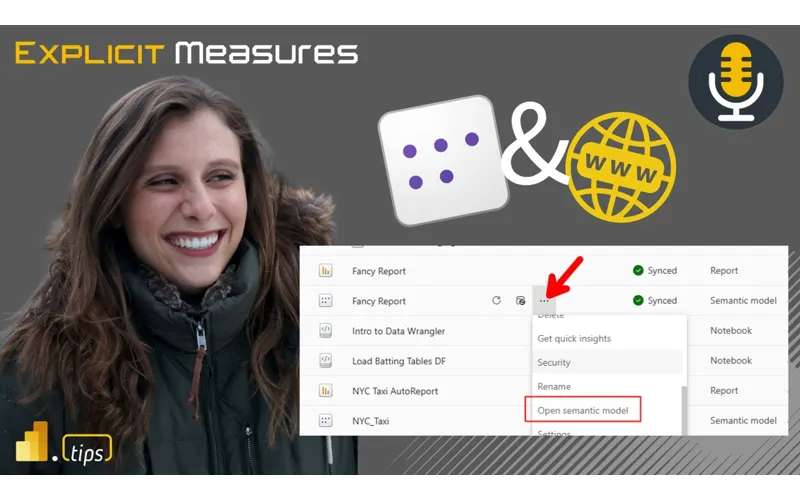
Semantic modeling is moving to the browser. In this episode, Mike and Tommy react to semantic model editing in the Power BI service going generally available—what it unlocks (especially for Mac users), where it still falls short compared to Desktop/VS Code workflows, and why version history matters when you’re live-editing models.
News & Announcements
-
Deep Dive into Editing Semantic Models in the Power BI Service (Generally Available) — Semantic model editing in the Power BI service is now GA, bringing core modeling capabilities to the web (including creating new import semantic models via the modern Get Data / Power Query experience). Mike and Tommy discuss how this changes collaboration and lowers friction for teams that don’t want to rely on a Windows-only desktop app.
-
Use Semantic Model Version History — Version history provides an Office-like pane for semantic models edited on the web (and live editing Direct Lake models), letting self-service users recover from big mistakes. It’s not full source control, but it’s a crucial safety net when the modeling surface is browser-first.
Main Discussion: Modeling in the Browser
Why Web Modeling Matters
The big shift isn’t just convenience—it’s accessibility and speed:
- Mac users can finally model without jumping through remote desktop hoops
- Collaboration becomes more natural when modeling is in the same place teams publish, share, and consume content
- Faster iteration for small changes (measures, relationships, formatting) without the “open Desktop → publish → wait” loop
Version History vs. Source Control
Mike and Tommy like the idea of version history as a guardrail, but they’re clear: version history is a safety feature, not a governance solution.
- Version history helps recover from accidental deletions or bad edits
- Git integration is still the real answer for full ALM, code review, branching, and long-term traceability
The Web Workflow is a Different Muscle
They discuss how “modeling on the web” changes habits:
- You’re closer to production (edits feel more immediate)
- You’re more likely to make incremental improvements continuously
- Teams need discipline around who can edit, when, and under what process—especially as Fabric and Direct Lake workflows make semantic models a central asset
Looking Forward
As Fabric keeps pushing toward service-first development, semantic modeling in the browser is a big step toward “everything is a web app.” The combination of web editing + version history reduces risk and friction for day-to-day iteration, while Git integration remains the backbone for teams that treat semantic models as production code.
Episode Transcript
Full verbatim transcript — click any timestamp to jump to that moment:
0:00 Morning and welcome back to the explicit. Measures podcast with Tommy and Mike. Good morning, Tommy. How you doing?
0:33 Good morning, Mike. How you It’s going to be a good one. You changed your sentence halfway through there. [laughter] I wasn’t sure. So, I’m changing my mind mids sentence. I realized that we were live Thursday because this is Tuesday is the beginning of the week. I was going to say it’s so good to be back live even though we just did that. Thursday. Monday. We recorded one recording. We had a live one on Thursday. Oh, I see you’re saying, “Okay, now I follow you.” Early morning math logic. It doesn’t quite sit right now, so we’re going to figure it out.
1:04 All right. Today’s topic is we’re going to unpack one of the Michael’s most exciting features. I’ve been talk we’ve been talking about this since the beginning of the podcast. We’re going to talk about semantic modeling on the web. What you can do using semantic models on the web. How does that feature work? That has recently be announced as generally available. So, we’re going to talk unpack that that feature and then before we get to that, let’s do some news. Tommy, you’ve you’ve got a couple really interesting news articles here. What do you got for us? Yes, we do. So, the first one we have is said deprecating PowerBI Q&A. So in
1:43 December this month the PowerBI Q&A feature the legacy legacy natural language tool will be deprecated and instead taking its place is PowerBI copilot. Q&A visuals all those will stop functioning. So doing any Q&A in dashboards mobile apps embedded scenarios will stop functioning after retirement. it’s obviously the overlap. I still use the dashboard in a day training and I still have a one hey this is AI before AI features the
2:17 PowerBI built out of the box. So this makes a lot of sense. The Q&A setup tools are also going to be retired. So unfortunately some of your PowerBI tips products are going to no longer be relevant. Mhm. , so this one is going to be in December 2025 is the deprecation announcement and then December 2026 is the official retirement. No new creation of any experiences and existing Q&A visuals will no longer be available. So that there is you have some ample
2:51 Time to remove the Q&A visual from your reports. But just be aware it’s happening now. You’ve got about a year or so to start removing it from your reports. Don’t use it anymore. You won’t be able to make new ones. And then you’ll you’ll need to start removing them from existing reports as well. I feel like this is going to be a little bit of a challenge. , Tommy, you use it. It’s in your demos. , in the demo. Yeah. When you look at an organization, like all the reports they have, what would you say how how many reports you think would have this in this? Honestly, we
3:25 Tried multiple times in multiple departments and multiple companies. I’ve tried really to push for the Q&A feature and those advanced visuals. Yep. What we did in workspaces, we actually created an audience and a tab, but that was basically like, hey, experiment with our main reports here with some of the advanced features for people to try it rather than taking the place of the report. Yeah. Yeah. , so that way people could actually go, hey, I actually want to look at our sales dashboard, but I want to do with the QA and the , , the decision tree. Obviously, not to
3:58 Take the place of report, but they really never caught on because it just was not a thing. We tried adding a drill through, but it became more confusing than it should. I would agree with that one too, Tommy. It it does it adds value, but I don’t think it adds that much value. I don’t think it was more confusing than it was actually useful. So I think this is makes sense why they’re deprecating it. They’re moving on. I think I will argue that the co-pilot experience when talking with co-pilot about your data, it does seem to resolve more rich insights, better experiences. There’s a dedicated co-pilot home that allows you
4:31 To chat with the data. I I favor that experience more in general than just the Q&A visual. So yeah, be aware that’s being deprecated. , second topic here we’ve got, , unlocking enterprise AI with seamless integration with one lake files and Microsoft foundry knowledge. This is like a mouthful. What a title on this one, Tommy. What’s this one all about? So now, one lake files can now directly be integrated into Microsoft Foundry knowledge. Micro , Foundry IQ, not to be confused with Fabric IQ. is kind
5:07 Of built off of your normal Azure foundry. So there a lot of overlapping of names but simply what you’re allowed to do is take your Azure Azure AI search and Azure AI information bring it over integration with both one lake files and those via shortcuts. So basically it’s an integration allowing AI agents to ground themselves on the same data powering fabric and also what you’re doing in one drive. So this is like a reverse
5:40 Feature here a little bit right Tommy. So this is this is a feature of AI foundry where we’re now exposing the one lake experiences or getting access to those elements in AI foundry but from your data platform which makes sense right you’re going to be building data you’re going to collect information put it inside of the one lake experience that way your reporting can use it and now you can then share that same folder files this makes sense it’s just blob storage anyways but you can share that back to the AI foundry which is not a PowerBI feature or fabric
6:14 Feature. It’s it’s a separate, , Azure installed portal that you use to build AI things. So, yeah, this is going to be great because we’ve already known there’s a connection in Azure AI foundry for fabric, but it was still a bit limited. So this is this is going to be important for that hard data and especially indexing data creating that connection and basically being able to do all of your basically using it as a knowledge source. So this is one area that I’m a little bit confu not confused.
6:47 I feel like this one this feature I gentlemen let me just let me step back here. Let’s just talk about AI foundry. I feel AI foundry I understand that it comes from the Azure portal. I understand that it exists, , on its own and then you supply data to it. Those things I understand, but this feels to me a lot like Synapse. You build this really big complex outside of fabric and PowerBI system thing and it gets some usage. But to me the really the power of going after all
7:20 The data and the one lake story is bring AI foundry as an item directly in your fabric workspace and just allow me to build it not through fabric cu usage but if you’re building an AI foundry just give me the autoscale compute just like spark has let me let me bill Azure put hey this is going to be an item you’re going to put in your fabric workspace we’re going to bill you via your Azure subscription the same way we do with Spark with autoscaling but land the whole tool like there’s no reason why you can’t drop in the entire AI foundry right inside fabric. I
7:54 Think that’s where that’s how I feel would be more effective. So I feel like this is one of these use cases where they’re doing a very similar experience of like trying to build something in fabric but it’s closely related but it’s not actually in it. I don’t think you’re going to get the adoption you want unless you build the actual product inside fabric. I completely agree and again Azure AI foundry is for everything that’s your advanced AI tool. I’m it’s going to be interesting Mike with Fabric IQ and the intelligence platform if you’re going to start seeing the almost that overlap or blending and
8:28 Mixing where they almost become the same product. Now Azure AI foundry has a lot it’s really based on the models. It’s model focus. Totally agree and that’s but that’s also I think my argument too Tommy is the argument is AI Foundry has this great rich layer of all these models you can get your hands on and you can use them and build AI experiences around them. What I’m lacking with the AI foundry is there doesn’t really seem to be a very easy way of like triggering it or having it get started or I need to do something with data beforehand and then use the AI foundry as as like a a node on a
9:01 Pipeline of nodes that helps me do the AI piece that I need it to do. So, this is where I feel things are a little bit lacking. Like, I I feel like I like AI Foundry, but I it doesn’t quite fit into the workload flow that I’m doing as I think it should. And maybe I’m just missing it at this point. Maybe there’s going to be a lightweight AI foundry consume agents experience that we’re going to get eventually, but right now it doesn’t really feel like it still feels like a separate product. I need it to feel more in line with my existing product. Why can’t I would like I would completely agree,
9:32 Right? Yeah, I completely agree. I’m not sure I’m quite sold on this integration yet, but it’s out there. I do think it’s a good idea to have one storage place for your data, all the data storage in one lake and then you can use it in both places, either fabric or now in AI foundry. So, that part I am excited about. All right, last topic, Tommy, what’s the last one you’ve got for us? And the last one we have is turning everyday documents from SharePoint and one drive. I said one drive before I was getting one lake messed up but this is about one drive and sharepoint into analytics ready data with one lake
10:05 Shortcuts. So what is this? It basically allows one lake to use shortcuts to connect and reference shareepoint and one drive files without copying or moving the data. This includes word documents, Excel, PowerPoint, PDFs. Files remain in their original locations but appear as part of the one lake storage. , and it’s really pretty amazing because it can synchronize. It’s not copying and moving. , you can use that data such as Excel forecast
10:37 Transactional data with the new PDF features. Yep. , and it’s simply just right clicking a lighthouse folder and selecting a new shortcut. So this I think makes a lot more sense like so being able to provide shortcuts to things really neat here. again Tommy going back to like where do we want to store things that we actively work on. This this makes a lot of sense for that’s that Excel document where we’re putting budget numbers down and we want to be able to read that file or pull it into something that’s related to fabric or running it in a pipeline. Well, now I
11:11 Don’t have to go do all the magical, right, like copy the file over, make sure it stays synchronized. Like you can just keep the file in SharePoint where it should stay. SharePoint already has versioning on top of things and you just point to it and then it just whenever you need to use the file, it just shows up. That’s one of the big things, Tommy. I think I’ve had a lot of problems with copying data from SharePoint and getting it into fabric has been quite a pain over the time. You can you really can only let me say it this way you can use a pipeline to do it but it’s a lot more complex the easiest way to get data from sharepoint to fabric or one lake or like
11:46 In experiences in powerbi has traditionally been data flows. So data flows it seems to be the easiest. You can sign in, you can see a list of files, you can get the files in, but then you have to import them to the semantic model immediately or drop them, , make copies of them. That doesn’t make sense. Now this gets rid of all that. So I think of all the features, Tommy, I don’t love having a bunch of things stored in SharePoint. It’s not my favorite anymore. I like it all in fabric now. But of the features, I think this is probably one of the best recently new features that are going to make people
12:17 Have a lot easier, make it easier for people to get data to fabric. I think this is going to remove a lot of friction. And honestly though too I’ve been working with some co-ilent teams and their biggest thing is like hey I know you do fabric but we would really really really like to know what’s going on with all the other data at the organization which is where the biggest focus is. Yes sense huge thing. So anyways I like these three articles. I think of the three that are the most impactful to me Tommy I didn’t really use Q&A before. I I really didn’t
12:50 Recommend it so it’s not too much of a big thing. Hi was I’m really liking this SharePoint and one drive shortcutting. I think this makes a lot of sense and will actually make it easier for us to get data into fabric and use or operate on business data that we can regularly get in and adjust and and manipulate. So I think that’s going to be very useful. All right, any other news items? I don’t think we have any other news pieces. No, I think that’s good. We got a lot to talk about, my friend. All right, well let’s go through our main topic today and we’ll jump in here. Ah, we have a we have a caller today.
13:24 So, let’s bring in our caller today. , hello Emily and welcome to the show. Emily is a PM from Microsoft. She is in charge of this newly released feature or actually going GA. It’s been out for a while. We’re going GA with modeling for the web. Emily, welcome to the show. Hey, thank you so much for having me. Good morning. Good morning. I know it’s early where you are. Thank you for getting up a little extra early this morning and jumping on the podcast. We do appreciate that. So, let’s unpack this a little bit. Emily, what is modeling for web and
13:58 And we just went G? This is a big announcement. We’re we’re now officially live. Give us a quick highlevel overview like what happened here? What what are we looking at that we’re going to be able to use now in powerbi.com? Awesome. Yeah, we are so excited to share that web modeling is now GA as of September. So, super excited about that. Awesome. And yeah, what we’re really looking to do with allowing users to edit their semantic models in the web is really just give an extra surface area to make changes to your semantic model. So,
14:32 Historically, this was always just done in the model view in PowerBI desktop. We heard from so many people, especially Mac users, that it’s really hard to use PowerBI desktop for every single one of the changes they want to make. And so they just want more flexibility. And that’s really what we’re looking to do with the web is bring that functional parity of modeling changes that were previously only supported in PowerBI desktop, allowing them to be made in the web to make things easier, especially for Mac users, users who just prefer to use the web for making changes and even things just like quick changes without
15:05 Having to like launch desktop, make the change, save, republish for just small changes here and there. So just really the goal is maximum flexibility with having these capabilities supported in an additional surface area. So you’re saying quick changes. I’ve definitely done this a handful of times and I absolutely love this. A measure needs to be added. It’s a simple like sum or some aggregation I need to Oh shoot or maybe I didn’t hide a column that I should have hidden or I or the the column is set to auto
15:37 Aggregation, right? And I wanted to turn it off like it doesn’t need to have auto aggregation. I’ve already got a measure and and potentially I want to rearrange a couple measures and columns and put them into folders. All very doable, very simple things, but you have to spin up all of desktop. You got to go download the file, get it down from where it is. And and one of the things here Emily that I think is a hidden feature of this but was a major unblock for individuals one of the major deterrence I would say for building anything on the web was the ability when you edited things in the web it got
16:10 Locked there. So for example certain features of models or certain features of reporting even the reports for that matter if you edited the report you were unable to download it. And so our initial guidance Tommy was always no no don’t ever edit on the web because you can’t you may accidentally do something where it gets locked in the web and you can never download it again. I think modeling for web really fixes resolves I maybe resolve is a better word resolves this need right now you can edit anything on the web and there’s almost nothing you can do that
16:44 Will block you from at least downloading the model right is that and that’s a that was a a needed requirement to complete before we could actually make GA of modeling on the web is that a correct statement there Emily yeah I think that was one of our core goals is to allow users who are making changes in the web to still like bring it back to desktop, make changes in desktop, republish in the web, allow using both surface areas, not one or the other. And even going like one step further like XMLA edited models as well. That was also something maybe the
17:17 Initial preview that you noticed that first we didn’t allow you to open and edit XMLA edited models in the web. That was something we really prioritized early in the public preview. Like we want you to have maximum flexibility. So you can edit the same model on desktop, use your like third party tooling with XMLA edits and edit in the web and seamlessly go between all of these different surface areas on your same exact semantic model. That feels like the holy grail to me. Like it shouldn’t and I think that’s probably like I’m going to use the Microsoft term that has probably been the northstar and I’m happy that we’ve
17:50 Really gotten here because I think this is a big moment honestly. the fact that you can now edit with tabular editor or other tools that you have. You can then measure killer whatever whatever the external tool is. You can use them to manipulate manipulate the model directly with the XML endpoint. You basically use an API to to talk to the model but then it doesn’t lock you out of any other features. one other feature here is this part of the going GA as well Emily which is the you can edit existing models in the web from desktop. Is that what you’re also alluding to
18:22 Here as well? Like I can edit the model with desktop but connecting to a remote model that’s in the service. Is that part of modeling for web or is that a feature unblock that you needed there? Yeah. so I’d say that that was like a similar but slightly different feature that we also announced GA at Fabcon in September is the live editing of direct link semantic models in PowerBI desktop. I know that’s a bit of a mouthful, but yes, but it’s a similar feature. It’s almost the flip where with editing semantic models in the web, we were working to bring like
18:56 That core model view capability from desktop to the web. the reverse of that, which is similar is direct link models. At least first release was really web only editing, but we know so many of our PowerBI users love desktop, but we wanted to bring the desktop model view experience for direct link models. , so with that we brought in the live editing feature that you’re talking about where you can liveit your direct link models which are stored in the web. So it’s still in fabric but make changes to them using the desktop experience that many of and
19:29 Love. so that’s something we also announced at FabCon including support for composite models. So having import tables and directly tables within the same model and that can also be edited both in the live editing experience in desktop as well as the web editing experience. I think it would be important at this point I know we said the biggest thing the Mac users rejoice but I obviously there’s amazing features here and for Mike and I we’ve been talking about this forever but why is this so much more than just a bigger deal of than just Mac
20:02 Users have access now to the web? , what was the origin of the focus? Mike, actually, you may not know this, but our first episode ever about four years ago, , Mike’s like, “Hey, let’s do what are we going to talk about?” He’s like, “Let’s talk about , modeling on the web.” I’m like, “It’s not actually anything that’s out at all. So, why?” He’s like, “Well, we’re going to get there.” And sure enough, the drum beats soon. Four years later, we got to Yeah. [laughter] where we got there eventually. We saw where the focus we saw where the focus is the updates and obviously
20:36 Desktop’s trying to keep up with all the updates. So why was this an origin for your team and for Microsoft to say no we need to push this? This is an essential part of the workflow and for PowerBI developers. [clears throat] Yeah. Yeah, I think it was for a lot of reasons like we talked about supporting Mac users was honestly a really big one. Just having some Mac story for that not only just modeling but having the end toend creation flow in the web because now you can like not only edit existing models
21:09 But create net new ones and bring in new data sources for your reports. So that story was a really big one. Giving more flexibility and par between surface areas is another one. And especially like for really large models, sometimes it is best and easiest to have that stored in the web in live edit based off of having it in stored in the cloud. I think this is the I think this is the story here. , so Tommy, I understand like Mac users, yes, we like them. One thing I’ve been doing I I really like Macs. I have an iPhone. I’m I’m a Mac user through and through. And one of the main reasons I
21:42 Built a company and my consulting firm, we all have Windows computers. And for the pure reason of we need PowerBI desktop to do all the editing of things. When you look at the lens of this is where I was maybe reading between the lines here about what Microsoft was doing a bit was when you look at like pipelines. I don’t run a pipeline on my desktop. I don’t run the Azure functions or the the fabric functions. I don’t run notebooks. I could run notebooks locally on my machine but everything seems to be built like on top of servicebased things. It’s in it’s all
22:16 Inside of fabric and you’re using them in the web. And I thought to myself, the only experience here that really doesn’t really align with these other experiences is desktop and modeling. That’s the only experience we didn’t actually have fully have parody between. Tommy, I know you’ve done this before, but when we work in desktop, there’s this a multi-creen effect. I remember early on, I don’t know, Emily, if you’ve heard this, I’m sure you’ve heard this request many, many times. everyone asks for man it’d be really nice in desktop if I could pop out multiple windows of like the report the
22:50 Model the power query so we get we get this experience now today in desktop where you can pop out power query transform your data and you get a whole window of just transforming data you can make changes there and you can hit change and and update and what the what it will do is the visual the report and the model side will then update with the changes to the data well we had really no way to have the report up and the model up at the same time. This is one of a feature that I think is unlocked now with modeling for web. So Tommy, what I do a lot is I’ll have data
23:22 Engineering stuff, pipelines, notebooks or things open in one browser window. I’ll have a separate browser window for the model part and then I’ll have a third browser window open for the report. And now I can dedicate each window to an experience that I need to modify things in. And a lot of times, I don’t know how your design flow works, Emily or Tommy, yours either. Maybe you can speak to how you design flow. I’ll build a lot of basic things in the model, sums of columns, so maybe some averages, group some things, put them in folders, and then I go build visuals
23:55 Because then I need to play this back and forth game where I build some things and figure out, oh, I need another measure. I build some things, oh, I need another measure. I built some things. Oh, I need to reshape the data a little bit and then make a measure and then put it back in the visual. So, we’re playing this d this data game where we’re constant constantly like reshaping the data just slightly to get what we want. And there’s a there’s a a lot of what I’ll call fast iterations between the report building and the modeling and the report building and the modeling. And I think for me, my workflow is having those two experiences
24:27 Side by side where I can easily make changes to measures and go right into editing the report. That works for me. So, let me kick it over to you to Tommy. What do you think about that? Do you do you use this? Do you use three different windows? How do you build No, honestly though, I’m still old style, especially when it comes to using my Tableau editor and honestly a cursor and the IDE. So, when it comes to the web, Mike, especially like I’m I’m going back and forth. It is pretty great to do the DAX query view, but for me, Mike, I unless I’m
25:01 Doing a report change, I’m still hesitant with a semantic model on the web. Not because I don’t trust it. Granted, I do have fat fingers and I do know control W will close your browser. , but honestly, we know we have great experiences from a developer point of view. However, there have been a few quick things I’ve created in the web where I’m really nothing was created on desktop which is I think the part with fabric especially was like oh I don’t have to do anything and the yeah like my my demo that I do the
25:35 GitHub stars report nothing on there was created on desktop and it was like this is actually pretty neat but from browser point of view I did try using the fabric tabs I too the fabric experience, but no, I I I have mult I have five screens in my office. I’m going to use them. So, I think you bring up a really interesting point here, and I think Emily, this is another part we can start unpacking here slightly, is who is this for? , it’s it’s definitely for every user who does my modeling, and you’re we talked about like some simple changes, some
26:08 Some starting points for things. DAX query view also is in modeling for web. So, we can also use DAX query view to write DAX statements or use copilot to help us write DAX statements directly inside the model. , we don’t technically have timal view. Not technically, we don’t have timal view in the web. , I’m going to I’m not going to push you here, Emily, on this one feature, but I would imagine if I put my thinking cap on here, right, if we’ve already got the model view, the DAX query view, I had to imagine timle view is not far behind here in the future, it makes sense to have that parody between what desktop is doing and what
26:40 The web is doing. So, I’m I’m not going to push you on the feature, but I hope fingers crossed that that Timle view also appears in the web. But I I think Tommy, you bring up a good point. I’m going to go I’m going to go back to just who is this for? And I think I would argue, Tommy, if you’re a newer user to PowerBI or modeling or just getting your feet wet, I think modeling for web is really good in that newer developer experience. Tommy, you’re you’re on the very end of that spectrum, which is super prodeveloper. You’re using large language models to build your model.
27:15 You’re using tabular editor to automate and write C scripts against the model, which you can do still with the XML endpoint. There’s nothing wrong with that. But you’re not there’s no scripting in modeling for web. You can’t automate. Yeah. Hey, create create for me , all these repeatable steps over and over again. So, that’s not there today. , let me just pause there. Emily, what are your what is your reaction to this? Is is this where you feel like this is it’s that newer to intermediate level developer who would maybe want to use
27:48 This? Yeah, and I think that all of that is fair point. , and like good call outs like we don’t have Tim View in web modeling today. , I’m not gonna say any more details there, [laughter] but I’m a huge fan of Tim Dolby. , but it is not in the web today. , so I think that like that intermediate beginner user like I think that’s where they’re going to see a lot of value in web modeling today. But it is our goal to have that parody experience between service areas and to just support web modeling as another place to make
28:21 Changes to models in a really similar experience as what you have in desktop model view. really for any users who are using modeling. So a lot of those like really rich more developer focused experiences that you might be familiar with in third thirdparty tooling or in desktop like it is our goal to also just support editing scenarios for users who use those experiences as well. And that’s a big reason why we supported like the XMLA edited models being able to open and edit them in the web is just to give flexibility for users who hop between all these different ways to edit
28:53 Their model and give that extra place to make changes as well. So one interesting thought here and again this is just I’m thinking this as we speak here Emily you’re talking about like the XMLA support is essential for hooking on these other tools. One thing that I find interesting here is Tommy you like using MCPs Tommy you also like using tabular editor today it’s not a limitation of maybe PowerBI or fabric at this point because there is the XML endpoint you can talk to those those endpoints and use them through these other tools but
29:27 Today there is no MCP for web experience there’s there’s not I can’t go to fabric and say turn on the MCP server and then it just runs inside the browser window that doesn’t exist. , another one, Tommy, like there’s no tabular editor in as a component, as a workload that shows up inside fabric. So, this is one area. Okay, I’m going to go on a tangent, a riff here. I do think in some way we’re somewhat limited to what we can do in the web or with fabric because of the companies that are building these tools.
30:01 Some companies are building tools that are actually existing. So our theme generator that we built for building themes and and features, we built it on the web. It was that was the only way you could go get it. You could use it only in the web and you would download things and use it from there. Well, because we were already a web-based tool, we were able to move the theme generator over to Fabric called Power Designer, which now does theming and templates and page development. Like all that can now exist inside the service. And so as a developer, I’m going to put my developer cap on here for a bit. There is nothing that I can build as a
30:33 Developer. I don’t have the ability of making my own MCP server as a developer inside Fabric at this point. There’s nothing there that lets me do that. I can’t use AI foundry as part of a fabric deployable item yet. It’s a separate item that I have to go deploy in Azure. So me as a developer building solutions on top of PowerBI and PowerBI related things. We just don’t physically have the ability to move our tools, the tooling, the advanced tooling into Fabric at this point. I’m not saying it’s not going to get there. I’d really like to encourage tabular editor to come come up with a
31:05 Version that tabular editor runs inside the browser window where we could run that. , DAX studio would be really cool to have that inside as a workload also in fabrics. There there’s all these really rich ALM toolkit another one. Why can’t that be part of the service? Like why can’t that just exist there? So, I think there’s an opportunity here. I’m not sure how many people are or organizations or companies are thinking that direction moving that way. I will say this as a person who develops workloads for fabric, they’re not really visible.
31:38 There’s there’s a lot of barriers to entry for those users to get started. So even though we have tools that are there, most of our usage still comes from our website, right? That’s where most of the usage of our tools come from. We’re not quite there yet on the fabric space. So we’re we’re definitely trying to add a lot more features directly in fabric to make sure people like love the experience of working in fabric with our tools directly inside fabric. So I think this is an area that’s relatively unexplored and Emily as I think this is an unlock feature as I see this happening that
32:12 Will enable a lot more comfort with people building more advanced tooling inside the web that will go back to the models. What do you think Emily? Is that what you see too, Tommy? Your impression? Sorry, I was like, sorry, I don’t know what to say. Sorry, Emily, you go first. , yeah, so I I think that having like the web experiences does unlock potential for a lot of different integrations. And I think one thing that came to mind for me when you’re talking through this is things like different MCP server type experiences.
32:46 And while it might not necessarily like live natively in the web, it is a goal of ours to support web edited models to still be edited and called from different surface areas such as MCP servers. Like I don’t know if you had a chance to try out the modeling MCP server that was released and it’s it’s and I was so I was couple things around I did try that one out that just recently got released at Fabcon Vienna. That’s the the September release there. Ruy, I think it was Ruy who was putting that one out. Yeah. Okay.
33:17 Yeah. So, Ruy put this one out. Have played with it. , very impressed and it worked really well with like I was doing on desktop files. Now, I didn’t test it and Emily, I think you were alluding to that same MCP thing could talk to the XML endpoint as well. Is that what you’re saying? Yeah. So, you also could use it for your models in like the service in the web. , so that I think is another way where we’re just trying to give maximum flexibility. like you can edit your model on the web and then you could hop into the MCP server that you set up in VS Code and make changes
33:51 There. , so it’s really like a flexibility thing. While maybe the MCP server experience isn’t directly in the web right now, like you could still at least have different options for the same model. I like that. Tommy, what do you think? , you’re you’re more the MCP man, the the large language model, the the clawed guy. What do you think, Tommy? How does this fit? But here’s the thing though, and I’m I’m going to go back to what you said because I really want to be enlightened on the the default way that Microsoft’s going to recommend because
34:24 Obviously there’s a lot of work to build desktop and there’s a lot of work to build service and the web and the features thing. I know that it looks the same, but I’m pretty sure it’s different code and it’s different teams that are working on this. So from as I look at the implementation guide and the PowerBI adoption, does is Microsoft going to have a recommended like if I’m just getting started with a BI team on hey I can let’s use semantic modeling on the web like that’s the default
34:55 Way and if you’re really need to get into the weeds then you download desktop. , I think this is the big thing that when I’m looking at my clients, when I’m looking at , even just people want to ask like, hey, where should I focus my time and what skills? Mike’s been saying power desktop’s been going away the dinosaurs for four years and we are getting y I’m not really I’m not necessarily saying that. I’m just saying there’s other experiences that are going to be enriched. Like, so it’s not that desktop is being diminished. I think other experiences are rising up to the level
35:27 Of desktop. I I’m not saying desktop is going to ever disappear. And Microsoft has very directly said I’ve asked a number of people, Tommy. They very clearly said desktop’s not going away. We’re not we’re not killing desktop like Power Apps. So I Yeah, but I Mike, you I think I forgot about the filter pain three years ago. So I’ll ri you a little. But Emily for the focus on semanticing model in the web and the amount of features here available with the version history which is again only available on
36:00 Desktop if you’re using git or one drive. the major focus is is this a ad hoc temporary you need to do this or is should workflows be built around the semantic modeling on the web? Yeah. , so I would say it’s there for both for both the ad hoc workflows and also building semantic models on the web. That’s even why we supported the create from scratch scenario of in the create page in the web. You now can create entirely new semantic models and new reports off of the like 100 plus
36:34 Power query yeah power query connectors that are supported. so we’re allowing you to create entirely end to end in the web. That being said, desktop is here to stay. We have no intentions of getting rid of desktop. We’re really like just trying to give another place to let users just decide where they want to do their workflows. it it’s really about empowering web users to be able to do those endto-end authoring scenarios that historically were only available in desktop, but still giving the choice and flexibility moving between web and
37:08 Desktop. just m meeting like your need and where you want to develop different pieces along the way. There’s a there’s a number of so we talked a lot about the feature what you can do there. Let me give you one little gotcha that I was seeing when I used the tool and this is not a this is not a dis on the tool. This is just more of like something as you were using modeling for web. there is is it on by default now Emily? Like when you go to the workspace again, I have so many workspaces, there’s a workspace setting that you need to turn on to allow for modeling
37:40 For web. Is that on by default now? I can’t remember. That is both on by default now and does not exist anymore because now that we are G, we removed it. So that was actually a preview setting that we set on the workspace to toggle on the preview. So that no longer exists. It is on by default. Good. yes, good to know that. So I’m going to call that out because that was something that was an initial gotcha when I looked at it. you would go into any model and the modeling for web option in the workspace was not turned on. Therefore, it was grayed out and you had like people were like what what happened? Why can’t I do
38:11 Anything? So that was one feature that has now been removed now going to JA. So that was one got gone easy to fix. Now, the other one is when you go into the model. So, as soon as you click into the model, you’re editing it now. You can look at all the model, but a lot of the buttons are grayed out initially, and that’s because there is a toggle between view and edit. And I think this is a mental difference that I had to get my head around. When I’m on the web, I could just view the model because you don’t necessarily want to make changes to it. So, I think this is a very wise feature. I’m glad we have it. , and
38:44 Then you go to the upper right hand corner of the screen and you toggle from viewing to editing. And then you’re now be able to make changes. And I think this makes sense because you don’t want to go in there and accidentally delete a table or look around or just try to explore what’s going on without having to like I don’t really need to edit. I just want to look at things. So, I think this is a good feature, but you have to be mindful of if you’re going into the models, they won’t do anything until you click on the edit button, toggle it, and then now you’re able to edit it. So, I want to call that out. , Tommy,
39:17 You also mentioned versions, and so this is another probably contentious part of this whole this whole system as well. So, I believe also there is versioning inside edit for web as well. And so another big difference that we’re looking at here is when we think about let’s talk about the developer mindset here a little bit right in our desktop experience we have two copies of the model always right we have one that’s copied out in the service and then in the desktop we would then download a version of the file make the changes we want and then we would
39:49 Publish them back up this new mentality of having the model in the web and when we’re editing a web-based model directly in desktop you’re making live changes back against the real model. Same thing for edit on web. Anytime you make a change, you make the change, it then immediately synchronizes that change back to the model that’s in the service. So, this is one I think you have to do it that way. , this maybe introduces some challenge around what happens when Tommy and Mike
40:21 Both edit the same model on the web. The last change in wins a little bit here. , so I’ll just let me shelf that part of the conversation because we need to talk we need to unpack that a little bit. But , this idea of the model is consistently changing with every single adjustment that you do. Emily, there is a version history, but it’s not really long. It’s only short, right? Exactly. Yeah. So we do have because this was a major area of concern that we’ve heard really across all parts of the release of web modeling was the case of multiple authors especially
40:56 Editing the same model maybe making unintended changes and like there’s so many downstream items that could be connected like so many different reports could be connected to the same model that making an unintended change could have pretty dramatic consequences and wanting some failsafe mechanisms in that case if unintended changes were to happen. And so because of that, that’s why we introduce semantic model version history, which is really targeted just to help recover from the most critical mistakes that could be made across sessions. So that’s why you see there are a lot of limitations for it. ,
41:29 Please check out documentation for the full list of them, but most notably is you get five versions per semantic model. We auto auto capture some during really big change moments such as when you publish from desktop when you open the model for a new editing session and there’s changes not saved from a previous version. And you could also manually save these versions. But the intended idea of semantic model version history is to allow for recovery from those most critical mistakes where say maybe like there’s both of you editing one of you accidentally deletes like a table having a way to recover that so
42:02 Your reports get back into a functioning state. If you do want to have more of the rich source control experience and go beyond the five versions that are out of the box as like an absolute fail safe or maybe you didn’t set up git for your workspace but still use these models like the best solution for rich source control is using git in those cases but this is really a fail safe for users who maybe aren’t familiar with source control or didn’t set it up yet but still want to feel comfortable editing their models in the web. So Tommy, I want to unpack this one
42:35 With this idea of versioning. So like it’s not Again, I want to be very clear. The five versions of model is just like a a catch-all thing. Proper versioning is going back to like taking your workspace and attaching it to Git or CI/CD. So I’m a huge believer I really really enjoy the Git integration and I really like using DevOps or GitHub to to synchronize those changes. I would argue really strongly against making any edits on web for either reports or semantic
43:10 Models without having that turned on. I I think you’re like for me word to the wise of people from when I’ve screwed things up, [laughter] right? I I highly recommend first before you start thinking about teaching your team member about edit to web teaching them how to edit reports in the service directly make sure you’re at least working through the very simple part of look we’re going to turn on get integration and it will show you committed and uncommitted items in the workspace and that way you can at least understand if it has the green checkbox
43:44 It’s been synchronized we’re good to go like that way the changes are there so I would highly highly recommend that is like almost an essential feature for anything editing on anything editing in web is what I would argue. Tommy, what do you think? No, I I a thousand% I think this is Mike. Does this fall in our category of easy UI but complicated back end? So Mike and I like to Yeah. So Mike and I like to look at some of the features that come out and we do love that the user interface for some very complex
44:18 Products are is made simple like hey all you have to do to create a warehouse is just set these things don’t worry about schemas or all the backend things that people DBAs have done and I think the same thing with version history is like oh I just can take a look at it and one of those things a lot of people wouldn’t necessarily look at the limitations and the considerations about are you doing this with the large semantic model which can do some issues there. I think the biggest thing is when we look at some of the the version
44:51 History things it seems like everything try to be as easy as possible. I can go in it’s it’s almost like it just works right because there’s really not a lot of configuration with the version history. Yes. I do like that part. Yeah. How does this fit with Git? Is this since obviously this would still work with Git, but how does this in a sense align with Git where is this more because really the world is going more to the web and the browser and web apps that what we can do version history in the PowerBI
45:26 Platform in in our playground but it can also work with git too. how much of the consideration was dealing with git with this as well? Yeah. so you can have git on the same model and get set up on the same model as semantic model version history. And like like what you’re saying, semantic model version history is configured out of the box for you without needing to do anything the first time you edit a semantic model on the web. So I think that the
45:57 Mindset here is like that is an absolute fail safe given to you out of the box if you didn’t set up git. But if you did set up git like you can have git and still have your versions on the same model. But we do expect that if if you have git set up like that’s really the more sophisticated source control mechanism that we really strongly encourage especially for your production ready models. version history is really just an additional fail safe especially because we have like a wide variety of users many of which aren’t yet there with setting up get and source control for the models and we
46:30 Still wanted to give some failsafe mechanism for those users that don’t have source control set up quite yet for them to still be able to edit their semantic models in the web. So they live in tandem, but I would say it’s even in our documentation that if you want more than five versions, if you want rich source control, we do recommend you set up Git. Okay. I I think that’s a very good best practice and I would definitely double down on that one as well. there’s a there’s a handful of limitations here that want to go over here as well. So I know we’re getting
47:01 Closer to the end of time here. So love the feature, Emily. Very happy that you’re announcing this. I think this opens up a new world for a lot of new developers. It makes it a lot easier for people to get in integrated. I definitely feel like from this conversation, one of our main takeaways is make sure you’re checking out CI/CD for workspaces. I think this is a feature that everyone should be turning on. I think we’re getting in the early days of that there was some like bugs. It was weird. We’re we’re in this for like a year or so plus on Git integration. I really feel like it’s at the point where I feel comfortable
47:32 Checking stuff in. It’s been reliable for me. I’ve had a couple edge cases where some things get changed weird, but I’ve been able to recover. So, I feel in general we’re pretty stable when it comes to get integration, and that’s something that should be definitely turned on when we’re editing the web. Let’s let’s transition over to some maybe some unsupported versions of semantic models. I’m going to rattle off just a couple features here from the documentation. and also I will make sure I put the documentation clearly in the transforms edit serviceedit data models. You can see that here in the
48:03 Chat window. So if you want to read more about limitations, this is here. You can check it out. I’ll just call these out as well. So a couple of the features here are if your models have an incremental refresh, that is one area where you’re going to have to be cautious about because it won’t let you edit those things. Makes sense. There’s there’s partitions, there’s other things in there. I I see it being a limitation now. Again, Emily, I’m going to just poke here a bit. It seems like a fair limitation for now, but incremental refresh is just partitioning and some extra features behind the scenes. It
48:35 Feels like that could be something could be easily unblocked in the future with a new dialogue box that helps you manage the loading of the tables. So, I’m I’m going to ri you there a little bit. Maybe this is coming at some point. Yeah. So, I would say a few things here. One, thank you so much for including the link to our documentation. I think that’s the best place to see limitations. And we have different sections such as unsupported semantic models. So models where like you can’t open the web. Incremental refresh I do think is probably the most important one to be aware of that models refresh can’t be opened in the web today.
49:07 Yep. I like you said that. I [laughter] like how you said that. So please stay tuned in our blogs. This one is very top of mind for us and Oh. Yeah. Stay tuned. There might be an update in an upcoming blog on that one specifically because it’s the one we get the most feedback on. , so I know because I get it like that’s this is why I bring it up is because I [laughter] look this is what people ask me like what you can like I would understand. So okay interesting. I stay tuned on that one. Wow. Okay.
49:38 And keep giving us feedback. We listen to it. and like we are like it is our goal to have parody and give you as much capabilities in the web like what you’re familiar with in desktop. So hearing where the limitations are the biggest blockers for you like that’s important information for us. So things like not being able to open your incremental refresh models, we are listening to that feedback and please stay tuned in our blogs for any updates on how that might be improved in the future. Awesome. Love that. Okay, great. Good to know. I love this. And so these these
50:10 Are general limitations. One thing we didn’t really go over that is also available to us now is you can also use power query in the web to adjust some of your tables. So this is also was this part of G? I don’t know if this is exactly GA. It feels related, Emily, but I’m not sure if it it was. Is this part of it? Yeah. So that was a big part of GA and it was actually one of the last big parity gaps that we closed before the GA announcement because we know and like we see so many people who are editing models are also using Power Query to transform their data like that’s a
50:42 Really core part of the semantic modeling experience within PowerBI. , so that was one of the biggest things that we did with the G like right before the G announcement leading up to the announcement is support both using Power Query to create net new semantic models on the web and have that rich Power Query editing experience of the models. I think I know where you’re going with the next gotcha to be aware of though is that is specific to your import tables. Direct query tables do not support Power Query transformation in the web. You can still edit in desktop like you have been able to but
51:15 In the web it’s just for your import tables. Yes. And and that’s that’s a good call and I would argue I don’t know Tommy how you’ve been building models but I would say the lion share of every organization if you have if you’ve been established you’re going to have a ton a ton of imported tables all across your organization. So the fact that you’re able to expose that I can’t tell you the number of times I’ve needed to make a simple little column addition. I need to make a slight change here or there based in Power Query and then I didn’t want to go all the way down to desktop. So I really do like this ability to be able to jump into the model and then right
51:48 There inside that experience use Power Query as needed directly in the web. I think this is huge. I love this feature. I think it’s a big win. Tommy and I are huge fans of Power Query. Oh yeah. And like that honestly the only reason I started getting into PowerBI was I found Power Query for Excel and I thought this is so amazing. And then all of a sudden a visualization program appears with a Power Query attached to it and I was even more excited to dive to dive in and learn more about this new PowerBI program. But I I my main hook was Power Query. It it’s so it’s so
52:24 Neat. I really love it. Anyways, , other features here. Anything else, Emily, that you would say? I’m going there’s there’s other number of limitations. Both the links are in the chat window in case you want to check out the limitations yourself. Any clear limitations, Emily, you want to just point out here that would just be relevant to call out. , I think we talked about one on the pre-all a little bit. I don’t remember if we talked about that one or not. , yeah. So, I would say in our documentation, I think look at the limitations. I think we called out the most important ones to be aware of. But
52:56 Any nuances with Power Creator, we actually have a whole section in the documentation about considerations to be aware of with those. And I think one of the biggest things with Power Query editor is just make sure you have access to the underlying connections of your data sources. Like that’s a huge one with doing anything with Power Query Editor. We have a section on unsupported semantic models which goes over models where you can’t edit them in the web. The biggest one there to be aware of is the incremental refresh one that we talked about. And then last we have a section of other limitations especially on the remaining gaps that exist between model view and desktop and the service. I think that we’ve really covered like a
53:30 Lot of the core functionality the big ones. Yeah. Yeah. One small one I think you’re hinting at that you cover at the beginning is the Q&A setup dialogue from desktop. That’s the one. Yes. [laughter] that one is not supported in the web and as you saw we are planning to deprecate Q&A setup and Q&A. so with that it will not be brought to the web just because like it’s going to be deprecated soon. Yeah. So so that was in desktop when you’re in desktop there’s like a whole Q&A dialogue box appears and how you set
54:03 Up questions and what data do you show when the Q&A appear. All that’s changing you’re going to move all that. That’s all going to be co-pilot related things. So that makes total sense that you’re deprecating it and not bringing that particular feature over to the web. So don’t expect to remove your Q&A pieces or get rid of them in the web. You have to still do that in desktop. And also be aware you got one year to to remove Q&A visuals from your reports as well. So that’s another feature there that you’re you just have to work through and unpack as well. So love this. This is also extremely amazing.
54:37 Love this feature. I think this is definitely the right direction. Emily, you have not said it directly, but I’m very positive on the future based on what you have said. You you said some some really, , it’s not there today. I [laughter] I love your I love your phrase. It was so on point. So super fun. really enjoyed that. So that also tells me I’m really happy for the investments that Microsoft is making here. I think this is again every time you’re making better improvements. , you’re doing a great job as a PM listening to the community. , really pushing out some, I think,
55:09 Very impactful features that are going to really enable, , removing more barriers for that beginner, intermediate, and even advanced users to be able to use more webl like experiences with the modeling place. You’re doing a great job. I love it. This is a great feature. We really wanted to have you on to talk more about this one , and this feature. That being said, , I think we’re about time. We’ve we’ve run out of hour. Emily needs to get back to bed and take a little quick nap before she [laughter] she has to do real work. We we woke her up really early this morning to come talk with us. you did surprisingly
55:41 Well. I didn’t even see a single sip of coffee. You were just on [laughter] point the whole time. Excellent. Well, Emily, thank you so much for joining us. We really appreciate all the hard work your team does. I I know a lot of times people complain about things. Ah, it doesn’t do this. Ah, it doesn’t do that. But I do want to publicly say we really do appreciate all the hard effort. I we know the team is listening. We know it’s a lot of work and I can’t imagine the amount of headache you have to go through of working with this feature and that’s broken and then we just fixed something new and then it just broke something else and like there must be so much effort being put into
56:14 This one. So I just want to acknowledge all the heavy effort you’re putting into this one and you’re making the product great. You’re making great moves and strides with the product. So thank you very much for all the hard effort you put in there. We really do appreciate that. That being said, we love your audience here. Thank you chat for saying some things. We’ve been giving you some articles and some notes here. Thank you very much for participating and saying things in the chat window. All the links you need are there and there’s some additional links in the description of this video as well. and with that being said, Tommy, where else can you find the podcast? You can find us on Apple, Spotify, or
56:46 Wherever you get your podcast. Make sure to subscribe and leave a rating. It helps us out a ton. Do you have a question, idea, or topic that you want us to talk about in a future episode? Head over to powerbi.tips/mpodcast. Leave your name and a great question. And finally, join us live every Tuesday and Thursday, 7:30 a.m. Central, and join the conversation on all of Power Tips social media channels. Thank you all everyone. Thank you, Emily. We appreciate you. Have a great week, everyone, and we’ll see you next time.
57:33 There we go.
Thank You
Want to catch us live? Join every Tuesday and Thursday at 7:30 AM Central on YouTube and LinkedIn.
Got a question? Head to powerbi.tips/empodcast and submit your topic ideas.
Listen on Spotify, Apple Podcasts, or wherever you get your podcasts.