
The Impact of Task Flows – Ep. 323
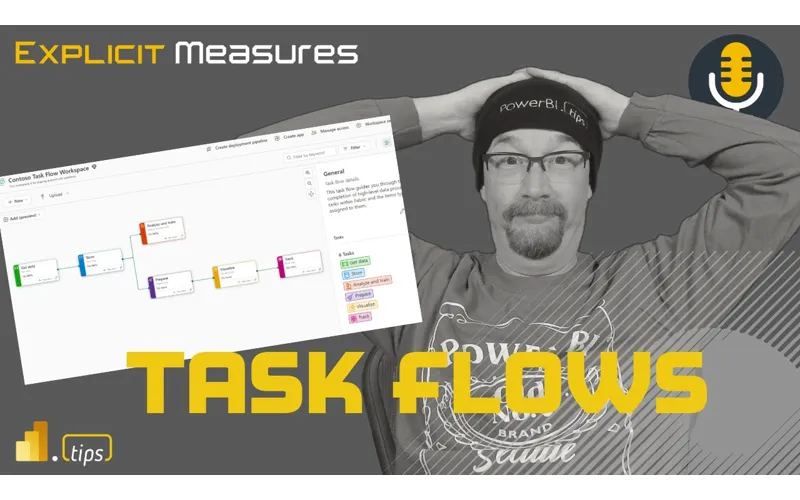
This episode breaks down Task Flows—a new feature that helps teams visualize end-to-end work in Fabric. The conversation covers why it’s so valuable for communication and governance, plus the rough edges you’ll notice right away.
News & Announcements
- Task flows overview - Microsoft Fabric | Microsoft Learn — This article gives an overview of task flows and task flow terminology.
- PowerBI.tips Podcast — Subscribe and listen to the Explicit Measures podcast episodes and related content.
- Power BI Theme Generator — Create and download Power BI report themes using the PowerBI.tips theme generator.
Main Discussion
Task flows are discussed as more than a UI tweak—they’re a way to make Fabric projects easier to understand and easier to govern.
Key points from the conversation:
- Visual start-to-finish view: task flows help show how data moves from ingestion to transformation to semantic models and reports.
- Living documentation: you can add structure and context beyond lineage, which helps teams communicate architecture and intent.
- Navigation and organization: a clearer workspace story reduces the “where is the thing?” problem as artifacts multiply.
- Templates/patterns: the idea of reusable outlines for common architectures was called out as a big win.
- Preview limitations: the team notes missing base functionality (for example, removing/unchecking items from a task flow is not straightforward yet).
Looking Forward
Use task flows first for documentation and stakeholder communication. Once the preview limitations improve, you can rely on it more heavily as part of day-to-day project delivery.
Episode Transcript
0:32 good morning and welcome back to the explicit measures podcast with Tommy Seth and Mike good morning everyone good morning gentlemen happy Tuesday happy happy happy Tuesday oh a little extra spring in that one yeah no I don’t I went low and then realized that was probably not a good idea with the happy Tuesday and welcome to your Tuesday and welcome welcome to oh so much to talk about today well start off with this this week we had a a holiday in the US so the Memorial Day
1:03 holiday in the US so the Memorial Day weekend was this weekend so no one was working on Monday therefore we had ample time to screw around over the weekend and think about things that we had seen or thought about over the build week last week so last week was the Microsoft build conference that I was able to go to which is an awesome opportunity there was a lot of really different people for for the conference let me get get we’ll get into some like final thoughts for build here just for a second but before we do that
1:33 just for a second but before we do that let’s quickly talk about what’s our main topic for today to today the main topic is the impact of this new thing called task flows you may have seen it shown up here this month it was probably about two weeks or so ago where you saw this new task flows thing show up inside your powerbi workspace it’s just on I don’t know if you can turn it off I haven’t seen it where you could I don’t think so you now get this thing called task flows so we’re gonna kind called task flows so we’re gonna talk through the the the impact of of talk through the the the impact of task loads maybe how we will will use
2:03 task loads maybe how we will will use them or what they mean for your organization so just a new feature that’s inside the workspaces sorry okay that’s our main topic for today let’s do some more news and announcement type stuff so jumping back into the the end of build I was I didn’t get to attend many sessions at build although there wasn’t a ton for powerbi or Fabric in general most of it was a lot of other sessions around technical pieces I did get the opportunity to to this session around the graphql and conversely it was around
2:35 graphql and conversely it was around userdefined functions that are being built into fabric so a very interesting concept so I got a lot of questions like what is graphql it’s not Microsoft’s graph it it the the word graphs is a bit misleading graphql is an API layer that is allowing you to write Json to requery that sends it back to a back end end and then the backend can consume that data and then return results but results are
3:06 and then return results but results are returned in Json so it’s like an API interface being able to do queries is where where in the platform is this going to be utilized so because you said Json as the language because well it’s written your queries are written in it’s like a it’s like a open protocol basically okay so it’s it’s I’ve had a lot this has been a lot of like consternation for people because I was talking to people like well what is it how do I use it like what’s the point the idea here is that this a
3:36 point the idea here is that this a new API layer that you can communicate with and it will let you go back and query data that’s in your Lakehouse your SQL analytics mpoint I think there was something else they mentioned in the video it’s actually now out I’ll go find the video on the build conference website there’s actually a video for that one that’s out there as well it’s pretty interesting it was really around my opinion here is it’s really around people who want to interact with the data but don’t want to use the visual side of powerbi hey I
4:06 use the visual side of powerbi hey I have all this information that’s data inside the system I want to go query it and get results out SQL well sql’s a bit different because across the ecosystem though yeah so I across the ecosystem though yeah so graphql is this generic way mean graphql is this generic way of querying information and it’s just a standard right so mean technically you could go to a Lakehouse or to a SQL empo point or to a warehouse or a SQL Server graphql pretty much is is a an interface it’s a medium a layer between the two so
4:38 it’s a medium a layer between the two so it’s interesting you say that Tommy because SQL requires a bunch of other things in order to talk to the SQL Server so typically if you’re doing SQL I think you need to have like packages or libraries or something to interpret the language of SQL and write it so it’s a protocol that can be sent back and forth so yes it’s like SQL but no but no it’s like more like an API call okay so is this just a this was a session this wasn’t like like the things I’m looking up this was this has been around it’s
5:09 up this was this has been around it’s been around but it’s not I think it’s just now available to us in now fabric I think there’s a general preview that going on right now that’s the hook fabric yeah so graphql is an old thing it’s been in many other systems but fabric hasn’t had it and so I think this is now in preview or private preview apis in azure API management okay so there’s lots of words in certain areas and it’s new in certain areas I always love things with lots of words yeah
5:40 love things with lots of words yeah that’s cool though it’s interesting so if you’re building an application like a web app or you’re building something that’s like a website and you need to go get data out of your fabric Thing graphql would probably be a very like a very very a very useful tool to Developers developers I think will will like graphql cuz they they understand how to work with it and it’s it’s an API you authenticate you send your query in it comes back and you can even manipulate data so when you’re looking at this
6:12 data so when you’re looking at this thing the graphql you can actually use it to be able to edit records or rows of data with the standard with the protocol I was like that’s really interesting this really feels like right back to me like this this really feels like a whole complete solution where you could look at some data make some Chang have graphql query back to the the answers or the the responses back so this feels like U fabric is becoming a bit bit more read right than what I’ve been used to seeing which is parv which is just purely read yeah this is still a
6:44 purely read yeah this is still a very developer yeah Centric very developer Centric well it’s build right it’s a developer conference y yep yep the the other thing that was interesting wasy for business intelligence off audence yes exactly good call good call there nerds and Geeks and there I actually had some people asking about how can I get a hold of this preview if you go I think about minute 25 into the video and I’ll put the video here directly inside the
7:14 the video here directly inside the chat window for anyone who’s interested in it around minute 25 there’s actually a private preview you can go fill out a form they they share that inside the video if you’re interested you can go check it out but there is this thing called user data functions which are very interesting yeah it’s not udfs it’s it’s a user data function UDF yeah so technically what I think user Define function is what I typically use usdf for but user data functions are things that can occur inside fabric
7:45 are things that can occur inside fabric so something needs to trigger a function needs to be triggered needs to do something you can write python C I believe inside this Library I liked it I thought it was cool I could see some use cases for it but my my first complaint was I don’t know how to write C very well I’m a little bit better at python so where’s co-pilot why doesn’t co-pilot write the functions for me so that was one thing I was like missing I I wish it was in there in real time I think I saw something like that in the Real Time Event stream but is that
8:15 Real Time Event stream but is that available like the same way across the board or is that only available in real time what what do you mean I’m not sure if I understand there’s a very similar type of language or or Tooling in the real time intelligence the event streams in fabric yes and I think that’s the ud udfs but is across the board no I think this is more about triggering things off of information that’s coming through data parts so the idea I
8:45 through data parts so the idea I was thinking of it like it felt like a little bit like a store procedure okay it felt like a store procedure that was hey when this occurs run this little line of code do some things and then move on so very very short executions of commands commands not sure if I have solid use cases on it yet but it felt like simple similar in that in that way as well I get it the hook here is fabric the the feature right is this new API graphql that we can connect to looks like
9:16 that we can connect to looks like supported limited data sources right data warehouse Lake housee Mirror databases and then the features allows you to you to do certain functionality feature changes execution of the things on the things good summary good good summ summ things on the things and data passing through business users you can totally skip this part of the conversation because this applies none to you this is totally interesting things that are
9:47 totally interesting things that are more devel it’s good to know it’s definitely good to know okay I need to I like it I think people were really I like it I think people were really the business users that I was mean the business users that I was talking to were like very struggling to say where do I use this where does this apply how is this useful as an app developer me I could do a lot of app developments I could say oh yeah this would make a lot of sense and a someone in between these are rabbit holes just waiting to happen for no reason I did walk away from build thinking a lot of that like I kept thinking wow they’re adding so many new
10:18 thinking wow they’re adding so many new things all over fabric it’s hard to keep up with all the different things they have that are being presented there’s this new isv solution thing that’s coming out to that’s also letting people build custom like powerbi apps essentially so they’re building like fabric apps now where you can build your own custom app inside the context of fabric so you go to the work workloads yeah yeah workloads it’s it’s something like so like workloads thing so it’s it’s interesting what they’re doing
10:49 it’s interesting what they’re doing there too I could see some of the use cases and yeah I also want to explore
10:54 cases and yeah I also want to explore that one as well as well there’s just a lot of things to like keep your hands on right now it’s a bit crazy anyways that was about it for the end of build I enjoyed it I had a lot of great conversations I was shocked by the people who came by the the RBI Booth a lot of people were building apps and things not many people were doing heavily powerbi things or if they were doing parbi things they weren’t really doing fabric things which I guess is expected at a build conference right you have a lot more developers than you have people
11:24 people using RBI Centric things so yeah it was very interesting I had a lot of conversations met a lot of really interesting people a lot of companies were doing some really fun things I did have a couple conversations around Snowflake and they’re like people were asking like well well we’re using snowflake I’m like yes you are like well what what in fabric does snowflake things and I pointed out okay well here this is if you’re trying to serve data you can put it here if you’re trying to store data you can put it here and the the LI pubs were starting to click we’re like I don’t
11:55 starting to click we’re like I don’t think we need F I don’t think we need snowflake anymore I think we could just use fabric for everything I’m like that is an option that is an option a whole Trend yeah it’s not a quick but there’s a lot of things in there now and there’s and by the way you have graphql so they’re like oh yes we need it now for sure that’s what we’ve been waiting for that’s what we’ve been waiting for we were holding off until it had graphql and then now now we’re good to go we’re ready yeah yeah
12:25 ready yeah yeah exactly all right anyways enough of the the banter around build and things let’s just jump into our main topic so I’ll kick it over here to Tommy maybe give us a quick overview Tommy of task flows and we’ll take it from there and we’ll start talking about what does this mean for our business now a pretty dramatic introduction to boy there Comes A Time on the explicit measure podcast oh jeez when it’s actually appropriate to use the following wording we have found a game changer and we’ve using this
12:56 game changer and we’ve using this sparingly with I think the the the heavy weight that a game changer comes and what Microsoft released with task flows really to me is that I think we’ all agree on this we have been dealing for the past nine years and especially the past year and a half with fabric with artifacts as line items maybe a lineage view but very hard to organize and understand in so many words the flow of our data the flow of the functions in the the applications in the sense
13:26 the the applications in the sense that we are putting together Microsoft didn’t really one swift UI change allows is now can allow us to see in a workspace so to speak the start to finish of all the things in the fabric not just a data set to a report but my data flow going into my pipeline going to my Lakehouse and the pathway but furthermore this is customizable for each person for each workspace or for each workspace this is not just a
13:56 each workspace this is not just a userdefined user or or user interface by default I can share this I can modify this and move this around which will then affect the actual workloads in the dependencies this we’ve never had before in in in a micros in a powerbi user interface this is absolutely potentially the way that we’re going to really by default start our workspaces and by default start our projects so there’s a lot of heavy sayings here but I I would feel I would
14:27 sayings here but I I would feel I would be remiss to not say that this is absolutely qualifies as a game changer so point of clarification here Tommy all right off the bat yep right off the off the bat with just just just saying if if you’re in the game changer realm that that’s fine but but please for future reference before you start saying we here and we on the podcast say that this is a game changer can you check with me
14:58 is a game changer can you check with me first because I I don’t know if I’m going to throw my hat in that ring okay just just precursor to the conversation just saying I’m very surprised hear this point of clarification point of clarification and whether I end there at the end of the episode I don’t know yet but but that’s that’s a hefty term we here at this podcast we may throw around once in a while we do not put it lightly yeah yeah
15:28 while we do not put it lightly yeah yeah I give this a whole five worth of thought before I say something Game Changer Asher throw it in there yeah it sounds good and what and honestly I’m I completely understand that there’s a bit of an assumption I’m actually shocked to hear that you are I don’t want to say on the fence but not the the immediate reaction that I think myself and I think a lot of people had on wow this does change how we’re going to work this does change how I approach let’s talk about
16:00 I approach let’s talk about it yeah I I think I think I want to unpack a bit more of the feature right so you described a little bit of high level in the feature there I want like so I like your point Tommy I will say this my first my first observation with fabric has been there’s too many things Tommy and I were doing the let’s learn Fabric and within three or four or five episodes we had so many artifacts inside the works space that the list was scrolling so just creating a bunch of
16:32 scrolling so just creating a bunch of stuff got unwieldy very quickly yeah in a workspace so I think this is a great solution to be able to help users organize their content when the lineage view can’t quite do it all and you really need like multiple things I’ve got a pipeline ingesting data I’ve got multiple lake houses that are doing different things potentially and then you have Transformations happening either in data
17:03 Transformations happening either in data flows or or notebooks that are changing the data from bronze to silver to gold I the data from bronze to silver to gold there’s a lot of patterns I think mean there’s a lot of patterns I think that are occurring here and I think I think when I heard about this at the Microsoft fabric conference MH but the way it was described was from a mirror was when you want to describe what your data is doing on a whiteboard this is what you draw this is the Whiteboard diagram of all the things in your data flow or your pipeline or whatever not an actual data flow but
17:33 whatever not an actual data flow but like your data starts here and it ends there in reports and so this is a good way of diagramming out these pieces so I really liked that explanation of it’s very colorful it was very easy to add things I do have some gripes around adding and removing artifacts from these different nuggets that are there I think there’s some bugs not bugs there’s some missing features that I would like to see inside this pipeline but we’ll get there it eventually let’s get your
18:04 there it eventually let’s get your initial Impressions Seth on the on the the feature no I for from the Microsoft docs right like what are the things that it it streamlines like at first glance it it proposes that we can make sense visually out of a lot of listed items and to me fantastic right because if anything workspaces are to your points very cluttered very like they’re going to instantly like if we thought things were bad in just powerbi now you’re throwing in ETL data storage
18:36 now you’re throwing in ETL data storage like all of these other artifacts and it’s going to be very challenging to like dissect what that means so task flows being the visual representation of that I think absolutely it solves a use case as we talk about it further I I think there there’s room for improvement as far as future development I’m hoping or severe limitations that may impact how I use it but what is Microsoft trying to do right it is the Whiteboard it’s it is a conversation it’s a place
19:07 it’s it is a conversation it’s a place where not only can you start with like the task flow I don’t think they call them templates but like the outlines the industry standards for certain things like basic task basic workflows of data Medallion architecture Lambda Etc so it’s it’s intended to streamline design to development and I think it would do a good job at that what was previously said is it’s it’s very easy to see because it’s there and it’s half your page so you’ll see it you’ll know
19:37 page so you’ll see it you’ll know what we’re talking about can’t really help it it’s supposed to simplify navigation and manage the items in the workspace I think it does that well in terms of the structure that you’re setting up the task flow and applying the different things within a workspace or creating that new within that so and then the other thing that really struck me is as far as like a a solid use case scenario or one that is a benefit is
20:07 scenario or one that is a benefit is it’s living documentation right like it it’s a bit more than just the lineage it allows you to add some manual stuff or like I said bucket categorize the the different process flows and things within your workspace and it clicking around it’s that live thing so I as a developer you can just integrate with it versus having to manually write something down or manually update something when you’re updating like documentation is everybody’s bane of
20:38 documentation is everybody’s bane of existence for the most part if you’re a developer or a bi person but it’s also really critical when you’re developing for other people or with other people and this this is that I think happy medium where it’s not my documentation is all in my code and not available to anybody in the business and it’s not always in business documentation where I need to constantly go update I to me you’re you’re communicating the two areas where I would consider it really that game
21:08 would consider it really that game changer or the gamechanging aspect of how we approach our projects and how we work on it the first one is for the individual if this was just a user interface after the fact like lineage view where okay I have to build everything then I see the dependencies and I see the flow that’s cool but to me the Whiteboard part is the first real true part of how I’m going to approach a project or how someone would go across to approach their project as
21:38 across to approach their project as they’re building and when they actually modify the task flow it’s actually modifying the actual artifacts in there
21:45 modifying the actual artifacts in there that by itself is such a huge way and probably going to change what we build and how many things we actually put together Seth to your point the other side of this where this is really maybe can make the argument more effective is for teams or kind I don’t want to say copy paste but going across departments like hey if you’re trying to do XYZ if your new marketing team is doing a lak house and you want to grab your data from apis we
22:15 you want to grab your data from apis we have templates we have things that within our org that we can share you can actually have real discussions on this or arguments I’m reading a book right now about the start of Xerox and their computer research lab and one of the things that they did on a weekly basis were these someone would come with a project and basically everyone would critically go go at it like whether it’s a good idea or not and to me having a big project you’re working on with the team that actually have that discussion shoot we can do this together
22:46 discussion shoot we can do this together I go Mike or Seth I need to I need to talk to you real quick I’m working on something what do you think of this and to have them that that interaction where like let me figure out all your naming conventions no we have this here where is a almost like a unified language now or a different language that we can all speak to me those two areas are really what sets this apart from anything that Microsoft’s really provided from a user interface point of view I think you get you’re bringing up a lot of strong points both Seth and Hy and one of the things I think I like
23:17 and one of the things I think I like here about this is I was trying to think through as you were describing the feature Seth and and tght me about you feature Seth and and tght me about hey here’s some here’s some know hey here’s some here’s some potential workloads or plans on you would do with your data here like for example one of the early instructions inside task flows is you’re able to go here and say Here’s what a medallion architecture may look like I can’t tell you the number of times I’ve drawn that exact same diagram in icons and Tred to explain to people how this works so I explain to people how this works so that that exact same diagram
23:47 mean that that exact same diagram already exists I’ve been communicating it many many times to to clients and other companies like this is what we want to build so if you had not had these these proposed ideas of architectures it would have been very confusing for users to see what task flows actually is I so so I think starting with this point of here’s something you may want to build boom here it is that is extremely helpful for
24:17 here it is that is extremely helpful for users to understand what does this feature mean and get your head around oh here’s a here’s a medallion architecture I already know what that is here’s it represented in these colorful blocks that helps me understand or communicate that to my to my team so I think that was a really good move for them because if they hadn’t done that it would have been very hard for people to absorb the idea what do you what do you just in in current feature what’s out there in preview like what are your guys’ first takes Mike you
24:47 what are your guys’ first takes Mike you said there was there like I think excuse me we all agree like the templates super helpful yes adding another task adding modifying like what what is the experience thus far so far for you guys adding things seems to be pretty seamless in my opinion so going to a workspace turn on a task flow adding items into the tasks not a big deal good luck trying to remove one of them so I have found there is no way to
25:19 them so I have found there is no way to uncheck or or remove an item from a task flow so let’s just say you have a lake house and you accidentally tie the bronze layer lake house to the bronze you’re doing you’re doing you’re doing doing the example of the of the task Clow for Medallion architecture right there’s three separate storage areas bronze silver and gold that’s where you would put your Lakehouse SQL analytics endpoint and you would put your default semantic model those would live in each of those lake houses because that’s where they they live that’s what they they’re attached to well you can add them there’s no
25:51 to well you can add them there’s no remove button you can’t uncheck it you can’t remove it from the task flow so in order for you to remove an item from the task flow you have to like delete the entire task and recreate it if you had any details like for example descriptions I do like the descriptions in the task flow so you click on the task flow itself and then you can actually click in the descriptions and write the descriptions piece there you can add descriptions you can add enhanced data around like what it what it means this what this portion of the of the code looks like but when you have
26:21 of the code looks like but when you have to remove something you have to delete the whole card and you lose all that you have to start a brand new one and rewire it together so to me like I’m going to make mistakes the fact that you always think I’m always going to add things is a Miss in my opinion yeah and I do think they’ll let you I think it’ll let you move it between different ones but it won’t they won’t let you actually like unattach something somewhere there’s some Microsoft engineer going I knew
26:52 it I think I think one it is in preview but I think what you’re highlighting is there are a lot lots of tools out there now right that have task flow creation systems right and we’re used to them so base level functionality like this would be an assumption that it works pretty seamlessly when I’m interacting with this interface pin what you need to in the areas as opposed to re shifting it all and doing because that’s what user if it’s the Whiteboard right it’s gota it’s got to
27:24 Whiteboard right it’s gota it’s got to feel like the Whiteboard right yes correct and and I think that’s my impression is as game changes the UI is I’m trying to think about this as take a team take a bi developer and now they have to switch to this or they’re going to try to use this where would the complications AR AE not necessarily from the technical side but from more the Strategic side of now I have to use this and yeah it’s there’s almost an intimidation factor factor I
27:55 almost an intimidation factor factor I want to say if you’ve only been dealing with the line item view we like and I know the templates are helpful but more often than not I think there’s going to be more applications of I’m going to take my existing workspace and now I have to pin it to the task flow or now I have to basically convert in so many words my existing workspace and all my artifacts to a task flow where do I start and I think that can almost with the Whiteboard that can sometimes be intimidating when you do have that wide space and with that ability to
28:25 space and with that ability to modify or go no this is not what I want it’s it’s it’s very production wide use like Hey we’re going to build this task flow to use now not necessarily I’m experimenting or I’m I’m testing how this would look what would this look like if I did X Y and Z and I think that’s going to need to be a really important aspect of the task flows if I put this no no that doesn’t look good to your point Mike I need to be able to you your point Mike I need to be able to just see what it looks like and to know just see what it looks like and to be able to modify not I’m G to put it on here because that’s what we’re going to do because I already have my whiteboard over here and I’ve already mapped it out
28:56 over here and I’ve already mapped it out like your point if it’s going to work like a whiteboard let’s really put that functionality in there I agree there there’s just some and I think those things will get worked out that that’s yeah that’s the whole point of preview is to get things in there and start St I do really like the feature of having the task flow in front of me and then being able to quickly click on a card in the task flow and then you get a filtered list of all the items in that workspace that attach to that card I think that is extremely helpful and
29:26 think that is extremely helpful and especially when your your items or artifacts in a workspace become larger yeah and I think too the the really smart idea too to not make Tas flows a different window or like in a sense a different UI it’s if I want to see my line items I just simply drag and drop the the scroll bar so to speak so I can expand task bars if I don’t want to see my task flow I can close it up because I think there’s to me I’m looking at this from an adoption point of view what’s going to make task flows highly utilized
29:58 going to make task flows highly utilized and successful within an organization and on the other side of this on the same coin or the other side of the coin where people either where would it lead to complications or clutter where people go no this is too much and I think you need to keep a a user interface that we’ve had for nine years we can’t just expect people to all of a sudden just start widely adopting this and completely go against what they’ve been doing it we know these things take time I don’t know what you’re thoughts about
30:28 I don’t know what you’re thoughts about that are but there’s there’s going to be some learning curve many thoughts which is I I guess to to shift shift the conversation a little bit as it relates to implementing task flows and and the best ways in which you can utilize them right and while was 100% on board right like all of the the top level features these things the simplification all of this makes a ton of sense
30:58 this makes a ton of sense where I fell off the the the rail here a little bit and I need to discuss is is in the in the context of types of of workspaces okay because the thing I didn’t innately understand at first in the announcement of this and I can’t find in documentation that it’s only a current limitation is that I am only allowed one task flow per workspace
31:28 allowed one task flow per workspace so when I think in the context of workspaces what are the types of workspaces we have in the ecosystem of fabric and powerbi right now well I have I have predominantly probably the mixed bag of business needs right I business business units are doing their own thing they’ve got a ton of different ways in which they connect to data ETL whether that’s through data flows or power query within power I and you get
31:58 power query within power I and you get lineage through that right like it’s just simple MH but then we also have many many different workspaces that have completely different types of ETL patterns some may be basic some may be Medallion some maybe like pick your mixed bag of all of the different types of artifacts that can and do exist within a workspace sure and we have a bunch of artifacts now that help us manage all of that because
32:28 manage all of that because it like folders right I’ve got a bunch of stuff I need to organize it in the context of this conversation
32:39 it in the context of this conversation now and fabric are we like this seems to be a all of the sudden a new feature that comes front and center in workspace types of workspaces and how we organize workspaces within an organization because are we now going to say that that well this workspace everything in it abides by this task flow because we would have to wouldn’t
33:09 to wouldn’t we and I think this is a good point where you can’t expect clean like and that every task flow is going to be nice and completely tidy like a like the templates are great but the templates are great because they’re already in a sense predefined there’s only those given items and I think to your your Point our workspaces by virtue of what the workspaces have been to us are not a single use case they’re not just this one in sense flow of information they’re
33:39 one in sense flow of information they’re going to have multiple and also they’re not the cleanest or not necessarily meant for task flows a lot of our items not everything in a in a workspace deserves to be in a task flow but that doesn’t mean it deserves to be deleted either I think the the biggest part that I really agree with is you’re going to be dealing with a lot of non-templated situations the majority of probably a lot of teams are not something that fits in a given template or maybe the idea that a given task
34:12 or maybe the idea that a given task flow would be so how does that look like what is actually literally how does that look and how does that look in trying to apply that in a team I’m going to react to both these things Seth so I I think you’re bringing up an interesting point Seth because I think it’s I think you’re you’re talking about a point here where where it’s fundamentally challenging us to really evaluate what’s in the workspace and does does my one workspace with lots of different work streams let’s call them work streams for this for lack of better term right a work stream you could have many different work streams happening in
34:42 many different work streams happening in the same workspace to serve something else for example you have a workspace that’s doing a bunch of data engineering right not every data engineering thing is going to be one single continuous line of line of of tasks there may be like multiple lines of task I’m thinking in my mind I’m thinking a little bit like a pipeline so in pipelines sometimes I have many actions that are occurring they start into maybe they start together but we might have three different starts and three different
35:13 different starts and three different ends of the different task flows so there’s potential here for the task flow screen to have multiple different pipelines all together and so I I don’t know what that means it’s at the end of the day it I think it maybe will add some confusion I think I think you have to be able to be clear about what that looks like because you’re you you potentially going to have more things in things in there the other thing go ahead Seth go
35:43 there the other thing go ahead Seth go ahead no no along those lines and one of the things I haven’t stress tested right is in a in a perfect world I I have all my artifacts align per perfectly with The Medallion architecture in Worlds where in reality where that doesn’t work or do we redesign the way we implement or an architect things in workspaces does does does the task flow become this Behemoth of the web of
36:14 become this Behemoth of the web of exploding pipeline things because you exploding pipeline things because they may come from a source but know they may come from a source but then we’re deviating off and we have to be very careful about the naming because it’s going to be this like you it’s going to be this like limited source es of objects and know limited source es of objects and then explosion as as it pertains to like the outcomes right because the the the reason I haven’t figured this out in my mind yet is it’s shifting in my mind what the intent of the workspace was initially right it
36:45 the workspace was initially right it workspaces work the consolidation bar facts for a business unit right and in powerbi Realms it was super simple like I’m going to create one for marketing here’s for sales sales internal what whatever whatever whatever it was just bucketization
37:30 how do I design things if it’s not for the intent of the final thing anymore it’s now I have to architect what I’m calling bucketing and naming things because all of the sudden the bucket called the workspace is now the bucket the task flow right or how do we how do we reshift the imagination of managing all of these pieces in the context of now what task flows allows us to do right because if in my world right task flows and
38:01 if in my world right task flows and maybe this is just what I would have to do is take a mixed bag workspace right and see if I could build out a task flow that made sense because like 40% of it may be Medallion and then the other 30% may be basic and then the other is just reporting and does that work right can I build does it still make sense in the very exciting simplified way of everything now becomes really clean or is it just a visual representation of
38:31 is it just a visual representation of the normal challenge we have in managing items within workspace there’s a perent point you’re saying and my reaction is thinking about this on if we’re going to have the task flows as the be all end all the golden calf so to speak then does that require us to think differently about workspaces do workspaces either need to be molded differently where we have a different UI right now we have the ability to pin given workspaces but to your point if we’re going to focus more on Tas flads
39:03 we’re going to focus more on Tas flads the way they are now that almost yeah yeah that almost forces us to think about how we’re building or how we’re organizing content in a workspace differently yeah and and I don’t even we’ll get to Jack’s question in in in a bit but like in the context of where we’re at I guess my my original assumption was that I was going to be able to have multiple task flows right and I don’t I don’t know
39:33 flows right and I don’t I don’t know whether or not that’s the right answer because if I had multiple task flows rather like right now a task flow highlights all of the item artifacts within a workspace right but I I almost want to have yeah that’s the artifact that you’re a you’re a data source you’re an ETL piece you’re whatever but I’d also like a task flow right like what thing do you belong to right and and a rollup a rollup or
40:03 to right and and a rollup a rollup or almost an index of okay you have five task Flows In This workspace three of them are mallion architecture or actually you wouldn’t even need it right you’d have your whatever your medallion architectures are you’d have your Basics and then you’d have what whatever the other things would be your Custom Custom ones and I guess to some degree it’s okay to to have but but it’s still it’s still restricting you right like if I if I choose The Medallion architecture I’d
40:33 I choose The Medallion architecture I’d have to do the full Medallion architecture every time n no it’s just a just an example to get things started like so no and I I agree but it’s you can delete whatever whatever I would choose if I would if I would have a different way a different pipeline right would I just drop down a different task from the source and then yeah like have a different pipeline yeah I don’t I don’t the the examples they give you are just examples you can delete any of the cards you want and then what I would
41:04 cards you want and then what I would think so what you’re describing to me is when you’re when you’re saying like hey I may have three different task flows that are patterns that I’m trying to occur in a workspace M like on one hand I understand your point because there’s literally you only select one task flow from the little quick menu right so I may want to select the task flow for Medallion architecture I may want to select the task flow for streaming architecture right those two task flows from the quick select menu doesn’t give you those options like up front all the way at the beginning right you can’t you
41:34 way at the beginning right you can’t you can’t have both of them just appear however there’s nothing stopping you from building them in the workspace and having two separate lines line one is The Medallion architecture and line two is streaming architecture and they don’t have to interact with each other either it’s it’s just a logical grouping method so you can build your own additional cards or even take the existing cards and delete them so I I think you could be flexible mean I I think you could be flexible enough I do think task flows is forcing us to be more metered with what’s going
42:04 us to be more metered with what’s going in the workspace and like really evaluating having that high level architecture now says do we really need this extra Lake housee do I really need reporting to live in this thing where I get hung up a bit more is I get hung up on the fact that a task flow feels like to me multiple workspaces in my opinion so if you’re if you’re the so there’s two audiences I think we’re talking about here there is the Enterprise bi team which I think in the
42:37 Enterprise bi team which I think in the Enterprise team you’re using the workspace security boundary as a way of securing who’s allowed to work on the data who’s not this is why we talk about models in one workspace and thin reports in another yeah the workspace is the security boundary or at least one of them so in lie of that when I think about a medallion architecture I’m actually thinking about h a medallion architecture probably is about three different workspaces for me in the Enterprise space if I’m in the business unit or I’m in a small team of
43:08 unit or I’m in a small team of developers I’m probably not as worried about having the clear delineation between all those different artifacts because it’s a single team we have all the things in one space so if I think about task clows from like a smaller team development great they make a lot of sense totally totally make sense but when I when I zoom out to the enter rise level I don’t think task loads are going to be as impactful because the
43:31 to be as impactful because the Enterprise already understands the architecture and they’re trying to build cross connected workspace experiences which I think task flows does not do a good job of explaining you may have a medallion architecture but you’re going to go all the way through bronze silver and gold lake houses you’ll stop there and you’ll build a whole new workspace for semantic models and so there’ll just be another workspace that’s going to consume from gold and that’s strategic because of how you want to have people access those semantic models and you may
44:01 access those semantic models and you may also build another workspace for reports because I’m going to distribute reports differently than I want to distribute the data sets or give people access to build their own reports in a workspace but not give them access to modify the semantic models so I think at the Enterprise level this it doesn’t fit very well for me but I think in a team where you are having multiple people work on the same stuff it does it does fit and I honestly this is a really this is a huge point because as as you
44:31 this is a huge point because as as you guys been talking been writing down what’s my Approach my the initial approach starting with a blank task flow is it a data just data is it a project or is it a Lakehouse if it’s purely the data that we’re trying to capture that’s multiple workspaces right if it’s a if it’s a project that’s probably multiple workspaces too and there’s if I were to take a lot of my existing diagrams and write lines dividing how would I organize this most of them are going to be Mike to your point in at least two workspaces
45:03 your point in at least two workspaces a de prod even in the most basic example and this is if we’re going to confine based on the UI or the technical part of the task FL today that forces you to think differently it would have to because it doesn’t make sense and this is this is where Jack ir’s question becomes very poignant which he’s asked can task flows within a workspace refer to other workspaces and the answer is no not that I’m aware of yet right it would make sense if I could
45:34 yet right it would make sense if I could that’s actually really tough it absolutely would make sense especially in the case that you’re talking about Mike where fabric is pushing the bounds of all of the things we can do with data which is pushing the bounds of how we think about workspaces and how we organize this environment so even if from a securi perspective we’re going to say okay it now makes a ton of sense for us to have our engineering team manage these Dev uat works prod data sources those data
46:05 prod data sources those data sources are then the source for all of our business units that’s great but the outcome of my taskflow is supporting a workspace it’s not supporting a report that exists in my own workspace according to like how this is set up in preview now like could could that expand I I would say well in this EOS system in order to work across the many various ways in which the organization of all that data is happening in fabric because we’re trying
46:36 happening in fabric because we’re trying to manage it in that respect either there’s a recommendation that we don’t manage it that way or and and does this change the conversation and say well we’ve given you folders right and all these things it does belong in the same workspace at least from an organizational perspective yep but then we’re challenged with well how do I manage the capacity around all those different things because those different workspaces allowed me to break things
47:07 workspaces allowed me to break things out the way I wanted to maybe this is big because you’re at basically our not proposal here but the way we’re talking about this is you flip what in a workspace is and you flip the task flow the relationship which would make more sense there’s a one to many relationship so to speak between a task flow and it’s going to fall more workspaces Seth I don’t know at this point whether or or not it maybe there’s a road map features with the task flows where it’s like yeah if task flows are just going to be one workspace one one task flow I’m
47:39 be one workspace one one task flow I’m going to move everything into folders that makes the most sense I don’t think I can answer that right now as much as I would like to because I like I said I love love the applications of a task flow both from a collaboration communication and just design point of view but view but the question then arises from what we’re talking about are we too limited right now to in a sense mainstream this well and and that’s why I asked I I made the point point I did at the
48:09 made the point point I did at the beginning of the conversation right a GameChanger to me is something that is widely adoptable right out of the gate and and I I like task flows I love what it’s doing I love what it could potentially bring or does bring MH for brand new brand new implementations but I I do like the point of criticism I would have with some of the features that have been rolled out is it’s leaning too much into
48:39 rolled out is it’s leaning too much into brand new and not accounting for existing and and when you have a tool like powerbi that is the main driver for how people are even going to start to engage or want to engage now that it’s part of fabric there are ecosystems that your putting out there and you’re turning on for half of a screen my my expectation would be that it works to simplify their lives as it is constructed and there are a couple
49:10 is constructed and there are a couple glaring things in this preview that are like that don’t do that I don’t think which makes it not a game changer initially maybe it will in the future or it’s a a technical dock that brings me onto the right understanding of like how do how do I think about this new in that new world but like we were just thrown into and we’ve talked about ad nauseum all of the fabric ecosystem and how do we manage this and we’re breaking things out into further and further and further workspaces and all of a sudden
49:40 further workspaces and all of a sudden now we’re presented with a feature that is brings simplification only in the same workspace and it’s like wait a minute like that doesn’t there’s a there’s a cognitive dissonance here between like the solutions that we’re trying to construct the architectures we’re trying to build and something that I we we all see a ton of value in but doesn’t doesn’t align with the direction that everything was going and that’s where I I back off a little bit I’m like
50:10 where I I back off a little bit I’m like okay well is this is this limitation taking it off the game changer thing absolutely I hope it produces or goes down a path or like we we get some explanation around the use case of where can I apply it or how does it address these other situations where I’m going to have a lot of different workspaces or does do I am I not thinking about it in the way that a task flow does en Encompass all of this
50:41 task flow does en Encompass all of this and the templates are are that easy button right if you can build something net new but in the world of brand new workspaces it’s just a matter of like you would see this exploded task flow and you could still get a lot of value out of seeing things visually so as we get near the Anna I’m going to push back a little on some of the comments here because I’m I’m taking step back and had the thought would I do a training on this if I were to put together a fabric curriculum would this be one of the training features and I
51:13 be one of the training features and I think it’s an absolute yes that I would put this together because yeah for us especially for people who’ve been in the data engineering game like YouTu for a long time sure doesn’t have the bells and whistles that makes a ton of sense but for a lot of organizations or a lot of teams who are going to start with fabric they’re not thinking Ming architecture and that’s going to take some time they may just want their data in The in The Lakehouse I I like you said I can’t give you we can’t give you a rate
51:43 can’t give you we can’t give you a rate of what number of organizations or teams or that but that’s a lot that’s going to be a lot not everyone’s starting with the full technical approach or the full expertise approach they’re going to be starting with I just need to get my data in a lake house and I need to share that with people and to start with the task flow idea as the default UI makes a ton of sense and one I would start my training with that way and two if I was helping an organization adopt fabric just from a from a basic to mid
52:14 fabric just from a from a basic to mid level I can absolutely do that with one or two workspaces or with folders and probably be very successful with that or be successful adopting that I don’t think i’ would be severely limited yeah again when we get to Enterprise when we get to teams who have been doing these types of projects for a long time the limitations arise the the The Faults arise but if we’re trying to get people in the fabric and we’re trying to make sure that what what we experienced Mike
52:45 sure that what what we experienced Mike with two data Flows In A workspace and we had 11 artifacts that clutter me right away right we can solve a ton of use cases a ton of use cases basic to Mid with utilizing task flows even I see as even as they are today all right well first many thoughts you guys have been saying a lot of good things I’m gonna I’m gonna rattle off a couple questions first thing I got to pick on is clutter that’s a great word clutter did that did I use that you used a word clutter I literally wrote it down just
53:15 clutter I literally wrote it down just now okay I’m gonna look I don’t think it’s I don’t think it’s actually a word I think I think it’s the the act of being cluttered I think is what how I would describe that word so word so so let me let me let me ask a couple questions right so one one observation I’ve seen whenever I talk to people about fabric they’re overwhelmed there’s so much going on doesn’t matter who it is there’s so many pieces to fabric people don’t know where to start so I think on one hand task flow does a great job of
53:46 one hand task flow does a great job of giving some people an idea of what could be built inside fabric cuz there’s this thing streaming and there’s lake houses and there’s data engineering like all this stuff is gobbl theed and smooshed together great it’s the single platform for everything and I think this is this is a lens and like helping those users quickly get an idea around okay and when you listen to air describe the feature like on some of his posts around this or what he was describing on the videos he says this is a place where you can say this is a
54:17 a place where you can say this is a common pattern you may want to use land the Work Land the task flow first and then fill up the artifacts with the
54:25 then fill up the artifacts with the things that you need so I know I want a medallion architecture I don’t know how it’s supposed to all be fit together so this here’s the pattern I’m going to follow and then I build the things after the the fact with that I now think about okay well who is this designed for I think about if we if we talk about another question that goes along with that very well is when I build or I talk to customers about building workspaces how often do I build a workspace with everything in it
54:56 build a workspace with everything in it I think it’s very infrequent less than 20% of the time I’m actually saying suggest put everything in one space so for that from for one reason there I’m like okay well this feature is limited in what I think I would teach on yes it exists yes it’s interesting however when I start saying who is this be feature built for if it’s a business analyst ah it’s interesting it maybe helps me a little bit if I’m a data modeler okay I think the business analyst the dat model really likes the
55:27 analyst the dat model really likes the lineage view because they can say this model these reports to me that’s a that’s a linkage that I care about so if I had 10 models and I had 30 reports I really don’t care about the fact that there’s two tasks one for modeling and one for visualizing or it’s all in the same card like that doesn’t help me what I care about as the business analyst and data modeler would be which reports attached to which data sets MH then if I move over to data engineering this feature feels a lot more relevant because now do have
55:57 more relevant because now do have multiple things that I’m trying to translate through so if I built a separate workspace only for data engineering I’m talking about loading data that’s a card then I’m talking about storing the information that’s a card then I’m talking about transforming it and then putting it back down into potentially a new data lake so that’s another card all by itself so as I’m building the artifacts to me a lot of this feels very relevant for the data engineering space and now add to that streaming analytics now add
56:27 streaming analytics now add to that custo databases now add to that all these other things that potentially could store stuff inside your workspaces so to me this architecture feels a lot more relevant in the data engineering space now granted maybe I I I build my bronze silver Medallion architecture in the workspace I probably don’t visualize the data inside that workspace I may delete those two cards at the end and leave them and put them somewhere else if I was going to actually draw out the architecture so from from my standpoint I I would I would probably use this a
56:57 I I would I would probably use this a lot more in data engineering data scientists ah that one to me feels like a so this is one of I’m I’m literally going through the personas that Microsoft says exist inside a workspace data scientists I still don’t think we have a compelling story we know what they do it’s a bunch of black science magic stuff and how their things or what they do to build stuff it’s all in notebooks in my opinion it’s all notebook driven and those not books potentially rely upon other notebooks
57:28 potentially rely upon other notebooks and potentially have other pipelines so so maybe this also helps explain the architecture of what the data scientist is doing inside the workspace as well but again I don’t I I see the impact for data scientists on this feature being minimal I I don’t think it’s like it’s not going to game change their workflow so all right in in lie of all this clutter that is occurring inside the the workspace I think is this feature game Cher and I’ll this is my final thoughts here and we’ll wrap
57:58 thoughts here and we’ll wrap here I think my final thoughts is this feels like a game Cher for a data engineer for someone who’s going to be building lots of artifacts and trying to move data through a medallion architecture or bringing in streaming data and static data I think this is very very helpful is it helpful for all the other personas that are showing up to fabric minimal I’m not going to say it’s a game changer for a data analyst or data scientist it’s it this feels very centered around the data
58:29 centered around the data engineer all right so that’s my final thoughts on game yes it’s the game changer but for a very specific Persona maybe some new features will come to it that makes us a game changer for all personas but for right now I don’t see it as being a game changer for everyone yeah I guess I guess my final thoughts I don’t I don’t disagree with you in terms of the role where it’s going to find the most applicability maybe are the the thing that is I need to invest some more time in thinking about is how how does this or
59:01 thinking about is how how does this or does it change the methods by which we were talking about creating workspaces and just organizing that realm because in many cases even in data engineering though right I can’t have a single work like it would if I said task flows were the thing for data engineering and that was going to drive what was in the workspace then everything in that workspace would to that task flow I think from from the way I’m thinking through things to make the most sense of organizing all of that
59:32 most sense of organizing all of that information which means that current state I’m relegated to that capacity or I build another workspace that could potentially be the same task flow type thing but then how does that manage and change how I go about architecting things so Mike I’m with you but I’m not because if it’s for a data engineers and you’re not training or teaching it is it really for data Engineers yet or is it we just haven’t figured out how to implement it in in the best way so still I’m I’m not I’m definitely
60:04 so still I’m I’m not I’m definitely not putting in game Cher at this point in time because it the use cases don’t seem completely aligned for all the rules it it does have a ton of potential in bringing Clarity and I think that’s what drives the excitement around to be like oh my gosh like I have all of this stuff how do I make sense out of it within a workspace I think they’re on the right track hopefully some of the discussion today either clarifies how I would go about implementing or maybe some new features are added in the future in any case
60:35 are added in the future in any case excited about it wouldn’t put it in the game changer category quite yet no for for me just real quick I even today we know it’s going to evolve and they’re going to listen to the feedback we know there’s going to be other functionality that we’re not aware of but for me even today just taking it today there’s a lot of basic users who are getting started with fabric where this is to them will be a game changer maybe not universally applied but to a lot of people having that UI I have
61:05 lot of people having that UI I have workspaces that I can utilize this in there are a ton of applications of it today that I think a lot of people have with again the right template I think like the biggest Point here is the question is if the functionality stays the same will that Force us to change our current workflow our current way we approach Works spaces and projects or is that something then becomes underutilized but to me there are a lot of applications today that we have that can absolutely utilize task flows and if
61:35 can absolutely utilize task flows and if you have something basic maybe approach the workspace or how you’re building differently so yeah I think you’re I think you make a good point Tommy the solo solo developer likes this yeah the team development not quite sure yet yeah right I think I think I think we’re saying the same thing thing yes really good discussion today I think this really challenged a lot of my thoughts on what task flows is f too I don’t know what this looks like in
62:06 I don’t know what this looks like in totality but as we wrap here I’m here I’m thinking there is definitely some value in thinking out how does task Clos Works across across workspaces and right now right now my biggest hang up is why can’t I remove an item from a stinking card I don’t let’s get there let’s work on that to me that should be to me that’s like lwh hanging fruit in like preview like I get we’re in preview fine but before it goes GA please let me remove an item from the workspace or just experience yeah
62:36 workspace or just experience yeah exactly like when I click on a task it should already preh highlight all the items that are in the task that are from my workspace and if I uncheck them they should just be removed like it should just be a check in checkout kind should just be a check in checkout thing on the task itself I just I’m of thing on the task itself I just I’m just befuddled like this is someone just totally missed the feature on this one I’m like I just feel like this is such a basic thing thing that should have been added and I’m like I don’t understand what we I want my whiteb preview it’s preview I know I get it I get hung up on weird features I guess I
63:06 get hung up on weird features I guess I do I know this is this is a weakness of myself anyways that being said thank you all very much for listening to this one I hope everyone got some interesting information out of task flows what they are potentially how to use them what does it look like for your organization so I think take it for what you will but figure out what size organization are you are you are you an organization of a bunch of solo developers who building their own things or are you an organization who’s going to be sharing a lot of content across users and teams so I think that will impact the the influence or how
63:36 impact the the influence or how GameChanger that the task close will be with that we appreciate your ears we know this has been a long run for you so good job youve you’ve made it through however far you’re going if you run fast or you run slow nice work on the Run we congratulate you or biking I’ve seen people I’ve actually got a text message from someone said don’t always talk about runners bike and so we sometimes bikers listen to your podcast too all right fine Runners and bikers you’re welcome hopefully this made your your run go a little bit easier with that
64:06 run go a little bit easier with that please share it with somebody else if you enjoyed this episode if you had fun with this we really appreciate it oh and I can’t forget the commuters as well I’ve had people say we commute and listen to it as so thank you commuters for listening hopefully traffic wasn’t too bad and your temp your blood pressure didn’t rise too high Tommy where else can you find the podcast as Mike said we appreciate your ears I’m going to start using that now like find us an apple Spotify wherever get your podcast make sure to subscribe and leave a rating it helps us out a ton do you have a question an idea or a topic that you want us to talk about in a future episode head over to powerbi. com
65:15 [Music] out out [Music]
Thank You
Thanks for listening to Explicit Measures. If you enjoyed this episode, please subscribe on YouTube and share it with a friend. You can also find more Power BI tips and tutorials at PowerBI.tips.