
Power BI Core Visuals Updates – Ep. 377
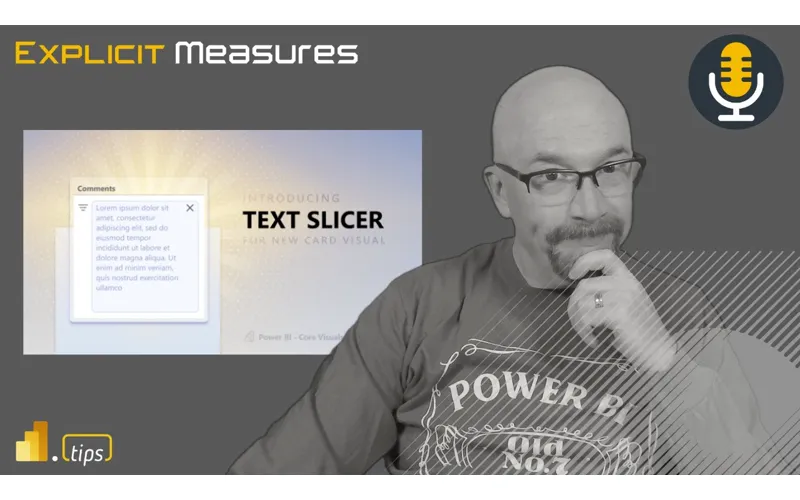
Mike, Tommy, and Seth break down what’s new (and what’s changing) in Power BI’s core visuals, plus what those updates mean for report builders. They also share practical guidance for when to lean on built-in visuals versus custom visuals as the platform evolves.
News & Announcements
-
Power BI Core Visuals on LinkedIn — Follow for updates, announcements, and discussion around the built-in Power BI visuals roadmap. It’s a good way to keep up with changes that can affect formatting options, interactivity, and how visuals behave in production reports.
-
Got an idea or topic for a future episode? — Drop your mailbag questions and topic ideas for future episodes.
-
Subscribe / listen to the Explicit Measures Podcast — The home base for the show, including where to listen and how to catch episodes live.
-
Join Tips+ (Theme Generator) — The Power BI Theme Generator experience from PowerBI.tips for creating consistent report styling.
Main Discussion: Core Visuals Updates
Power BI’s built-in visuals keep getting better—but that also means features and behaviors can shift over time. In this episode, the crew talks through what they’re seeing in the core visuals space and what report builders should watch for.
Key takeaways include:
- Expect ongoing improvements in the default visuals experience (formatting, accessibility, consistency), and plan for small changes that may impact “pixel-perfect” reports.
- When visuals are central to a business process, treat visual choices like a product decision: stability and maintainability matter as much as aesthetics.
- Know when custom visuals are worth it (specialized requirements) and when they add risk (versioning, governance, tenant policies).
Looking Forward
As Power BI continues evolving, the “best” visual choice is often the one you can support over time. If a visual update would break a key report, build in time to test visuals the same way you test data refresh and model changes.
Episode Transcript
0:35 good morning everyone and welcome back to the explicit measures podcast with Tommy Seth and Mike morning everybody good morning and happy Tuesday gentlemen for a lot of people good morning happy Tuesday that may sound normal but for us right now as we get into Thanksgiving this is really impressive Seth we’re like two months in the future or something I don’t even know how far we are oh yeah that’s pretty good I’m I am always wondering on Tuesdays will Seth do it and it makes me happy well you mean you’re always
1:05 happy well you mean you’re always wondering on pre-recorded Tuesdays we especially pre-recorded Tuesdays yes agree on that one as you can tell this is a pre-recorded podcast there you go this is a pre-record caution everyone this is a pre-recorded podcast we should be live again on Thursday this week so just there’ll be a real one coming up here pretty soon you’ll be able to chat the chat comments and we’ll be here and respond and have sarcastic comments back for you soon so don’t worry they will be there today’s main topic here
1:37 will be there today’s main topic here is we’re going to talk about something that has been coming out from the Microsoft product team for a while now Miguel Myers is the gentleman who’s running this team and it’s powerbi core visuals PBI core visuals is what he’s calling it and there’s actually a whole site on sh on LinkedIn which will be in the description below that’s just talks about the core visual team and things that the core visual team is building or doing or making so this is I I guess the the topic of in desktop you get all these new visuals now that have a little lightning bolt
2:08 now that have a little lightning bolt next to them so apparently we get two of everything now and now new ones with lightning bolts is fun so that being said let’s jump into some of the main topic today so Tommy just give a quick introduction what’s our main topic here around core visuals and maybe we can talk about some of the recent releases that have been happening in that area I think these are a few main questions I want to across is we’ know that Microsoft Migel Myers especially in his team have been making some pretty significant improvements to
2:38 some pretty significant improvements to standard visuals not different visuals but slicer card the new text slicer that they’ve came out and I think where we’re getting to a point now is where are we at with core visuals when should we start using them should they overtake the standard visuals in our daily deployment and where do we go from here I think that’s the the Arc of our conversation today I think that sounds fair let me ask just a general question to get kick things off
3:08 question to get kick things off here as these new visuals have been coming out how much of you guys have been exploring like playing with them working on all the options trying to explore what they can do and what they can’t do have you guys been noodling around with the visuals a lot one of them in particular yes immediately straight to Proud really M yeah the Matrix changes layouts Chang is that they did like what six months ago yeah ju night and day difference that was the the biggest complaint that I had
3:38 was the the biggest complaint that I had in any of my reports was matrixes and how they worked so yeah the the additional ways to what compress or consolidate yeah almost create the table like like experience just yeah in instant win why this wasn’t built out of the box to begin with and the tables and matrixes didn’t match we already have the world’s best tool for tables and matrix it’s called Excel right you own
4:09 matrix it’s called Excel right you own it why it doesn’t match that experience and and give you exactly what’s already there I don’t know what what is you say that and then I go in my own world right one of the one of the fastest accelerators is to go talk to the folks who did something for first better right yeah cross collaboration like to your point why are there so many misses in Microsoft like I get it these are Big teams these are different areas
4:40 are Big teams these are different areas these are whatever but at the same time it’s like you have the best of the best like you you can’t you can’t get some input or like Tex tack too hard I don’t I don’t know man maybe or there was no cross collaboration but like yeah missed opportunity out of the boat I think I think also there’s there’s maybe something that’s Cally different here like we’re talking about two different Tech spaces maybe potentially right so 100% Excel is whatever it’s written in I don’t know c. net I don’t know something
5:11 don’t know c. net I don’t know something right and then you flip over to powerbi which is all supposed to be web- based and so I get it it’s different technology but like why wouldn’t we focus harder on like if the if the table exists in Excel and it has these filtering by columns and all these other extra like features people are going to be just my impression of this you sit back and you look what do people use already today currently in their workflows they’re using Excel they’re going to be comfortable with that standard what are the top 15 features that you need to have in in those Excel
5:42 that you need to have in in those Excel sheets or tables that you’re going to want to carry through just carry them through yeah I don’t remember who said this again no I was just gonna say like even if it’s a hey we’re gonna build tables and matrixes have can you guys share anything from a user experience perspective since you’ve been gathering information about how people use tables and matrices since 1987 30 years like there’s got to be some nuggets in there was there something they hated yeah I don’t remember where I
6:14 they hated yeah I don’t remember where I was and I remember this strong I was in a Q& A with someone with Microsoft or someone worked with Microsoft they’re like is Excel still going to be around and I remember the strong statement which I still love he’s like yeah excel’s like the Roa products it was here before you and it’s going to here after you it’s not dying it’s not going to die if if I was an an Excel guy well I think all of us are Excel
6:46 guys there there’s got to be some so self-satisfaction of like hitching on to the right tool that has outlived how how many versions of other reporting or data tools that have come out right like yeah they’ it’s been around and it I guarantee guarantee it powerbi is evolved incredibly we have Microsoft fabric Excel yeah what yeah so question about tables and when we’ve talked about visuals I was looking something up this is not exaggeration
7:16 something up this is not exaggeration when do you think the first time we did an episode devoted to tables let’s see episode two episode two what do you think Seth it’s probably that’s probably not not it like dedicated the full yeah 170 2 31 so pretty early on I think we I thought it was Mike I thought it was like episode three or four too I thought Did We complain about him again episode two what is the role we did at episode 172 let me give you the description what some not every 100 episodes We complain
7:47 some not every 100 episodes We complain about tables again let’s face it tables and Matrix are necessary E I used to write a longer description than I do now tables and major are necessary evil in powerbi so that’s how we started off description but I think just goes without saying the
8:04 but I think just goes without saying the table experience is much better and because they’re making updates to your earlier question Mike about some of the core visuals I immediately dived into the new card updates because I love the new card updates in powerbi the ability to do one small multiples to be able to choose multiple measures there it’s like oh you you mean I don’t have to repeat the same process for every dang KP I have it was pretty incredible and H performance improvement too performance Improvement yeah that also
8:34 performance Improvement yeah that also because if you want to run one visual multiple measures for that visual the I don’t know if it’s called Dax Fusion or whatever it is but it it knows it can then take all these measures and make a single object of them and run one query as opposed to one for every object of every single visual that you’re putting on the page there so anything you’re doing to combine multiple visual together into one single object is is a big win from the data side true kpi card do you remember I don’t know if you guys ever played around with it but this is a
9:04 ever played around with it but this is a Microsoft custom visual the power kpis yeah I played around with that one but I didn’t really oh my gosh that was the most frustrating it was because anyway so some of you and I I’m sure it’s on the custom visual store but Microsoft I think has struggled or for a while with kpis or having a good visual there are some custom kpis Microsoft came with power kpi try it out see what your experience have you’re listening but the card kpi now you can do icons conditional formatting icons so you can
9:34 conditional formatting icons so you can actually put an arrow arrow down you can do a ton of other things the formatting it meets the requirement however though what’s Cur what I’m curious you see what you guys think is as much as I use those new visuals when I do training when I’m doing some standard deployment I’m not using the the new ones yet for are there’s too many settings to get up dialed right to make it look good I I think so and I think
10:04 look good I I think so and I think that’s right now where it is one if there’s two instances of the same visual right now one with the lightning bolt one that’s not the lightning bolt is also letting us know it’s preview it’s they’re not GA going back to that conversation these are still preview features wait wait wait hold on are you telling me every single lightning bolt visual is in preview it’s not GA because it will it’s going to replace the original one when it’s ga why would you have two cards I know I understand I I was just
10:35 cards I know I understand I I was just under the impression like they’re changing I thought there were going to just be always two cards there’s going to be like the new version and there’s going to be the old version We like you going to be the old version We like hey we’re we’re modernizing so my know hey we’re we’re modernizing so my thought was the reason you’re doing that is because all the old bits like the new one won’t fully support all the old ones work so that’s why there’s now a new one and they’re like literally making hard code changes like so sometimes you don’t want want you don’t want to support all the old features of something else that just like may or may not have worked the reason you build a new visual is to like
11:06 reason you build a new visual is to like make the new Visual and make sure that it’s you’re changing the code you’re making breaking changes all kinds of weird stuff to it that’s what I thought they were doing but maybe you’re right maybe they’re going to merge them back into one eventually that basically means in two years we’re going to have double the space in the visuals one half is going to be the old version the other half is going to be the new so at at some point they’re going to replace this your normal visual with what they’re updating the lightning means new and I don’t know if they’re saying public preview but they never said GA they’re
11:38 preview but they never said GA they’re just saying we’ve released this feature but I but I don’t the new ones say preview okay so they are documentation so and I think that’s a big reason why right now for for myself with training I’m not going to all the Nifty features of the new card especially with it’s a very different experience really really should I is that what you’re do you use any of the custom visuals or third party visuals for myself but not with the stand if we’re doing basic
12:08 with the stand if we’re doing basic training I’m not diving into that so and I’m TR what that’s actually a good point I’m treating them like they are custom visuals yeah I would I I would upgrade them to a a level higher than that that’s okay that’s I I I would say this I would say this Tommy to your point I’ve outside of the MX tricks instant prod prod there are use cases like that man right like on a whole am I just like
12:39 right like on a whole am I just like arbitrarily like switching swapping everything out no but to your point especially round cards small multiples like there there are use cases where we got ourselves and you get yourself into trouble meaning like you’ve got to create some really I I would argue like Jank multiple visuals sync together like is that better than a single visual that’s in preview e maybe
13:09 single visual that’s in preview e maybe maybe not right but like it’s when you get pushed into having to refine the look and feel of the report where you’re you’re pushed into these for sure and I don’t don’t like yeah I I I like to sit blissfully unaware in this preview space with visuals just be like I’m I’m good with it well the important I think cut off point is not so much the design is if I’m handing off or I’m doing training I
13:39 I’m handing off or I’m doing training I think that’s where to me the decision making really comes into play because if I’m designing something for a client if I’m designing something that’s I’m not handing it off it’s just my report for them yeah I can use everything in my tool belt I can use custom visuals I can use those things but if I’m one developing something that I’m going to hand off to a newer team I’m not going to probably put all the new the word I’m going to use janky features or these additional layers when that’s going to be a new team releasing
14:09 that’s going to be a new team releasing that where there’s already enough information that I’m handing off as it is if I’m doing training that’s the same point if we’re learning the basics of formatting or the advanced part of formatting I’m probably not diving into custom visuals either there’s a ton if you took away custom visuals if you took away these new cards the new visuals there is a million things you can teach people about the standard visuals with conditional formatting so I don’t know I I think the question is Mike what about
14:39 I think the question is Mike what about you are you using these visuals or encouraging your team to use the new visuals in production and handoff and in in training I’m I’m I’m gonna always be a bit hesitant when I’m running around things with preview to be honest I’m playing with them I’m adjusting I’m I’m trying to build things with them I’ve seen a lot of interesting blog posts from people in the community starting to use these things and and design patterns let me say it this way I’m really good at copying I’m not really
15:09 really good at copying I’m not really good at creating so I can play with a lot of things but I get inspired by other people’s ideas and designs and can take what is there and make it look like that so to have me show up and like hey I’m going to make a bunch of icons and things and make it really Snappy and look sharp I probably can’t do that very well so well so I’m not using a lot of these preview Fe I’m using them to play with them and to figure them out but I’m not really clicking on them regularly I’m also really in the in the space of
15:39 also really in the in the space of embedded and all these new visuals they none of them show in embedded so none of the none of these new visuals are there they’re not inside that window you can’t create a visual like that inside an embedded experience so I’m not using them probably as much as I should be using them again I’m just a little bit hesitant on preview so that’s that’s just maybe where I’m kind that’s that’s just maybe where I’m like holding back here a bit I also
16:08 of like holding back here a bit I also find interesting in the Articles where they start announcing these features there there is no like Microsoft documentation page to do this you’ll notice that there’s links that call out hey we have a dedicated blog which the dedicated blog is I’m guessing Miguel Meyers publishing things on PBI core visuals on link in as a separate area where he’s able to maybe control the the the language maybe control a bit more like it doesn’t to go through Microsoft review I don’t know what they’re doing there but it also is interesting that
16:38 there but it also is interesting that there is no dedicated Microsoft learn page around these things as well I will admit Miguel is doing an incredible job of documenting these new visuals and they look really good he he goes through every single feature of the new Visual and says here’s the setting and here’s how to change this setting to make the visual change its appearance but if you think about this what we’re doing now there’s so many more settings now than that there were before it we really need for lack of better term I don’t
17:10 need for lack of better term I don’t know how you want to phrase this but we need more like styles of these things like a preset set of styles that would make this visual look good and you could pick from a list of things or you could set a bunch of settings and say these are my Styles that I’m going to use for that kind a visual so I could test it so to me that’s just something that’s I think very important to have to have more knowledge of what it can do we’re just not quite there yet and so that that’s just my opinion about how I’m
17:41 that’s just my opinion about how I’m working at it so I like it it’s great the feature is there but in order for you to really artistically use these visuals you’ve got to really dive in and know what they do and really be comfortable with like all the settings that are there and understand okay this setting adjusts these sets of properties this is one of the things that I think we struggle with is designers is we have people that love building data in models and then we try and slap on visuals at the end and say okay make it look good and move on this to me is really pushing visuals towards the designer experience you need someone to
18:13 designer experience you need someone to really come in and stylize these things for what you want I never noticed that never noticed what that there’s no technical documentation link you were so excited about the Matrix table thing you just didn’t even very con that’s very concerning yeah I don’t know I don’t I don’t know if it’s a good thing or bad thing I’m not I’m indifferent on whether it’s not on the Microsoft actual learn site but maybe while things are in preview they’re not trying to support it that way and they needed a place to
18:44 it that way and they needed a place to put why wouldn’t you put something that’s in preview and on the actual learn page that says here’s where maybe they’re trying to separate here a little bit I don’t really again my feeling here is I’m not quite sure why this is a decision that they made but It’s great that there’s great mean it’s great that there’s great documentation I will I will admit the powerbi core visuals on LinkedIn the blog that is there very robust extremely well written out very clear as to what you can do so I thoroughly appreciate the documentation I’m G to take a page
19:14 the documentation I’m G to take a page out of your book Mike something that I have adopted I’m G to read between the line I’m gonna read the tea leaves here okay we know Microsoft is serious about their documentation and very thorough so I’m very much with Seth here when it comes to it’s very striking I think that it’s not documentation I think you see articles about the new visuals I would expect to see more especially with some of the feat what’s available compared to how much content the community is generating because it
19:44 the community is generating because it is significant what they’ve done with with Miguel’s done yeah but I’m only seeing like one or two people actually have content out of this and really cool yeah so I’m with you Tommy the features amazing the capabilities are incredible we get a lot stuff but no one’s really like talking about it yet and maybe I’m missing the Articles at this point or maybe it’s just like again I think this goes back to my point earlier like I’m good at seeing examples of things that are out there and mimicking what I see and being able to do it right
20:14 I see and being able to do it right there’s a handful of actual designers that are going to need to go look at this and say this is how we will implement this so it works well for a Style and what typically happens is there’s a couple a handful of people that are building these things and then from there everyone gets ideas and they’re able to like and this is where I think the phrase comes from great artists good artists good artist create great artist steal or copy yeah good artists create and great artists steal or something like that something along those lines
20:44 like that something along those lines but the idea is like you’re see you get inspired by what you see and so you take that and then you push it a little bit further you change it for your needs you tweak it a little bit more and and so you take something that’s inspiring you it pushes you to do something a bit better or more elaborate than you did before and it becomes this better thing and I think a big ver honestly the big reason I would say the documentation but also because it’s right now again the question that we have not answered or I don’t think we can answer is is this actually taking
21:14 can answer is is this actually taking place of a standard visual or this in addition to a standard visual right so if Microsoft were to say hey we’re replacing the card visual with our new one it’s going to happen in July like you’re just like unob interaction is going to take place that changes a lot of I think articles coming out and also the amount of effort I’m going to put into this new style to your point I I think I’m very much on the copy side because I did some stuff with the card one was just like that’s terrible because there’s a lot there’s
21:45 because there’s a lot there’s so many settings to play around with and if it’s not a marginal difference for me it’s like well and I can see a lot of people too I am already on a cycle right now how much time should I spend learning something that’s not the actual standard is it standard that question where they’re like I’ll just keep the normal table or the normal slicer it’s neat but isn’t enough to devote my time and again now if I do this I have to teach other people on my team or a hand off right because it’s a different style
22:15 off right because it’s a different style and if I’m the only one I’m not going to do this Mass adoption because it is not that someone else can’t pick it up but it is a significant change from the norm of any other property pain of a normal Power Bay visual like I’m I’m going to say I’m going to agree with you but then maybe slightly change maybe what you said and how I would interpret it like I’m with you in the fact that I would want to make sure that my team has ample time to learn how to use these things if I’m the designer and Building Things with these new visuals great let’s do it
22:46 with these new visuals great let’s do it but I would also be cautious to my team and say I need to step back a little bit and just say Let Me Explain how I did some of the things I did here because this is introducing potentially new process or work just it’s a bit it’s a bit different now where I disagree I think with you slightly here is it’s still the filter pain all the settings are there right so it’s it’s going to be discoverable maybe not the easiest way possible but it will be in the list and you will be able to use it so for my opinion I’d like looking at it
23:16 so for my opinion I’d like looking at it going okay this is not that bad let’s just make sure we have all the visuals there that we want and let’s just make sure that we’ve got so one of the ones I do like is I do like the new card slicer so if there’s one thing that I’m putting on reports it’s the new card slicer because what I want to do is if I have multiple cards across the page I just want to start slapping in a bunch of measures and have a whole bunch of cards just appear in one big one big block one big diagram and just already aligned already aligned already spaced out like all the things so I really like
23:46 out like all the things so I really like that Visual and if you build your backgrounds correctly you can just drag one big visual across all the cards at the top and it just spaces things out correctly so you can really play some games there I think that actually make it pretty easy to work with so for me personally I like that feature of this because I think it’s pretty straightforward and what this what this does for me as a designer is if I’m looking at the background or the scrim the image of the page I can play a bit
24:11 the image of the page I can play a bit more games now I can put like divider lines between each of my cards so I don’t need individual card objects as the visual layer I can just have one really large Wide Bar on the image and then use the C the kpi card to provide its own dividers in between the cards so to me it’s simplifies what I’m building and I have to rethink How I build background and background images because that changes now because the visual could do a bit more than it could before and I’m not building extra lines or objects on the page it’s just part of the visual so all all this to say I
24:43 the visual so all all this to say I think is I’m not opposed to using it I’m not opposed to pushing our team to do it I’m just going to be very mindful to give my team ample time to learn how to build stuff or maybe you should do Tommy would be an example here would be is like look I’m going to stylize this button or this kpi card here’s the the objective the objective is get yours to stylize the same way go find the properties that you’re doing and get them like a little bit of a a workshop here’s the button I’m going to make I’m G to walk through and build it okay team take some time this
25:13 build it okay team take some time this week go open this open this PBX file go build your own button see what it works see what other settings are in there and just go play around with a it because I think that’s how you learn at least that’s how I learn Seth you’ve been quite quiet here I don’t know if if you’re still just about the table Matrix here not being official documentation I’m just scrolling right on a table no I I think I think some some of the visualizations that have come out obviously strike a cord immediately with people and they want to use them and and are with exceptions of like embedded right but as
25:45 exceptions of like embedded right but as you guys are talking about like the added added level of effort to learn all the properties like that’s the downside of adding a bunch of properties to things is it it allows for almost a limitless way of which to implement things right and could that be intimidating for new users yeah it could be right but I think the value the value behind training at least to point and
26:17 behind training at least to point and say hey here here are things you can control and maybe have an example is you’re going to have needs or where these visuals are the only ones that can help you right like the the reason I I love the investment in the core visuals and why everybody was pushing it from day one is because it’s always been a point that powerbi has suffered compared to other tools right and in order to like in order to tweak all of these
26:47 to like in order to tweak all of these visual properties you need all the properties there right and I think what I’ve seen so far in some of these in terms of like the implementation after I’ve learned the properties is that it all it starts to make sense it like oh okay I can tweak this thing I I come in with an idea and figure out how to massage that into this new visual whereas I didn’t even have that option before yeah we were immediately forced into like H how can I layer visuals or
27:18 into like H how can I layer visuals or what thirdparty visual do I need to go do and if we compare what the level of effort was to get something to look the way we wanted it pre The Core V like even the card visual with small multiples like what are you using like the level of effort to like try to go through the mental gymnastics of like how do I make that work on this page and replicate This and like Miguel or people were doing it in some cases but what did it take man like it took separate data sets it took like
27:49 took separate data sets it took like completely different objects in the model you’re playing with data right and now it’s a property so as we make this argument of like oh do I want to train people how to use it I think I think we’re on the easy path right because it’s a property now it’s not something that I have to go build into the structure of everything that was there before so am I going to use these in every single case no probably not right because you’re there’s a mix of do I need the number or do I need the number
28:19 need the number or do I need the number and it needs to look like this and I’m presenting to this type of audience so I’m going to invest more time in look and feel right yeah it’s not every use case but having the flexibility of some of these and knowing how much time they’re shaving off in in the implementations the way we used to have do them just to make something look right right like take it as simple as the the control around the visual itself like we we
28:51 around the visual itself like we we continually and you can do it in themes but like you’re you’re building a construct behind the scene or the visual or you’re adding something else or a little little the flares that make the report pop out and stand out I think are what these new visuals allow us to do n like core natively and that’s been our I like core natively and that’s been our part of what you’re saying too has mean part of what you’re saying too has been an ongoing conversation and discussion on our on our podcast and I’m sure with countless other bi professionals is the balance between
29:21 professionals is the balance between pragmatic and or practical and artistic right so and I think there’s there’s always that fine line of like look I could use some of these Nifty Advanced features but I can also get away with it and display the data because that’s what’s important on the visual itself and you lean to something Seth I want to ask you guys too if I’m an MVP or Pro or just someone who’s using like I’m I’m a powerb expert in whatever capacity we’re saying I build
29:51 build reports what’s the expectation for you if you’re the data Zar or you’re the hiring manager on how much someone should know the core visual or the the new core visuals so what we I think we talked a lot about the product and adoption but I think then that goes to what’s the expectation for a user a pro user in with these new core visuals should it be like I’m aware they exist is it I can use them or I know all the properties inside and out for for me it’s it’s it’s a mix of
30:23 out for for me it’s it’s it’s a mix of you’re aware they’re where they’re located and that you can do them MH right to Mike’s Point until you get like a bunch of examples out there or here’s how to set something up and here’s the settings you need to do Etc like as like if you have somebody who’s creative if you’re aware of where the things are and the like the general properties that you can change and that’s where like even with marker Styles right like the latest thing that they pushed out with the the lines and parts like just knowing the capabilities are there and
30:55 knowing the capabilities are there and then peeking in there and being like okay I can tweak this and this and this sweet right I know I can do these things now not am I an expert I just spent three hours and and like name any anything and I’ll tell you that I can do it here I think in general it’s the general concepts of th this is how I would go perform the thing because in the future you’re going to get presented with a mock or you’re going to encounter some visualization and somebody’s going to ask like hey can we
31:25 somebody’s going to ask like hey can we do this thing and you could like knowing that you can or that there’s a high probability as far or versus a hard no right hey can you guys can you guys tweak how much customization can you guys make in a line chart pre any anything right it’s like well not much and in this case it’s like hey we can do a lot of things with visual like the line charts now with markers and making things hide or show or whatever let me let me go do a quick 30 minute
31:56 let me let me go do a quick 30 minute Discovery based on the specific purpose that you have or like you want it to fit into this mode or you don’t want this outlier data point now I know I can right or or it’s high probability I can at least create something very similar and that’s what I think I love about all of the work coming out of
32:15 about all of the work coming out of Miguel is like it’s with that in mind right he’s he’s developing new visuals that he’s had to like consolidate but they’re useful for data but also but also add a whole layer of like better presentation of how we we visualize that data I I agree and I think this is where this is where I hope the theme generator is producing some Gap closure there Seth to this point like look I don’t want to care about the
32:45 like look I don’t want to care about the data that has to get shoved into the visual we just need to have data on a visual and just start playing with the settings like what do the what does the label look like what are the settings of the label like what are all the options we can push into here so I think there’s just to me there’s just some of this you just to me there’s just some of this we need to just be able to go push know we need to just be able to go push around the visual and see what it can do and then from there we can then play around with it but it also to your point set that it also would be very helpful to have like here’s a whole bunch of styled things like here’s a whole bunch of settings that have just been turned on by people who have designed things here’s what this may look like when
33:16 here’s what this may look like when you’ve designed it well stuff and to me that’s something that I think is very relevant here is I don’t necessarily get that from the way the visuals and this is where I think AI would a better position in this area like I think this is what AI should do a better job of it should read the properties of the visual and I should be able to say make this look prettier make this a dark mode version make this some other things and it should know how to do that a bit more and so I think this is where part of I’d like AI to help us a bit more with supporting the stylizing
33:47 a bit more with supporting the stylizing of the visuals honestly I really think there’s a lot of behavior-based things that we’re not recognizing here because the fact that it is a separate visual if if I were the data are and I’m hiring I’m just going to assume someone could eventually figure it out if like that’s part of their behavior but I’m not looking for that skill set in the new core visuals because if they’ve already if they’re pretty good at what they do and I’m already talking to this like look you may not know this but you’re already showcased that you can figure things out
34:18 showcased that you can figure things out that’s one of these things you can figure out in the future that’s not going to be part of that Baseline but and I think a big part of that is the behavior of if if they if they were enhancing and adding properties to the current visuals I think you’d see a lot more adoptions with a lot of these Styles but the fact that they’re separated and it’s in its own visual you’re not going to get people who are just going to jump ship with something they’re much more familiar with again people are that least path to resistance and that includes us too I agree I think
34:49 and that includes us too I agree I think that includes with a lot of the style so yeah I if I was hiring someone and they were like I know the core visuals I played around with it a little fine it’s fine I don’t need I don’t need anything else unless like I said I’m going in a contest or we really need some new new design but at that point what you said Mike you’re looking more designer based so this is a figure it out one to me and I don’t like that and I think I’m struggling with that because I I want this to be the norm I want I would
35:20 this to be the norm I want I would rather these new visuals be the default for me and I’m struggling with this for some reason where I want the new card to be the one I use on default I want the new tech slicer to be the one I use on default and I don’t know why I’m having a problem reconciling why that’s not the case I’m not disagreeing with you in any way I’m just I’m Al I’m just in the point where it’s I don’t disagree with your statements Tommy I think I we all want it to be a bit more like easier to work with easier to work on like I get it but
35:51 with easier to work on like I get it but on the other hand too I think there’s there’s this dichotomy of like Microsoft is trying to push out brand new features or things that are cutting edge or things they’re going to be breaking something and so they can’t legitimately just make it one new item so like again this is like the the balance of like hey we want to push out things that people have been asking for but we don’t want to be burdened by the all the tech that we have of the old visual because odds are the reason why there’s another visual of the same thing is they’re rebuilding some core functionality that would break the old visual because of something that just technically doesn’t work in the new way they’re doing it so
36:22 work in the new way they’re doing it so in order for them to get this new feature they need a physical new item what I think is happening potentially here Tommy is what they’re going to do is they’re going to make the new visual make sure the new visual can handle all the things the old visual could do and they’re going to deprecate the old Visual and leave the new one so I think that’s what I think that would be the right plan is keep the old one around long enough that it keeps working and I don’t know if I don’t know maybe we’re always going to have two maybe it’s going to be like they’re always going to be there because you have to have some compatibility cu the new one’s got a new name does the new one have full
36:54 name does the new one have full backwards compatib compatibility to the old visual I don’t know yet like it’s probably not true because of why they’ve broken into two pieces so until they solve that technical problem this could be one of these other areas where we’re going to get us something that sits here in preview for a really long time I’m gonna I hate that like and and the reason like I don’t know I I I get it I get why the separate visuals for the things that you’re saying if it if if if that is the the case where you’re you’re building a brand new
37:25 where you’re you’re building a brand new way in which to do things but but I hope they don’t you can’t measure you can’t measure things the same way though you can’t because it for instance if if you’re going to measure the importance of having the core visual versus the existing you’re you’re and you had to create it as a separate thing you’re hurting your you’re hurting adoption for all the reasons that we talked about like why aren’t you just pushing people onto the the ne next new thing plus I think some of the challenges that that the core visual the
37:56 challenges that that the core visual the new core ual have is there to your point earlier there’s no reference point there’s no Tech documentation there’s no marketing and getting it out there outside of blogs so how much are people going to glom around it and I think ultimately is it worth the investment for Microsoft to go down this P absolutely it is like this is this was one this was and is one of the challenges of having powerbi completely take over spaces especially Mike your
38:27 take over spaces especially Mike your point these aren’t even in embedded and that is where you’re going to win that market share when your tool allows you to scale in and seamlessly integrate with with custom applications yes you can’t do that right now correct right and and if if you can’t get to a point with your front end and your visualizations to be like what what reporting tool is this like it’s crazy like you got you I see you’re serving up an ey frame but like it looks EX exactly
38:58 an ey frame but like it looks EX exactly like your application in every way like how do I not how do I know it’s powerbi right now because it’s clunky there are absolutely clunky things that don’t seamlessly integrate or I don’t have the customization bits that I need on the visuals themselves to make it a seamless experience right and I think that to me is the what you’re going after here is that highly cust that that experience that you can build in this struct structure of powerbi that is going to
39:29 structure of powerbi that is going to meet the needs of the business in whatever way that it that needs to be in the visualization realm so I think it is worth the investment I absolutely want to see more of this I actually want to see more in terms of full adoption of it and and to your point maybe maybe what would be beneficial there is a compare and a contrast of what these new visualizations like offer up in terms of capabilities versus an old rep like without right like hey here’s a
40:00 like without right like hey here’s a here’s a list of kpis and here’s what your report can look like if you use the new stuff here’s like three different better versions that will obviously visually blow you away right but I think maybe that’s what’s needed just to get more and more of this out there so that people like recognize what they can do
40:18 people like recognize what they can do and move in that direction more Microsoft learn documentation they love checkboxes on features available features unavailable on a table so that would be a perfect place but what I think this is inspiring me today fellas I’m I’m going to make it a New Year’s slightly maybe quarter one resolution to start this getting Incorporated in my training I’m going to start trying to use these as the default and see what happens because I think I’ve been like I said hesitant to like say this is going to be my go-to this is going to be the default but I love the
40:48 going to be the default but I love the tech slicer we haven’t even talked about that that’s a completely new visual where which I think goodness has has this been needed because I’ve been using custom visuals for this forever have you tested it out yet I haven’t tested it out yet I’m oh no have you oh no don’t I’m trying to be positive here I was Wonder I was wondering if you were intentionally inviting that one no so you’ve been playing with it no originally so I haven’t I haven’t played with it I’ve read all the threads on people who have dove into it what I
41:19 people who have dove into it what I initially thought it was going to be is not this current version and based on the feedback I’m reading it sounds like it’s a little premature as far as usefulness because one of the things there a long time ago there was a third party slicer out there that like just let you copy and paste like a ton of like values in and and I think it like it’s not supported but I think still people still use it all the time but it’s like I have a list of identifiers I want to copy slap a paste them in there it’s it’s not there yet this one’s not
41:49 it’s it’s not there yet this one’s not there yet and yeah let’s just say we’re working on it’s an early it’s an early push out the door all right for the normal standard visuals then and even this I’m going to try too I’m going to try on my new reports I’m generating I’m going to go back to some my more internal reports and just act as if these were the only ones that exist and maybe we’ll report back in a few months from now but I think my goal is if this is the way Microsoft is going I think if we can all at least agree the I cannot
42:20 we can all at least agree the I cannot imagine a world where these visuals will just go away and act like like not like data Mars but something similar where you never hear about it again I think we can all probably assume that these are going to be the defaults at some point in the future so I’m GNA put that in part of my work strategy now and by the end of q1 I want to put this as part of my training so I’m gonna visit back because if it we can assume these core visuals cover the Baseline of what a
42:51 visuals cover the Baseline of what a standard visual can do the card new card can do what everything the old card did right sure okay sure I don’t I can’t speak 100% to that I can say yeah maybe it does things slightly different but you does things slightly different but is it going to be yeah is know is it going to be yeah is technically Can it can just be replaced with the old one I don’t know yet like I I’m not I’m not able to make that answer of that call yet but I I do think like the added features the enhancements like it’s feeling much closer to what I want the card visual to be in the
43:21 the card visual to be in the future well that’s where I’m going because I because I think yeah I think the Biggest Part here right now is like we know I’m not I don’t think we can wait too long to keep going like wait I’m not going to start putting this in production until it’s G maybe I think in betting is a different scenario here but I think for a lot of the things we do there’s some pretty neat features they’ve already had the card out for a while and I just don’t want it to sit there too because I love these new features I want these to be AG part I’m with you 100% it’s my my
43:53 be AG part I’m with you 100% it’s my my only hesitation here is like I just don’t want this stuff to get stuck in preview forever if the lightning bolt means preview and we’re not going to get it across the tool and it’s never going to turn into a real part of the tool what’s the point of doing it when are we going to actually make it like the thing part of the actual product right and and to that though right if if you assume the new lightning bolt preview visual is going to Garner much more adoption than the core one you that’s a false assumption so I hope they’re not doing that right there has
44:23 they’re not doing that right there has to be a road map on here to make these visuals the core visuals far none there there’s no like we’re just going to throw them out there because you can’t like the the extended capabilities that these have are so much better they are they’re just so much better if you properly support them and push them out so this this better not be one of those we’ll see how it feed how they compare against the the existing because to our points all the time preview is not the same thing and there I I hope there is a
44:54 same thing and there I I hope there is a road map to trans transfer on to these or get them in and support the team and and get it into the documentation and tooling I I think on some degree like Microsoft took an approach with making visuals I think we’re getting to the point right now where the visuals are getting so complex there’s so many settings there’s so much stuff going on there I feel like the denb the denb landscape of making visuals was the right approach it everything should have been all the all the visual and this is just totally a side note this is I know we’re at the very end of the episode
45:24 we’re at the very end of the episode here but like I think I think Microsoft missed the boat in the fact that they built a bunch of custom visuals that were made a very specific way for users to drag and drop Fields into it what should have been happening there should have been better utilizing denb Vega vegalite already known assets and making them a user interface that sits on top of them that makes it easy for you to drag and drop fields on standard templates I think build the full true developer experience build the start developer like look we’re going to build
45:55 developer like look we’re going to build these visuals using code and then from there we’re going to give you a user interface that’s going to be easy to integrate back to the code pieces and so I think it would have made Microsoft have a lot more flexibility and like what visuals how fast they could push things out because it generalizes the whole solution here there’s already a code base that runs and builds the visuals as opposed to having to build every visual custom and new and a lot extra work again it’s a decision strategically they made it could have been a performance reason it could have been for whatever reasons they did they wanted to build custom visuals the way they thought they be building them but I
46:25 they thought they be building them but I think it’s also bit them a bit now because now you have all this extra Tech debt and work to done to be able to produce this and this is where I think like visuals like ttic and denb are like the best custom visuals you could ever put your hands on because they can do so many different things and there’s a thriving Community behind them to really push them forward so anyways we’ll see where this goes I think we need to wrap here I think my final thought is love the visuals like all the new features me personally bit overwhelmed need more time to play with them and work with
46:55 time to play with them and work with them to make sure I feel like what’s what’s good about them and what’s there my last feeling I think we all going to say this as our our wrap-up is we really want to see them be part of core visuals that’s what we want Tommy any other final thoughts no I think that that sums it up perfectly could not say anything better Seth how about you anything else that you’d want to add to that I same all right well we’re all in agreement here it’s just very rare for us or or not it depends that being said thank you very much for your time we appreciate your ears today we know you have you can do a million different things and one of them is not
47:25 different things and one of them is not listening to us so we appreciate you choosing us over all your other activities that you’ve been doing hope this discussion added some more context around all these new visuals coming out good stuff definitely check them out you want to make sure you go play with them the documentation is on link LinkedIn under PBI core visuals that’s what you’re going to go look up on LinkedIn all the documentation will be there there’s discussions happening people are talking about it it’s definitely the place to be if you want to learn about these new visuals Tommy where else can you find the podcast you can find us on Apple and Spotify or wherever you get your podcast make sure to subscribe lead of rating
47:56 make sure to subscribe lead of rating helps us out a ton ton also please share with other colleagues or friends or on social because we do this for free and we love doing it for you guys do you have a question idea or topic that you want us to talk about in a future episode head over to powerbi tip podcast leave your name a great question and finally join us live every Tuesday and Thursday a. m. Central join the conversation all powerbi tips social media channels thank you very much and we’ll see you next time [Music]
Thank You
Want to catch us live? Join every Tuesday and Thursday at 7:30 AM Central on YouTube and LinkedIn.
Got a question? Head to powerbi.tips/empodcast and submit your topic ideas.
Listen on Spotify, Apple Podcasts, or wherever you get your podcasts.