
DAX and Semantic Models at FabCon – Ep. 414
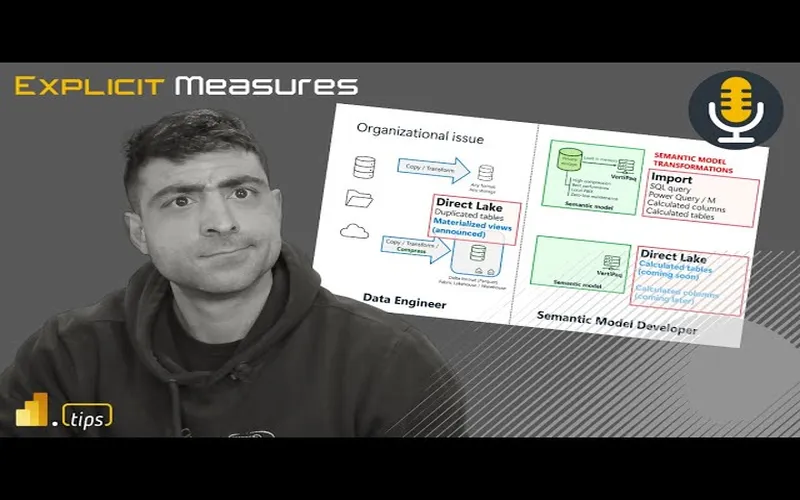
Mike and Tommy break down the biggest DAX and semantic model announcements from FabCon 2025. From Direct Lake improvements to DAX calendars and user-defined functions, this episode covers what matters most for Power BI practitioners.
News & Announcements
-
Update to the Power BI Embedded Analytics Accelerators Program — Microsoft announced expansions to the Embedded Analytics Solution Accelerators Partner Program at FabCon 2025, including a new accelerator called Entelexos developed by Carlo Solutions. Existing partners like EmbedFast, Reporting Hub, and EmbeDash also showcased major updates including AI-powered features, scheduled exports, and improved white-labeling capabilities.
-
Optimizing for CI/CD in Microsoft Fabric — Microsoft’s internal Azure Data team shares their CI/CD approach for Fabric after three years of real-world development. The article covers workspace organization strategies, a branching workflow that uses PPE as the default branch instead of main, and deployment automation using the fabric-cicd Python library with environment parameterization.
Main Discussion: DAX and Semantic Model Announcements at FabCon 2025
Mike and Tommy dig into Marco Russo’s comprehensive SQLBI blog post covering the major DAX and semantic model announcements from the Fabric Conference 2025. This is one of those episodes where the announcements are genuinely game-changing for how Power BI practitioners will work going forward.
Direct Lake and Import Mode
The big news is that Direct Lake is getting a major upgrade. There are now two flavors: Direct Lake on SQL endpoint (the “legacy” version) and Direct Lake on OneLake, a new mode integrated with OneLake security. The most exciting part is composite models that mix Direct Lake and Import mode tables — and they use regular relationships instead of limited ones. This means calculated columns, calculated tables, and user hierarchies in MDX all work on the Import mode tables within the same model. Microsoft also announced the ability to create Direct Lake models in Power BI Desktop, which opens the door for external tool integration.
DAX Calendars
Semantic models will introduce the concept of “Calendars” — any Date table can have one or more calendars based on its columns. This makes DAX time intelligence functions aware of specific calendar structures, including week-based calendars like ISO and 4-4-5. Instead of specifying a Date column in time intelligence functions, you’ll specify a Calendar name. New functions like DATEWTD for week-based calculations are coming too. This is a long-awaited improvement that will simplify fiscal and custom calendar implementations.
User-Defined Functions (UDFs) in DAX
This is the announcement with the biggest long-term impact. DAX will support user-defined functions that live in semantic models. You’ll be able to create reusable function libraries — think SVG custom visuals, common business logic, and utility functions — all callable from DAX measures. Marco Russo compares the eventual impact to when variables were introduced to DAX: in a few years, writing DAX without UDFs will feel as dated as writing DAX without variables does today. The syntax resembles M, with typed parameters and a concise function body.
Looking Forward
These announcements signal a major maturation of the DAX language and semantic model platform. Calculated columns and tables in Direct Lake, native calendar support, and UDFs collectively address some of the longest-standing pain points in Power BI development. Most of these features aren’t in public preview yet, but the roadmap is clear — and the Power BI community has a lot to look forward to in the coming months.
Episode Transcript
Full verbatim transcript — click any timestamp to jump to that moment:
0:32 Good morning and welcome back to the Explicit Measures podcast with Tommy and Mike. Good morning everyone and welcome back. Good morning Mike. I think we made it through FabCon. We made it through some of the crazy news. Let’s get back into it.
0:45 Yeah, there’s a lot of things going on. So before we get into our news topic, let’s just talk about our main topic for today. Today we’re going to go over an article written by SQLBI. As always, these articles are very well thought out, have a lot of great details in them, and I believe this is Marco Russo picking out three of the main key areas or key developments that he sees being very impactful for developers inside the semantic model layer.
1:12 He’s going to talk about direct lake and import mode, which awesome. This new calendars in DAX. So, this is going to be interesting to talk about that one. And then finally he talks about user-defined functions a UDF defined index as well not to be confused with user data functions which is a function that lives inside of fabric. So think like as your functions but then brought to fabric.
1:37 So that’s going to be our main topic today covering these three new features that are DAX and model related elements. Okay that being said Tommy what do we have for news today? What do you want to talk about?
1:49 I don’t know if we wanted the embedded or the CI/CD. Let’s start with the CI/CD because if you’re not on the bandwagon yet, it’s time to. Sure with all the headaches and I have some great stories of headaches with some syntax not working with Tim and I tried to do it because the extension gave me an anyways get it’s fun.
2:10 So great article by Jacob Nightly and this is just talking about optimizing CI/CD and fabric. Mike, this is the type of stuff that I was telling you that we need that we were really looking for. Up until now, the last few weeks really, you’ve been seeing these diagrams and best practices around fabric.
2:31 This is really the first time Microsoft’s provided this in a comprehensive way and now we have one for Git. So really, this article is just going through, hey, here’s how one way to do your workspace structure, here’s one way to do your repository structure and it just goes through all those just the basics of how do I set this up correctly.
2:51 Yeah, this is what they’re building here is they’re building a very common example. This is like dev test prod and in that example they have environments for the storage of data. So, pipelines, lake houses, event houses, like the data side of things.
3:07 And then they go over to the other side and they have another workspace that appears to be they’re trying to explain like it’s the semantic models and the report layers of things. So, they have different areas as you get more and more workspaces and how you want to build things, you could actually have a proliferation of workspaces as you move along this dev test prod.
3:27 So for example here they have storage of things, they have data engineering of like notebooks, they have semantic models. You may have three workspaces in a single environment development that you may need to control and you may need to move those items across all three spaces.
3:44 So I guess they introduce a little bit more of the git structure, the branching pattern, what you can use there. They have feature branches. They talk about the PPE environment. I don’t know what it stands for. Pre-production environment. I think that’s what they’re calling that.
4:05 And they’re talking about the main deployment area. So all this to say is I think they’ve got the right idea. I think a lot of what Microsoft is addressing right now is the act of moving the physical items between the environments. But nowhere in here does it really talk a lot about walking through and changing the settings of the workspace or changing how to preload data and things there as well.
4:30 So I think this fabric CI/CD tool which is actually in the article as well, it actually has a little article that says hey go check out this fabric CI/CD. It’s on GitHub. It’s a CLI basically. You can do pip install fabric CI/CD and then from there you can then target workspaces. You can publish all items, you can unpublish orphaned items, just different functions they give you here to make it pretty easy to get started.
4:54 So, I think it’s a really good solution. I think it’s a good place to get started. I don’t think this is all-encompassing yet. I think it needs a little bit more work. But it’s definitely starting to become an easier solution to use. Does that make sense?
5:10 No, a thousand percent, Mike. And like I said, yeah, it’s not really telling you necessarily all the ins and outs of Git itself, so to speak. And I think that’s what you’re saying like, well, what’s the best way to commit? That’s not what that article was for, for me, because you got to learn Git on your own. That’s for some people frustrating that it’s a whole other platform.
5:31 But really just focusing if you’re doing fabric, here’s what we are now saying are best practices around fabric and git integration setup. In terms of how you push it, that’s still up to you. There’s a lot of git methods out there but we are going to offer and finally provide what we believe is the best practices at least from a setup around git.
5:57 Yeah, there’s a couple things and I’ve been so I talked with Matias about DevOps at fabric conference, so development operations. CI/CD is like a very small part of the broader story around how you become effective as a department and I think there’s a lot of things that are still needing to be thought about.
6:18 There’s also very low understanding in the business areas or developers of Power BI around different strategies. But did you know there’s like two different ways of developing inside git? There’s a thing called git flow. So there’s a strategy by how you deploy and handle changes and how you move things through. So git flow or you have mainline branching and how you release code, right?
6:45 So there’s definitely different strategies. I think every organization can adopt one of these strategies on whatever they feel comfortable with. What the policy is. I think at the end of the day I’m going to lean back and say look, your deployment pattern whatever that may be, CI/CD is a part of that. Whatever you’re building it has to be a hardened process. You have to decide what is the process and then decide how many environments you’re going to have and it has to be automated. The whole thing has to be automated.
7:15 And so one of the things that we demoed in our session was how to heavily automate the deployment of all these items from GitHub or Azure DevOps. So the idea here is you really do need some additional tooling. So anyways, all this to say is I’m very pleased that Microsoft is building actual tools. This is an actual library. This is something you can go use. There’s some instructions on how to use this library to do different things.
7:42 I’m just going to shy away from any solution that has like a mix of PowerShell and a bunch of command line and Python notebook. It’s got to be like one complete thing. I don’t want to be switching languages all the time whenever I’m doing deployments of things. So, we’ll see how this works out. I’m looking forward to it. This is a good announcement as well.
7:58 Andrew, yeah, I was going to say it’s unfortunately with Git, it’s going to be very hard to avoid any command line. No, I don’t think so. I think the tooling just doesn’t exist yet to have it. You weren’t at Matia and I’s session. There was no command line. You didn’t need to do that. So there are solutions out there that will produce CI/CD integration without using a command line or PowerShell.
8:25 Everything I’ve seen up to this point has had like a mix of like, oh, here’s some PowerShell you run. Oh, here’s a notebook. And they jump back and forth between these two experiences. I don’t think that’s what we want. At least it’s not what I want. I don’t want something like that.
8:39 No. And I agree. I’m just saying like there’s the GitHub app if you’re using GitHub and there’s obviously VS Code, but really with the comprehensive Git. Yeah, there’s a ton you can do without using the command line, but there are certain things that unfortunately an app right now just doesn’t have which is frustrating.
8:59 Stay tuned. Stuff’s coming. I know things. So there’s more things coming. And that’s the reason why I’m calling that out. In other news, I don’t know if you read this other one, so are you good to move on to the next? I’m ready. Let’s go.
9:13 Okay. So, this next article that came out from Microsoft, this is announcing Power BI embedded. Do you have any projects, Tommy, that you work on that use companies that use Power BI embedding? Briefly, but that’s not my barrel. So, I know this is right down your sweet spot.
9:32 Yeah, I’ve been doing a ton of Power BI vetting. And so one thing is I’m very proud to announce my company is now part of the analytics accelerators programs. So we have a Power BI embedded analytics accelerators program. It helps organizations get started quickly with
9:46 Organizations get started quickly with PowerBI embedded and I’m the new partner. So we have a solution called Intellexos. It’s developed by my company Carlo Solutions.
9:55 We have a little demo video on the blog post. Blog post is in the chat window as well. But this helps users understand when and where to use PowerBI embedded.
10:04 And if you look at some of the architectures that Ofair is the one who is doing the announcement on this one, but if you look down here through his article, there’s in our slides there’s a couple demo videos here.
10:17 I’ll have to get my hands on the slides and present some things around this one. But there’s a lot of infrastructure that needs to be developed and built in order to make this work.
10:26 Embedding a report is easy. The difficult part is how do you authenticate the user? How do you make sure the user has access to the right report or groups of reports or all these things.
10:36 So the issue isn’t really getting the report to render and embed, that’s actually pretty straightforward. It’s the challenge of there’s a lot of other infrastructure when you do an app owns data getting real low security to work, all these other things that are just challenges.
10:50 And so I think a lot of companies go into this either buy or build scenario and in our session at Fabric Conference we had a really awesome time. Accelerator companies, a company from Sweden showed up and they said how long did it take you to install one of these embedded solutions.
11:11 Not mine, it was another one, and they said it took us an hour to get started. So you’re taking, in my opinion, you’ve taken anywhere between four to nine months of development time of building a software, creating the code, putting it out, doing the testing.
11:26 You’ve taken four to nine months and compressed that down to an hour. That’s a huge amount of value. So that’s why people want to buy maybe or really seriously consider getting an off-the-shelf solution for PowerBI embedded.
11:39 And frankly, the customers I’m working with when they’re trying to share reports externally to customers, they just want a simplified user experience. Go up, log in, click the report you need, export what you want, and be done.
11:52 It’s a simple experience, but the standard PowerBI desktop and powerbi.com experience is very detailed. It has a lot of extra things that I think confuse people. So anyways, very proud to be a part of that. That’s out, go check out that article as well if you are interested in PowerBI embedding.
12:09 One other thing I’ll point out here as well. If you’re thinking about PowerBI embedding, you have the ability to use a Fabric F SKU to do embedding that goes all the way down to an F2, which is super cheap.
12:25 You have to have a very tuned and optimized model if you’re going to use those smaller SKUs. But you could start embedding things for 250 bucks a month. And with embedded solutions, you can have unlimited users, as many users as you want, as long as your capacity can continue to support the rendering of the reports.
12:43 Just put that out there as well. If you’re looking for cost controls on your PowerBI environment, I don’t know if you’re aware, but April 1st there was a price increase for pro users and premium per users.
12:54 An alternative to some of that is to combat that and keep your prices low. You may want to consider looking at PowerBI embedded solutions with a Fabric SKU and really identifying what do your users do with reports.
13:07 If they don’t need the powerbi.com experience you can potentially reduce some cost internally for your organization on a per user basis by going to get an embedded accelerator. So just another option there as well.
13:17 Pretty cool man, congratulations with that, so that is awesome to hear and I know that you’ve been working on that for a long time so it’s really nice to see.
13:26 We’ve done well over 26 embedded custom solutions for customers, working on different things and this is the culmination of all of those ideas brought together into a single product.
13:38 What are the best ideas from all these projects we’ve worked on and said look, we’re going to solve the hardest problems of those projects and produce a single output item. So yeah, go check it out. See if you think you have something you want to know about.
13:51 All right, moving on over. Tommy, we didn’t really cover even half of what came out at Fabric Conference. You found a really good blog from James Sierra, I think, that does a good wrap-up. Any wrap-up items in James Sierra’s blog that you want to call out, Tommy?
14:09 Yeah, just a few that we didn’t mention that I thought were pretty neat. I know we briefly mentioned the variable library. Yeah, that was one we didn’t talk about. And that was actually one of my items to talk about the variable library.
14:28 It’s basically allowing you to help you with the CI/CD experience inside the deployment pipeline area. That’s going to be super helpful. So that was one I’m liking that one.
14:38 We’ll need to put our hands on it a bit more and use it some to figure out how it fits into our development pipelines and things. But I think for a business user who’s coming into Fabric, I think it’s a huge win. I think that will change how you build things.
14:53 No, a thousand percent. And I think that’s just because right now it’s just pipelines, but they also said it’s going to be with notebooks too and other things. So, okay, that’s pretty cool. So you need that though. Yeah. Oh yeah.
15:08 I will say this though. After seeing the demo of a variable library, it will fundamentally change how you build actual items inside workspaces. You will physically need to adjust how you connect to a workspace. You will physically need to adjust how you connect notebooks to a lakehouse.
15:30 So in this variable library, you’re going to need to learn about how to use it correctly because you can still build things in Fabric that don’t work well with the variable library. But if you change what you’re using, like in the parameters inside a notebook versus just calling out random parameters throughout your notebook, it will help you configure or rebuild some of your pipelines or things.
15:57 So I don’t have enough details on it to give you the specifics right now, but I do think at some point we’re going to have to unpack, Tommy, the variable library, how do we use it, what patterns are we seeing? I think it’s going to be a huge thing.
16:09 How many environments do we need? Where is there friction in that area right now? So yeah, but I’m looking forward to it. I think it’s going to solve a lot of problems.
16:18 Another quick one was the ability to save gen one data flows as gen two. Did you see that? Like a migration path. Yeah, no you can. And when you’re in a gen one data flow, it’s just going to offer like, do you want to actually now make this a gen two?
16:34 Why would I do that? It’s more expensive. I was just saying it’s available and it’s something they’re going to obviously push. I think it’s an ease of migration path for users.
16:47 I’m still just trying to, all right, let’s move more towards notebooks still. So I get it. There’s going to be people that are going to use data flows and Tommy even after our last episode you gave it a pretty big thumbs down on it, was too expensive to run and it was making your F2 fall over.
17:10 Like one person shouldn’t be able to do that and we did that with flying colors though. No, but so yeah, it’s just a big part.
17:22 But the last thing I want to talk about is I don’t know if you saw this, there’s going to be some new enhancements and especially now we can talk about this because we’re actually going to have access to this. There’s going to be an enhanced Copilot experience in Fabric notebooks.
17:48 Because me, in the cell to like chat with a nice AI, I’m just so used to that now when I’m writing a notebook. So someone is not just only on the right hand side where almost right now to your point where you have like ChatGPT next to you, you have a chat panel, you have an in-cell panel.
18:08 And then there’s going to be some quick action errors or fixing it, which is gosh, that’s really important because I’m still in the process of, all right, I want to do this. I’m going to get some dummy data. I’m going to bring that into one of my VS Code environments and I’m going to let it run.
18:28 Well, let me say this. The current Copilot experience has been awful inside notebooks, right? You run this command at the top if you try and use Copilot and if you do it installs this really weird thing and the whole experience is just weird.
18:42 If they’re going to bring Copilot to notebooks it should just be a much more seamless integration and I think this is what this is trying to address. I do like where they’re going with this one.
18:55 And also, now that the Copilot will be available to us at an F2 level, I do think this will be very helpful additionally. So we’ll be able to actually use this for simple things. I’m just a little hesitant because the last time they did a Copilot in notebook experience, it didn’t turn out very well. It needed a lot of love still.
19:13 So I want it just to work like Copilot inside VS Code, honestly. That’s the bar, that’s the standard by which we run by. So if this is aligning more directionally to what you see in GitHub Copilot for VS Code then I’m 100% on board.
19:33 GitHub Copilot for VS Code then I’m 100% on board. So we’ll see what happens. I’m a little bit hesitant around this because again the Copilot things add minimal value. Also, the point here is why do I want to pay for Copilot when I can just open up in my browser and use the browser Copilot as well.
19:52 So that’s something else I find a little bit frustrating. That one’s free. Well, that one’s free. Exactly, dude. I know. You have like the Chromes and Edges where there’s a sidebar, which I basically have up next to me rather than using ChatGPT.
20:07 So, and you can use other large language models, too. Like, if you wanted to put a different one on the sidebar of your browser, there are ways to integrate other APIs to other chat bots. And bring them into the browser experience.
20:20 So you don’t have to have just Copilot. You could have DeepSeek or OpenAI or Grok. I think most of these large language models will become just a feature that you can just add into an extension on a browser and then pick the code you want and then it just works.
20:40 Anyways, I think we’ll see. I’m going to reserve my feelings on this one until we actually get to play with this feature a bit more. You got it.
20:48 In the article, does it talk about any timeline when it’s going to be delivered, Tommy, or did it just announce the feature? Oh, you know how it is. It’s in the coming month. Stay tuned.
21:01 Yeah. Okay. So, we don’t really know when it’s going to be landing, but eventually it’ll get here. Exactly. Excellent. Any other topics we want to talk about before we get into our main topic?
21:10 I think we’re ready to talk about sweet DAX. Okay. Sweet. Sweet DAX. All right. Tommy, take us away. Give us the rundown of this article from SQLBI.
21:22 We’re talking about direct lake and import mode, this new calendars in DAX. I want to understand that one. And then new user-defined functions, UDFs inside DAX.
21:35 Yeah. And I’m glad that we’re doing this episode right after we talked about the announcements because again, I do feel for a lot of people who like they’re not necessarily all the way on the Fabric bandwagon, but how much access that they have.
21:49 They feel like they’re left behind. It’s like what about Power BI, which is again still the thing. And I think you and I both were like as soon as we saw this article, yeah that makes perfect sense to do.
21:59 So yeah major announcements to DAX but they get a little under the cover just because there were so many other announcements but these are going to be really important even if you’re just doing Power BI and are not just focused on that.
22:15 And I think just highlighting high level here and then we’ll just dive in. So a lot of people are like well direct lake okay well that’s non-desktop because I have to use the lakehouse, okay that’s great but now I’m not in the Power BI environment, I have to do this in the service.
22:31 Well there’s now two versions of direct lake that we’ll talk about and they’re really enhancing it I think in a crazy way. We can do composite models that are actually getting a full makeover more or less, which I think are where we’re at with lakehouses now, makes perfect sense.
22:47 We can do calculated columns and basically direct lake and Power BI are going to play much nicer together because I think it felt a little like once you were doing everything in direct lake that Power BI was just becoming a reporting tool. You weren’t modeling in desktop anymore.
23:06 I think they realize that and they’re changing that. So I don’t know. Do you want to go through the high level or do you want to just go one by one? Let’s go one by one because I think there’s a lot to unpack here for all the different features here.
23:18 So Marco starts off — there’s now two flavors of direct lake that are out there. The first flavor of direct lake is the direct lake SQL endpoint and he’s calling it this is like the legacy version of direct lake.
23:34 To explain this in very simple terms you have files, tables that live inside the lakehouse. You connect to the SQL analytics endpoint and from there the semantic model is able to read those tables directly from the storage account, the OneLake, and cache them into memory.
23:52 And then the semantic model keeps in memory while you’re using the report all the columns of data it needs to run the report. So it’s basically letting you do that in certain instances if the analysis services either has issues or you do something that it can’t handle, it will fall back to direct query.
24:11 And then it will use direct query directly to the SQL endpoint and go get the data that way, which we all know direct query over SQL is not the most performant thing.
24:23 I’ve been doing some random testing on a new report that I’ve been building and it’s pretty fast. I’ve actually seen pretty good performance through direct lake — or sorry, direct query through SQL endpoint to lakehouse tables. So I’m imagining at some point it would tip over and if it had very large tables or something, there’s definitely use cases here, but that is the legacy version.
24:46 Then there’s this new version. It transitions over to creating a direct lake model with Power BI desktop. In this situation, the direct lake table is always stored in the cloud. It never comes down to your local machine. It does not store anything on your local computer, but this opens up the ability.
25:09 So having the data sitting in the cloud opens up the ability for you to have external tools and could simplify other features that are coming from the service. So it sounds like it doesn’t fall back to direct query mode and you’re directly connecting to the lakehouse tables themselves and not going through a SQL endpoint. That’s quote unquote the new version. Does that make sense?
25:31 That’s pretty crazy. Especially what we’re having now. So, like I said, I know it doesn’t sound like a ton, Mike, but holy crap. That really changes I think where a lot of people are going to be working. Really?
25:49 I don’t think it’s going to change. I don’t think it’s as revolutionary as you say it will be. I think it definitely helps. I think we are going to be able to build better models. But is that going to really change how I build things or what I do? Probably not.
26:02 I think this next feature though would be the new one, right? So this next feature I think is really going to change what we do. Now there’s a composite model with direct lake and import mode. That one I think will be very very impactful.
26:17 So yeah, maybe a little bit Tommy with your going right to the lakehouse with desktop. Okay, interesting. But I think the really cool feature here that I’m excited about is this direct lake in import mode. That seems really interesting to me because now I can do like a composite model.
26:36 And the other thing here is this import mode does not have current limitations of direct lake — calculated columns, calculated tables or other hierarchies. It’s all there. And Microsoft talks about these things called islands.
26:50 When you build a composite model, there’s this island concept. Hey, I’m going to connect to this semantic model. I’m going to connect to a second semantic model. I’m going to query both of those independently. Each group of tables turns into an island of information.
27:07 I think in this scenario, because it’s direct and import mode, the import tables and the direct lake is all inside one island. So we don’t have this really weird problem of jumping between and sending data between the different islands inside the semantic model. It’s all incorporated directly inside one island.
27:27 So this I think is actually really interesting. Very excited about that one. What are your thoughts? I know how we felt about composite models in the past.
27:36 I think I’m more always with new features going oh I can’t wait to try it. I can see always the potential benefits. And I remember when composite models came out, I was definitely like, “Yeah, we got to do that. That makes so much sense.” Oh, there’s so many use cases.
27:51 And I remember it was I think even before we were doing the podcast, you’re like, “Let’s just hold on a sec. Let’s just wait to see.” And you obviously saw their limitations. And one of the biggest ones they’re talking about here is the relationship thing that no one knows about until it’s not working.
28:10 Yes, I agree with that one. So this is what I was trying to describe about the islands. If you have two islands of tables inside the composite model, when you span one island to the other — let’s say I have a dimension table for dates, very common — likely you would have dates in both semantic models.
28:31 If you span dates across the islands you get this really weird limited relationship. It’s not a full normal relationship and it doesn’t work as efficiently as if you had just a single model, no composite model. Does that make sense?
28:44 And I think this is the point they’re trying to make in this article and he’s doing it a generous way of explaining it. Hard to explain, but this new method, this new composite model does not use limited relationships — it has the regular relationship capability, which I think is really important here.
29:03 And like I said, I think both of these features that we’re just talking about alone I think are going to change where that can all happen and you can do that in Power BI desktop. And again a lot of what was happening since Fabric was introduced was it was really
29:20 When Fabric was introduced it was really like well you can’t edit a semantic model in Power BI Desktop. You can connect to an already created model in Power BI Desktop but it’s basically direct links in the cloud, you got to edit it.
29:52 And I was like, okay, so what? So Power BI Desktop’s only for imported old school semantic models. And then obviously they had the PBI project. So I think it was a bit confusing.
30:25 But now these two features to me where I can edit Power BI models direct in Desktop and also that I can now do the composite models which again are going to make more and more sense, right? Where we’re not limited by what a semantic model used to be.
30:47 Yes. And I think that’s my main point here is this makes sense. I really like the direction they moved here with this import mode and direct lake all in one island. Really really excited about this one.
31:20 And I think this unlocks a lot of things because before what you had to do is everything you built had to be automatically loaded directly into the lakehouse. And so sometimes it took a little extra effort, but now you can build an import table from SharePoint inside a Desktop model and then you can go get the lakehouse tables and join them together and it’s on the same island.
31:43 That’s huge because the amount of time I’ve spent, very very light effort to go get data from a different source and try and bring it into lakehouse just so I can get it into the direct lake semantic model. I’ve wasted a lot of time there.
32:19 So this will clean up a lot of our semantic models and potentially will keep things out of the lakehouse that just don’t need to be there. So very excited about this feature. This is going to open up a lot more possibilities for democratizing your data and your semantic models to other teams.
32:54 And this also I think feels really useful in let’s say you have a finance team and they want access to the tables themselves. They can do that. Now the finance team can get direct access to those tables and we can give them a lakehouse, we can give them shortcuts to the original data and then they can go add any other imported tables they need for their local models which I think will be very helpful as well.
33:37 So this I think really enables that true federated approach to some tables are coming from central IT and now the rest of the organization can build other tables they need as well. They didn’t talk anything about lineage here though too, right?
34:09 Because I know that’s a previous, I don’t want to say issue. I guess it’s a bug, but if I create right now a composite model, something with the lineage usually gets a little broken there. If you’re looking at the item lineage or the workspace lineage. So I’m assuming that should be fixed with this as well.
34:50 But Mike, just a quick governance question for you before we just go through other things here. This has been I think the biggest concern you’ve probably had with composite models. It wasn’t just about people using them, but it was really like, okay, how do we manage that if we allow people to do that?
35:31 Well, again, my argument, I think we’ve talked about this in the past, Tommy, is we really couldn’t stop people from using composite models unless you just get rid of their Desktop, right? Say, “Hey, you can’t have it because there’s nothing that says you can’t go create connections to two semantic models.”
36:06 Now, I think we do have controls about what we allow to get published at the certified level in our organization because hopefully with your company, there’s some approval process or some gating that doesn’t let those things get through to production.
36:41 So if a business unit decides they’re going to just do everything in composite models, you can’t stop them. They could do it. So I think this is a better alternative and say, actually, we can still use composite models. Here’s a better way.
37:13 And I think Donald brings up a really good point. He talks about building true conformed dimensions and facts. This is great for this, right? Build, have one place where all the fact tables and all the dimension tables are being built and then take them out wherever you want. You can just bring in those conformed facts and dimensions into your models and mix and match them however you want.
37:56 Just really lots of potential here. That’s why I’m really excited about this feature versus the other features. I think this is the one that will change how people build day-to-day. Interesting.
38:28 The next one that I think will change how people build things is materialized views. This one, dude, I’ve been asking for this feature for probably the last year and a half, year maybe. As soon as Spark stuff came out and I saw what Databricks was doing with Delta live tables and the fact that I could just build a bunch of SQL statements and say, “Hey, here’s all my tables, make a pipeline, it just runs its way.”
39:12 Now materialized views come to the lakehouse. This is huge. I’m very excited about this feature. So I can’t wait to see this one go live.
39:42 What I will say though is if you are also interested to learn about what is a materialized view inside Fabric, you probably want to stay tuned for, let me just check my calendar. I think it’s 10:00 today, you definitely want to subscribe to the Power BI Tips YouTube channel because there’s some things that you might want to see at 10:00 today.
40:20 Oh, wow. What are you, bro? Goodness. I know. So you get double doses from Power BI Tips today for you. But stay tuned if you are online and if you do watch the podcast make sure you have subscribed and put the little bell notification on because around 10:00 today we might have some special treats for you around this whole materialized view area.
41:04 Anyways, I’m very excited about this feature. This is going to physically change what I build day-to-day. This will change what I do day to day. Wow. It’s awesome. Really? This is a cool one. Okay. Materialized views. Yeah.
41:42 Interesting. Did you see anything on them? Okay. They were even announced in the keynote. So this is one that Justina was announcing in the keynote about this new feature.
42:11 So materialized views on lakehouse means you can create a SQL view, select these columns, do some transformations, whatever. And then because it’s materialized, yes it’s a view but that means when the data is created into the view it actually physically writes down, it materializes, it creates a physical table of that view and it puts it back in the lakehouse.
42:57 Awesome. Well if you think about what you have in your pipelines, you have bronze, you have silver and gold. Well, sometimes you have a silver table that relies on a couple tables in bronze, and sometimes you have a gold table that relies on some tables in silver. Fine, no big deal.
43:34 The materialized views in Spark notebooks with SQL, it will automatically build the tree for you. It’ll automatically build all the dependencies of all the SQL for you. And so if you have a sequence of things you need to build, start at bronze, build 10 tables in silver, and build three tables in gold. It knows the order and what are the dependencies of every single SQL statement and automatically builds the DAG.
44:23 And then when you run it, it will run. You can even apply constraints to it. So a constraint is something that says this column can’t be zero or this column can’t be null. You can add these constraint objects to your SQL statements and then it will fail the pipeline if there’s something that doesn’t meet the data quality that you want. So even better protection around making sure you’re getting good quality in and bring it to your final goal tables.
45:07 Dude, I’m telling you, that’s I’m loving this. It’s going to be powerful. All right. Well, there’s no timeline on that right now. So this according to Marco, while an accurate timeline has not been provided, he probably knows the actual timeline.
45:46 Yeah. And he’s like, I don’t want to let you down. There’s hopes and dreams and there’s then when we’ll actually go get it, but I really like this. So I’m thinking this is very, very helpful and I’m very excited for materialized views. I think that’s going to be a big win. That’s exciting.
46:23 Awesome. All right. Hey, here’s another fun one. Can’t wait to get your thoughts on this. Okay, go ahead. Calculated tables and calculated columns are coming in direct lake. It will be possible to create calculated tables and columns based on tables connected through direct link.
46:59 Why? I have no idea. We do not have any more details. That is quote unquote. [Laughter]
47:25 But yes, exactly. The calculated tables will be released before the calculated columns. Very interesting. And I don’t know why we need this.
47:58 They’re saying, yeah, you’re right, Tommy. I think this is just people fixing or doing some like, look, they have this one. They say this note here. I think this is insightful from Marco’s side. He said these features will address the need for physical structures required by the semantic model.
48:45 Right? Combine first name and last name into a column. Show a month name with only three letters. Create a capitalization for elements based on user-defined ranges. I don’t even know what that means. I don’t use that feature. Just to name some very common. It seems like this is this final step of data transformation.
39:05 I would argue dude if you’re building tables in the lakehouse just do it there. Just do it upstream. Don’t burden the semantic model with these additional last layer transformations that you get.
39:19 It’s cool that we can do it fine. The feature exists, right? People are going to ask for the feature because it doesn’t exist. Should you ever really build calculated columns now, Tommy?
39:30 No there’s not a single model that I build now that doesn’t have like I don’t build any calculated columns and I think that’s because I control the data source.
39:59 Yes you can build calculated columns do I do it no I will not do it and I will probably not use it ever. Calculated tables maybe I will use calculated tables that might be something I use and that seems potentially useful but calculated columns it’s a wasted feature on me I don’t need it.
39:58 I completely agree. So, all right. But yeah, it’s one of those like cool why. Yeah, moving on. Well, this is an interesting one.
40:07 I don’t know that this is going to change, but there’s a big feature with calendars and DAX. Oh, yes. Semantic model will introduce the notion of calendars.
40:21 And my first thought was, didn’t we already have that? Wasn’t there a button that says calendars? Yep. But no according to this any date table will have one or more calendars based on the columns of the date itself.
40:34 This way the time intelligence will be aware of the structure of the date table making it operate on any calendar including week-based calendars. Yeah. So I do think week-based calendaring is something that was missing.
40:48 So doing calculations at the week like Marco calls out there’s a new time intelligence function coming that’s going to be date WTD. I’m trying to say that very carefully so I don’t screw it up.
41:01 WTD is the name of the new function. So date WTD this is a week to date. So you can do a calculation of okay send it a bunch of dates and you get a week-to-date calculation. Basically it returns a list of dates.
41:17 I’m assuming that function will come with like is Saturday the start of your week? Is Monday the start of your week? So I think there’s got to be something in there that says what’s the starting day of the week.
41:27 But it will hopefully help you make the dates experience easier. The example Marco gives me I didn’t understand. Tommy, did you see his example here?
41:34 He has calculate the sales amount and he says dates year-to-date and he has fiscal 445. I think that’s his calendar. I guess that’s his calendar that he built. That’s what I’m thinking. That is you’re just referencing a calendar in there.
41:50 But it sounds like he’s saying, and this is where I think this feature is interesting to me, it’s possible to operate on any calendar is what he says. And I don’t understand the implications of this yet.
42:04 If Marco Russo is talking about it, that means we need to know about it because he knows what to pay attention to. I do find whenever I’ve worked, have you ever worked on a client, Tommy, that runs four four five calendars?
42:16 I had one and it was the worst experience. It’s the worst ever. Let me say this. If calendars and DAX addresses this weirdo 445 calendar. So 445 stands for four weeks, four weeks, five weeks, I think, is what it stands for. Is that right?
42:37 I don’t even remember. Just for the month. Yeah, because the 445 calendar spans different months at different times and it’s really weird and it’s usually a custom calendar.
42:48 When it gets to be that complicated, I just say screw it, just go build, hey SQL development team, give me your company’s 445 calendar as a table. I’ll just use that instead.
42:57 I don’t want anything I’m not going to build it in DAX. It’s too hard. It’s crazy. Okay, so Andrew is confirming what I said here. So it’s 445. It’s supporting other calendars.
43:11 Okay, great. Andrew, thank you for the details here. I appreciate you actually knowing the feature. So, the 445 calendar is used by retail. That way, they have equivalent time ranges year-over-year and you’re not comparing a January to a January of last year.
43:26 The equivalent time periods have full weeks. It equals out. I think also 445s can be used in manufacturing as well for reporting. That’s also a place.
43:36 But Andrew also notes here the same calendar can be supporting 445, the Gregorian calendar, the Julian calendar, and then each fiscal year starting point as well.
43:49 So, Marco did a full session on this one. I hope Marco does a full blog about the 445 calendars and how he’s seeing these calendars change now. But this would be very useful to just simplify some of these more complex date range selections.
44:08 Admittedly I’ll need to dig in that one a bit more. I’m more in the app development side. I’m not quite confident there. Do you do anything crazy Tommy with date calendars?
44:16 I have in the past I create my own in a data flow, but I’ve always tried to honestly try as best I can to in a sense hack it. All right, I’m going to create my own references so it makes sense to me.
44:34 So, all right, on to the next one. I guess it’ll be good. I’ll say it’s going to be a good feature. But this last one here before we wrap up for today, we don’t have a lot of time left. Maybe we can spend about five six minutes on this one.
44:45 This hour has gone quickly. Okay. User-defined functions, a UDF. I’m just going to give Microsoft some flak here. Let me just give a little flak.
44:57 There’s a UDF for DAX and there’s now a UDF for Fabric. It’s going to confuse the snot out of people. I don’t know which one came first. I just don’t know.
45:06 But people are going to say, “Oh, did you build the UDF?” They’re going to be like, “Yeah, I made it in Fabric.” And they’re going to be like, “No, I wanted it in DAX.” And like, oh, okay.
45:16 So the point of an acronym is to make it so you don’t have to say the whole word. Well, when you have two acronyms in the same product that mean two different things, no one can abbreviate it now.
45:28 Anyways, they should have named it something else. Yeah, there’s got to be something. Like DAX defined function. It should have been a DAX defined function DDF or something. And then there should have been a user-defined function inside Fabric.
45:42 I’m already messing it up. I’m already getting it wrong as we speak. So anyways, Tommy, what is a user-defined function in DAX?
45:53 User-defined functions are… Oh, I’m sorry. Wrong. I did it wrong again. I was like, wait a second. No, no, no. What is a user-defined function? Sorry.
46:03 User-defined function. That’s the one. The DAX one. What does that mean? There is simply a function that exists in the Fabric workspace and you can use that DAX function across that workspace.
46:16 So it’s like you created your own DAX package so to speak. Yes. Now is it so this is what I didn’t understand about your comment there. Is that function available anywhere in the workspace or is it only available in the semantic model?
46:32 My understanding is the let’s call it the DAX user-defined function the DUDF. Yes, the dude. Is that only defined in the semantic model? I think it’s just in the semantic model. You just define it.
46:47 They can only because DAX the only language that DAX makes sense is in the semantic model. So, yes. Why on earth did they pick the M syntax for this dumb thing?
46:58 Like what are we doing here? We could have used Python. That’s one that everyone wants to use anyways.
47:03 So Marco gives you a little example here of timelines, SVG. So here’s where I think these user-defined functions will be really useful. I think people who want to bring little sparklines and little SVG elements into DAX, they’re going to find this incredibly useful.
47:22 The only thing I’m worried about here is how do we hook this up to the community? How can I get other people’s user-defined functions into my models?
47:30 I’m a big proponent of like, look, I’m smart, but I know there are people out there that are way smarter than I am, and how can I learn from other people’s work and bring it into my models?
47:43 So, I understand the concept of what’s happening here. I really feel like though we need the ability to have a gallery or some community-based aspect of this where people can define what they want and then I can go grab that and put it in my model.
47:59 So that’s one feature that I think is missing from this at this point. But yeah, SVGs in measures is a bear to write. It’s a pain. I can’t wait to go find some other people’s user-defined functions that have SVGs in them and just use their stuff. I think that will be super helpful.
48:15 Well, and we don’t have a lot of info about this yet. And I think that’s the biggest thing. He said this is going to take a few years before we see any pervasive adoption.
48:24 So, I think that’s important to keep in mind that even though that was announced, it’s not like it’s coming out before the kids get out of school. Interesting.
48:36 Yeah. So, I think Marco is definitely saying without in so many words, DAX user-defined functions are the biggest long-term impact, right? We will change how we write DAX in small and large models. So, this is something to keep an eye on.
48:52 So, this is something to pay attention to. The DAX UDF, the DOOF — I’m going to coin it now. DAX plus UDF. The doof. That’s something we’re going to need to pay attention to.
49:07 Yeah. Interesting. So, where else do you think you would see DAX coming from, Tommy? What else would you write in DAX other than an SVG thing? I think that seems very helpful, but what else would you do?
49:19 Yeah that’s the thing I’m trying to — report based items where I remember Kurt Buler, he had that great article on things for the report. There’s a ton of things there like your APIs, how things are actually shown. So I think that could be a huge one.
49:38 Yeah so this is like hey I’m going to concatenate this text string together, I’m going to do something specific to this formatting, maybe some of those things you’re thinking.
49:50 Absolutely. Absolutely. So, basically anything that you want from a conditional formatting to things that you may share with just helping enhance the report.
50:04 I like that one. Yeah, I’m going to need to play with this one a bit. I’m not sure I quite understand it. And I’m very disappointed with the syntax, though. I’m very disappointed the team went with the M syntax for everything.
50:19 Because people don’t already want to write — who writes M? Alex Powers is the only person who writes M. Why use M as the format language for writing these functions? I think that’s a big mess.
50:34 The whole reason you have a UI in Power Query is to not write M. Why are you doing this? It should be Python. You should write it like a Python function — that would be the right way to do it because that’s more commonly used and it’s a programming language that a lot of people will know or will be learning as they move into notebooks.
50:53 So again I’m thinking about my audience, right? There’s 30 million Power BI users coming to Fabric who may be using some of these features, or this is a pure Power BI feature, right? You have 30 million Power BI users. How many of those users probably know more about M than they do other things?
51:11 But are those 30 million users just straight up writing M code everywhere? I don’t think they are. I think it’s not a very commonly understood language and I think M honestly is a little over complex for what you’re doing with it. It’s not easy to read.
51:26 Does that make sense? That makes — and I think that’s the frustrating thing where if we’re — where is M going? And it’s like I hate — I really do. I do like all the different coding languages. You do? That’s a lot.
51:41 I do, but that’s a lot. You get lost in it, though. I get a little bit lost like what am I trying to — no, I feel like I would have more confidence. Let me just expand this idea a bit, right?
51:53 Let’s just say I am having problems. Let’s say I can’t get this function to work correctly. Fine. Where do I go to get help? Right. Will Copilot know how to write an M driven DAX function?
52:08 My guess is because this is brand spanking new and it’s not out there in the world, it’s not going to be very easy — Copilot won’t be able to figure it out until it’s been out for a while, until it’s been trained on it.
52:21 Right. Okay so let’s pick the opposite of this, right? Let’s imagine now you’re trying to teach a language to users and oh by the way you just happen to pick Python as your language. Copilot already knows Python really well.
52:37 That experience — SQL and Copilot, very well known. Why not write these DAX functions in something that everyone already understands and the Copilot knows how to build a function for? That to me that’s a no-brainer. Copilot would be able to assist me writing these functions.
52:52 Hey, I want to write a function that does this. I want to use this DAX code as a function, write the syntax. The Copilot just figured it out and did it for you. So that’s where to me that’s where I think this would be more powerful.
53:10 So anyways, I would rather have it in Python. We got to have something in the semantic model, right? Is there a pretty seamless way to write — gosh, it would be cool if you could write all your DAX statements in Python.
53:33 Can you write all your DAX statements in Python? What would your — oh, I see where you’re going with this, Tommy. Pause. Yeah. Yeah. Yeah.
53:44 I think what you’re saying Tommy is you’re saying look what if you took all of the DAX language and moved over to Python. Yeah. Right. I agree.
53:55 Let me — I thought you were saying something else. I thought you were saying SQL to Python. That I think is fairly interchangeable. That’s fairly well known. But I think the DAX language into Python — maybe it could be similar.
54:07 Could be. It’s interesting. I didn’t think about it that way. But DAX in general I don’t think is difficult to start with. If I’m going to make a date you do the date function and then you have a year month inside.
54:23 Technically all the functions can be just different nodes — that’s not a bad idea but that’s very close to what Python’s doing already with a functional based thing. So it’s close already.
54:34 Like if I’m going to call a function in Python I call the name of the function and then I put parentheses around it and I put the parameters in. Parameter one, parameter two, parameter three. That feels a lot like DAX already.
54:45 So to me, it feels very similar. It’s the little things that get me, Tommy. Like when you look at Marco’s example here, it’s like the equals and then the arrow carrot symbol. What the heck does that mean? I don’t know.
54:55 What are we doing? And then there’s some of the syntax here. He has these parentheses and then he has the epoch to convert. So he’s doing epoch semicolon or epoch int 64.
55:08 I think that’s saying that’s the data type it’s outputting. But again, it doesn’t make sense to me. I’d rather just have a simple return statement — here’s the function, return this result and then the output of it. I don’t know. I’m not sure if I really understand it and what they’re trying to do yet.
55:28 He’s got this other example here where he has a function timeline SVG. I’m guessing the input parameters are the actual — the DWIP, the is safe, and the target. Those are the four parameters that you’re adding in as values, right?
55:46 And then it says scalar var, scalar boolean, scalar var. Again, I’m looking at this going, oh my gosh, I’m not looking forward to writing these things.
55:53 So, I’m excited about the feature. I’m not excited about the syntax. I agree. I’m sure it will get updated, maybe IntelliSense. That’s why Python is — yeah. Have we ever had really good DAX IntelliSense ever?
56:09 Like everyone complains about it. I know. My IntelliSense on Python is much better inside notebooks and other experiences. So again, going back to this whole language thing here, right? It just feels clunky to me.
56:24 Anyways, I like the feature. I’m not going to harp on it any longer. I’m not super excited about the syntax of it. Okay. Well, hey, the nice thing is we got a long way till that’s even close to coming out.
56:35 Yeah. Rocker says I’ve got about two or three years to figure this out. So, we got time. I’ll figure it out eventually.
56:46 All right. With that being said, I think we’ve really wound up our time here. We did a full episode reviewing a lot of the new features. Great article from SQLBI. Definitely check it out. It’s also in the description below if you want to go check out this article.
56:58 Highly recommended to go read this article and unpack it for yourself and see what you’re going to use. There will be things that Marco is talking about here. It will change how you build stuff in Power BI. It will definitely change how you build things. So take note, this is directionally shifting here for you inside DAX and inside Power BI experiences.
57:21 That being said, thank you all very much for listening to the podcast. We thank you for participating. We really know your time is valuable. You could be doing a million other things. You could be learning how to write M better. You could be walking your dog or talking to your spouse.
57:35 But instead, you spend it with us. We do appreciate your time. So, thank you very much for spending your time with us and not doing other things. Or maybe you are doing other things while you’re listening to us. Who knows? Dude, we’re okay with that.
57:48 Tommy, where else can you find the podcast? You can find us on Apple podcast. Make sure to subscribe and leave a link. It helps us out a ton. You have a question, idea, or a topic that you want us to talk about in a future episode, head over to PowerBI.tips, leave your name and a great question.
58:08 And finally, join us live every Tuesday and Thursday, 7:30 a.m. Central and join the conversation on all PowerBI tips social media channels. Awesome. Thank you all very much and we’ll see you next time.
Thank You
Want to catch us live? Join every Tuesday and Thursday at 7:30 AM Central on YouTube and LinkedIn.
Got a question? Head to powerbi.tips/empodcast and submit your topic ideas.
Listen on Spotify, Apple Podcasts, or wherever you get your podcasts.