
Future-Proofing Excel – Ep. 443
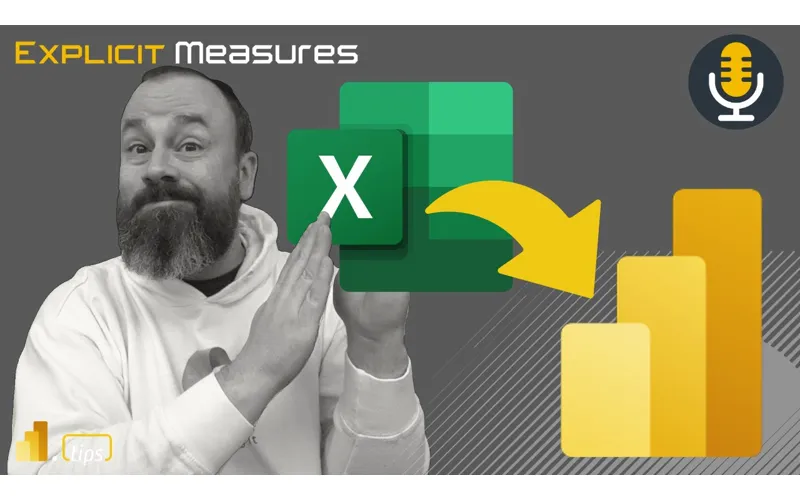
Mike and Tommy answer a mailbag question about building Excel dashboards with future migration in mind. They break down practical steps for making the leap from Excel to Power BI easier — starting with Power Query, tables, and pivot charts.
Main Discussion
A listener writes in: “I’m building Excel sheets for my company to use as sales metrics dashboards. Can you talk about what would make for the ideal Excel migration strategy? I want to build in a way that makes migrating easier in the future, not harder.”
Why Excel Persists
Mike and Tommy acknowledge the reality: Excel has roughly 700 million to a billion monthly active users. Every company has Excel sheets somewhere. It’s accessible, it’s a staple, and it’s often the only tool people have. There’s empathy needed here — people have built entire ecosystems around Excel because it was the most accessible tool available.
Tommy points out the key distinction: Excel works brilliantly for temporary, ad hoc analysis — quick calculations, what-if scenarios, one-time data crunches. The friction arises when Excel is used for recurring, long-lived dashboards that need to be sustained over time. That’s where the manual effort, human error, and maintenance burden compound.
The Excel Dashboard Reality
When Mike encounters complex Excel dashboards, he typically sees: VLOOKUPs and INDEX MATCH formulas (which are really relationships between tables), filtered data sections (often not using Excel’s built-in table feature), VBA macros for button-driven automation, and pivot tables with slicers. Tommy adds that these files are usually undocumented — all the knowledge lives in one person’s head.
The more iterations and stakeholders a dashboard has gone through, the more complex and fragile it becomes. Requirements get added but never removed, creating a monstrosity that’s harder to maintain each month.
The Migration Gap
Mike identifies a real gap between the Excel experience and PowerBI/Fabric. In Excel, you can see data, write formulas inline, and get instant results. That immediacy doesn’t exist the same way in PowerBI tooling. He envisions a future where Excel tables in a workspace are backed by SQL databases automatically — edit in Excel, save to the cloud, pick up in a semantic model seamlessly.
Practical Steps for Future-Proofing
Mike’s concrete recommendations for making Excel dashboards migration-ready:
-
Use Excel Tables — Always format data as proper Excel tables. This is a major win for data loading and structure.
-
Adopt Power Query immediately — Stop copy-pasting data. Every data load should go through Power Query. When you migrate to PowerBI, those queries transfer directly.
-
Separate data entry from reporting — Don’t let users enter data into the dashboard file. Put data entry in SharePoint lists or dedicated Excel files, then load it via Power Query.
-
Learn pivot tables, pivot charts, and slicers — These mirror the PowerBI experience. Users comfortable with these features will transition to PowerBI much more naturally.
-
Identify your relationships — Wherever you see INDEX MATCH or VLOOKUP, that’s two tables with a relationship. Start thinking in terms of a data model.
-
Build a data model in Excel — Use Power Pivot to create measures and relationships. This is literally a semantic model running on the VertiPaq engine inside Excel.
The Bigger Picture
Tommy emphasizes two key benefits of automation: time savings and elimination of human error. The manual steps people think can only be done by hand can almost always be automated with Power Query. Once that’s solved, you can focus on what the dashboard should actually look like — which is often dramatically simpler than the current Excel monstrosity.
Looking Forward
The path from Excel to PowerBI doesn’t have to be a cliff — it can be a gradual ramp. Start with Power Query, structure your data with tables, build relationships with Power Pivot, and use pivot charts with slicers. By the time you’re ready to migrate, you’ll already be thinking in PowerBI terms.
Episode Transcript
Full verbatim transcript — click any timestamp to jump to that moment:
0:35 Good morning and welcome back to the Explicit Measures podcast with Tommy and Mike. Good morning everyone. Hey, good morning Mike. How you doing? I’m hanging in there. Doing well. Hitting hitting the throws of summer. Doing summer things, keeping busy. Kids are going around. as your kids get older, Tommy, you’ll you’ll notice as well as as you you have younger kids right now. as your kids get older, the summer’s become like this revolving door of like activities for the kids that keep them busy. So, you’re constantly taking them to camps and bringing them back and then someone else
1:07 Goes to a camp and you’re coming home and then you go on a family trip together. It’s just like it’s like a constant move moving thing through the summer, which is good. It’s the time to be outside. Summer go faster, too, because if you actually really think about it, and again, if someone told me this when I was a kid, I would have been devastated. Summer’s only eight weeks long. Really? Eight complete weeks? That’s Is it only eight weeks? Sad. Well, if you actually think about it, you have all of June, all of July, and then maybe you have a week or two in between from April or May, but that’s more prep.
1:40 That’s prep for school. That’s you’re doing your, , it’s not really your summer. There are eight good weeks of summer. That’s probably true. That’s probably true because you’re, when you get closer to school season, you’re not going to be doing a bunch of things anyways. You’re going to start slowing down a bit, right? You’re not staying up late. Yeah. , I’m always staying up late, but Well, , from a kid pointless, though. Yes. True. True statement. I’m going to play Nintendo to 64 till 10:00 a.m. or 10 p.m. because my parents are outside or whatever it is. I don’t know. I’m a good parent. I’m not that. But, what ?
2:12 True. what ? Like, it’s really and and I imagine this too as they get older too. Those activities get longer and not just the how long it is for that day, but it’s not like, “Oh, we have a week summer camp.” Oh, no. No. They probably have like a few weeks of summer camp or whatever it is. Your kids are probably getting close to like the part-time jobs, too. Someone’s working at Old Stone by now, right? So, we have we have kids working now. So, that’s , we have kids starting jobs or old enough that they can go work at restaurants and things like that as well. So, that’s another thing that is , we’re we’ve
2:46 Become essentially an Uber at this point, right? We just drive them around, take them where they got to go. and again also as they become more independent, they become they want to do their own things with their own friends. It’s not necessarily family all the time. So they’re trying trying to they’re starting to venture out a bit more from the family. So that’s also means more they get into this house, go to that friend’s house, , what activities are they doing? They get invited to an activity. So anyways, it’s it’s definitely different dynamics. Summers are different than when they when the kids were younger. It’s definitely changed a lot.
3:17 Well, this is a great question. What was your first summer job? I don’t I don’t know this. Oh, good question. So, my first summer job was teaching swimming lessons. And actually, I didn’t even I was really Yeah, I love swimming. So, I went through all the swimming courses. Like, my mom would sign me up. I’d go to someone’s pool in the neighborhood. This instructor would show up and we would do swimming lessons. And I think at the very end, I I’d gotten through all the classes and I was taking the last class twice. So, the the final class twice. And they kept using me as the example
3:50 Like, “Okay, Michael, go in and do the strokes. Like, show them how it’s done.” Like, I just knew how to do all the swimming things because I I swam a lot. Yeah. And so, , the instructor was like, “Actually, you’re probably better than that.” And for whatever reason, the rest of that year, I did my week of swimming lessons, but the rest of that year, I was too young to actually go into actually be working. So, I volunteered that year and I just helped out the instructor, just the littleer kids that came through. I would help them swim and yeah, , I’d sit on the side of the pool and let them jump into me and like just be an extra helper at the pool. And
4:22 Then the following year was my first paid engagement of doing swimming lessons. So I helped Yeah, I did that. And then I think as I got older, I could ride my bike places and I think then I became the swimming instructor for a bit. I would go in and I would do the class instead of just being the assistant that would just show up. Something takes you something. I’m I’m feeling that you were a backstroke guy. That was your thing. Because there’s the four, right? There’s back backstroke, breaststroke, butterfly, and freestyle. Or not. Yeah. And then there’s like a side stroke, and
4:54 Then there’s like treading water and like all all the little things. But I think I think the one thing that intrigued me the most was I just liked being under the water. That was fun. And I loved being on the diving board. Diving boards were like the best thing for me. So we had this one of the pools. Again, you go to all these different pools. You have many different places you go. And this one pool had a like a long board had like two met concrete like side like to hold the board in place like two concrete I don’t know pillar things and it had like a spring under it. Now now I’m an older
5:27 Person I can like identify oh that spring was like a coiled spring from like a car. It was like a literally like a car shock spring the spring part of it. And it was just like a long fiberglass board with this huge spring under it. And oh my goodness, you could get some height off that sucker. , that thing would just launch you and I thought that was just the most fun, be able to like just just destroy that board and just get so high. , and that was a lot of fun. Hilarious. Really enjoyed that part of it. But I loved being underwater and just, , holding my breath as long as I
5:58 Could, just swimming around where it just got really quiet. I just loved being under the water. It was a fun that’s what I enjoyed the most. I didn’t really have a favorite stroke. I guess favorite one was like brawl stroke. The that’s the one that was easiest to perform and I just did it all the time, man. Well, mine was I never competition. Mine was Cold Stone, man. I know all the I think I know most of the songs still by heart. Tommy’s first and first firing was at Cold Stone because Tommy kept eating all the flavor the little this slice with all the little flavoring
6:31 Things. No, no. The special part of Cold Stone was because you made the ice cream there. So you get there if you were the first employee if you worked on Saturdays, no one came in at 10 a.m. for ice cream. So you had to make your own ice cream and and when it came out soft serve, my gosh, you also and and I talked to my boss about this because I was dumb 15-year-old. You had to do an inventory in the freezer of all the candies. Sure. Well, guess what? , all those candies in there, there’s Kit Kats and Snickers. It was very very hard not to go 15 14 snicker Kit Kats got
7:08 But No, one for you, one for me, one for you, one for me. Yeah, exactly. So, it was it was fun. But I I’ll tell you what, I have stories from the trenches of people who just not nice people. I will share this and then I it’s worth the story and then we’ll jump into it. So, when you you like you give a dollar for like whether whatever the s whatever the cause is you could oh yeah give a dollar put on the board. Sure. And someone’s like came in and there’s a bunch on there and he’s like so if I if
7:40 I give you a dollar the my my sticker will be on the board. I’m like oh yeah. He’s like by tomorrow. I’m like yeah. And he’s like so if I come in tomorrow you’re going to put it on the board. It’ll be here when I get in the morning. like, “Yeah, I’m working tomorrow and we usually that’s the first thing you do.” He grabbed me by the collar, pulled me in, and this is across the counter, and he said, “Because if I don’t see it, I will find you.” And he walked up or he got up and just walked out. I went, “Okay, like, oh my word.”
8:12 Yeah. So, there’s just weird people out there. And I Did you actually put it up first thing in the morning tomorrow? I did that first thing just now. Just then I got I was like I’m going to just shops closed guys. I got to do something right now. Yeah. Yeah. No, like right now thing. So I will find you. This is like Liam Niss in like level like I have a bills. Yeah. So exactly. Oh my goodness. A dollar. So that was those are the fun stories of Cold Stone. Oh my goodness. People just need to calm down a bit. Just take a chill pill,
8:44 Please. That’s funny. All right, let’s get into our main topic today. So the main topic today will be futurep proofing Excel. So Tommy, give me some context here. What what do you mean by f future proofing Excel? This is a mailbag as well. This is a mailbag. Maybe you should read our little mailbag item here and then we’ll we’ll take it from there. We’ll dive in. Yeah. So this is our little mailbag and let’s get into our mailbag voice. I’m building Excel sheets for my company to use a sales metric dashboard. Can you talk about what would make for the ideal Excel migration strategy? I
9:17 Want to build in a way that makes migrating easier in the future, not harder. All right, Mike, I think there’s a bit to unpack here. I would agree. So, I want to first set the stage here dealing and as I was thinking about this question, thinking about this type of person, right? I know this is still occurring for a lot of people. For us personally, I think when we first started with PowerBI, this was 80% of what we did because it was most things were in
9:48 Excel. I don’t know if that’s still the case, but you’re dealing in a world with all these Excel migrations where you still are dealing with what reports are we dealing with, Mike? And I think let’s set the stage here where when we’re dealing with Excel, you’re dealing with those types of reports. What data are we dealing with? Yeah. When I when I the very first thing I think of when I hear about this one is soon as we start talking about Excel sheets, I start thinking initially there’s manual entry of some information. So there’s like data coming from somewhere. , we need
10:22 Potentially even it’s hey, let’s put it on a share drive and let’s have multiple people like enter in their sales metrics or sales goals for their area. We’re going to track it in this Excel sheet. And that way you can take all the like these disparate sources and pull them together and bring them in. I have found when people are building things in Excel that’s the pattern by which they start. and that’s that’s how I started in Excel. I started by bringing a lot of like copy pasting. Open one Excel file up copy the data out put it into a new Excel file which would format it all clean it up a little bit and then it would be ready to
10:55 Use for the reporting and then I could build my graphs on top of that. And then that was the output. So, in this example here, I’m guessing that that’s going to be part of it. , my other feeling on this one as well is the the business has got their hands tied a bit. So, this is this is a place where they maybe have PowerBI, but maybe they don’t have access to create workspaces. They’re not able to do the things they they need to be building PowerBI or other places. So, all they’re given is Excel. This also makes me think that they’re may not have access. Again, this is a speculation, but this this
11:28 Person writing this may not actually have access to the SQL database or where the data is coming from. So there’s no Power Query, there’s no automation, there’s nothing there. So that’s what my that’s where my starting point is. My starting point is we’re not we haven’t learned Power Query. We’re not automatically loading things in and we’re doing a lot of manual transformations. So I’ll just pause right there. That’s where I’m starting the What do you think? Are there any assumptions that you’re putting on top of this question, Tommy? No, I I think there’s a few things, too. I think it always starts simple and gets complex, too, where it may start with
12:00 Pivot tables, but there’s probably some DBAs someone presses a button and it does some refresh to all these different Excel files. Usually, when you’re dealing with someone when they get to the point where they’re asking us questions about Excel, you’re dealing with something dang complicated. And it’s more than just a single Excel sheet talking to each other. It’s it’s multiple Excel sheets that have some connections. It’s ridiculous formulas, too. And let’s not forget here with Excel, I may not know where all the Excel formulas may live, but they are so integral to what the final output is.
12:32 Any Excel sheet I’ve seen has whether it’s that reference table and it’s a ridiculous index match and VLOOKUPs. Personally, I’m an index match type of guy, but it has these reference tables to say, hey, well, this person on this date with this sales territory has this which connects to another Excel sheet that’s going to have to do the calculations at once. It is such a hard dependencies where this person is also didn’t say I’m building PowerBI reports. They’re still building Excel sheets. So you’re dealing with intricacies of complexities of
13:07 Different Excel files with different formulas probably not documented anywhere. And I promise you two things. It’s a lot of head knowledge and whoever’s building this has it all up here but it’s probably not in some shared place to say what the steps are to do it. And the final output. This is where I also go too Mike. Not just the engineering side of it but what does that actual dashboard look like? Well, it’s Excel, right? So, we’re probably not dealing with too many bar charts. We’re probably dealing with rows and rows of tables and rows and columns that
13:40 Are nested with each other, too. It’s it’s a lot of numbers in one place. Now, someone can see it. someone could take the time to look at it, but you’re dealing with those two complexities of it’s a lot of output and a lot of process to get there that it’s it’s really hard for this to be sustainable with one person to do this especially. Would you agree with the Before we go on, would you agree with the idea of that that final output like what does this actually look like? Because I always go there. What do you to you?
14:14 What does a lot of Excel sheets look like at the end? Yeah, most of the ones that I deal with again I think you’ve hit the nail on the head on like one of the more complex pieces of Excel sheets at the end. There’s and I’m writing some notes here, right? So there’s probably a lot of looking up of things, right? Lookups or index matching because you’re trying to go find values and join them together. that so in places where I see inside VLOOKUPs X looks X lookups or index match right whatever those patterns are that you’re using those are
14:47 Being used in order to build a relationship basically so I’m also looking at this Excel file and trying to interpret like what’s happening inside the Excel file and what does that equivalent experience look like inside PowerBI so that that would be one of them index match VLOOKUP that’s a relationship between two separate tables so that part is You just need to bring the data in. You need to start learning how to form the data in order to build the data model because you’re doing it you’re doing the data model across various sheets inside the Excel document. You’re not actually building a what I would call a proper data model
15:20 That’s stored in memory that could hold more data. Right? So that’s one thing. I think Tommy also you’re going to a lot of people do a lot of filtered sheets of data. So they build they build data tables inside. I’m not I’m not even going to use the word tables. They build data sections of the Excel sheet and then they apply filtering to it. So they can filter the section of that data. Many people don’t even use Excel’s feature of a table which I think is a major miss. Honestly, honestly, I think using tables in Excel are incredibly
15:52 Powerful. , and so I would immediately start figuring out how to get tables made inside Excel. , VBA is usually around and this probably varies a little bit when you start using VBA for stuff. It feels like to me that’s trying to build an applike experience inside Excel. So that’s where you’re trying to build like your point you said buttons. VBA is for buttons and do something or process some data or load something in or or automatically produce something. So you’re trying to take existing data
16:24 And like process it with these things. , I remember when I was building VBA stuff, I built an entire ribbon inside Excel to help me help our company do statistics on various measurements of items. Like we’d have this and you basically would select either a a row of data or a grid of data, press a button on the Excel bar, and it would automatically like build a bell chart for you and give you the statistics that you needed specifically for it. It was using all the formulas from Excel. So
16:55 Like everything in there was like autob built for you. So you could just grab data, click a button, boom, something just popped out. And it was already formatted and and exactly the way we wanted it. So it’s it’s those things where you’re supposed to be using VBA. It’s doing like a multi-step something to build the experience that you want. And again, I’d look at VBA that’s like multiple pages. That’s like around bookmarks. That’s like that’s where I would start doing some of those things. VBA visual basic is also part of power query. So if you’re transforming data
17:28 And doing things with the data pieces, that’s what the power query engine would be doing as well. That actually well think about it. You’re I was again me what I was doing. I was actually loading data from a range of cells and the the range of code. Well, think of it. I’m picking up cells of like a a large table of data. I’m then potentially transforming it. I’m doing aggregations on it. I may be like doing some math to it or calculations with that information and then from that I’m outputting a result right so that that essentially is it you
18:00 Know the on the calculation the number side it’s doing the math of what power query could be doing power query can aggregate power query can provide you averages and sums and other data about the information you’re getting so that’s another area that we’re that I think about there and then the last part I think I see when in the more complex pieces is pivot tables, pivot charts, those are more the advanced side of things. And then sometimes people are even using slicers. So there’s there’s this a filtered slicer on top of the pivot table that’s in there as well.
18:31 Slicers. So and and I I I would like we laid this out and I think for a lot of newbies who are listening or people who are new to the game, maybe they’re starting with fabric last four years, I think a lot of people still ask and this question like why do people use Excel? Why? Why all this headaches? And to use a word that we’ve used on the podcast before, aida headaches, anxiety around using Excel. Well, if you remember, Mike, it’s basically it’s accessible and all the things we’re talking about, it may not be the most
19:03 Practical, but for a lot of people that data, to your point, well, I don’t have access to SQL. I don’t have a database engine. I don’t have maybe even PowerBI or don’t know how to use it, but I’ve been skilled in Excel and everything here is accessible. And I think we have to have a little compassion or a little empathy here for a lot of people who they have built these roots and really this ecosystem around Excel because it’s been accessible for so long that and also maybe let me I think you’re right Tommy and I I don’t know what the
19:35 Number the real number is for like monthly active users, right? But I’ve heard numbers of anywhere like 700 million to up to a billion people. Like I have yet to f to go into any company and even let’s imagine let me just riff on this for a minute. Tommy I’ll I’ll put it back to you. Right. I have I have yet to come into any company that has no Excel somethings like sheets and tables and like there’s every company has something. you’re either using Microsoft Excel products or you’re using Google Sheets or you’re
20:09 Using Smart Sheets. Like it’s it’s one of these three things. Like someone has a space there. They all have this experience where they no matter what no matter what business you’re into, there’s always these tables of data. And so, , yes, there’s se , a billion people using Excel. So, that’s a huge market audience because it’s a staple if you have a business. If you show up to work, you’re given some tools by default. You have email 100%. That’s everyone’s got that. The other
20:42 Thing you’ve got, you’ve got some Excel and you’ve got some word processor. Likely you’ve also got some presentation program. Those are like the three four core programs. Like if you’re going to run any business, you have to have those things to learn in college to work to work. Yeah. Yeah. So yes Excel may have 17th of the world’s population covered in that if it’s 7 billion people in the world right now or whatever it is right now but like 17th of the world is covered by Excel like the rest of the people there’s there’s likely higher coverage if you’re talking about like Google and all the other
21:14 Products that are out there as well. There’s a lot of people using those those products and and I’ll I’ll reiterate your point. When I my first real job, not Cold Stone, I was working at a digital marketing agency and I became the Excel known as the Excel guy. Yep. I had to talk to my boss because I was like about three hours of my day I’m getting questions and helping people with their Excel. because I just I happen to, , like like I know kung fu, this is the way I learn. So people knew that I knew all these formulas and how to do things and like I can’t do my job because all I’m being
21:47 Asked to do is help people with their Excel. Now, there’s a difference here because what are people trying to do here? And we’ll we’ll progress here because I actually just had this conversation with a friend of mine where there it’s a giant company to your point. Everybody uses Excel, everybody. And it doesn’t matter whether you’re a small business or you’re a multicong insurance company. It doesn’t matter. And I I still hear stories, Mike, where I’m like, “Oh my gosh, I’m gonna have a job forever.” So the thing
22:20 Is and I think this is the new thing and I and I want to put a little point here when we look at the career the life of Excel and the life of data there’s going to be this point where a fabric came out or where a fabric became accessible that to me I’m having this realization that’s drastically going to change it going to the question here like how do you make this easier and not harder how do you make an Excel migration easier to be honest if you’re just straight in Excel there is no really easy way to migrate that because it is such a manual process. You can do some things. You can
22:54 Upgrade to power query and you get some automation that way. You can use power, , power pivot and pivot tables to get some automation that way. But you’re never really going to get to a point where every migration is going to be a copy and paste because you’re not dealing with anything structured. Everything is still so freestyled. Anyone could put their own information in. Those Excel tables can be again freestyle to to we’ll go back to the swimming idea here. and but everything it doesn’t it’s not in a
23:26 Structured way and again people still use Excel because it’s most accessible. Mike I think we’re getting to a point now with fabric where all the things in fabric are accessible or becoming more accessible. I’ll I’ll give you an example here to put this point home. talking to a friend. He works at pretty big company and he’s talking about what their process is. Every month they work these these are their sub companies and every month about 35 of them send them Excel sheets that their own data that
23:59 Then they have to clean up that they have to do reconciliation on and but it’s all Excel. And I’m going through this in my head and I’m as as my friend’s talking to me, I’m like, my gosh, this could be literally in a lakehouse right now and we could just have some automation. Choose the columns that are important for everything universal and you could still report everything else. But this was that’s not a what I just said was not a it’s a non-starter a year ago, right? Because you needed a particular particular set of skills to do
24:32 Something. Sure. But I think to me that’s why still excel is such a big thing is because everything I would like to do I don’t have that ability or the technology to do. I I yes I I’ll agree with you in some areas. I think that’s also I I think your your comment around like access like accessible tools in my hands that can let me help me do my daily job. Excel is just one of those things like it it it’s a staple there. I think the reason that makes Excel extremely
25:05 Powerful for me and this is how I look at it when I I think to your point also, right? We don’t necessarily think about the process. We think about I’ve got to get this thing calculated. I’ve got to do this thing, this this effort, whatever that is. and a lot of times when I teach classes to PowerBI, I show people Power Query. But one of the underrated features I think of Excel is the ability to use Power Query. That’s something that’s just not there. People don’t aren’t trained on it. you just basically copy paste data into Excel and think you’re done, but actually there’s a better way of getting the datos and more easily for people to use cuz
25:41 That’s a great entry point to Excel. But to your but to your point Tommy like going back to the process and Excel, I think the power of Excel is having this table of data and being able to like crunch out formulas in line and see the results instantly from those formulas. That’s where people really like to see the So what is the alternative to that? Right? What would be the alternative to not going to an Excel document and adding no I’ve got three rows of data. I’m going to add a fourth row of data. I I make the
26:14 Formula, I click the little button, and then the formula rolls down and then we have the the same formula for all cells, right? Super easy. Even when I’m doing simple math, Tommy, like I’ll be just adding a couple numbers together, and instead of going out and go get a calculator to go do it, I’ll open up Excel and I’ll write down three or four numbers and I’ll do a little sum across all those cells. It’s just easier. It’s just f it’s a very fast method to stub out some like calculations around data. So yeah, I my thinking here is when you have a given table of data and you need to add additional columns, additional
26:47 Pieces to it, Excel is such an easy method to be able to produce that. And by contrast, right, okay, that’s Excel. I’m on the sheet. I have the data. I can make the formula and immediately the results show up. That’s super fast. When I do that same experience in like PowerBI or other data engineering tools, it’s I can see the data, I can shape it and transform it slightly, but I have to I’m usually jumping between another program, another window. I’m not able to like in line
27:19 Right next to the original thing recalculate and put everything down there quickly. Right. And so I think there’s a lot of this threshold of how how little like also Tommy to this degree as well what if I want to copy paste a lot of data what if I want to make a lot of rows what if I want to edit multiple rows of data very quickly when I think about the SQL database world there’s not a lot of really good tools out there that are like wow I’ve got this really rich table of data and I want to modify like or I change a bunch of things all at once or do a find and replace and a bunch of
27:51 Things all it does the the tooling that we get for that just isn’t quite there. It’s just different because we’re talking about two different types of data and I I love not not types of data. It’s just it’s two different ways of interaction with the data. I think true but when I when I say the two different types of data because I love the point you made or two different purposes of data that’s probably a better way to put it. Every every example you just did, which I do as well, is ad hoc temporary. Something I need to quickly see and I can quickly
28:24 Either I’m going to send out or move. I’m going to say maybe. But really keep going. But I’m I’m going to say maybe. Maybe it’s temporary, maybe it’s not. I don’t know. Maybe it’s initially started out as like it was a it probably started out as a temporary solution. Oh yeah. But then I get a request to like revise it and add more leads. Right. Butre generally speaking, when you’re saying, “I need to get that lines of data. I’m going to quickly show someone. I’m going to quickly do something.” But it doesn’t meant to have legs. It’s not meant to say a year from now, I’m going to use the same data set or that same Excel table. It’s something
28:57 I need to see now, need to show now, need to do now. Everything in fabric or a sales dashboard too should be something that’s more longstanding. It’s going to live for a longer time. So there are purposes of data here that we’re talking about where I want to do this quick formula. When I worked at digital marketing agency, why we use Excel so much was well, I would download all these AdWords data and the cost per click and impressions and I would say, well, what if we change things little widgets and if I change this to say, what if our cost per click or we got impressions up yada yada yada and I
29:30 Would just do that in that Excel file, but that was for that set of data, right? And so those changes I wanted to make right now or wanted to see. But the problem was one I could save that but I probably moved on the next time I needed to do it I needed a new set of data because the data changed. So, Excel works for the temporary ad hoc want to look at, but anything if I’m if I’m doing a sales dashboard, dude, if sorry dude, but if I’m doing anything out there where it’s going to be something that is going to be reoccurring, the
30:02 Data in a sense structure doesn’t change. I don’t want to use Excel and I want to migrate something where that can be automated that and that’s our buzzword here. So, Excel works really well for my temporary ad hoc solutions, but it it is hard. I’m not saying impossible and I’m not saying terrible. It is difficult when you’re trying to do things that are more have or should have longer legs. I think it but also I think there’s this I want to introduce the concept of like
30:35 Just build it so it works and then build it so it lasts, right? There’s there’s two there’s two they’re conflicting ideas. They’re contrasting, right? So, on one hand, I just need to build something that works. It’s got to be quick to develop initially. I don’t know what’s going to work. Honestly, when I start these some of these projects, I just know I need to do something with data. And sometimes the the the output of the visual, the output of the data, I don’t really know what I’m looking for. I may not even have the right amount of data. I just need to get something in a place where I could quickly manipulate it. And I need to build three or four or five iterations on this thing, this data
31:10 Product, call it an Excel sheet. I need to do three or four or five iterations on the data product until I get to a place where I’m like, okay, this makes sense. This I’m actually getting the right data I need in. I’m the data is coming in the right way. I’m cleaning it the right way. Like it’s it’s it’s ready to be used. And so I think I’m going to hang on the point here you made Tommy. I think you you hit on something that’s important here is they’re using this Excel sheet as a sales metric dashboard, right? Dashboards come with a lot of weight and and terminology that goes along with it. But if I’m going to interpret what I
31:43 Hear the question as and just define like, , a milestone, then we can we can unpack from there. Right? If we’re doing this as a sales dashboard, who’s my audience? Where is this going? what are they going to do when they get there? Right? If I can answer some of those questions, I can have a better understanding of like, okay, is this a readonly document that sits on a SharePoint page that some executive is going to go open and look at and say, here’s my sales numbers, or is this an Excel document that the analyst will be using and they’re going to be making multiple pages of
32:16 Dashboards, right? and then printing them out, turning them into a PDF and then sending an email around with the PDF or is this an Excel file that we’re going to email around the organization. There’s many different ways to share this dashboard. And I think if we think about the consumption of it, that will slightly change what we do with it. So, , I would even step back for a moment. Yes, we’re talking about Excel sheets, we’re talking about dashboards, great fine. I would step back and say, okay, what’s my audience? What’s the purpose? What should they see when they get there? and what their action should be when they leave. Like
32:48 If we can just walk through just a little bit of story at the front here. I think this frames out a lot of what you can and cannot do. , another thing, another couple questions I’d ask myself would be how repeatable is this data? How often does it change? Does the dashboard need to change regularly? Are we constantly manipulating things? Or is it we’ve done this for two years now and we now have the dashboard. It’s set, right? This these are the metrics that we go after. And Tommy, I know you’re going to love this point because I know you talk about this all the time. Do we even understand the definitions of the KPIs and measures and things in the
33:22 Dashboard? Is this is this a defined metric that if I gave this to multiple people in the organization, they would understand, , active users? , it’s it’s just anytime I do any report like you could you could say the word active users, but that could mean three totally different things. And depending on where you’re getting active users from, like I’m thinking like website traffic, right? Or even like watching videos on YouTube or Twitter, right? You can have a view that’s not the same as an impression. And and so defining what those things mean and then each
33:54 Platform where you pull them in from defining that language and bringing it in. So there’s a consistent language across us. Is that even done? So we may be spitting out dashboards in Excel, but does anyone even understand what we’re producing there? And is is there a common like language or definition of how our business speaks about the data? Okay. Yeah. Pause right there. Your reaction, Tommy. No, I I think , you’re speaking my language here. I think there’s an inflection point to what you said in terms of when you need to decide if Excel is still the right tool because
34:27 You made some really good points here. not just about I love the idea first about when we’re talking about who’s actually looking at this and a lot of times those people also influence something else and I have this I have this trick it’s like the guess your weight trick to say if I know how complex an Excel file is I’ll ask people how many iterations has this gone through how many requests or changes how long have you been building this thing right like even tell like if you’ve been building this Excel file for 10 years oh yeah and it’s still not locked down yet like It’s going to be complex
34:59 The more times and the more people who see it have more requests on how they want it to be viewed. Yep. I agree. is more complicated and it makes it and that’s the thing though too Mike we’re dealing when we’re talking about a migration people are always expecting to take that Excel dashboard how whatever form it’s in and copy paste that into something in PowerBI but it refreshes it’s automated and most of the time and I don’t like using the word impossible but it’s not going to be what people expect it to be that’s probably the best way of putting
35:31 It if you want to take the normal Excel dashboards that people have and say just put that in Excel. Well, it doesn’t translate because there are so many manual efforts in those Excel files because of how people want to see it. Well, I want to see, , my sales region but with this percentage and it doesn’t equate to a DAX measure or to a semantic model in any capacity, right? So, I think there’s an inflection point at some like Excel files fine, maybe they work for some situations, but there’s a threshold. There’s there’s
36:04 Some conversation that needs to be had with how many viewers do we have and I think this is a that’s such a good place to start. I I think how many people are actually looking at this. If we’re over a certain threshold of people and how much hours are we putting into this that we we need to talk about this having a growup story. It can’t live in Excel because I guarantee you this person who’s reason this person is sending us this dang message in the first place is because they’re probably feeling like their head’s underwater just trying to get this done on a weekly basis. Not
36:35 Improving it or optimizing it, just getting it done. So to me, I think there has to be this point of all these metrics that we’re looking at. And I guarantee you there’s to your point 80% of those metrics are probably don’t need to be on that first page. They’ve just been added. Everything’s just been added. Nothing’s been taken away. Everything’s just been added on top of each other. So, you have this complex monstrosity where we have to talk about something else. We have to talk about a Greddy Growup story. But, I’m going to focus here on the consumer side of this because Mike, I don’t think
37:09 We talk about that part enough here when we talk about these Excel files of how many people are actually looking at this. So, yeah, I want to I want to go a couple of things. So I want to maybe transition the I want to slightly you move away from like the Excel and the needs there. I want to I want to transition a bit more into like okay so let’s give some advice here like what would I do is so if this is me right I’m looking at this going like okay I’m this person who’s managed this Excel file I’m building maybe more things into it I’m continually evolving this Excel sheet to
37:40 This metric dashboard what do I use and what do I look at this thing and say okay how do we get from where we are now into what we want to do which is PowerBI so a couple observations I would say that I see right now it feels to me like there’s a major gap between Excel and PowerBI or Excel and fabric because yeah and and think about like what we do in Excel like there’s it’s this table it’s like this flexible thing that I’m able to like put calculations in. Yes, I can do that in Power Query but it doesn’t really feel like Excel,
38:12 Right? Still people want that ability to have like multiple cells a table. So there’s some missing feature around like why can’t I land an Excel file inside a workspace and just have a table defined there, right? And why can’t I inside that Excel document make it super easy for me to say, look, I’m going to define a table inside Excel. People can go in and edit it. They can change the data and just have some very lightweight data protection pieces on top of this. I’m thinking like okay look
38:45 This Excel table is going to exist inside PowerBI or fabric and it will be backed by a SQL server and so I’m purely I can while I’m in that Excel file I can do all the Excel things that I normally could do I could I can make the tables I can make the columns I can do all the calculations I need to and I think there should be this really easy button that says look take this table and then inside that Excel file you can make basically set up a setting right on close, save this table back to this SQL server,
39:16 Right? back it, make it just happen behind the scenes and then just have that exposed for like anytime I’m building a semantic model somewhere else for reporting. So to me, there’s a gap there. There’s a gap between like what I do in Excel and what I want fabric and PowerBI to be doing. And there’s this whole concept in my mind is thinking around why isn’t there this easier table manipulation structure that just exists that makes me feel comfortable like Excel but then easily works. Now there are I’ll be fully admit there are other tables out there other companies have produced them albeit I think this should be built into the product. I think this
39:49 Is something that Microsoft should just take and own. And because they’ve already own Power Query, they already own Pivot tables, all the things. This should just be part of the experience. They should make an Excel-like table inside PowerB. Now, maybe there’s a reason why there has been a hard line between these two things because PowerBI is now starting to step on the toes of Excel and that would be cutting into their own business and they don’t want that. They want a a clean separation between the two. There may be some political stuff in there. I don’t know. I don’t understand it. But I what I want is I want I want you mean
40:22 Even if I even if I could just embed my Excel file right into PowerBI and I know you can upload them. So I do know that that’s available to you that but continue. But I but I think that’s something that needs to be there. So so I think there’s a gap right between the two experiences. However, if I am this person I’ll there’s a tangent. Sorry. I’ll come back. What do I what do I recommend? some some of my recommendations when I one of them is I’ll go look through my Excel file and figure out where are my index matches occurring where is the VLOOKUPs occurring because those when I see those types of things I’m thinking okay I have
40:55 Two tables of data and there’s a relationship between the data that’s what we’re doing basically so already I’m saying okay you’re loading data in two different places and you’re using a lookup feature to get some information together that’s the start of a model a data model and you want to have that started so that’s one thing I’m looking for I’m also thinking about if If you’re not using Power Query today, straight up, number one step should be start using Power Query. Anytime you’re loading data into Excel, you should 100% be using Power Query because if you ever wanted to migrate the Excel thing into
41:27 PowerBI, Power Query just automatically loads. So even just starting, so you want an easier migration path to go from this Excel file into something that’s PowerBI. Don’t load, don’t copy and paste any data into the Excel file. figure out a way of letting people create data and always load it in using Power Query because that way when you are editing data later on and you want to migrate to PowerBI now you have a much cleaner way to do this right there’s a much easier method for you to load data in and this is again maybe
42:00 I’ll go back to this point of like the tables and how it doesn’t really work with the the PowerBI experience right what if I could just design the table right not even mult multiple sheets. What if I just said this is the table where I will enter data into, right? So don’t even don’t even think about like all the functionality on one sheet, but it’s just a single table. And that way anything you do in that table is automatically captured and then on close or or saving or you could even push the data like I’m done. I’ve made my changes. I’m going to push that data
42:32 Somewhere and then immediately semantic model can say oh I understand what this table is. I’m going to go grab it and just load it in or import it or get it in immediately. So there’s something there that’s not that that’s not quite refined yet in my mind. It’s it’s not quite dialed yet. There’s some friction I would say around that cuz really what you want is you need users to go into a web browser and have multiple tables open, enter the data they need to enter, have some rules for validation of that data, and then just have it work, dude.
43:03 Like that’s what you need. And I’m going to reiterate that. And I know we’re getting close on time, but let’s not underestimate here the Power Query side and not even in a data flow here too because we’re not saying use Power Query just because it’s cool. It’s really to me it’s two main purposes. It’s the automation, the amount of time saved, but the lack of human error now that we’re going to deal with. I’m going to take a look at this particular project here and I’m going to look at well, what does the data look like coming in? your copy and paste or whatever you’re downloading from
43:35 Whatever platform what’s that raw data look like okay so can we do some automation around this because that’s going to eliminate that 18 people going in there like I needed this particular formula and I have to do it this way which people get wrong because we’re people and again the amount of time did that person enter the information so now I can go in I can do that with power query and I can do that in Excel if I’m not not even if I’m doing powerbi I cannot tell you Mike and I actually I could because you could tell me too the amount of projects you’ve done that have
44:08 Been saved just because of that that we’ve been able to solve because we’ve been able to automate all these rows of data that people thought only could be done manually but we can do in Power Query and then all a sudden we’re eliminating human error because I know it’s going to come in this way it’s going to do this recipe it’s going to do these steps and we’re going to have a final output and that can live in PowerBI or it can live in your final Excel sheet, your final Excel dashboard. But that’s where you start. And to me, there’s multiple ways that you can in a sense migrate this. But I’m starting
44:40 With the raw data. And I’m saying how can we eliminate the manual formulas and the head effort, the head knowledge and all those different steps. Then we can deal with after we have solved that on where it’s going to live and what type of dashboard that we want. But we have to we have to solve first that human multiple steps there. Now, I’m going to push if I can do this in Power Query, if I can automate this, I’m going to push for PowerBI because this also gives a great opportunity for us not to deal with 18, , rows and, ,
45:14 25 probably looking at 75 different rows of metrics that I don’t need when I only need three to actually look at for my team. So this also gives a great opportunity if I have everything automated say well what type of dashboard do we really want rather than this monstrosity of whatever we’re dealing with because I guarantee you anything excel is some it’s hard to look at so how can we make that easier but that’s my twofold step there. Yeah, I think the so for me I think the the major points as I wrap up here will be automation is going to be key, right? It the the one of the
45:46 Things that you do a lot of in Excel is manual work. we we’re looking to in place or instill things when you’re doing that work. Figure out ways to automate it as much as possible, right? don’t let people enter data into the exact file. instead make them put it in other places either like SharePoint lists or put the information into a different Excel file that’s just data entry information. Right? So separating those things apart a little bit gives you some flexibility there to let people edit and modify their own data other places. So Power Query is a great tool to start automating more things.
46:20 So that’s one there. , another suggestion as you were talking Tommy that brought to mind here would be really if you if you’re not using pivot tables, if you’re not using pivot charts and if you’re not using slicers in the Excel document, those are things I would encourage you to start using because that will also make it when users see dashboards and reports built that way when they move to PowerBI, it will be easier for them to move into like, hey, there’s already a slicer here. We have this thing called a filter pane. It operates very similar to what you would see in the Excel document as a slicer.
46:52 So I think there’s also something there as well when you start building like some of that VBA like interactivity, page navigation, changing the visuals, those are bookmarks. So I think you’re also trying to figure out okay, how can I start catering my Excel experience to mirror what I would be building in PowerBI? So to wrap up my thoughts here would be u make sure you’re using tables inside Excel. That’s a big win for loading data. automate as much as possible using Power Query. You want a ton of that. If you can have no manual entry into your Excel dashboard, do it right because then when
47:25 You’re ready to migrate, it’ll be much easier for you to get to the next step. And then I would also argue use some of the more advanced features of Excel. Really learn how to use pivot tables, really learn how to use pivot charts, work in slicers on your your data sets. you can build a data model inside Excel. You can build measures and calculations on top of these tables. , , find places where you’re using index match or VLOOKUP. Those are separate tables that are being related together via a relationship. So, do that. Start modeling the data together
47:57 In that Excel world. And so, , I I’d almost even envision this as going, okay, let’s pull out all of the data entry pieces and put it in a separate place. Let’s load all the data in a single Excel file. And then we import it, we model it, we shape it. And then from that, we’re only building pivot tables, pivot charts, and slicers throughout the report. And now you’re you’re basically at some level, you’re already thinking PowerBI ways of building the data engineering, modeling, and bringing the data in. So that’s
48:30 That’s an easy way to get started immediately with Excel. And now you don’t have when you get to the PowerBI side of the world, it’ll be much easier, I think, for you to migrate. And it’s funny you the last thing I’ll say Mike first I got a weird question for you but u once you got into the data modeling side you enter the world of data governance too because you all a sudden have some structure of this and you’re entering that world of actually structure of hey we can do this we can’t do this but I’m going to ask you is an Excel pivot power pivot table a semantic model or a data model
49:02 It is to some it’s usually it’s it’s a I would say it’s a semantic model it’s a sem it’s using the Vertipac engine to do the work. So it is a semantic model. I would argue most things on that yet. So most of the things in Excel is a single table, right? It’s just it’s usually a single table that you’re using to produce the answers. but when you start doing actual data modeling and using power query, bringing in the tables, making measures, that’s that’s really where I started to learn DAX to begin with. I started there.
49:34 That’s that’s when I started fig like this is really confusing. I really don’t understand what’s going on here. Like that’s when I started really getting myself exposed to like those initial pieces of this. And then as I matured, I was overwriting DAX and making it way too complex even in Excel. And then I figured out later on it was better to start making better data engineering choices inside Power Query, shaping the data so that it was actually ready to be consumed for the the measures, the the things that I’m going to actually produce inside the report. So, I think those are good.
50:07 Anyways, I think that’s probably a good a good enough episode for today. Thank you all for listening. We appreciate this one. I hope this is a very big derivation from what we’ve been talking about recently, which has been a lot of fabric recently. , but we’re we’re taking a big step back here for those Excel users, migrating them into PowerBI or PowerBI level asset things. I hope you enjoyed this conversation. If you found this useful or found a couple of nuggets here that you might find helpful, please forward this conversation to someone else. We’d love for you to share this conversation and podcast with other people. Tommy, where else can you find the podcast? You can find us on Apple, Spotify,
50:38 Wherever you get your podcast. Make sure to subscribe and leave a rating. It helps us out a ton. And share with a friend. We do this for free. Do you have a question, idea, or topic that you want us to talk about in a future episode? Well, head over to PowerBI.tips/mpodcast. Leave your name and a great question. And finally, join us live every Tuesday and Thursday 7:30 a.m. Central and join the conversation on all PowerBI.tips social media channels. I can tell you’ve been on a break, Tommy. It’s got a little hard sound weird about tips and I was like I got thrown off. I’m like I had a brain fart.
51:11 I’m like that doesn’t sound right. So sounds good. Awesome. Thank you all so much and we’ll see you next time. Heat. Heat. N. Heat.
Thank You
Thanks for listening to this episode on future-proofing your Excel dashboards!
Want to catch us live? Join every Tuesday and Thursday at 7:30 AM Central on YouTube and LinkedIn.
Got a question? Head to powerbi.tips/empodcast and submit your topic ideas.
Listen on Spotify, Apple Podcasts, or wherever you get your podcasts.