
Calculation Groups in Practice – Ep. 452
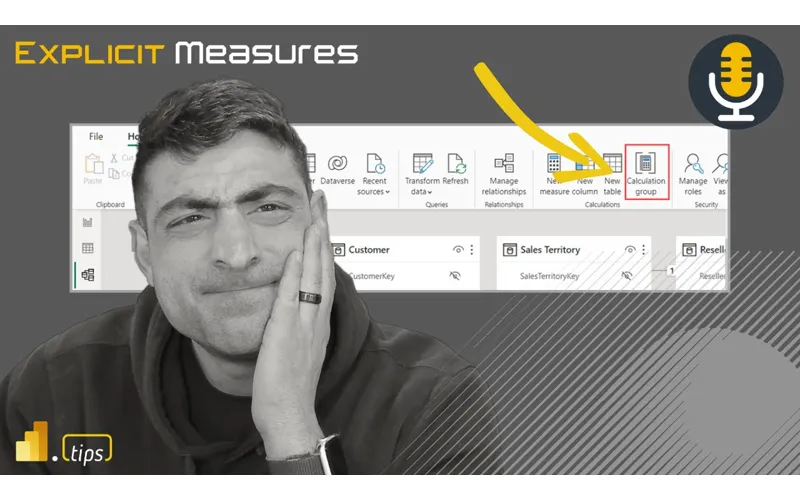
Calculation groups are one of DAX’s most powerful features, but they can also be one of the most confusing. Mike and Tommy break down practical use cases, walk through the SQLBI documentation, and share patterns that work in real-world semantic models.
News & Announcements
- OneLake Costs Simplified: Lowering Capacity Utilization When Accessing OneLake — Microsoft reduces the capacity cost of OneLake access, addressing one of the most common cost concerns.
Main Discussion: Calculation Groups
What Are Calculation Groups?
Calculation groups let you define a set of calculation items that modify how measures are evaluated:
- Instead of creating
Sales YTD,Sales QTD,Sales PYas separate measures, create one calculation group with items for YTD, QTD, PY - The calculation group applies to any measure dynamically
- Dramatically reduces measure count in models with many time intelligence variants
SQLBI Deep Dives
The definitive resources:
- Introducing Calculation Groups — SQLBI — Start here for the fundamentals
- Understanding Calculation Groups — SQLBI — Deeper dive into how they work under the hood
- Using Calculation Groups to Selectively Replace Measures — SQLBI — Advanced patterns for selective measure replacement
Practical Use Cases
Mike and Tommy share real-world applications:
- Time intelligence — YTD, QTD, PY, PY YTD all from one calculation group
- Currency conversion — Apply conversion rates dynamically to any financial measure
- Formatting — Dynamic formatting strings applied across measures
- Comparison patterns — Actual vs. Budget, Forecast vs. Actual as calculation items
Gotchas and Best Practices
- Precedence matters — When multiple calculation groups interact, understanding precedence is critical
- Start simple — Begin with time intelligence before tackling complex scenarios
- Test thoroughly — Calculation groups can produce unexpected results when combined
- Bernat’s blog at esbrina-ba.com offers practical, hands-on examples
Reference
Looking Forward
Calculation groups, combined with UDFs, represent the modern DAX developer’s toolkit for building maintainable, scalable semantic models. Teams that master both will build models with fewer measures, more consistency, and better maintainability.
Episode Transcript
Full verbatim transcript — click any timestamp to jump to that moment:
0:03 Down. Good morning and welcome back to the
0:35 Explicit Measures podcast with Tommy and Mike. Good morning everyone and welcome back to the show. Well, good morning Mike. How you doing? Doing great. I got a quick question for you Tommy. I I’ve been wanting to ask you this for so I know you drink a lot of coffee and you also do it with you have your special way that you produce your coffee with the little Italian Yes. two cup coffee thing on the stove thing. Okay. Do you add anything to your coffee or do you just drink it straight up? Are you a straightup drinker or you just do you add like a little sugar? Do you add some milk and cream to it? Like
1:06 What do you do? So I’m an almond cream guy and not because of any health reasons. It’s just the taste of it. So I never did care for cream and I I I can’t if I have to. Almond milk. Almond milk. Al yeah. Well, almond. Yeah, I I used to be able to do it straight just straight nothing. , but why? It’s so much more enjoyable with a little almond milk. , and the almond milk has a little like Italian flavor to it to me. , so that’s I think why I like it. But that’s me. What about you?
1:39 You can get one with different flavors. So almond milk comes in like just plain and you can get like vanilla and you can you give a little bit of extra something to it. , I used to do, , how they have his pumps like at like at Starbucks like the pump is like a there’s like a brand of pump. You can get the one from Starbucks directly or you can get the ones like there’s like a Torino one as well that I Oh, yes. Yes. I used to use those and then I we were like, “Wow, look at all the ingredients on these things.” And wow, so much high fructose corn syrup on them. That’s not really real stuff. So, we decided to go
2:11 More towards maple syrup. You said you can switch it out with maple syrup. So now I pie a little dollop of maple syrup in the bottom of my cup. I And I admittedly, Tommy, I don’t do coffee. I do like espresso. So it’s like it’s it’s like a I steam the milk and then I put it with some espresso shots. But then I now put a little dollop of maple syrup at the bottom. Steam the milk with the maple syrup in it. It gets a little bit sweeter. And then I put my coffee shots with the I have heard of that with the syrup. And I think this is a friendly PSA to everyone out there. Stop
2:44 Stop drinking American coffee. Go with how the rest of the world drinks it because you’re much more efficient that way. So you and I So like I’m not a Starbucks guy at all. I I I I can’t do it anymore because here’s the thing. You go to Starbucks or your normal coffee shop like, “Hi, can I get a grande or large coffee?” You get a coffee that’s, , as big as your head. Yeah. Or and you have to drink the whole thing. It comes with, , 18,000 calories of sweetness and all that stuff if you do the cream. Oh, yeah. Or you do espresso, which is maybe 1/8
3:18 Of that, and you have the same amount of caffeine in it. And I’m done. I’m done in less than two minutes. Okay. Now, I see you’re saying, so you’re saying the espresso shots are the more efficient way of getting your coffee. It’s much more efficient. I don’t want to take calories. Yeah. To take less calories, all of that. So, it’s just a more efficient way of doing things. , people say they enjoy their coffee. Yeah. No, you enjoy your milkshake. You enjoy your milkshake that happens to have coffee flavor in it. That’s funny. That’s true. That’s true. Okay. Yeah. Funny little intro there. I just wanted to ask you a question. I was just
3:50 Thinking about that this morning and thought I had to ask you how you do your coffee. all right, let’s jump into our main topic today. Or actually not. Let’s we have some news, but I’m going to give you the main topic today. Today we have a mailbag question, a question from our listeners and we’re going to go a little bit deeper into a calculation group. How do you use it? What’s it look like in practice? what patterns do you see using calculation groups? Are there any rowle security limitations on top of the calculation groups? And any like workarounds, tips or tricks that you use
4:21 When you build with calculation groups. So that being said, that is our topic for today. We’re going to dive into a little bit more DAX related things. But before we get into our main topic, let’s talk a lot a little bit about news. Tommy, you found an article here that is quite interesting. let’s be in the description below here as well. Let’s unpack this new article post here around one lake. We’ll do the best we can, Mike. So, this came out last week on the fabric blog and the title One Lake Cost simplified lowering capacity utilization when
4:54 Accessing one lake. The idea here is it’s a rate it’s a rate change and a way to really understand your capa your capacity cost for transactions via the proxy in your fabric capacity and they’re what they’re trying to sell or what they’re trying to say I should say is they’re optimizing your capacity spend. Now Mike this is great. However, I I don’t want to say I have problems with this, but to the naked eye, there’s not a lot here that you’re going to be able to really understand. They have a
5:28 Change. They show you if what you’re reading per four megabytes or 10,000 ops, the redirects, , capacity unit rate, the previous rate, the new rate, and they have all these different seconds on here for your capacity units. Yeah, Mike, the only way this is going to make sense for you if you’re doing rigorous testing to me. I also one of the things in this article, so this is interesting. So happy that they’re bringing costs to one looks like a lower level. Yeah,
5:59 The new rate looks consistent here. What I don’t understand here is this proxy rate. , I’ve read a lot of documentation. I’ve been doing fabric for a while here. I don’t I understand maybe the direct consumption CU rate, but what does a proxy rate mean? They’re using language here in the article that I don’t quite understand. Like if I run a data flows gen 2 on a different workspace that’s not in the same workspace, is that a proxy? Is that going between fabric tenant to fabric tenant, is that a is that a proxy? I don’t know what they mean by the proxy
6:30 Rate of the one like catalog. So that’s what I understand. Man, I need like a definition real quick here of like can you please define for me what is they call it redirect CU rate and proxy rate. Proxy it almost sounds like that’s the one going from a different data center to another. But that also would sound like the red that that would be my only guess that you’re you’re having to move data centers. But the idea here is regardless guess like we don’t know. Do we’re dumb? No. No. I don’t know this. something like I
7:02 Don’t my MVP like so I guess my question is like okay thank you Microsoft for unifying the rates but on the other hand I look at it going okay do I have any proxy rates on my CUS like where are they proxy would I find them is it in the usage metrics reporting or is it in the capacity reporting do I see it there I’ve never seen that where the heck’s in that semantic model I bet it’s in the semantic model where the heck does it come from I don’t know
7:32 What can I do to not have a proxy for for my but the the idea here is now regardless of which path you take whether what path you’re taking it’s going to be the same cost correct and it’s so quite substant in in the other so to your to their credit right there is a quite substantial decrease on consumption for this proxy rate so if you’re doing a read operation you’re getting a third basic roughly a third of the cost. If you’re doing a right operation, you’re getting about a little
8:04 Bit more than half of the cost. A little bit less than half the cost. If you’re doing an iterative read, which seems like that’s the really expensive one, that’s getting like a fourth of the cost. Mhm. Maybe a little bit more maybe more like half the cost. And then same thing for other operations, whichever other operations are. I don’t know if I don’t know what other operation you’d be doing other than read write or iterative read. Like you either read or write and you think maybe deletes. I don’t know. again it would be mean this article seems a bit vague to me. So thank you Microsoft for giving me a discount. I don’t know if I’m getting it most regions coming soon. So
8:42 Like should I tell my clients? Should I look at my own operations? Yeah. But this is all good. It’s all good. But at the same time, , you want you want to know everything you’re dealing with, right? And if that there’s a proxy redirect, I want to read on it and I want to dive into it and I want to know what I can do and how to optimize it. We talk about best practices in data integration, but , we don’t talk a lot about well there are things that fabric works differently than your normal lakehouse than a normal warehouse. the
9:15 Conversations we’ve had with Brad, we’re dealing with a capacity units which I imagine works different than Synapse. It has to. It has different features. So we I think a lot of this is too is testing and a lot of this too is wherever you can find the documentation. So let me let me I’m going to so I’ve Googled this proxy rate thing because I’ve never heard of this before. I didn’t know there was two different rates for things. So from the documentation that Microsoft provides I’ll just read you the little excerpt here and see if this makes any more clear clarity brings clarity to what
9:46 This thing pre proxy is standing for. One lake supports two types of access paths redirect and proxy. Fine. Great. Application will applications will use one of these paths on specific circum circumstances. Some is determined by the workload and others are outside of its control. The the workload control I would assume. Request via proxy and redirect share the same consumption rate which is the update. The update is now it’s it doesn’t matter which one you’re using. It all is the same thing. It still doesn’t tell me like when a
10:19 Redirect is happening. So, it’s it’s almost like the workload itself could be using a redirect or a proxy location. It doesn’t really tell me like the tables are the same. You have like these two tables here that are describing like here’s the proxy rates, here’s the redirect rates. Again, when there was two different rates, it would make sense that there was different stuff. , but I don’t really see any other notes on this page as to where does redirect occur and an example of a redirect flow. Like what does that mean? I’m curious if they
10:52 Took out some of the workloads since the rates are the same now because my first thought, Mike, is well, if some of the workloads are always by default going to choose one or the other, then I want to use more of those workloads, especially if the cost is that substantial or the the consumption is that substantial, but they’re the same now. So, well, yes, I agree with you. what I’m what I guess what I’m contemplating here is like is this again this is where I’m like does data flows so this is where I would want to see like by default does one like so I just need
11:24 The scenarios it’s like the scenarios I don’t understand the scenarios like hey if you’re using a data flow and you’re reading from a lakehouse and putting it in a lakehouse that’s when you would use the proxy or there’s if you’re using a network security protocol that’s when we use proxy like I I don’t I know when it occurs like what are the conditions under which talking to the lake from the workload and I’m assuming the workload we’re saying data flows pipelines notebooks custoto things right or or something so
11:58 Operations where you’re actually doing data movement that’s where I would assume we’d be seeing the the proxy appear I just the documentation’s so weak I don’t understand what that means are you doing that philosophical argument not all proxies are data flows but all data flows are proxies Who knows? I could be. I I don’t know that I again I can’t tell you what proxy means. And there’s really no let me check the other page here. , okay. So, it looks like it might be on the So, looking at another article here,
12:30 One lake capacity consumption example, which would tell you the one lake compute one lake via proxy and one lake read via redirect would appear on your consumption page. when you go into the details on an item on the main page, oh, you’ll be able to see is it write via proxy or write via redirect. And it looks like there’s in this example here, there’s they have a lakehouse that they have and there’s just a number of
13:01 Operations occurring in su consumption on that item and it will break out the consumption via proxy or redirect. , nice. It’s it’s also nice to know that all of it’s the same now. The pricing is the same, but again, I never knew one workload versus another would actually do something like that. I I have no clue. Well, now it doesn’t matter. Now it doesn’t matter. So, that was basically a meaning conversation. Meaningless conversation. Thank Thank you. We have a we had a a whole conversation around something got better that I didn’t even understand and
13:32 Now the cost is the same, so I don’t even need to understand it. So, don’t so just ignore that whole conversation we just had. You can forget about what proxy means. It costs the same as a redirect and now you don’t even care. Well, there’s there’s a moral to the story, Mike. We’ll put a good spin on this. There’s a lot we don’t know. How about that? Yeah, exactly. And you don’t either, and you don’t need to know it, so just ignore it and move on. Just keep buying more fabric. Yeah. If it doesn’t work, throw more cus at [Laughter] All right. Well, let’s get over that news item. Let’s go into our main topic today. So, main topic today, we actually
14:04 Do have a mailbag and I will also include in the link description below here. We’re going to talk about calculation groups. And there is some official documentation from Microsoft around calculation groups. I’ll also try to include SQLBI has done an inordinate amount of documentation around calculation groups. So I’ll try to include an article too from them about like what is a calculation group, how you might use it. That’ll also probably form some of your opinion around where calculation groups would be useful. All right, Tommy want to go ahead and read us our mailbag.
14:36 Of course. How often do you use calculation groups in your reporting? Either native or through table editor and what groups and in what ways do you most often use them? Finally, for any calculation groups you currently do, how often do you run into issues with RLS row level security limitation that calculation groups has? And are there certain workarounds you do to deliver your best work to the client? Let’s let’s
15:11 We’ll pause there. Yeah. Yeah. Where do you want to start with this one, Tommy? How do you want to start with this? Well, I’m gonna I’m gonna just lay it on the line, Mike, that we don’t talk about calculation groups a lot in our podcast. If I were to make a guesstimate, I would say over the last 454 ep or 52 episodes, we’ve probably talked about it three or four times. Yeah, I don’t think it’s come up very much. it it’s it’s some and a lot of them have been a mailbag too. And Mike and I’ll be honest with you, I this is a feature that when it came out, I
15:43 Imagined it being a universal feature staple of my reports. Yes, I wanted to put this into every single report that I had. I thought it was awesome. I thought for just time intelligence alone, this feature would be just again a universal staple of what I did. It was going to be part of my process. What I found though and in terms of the management of it and also the just the ease of use of doing other things that it’s not calculation groups can cause headaches if you’re not aware of what it can do. It’s an amazing
16:16 Feature and it has a rich feature set outside of just time intelligence. But that being said, if you don’t know what you’re doing here or or a little, let’s say, more in the beginner stage, you’re going to run into a lot of issues very quickly because it changes the entire model and how entire model works, not just those measures that you choose. So, I’m going to pause there because like I said, this was something I envisioned initially being part of every single semantic model, but that’s not the case right now for me.
16:48 Yeah. Let me I’m I’m going to give you a little perspective of where I think for me where I have found value from calculation groups, right? Calculation groups allow you to add a measure as like a parameter. You can have like specific measure parameters, right? The the measure itself becomes injected in other calculations, right? For example, timebased calculations are a good example of this, right? I may have a sum of a column. I may have a min of a column or a max or an average of a column. If I’m just doing those, let’s call those base measures. Measures that
17:20 Are very simple. Then on top of that, I need to take those measures, I need to build a bunch of timebased calculations. So timebased calculations would let you say I need the last week, the last 7 days, last 14 days. I want a cumulative sum like all these different numbers like year-to- date total, month-to- date total, a year. You there’s always different percentages and calculations. And what you would want is okay, I’m I’m going to use this sum of something and I want to just change the time range of when that sum applies. But there’s two ways to solve that problem. One, you can
17:52 Make a calculate statement, add your sum measure in the calculate statement and then adjust the filtering or the the use the calculate statement to adjust how the range of that time period looks like for that calculation. Fine, totally fine, acceptable. But the challenge becomes when you look at your model, you now muddy up your model with a whole bunch of extra measures and things. And I’ve seen models just incredibly bloat. , think of the multiplication here, right? If I’ve got three or four base measures and I have three or four timebased calculations
18:28 I want to apply to every one of those measures. Well, you just do like, okay, I’ve got four base measures. I’ve got four different time permutations I want. Now it’s four * 4. Now you’ve got 16 measures to manage and so the management of all those measures potentially becomes more cumbersome. It’s it’s how do you organize them? Where do you put them in folders? So the report author yes it could be easy but that takes time to build all that. There’s a faster way and that’s where I think some of this calculation groups steps in. The other thing that I’ve seen calculation groups
18:59 That are used and it’s very specific on a visual is imagine I want to change the data type within a measure dynamically or have different formatting for different things inside a measure. , calculations groups are also, I think, really good there to be able to adjust. Okay, I have a a text string, I have a number, I have a date, time, right? You can change the data type of or the formatting of that, right? Single measure dynamically. It gives you dynamic measure formatting. That’s another use case that I see here as well. And those those are the main pieces here. Now, that’s that’s how
19:32 I understand calculation groups. Let’s take this back to now how does that work in concert with your report building? And I think this is where stuff starts to me starts to fall apart a little bit. Yeah. Right. Calculation groups are amazing. They’re super powerful. It does take a little bit of time to like unpack them. and I’ve learned a lot from Bernat who does a lot of fellow in Yeah. in Barcelona. In Barcelona. He’s amazing on these things and he’s and he’s he’s written a couple incredible blogs around calculation groups, how to use them, how
20:06 To leverage them the best way. And I’m thinking to myself, wow, that is incredible. Like this is so neat stuff, but he studied it. He understands how it works. And so for a average regular introduction report user, right, if you’re in new to PowerBI, calculations or groups are going to feel confusing. You’re not going to know what’s changing and what’s not changing in them. and then integrating them with a visual, it gets to be difficult. A matrix makes a ton of sense to do it because it just works. Yeah. But if you’re if you give a calculation group in a
20:40 In a semantic model to users to end users, I think end users get confused. It’s it’s it’s weird to understand how to build the measures from a calculation group and use them in a visual. I think well I I I think you’re you’re selling it a little even short though too because one I wish we could have Bernard on to argue because I don’t think it’s just a beginner issue. I think that a lot of the features that PowerBI has also come out with not have made them mute so to speak but it’s really made calculation groups more of a enterprise
21:14 Feature to me because here’s the thing Mike for a lot of what you want to do we have timble to bulk create and add and organize or I have tabular editor and to do that dynamic switch I have the field parameters and I can do those off of measures too which was a lot of the use cases with calculation groups as well. So I would say majority of the reports regardless if you’re a beginner or you’re a heavy developer and you understand calculation groups there are simplified ways to solve your or to have
21:47 A solution you’re looking for that doesn’t require calculation groups and one of them like the example you brought up at the end it’s not just time intelligence well I may want to have someone in a sense choose their own adventure they what they’re looking at sales but what if they want to see units in the entire report update to show units over trending dollars or units. This is a good example. Yes. Sum of sales, some of units. Like that could be totally or Yeah, that but that was previously you had to have a calculation group to do that. But again, this is a feature I can do.
22:18 No, you didn’t. You you didn’t need to have it. It just made your DAX a lot more complicated and you had to write more measures like formatting. Before field parameters, you needed to do formatting was near impossible. We didn’t have formatting formatting capabilities. You had to have calculation groups. Yes. , yes, to some degree. But I also would maybe argue here as well like can’t you use like an if statement with multiple format function in it
22:49 And it never worked to do the percentage and it would be treated as text, not as a number. It would look like number. Yeah, you’re so that I would agree with like you could you could change the format of it look like it but it ain’t going to act like it. Yeah, it would it would change it to text but formatted the way the text wanted to come out as. Yes. So you could So the reason I’m hesitating there a little bit is you could hack the system by doing like conditional switch statements or some formatting thing. So here’s a calculation and then from there you do a switch statement on top of it. But again more complicated,
23:21 Right? Got to know how to do this. Got to know how to set it up correctly, right? Right. So then and now you’re to the point of like does that does all that extra effort add that much value to the report again. Right. So and and also if I was walking by your computer and I saw that function I go what are you doing? Yeah right. But so calculation C groups came out and allowed us to do that dynamic switch with formatting still treated as a number but again we have field parameters now which is a huge feature that I from a dynamic switch and measures. And if I need to bulk create a time intelligence, I can
23:55 Do that and organize that with t with tableau editor or timol now with a timole script. So this the calculation group I don’t again I I want to give credit where credit’s due because it is a great feature but more often than not calculation groups seem to be more headaches than they’re worth. Again, there are many use cases, but they are much more in a complicated model, a much more featurerich model where calculation groups are going to make more sense. Yes.
24:27 So, so I think and I think we’re on the same page here too where like Bernat and if you look at Bernat’s blog I think it’s Espinia BA or EA I I’ll try to find it but the the use cases and how we actually showcases it is incredible but that’s probably not what you’re trying to do all the time and the majority of our reporting is not that feature inensive and I think that’s a big I would not recommend to try to fit
24:59 Calculation groups into a solution that does not require it because you’re going to cause more management than it’s worth. That being said, I do have reports with calculation groups and they are they serve a great purpose in those situations. It’s just not a universal thing for me. And I think that there’s a big distinction here where Microsoft I think has realized this too, Mike, because that’s why I think field parameters came out where they said there’s a lot of these more, , common cases that
25:31 We can solve with field parameters and other features that people don’t have to create the calculation groups. now is we’ll still have it but we can circumvent a lot of those simplified cases just creating this new feature in the report itself or in the model and to me Mike that that’s the direction I’ve gone for a lot of cases it’s it’s my default in a sense if I look at my order of operations I’m looking at can I do this in field parameters can I do this in a macro or a tindle script and
26:05 Then I look at calculation groups as more or less that third option. I don’t know. Does that equate or align with your mode of thinking? I think it does. I I think again the idea here is there’s patterns in what you want to show in the visual. And I guess I would say this if I’m going to give a pre-built report to users and just say use it calculation groups. I think it makes a lot of sense. Here’s a slicer. Here’s a table. Here’s a slicer. Here’s a visual. Pick the things in the slicer and the visual just works. Like that’s
26:37 That’s the end user experience is beautiful. Like it it makes it makes a lot of sense, right? pick from this drop down what data would you like to see inside this visual or this page or whatever. So I’m picking from a drop-own menu units. Great. Everything shows as units. I want to see everything as dollars. Great. Here’s sales dollars. Here’s revenue. Right? Those are nice and easy clean cuts of the data. The enduser experience I think is brilliant because everything’s just switching behind the scenes. If you give a user the semantic model with that calculation
27:10 Group in it and say build something, I think there’s a larger knowledge gap between that user and being able to build an appropriate report or build a report that makes sense because there’s there’s a it’s a little bit I don’t know how to describe it. It’s it’s more I know exactly where you’re going. The barrier to entry to get to this thing is a bit higher. it there’s a bit more effort required to get the design of the solution correct and the report working as you would have expected it to work. So for me I’m that extra friction there is like okay I can use this if I’m
27:45 The author of it. If if we have an a centralized BI team that’s building reports for users and their user says wow I’d really like to be able to switch between this this and this great great opportunity for calculation groups. But if you tell me I’m a BI specialist and I’m going to build a semantic model for a team member to use, unless I have knowledge that they know how to use calculation groups, I’m probably not going to give them one because it’s a little bit more tricky to figure out. Okay, because what it does is you basically have a you you basically make a table in the semantic model that has
28:18 Names in it. Mhm. Those names then do a switching effect on the measure that then switches things out. Yeah. And then that So you have to have and and so being able to drag the right data field. So you have like a value measure and then you have like a column basically and those two pieces together combined allow you to select the different measures. So it’s it’s like I’m selecting a physical item in the model like a a row and a column and then that’s adjusting what the measure is saying at the time of the measure. So
28:50 Again, conceptually it makes sense, but you need to be able to think more programmatically around the report and how you build it. So that way when the user shows up to use it, it makes sense. Does that does that make sense what I’m describing there? I I love exactly where you’re going because I was going to say very similar point, Mike. If you’re in an enterprise developer centric team, calculation groups make a lot of sense and utilize them. But if you’re in a managed self-service environment, it’s almost a non-starter. It’s almost dies there because I agree with I completely agree
29:22 With you. I cannot deliver to a managed self-service team regardless of their skill level calculation group and expect that to be adopted. That is a t it’s a tough cell because you’re right. It’s not just a dynamic measure because you’re doing calculation items. You have I’m not saying you can’t teach people to do this because I sometimes you make very hard statements around all this stuff. I get I get bent out of shape when you start making like I can’t and never will. It won’t like it doesn’t have to be that hard. Like your your statement is so I I don’t I don’t mean to be first take on ESPN thing or Stephen A.
29:55 Smith thing. They will never win the Super Bowl. I I Yankees will never win another world another game thing. Yes. Yeah. So I’m I’m not so I’m not so strong on my language there. I do think there are consumers or report builders that could understand what calculation groups are doing with some training, right? So I wouldn’t I wouldn’t give this to a user and just say build it. I would want to say look here’s some calculation group stuff. There’s here’s some examples on how to build with this first. I would release that potentially with training that went along with it.
30:29 So here’s my semantic model. Here’s measures. Here’s the dimensions. Oh, by the way, here’s this thing called a calculation group. And let me give you some examples of how you build with it. If I did that, then I think I would feel comfortable handing this off to an end user of the semantic model, but I’m going to get questions about it and it’s gonna I’m going to have to help support it for a bit until users get comfortable with it. So, yeah, I don’t want to assume, which is what you’re doing is assuming that I just never give it to them. They’ll never be able to figure it out. I don’t think that’s the case.
31:01 People are smart. It will get it will get figured out eventually. Yeah. Yeah. What I’m at it right now is it’s like it’s it’s a I wouldn’t give it to someone without at least explaining to them how it works. Oh, of course. Well, what assuming does and I’m not going to say that. You can look that up yourself thing. But take care of you and me. Exactly. Exactly. but here’s the thing. When I say that it will never happen, it’s more it’s niche situations. This is not something that’s going to be part of the normal process for me. So to me, it might as it’s not never, but it’s
31:35 Niche. It’s unique situations because it’s going to very much depend on the skill level of that team and also me really dedicating time to make sure people understand this. So I’m not I’m not going to recommend that for managed self-service. I I will say yeah there there are situations but that’s not going to be part of a universal documentation like hey anyone can request a calculation group whenever they want because Mike you’re making a lot of points here I feel like in in the favor that I’m saying where there’s a lot of training involved there’s a lot
32:07 Of trust on that skill level of who I’m delivering this to in order for them not to mess it up because here’s the reality of the situation calculation groups are very powerful feature But it’s also very easy to screw up what you’re looking at in a report. So I want to be cautious of that. And I think it’s for me it’s not screw up. It’s more of like the results I want to get. I don’t understand them or I didn’t know how to put the right columns and measures in the visual so that it works correctly. Right? So it’s just it’s just a different pattern of
32:39 Like I’m used to just dragging a field to the to to the visual and it just working. I could drag the field to the measure to the to the visual and it may not return any numbers or sounds like to me. Yeah. Or I may put something in there. So the other thing here too another gotcha here around calculations group is you have to protect it to some degree because the calculation group is so this is one where Bernat I did did a lot of work around calculation groups where you build the calculation group but then it tests certain conditions. If if this calculation is exposed in this area then
33:13 Don’t show a value or show a text or so there’s a lot of other things you could again this is where your head can start hurting when you build semantic models is you have to think about if I’m building a complex measure what are all the situations in where that measure would be used and this is where I think SQLBI does a great job of like describing and documenting this as well if I have a measure that’s being filtered a certain way or a different aggregation a certain way. Sometimes measures don’t make sense with certain
33:44 Different columns or dimensional information or the way the semantic model is built. Certain dimensions will not change a value on a measure just because the way that just the nature of the semantic model. The filtering doesn’t apply. What you’re doing is is different. and that’s okay. But then the question would be is what happens when users put different like you’re giving them a semantic model. they could essentially pick any measure, any column and put it on a visual and get some results. You want to make sure whatever they’re putting on that report page is right.
34:16 Yeah. Or they understand at least the results. The number of times I’ve seen people u build a measure and get the same value. You see them when you you you add a filter to the measure and it it it filters the same value over and over and over again all the way down the measure. You’re like, “Wait a minute. I just added this measure and it’s the same exact value for every single country. That doesn’t make sense. So there’s also this little bit of like can you trust what you have built? Is it doesn’t make sense? So again adding the calculations groups I think just adds another layer of somewhat complexity here. And that’s why I would
34:48 Error on the side of if you are or if your BI team is building the report and you’re not going to let users play with the semantic model then don’t use calculation groups. Now to be very clear, I have not tested this, but one thing I’m thinking about now as we’re talking about this is how do calculation groups work inside Excel? Analyze in Excel. How does that fit? I I’m guessing they work still. I’ve done I have done that. They do work. Okay. Same pattern though, Tommy. Like is it the same, , complex build pattern you’d have in desktop?
35:20 Well, so you made a good point in terms of the analyze in Excel. You may have created your calculation group perfectly and done all the best practices, but if you don’t use the right attributes, yeah, you will run into that repeating measure and go, well, something’s funky here, even though your calculation group is in a sense in so many words correct. And the same applies in Excel, too. But Mike, you’re bringing up a good you’re bringing up an interesting point about the other feature sets or other other settings or situations in a semantic model that’s usually calling for a
35:51 Calculation group. And I do want to highlight this too from the mailbag because odds are if I’m creating a calculation group, I’ve always had to deal with rowle security too because I’m not I don’t think I’ve created a calculation group for like a team of 10 people and that’s usually just not the case. This is usually a wide complex model or very feature set. It’s going to have a lot of tentacles in a lot of different places and role level security is a must and that’s another it’s a whole that’s to your point Mike I don’t
36:25 Know how it’s going to behave in certain situations especially once I release this to the wild I am not just creating a semantic model to a report that’s not the end of the story here and a lot of teams also deal with rowle security and those limitations and that requires a ton of testing too. Again, it’s this is very much I feel like role level security is like manual manual stick shift. It you will feel more empowered if what you’re doing. Now, if you don’t, you’re going to screw up your
36:58 Wife’s Jeep or that that’s happened to me thing or or attempt to or she had a Ford, but it was manual and you’re going to look like an idiot on the road, which is very much what I did thing. And to me that’s where I see calculation groups is if you can drive stick then you can have a great time but you got to know all the ins and outs of it. And if you are putting out roll up security or excuse me if you’re putting out calculation groups and your model has roll up security it’s on you to test that and it’s a rigorous testing to make sure it works in all its
37:31 Situations because there are Mike there are a lot of security issues here too. Yes. Yes. , I I will agree with the security issues here, but I I also want to , , go back to M Marco Russo’s article here. And I think he I’m looking at the conclusion, just skimming through the article and just picking out some points here. , Marco has got I think it was Marco who wrote it. Let me just double check here real quick on the art the article here. This will be in the description. This is Marco Russo and Alberto wrote this one together apparently. So at the bottom here in the conclusions of the understanding calculation kind
38:04 Like a 101 of like here’s why you would want to use a calculation group at the very end he says the best practice for using calculation items in DAX is to code them as filters in a calculation statement. So the idea is when you’re using calculation groups, think of them as a filter in the calculate statement, right? Year to date, monthto date, , year-to- date percentage total, year-to- date total, like you’re doing like filters on top of a measure. The calculate statement is the measure you’re calculating with some
38:37 Filtering applied to it. And then it use filters as calculate statements that only evaluate a single measure reference. And then it goes for more questions you can go here. So you could add multiple measures. You could do multiple complex things. You could do a lot of stuff within those. Again that’s that’s a but for his guidance best practice is use a single measure. Think of it as a I’m building a dynamic calculate statement and I’m adjusting the filter section of the calculate statement which makes total sense to me. So I I like that point because a lot of
39:11 People or you assume calculation groups are complex but they are but you got to you got to keep them simple and I I’ve run into that problem where I was like dude I can do all these things and dynamically do a period over period 60 days and once you add multiple measures in there it’s not it does not work the way you expect it to. So I Mark when has Marco Russo ever steered us wrong Mike? , he he does so much thinking on the he’s way more deep into the topic than I am. So, u he thinks about these things so much more
39:44 Deeply and his guidance is like so well thought out and he spends so much of his time immersing himself in the DAX language. Like there’s no one who can compete with like his knowledge and what he’s his published article. So, highly recommend it. Very good article. there’s a number of articles in the in the description below that’ll have that information in there as well. the only other thing I would probably maybe comment here on calculation groups is there was a question around I think it was rowle security any considerations there any limitations my understanding is ro security is
40:16 Applied just like everything else I don’t think there’s any limitations for a rowle security experience when I read articles from Marco when things that I’ve done internally with calculation groups rowle security still is applied just like normal so you I I think of rowle security as before you see the report you’re applying various filters to dimensional tables and then that is trickling down all the way to your main fact table for whatever reason right so however you however you build your semantic model however you’ve applied rowle security that’s just automatically
40:49 Being applied before any of the calculation groups or things run so I think of it as like if you are doing the performance analyzer on the report page and you like you hit run and record it and you can see the DAX statement that comes out for that particular visual. This is just like an additional filter condition that happens all the way at the top of the DAX statement but prefilters all the data for you the the rel security person or however you set it up by region by person by email address whatever then that automatically filters everything downstream then the calculation group
41:22 Executes and then everything’s still applied so I don’t think there’s any issue with rowle security in calculation groups it still works the same way now you may have to change slightly how the row level security is implemented because you want to filter different things. like the one thought I have here might be is and again I haven’t tried this but if you have a report and you want to filter the row level the the calculation group table by some security metric like I don’t know why you would do this but
41:53 Like Tommy I’m going to give you a report you’re allowed to see units only but you’re not allowed to see any sales dollars right so there’s measures in the model that you may not want people to use would that calculation object that wouldn’t be a calcul calcation role level security then that would be object the calculation group like the grouping itself actually is a table it’s a table like everything else oh right it would be calculation items right then you’re also with object level security too not not object we’re talking row level
42:24 Security still so row level security still applies to that table that’s in the calculation group the calculation group is a table in your calculation group you have multiple rows you can apply rowle security to that table that would then limit what rows are available to that user to select from the calculation group. Again, it gets wild. You can so you you can’t technically select that value from the table, meaning you’re applying row level security to the calculation group items, which then changes what calculations you
42:56 Can actually see on the report. Not sure I would apply role level security in that way, but it it mechanically it seems like it would be feasible. You could apply relev security on the calculation grouped items and filter that out by okay here’s the sales items here’s all the unit items you could filter it out and say Tommy you’re not you won’t be able to see you’ll filter out all of the selection items for sales and you could only see units so that would also work too in ro security again very advanced concept I I would not recommend building something
43:29 Like this there’s you have to do extensive testing on this to make sure it works as expected the calculation group itself, the table that defines the groupings could be filtered with ro security as well. No. Okay. Well, I’ll go back to what I you might have been looking up the article. I mentioned what I said on role level of security, but Mike, I I don’t know if you’re good on time, but I’m going to go near my closing thought here. And sure, I think a big part for me is again, I I’ll mention calculation groups are like driving stick shift. If what
44:02 You’re doing, you can be much more efficient and have a great time at it, but the situations are not always called for it. My order of operations personally, when I look at regardless of the complexity of my the model I’m going to create or the situation, what I’m trying to solve, I really look at field parameters as my first option. They are such a great use case and they solve 90% of usually what I’m trying to do. if I do need to bulk create or do a lot of time intelligence, which for calculation groups, time intelligence is the
44:35 Majority of why I use it. It’s a great easy feature to implement that does not require a lot of the complexity we’re talking about. You’re not going to run into those role- level security issues. And again, it’s a very simple staple and very common to do. But I usually look at if I’m not doing a ton, Tim Tindle or Tableau Editor to bulk create those. And usually my last option is calculation groups is my fail safe for situations like this. But for me, that’s where I lean Mike. Not saying they are not
45:08 Useful, but they are something that you have to handle with care. I’m going to go down this route of calculation groups have their purpose. I think in the time of building things with PowerBI, it was it had a very it solved a problem that we we had challenges with. It still solves that same problem, but I think to your point, Tommy, we’re also expanding what PowerBI has been able to do. And there’s been other added features that potentially take away some of the luster of calculation groups. And I my feeling is it’s powerful for creators if you
45:42 Know what you’re doing, right? It’s difficult to use if you’re a consumer. So, if you’re the consumer side of things, it’s a bit more of a struggle and a challenge for you to get through with the calculation things groups can do. , it on the creator side, it’s amazing what you can build. , this is where Bernat has done a lot of these really rich tabular editor experiences. So Bernat again, one of his a lot of his blogs, if you go look up Bernat’s blog, which it’s actually down below here. If you go look up his his posts and type in calculation
46:14 Group, I he’s got probably 1 2 3 4 five seven. , he’s got eight or nine 10. It keeps going like he’s just continually talking. He’s got a lot of stuff around calculation groups. , so that’s really exciting here to see all the the the features here. But he’s doing a lot of really interesting things where hey, I’m going to create a macro inside tabular editor that’s going to autob build some stuff for you, right? So that’s where we get a little bit more
46:48 I think more more usefulness because again I don’t necessarily know there’s a pattern. This is again this is going back to like SQLBI. There’s a lot of DAX patterns. It’s the same thing over and over again. So what Bernat has done is one of his articles is called industrializing calculation groups. Pretty incredible. Which you now can select a series of measures and say these measures, these columns and like just have the script run and it just auto builds what it wants to make sure it all works for you. That’s the UI and experience you would have expected from PowerBI desktop. Here’s what I
47:19 Want to do. Click these buttons. Bing bing bing stuff starts showing up. But they they this UI and desktop for the longest time we couldn’t even build calculation groups in desktop. Important note Mike you’re making an important note that we haven’t mentioned. We haven’t previously you would just have to go use only Tableau editor 2 that’s the free tool you have to go talk to semantic model you have to build the calculation groups there. So for a long time just building calculation groups were exclusive to only heavy developers. And again I think the reason why was there’s not enough usage. It doesn’t it’s confusing. It’s
47:52 Complicated. like you need the pro users need to use and build these things. So now if I look move forward now to where we’re at today, we have a very simple UI to help you build a calculation group. And I think that covers a lot of the basic use cases. But with Tim now with the new button for calculation groups that Microsoft is providing, it’s easier for you to create those basic calculation groups. Anyways, all this to say is they’re powerful, very interesting. I don’t use them nearly as much as I used to, 100%. , I’m building a lot of models for customers and companies that are trying to consume
48:24 My models and I build a lot of models and reports for consumers of those reports. If I know I’m the only one building it or my team or the BI team is only building these models, then yes, I’ll introduce calculation groups because I’m only going to build reports that people will consume. That’s it. If I’m going to let people build from the semantic models, I’m I’m very much deprioritizing calculation groups. I’m probably not going to build them into the model. I’d rather have measures and my experience tells me even if you are if even if you are doing lots of
48:57 Timebound calculation changes users just like grabbing the right measure with the right name for the right time period like there there’s something there around like users just feel comfortable grabbing the right columns. So I I think in general users are going to go down that route anyways. If you’re going to build a model, you have to think about your audience, how you’re going to consume it. Yeah. And I I Mike, I think this is so important, too. We are living in an age, and I know those closing thoughts, but it’s just such a good point that you
49:29 Said. We’re really living in the age where we have to be conscious of the model going to consumers, this managed self-service environment. , that’s the world I’m living in, too. And not saying the other ones don’t exist, but we are more and more to data accessible to everyone and that includes the semantic model. Correct. And again, the the the semantic model is the lynch pin. It’s it’s this it’s the main area where you collect all your data and stuff. , as a as another final closing thought here as well,
50:01 Tommy, I’m just poking around this one, too. , I just had a conversation recently with someone talking about data cataloging and they were talking about all the different companies and and programs that are out there to do like a data catalog. And me personally, I was like, “Oh man, every time I’ve I’ve had people talk about a data catalog, it just seems to be like overly built, very expensive, quite time consuming to do this.” , and then I showed someone the one lake catalog. Oh. Oh, yeah. Yeah. have and I’ve while I don’t use it as much as I think I
50:35 Should Microsoft has definitely been improving the one lake catalog for just exploration and governance. So there is a there’s a really rich experience here. Domains is becoming we we talked about this 11 months ago. Yeah, 11 months ago, I looked this up. 11 months talking about domains. And so, , if we’re talking about reports, discoverability, building for an audience, right? Having simple semantic models that you’re going to build and consume things from. People can go search for reports. People can go search for semantic models, lakeouses,
51:07 Tables, all the different things that are there. And the one lake catalog provides a whole bunch of additional rich information about what’s in these different lakehouses. , and I really like this. Honestly, I think this is super cool. I really like what they’re doing here. , but again, as we’re as we’re thinking about calculation groups and how to make things discoverable. , the one lake catalog is continually being more and more of this space for me that wow, I really like this experience. I don’t think I need another third party tool to build a data catalog anymore. I
51:39 Can start teaching my users to go to the one lake catalog and start filtering down to the items and domains that they care about. And now they can go self-discover stuff. I I I was just having this conversation with a a client yesterday and they were like, “So, what do we need to do? We’re doing this we’re doing this inventory project.” They’re like, “What happens when things change?” I said, “Well, you have metric sets and we have the data catalog right now and you have the scanner API right now.” So, another reason why if you want to push your data into a cent like something like PowerBI or the Microsoft fabric
52:11 Right now, it makes a ton of sense. the catalog, Mike. I think I think we need to have another conversation around the catalog. I think that needs to be another thing because I’m pushing people the same. Yes. And and I think there’s this idea of like, , how much money do you want to spend on a data catalog? How much like it’s expensive to use scanning tools and lineage tools and all these things, but you get all this lineage, you get all this tables and definition columns. So, , when you’re again, I keep thinking about this whole concept of like certified data sets, right? or if we’re putting calculation groups in, I’m
52:44 Being very cautious of do the calculation groups make their way into a certified data set. That way when I push them back to the one lake catalog, do those things exist in there? And then having ample names like that you should have very clear explanations of like add descriptions, add why this is here. Hey, this is a value measure that is used with this calculation group. when you use this measure in concert with this column, then you can build these different things. So like you can almost use the descriptions of these measures and elements to really enrich like the
53:17 Usability of the semantic model. And that’s what we’re going for. We want the semantic model to be easy to understand and consume. We’re no longer in a siloed environment, man. So I I love it. I love it. Anyways, that’s super fun. Good stuff there. Really like what’s happening with that. We should probably wrap. So, thank you all very much for listening to our ramblings on calculation groups. , we don’t use them as much more recently. We definitely explored them when they came out originally. And honestly, I don’t see a lot of blog posts. , this is a a climate of things. This would be interesting, Tommy. There’s a lot of internet stuff on the internet, like
53:50 People blogging and posting about stuff. It’d be interesting to see if we could start collecting all of these blog posts. Again, I I I would have to think in my mind, if I look at I always think about graphs all the time. If we just captured all the blog posts and searched for keywords. Here’s a keyword extraction for these blog posts. Let’s look at the volume of traffic around the calculation groups. When was that really hot? When were people writing a lot of articles around it? I would argue it would come out a lot of the time when Microsoft was introducing these things. And again, back to Marco Russo
54:24 And team, right? August of 2020, that’s when Microsoft Marco Russo is explaining a lot of these features to people. 2020, we haven’t seen a lot of new blog posts around calculation group. So something here also would be a climate of like what is popular and just seeing what’s popular based on blog posts and articles coming out. What keywords are people using and which ones are most popular at this point in time. I would argue in 2020 this was a hot topic and now we’re a much lower volume of calculation group articles. People aren’t writing as much about it now. it’s not being used as much.
54:56 We can use the data jam. We have 2,000 We have 3,000 articles saved in data jam bookmarks and we could search through those and actually put that together. That would be interesting. So, it’s not called data jam, but I’ll get it to you correctly. So, the the website is jam. It’s jam.powerbi.tips. I like data jam. Actually, I’m not with I’m I’m not wrong, Tommy. I like I like the phrase, but that’s not the right website name. So, , Tommy and I have worked together to do to build a community-based website around just cool PowerBI reports
55:30 Or data pieces that are interesting to us. And so, we have community jam, which is a jam. PowerBI.tips. You can go there. There is a bookmarks page. Tommy and I whenever we find a bookmark that we find is interesting, an article, something that’s neat there, we bookmark them in a tool called , Raindrop. And then all of our bookmarks appear. , and so we have 9,000 bookmarks across different articles and we’ve categorized them by DAX, the service, all these different features here. , so you can see what articles there and it is searchable. You can subscribe to this
56:03 RSS feed and get the same feed that we’re looking at. So we can we can put all that there. , you can see it. You can see visualization articles, service based articles. really cool stuff as well to help you find a bunch of really interesting details around podcast or whatever you want, right? Everything’s being subscribed here. You can see all the really interesting details around our collection of PowerBI related articles. Anyways, that being said, I’ll pause there and say thank you all so much for joining. We appreciate you today. Tommy, where else can you
56:35 Find the podcast? You can find us on Apple, Spotify, or wherever you get your podcast. Make sure to subscribe and leave a rating. It helps us out a ton. And share with a friend since we do this for free. Do you have a question idea or topic that you want us to talk about in a future episode? Head over to powerbi tips/mpodcast. Leave your name and a great question. And finally, join us live every Tuesday and Thursday 7:30 a.m. Central and join the conversation all of PowerBI. Tips social media channels. Well, thank you all so much. We
57:06 Appreciate your and all your inputs today. We’ll see you next time.
Thank You
Want to catch us live? Join every Tuesday and Thursday at 7:30 AM Central on YouTube and LinkedIn.
Got a question? Head to powerbi.tips/empodcast and submit your topic ideas.
Listen on Spotify, Apple Podcasts, or wherever you get your podcasts.