
PowerBI.tips

The Dice Game

February 19, 2021 By Mike Carlo
The Dice Game

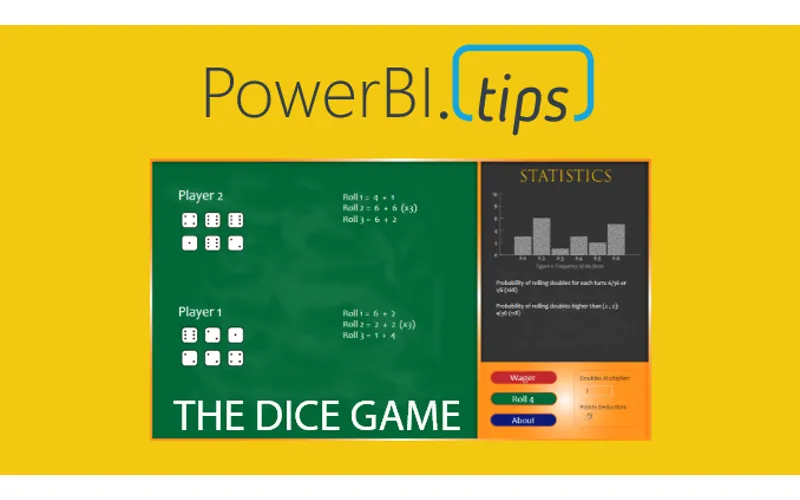
Well, it’s Friday, time to take a little break and play the Dice Game! The Power BI community is creative and is always developing amazing ideas. This is another incredible example that you can play right in Power BI! The brain child of this game is Kerry Kolosko, an Analyst out of of Australia.

Play the game

Below is a sample of the game. Again, fully built in PowerBI. Check out give it a good old roll of the dice!

The Magic in the Game

There are animations moving elements all on the report canvas. Rounded buttons to click on. All sorts of neat visual elements. These creative elements are capable via a custom visual, HTML Content. The HTML Content visual is maintained by Daniel Patrick-Marsh.

Daniel’s work on custom visual development is top notch. So if you are super impressed with this report go download this visual from App Source.

DOWNLOAD HTML Content Visual

Download the Game

For those of us who are really curious and want to see all the code. Download the full Dice Game found here.

DOWNLOAD the Dice Game

Please Follow

Previous

Power BI Version Control – Ready to use solution

More Posts

Mar 4, 2026

AI-Assisted TMDL Workflow & Hot Reload – Ep. 507

Mike and Tommy explore AI-assisted TMDL workflows and the hot reload experience for faster Power BI development. They also cover the new programmatic Power Query API and the GA release of the input slicer.

Feb 27, 2026

Filter Overload – Ep. 506

Mike and Tommy dive into the February 2026 feature updates for Power BI and Fabric, with a deep focus on the new input slicer going GA and what it means for report filtering. The conversation gets into filter overload — when too many slicers and options hurt more than they help.

Feb 25, 2026

Excel vs. Field Parameters – Ep. 505

Mike and Tommy debate the implications of AI on app development and data platforms, then tackle a mailbag question on whether field parameters hinder Excel compatibility in semantic models. They explore building AI-ready models and the future of report design beyond Power BI-specific features.