
Insights vs. Showing off – Ep. 258
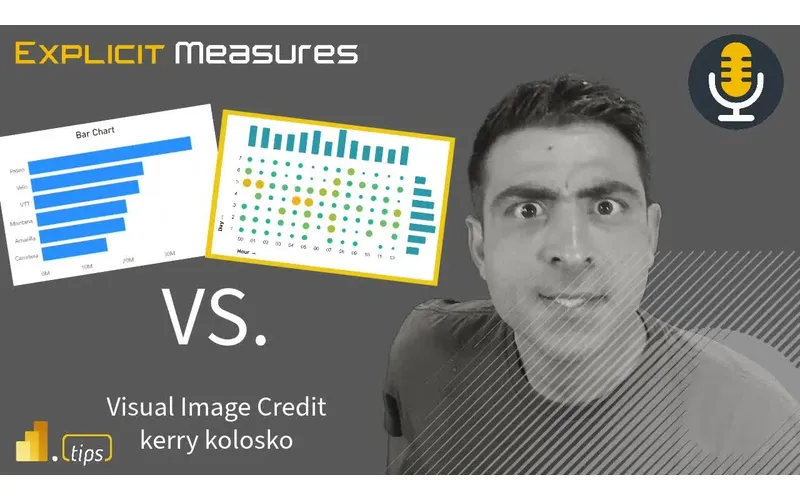
If you’ve ever upgraded a report from a simple bar chart to something more exotic and then watched your audience… stall out… this episode is for you. Ep. 258 is all about the tradeoff between showing the insight and showing off.
The conversation kicks off with a Fabric note: Semantic Link makes it easier to bring semantic model logic (measures, relationships, metadata) into notebooks for machine learning and data validation scenarios. That’s a big unlock—just remember that every new connection adds another dependency you need to govern.
News & Announcements
- Semantic Link: use Fabric notebooks and Power BI datasets for machine learning, data validation, and more — A hands-on guide to querying a Power BI semantic model from notebooks so engineering and data science work can reuse the same measures and model context.
- Showing the insights vs. showing off — The inspiration for today’s main topic: choosing visuals that communicate quickly instead of visuals that merely look impressive.
- Suggest a podcast topic — Send in a question or idea you want the team to cover in a future episode.
- PowerBI.tips Podcast — Browse the full Explicit Measures back-catalog with links to listen on your preferred platform.
- Power BI Theme Generator (Tips+) — Build and maintain Power BI theme JSON so a report suite looks cohesive even when multiple authors contribute.
Main Discussion
The main idea is simple: a visual is only “good” if your audience can use it to answer the question faster. Complexity isn’t automatically bad—but it has to earn its spot.
The crew unpacks what often goes wrong in real-world reporting: we optimize for novelty (or personal pride) and accidentally raise the barrier to understanding. The fix isn’t “only use bar charts.” The fix is being intentional about how much new visual language you ask the audience to learn.
Here are the key takeaways:
- Name the decision first: write the one-sentence question your visual must answer. If you can’t do that, the report will drift no matter what chart you pick.
- Treat cognitive load like a budget: every unfamiliar visual element spends that budget. Spend it only when it buys a clearer comparison or a pattern that simpler visuals hide.
- Clarity can lead; creativity can follow: start with the simplest view that’s correct, then add complexity only if it improves comprehension.
- Introduce advanced visuals gradually: use dev pages, guided walkthroughs, or secondary tabs so users can learn the pattern without the pressure of “this is the KPI page.”
- Teach the visual: titles, annotations, and “how to read this” cues are part of the product, not optional decoration.
- Build a reusable visual vocabulary: if a visual pattern is valuable, standardize it and reuse it—don’t make the audience relearn the same concept in every new report.
- Validate with real users early: if your report needs you in the room to explain it, you’re not done; you’ve built a demo, not a deliverable.
- A pretty report that can’t be interpreted is just UI noise: polish matters, but insight is the only goal.
Looking Forward
Pick one advanced visual you believe can unlock a recurring insight, document how to read it, and reuse it consistently until it becomes part of your audience’s default toolkit.
Episode Transcript
0:30 good morning everyone welcome back to the explicit measures podcast with Tommy Seth and Seth and Mike Seth how many times you do that you do like a deep breath every single time I hear it every single time it’s like I’m gonna speak now is it every time pretty often I do hear it you get ready like you’re ramping up like you got to get that fresh breath of air yeah exactly I think the the the ASMR of that is incredible and I’m sure everyone listening online is loving that sound
1:00 listening online is loving that sound awesome I don’t know if you’re telling me to keep on doing it or shut up it yeah that’s that’s what I figured I I do have an article that is an opener or topic yes Seth oh man oh boy oh boy we’re in trouble now I I have an article that has come across the Microsoft fabric blog I guess it all things would be Microsoft fabric because it’s Microsoft but the the fabric Blog has now released a new Option here or a new feature that you
1:31 Option here or a new feature that you enables you to create a library inside your spark notebook I find this to be very interesting so the feature specifically is you can evaluate a measure from a data model and bring dimensions and measures or write an evaluation statement that will let you return data in your notebook from your data data models the thought being is if you’re doing data science things or you’re doing data engineering things or you’re trying to train a model there’s likely
2:02 trying to train a model there’s likely business logic that has been locked inside the model the cube so if you’re testing something if you’re trying to produce tables of data to train against you’ve already cleaned the data you’ve already shaped it related it to measures or or you you’ve taken the the relationships and built Dimension tables so you now have this hopefully clean data set that that’s what the data scientists want to work from so they want to regain that logic or that business logic if you do anything in power query like those steps are lost
2:34 power query like those steps are lost inside notebooks so with with this feature you’re able to go back into a spark notebook and request data back out from a data model I haven’t had a lot of time to spend testing it it looks very promising assuming from what the blog article has read and the little bit of testing I’ve done where I’m able to select a couple very simple things from a data model your reactions I’m curious Tommy sath what do you think is this something that you would you would see us using in the
3:05 in the future I think this is something that we’ve a lot of people have been asking for with all the notebook tools I think also with data engineering because you could technically just take something from a data set right from a powerbi data set yeah the tables and add it make it a data it a data frame this actually solves a big need when it comes to I know that there’s a lot in the manage cell service space they have the data scientist and they want to work off of obviously the a data
3:35 want to work off of obviously the a data set and they were like well we have the tables powerbi data sets are don’t really solve that for us we need those tables y well now we can have a cleaned powerbi data set that they can use for data science machine learning and and output which is incredible it’s a full round robin It this is just so what I see at mean it this is just so what I see at fabric is inside fabric anything can link to anything and this is where there’s like a web of data occurring here right you can make a data flow and
4:06 here right you can make a data flow and then you can land it in your Lake and then the lake can be referenced in multiple workspaces meaning there’s many data sets there just there’s so many linkages between different things here I really think that organizations at a minimum need to think about how they plan to distribute and share the information across the organization because this to me just Echoes one more area of if you change your certified or your data model any changes to that data model potentially could break notebooks now because now a notebook is now yet another source of data where the data
4:37 another source of data where the data could come out what so that’s where my head goes I love the idea I just also think this also requires us to be more diligent around our governance yeah I agree with both I agree with both the points right like I like it like it because it it allows you to connect to the calculations right and and there’s a lot going on in Dax calculations and models potentially like yes a little less probably in power query if we’re sourcing stuff back into
5:07 sourcing stuff back into notebooks but who knows but yeah there’s a lot of business logic there’s a lot of different things that if you can just plug into those outputs much in the same way that like as you were talking and describing the feature you’re already doing for like embedded scenarios right like a developer can go pull a measure from a model right now anyway but to pull it back into Data Data Systems that’s pretty cool but the other side of that mic like you just spoke to is it I don’t like that spiderweb of dependencies
5:37 spiderweb of dependencies and are are we are we creating a model for a report or is the model for report and data data like like now we’ve got thing that is oh that’s a good point playing two different roles and that’s where I think that’s where I think it you have to be much more thoughtful about like making sure you have an understanding of how it’s being used so that to your point you don’t change something for the report and all of the sudden take out a whole series of other
6:11 sudden take out a whole series of other data science calculations or other things that are happening in the notebooks because your your data set is now a data source for somebody else right toally agree the other thing I’ve seen the article here as you look towards the bottom of it there’s the other thing here one of the questions I have especially when I’m looking at trying to let’s let’s imagine I’m writing code against a data model right what is the challenge you would have I don’t know what the measures are doing and I don’t know where the relationships are inside the model what
6:41 relationships are inside the model what tables linked to what like what factual pieces should I understand so there is another you can explore and validate some of your data too there is another one you can ensure your data quality is is having accurate queries here but you can run a fabric. list Rel relationships and then it will actually be able to plot the relationships or plot relationships unor metadata and it produces a visualization maybe around the tables and the relationships between
7:11 the tables and the relationships between them which that I think is very important when you’re trying to expose so one of the challenges I think I find for users who are building thin reports against the data model is there’s very little documentation to them to understand which measures which are dimensions and which ones are facts once you start understanding that concept I think it makes it much easier for external or thin report Builders to create reports because you do have to understand the context to the model and yeah not every model is a very simple star
7:41 star schema they get complex there’s tables that jump there’s tables that go between different things right so having some documentation around that is very helpful and I think this is going to potentially ease some of that inside the context of a notebook so that will be interesting this also potentially begs the question of why not make a notebook to touch all of your data sets and rip out all of the relationships across all data sets in your entire organization like I do see this as
8:11 organization like I do see this as potentially being another opportunity here to document a lot more of what’s going on in your data ecosystem potentially right can can I can I go can I use this notebook to go GP grab out all the the functions can I use this notebook to go grab all the relationships across all my models maybe that would be that would be interesting so I don’t I I still explored a bit more we we’ll get into more in the future I guess but for now good article the article link is in the chat and
8:41 the article link is in the chat and it also is in the description of this video in case you want to go check it out out later on to our main topic for today Tommy give us a quick introduction on our main topic so we’re we’re picking something from a great visualization company called storytelling with data and this is their this is their kind and this is their this is their their article today walk us of their article today walk us through guide us through Tommy what’s the topic for today so the title of the article is called showing insights
9:11 article is called showing insights are showing off or verse showing off and we’ve talked about visuals and getting Advanced with themes with colors with the functionality powerbi but I think we haven’t really focused on how advanced we can get with from the visual point of view this is a constant conflict I think that we all have in the bi space where we don’t want things to be too simple we’re just all bar charts and maybe some conditional formatting because it looks too too basic so we say like how can
9:42 basic so we say like how can we flash it up a little to actually show like look at all the insights and functionality here that I’m a powerbi pro especially for us like we’re at Microsoft MVPs we should know everything and do everything in the visuals however the idea of when we’ve talked about the audience considerations where what is simple what is insightful and what is showing off for the sake of showing off the the author here and I believe the author of The Blog here
10:14 believe the author of The Blog here is Mike serenos but I think they’re also the people who work with the book from Cole news news bomber the storytelling Co Cole nlac yes well middle name is in the book in the book title so title so I don’t know if it’s you have the middle name usually you want to mention them Cole n bomber nafac who has the very famous book storytelling with data I think it’s off their site and basically just goes over for audience the power of
10:44 just goes over for audience the power of simple simple visuals it’s not just from the audience point of view but it’s ensure that it goes back to catering the audience’s understanding and this lean the last I was leaning into the last name because Mike Mike cisos I think if it’s CI I would I would imagine it’s not kiss kissos cisos just want to just want to call out the actual names of the authors Seth’s better with words I would trust Seth on this one Seth’s good with words maybe
11:15 this one Seth’s good with words maybe that’s why I have to breathe so heavily you need all that oxygen for the for the for the reading I love it so I I can’t quite tell is this and maybe this is just my opinion of this this article feels to be written to seasoned data developers is what I think it’s written too and the reason I’m the reason I’m going to state that is because there’s halfway through this article it starts talking about you right you start building visuals right
11:46 right you start building visuals right as being one who wants to study their craft you go out and you research and you go find other visuals that are cool and you look across oh look at that you and you look across oh look at that Carrie I for the last name know Carrie I for the last name Carrie who does all the denb stuff has built this amazing Beatles album visualization using dab I’m like whoa this is awesome like this is cool how could I use something like that I’m like there’s no there’s no real world visual that I would have a report around that’s going to need a Beatles
12:17 around that’s going to need a Beatles album cover that are going to rotate you album cover that are going to rotate songs and data types across a like know songs and data types across a like looking like a record right but it’s really cool so being one who likes to study what other people are creating across the the the space it really helps for me to listen to this but at some point right the normal H I’m going to build another bar chart this is another scatter plot like you kind like I use those all the time and so I feel like at some point I
12:49 time and so I feel like at some point I get a little bored with the same old visual every single time and I’m looking to try to spice things up a bit by looking at a different V getting a different visual thanks powerbi Park yeah Carrie Costo you caught the name there so Carrie has amazing library of denb reports and visuals and she inspires me like I love what she builds it’s awesome looking and it’s beautiful and but I I want to see that in every report and I have to realize I have to recognize to myself sometimes I’m just being showy or
13:20 myself sometimes I’m just being showy or just overdoing the visuals and I’m not really thinking about what is the Insight what do I care about care about and how can I just straight up simplify my message and it’s a lot of know your audience right I can read a lot probably different visuals than other people can who haven’t had a lot of time studying visuals so what is the visual language that we’re going through like has has my my audience been trained on data visualization so this is where my mind goes I think this article speaks a lot to me around Michael just keep it
13:51 a lot to me around Michael just keep it simple don’t overdo it build solid visuals to insights and then then there’s always going to be opportunities if you get bored find a side project do the fun stuff there maybe so that resonates I think with what Mike is saying in the article right which I agree with obviously he’s got many many years in this visualization space you same same experience and it the Temptation is is very real for for you to want to just Branch out and try
14:22 you to want to just Branch out and try different things I I think the other one that I thought about is a a a slly subtler one that could be a trap which is it it it is really important for us to continually stay up to date on the new visualizations for powerbi right all the time new things are getting added and I C for example found myself in situations where I’m like oh like I it’s the new thing I’m I’m I want to use this
14:53 the new thing I’m I’m I want to use this now and I want to like and there’s added complexity complexity to it that that is is the challenge here where selecting a visual because it’s cool or because it’s new potentially creates issues with the audience and I think that’s the pivotal Point here is like you you have when choosing things we always have to be cognizant that we’re choosing for the audience and not choosing for ourselves that is a that’s think that’s
15:24 ourselves that is a that’s think that’s the point of the article honestly choosing for the like know your audience know what they can handle and you have I think this is a part of the mean I think this is a part of the discovery part of when you’re talking about a report you need to discover these things I also think sometimes you just bend to the will of the report consumers right when they’re like yeah we just want the pie chart yeah we just want a donut chart okay I don’t really recommend it but since you’re asking I’ll give it to you like if that’s how you want to consume the data I have preferences around that but I’m not going to push it or force it too
15:55 I’m not going to push it or force it too hard because you’re in my case case they’re paying me to build them the report so like I’ll recommend it not but if they still want it yeah I’ll give it to to you but iiz the point is it tempting though for you guys I obviously we’ve talked about this with the cognitive load for users but isn’t attempting to like create more flashy visuals yes we can stay standard with the standard theme the standard colors but do you
16:25 theme the standard colors but do you have the Temptation or where where does that arise we’re like man really should do something else on this report page because every page here is a bar chart and a table and a kpi card and like how you’re using Temptation Tommy it’s like are you are you tempted yeah there there’s a are you enticed are you enticed by the visuals on the report well like like let’s let’s let’s take a step back and break this down right I think for for us that deal with a lot of different types of
16:56 deal with a lot of different types of visualizations and I’m not even an expert in all of them right in terms of displaying them if if we look at the Sunburst plot or whatever the gauges that he’s created in in the report and yep he he goes into like comparing them on a basic level like aesthetically they look great but what are the challenges around them that are difficult for people to understand right like there I I think
17:28 understand right like there I I think what I want to do is break down like there are difficulties or things in visuals that people are not familiar with and they don’t know how to read them and I think that’s what we’re trying to convey right yeah I and I think I think the idea here is we are my principle here is we’ve talked about this in the past around the the visuals and the combination of visuals are our language instead of writing words about what’s going on we’re trying to Comm
17:58 going on we’re trying to Comm communicate through what is this visual showing you or representing to you I think having questions like and if you look in in the article he starts talking about there’s two charts here talking about public schools teachers per child for all the regions Northwest Midwest south and west what they’re doing there is they’re actually there’s again even in that little those two bar charts that they have going on there there is too much information with the colors being too
18:28 information with the colors being too distractive with everything so instead of doing that you can then focus on a separate visual or changing the visual language slightly and highlighting the lowest students or the teachers that have the lowest amount of students per teacher and the ones that have the highest amount of students so you actually the message here is what you’re trying to say is what are you trying to convey with this visual the message is look at these states they need more teachers or look at these states they have low teacher to student ratios if that’s what you expect right
18:59 ratios if that’s what you expect right so the message is something Beyond just look at how many here’s information as opposed to here’s the insight and here’s the here’s the the key point I want you to walk away from and I think that’s thinking through those key points or what I think we would call them insights right what is the Insight I want to give you when you walk away from that visual I’m looking at that visual going oh my gosh Arizona
19:22 at that visual going oh my gosh Arizona California and Utah have really high teacher to student ratios take that for what you will you can interpret from that what you want but are those places you want to live and do you want to have that many students per teacher and then you can go into other things like how does that study pan out does that make sense do you do you want students with high teacher ratios do you not I with high teacher ratios do you not that’s another whole conversation mean that’s another whole conversation but the idea here is the pointing out of here are locations that you could live that have those those higher ratios
19:52 live that have those those higher ratios or lower ratios so let me ask this question a different way right yeah in the example in this article it it is one of those black and white examples of like hey we have these two visualizations and if we want to compare them or contrast and see what like the actual insights of comparing these two data sets together is which he does later on in the article in two bar charts we wouldn’t choose those two visuals you wouldn’t because it’s very difficult to
20:24 wouldn’t because it’s very difficult to to do exactly what he’s outlining it’s very difficult to do a comparison of like how do these things line up agree so I I guess I don’t I don’t know if I like I like the example but I get it because like I guess my my follow-up question is here where because if I’m selecting a set of visuals right for comparison I don’t I’m not going to land in these in these two right but I might land in some others that are challenging to the
20:54 others that are challenging to the audience to other understand versus a bar chart like so I I think what I’m driving at is how does somebody know when you have a selection of like you could go to two three different visuals and two of those are like you have a standard you have a bar chart and then you have one that is like slightly harder to understand then you have a harder one but maybe the harder one produces a little bit more insight visually it’s just you have to walk
21:24 visually it’s just you have to walk through it when when should you push your a your a like we keep talking about black like oh these really complex ones versus bar chart but I think there’s the Nuance of like there’s some things in here that we’re and I’m like off the fat my head I can’t think of like a great example but when when should you push your audience a little bit to to handle a visual they might not be familiar with to reinforce what you’re trying to communicate with the
21:54 communicate with the data let me let me give you a a vanilla tell sorry before I give an example Tommy maybe you say something I think if we were always play the cognitive load Theory where we’re always going to build everything based on the basics then we always would have the bar chart so when do you push people I think it’s a either it’s a slow release or my first thought Seth was that it’s like it’s on a very specific use case for a very specific
22:25 specific use case for a very specific like ask that someone has like we’re trying to see new users with all these conditions and there’s no visual that cuts it so we introduce it there but then I was thinking about them I’m like you that’s Pro those are so few and far between it’s I I go back to like when does a other type of visual like let’s say the the Sunburst visual right when does that have a better purpose or serve a better purpose than a normal bar chart is it just to display the data or for
22:55 is it just to display the data or for someone to actually View let me I’m going to maybe answer your question Tommy maybe not I don’t not sure if how like so if if we know our audience right so certain audiences I think we again I think we’ all agree people are very familiar whether you’re looking at newspaper articles or other things I think people are fairly comfortable looking at a bar chart understanding interpreting what’s going on there pretty basic I think when we’re trying to add other things and let me give you
23:25 to add other things and let me give you an example that I was thinking about earlier was let’s let’s imagine you have a theme park right in your theme park you’re trying to advertise and fill up that theme park so that enough people are in that theme park so you have a set limit all the time right of how much how filled up that theme park should be and so the idea is you’ve you’re trying to you’re you’re trying to get to a Target or you’re looking at which customers at that theme park are
23:56 customers at that theme park are spending the most amount of money so do do we spend more time on these customers that spend more money or not so there’s other Concepts here where you may say well what we want to do is the number of days before the theme park opens or that day whatever that is we want to make sure we have enough tickets sold for that day so you’re always walking up to that moment in time where we need to fill up the the the capacity of our theme parks so you the capacity of our theme parks so as you look at graphing like that know as you look at graphing like that or you look at this you could do a plot or a scatter plot around the idea or the
24:27 or a scatter plot around the idea or the concept cept of okay how many days away from the opening of the theme park know how many how how what’s the percent filled of that theme park right and so if you plotted that on a a graph you could actually say in regions of the graph on that XY coordinate you could say here’s an area where we have a few days until the park opens and we have low fill rate we have low amounts of tickets sold for that for those particular days looking at the Graphics
24:58 particular days looking at the Graphics in a two-dimensional space now really helps you focus your attention down to these are the days or promotions we need to run to be able to focus your attention or Focus the sales team to sell more tickets to fill up those days inside the theme park right so a a a new graphic like that is interesting to think about right it probably even answers the question the right way how do we fill up our theme park fully every day that we’re open but what what I think we lose from this is when we’re
25:28 think we lose from this is when we’re always used to looking at bar charts there’s a leap there’s a knowledge share there’s a there’s some thinking we have to convey to the end user that we need to educate them with bring them along for the ride so I think when we’re trying to use more elaborate visuals this is where a page potentially could help with a couple examples of here’s what this visual is showing you here’s how you might want to interpret this right so I think there’s potentially portions here where we just throw out reports and say we’re good to go we’re done move on
25:58 say we’re good to go we’re done move on but I I can’t underestimate the value of if we’re trying to push the boundary of our audience and trying to give them something more that we feel is insightful and really helps them an analyze their data or really gets them to the end objective in this case filling up my theme park we have to bring them along for the ride we have to explain why that visual is there and then over time people can then start using that and becomes their new frame of reference right we’ve we’ve now changed part of the the people Pro
26:30 now changed part of the the people Pro the people part of our people processing technology we’re scaling up the people so they can handle better visuals so to your point Tommy like what where’s the where’s the line right I think the line is ever shifting I think you try and use visuals that are mean good things to your team and your team members but I think you always try and push that boundary a little bit and as you’re doing that you have to remember to bring people along for the journey bring them into that discovery and think through it and add here’s other ways you
27:02 and add here’s other ways you can look at your information I think simple principles could be like position and direction right in this example here you see Public School teachers per child maybe there’s other things you want to look at spend per per state right maybe the spend in Vermont is much higher for their teachers program versus what you have in Arizona or California so therefore they have a lot more people but they also have a lot more money per person to be able to afford more features per person right something along or there’s other factors that may be going in here
27:32 other factors that may be going in here that you may want to also convey in addition to just showing just a pure number by each column on the bar but at the same time so you’re okay so let’s do the scenario you begin to push people let’s say it’s a custom visual or let’s say even the tree map right I think that one doesn’t get enough love and it’s not a very common visual you see in reports utilizing the tree map you introduce that to you users for a specific use case well does that need to become in a sense part of the
28:03 need to become in a sense part of the Lexicon or the visual lexicon for users where it can’t be just in one report it has to then be in multiple reports right like if we’re going to use one particular visual or one one type of this is a great Point Tommy yeah I like this like how what’s the reusability of these things that you’re but this is where the style I think comes into it right this is where the visual language right makes sense right what is this is where leaders or bi leaders in their company should be to your point Tommy exactly we should be focusing on what
28:36 exactly we should be focusing on what how do we want to convey data and this is why the ibcs standard exists the international business communication standard ibcs I think that’s what I I think I said it wrong I think got the letters order there but ibcs is like a standard you can adopt it if you want but it’s a great way of communicating people have studied this people have figured this stuff out out you don’t have to go figure it out for yourself but this is a way for companies to
29:02 but this is a way for companies to communicate value on top of their data and it here’s and it’s it’s the idea is here are specific ways if you’re trying to share this information here’s a way to represent it if you’re trying to share this information here’s a way to represent it and that way as you think about those visuals you can actually sit down with the team and like figure it out together right you’re you’re actually at a point where you’re saying we understand how these work and everyone understands the nature of the visual and then in multiple reports you’re seeing the same thing over and
29:33 you’re seeing the same thing over and over again to to your point Tommy right if the tree map is going to be part of your visual language we should be thinking about how we can incorporate it in an elegant way in multiple reports and I think as us as report Builders we get bored and we keep switching things up all the time and switching things up all the time for a company isn’t necessarily a good thing you get people lost like you you’ve been giving them bar charts and all of a sudden now a new chart shows up and no one’s seen it before so how you again the cognitive load you slow down what is it trying to tell me try to understand it and if you
30:04 tell me try to understand it and if you don’t have helps or if you don’t do training with that report moving forward maybe users just ignore it I I don’t understand it I’ll just move on just give me my table of data and I’ll go from there I think the point that is being made here that is resonating right is as you’re increasing the visual challenges potentially right or or opening up new visuals to the audience you have to be much more intentional about how you’re presenting them right and that goes back
30:35 presenting them right and that goes back to like document documenting or showing how PE how to read a visual right and it’s almost like a link off a page or something or creating a repository of like hey if you don’t know how to you like hey if you don’t know how to read this visual or if you want know read this visual or if you want more information you have to have that supporting documentation along with that right but yeah I I would agree with those just thre in the link in the the chat window here is talking about the I ibcs standards here and there’s actually
31:06 ibcs standards here and there’s actually a lot of really great resources inside here that you can look at what is a scatter chart what is a bubble chart let’s talk about a tree map what does a vertical waterfall look like small multiples and it gives examples or standards of these things really I think helping again the idea is does our AUD audience understand these visuals and I think to the article I think a lot of times I start trying to get showy and fancy and and
31:36 get showy and fancy and and throw very pretty things at people which is good but that also detracts a lot away from like the simple messaging of the report what what are we trying to compare is there a r go ahead no just is there there’s a reverse component to this too right where if you’re not familiar with other visuals the I I would say like there’s still a lot of value in becoming much more familiar with other visuals and what they have to offer because it just
32:06 what they have to offer because it just it broadens your horizons to be able to to be able to choose the right visual right the bar chart it a bar chart is very simple and and can bar what the simple visuals that everybody is used to are are the most popular because they’re the easiest to understand and the vast majority of our data fits into the visuals in some way shape or form yeah you can you can show things quickly and easily through them but there are certainly cases where some of the more
32:37 certainly cases where some of the more advanced visuals especially in the powerbi realm are very useful so like I I don’t I I want to make sure that we’re not conveying like hey it’s always the basics or nothing but when you do Elevate to different types of visuals I think what we’re saying is it’s important to bring the audience along for the ride instead of making assumption that they’re just going to understand it because like one of the other things to think about is the more complex you you create in more complexity you add in a
33:07 create in more complexity you add in a report and that could it could be just the Dax calculations right like what how are you summarizing aggregating data that alone creates kind that alone creates dissonance for audiences and going I of dissonance for audiences and going I I I think this what is what this is and like I think we have to be cautious as report authors to not make assumptions that everybody in the audience looking at the page knows exactly what these things are without some
33:37 things are without some representation or supporting information yes and and I have been part of creating reports where like there are some really significant and and hard requirements that have gone into building something and then at the end of it we’re like how would our audience ever understand trying to con yes exactly right and there there’s a lot of that so it’s not just visual based it’s it’s thinking about the the entirety of what you’re
34:07 about the the entirety of what you’re presenting and ensuring that there aren’t any like gaps you’re leaving to so that the audience isn’t getting value from from them I guess was my point no I I think but I think this is also like I think this goes both ways right on one hand we’re trying to tell the report authors stay simple know your audience simplify as much as you can on the other hand we’re also telling the report report consumers educate skill up knowledge up
34:39 consumers educate skill up knowledge up learn more about what is possible with visuals and use visual language as it’s a language learn how to communicate with that I think I think it goes both ways so I think we’re trying to find that happy medium of like the balance between both of those is that something that you’ve seen is that part of some of your data culture initiatives where you’re actually having visualization courses like that would be a good way to do it yeah start start start having like in your community town hall or whatever exactly walk walk through how
35:10 whatever exactly walk walk through how to read a visualization Etc and maybe that’s a good way to introduce new visuals into the organization right say hey like here’s here’s something you’re going to see and here’s why we’re going to use it here’s the business value behind it where are you going to and like that would be a good for protot type right like as you’re building something utilize a forum to just walk through it or video right like build rather than just build documentation have a video of like hey here’s this visual in this
35:40 like hey here’s this visual in this report here’s how you read it here’s how you can interact with it and I think I think that’s where I’m that’s where I’m going with part of this is saying this makes sense to have if we think about like there needs to be some regular Cadence and this is why the practice I think is important this is why the center the C the the the person who’s leading the helm for all the powerbi pie right so the the individual who was doing the we will we will encourage people to leverage
36:10 we will encourage people to leverage powerbi I’m the executive sponsor I’m going to push people to educate and learn on things great that’s exactly what we should be doing we should be pushing for people to continue to further what’s going on with that I really think that this is important to monthly Buy monthly someone’s thinking through this or your organization and again you don’t have to know it all there’s a lot of great resources out there maybe you do a book study and maybe you say look I’m going to go take a book about visualizations and as a company or as a
36:41 visualizations and as a company or as a team or as people who are doing this regularly let’s all read the book and let’s just meet once a month or let’s just meet at lunch and talk about a little bit more like trying to make some culture changes around there that are getting people to think about these things and just trying to push into it a bit make it fun make it enjoyable but that I think you can I think there’s a value ad there that the companies should invest in because what’s the penalty what’s the penalty for everyone learning better visual language other than your time and the expense to make it happen I think it adds it raises the bar for a lot of
37:11 adds it raises the bar for a lot of different different things I think it makes people more capable think you add more value to the organization you can communicate more complicated things with more advanced visuals potentially and maybe you can start drawing your attention away from things that are less meaningful right why are we focusing on these 10 products that make only 1% of our Revenue sales like people start focusing on the wrong things when we’re not leveraging data the right way let’s focus on the three products that make up 75% of our sales let’s focus there let’s let’s spend the effort on them so I’ve
37:42 spend the effort on them so I’ve even had this conversation around data quality to to make another analogy here right someone says oh we’ve got we’ve got over a 100, 000 records that are causing errors okay let’s look at this in the grand scheme of things you’ve got over three billion records 100, 000 not a problem like you you’re talking about a very low error percentage rate on those records now if you have 200, 000 records and you have a 100, 000 errors like that’s 50% of your your data issue right Focus your attention there so I think some of this is a perspective and scale and I think
38:14 is a perspective and scale and I think by using data and education around data visuals and thinking through data things you raise that bar and people can focus on what’s really important as opposed to potentially some of the remedial things thoughts is is it a governance thing and that’s what that’s where I keep going back because I’m as this conversation going it’s like for me as a consultant doing a single report sure I can
38:41 doing a single report sure I can introduce a visual or I can introduce something something flashy whenever I want so to speak but from a from a organization or bi team I feel like there’s there’s governance on this no like there there’s there what visuals are you allowed to use or staying within a framework because you can’t just introduce a custom visual that’s why they the like the organizational settings for custom visuals if I wanted to introduce the the
39:13 visuals if I wanted to introduce the the starburst visual if I wanted to introduce one of the the sanki diagrams that are available right maybe it makes sense because that particular use case but which a lot of the custom visuals our particular use case where the data needs to be formatted a certain way but if I’m using let’s say the lollipop chart versus bar chart or I’m using a box box and whisker right do I have to does there have to be
39:43 do I have to does there have to be training or even more does it need to be in a sense approval so well I wouldn’t call it approval I I would call it I don’t I don’t restrict bi developers and say you can’t use these visuals but we we do code reviews right so or slash report reviews so if we’re going to build something for an external or internal customer well external especially but
40:13 customer well external especially but internal right you’re not just throwing something at at somebody without having a team member walk you walk through it with the team member and make sure that we’re aligned to everything that you we’re aligned to everything that the customers requesting that we know the customers requesting that we solve for them so I think it’s a it for me it’s a trade-off like you have this type of discussion is it is it worth the the type of challenging visual that we presented and then we need the supporting material or more descriptive
40:43 supporting material or more descriptive words or how to read it or how to visualize it and then walk through and then make that leap and say you have to present it to the business user right and say hey this is this is our recommendation like this is why we’re presenting this in this way we could do it this other way which is more simplified or there may be cases where you can’t like if they want to combine multiple different data sets together and that’s the best way to visualize then that there’s a training period of
41:13 then that there’s a training period of like hey here’s how we do it what else would we need do we need a separate page for other users so that they understand how to use it etc etc so I I don’t think there’s a cart blanch I just say you can’t use it I think I think to some degree it goes through process and then ultimately approval process because it’s not like you’re doing this in a black box you’re working with the business to make sure that you’re solving their problems not throwing visuals at them that that you’re just like here you go see see you later right it’s a very back and forth process more often than
41:44 back and forth process more often than not especially internally you’re doing multiple iterations on a report to find the right the right balance I think I like that approach I don’t think I I governance I to me feels too strong of a word right I think instead of having a hard set line saying you can’t use this you can use this you can’t like here instead of trying to Define all that up front I think it’s more around the idea is there’s a process to ask why does this exist does do have we appropriately identified our audience and will this visual meet the audience’s needs I think
42:16 visual meet the audience’s needs I think there are cases where we want to I think as an organization or even a be developer you want to push your people a bit and show them things they haven’t seen that’s how you initiate some change but if you push too hard or if you don’t do it with enough support I think you just frustrate people so it’s it’s this fine line between pushing enough but not so much that people get annoyed and walk away how how would it like to to turn that in different question like sure I would I would stifle creativity if I did that I would
42:47 stifle creativity if I did that I would agree everything I’m saying here related to like you should go learn learn the Lexicon of custom visuals and all the things that are out there like like your you would be hindering your business because there are absolutely going to be things that your people find if they’re engaged and looking for those things that they’re going to find solutions for that you otherwise wouldn’t have known if you were like you have to use bar charts and you can only use these line charts you cannot use the Shaded line chart you have like you have
43:19 Shaded line chart you have like you have five things to pick from and that’s your job okay well that’s not very exciting part of my job anymore right I think you potentially get some brain drain there as well right people smart smart people who like to build things for you right they’ll move on they’ll be like well this is not creative enough for me I’m not challenged in this space because I’ve everything’s been this is why this is one of the main reasons why I left certain industries in mechanical engineering I was in mechanical engineering for a number of years in the beginning part of my career and there were some Industries I stepped into I was like wow there’s literally no
43:50 was like wow there’s literally no creative thinking here everything again it’s for safety of people and like I totally understood why it existed but on the other hand I’m like I don’t I don’t want something that’s here’s the cookbook just follow the recipe and you get an output that’s the same every time like that’s awesome and it’s a good process I’m not saying you shouldn’t do those things but I really wanted to be like challenged and be like give me no rules give me an empty room a black box a blank canvas that’s where I liked to be some people don’t operate that way some people don’t play in that realm they just want their set of rules
44:20 realm they just want their set of rules and you give me those rules and I’ll play by the rules so I I think potentially that as some of your personality as well I always I always have an interesting thought here Tommy like I feel like a lot of what you you focus on is and maybe this is just your personality perspective on things but I feel like a lot of things are like fall into the realm of governance and and fall into the realm of if we set a rule about it that’s how it works does that does that does that resonate with I feel
44:50 does that does that resonate with I feel like that resonates with you like that like give Tommy rules like these are the bounds by which we play around that’s how we govern things I think it’s because I made those mistakes where I was burned as a data analyst and being Rogue with building reports where I’m like yeah I can trust new and especially when the I wouldn’t call it like a that I’m still scarred from like the very beginning of Learning powerbi but when powerbi first came out when I learned something I was gonna yeah put it in go do it yeah add it in there right away right but that quickly
45:23 right away right but that quickly devolved where I thought it was cool but everyone everyone everyone using the reports was completely overwhelmed so this is a great point in question I I want to dig into that point a little bit Tommy from your perspective do you think that reaction to your reports would have been better had you done some more education or provided some more documentation upfront or or let me ask this what if you built the very simplified version of that report page and added the complexity or the
45:53 page and added the complexity or the features on a separate page H H how do you think how do you think what you would have built would have been received had you done one or both of those things definitely going to work out a little better probably but because I was building that into like basically whatever was production and obviously did not work ter did you did you let me ask this question did you have like a again I think we’ve all done this especially when powerbi didn’t have anything like deployment pipelines like the meme that I work in prod like I only
46:25 the meme that I work in prod like I only do work broad is true for the business right when you look when you think about the business there is no concept of Devon test like hey Mike build a report okay done like ship it that was my phrase for a long time like when something’s done just push it to production because it’s good enough and we if something’s broken we’ll just fix it later and then reissue an update right I don’t think that’s tolerated but Tommy to your point did did you have a test environment was there like early testing of things and pushing
46:55 early testing of things and pushing those off to people for initial reviews and and reactions honestly when when it came to adding new visuals because I L like when the starburst came out or what I people there was no hey what does this do there’s just no reaction there’s no reply and then it was just people would find some a table because it was just too much so it basically immediately went the other way but but this was to me this speaks to the gap between what you were thinking about and what the what
47:25 were thinking about and what the what the user of the report could think about right they were still focusing on I need a table of data because I’ve got to pull the data out and stick it in Excel so I can do some analysis on it like they were still thinking about their existing process you had already gone like three or four or five steps ahead of them and said look what you’re trying to get to is here’s the Insight here’s a visual that represents the output of a lot of thoughts here’s where we need to focus our attention look at this page go do actions from it and that’s not they weren’t there yet they weren’t able to
47:55 weren’t there yet they weren’t able to One Trust the data and read and Visually understand you were reading you were writing a book you were writing Pride and Prejudice and they were they were trying to read I don’t know a picture book right maybe that was there was a gap there does that make sense is that no that that makes perfect sense but again anyone can go Rogue so in terms of adding the random visuals or just the different layout where as much as I want that that
48:24 creativity is this is going to be the constant struggle for me where when it do you want everything just to be too basic or like where everything’s at the bartar everything looks more or less the same but I think it’s just looking at those visuals and when is it a better representation well I think that the data and the insights are going to drive that conversation right like you will find there will be a point in time where it’s not like a bar chart would work but this other visual would be better and if
48:54 this other visual would be better and if it is better what what is it adding more complexity to the end user and if the answer is yes then like what we’re saying and I think everybody agreed to here is you have to be more intentional about how you bring the audience along and as we dissect your previous life I guess like to some degrees it sound like yeah you were in a spot where you’re just firing the new stuff out there because it was cool you looked at the data in completely different ways and that leads like I guess to a couple thoughts around that for the audience right this is why it’s so important to
49:24 right this is why it’s so important to work with somebody right as opposed to just being the lone wolf that does because in your own world like what’s one of the best ways you could have checked and balance that you vetted against somebody it’s like what that’s why why a team is good because you you’re running an idea or a process past somebody before you bring it to the business second I I think we’re like we’ve talked about levels
49:54 levels of of I’m losing the word like literacy you could just it wasn’t what I was looking for the data literacy of of business users we’ve talked about leveling that right before reporting because as how do you go engage with them how do you build a report and many times what I’m hearing from you Tommy is it almost sounds like these people were like they they’d never gotten to the analysis part of how they want to look at the data so they were always just give me the give me the the table they were probably ripping the
50:25 table they were probably ripping the table out and then going to Excel and doing their own pivot charts and pivot tables Etc but it speaks I think to to a conversation I just had yesterday where someone’s requesting that we go pull a bunch of data for them and didn’t really have any idea of any visualization or it was just data and then during that conversation you you hear things like yeah and I’ll start to track that over time and yada yada and it’s like wait hold hold on slow
50:55 and it’s like wait hold hold on slow down hold on what are we doing yeah what what are you going to do with this data oh well I’m going to I’m going to run it like every two weeks or a month right and then I’m going to track I’m like and are you going to start tracking that in Excel file and you’re going to build your own report off it yeah yeah that’s what I’m gonna do why like that’s my it’s my biggest pet pee but it’s my biggest pet peeve because we we talk at at nauseum about virtuous waste it that is the definition of people wasting
51:26 is the definition of people wasting their time if you are asking a team to dump data out for you that same team can do all of the the steps that you would do with that data in an automated fashion and give you a report so instead yeah we’re going to produce the data but there’s a phase two here it business person you need to go and you need to look at that data because you need to familiarize yourself with it to see what insights you would want to derive from it or what shortcuts right now we’re bar chart land right can I categorize this
51:57 chart land right can I categorize this data for you do you want to see this data change over time what are the things you want to so here here’s your data but this is phase one phase two is I’m not going to give you this in Report Form I’m going to generate this once or twice for you then we’re going to come back and you’re going to present like you’re going to have a different request that is actually going to solve your problem and the problem for everybody else looking at this data and it almost sounds like like we didn’t come upon that theory and process and thinking through things until after I
52:27 thinking through things until after I think but it almost like otherwise what do you have right you have people who understand da data segmentation the tool sets how to filter how to use the value behind how fast people can come to insights you you it was like you were presenting all that and people were still like I this is just noise to me it doesn’t make any sense it just give me my table of data because I’m going to go do these things and it’s highly likely those things were exactly the same ones that you were doing and giving them the value in the reports and you just had
52:59 value in the reports and you just had this disconnect which is I I think important for people to walk people through that process and bring them along for the ride and not just think that hey because we know we did all these steps and we understand how it all worked every one of those steps to transform and change and modify data is a disconnect for the audience unless they understand how that works how did you go from like garbage data over here where we have 500 buckets and
53:29 where we have 500 buckets and you gave me four concise buckets out of those 500 well because I transformed and changed and add to this business slot right what I’m saying but we just automatically are in this side going well here’s your four buckets and it’s summarized by this and this and this and we didn’t bring them along for the ride so I think that’s just as important for us to con convey or have supporting documentation for report etc etc there’s a lot more to communicating insights
53:59 a lot more to communicating insights than just throwing visuals on a page at people I that’s I I think we’re almost like that that’s like the ending point I I think that’s it we’re trying to convey more than just dropping visuals on the page it’s to me it’s a lot around bringing people along for the ride right it’s it’s educating as you go making sure people understand like the the concepts of what we’re trying to go after and how to how to bring people along for that ride love it any other final thoughts Tommy that you want to go here before we start
54:29 that you want to go here before we start wrapping I think the the idea of the test page or let’s say like just like we can do with the app audiences that we’ve really discovered trying to utilize as much as possible let’s say like either Advanced features or even like AI functionality the decomposition tree if you are introducing that and I think we should make it we should be making effort to effort to introduce we should probably include that as Dev pages but make a conscious decision to do
55:00 conscious decision to do that I think so and I think it’s also an idea of like if we bring things to the business or teams of people who are looking at reports T stuff out does this make sense to you ask for feedback I think that’s we don’t have to do this in a vacuum it’s it’s we can we can shape what we’re doing and and I do think there is opportunities I think there’s a lot of opportunity here where you push into people and say here’s what I think you need to see here’s a chart that represents something that’s a bit more than what you’re thinking what do you think does this make sense would users understand this
55:31 make sense would users understand this do you understand it maybe we keep it as like maybe we don’t lead with that image maybe we lead with something else that does something a bit more simple in nature and maybe that’s also part of the report as well so I think there’s there’s opportunity for creativity but I definitely say I would fall on Seth’s side of this as I wouldn’t I wouldn’t stifle the creativity I want to I want people to think creatively about things awesome yeah I would just big thanks again to storytelling with data they do a great job that whole team
56:01 they do a great job that whole team and Mike cisos for the thought-provoking article for the conversation today was good yeah very good good conversation with that you’ve wor you’ve wasted interested invested I don’t know what you want to call it okay we’ll go with invested today you’ve invested another hour of your time thank you very much for listening with us I hope your run or walk or whatever you’re doing if you’re listening to us online if as opposed to watching it live now we thank you very much for your ears and your listenership this is very helpful our
56:33 listenership this is very helpful our only recommendation is if you like this conversation if you thought there were some in thought-provoking pieces of this please share it with somebody else also go check out things from the you also go check out things from the storytelling with data it’s an know storytelling with data it’s an amazing company they’re doing some really great education around visualizations I’m learning a lot from them so I would also recommend St telling with data check them out go look at what they’re doing because they’re doing some really neat things as well so with that Tommy where else can you find the podcast you can find us
57:05 can you find the podcast you can find us on Apple Spotify or wherever get your podcast make sure to subscribe and leave a rating it helps us out a ton do you have a question an idea or a topic that you want us to talk about in a future episode head over to powerbi tips podcast leave your name and a great question finally join us live every Tuesday and Thursday a. m. Central and join the conversation all powerbi tips social media Channels with that we’ll say thank you and we’ll see you next
58:00 [Music] out
Thank You
Thanks for listening to the Explicit Measures Podcast. If you enjoyed this episode, share it with a teammate and subscribe so you don’t miss the next one.