
Kill It or Complete It? – Ep. 366
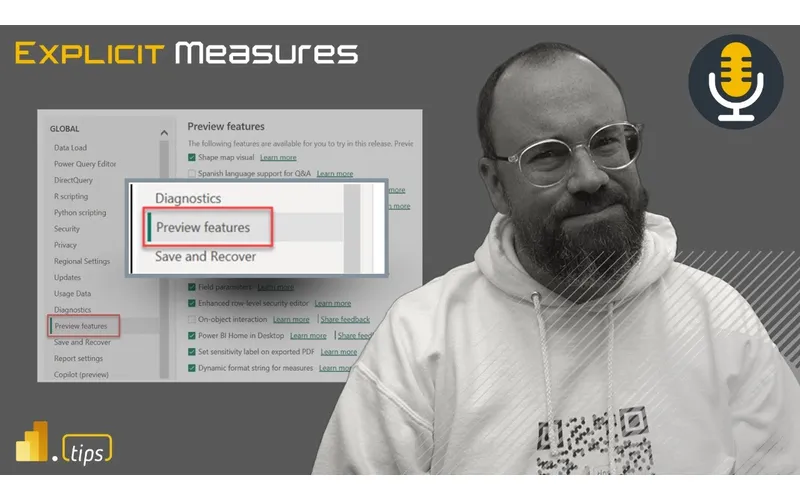
Explicit Measures Podcast Episode 366.
News & Announcements
- Fabric February 2026 | Norway’s #1 Microsoft Fabric Conference! — Fabric February 2026 will take place at ODEON Cinema in Oslo, Norway on Thursday, February 5th, 2026!
- PowerBI.tips Podcast — Subscribe and listen to the Explicit Measures podcast episodes and related content.
- Power BI Theme Generator — Power BI.tips - The worlds best theme generator for Power BI reports. Increase your speed to develop stunning reports using this free theme generator. Themes are essential for any report developer’s tool belt. Visit…
Main Discussion
“Kill it or complete it” is a brutally useful lens for platform work. This episode talks about how preview features, half-finished initiatives, and perpetual “we’ll get back to it” projects create hidden cost—especially in BI platforms where consistency and trust matter.
Key points:
- Preview features are fine for learning, but production needs clarity: supportability, SLAs, and a migration plan when things change.
- Half-implemented ideas multiply complexity (multiple patterns, multiple tools, inconsistent user experience).
- Decide intentionally: either commit to finishing and standardizing, or stop and simplify.
- Use roadmaps and constraints (time, risk, value) to make the decision—not enthusiasm.
- “Complete it” includes documentation and enablement; otherwise it isn’t complete.
Looking Forward
Take one preview feature or side-project your team is dabbling in and run a quick decision review: production path, owner, and timeline—or shut it down. You’ll immediately reduce platform entropy.
Episode Transcript
0:31 n good morning and welcome back to the explicit mistress podcast with Tommy Seth and Mike good morning everyone good morning good morning it’s a morning and it’s good hello everybody jumping in today we have a fun topic I think this was last week or two weeks two so not last week two episodes ago is when this came out so in honor of our very good friend Alex Powers we were talking in one of the episodes we had a conversation around man there’s so many preview features we should really
1:01 many preview features we should really do something like kill it or complete it well here we go this is going to be the episode where we talk about all the preview features that are out which ones do we want to pick through and figure out are we going to kill it or we going to complete it so this is this is like the if I’m Microsoft for the day kind the if I’m Microsoft for the day a of a scenario so that’s our main topic for today know I don’t know if that’s the case actually I I really don’t know if that’s the case I what I think this is more is Microsoft has found themselves in a pickle with a lot of
1:32 themselves in a pickle with a lot of preview features and they are hiring us as the three outside Consultants with cart blanch we could say whatever we want because we’re the Consultants coming in yeah I think that’s what it’s more like okay great now whether or not that actually happens that’s true we let them know there’s been some consolid say whatever we want will anything actually happen we don’t know so that’s going to be our main topic for today we’re going to talk through kill it or complete it I I feel like we need like a little like game show music that would come in right
2:02 game show music that would come in right about now about now yeah all right U with that we’ll just jump right into our promotions last year I was able to attend the fabric February conference awesome super fun event go visit fabric February if you are in the European area and you want to go check out Fabric and learn a lot of things from experts U it’s happening February and there is a promo code that we’re giving out so fab Fab tips is the code go check it out you can get
2:32 is the code go check it out you can get 10% off your tickets before you buy before October 24th so if you are interested in going into the conference definitely check out the website here’s the details in the chat window just in case you want to check it out visit the website and or get your 10% off with your discount code anyways we want to promote really good quality events to be honest the events are the fun part of what we do I think I really am looking forward to it and speaking of events events there’s another big event coming up here in our neck of the woods so we will be
3:03 in our neck of the woods so we will be going to Microsoft ignite at least some of us will I don’t know SE Seth did you get tickets did they let you off work Seth we will we will FaceTime you in for a couple actually you don’t have iPhone we’ll video chat you in May I I may be down there come on be down there I’ll be there but for a different Reon but I’ll talk I’ll talk off secrets secrets secrets are not nice I will be
3:33 secrets secrets are not nice I will be helping run the community Hub at Microsoft ignite which I’m super exced for yeah so a lot of things Chicago powerb User Group fabric user group I can’t wait it’s a TR arace so yeah I’m just taking the Metra and we’ll be there so good call Tommy so I’ll be there I’m bringing some of my company to Microsoft ignite Tommy will be there we’ll be there so make sure you say hi say hello to us we’ll be wearing probably some weird swag gear something around powerbi Toby will probably be some New York Yankees crap that he’s going to have to have on spending on the
4:03 going to have to have on spending on the next 10 next 10 days but that being said we’re trying to do a a fabric user group on Wednesday so there’s look like there’s two big events on Tuesday Thursday we’re thinking about on Wednesday being able to hang out and do an event in the evening after ignite so if you are interested if you are going make sure you let us know in the chat that you’ll be interested in we’re going to push on it a little bit more Det details to come soon Tommy’s going to tee everything up and get a sign up and
4:33 tee everything up and get a sign up and we’re going to see it on Meetup here pretty soon so the Chicago User Group Meetup we’ll have some information for you pretty soon about the event we’re going to push for it and if we have to cancel it we will but right now the plan is we’re going to have it we’re just trying to get all the details lined up and figured out all right enough of the announcements in the news things anything else that I missed Tommy I I’m just really excited for the topic so all right so frame us out Tommy what are we doing today give us a bit of context around our main topic and then we’re going to dive into these features
5:04 we’re going to dive into these features I yeah I’ll give a quick intro and then I’ll hand it over to Seth but so again we have said time and time again on this podcast over the last three years now three years about hey this is a great feature but then we realized it’s in preview it’s like okay we’re just gonna wait for this to be G we can’t wait because preview usually means some limitations that being said we finally had the right idea to look at just is in preview as of now and the list combining
5:34 preview as of now and the list combining Microsoft Fabric and powerbi is extend the amount of preview features so our conversation our goal today we’re going to do a bit of a round R and go through each person picks one of the preview features and we’re going to discuss based on our usage what we know our experience we want Microsoft to push this BGA or is it time to send it to a farm up state now that all being said to Data Center Upstate I think is what you meant to say yeah to the north data center to the data data center in the
6:05 center to the data data center in the sky is that what we’re sending it Center in the sky that’s perfect yeah now this being said just what is a preview feature because I think we all have a misunderstanding of just what indeed Microsoft defines as a preview feature and this is where I’m G to head hand it over to over to Seth here because we actually have the official Microsoft definition of what a preview feature is well I think it’s important to start with the context of the conversation right we’re not we’re
6:35 the conversation right we’re not we’re not not bashing however I think what’s interesting is all of us are I I would argue are probably using preview features pretty heavily some of them and in our production environments right like we’re used to preview Fe we’re powerbi guys we’re used to preview features right click the button build this is this is what we do this is what we do so so while the idea of this right came forward this morning I was curious and I I want to make sure that
7:08 curious and I I want to make sure that any opportunities for constructive criticism that may come out of this conversation align with what Microsoft has told has told us and I’m I’m I’m just going to say I’m I’m starting off on a on a little level of like oh oh yeah okay when they say preview what do they mean so if I look up the a documentation on the Microsoft Fabric and Power Platform the two places that powerbi lives the the bullets are almost
7:41 lives the the bullets are almost identical and the first of those that strikes me is these do not fall under SLA there may be limitations and restrictions which we know but both of them State they aren’t ready or aren’t meant for production use blink blink blinkink do you have the link for these I’m just I’m just curious if you might just throw the link in either the chat or there something I think it would be good also just to highlight that y got here thank you very
8:11 highlight that y got here thank you very much Seth so I’m just going to grab that link and throw it in the chat here real quick thank you very much and this is for the Microsoft fabric preview information and that’s Power Platform okay so here’s the link for the fabric preview yeah I think it’s sorry I didn’t mean to interrupt you there keep going with the with the so there are production I think we we’ve always known we’ve always known there’s limitations to certain things sometimes there’s Geographic issues sometimes if you’re on the government version of things you don’t get the early preview features and
8:42 don’t get the early preview features and things like that but yes I I I think the mental shift that is interesting to me in even jokingly saying like hey let’s keep it or kill it and now we’re talking about it is that was just in this vein of like I we’re always used to preview features right you just turn them on and then they’re they’re there and in some of these cases they’ve been there for a while and I think that’s a big part here where I think there’s the human behavior where like something new comes out like
9:12 where like something new comes out like I’m not going to try it yet but after a year like it must be fine to turn it on or start trying it or you’re not even realiz realizing it’s in preview some of these have been preview for two years and one of the questions I think I have both to you guys are when you’re working in parbi desktop how many of the little preview features are turned on and this is this is that’s what I to all of them all of them I’m in desktop all the time
9:42 all of them I’m in desktop all the time turning on all the preview features I very rarely turn them off the only one that I think I actually turn off intentionally has been the on object preview just because I teach classes and I I think it confuses people when I’m teaching classes so I actually turn off on object and have written all my documentation around the normal way of using powerbi I know eventually that’s probably going to have to change and that will be more of a a standard feature but again how long has on object
10:12 feature but again how long has on object been in preview it’s been there for quite a while so when are we going to feel comfortable turning it off okay
10:19 feel comfortable turning it off okay very good context there so I think anything else you want to add SE around the preview the notes around preview features features no I think that’s enough okay we’ll leave that there the reason I was bringing that up is because I think it’s we’re going to transition to a bit more of a different method here where we’re going to round robin our way around the different features and we’re going to pick on one of them and go through unpacking what is the feature what is missing maybe in the fature and then should we keep it
10:49 fature and then should we keep it complete it what would you need to do to complete it and then what just kill it if you don’t think it’s worth it all right that being said let’s go over to Tommy he’s got Tommy’s got one excited item and he’s like I don’t want anyone to take it so I’ll let Tommy go first just because I want him to get his his idea out you already broke the mold here for me because I wanted to start I think with the hottest take here and okay mine is because it is still in preview on object oh I did pick it I’m sorry that’s the one that’s the
11:20 it I’m sorry that’s the one that’s the one I don’t turn on all the time I know and so this is something I have really attempted to try I have the both powerbi applications the Windows store one y and I have the normal download download one download one of them I do have on object on on because Microsoft’s goal and their mission they’ve said with this is for this to become the default way there will not be the normal way to basically work in the canvas work yeah in 2030 2030 who knows how long when it becomes
11:51 2030 who knows how long when it becomes out of G so this has been around for like I said probably two years now it’s at least been in preview and it’s not been that long really feel like it has I think it’s I’m not gonna I’m not gonna test Tommy on these things because he knows he knows things like I I I know I have the most useless information database this is the stuff that Tommy knows and I get burned every time I bet against them and these things I’ve lost so many Stak lost yeah but so with this man I and for those who don’t know what this is this is a preview feature in powerbi
12:21 is this is a preview feature in powerbi desktop only it a radical change to how you actually work in the canvas in terms of choosing objects Fields parameters visuals for formatting all the data itself it’s trying to be a little more like Excel when you choose a visual where you actually click on the object itself itself and choose the visuals rather than having the right-and pain so with that gentlemen with our first topic I’m going kill it and on object you’re gonna get rid of on object I it’s a more of a frustration
12:53 on object I it’s a more of a frustration for me and again part of this may be because I have not used it for the last eight years like I’ve used the normal powerbi mode but at the same time though because of Windows screen I feel like Behavior makes sense to be on the right hand side I never even like the Excel version of building visuals so why would I like the powerbi version of building visuals so I’m going kill it oh man Tommy so let I I did Google I tried to Google the announcement of when
13:24 tried to Google the announcement of when this feature came out it’s been out since March of March 13 I think is when they announced it so maybe March of 2023 23 year and a half so a year and a half and so we’re close to right when we hit March of this next year 2025 it’ll have been out for two years it seems like a long time for preview yeah you’re saying kill it Tommy I I’m going to disagree with you on this one I do I think the improvements of it have been useful I think there’s a lot of
13:54 been useful I think there’s a lot of major helpful things I I think there’s still some weird interactions on how you enter enter into edit mode on a particular visual but I what I will admit though is there’s a couple simple things that I have been doing that I think are very helpful I do like the feature of selecting something it’s not quite clear how to get into the editing mode of on object so I do like double clicking the white space in the visual and having the border of it change and that indicates to me a bit
14:25 that indicates to me a bit clearer like I’m editing the single visual now which I think does makes sense and then I’m able to then click on data elements on that Visual and other things there so I agree with you I also like when I click on the bar chart or the labels or I click on the the x- Axis or Y axis it actually filters the settings panel to the section where the settings live nice because one of I think my main G grievances I don’t know if this is in preview or not this is probably just normal powerbi and I just I’m old school
14:55 normal powerbi and I just I’m old school the settings are much more harder to find things inside settings now because it’s it’s not alphabetical order there’s a lot of nested menus understand but to compensate for that we now have the ability to click on things and stuff shows up so I’m okay with that I think I’m in a place where I would complete it I don’t think I’m going to kill it I think I would complete it and I think for new users getting into this I think it’s the right approach if I’m going to say complete it I’m going to tell you what I would probably build feature-wise to make it easier to work with I think if I’m going
15:27 easier to work with I think if I’m going to do it yes you can probably click on the VIS I don’t really think that having all the visuals on the report page and then editing Everything at Once is a good idea it feels a lot like what they’re trying to do with like PowerPoint like any object has properties you can edit and adjust them right You can you can manipulate things in Excel with inside a chart I things in Excel with inside a chart that I understand why they’re doing mean that I understand why they’re doing it but I feel like the more appropriate way of going about this would be when you enter into edit mode how you have Focus mode on a single visual MH I feel like if I’m going into edit
15:57 MH I feel like if I’m going into edit mode I should be like hey I’m paying attention to this visual I’m editing it I just don’t have enough click space sometimes to edit the visual correctly I don’t feel like I’m clicking on the right things so I feel like if I’m entering edit mode I want it to just zoom in give me the entire visual do do the focus mode for me and then I’m then now I’m now that I’m in Focus mode I have a bigger visual I’m focusing on the one thing and I think I’m less if I’m editing a single visual I’m less interested in all the other stuff on the
16:27 interested in all the other stuff on the page I just need a bigger View view of the single visual to click on the properties that I want and then have things show up and not show up I can’t tell you the number of times that I’ve been in the on object items and there is no title but when I double click into it it shifts everything down and says add title here so it gives me all the back the bounding boxes of things I could add or adjust which is good I think that’s what they’re trying to do like hey did you could add a title I understand why they’re doing it but I don’t like the experience of that when I’m on a report page I
16:57 of that when I’m on a report page I think that would be better more appropriately served as if it was the focus mode and in Focus mode I edit the visual so that’s just one of my one of my grievances there so couple questions because I’m I’m on the fence but I’m leaning towards Mike to some degree oh this is gonna be an episode we gang up on Tommy the entire time no no no but I think I think the answer to these two questions kind the answer to these two questions changes my mind of changes my mind maybe when if if
17:29 maybe when if if with this goes goes out of preview is it the only way yeah exactly you are interacting gonna powerbi visualizations or is it an option I knew you’re gonna ask this and to Microsoft’s point they want this I’m asking I’m asking the guy who wants to keep the feature not the guy who wants to kill it well okay I want I wanted to just clarify your question you mean the menu goes away I I would still you’re assuming I’m assuming what you’re saying
17:59 assuming I’m assuming what you’re saying there is I’ll still always have all the options and all the men menu on the right hand side it’ll still always live there right that that’s experienced today okay but you’re saying what do you mean it’s the only way well if I turn on on object which by the way is one of the only features I don’t have enabled because second question is that new experience of how you interact with the visualizations and everything the default like there is no other old option anymore like settings or like
18:29 option anymore like settings or like format pain now I think you can get away I I think you can get away with it I I do I do think it’s a bit aggressive so I think it’s a yes I think you can get away with it I think there’s definitely some user interaction pieces that need to be refined a bit more to make sure that it doesn’t like if I’m in edit mode it’s not automatically adding titles when I don’t want it to like how do you add data labels to a bar chart if there are no data labels and how can you format them if they’re not there like so those are things you just have to go to the menu to go find and them out so like
18:59 the menu to go find and them out so like I understand that part it’s it’s probably just part of how it is but and and chat Kratos thank you for joining us also says that yeah Microsoft came out and said yep that that is what’s going to happen and I think that was the knee-jerk knee-jerk reaction that I had but unlike Tommy where I’m like instakill it I do recognize that I’m one of the the old codgers that have been around a while we are the and I have I have a pattern
19:31 are the and I have I have a pattern right like you have a where stuff is right so when you’re building your report like this is its second nature its memory it’s all ingrained and with something like this yeah I it’s not on because I want to be as efficient as possible if you’re going to force me right like this is one of those priew features that I would I would love if Microsoft was going to be like okay it’s been there for a year and a half now when we come up on two years we are implementing it that I go okay fine I I will turn it on I will
20:02 okay fine I I will turn it on I will learn how to I will relearn my my you learn how to I will relearn my my mechanisms for how I interact with know mechanisms for how I interact with the page because I just I haven’t done it yet there’s a lot of other stuff and the last thing I wanted to do is like disrupt my flow of being as efficient as possible when building a report and that’s what it did well that’s why you go over and use generator that’s why you use that instead know this this this is I got other I got other tools that help me out now I need to only build a desktop anymore
20:32 desktop anymore yeah okay if if we’re gonna if we’re so we’re we’re on the fence I would say if you’re GNA roll it out let’s let’s go
20:41 you’re GNA roll it out let’s let’s go let’s go with it okay I think because this is also one of those what there that you guys do a ton of trainings if we’re going to bring new people in right like are you bringing that in on the preview feature that isn’t supported in production or are you bringing them in to teach them because that’s how the platform works s mhm yeah so who’s next good first one good first one Seth how about you take the next one what’s what’s the next preview feature what I was shocked is on this list okay spark
21:12 on this list okay spark lines oh what the like come on guys get it off the list or like if this is not GA this is all over the place in my reports oh yes true imagine imagine the day you’re like H I’ve got thousands of reports I’m turning off all the spark lines yeah all my reports would die this one had me scratch my head and this is this goes back to our earlier one where where we were just like man I didn’t realize this list was so like you enable it and then you just don’t come back to
21:42 it and then you just don’t come back to this page or if you list if you do it’s just it’s just to look at the bottom where the new one is so you click it right you don’t look back nothing’s wrong with spark lines Kratos say we’re choosing features that we either kill or complete I’m saying completed yeah this is this is a this is a 100% anymore should not be preview it should be it should be completed so just a a quick catchup for any of those any of our audience that is is joining us
22:12 of our audience that is is joining us just now we went through the documentation that states what a preview feature is in Microsoft documentation for fabric or for Power Platform obviously powerbi as well so there it states in there they’re not in SLA there are limitations and they’re not fit for production use so that drives the conversation that we’re having now picking preview features that are kind picking preview features that are like huh or should be brought off the of like huh or should be brought off the list and completed or we’re saying should be just killed because nobody
22:42 should be just killed because nobody uses it so that’s where we’re at so yes chat and Kratos spark lines are still a preview feature so I just put the a lot of the driver for this conversation exactly people are going to get hot on this like don’t take away my feature if it’s not well and but I think this is the this is the good conversation right which is like what’s the I use them everywhere yes and they’ve been out for a very long time why are you not like finish it take it out a preview please
23:12 finish it take it out a preview please because all of this is in my production environment if you’re saying I can’t use it in production it’s there and I would argue a lot of people use them because they’re extremely useful and they were something that people were clammering for for a long time yes I agree with this 100% And I I think also along these ideas here too is again we don’t know what goes on behind the scenes here we don’t know how much Tech Deb or what other features are missing or whatever and again I know I do know this Microsoft has a number of projects and things that are moving right now and so some of these
23:42 so some of these more creature and life improvements or smoothness of improvement whatever you want to call them like just things that make the tool run smoother like spark loock works it’s in preview there may be just a handful of things that they know are just like there’s a couple edge cases of really tough bugs that they’ve got to figure out and they just haven’t been able to spend or allocate the money to officially complete them but this is our Point here when you have a scrolling list of preview features probably should figure out how to get some of them just knock off the list and say they’re done so i’ be I’d be very happy to see
24:13 so i’ be I’d be very happy to see General availability of spark lines I think I be very much there age with that as well was one of that’s definitely one of those you’re like how is that not just GA yet but the other one I think I’m also shocked that is not there is field parameters yeah I had that was another one that was another one I’m like I like this feature immensely it’s super powerful and this is one whereever I’m someone’s asking me about hey we got to switch this metric and do the right to field perameters I love it it’s a it’s a solid feature I
24:44 love it it’s a it’s a solid feature I have not again as as much as I’m using it I’m not experiencing any bugs that I’m aware of again there may be bugs around it but for what I use it for it seems like it’s dialed it seems like it’s good to go that feels like to me and if you go look so this is also very funny I’m going to go put L here as well for the documentation so creating field parameters is documented on the the documentation for Microsoft check out this check out this list of preview features at the time this feature went to preview look at how many other items
25:14 to preview look at how many other items I put the the note in the chat here so chat has the the link to this look at how many preview features are on or how many have been made at the time of when this feature shows up so there’s like I don’t know 15 maybe it’s a single page it’s it’s barely makes it to oh this that’s a good point so this was November of 23 yes 23 so yeah and and at the time the preview features only made it to the current file level inside the settings
25:45 current file level inside the settings so if you look at the left hand side there’s global settings there’s current file settings and at this time there’s only preview features down to the current file level so anyways this was there wasn’t many preview features at the time but this is one that I do think I like I think Works solid I think it’s working yeah I would definitely put it in there I think it’s been out longer than a year if I feel like I used it on my old job the documentation if the last time it was updated was update yeah yeah November 2023 so it’s they haven’t touched the documentation maybe that’s
26:15 touched the documentation maybe that’s another indication as well right so if the docum documentation hasn’t been touched that means no it hasn’t been released for GA there’s been no new features to it so it seems like maybe the that last Sprint whenever that was like October September October time frame was maybe the last time they got features in or updated some things and that’s the last time they’ve touched it because the documentation hasn’t changed because it hasn’t gotten new features or hasn’t been completed so that’s one I would say for me I think that’s one that should
26:45 for me I think that’s one that should get finished we should definitely push that one done and just call it complete completely agree with that I don’t think there’s an argument there so this one I was actually at a Crossroads because it was more about a feature that’s been out for a long time and one that’s relatively new in terms of a preview feature because do you kill something that’s only been out for a few months that being said I am actually G to go with task flows oh you are you are throwing stones
27:15 flows oh you are you are throwing stones today I am throwing some heat and this is why this is why this is a so this to be clear this is not a desktop feature this is a Microsoft fabric feature a Microsoft fabric feature and this is one that’s just yeah it’s it’s only in the service I guess is what I’m trying to say in the current state that it’s in I’m finding myself being more of a noise that I’m trying to minimize in my workspace that I’m actually using so if I go to a workspace now and if hav not been to it Microsoft
27:46 now and if hav not been to it Microsoft by default seems to make half the page a blank task flow page and every time I’m moving that up and I’m just looking at my items I’m not finding myself using this as I said too and I was the one who said this was a game changer item and I spoke for the group here I’m not finding myself very dependent as in the current state that it’s in it seems like it’s been a lot of work for Microsoft to do and if I was say where your resources are maybe there’s a different version of it but not in the in the version that
28:16 it but not in the in the version that it’s in right now with and again I’m also considering when I say complete it or kill it that Microsoft has limited resources because they have to work on other things I get it just it’s about priorities it’s about what you want to be building next right from a prior are you building features that going to bring more money in because you’re going to absorb other clients that you’re hey we’re going to try and get some snowflake customers to show up okay great you’re going to build features that are going to compete with that try and get them in as opposed to H we’ve got a couple preview features that’s not
28:46 got a couple preview features that’s not going to make more money if I keep it or leave it for keep it or kill it for task flows like exactly exactly and that’s where I’m coming I like the feature but here’s the other thing too I’m I’m a big I have an incredible catalog of RSS feeds and blogs and what people are talking about and writing about flow no one I have not seen articles on how we’re using Tas flows here’s a different idea and so to me that’s also an indication from the community that it’s not a widely used feature so as of right now as much as I
29:18 feature so as of right now as much as I think there’s potential for it I’m going to go in the kill it category so I’m gonna I’m going to challenge you about this one Tommy okay are you going to kill it or is it you’re going to kill it because it’s missing something you need so here’s what I’m going to I’m going to I’m going to be very dodgy with my answer to this one I’m going to kill it unless it gets some features that I need so the features that I think I need for task flows would be I need to see a task flows across workspaces yeah so yeah
29:49 flows across workspaces yeah so yeah when I have so I don’t build a single workpace environment anymore it’s not like I the Assumption I think is when you use a task flow I’m going to use all the PIP lines they’re just going to show up I’m going to use all the lake houses it’s going to be in the same place I’m going to build all the semantic models and the reports everything lives in the same workspace and based on Microsoft’s prior documentation task flows don’t live in one workspace they actually recommend if you’re going to be doing production have many people building stuff you’re going to split your data sets and your reports apart now I’m working with customers and
30:19 apart now I’m working with customers and we’re splitting even further apart we’re going to say all the data engineering the lake houses the pipelines that should live in yet a separate workspace so now I have the data engineering workspace that serves many semantic model workspaces which then serves a report workspace and then the semantic model and Report can then fracture themselves into Dev test prod so now we have like this bigger thing and I don’t just need Tas Clow to span one workspace I need to task clo to show me what’s in the workspace that I’m in and also what
30:49 the workspace that I’m in and also what are the links Upstream to other workspaces and give me the full picture of how everything’s all together so maybe it’s this idea of like if you’re in the context of a workspace showing me
31:00 in the context of a workspace showing me the ends of the of the the task flow like where it connects to other you like where it connects to other workspaces what’s in there know workspaces what’s in there if I click it it takes me directly over to the other workspace I think that could be extremely powerful yeah because if I’m in the semantic model workspace and I want to go see the Lakehouse and the tables that it came from that is in a different workspace I should have a single button press open another browser window right to that other workspace I I’ll do you one better Mike from a pure functionality point of
31:30 Mike from a pure functionality point of view it’s it’s a little frustrating right now why doesn’t this live on the left-and sidebar to your point because it should span multiple workspaces I don’t look at this in my normal user interface with a workspace and when I try to add an object the functionality itself is is needed is rough and Microsoft may say hey this is pre try TOS matter yeah oh right try deleting an item it’s not intuitive on how you delete an item deleting an item is actually quite pain and so you have to like go find a little
32:00 and so you have to like go find a little tiny hidden menu you have to click the item go to it or something like that and then go find another button that’s somewhere else it should literally be click the task flow open it up see all the items check the boxes you want in or out and if it’s already added to the workflow or for the Tas flow item just show me that it’s already been checked you can’t add it twice there’s no dragging like a diagram either right those things are static like the the data ingestion I can’t drag that box around in the US UI there’s a few things that feel like that would be intuitive that are not can I think you can drab
32:31 that are not can I think you can drab the the card itself around okay and you can even wire your own wires between things but the wir don’t do anything it’s just like a a flow of information like the wires are just it’s a cosmetic is a cosmetic thing but right now I would agree with what you said in the current state I would kill unless someone needed enhancements were added I feel like what Kratos bi is touching on here is is the right thing there’s two features that need to blend there is lineage View and task flow yeah yeah that’s because lineage views
33:02 yeah yeah that’s because lineage views gives us a bit more of what we want yeah but but he needs to be lineage view that is collapsible because I can’t tell you the number of times I’ve built a semantic model that has like eight reports on it and all of a sudden the lineage view is like this this really big scrollable thing and it’s just like it’s that’s not helpful so like there’s also a balance of like okay I do need the ability to like have something that’s collapsible and the task flows is the collapsible thing that I like and I to be clear I also communicate to users about task flows and use it as a a teaching tool one other final thought
33:33 teaching tool one other final thought here around task flows that I want to point out is I know it’s not meeting people’s needs when I go into har. com and the little carrot the little expand contract window on the there’s a help tip that says if you want to close the task flows here’s the button you press to close task flows I I I remember going in and like oh my goodness you’re now telling me how to minimize task flows because everyone doesn’t like task flows and they’re asking how do I get rid of this it’s annoying to me so they’re
34:04 this it’s annoying to me so they’re actually providing health tips to help you close it because it’s not helping people do do their work the and the last Point say the ironic thing is the idea of task flows I would complete the potential of what it can be or should be I I completely agree with it just it’s not in the state Seth where do you find yourself on task flows complete it or kill it I I think the conversation throws me into a different direction I I would agree with the additional things needed before you
34:36 the additional things needed before you the additional things needed before completion yes but where where that know completion yes but where where that spiraled me into a thought process here while you guys were chatting chatting is it’s really confusing to me when I look at a preview feature to understand what Microsoft is trying to do with it or or where it where it lives to say complete it or kill it right and what I complete it or kill it right and what by that is imagine a world where mean by that is imagine a world where not only do I have a preview feature but we would understand what the life cycle
35:06 we would understand what the life cycle of a preview feature is right we’re releasing a preview feature because as to their documentation we want to get something out to you what like sometimes because why because they want to gather feedback they know it’s an incomplete feature and they want to add in some additional features but they could code to two different directions or it was a long longtime requested requested capability and they just need to get
35:37 capability and they just need to get something out the door that that you something out the door that that doesn’t check all of the ga boxes know doesn’t check all of the ga boxes and I guess where that leads me is like is that the life cycle of a preview feature right like where you release you’re Gathering feedback additional features in Dev G checkboxes and then if there is no activity you deprecate it and and like just in theory like those are the different things but it’s the paths that they see in the usage I think that dictates what happens to the
36:08 that dictates what happens to the preview feature and that’s confusing to me because like the fact that I said spark lines and chat lit up like what like that’s a that’s still in preview if if something is so popular that it goes straight to mass usage which I would assume that one does and some of these do then then get it get it done in GA check the the check boxes for GA because people want to use that right off the bat right they’re they’re already using it you get Mass usage and even if you want to enhance the feature
36:39 even if you want to enhance the feature to me GA it so that we all have confidence that it’s a production production you’re support that you’re gonna support it and then you can improve it we’ve seen plenty of that like you’re improving visuals all the time you’re improving properties you’re do doing these things but ultimately get it out of the preview because at this point why is it in there CU we’re lumping it together with preview features like you just discussed which are okay in their current form but
37:11 which are okay in their current form but they’re hearing a lot of of push back from the community or incompleteness which is what a preview feature sometimes is stated as being right we’re we’re releasing something to get feedback but then what’s the loop right because either you’re going to implement these things and make it useful is that in the flow or is it something that we should walk away from because it’s not even productionize and we’re not going to get any use out of it unless more work is done on it what I’m saying so I don’t know where
37:42 what I’m saying so I don’t know where some of those features live related to yeah we’re improving upon them as opposed to yeah we just have a bandwidth issue and we can’t get we we have to go through the hurdles of getting something out into full support but it’s not going to change in terms of capability I think you’re yes I agree with you on this statement I I yeah it’s interesting too because there’s also that fine line between something that’s more in development and then a preview
38:12 more in development and then a preview feature like when I download Apple’s development beta whatever OS I know there’s going to be bugs in it I know it’s not going to act accordingly or it’s not fully baked but there’s some things I want to try I think a lot of first preview features mic Microsoft came out with they’re like they’re especially desktop there’s not a lot of bugs in them or they’re almost to the full product that you’re going to see just not there yet I think something like task flows and I think some other things that are happening in the service they’re much more we’ll say not fully
38:43 they’re much more we’ll say not fully baked yet on on features and functionalities that are needed so we’re we’re seeing that difference between desktop and and service when it comes to a preview a preview feature one other as you guys are both talking about this task flows element here I’ll I’ll throw one other item out here that I I was thinking about as we do this one of my initial requests for this has been I don’t know if they’re going to get it to it ever but I think the task flows should come from the community for templates so the templates that Microsoft gives you has a
39:14 templates that Microsoft gives you has a whole bunch of extra stuff in there and it has a whole bunch of extra items in there that I feel like are just not useful to me so there’s they keep pushing for this hey get started use a template people don’t know how to build things let’s let’s build some simple architectures for you let’s let’s spin up the items that you need and again as I’m looking at this going back and I’m I’m standing back and saying this is not the way to do it there’s a better way like you need to let the community develop the templates that they need and there will be some templates that are very simple it’s going to be a pipeline a store and a and a notebook
39:46 pipeline a store and a and a notebook like it’s going to be something simple to start out with we don’t need all these incredibly elaborate Solutions let’s make a gallery of these things and let some of them be built and developed by Microsoft but let’s open this up to the community and let them build what they think is value M Microsoft focus on building the the the item the infrastructure right let us come in and build what is useful to us using the the tooling that you’ve provided to us sort by downloads and I’m gonna start downloading the first three that’s what I always do any any
40:17 that’s what I always do any any Community thing is always sort by rating sort by downloads yep exactly right popularity all right who’s up I think it’s Seth now is is up up for you Seth what’s what’s another one for you you I I’m going to take I’m going to take the a comment out of the thing Fernando basically says what’s the action item here besides complaining goed ideas. fabric I I think so one I I wouldn’t I wouldn’t say we’re complaining what what I would say we’re doing is we’re shining a light on the
40:47 doing is we’re shining a light on the features that are put in preview that are stated are not ready for production that people are using in production and pushing on some of these should be pushed out of a preview capacity as quickly as possible I think we’re shining a light on on some of on multiple facets right per per how we started off the conversation if these are not available for production the way the documentation from Microsoft States all we’re saying is we use these a ton
41:18 all we’re saying is we use these a ton we use these but they need feature
41:20 we use these but they need feature advancement or we don’t use these at all and why are they still in preview right so it it’s not a complaint session I think we’re highlighting key areas that that we believe should be pushed out of preview and I think it’s a relevant conversation this this isn’t a complaining session about about things and and also to be clear with this as well right ideas that fabric yes you can throw your ideas so I definitely want to highlight that out if you find something that you’re not happy with and you need to let Microsoft know ideas. fabric. com
41:51 to let Microsoft know ideas. fabric. com is either that or it’s ideasb microsoft. fabric. com whatever or ideas. power. com any one of those sites will get you to a place where you can write up your idea put it down vote for other ideas do that PMs and Microsoft looks at these things one thing I’ll also note here is in this conversation we’re trying to give what would need to be done in order to complete these features yes some of them are bit rough around the edges but if you added the things that we’re talking about here I think you’re in a very good place to say this is good add these features let’s complete it move on let’s
42:21 features let’s complete it move on let’s go find some more preview other things that we can go build out so I I think we I like the idea that we’re we’re also giving a lot of content here here let there’s there’s things and we want chat to also tell us chat what do you like what what do we need what’s missing in some of these features that we got to push on for the community standpoint and let’s let’s rally the community Behind these things and let’s go to ideas and figure out what we got to do there all right Seth what else what other features you got there’s there’s one I would I would hope not hope that that
42:51 would I would hope not hope that that I I don’t want to see in preview I just want to see GA all the time and that’s everything related to pbit in the right like don’t give it to me a preview right I want I want to I want all of this to to launch into you all of this to to launch into something useful and productionize know something useful and productionize right away I love that one I’m all for the powerbi project files things pbir format breaking files apart better G control and all the things the the sooner we can get to that one being complete the more happier I’ll be the
43:22 complete the more happier I’ll be the funny thing is I completely understand why it’s going to be in preview probably for a bit because because you really are changing workf proc files yeah and and if this is one of those things where again we know this is not for a beginner and it would be very easy to mess up screw up your report screw up your model so I can see why it’s not just the product itself where it’s G to be in preview where I think out of all of these this is the one they’re going to be very particular on getting right because man if this has a bug in a
43:53 because man if this has a bug in a single file and a single location you’re going to screw up someone’s production so this one makes a lot of sense but yeah I am a th% that let’s let’s get the ball rolling here or what else we need to see to get this in production I like that one a lot and I I totally agree with that one so that’s pvip 100% Tommy with you complete it it’s it’s a given for me it it improves my workflow and the nice part too is I’m seeing it it’s in preview this is different than other preview
44:23 this is different than other preview features this preview feature has in been preview and it’s every month something else is getting fixed or resolved or there’s more things changing like to me it’s a good preview feature because it’s in preview it’s regularly getting updates and that makes me feel like yeah it’s in preview they’re working towards an end goal of this they’re going to get it to go ga and again I think to your point Seth this feature is so pivotal it’s going to change how we build things it’s and I’m already experimenting heavily with it right now and I already like a lot of the rewards the benefit of having that one complete is just incredible and and
44:54 one complete is just incredible and and that one I I think goes back into where I’d love to see some some phase of of how they’re treating the preview feature right it’s like hey it peip the these new features that are in preview now we’re like I I I want to even say that they gave us both dates in the past for Pari didn’t they like they had a they had a preview date and then a a goal t-shirt size of the ga date yeah like I’d want to see that some
45:25 date yeah like I’d want to see that some of these because it’s like either like that’s that’s a point of either we’re going to complete it or it’s not it’s not going to show up in preview anymore right and and we go through these conversations with theor as far as deprecation but it’s like hey if some of these aren’t resonating there’s no need to keep them all right you’re you’re already covering yourself you’re saying don’t use it in production like just it’s not it’s not useful then right and just disable it pick it back up back in the past if again if there’s a a Resurgence of an idea but it needs to
45:56 a Resurgence of an idea but it needs to be re shaped or make a make its way back with a new iteration of itself okay I’m I’m going to go in the way back machine so I’m going to move on to our maybe our final item here before we cut the close out for today okay this is going to be controversial very controversial modern visual tool tips I I say I say we kill the data Marts I think you already have support for that one yeah I I don’t see anyone arguing with it that’s still out there
46:27 arguing with it that’s still out there isn’t it it’s still why does it still live it’s still been in preview I think it came out into preview and never made it ever past preview so there’s way better stuff now than data Mars at this point in time so chat had so I gotta be I be clear someone in in chat had mentioned it I can’t remember I don’t see it real quickly here someone had mentioned katos had said what about data Marts and I’m like yeah what about them I’m like I’m know it’s I know it’s in preview if I had to give an award for the longest running in preview
46:58 award for the longest running in preview feature I think data Marts are the thing right has that one always been in preview and that has been easily over what two years maybe more I honestly think modern visual tool tips which is still in preview I and I wasn’t even making a joke that’s actually in preview I think it was in preview before par was even born I think it was it was like when parb was par designer it was in preview yeah so data Mars man I feel like we should pour a drink over data Mars because we a lot of hyp
47:28 Mars because we a lot of hyp drinks a little rip ceremony because we who do we have on we had someone from Microsoft we did an interview we had a lot of hype for it I was trying to use it a lot and then it just died like it just didn’t have any news it didn’t have any new releases I think Microsoft at that point when you think Microsoft at that point when this data Mark thing’s cool what know this data Mark thing’s cool what about this fabric thing we’re thinking about I think that’s I think what happened is there there was a wind of Direction it felt like at the time like was the solution for getting us through
47:59 was the solution for getting us through to fabric and it was like it was the early version of it and we’re like wait wait wait time out stop let let’s read let’s rethink things here we need to go with Delta tables how are we going to use that okay that’s going to that’s going to cause us to reshift yeah synaps isn’t doing so hot we gota we got it’s on life support we got to get some other things going here let’s let’s get out a synapse and build the right thing that we need in inside inside powerbi so yeah it it data March I think is a great idea I think initially it started out as a really solid idea now but I think what we get now today is so much richer than what we
48:30 now today is so much richer than what we would have with data Marchin so actually I’m very thankful that they haven’t really continued investing in that feature and if you are a new user if you’re thinking about using data Mars don’t go after the data warehouse and fabric push towards fabric things lakehouses storing data in lak house I think that’s going to be a much better solution for you long term and also that’s where Microsoft is investing a lot of time money features as well so I see them just really shifting Direction here and going more towards the data the data warehouse so anyways I’m not going to
49:00 warehouse so anyways I’m not going to I’m not going to argue with that one I do think it pulled forward a lot of good ideas probably that were then leveraged in fabric yes and yeah I’ll just leave it at that okay I don’t know I don’t even think this is a preview feature at all time it provided something that I don’t think other products in Microsoft had and I’m a very huge proponent of any product out there that Steve Jobs mentality when when he thought of the iPad it has to do some things better than other
49:30 to do some things better than other things that we have out there otherwise has no reason to exist and I think at the time data Mars had some staple of that but now to your point Mike with fabric what does it do better than other products in Fabric or in RBI why wouldn’t I just throw down stuff in the lak house and why would exact to me it’s like it’s almost the same it’s like the storage layer Warehouse you like the storage layer Warehouse I yeah but when we didn’t have a know I yeah but when we didn’t have a like so fabric RBI didn’t have a storage layer it had like this hidden background storage account thing
50:01 hidden background storage account thing that was like for data flows and like you always had and the data flows wasn’t quite refined enough to do all of it so it was like filling a gap between what data flows should have been doing it was filling a gap between storage and then it was then serving the data into data sets which is ultimately where we need everything to land anyways I think this the scope or the vision for data Marts just got really wide and zoomed way out and then boom now we have Lakehouse data warehousing and now The Spark engine so like I think to me that that was like that is the right move it was definitely the right move
50:31 move it was definitely the right move the the more appropriate way I think to look at a data Mark truly is a Lakehouse point5 basically like beta because it does all the things that Lakehouse does just not as great as a SQL Server you can push data into it but it’s really what the lake house became the the chat is actually really doing a good thing here and I really like what they’re going this one the data warehouse is something that I think a lot of powerbi users would like to use Kratos Fernando and and Dan are all saying hey why not put Data Warehouse on premium
51:02 why not put Data Warehouse on premium per user that seems like a really good appropriate place to put it say hey you’re already in premium you’re paying some more for the user licenses hey we’re going to give you the data warehouse option there there may be some use case around people abusing it too much because they’re going to do too much with it at that premium per user level so maybe that’s why they haven’t put that feature there but I I would agree the the data warehouse would probably make a lot of sense to say look you get powerbi Pro if you want the data warehouse warehouse the thing that was old data Mart now data warehouse you get it in in premium
51:32 data warehouse you get it in in premium pre premium per user that might be a really fair trade-off I think I think that’s a really good idea anyways that’s another feature
51:39 idea anyways that’s another feature there so I think we’re just about at time and then do you want to wrap on some final thoughts here around other items the chat is just just alive in like really interesting comments here so I think this is a good episode we’re definitely going to have to come back and revisit this maybe not every month but maybe we’ll come back maybe once a quarter or something like that and revisit a complete it or kill it episode because I think this is really good to just unpack and again I I think my main point for me here on this one is look just be critical listen to others talk about the features that
52:09 others talk about the features that you’re using some things I think we’re just going to use spark lines yeah we’re just going to turn it on we’re just going to use it other features maybe stay away from like data Marts like I don’t think we should spend a lot of time learning and and investing in data marks we should be moving ourselves away from that as well so I think it’s really important to have these kinds of conversations especially around preview features to figure out what’s the community feel like these things are going moving towards and it’s not because it’s a popularity contest it’s more about a what
52:39 contest it’s more about a what should we be doing as as a as a company as an organization how do we directionally move ourselves here oh Alex thanks very much for the sponsorship we appreciate you thank you for we have to call you out for that one so Alex is asking a very good question that we must answer now cuz he highlighted it for us how much would you pay for a fabric per user what’s the price point so is is there a premium per user user turning I’ll co-pilot Does it include
53:10 turning I’ll co-pilot Does it include co-pilot and I’ll take co-pilot preview okay I would say give me a price with and without co-pilot Tommy what what would a fabric per user cost get you if premium is 20 powerbi premium per user R now 20 yes double it 40 I would do I do with co-pilot I I’d be willing to go to 50 and haggle whoa with co-pilot 50 okay so Seth what would be your number if you’re going to do a fabric per user and I think this actually advantages those small organizations a lot right yes and
53:41 small organizations a lot right yes and it’s when you get to the big organizations I think you’re going to be making the Judgment call and say look it’s we’re g to have a thousand people in here it doesn’t make sense to have five bucks per user for this stuff so that’s that’s a tough one to say I I I don’t know man I think it adds a lot the tooling I think adds an immense amount of value it does but I’m I’m just thinking infrastructure right like to to spool it all up for one person it’s already there though it’s it’s it’s not it’s not what
54:11 though it’s it’s it’s not it’s not what what are they spooling up we assume that we’re like going in there and mean like what is in the back yeah maybe there’s something but there’s got to be stuff laying around Microsoft is building data Cent all over the place they machines they got PC CPUs just laying around look under the couch yeah there’s more everywhere you look there’s more CPUs under the couch in your change jar between the seats in your car like there’s just CPUs just laying around everywhere I just also you talk about their scaling the four times scaling theory that they’re completely right about everything’s scaling everything’s scaling by four by
54:42 scaling everything’s scaling by four by a factor of four every like two years I think you’re talking you’re talking about the the the the how fast can we compute things now and now yeah exactly right yep so I don’t know what do you think Seth just just throw out a number what do you think was is reasonable or just say it’s not a feature you would never do it more more than it is right now more than it is right now more than a PPU right now yeah okay so you’d pay more than $25 Seth would pay
55:13 $21 add a dollar and give me everything that’s that’s what I want so I I would say I would probably be in that4 to $50 range I think that’s where I would probably I feel $50 might be a bit aggressive but knowing how much stuff I could do there’s like imagine if you have a single user turning on a real-time analytics thing and it’s like the event Hub gets turned on so I’m not sure you could give everyone everything on a fabric per user license but a fabric per user license I think around 45 to 50 bucks because of all the things
55:44 45 to 50 bucks because of all the things you’re going to get make it a bit more expensive because those small organizations or people that are trying out smaller things maybe that makes sense but I also feel bad too if you’re going to use all of this capacity at those highend levels like you can’t give someone the equivalent of an f256 for 50 bucks a month for one user like that’s also not the amount of the amount of automation I can provide to things I could rip out billions of rows out of tables as a single user so I
56:14 rows out of tables as a single user so I think this is the challenge is like you think this is the challenge is like there’s there’s a balance there know there’s there’s a balance there yeah what I would be honestly fine if it was a fabric light where there was a limit to your processing but still give me lak houses give me notebook give me co-pilot sign me up that’s interesting Tommy a fabric light putting some throttles on top of that of that fabric per user with some throttling liit limit yeah throttling or limitations on like what what limitations it’s probably gonna have to be a mix of off I would imagine yeah
56:45 be a mix of off I would imagine yeah let’s let’s just add so here I’ll say this yeah yeah let’s just add more complication to Microsoft’s licensing pattern and let’s just make it more difficult for people to pick out preview so it’ll be in preview fabric per user in preview and then you can just charge whatever you you want I guess my final thoughts I guess my final thoughts would be this like eye openening this morning going back and re relooking at what Microsoft says about their preview features so I
57:15 says about their preview features so I would I would and will go back and look at the preview features in both fabric especially Fabric and powerbi as unsupported on it through that unsupported lens right and and make sure that I understand what I’m using and where I I think that pushes me to the next point which is hey key features that have gotten requested or like key parts of the platform and are getting major adoption should instantly get pushed into like the completed cycle
57:46 get pushed into like the completed cycle in the back end to get to GA as quickly as possible and I’d love to get some more insight especially on some of these long running ones or just the the generic state right like I’m not asking for specific timelines or whatever and we’re part of software development right we get it you can’t communicate specific dates to customers and all that but understanding or getting some context around where these features are or just hanging I think is important so ultimately like at the end
58:17 important so ultimately like at the end of the day if I need to look at these as non-prod things I’m I’m only doing this stuff as preview for testing then and I really need to know when I can deploy it to prod and and that’s the key thing I think we’re missing here is we we’ve just gotten into an adoption of like yeah preview preview because they do work in general right but at the end of the day I think we’re launching stuff into prod as well that we we’ve come become
58:47 that we we’ve come become dependent on so I think this is a relevant conversation and I agree with you Mike I think quarterly is something that we do we do roll around and just pushing a bit and saying hey like we’d love some of these to to go ga or you love some of these to to go ga or get rid of them because nobody’s know get rid of them because nobody’s using them and they’ve been hanging for forever and and that’s the nature of a preview feature yeah so I think it’s I think it’s a relevant conversation how long have you had Spanish language support for Q& A turned on just seriously I’ve had
59:17 on just seriously I’ve had it turned on since day one and I never untiet like it’s just always there I don’t I don’t I don’t yeah yeah I I wish they would add preview future Italian language for Q& A I think that would be better and I think my Dax would in immediately start increasing Clarity it’ be more robust NE Dax exactly what Tommy said because Tommy’s a real Italian all right with that I want to say thank you all very much we appreciate your ears this was a fun episode I really appreciate the chat being so Lively thank you chat for just
59:48 being so Lively thank you chat for just jumping in and giving us your opinions this is why we do this this is fun Community parts of this we’re not trying to pick on Microsoft here they’re doing a great job we love the Tool is part of our careers we we are we love what we’re doing here with this thing so we just want to just encourage Microsoft you’re doing a great job we like the features that are coming out let’s let’s get some of these ones at a preview let’s knock them out here and shorten that list a bit and we’re excited to see what’s going to be developed in the future around powerbi and fabric for that matter and we think the future is bright in this space I was just having a conversation with
60:18 I was just having a conversation with somebody else in the data space and we both agreed it is an exciting time to be in data think things are changing it stuff’s getting easier for us to get things moving and going and working on things man this is a great time to be in data so I think we’ve we’ve definitely been able to choose or we locked into choosing the right career for this and I absolutely love what we’re doing here Tommy I don’t know if you can do this but can you give us our outro in Italian I am not gonna attempt that okay we’re not gonna attempt it all the Itali get
60:48 not gonna attempt it all the Itali get the follow throw a couple Italian words in there give me some AGA as you as you exit out of this episode Al you can find us Apple Spotify wherever get your podcast make sure to subscribe and leave rating it helps us out a ton idea or topic that you want us to talk about in a future episode head over to power byi tips podcast Le your nor and a great question all right Jo every Tuesday and Thursday AM and join the conversation all powerbi tips I have
61:18 the conversation all powerbi tips I have no idea how to say social media channels in Italian amazing lini all right there we go the go the armo there we go Tommy we’ll work on the outro it’s a little rough a little rough in Italian well you asked me to Bing I know sorry Marco is going to be very disappointed with us but that’s okay for another episode thank you all so much and we’ll see you next time next time [Music]
61:58 than you [Music]
Thank You
Thanks for listening! If you enjoyed the episode, please subscribe and leave a review—it helps others find the show.