
Do we Design Lakehouse Differently Now? – Ep. 419
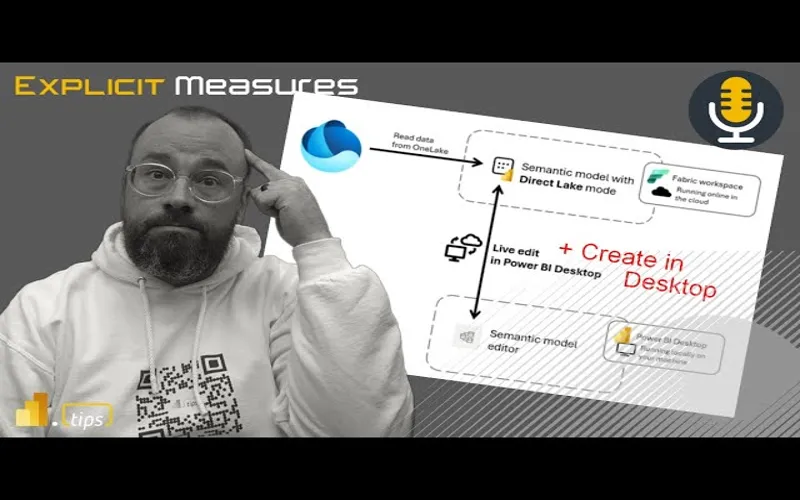
Mike and Tommy explore whether recent Fabric updates change how we should design a lakehouse architecture. With Direct Lake now available in Power BI Desktop and new workspace item limits, the design conversation is shifting fast.
News & Announcements
-
Introduction of item limits in a Fabric workspace | Microsoft Fabric Blog | Microsoft Fabric — Previously, there were no restrictions on the number of Fabric items that could be created in a workspace, with a limit for Power BI items already being enforced. Even though this allows flexibility for our users,…
-
Passing parameter values to refresh a Dataflow Gen2 (Preview) | Microsoft Fabric Blog | Microsoft Fabric — Parameters in Dataflow Gen2 enhance flexibility by allowing dynamic adjustments without altering the dataflow itself. They simplify organization, reduce redundancy, and centralize control, making workflows more…
-
Deep dive into Direct Lake on OneLake and creating Direct Lake semantic models in Power BI Desktop | Microsoft Power BI Blog | Microsoft Power BI — Microsoft Fabric’s OneLake data can be visualized and analyzed in Power BI without moving any data using the new Direct Lake storage mode. . Power BI Desktop users can now create these just like any Power BI…
Main Discussion
With Direct Lake now creatable from Power BI Desktop and workspace item limits coming into play, Mike and Tommy dig into whether the way we architect lakehouses needs to change. The conversation centers on how these new capabilities and constraints shift design decisions for Fabric practitioners.
Direct Lake Changes the Game
The ability to build Direct Lake semantic models in Desktop — and pull from multiple lakehouses and warehouses — fundamentally changes the design calculus. Previously, you had to carefully plan which tables lived in which lakehouse because Direct Lake was tightly coupled. Now, with multi-source support, you have more freedom in how you organize your data layer without sacrificing Direct Lake performance.
Workspace Item Limits Force Better Organization
The new 1,000-item workspace limit isn’t just a technical constraint — it’s a forcing function for better architecture. Teams that have been dumping everything into a single workspace now need to think about separation of concerns: dev vs. prod, domain-based workspaces, and how items are distributed. Mike and Tommy discuss strategies for staying well under the limit while maintaining a clean, navigable workspace structure.
The Medallion Architecture Question
With these changes, the classic medallion architecture (bronze/silver/gold) still holds up, but the implementation details are evolving. How you partition lakehouses across workspaces, where you place your semantic models, and how pipelines connect everything — all of these decisions are influenced by the new Direct Lake flexibility and workspace constraints.
Looking Forward
As Fabric continues to mature, lakehouse design patterns will keep evolving. The combination of Desktop-based Direct Lake authoring, multi-source semantic models, and workspace governance changes means teams should revisit their architecture assumptions regularly. Mike and Tommy encourage listeners to experiment with the new Direct Lake Desktop experience and start planning for workspace item limits before the grace period ends.
Episode Transcript
Full verbatim transcript — click any timestamp to jump to that moment:
0:31 Good morning and welcome back to the Explicit Measures podcast with Tommy and Mike. Good morning everyone and welcome back to the show. Good morning Mike, how are you? How was your weekend?
0:41 It was good. Getting a lot of chores around the house getting done and getting things started. It’s now becoming mowing season. So I’m helping my son started a little mowing business in our neighborhood. So he’s running around the neighborhood giving out flyers, trying to promote his mowing expertise. So we’ll see what happens.
1:02 Yeah, that’s the way to go. Lowkey laying low close to home. I didn’t really go too far away from home on weekends. Good. Well, honestly, that’s the way to go. My neighbors, their kid mows the lawn, too. I’m like, “Yeah, absolutely. I will help you start your business and alleviate myself on the weekends mowing the lawn.” So that is the way to go.
1:24 Good for you. I do agree there. All right. So before we get into our main topic today, our main topic is going to be around just unpacking what this new feature came out. We now can do direct lake on one lake. So that means we can skip the semantic model and we can go directly to one lake to go get our tables.
1:40 What are the implications of this? How is this going to change what we do? Will this change anything that we do today when we build semantic models moving forward? I think so. So I think this is going to adjust, we’re going to see a pattern to this. Now one more option for our semantic model to get data.
1:56 But before we go into our main topic, let’s talk about some news items. Tommy, you found some blog items I think that are worthy of an intro here. Let’s maybe do some of those. Which, where do you want to go here first? Because there’s one pretty good one. One I think we’re going to have a little fun with. So where do you want to take a left or right here?
2:15 What do they call it? Better’s choice or something like that. So you choose, pick whatever you want. Let’s have a little fun. So you see the title of this article and you go, well, that sounds fun. Anytime you have a news item that says introduction of, it usually means a feature update, which I was getting excited for.
2:38 Well, we have introduction of item limits in a fabric workspace. I was like, okay, so maybe there’s some admin governance here. And for those who are really, really wondering about this, man, do you need to keep up on it? Because for those of you who have over a thousand items in a workspace, first off, what are you doing?
2:57 Second off, you can’t anymore or you’re going to be limited. So the gist of this is as of April 10th, you can no longer create a workspace with more than a thousand items. If you already have 8,000 items in your workspace, this includes Power BI and fabric artifacts, then you have until October 7th, 180 days to alleviate your workspace of those thousand items.
3:29 Mike, what are we doing here? I understand why this maybe exists. I have to imagine that this is some kind of abuse on the API that Microsoft doesn’t want to have. Like when you go to a workspace, there’s a function or a call that says, “Look, there’s more than a thousand items.” And it just takes a lot of effort or work on Microsoft to limit the amount of items.
3:55 Let me give you two scenarios. This is a stupid feature. I hate this one. What the heck are we doing here? Why are we limiting anything? Okay, that’s dumb. The reason I say that is because I’m in the embedded space and programmatically you can create a lot of reports or programmatically you can create a lot of things.
4:15 Automation can build a lot of these very small simple item things for you and have a proliferation of items in a workspace. Why should it matter how many items in a workspace? Workspaces, my understanding is a workspace is a fictitious made-up thing that just groups stuff together. Right? There’s no, it’s not on disk. It’s just a collection of items that are grouped.
4:38 So why on earth are we limiting 1,000 items for that workspace? I don’t understand this. So Microsoft, I think this is a poor move. You’re definitely hiding something here that is, you don’t know how to write a code or an API or something on the back end that’s limiting 1,000. So this is just trash, a trash feature here on this one. I don’t like this one at all.
4:57 Maybe they’re doing this for their own team because I’ve worked with, like you Mike, I work with enterprise companies and large teams. This has never been a point of like, hey, you’re at a thousand, dude. I don’t know. I agree with you, too. There’s something else here.
5:15 Maybe it’s for the rogue people, but I can’t imagine this is something like, dude, we need to get a handle on this. This is happening like crazy. Wildfires of thousand-item workspaces. I can’t… Yeah, you’re also right, Tommy. I can’t imagine there’s a lot of workspaces with lots of thousand items in them.
5:34 Again, maybe to your point, there’s some app or program or something like, the only way you get to a thousand is if you have some programmatic way of generating reports. But as an admin or a developer building on top of this system, right? So if I’m building on top of a workspace environment, as a developer, I now have to manage, okay, how many items are in this workspace?
5:55 When I hit a thousand, make a new workspace and start putting items in a different workspace. Again, all trackable, can be handled by code. But now me, the user, have to set artificial limits on how many items can go into a workspace. Well, that’s just silly to me. Like, if you’re building it, I just don’t understand why it’s there.
6:15 Anyways, and honestly, I think we’re heated about this because the idea for an admin to be able to limit the number of items or types of items makes sense to me, especially with fabric. I would actually like a feature like that for the admin to say, you’re in this workspace. You can’t do SQL databases in here, or this limit is only like three lakehouses for a team.
6:42 That would make sense from an admin point of view, but that’s not the case here at all. I could have a thousand. If I have 999 lakehouses in that workspace, the admin can’t do anything. A thousand cutoff. Yep. Exactly. So I agree with you, Tommy. There should be a distinguishing feature here of like, when you have users that really do know what’s going on.
7:05 Let’s say for example you have a workspace that is just housing reports and you’re putting a lot of reports in there but maybe there’s multiple semantic models from different data sets all over the place. They could be in separate workspaces and all you’re doing is collecting just the reports in a single workspace for an embedded app or whatever that may be.
7:28 The admin of the tenant should be able to specify what does that number look like. Or again, it’s just, I don’t like it, it’s just weird. I don’t really understand why we’re doing that. So what’s going to happen now? Why is this going to be a problem? I believe this is going to be an issue now because what people will try to do instead, like, well, if I can’t have a thousand items in a workspace, I now have to have lots of workspaces.
7:52 So now you’re going to get a proliferation of workspaces maybe. I don’t know. It just seems very shoddy. I don’t know why this limit even exists. But anyways, I’ll just stop harping on it right now. We’ll move on to the next one.
8:04 All right. So the next one that we have here, and glad I had a little fun with that, but I’m also really intrigued to hear your thoughts here, too. So another cool one. First, I’m still going back and forth here on where I’m landing here, but what we have is passing parameter values to refresh a data flow gen 2.
8:30 And some of the features here, the main features is you can now refresh a data flow with parameters outside of the query editor using the REST API or the fabric experience using parameters. And one of the calling cards here that Microsoft’s really touting, Miguel Escobar, total friend, is the ability to actually say simply that I can refresh data flow multiple times different ways.
8:54 That’s the items here. Mike, I’m going through this and sounds cool, but I’m thinking of almost like the item one, like, okay, what are the use cases here? Where is the story here where this would be an alleviation for a lot of teams, a lot of people?
9:11 Well, for some reason it feels like the data flows team is just not quite getting it. Or they’re just often left field building features that I’m not sure everyone needs, but it takes them a long time to come around. I’m not really sure what’s going on here, but at the beginning part of the article, I’m going to rip this one a little bit because this took longer than it should have.
9:33 So let’s just think about data flow, right? I’m building a data flow. I have a query parameter, or I make a parameter in the pipeline, right? So that should be something that is very easily known to the rest of fabric, bar none. Like, that’s just make a parameter. Great. I should be able to shove information into that parameter when I want to run the data flow pipeline. This is very common. This is why we build data sets with parameters in them.
9:57 This feature, so at the very beginning of the article it says enable to pass variables from pipelines as parameters into a data flow gen 2. That’s the feature. I want everyone to notice, when was this feature requested? 2023. So we’re almost two years out.
10:18 2023. So we’re almost two years out since the feature was requested. And I would argue for this parameter to be run from a pipeline. I know that’s what I’m saying. Which has already been available in desktop for eight years now. Like parameters have been around for a while. So why did it take so long to get the ability to use a parameter from a pipeline and integrated with the dataflows gen 2. in that two-year of time like I’ve had a lot of conversations with customers. We’ve maybe we would have been able to keep more customers on dataflows gen 2 a little 10:49 bit longer if that feature had existed earlier but we’ve already moved on like we’ve already gone towards notebooks. We already gone towards other experiences and we now have realized that the CU usage of a notebook is actually way less than dataflow gen 2. So yes, you may be comfortable with dataflows gen 2s. I would actually call them like they’re supposed to be a prototype at this point. Oh my gosh. It’s almost like a backtrack from gen one at this point. Mike, I hate saying this, but data flows gen two are like my son. Charming, entertaining, but Kai, you need to 11:21 focus. Yeah, I Mike, I thousand% would agree and I really do. I love the data flow experience and I love the concept especially for business users and even for enterprise too. The idea of it, right, the concept, the interface, it’s provided us so much alleviation in PowerBI desktop. the data flow or really the power query experience. let’s make it a little more generalized here. Data flows are power query. Power Query is an immensely powerful tool, but Mike, I’ve jumped 11:55 ship just like you and I hated doing it, but it’s untenable to do with how much consumption that it does on a single capacity. Agree. And and even even in not major transformations, but correct. And even if you apply the best practices with what they did with Gen One, which was like almost like the slightly like the medallion approach but apply one data flows. Yeah. Yes. Agree. And Gen two at this point, the 12:26 calling card for Gen two is the fact that I can push the data somewhere else. That’s the feature. Honestly, man, give me Gen One with that feature. Don’t give me anything else. I just it’s really frustrating because it is such an awesome tool, Power Query. It really is because I can use it and so could someone just starting use it and get a lot of out of it. But y we’re really at a point right now where I want Power Query just or data flows Gen 2 just to 12:56 focus single on the the efficiency of it. That’s that has to be the number one focus. I don’t want features. the story here the this there’s another story here too there there’s also another story around there’s so many different data transformation tools that are now competing in fabric so if when we think about PowerBI alone right when we when we were just in the PowerBI space the only thing we could do is transform data with data flows gen one that was the only thing we 13:27 had we weren’t maybe maybe some lucky users had access to SQL databases and they could go back to SQL and write maybe a SQL or Vue, but there was nothing inside the PowerBI ecosystem that allowed you to do data transformation. Now, we have competing experiences together. So, let me just rattle off a couple here, right? Yeah, we now have a SQL data warehouse which can read from the lakehouse. So, there’s now SQL, there’s now views that exist, right? So, that’s something that we never had access to before as Power 13:57 BI people. Now, in fabric, we do. We now have visual queries. I don’t know if you’ve seen this one. Have you played that one? I know exactly what to tell. Yeah. So, so now there’s visual queries on top of a SQL server. And so now some of the simple transformations like select number of rows, filter by this, grab only a subset of columns. There is now a way to visually build a SQL query which again this really blurs the line between like what is SQL doing and what is dataflows gen 2 doing because you can go ahead and edit the thing as if it was 14:29 dataflows gen 2 but I can still make the visual query but it feels it looks like it’s doing data flow gen 2 but it’s not maybe it’s still SQL server I can’t quite figure out what is the underlying technology under visual queries okay then we have dataflows gen 2 so it’s that’s our third data transformation tool and then we have and I’m going to even go to the visual spaces of things. We now have data wrangler. So data wrangler is like the Python version of transforming data and yes it’s not probably as pretty as the 15:01 data flows gen 2. The buttons aren’t in the same layout. It it doesn’t it seems like it’s got a little bit more bugginess to it, but I would argue the data wrangler experience has gotten a lot better and it’s continually getting more features, more transformations, and I think the data wrangler experience is quickly closing the gap between, if I don’t want to use data flows gen 2 and I do want to use notebooks, it is a graphical user interface that does transformations on data and I think 15:32 honestly it does some other very interesting things that dataflows gen 2 does not do. When you remove a column in data wrangler, it shows you, hey, these columns are all green, meaning they stay this column is red. I like that. this is what’s going to happen. This is what’s going to happen if you filter some data in a column. It shows you these rows are green, they will stay. These rows are red, they will leave. So, I really like the graphical nature and the table version. And I really do think data engineering with a table exposed is probably is very 16:04 extremely helpful for me as I go through the steps of removing things, filtering stuff and changing things. So I really like that experience. so now we’ve got what I’m up to four four or five different fabric. This is all fabric and this is not any other tooling. So I think what has happened here for my opinion as an outsider looking at this one going data flows Gen 2 stepped into this brand new realm where all these other tools never they don’t have a baseline of what it should 16:35 cost in CUS. They’re just doing them as efficiently as they possibly can. And what has happened is it’s like that you see in the movies there’s like can I get a volunteer and someone doesn’t move but everyone steps backward. Yes. Right. Yes. I feel like this has happened maybe inadvertently for dataflows gen 2 where dataflows gen 2 is just standing there like hey we have a a great product and then all these other products showed up in in line and everyone else has taken a step back and become more efficient and now data flows is sticking out a bit more as a sore thumb is their capacity or 17:07 their usage is just so much higher compared to everything else it just doesn’t seem right. So anyways, back to this this article around the parameters, right? My gripe with this one is it should have happened a year and a half ago. Like it should have been a half a year since the feature was requested. This should have been prioritized high on the list. I think people would have been much happier to run a pipeline and then run a dataflows gen 2 on top of that pipeline. People I will I will agree. I love the experience of dataflows gen 2. still 17:37 like the user interface, the graphics, it the way it runs, like that’s good to me. it’s just I can’t get over the cost of it. And so I’ve I’ve been forced to go to other experiences. Yeah. And the last thing I’ll say about this, I think you you and I have really have a consensus. This is why I miss talking you on the weekend for conversations like this, but is my philosophy of products. If you’re going to have a product out there or a feature, it has to do something better than the others or has no other reason to exist. And right now, Power Query, if it wants a seat at the table or dataflows gen two, 18:10 what is it doing better than the other four features that you talked about? I really can’t say anything yet right now. Yeah. And there’s some other things here that are like a little bit more mysterious, right? in dataflows gen 2 we when we talk about things that are coming from like lakehouse and the notebook experience if you start talking about tuning the tuning your spark experience so there’s a lot of parameters you can use you can design a cluster to to like be for 18:41 for reading data for writing data like there’s there’s ways you can tune how the spark interaction spark engine interacts with the lakehouse data or not so you can actually. So for example, let me give you an example. We have bronze, we have silver, we have gold. Bronze and silver are communicated. Well, those tables don’t need to be Z-order or sorry, V-order packed, right? Because they’re not necessarily going to be touching the semantic model. The semantic model would really like to have a V-order of data. So when you get to the gold tables, the 19:12 the final layer of data, that’s where you want to apply your V-ordering on the data tables in the lakehouse because it’s going to take a little bit more effort for it to resort repackage those rows of data to make sure it’s optimally designed for semantic models. If you’re in silver and bronze and you’re not connecting semantic models to those all the time or regularly using semantic models on silver and bronze, there’s no need to reorder pack those tables, right? Okay. We so in Spark we can do this right in Spark we can design the 19:43 the flow of data to be optimized. Where’s that feature in dataflows gen 2? Where’s the turn on or turn off the V-ordering for dataflows gen 2? Is it always just on? I don’t know. Like that’s my assumption is yes it is. They’re going to always assume the user will use dataflows tables in Gen 2 going right to semantic models. My gripe with this is is that really the right approach? I think you should give the user control of it if if the table is becoming out V-ordered or not. So that that’s a tuning thing and the 20:15 staging tables, right? Staging tables are on by default for data flow gen 2. Why do I need that? Is that really required? And and so if that’s required, that’s costing me maybe more time, more CU, more effort. Like again, I need to go I need to really clearly understand what is dataflows gen 2 doing and how can I tune it to make it
20:35 Doing and how can I tune it to make it more efficient. There’s probably things that could be done in dataflows gen 2 that would bring the cost down and make it more comparable to a spark job or other jobs but it’s not being shown to me or I don’t know how to change the M code to make it run more efficiently.
20:52 And so that’s where my rub right now is, I feel like we’re behind and there’s still just features missing there. So, you’re stuck in a single gear. Basically, you’re stuck in gear six and you’re like, I would really like to cruise here, but I’d like to downshift. Like, you’re going uphill. It’s difficult to go in gear six all the time.
21:11 We’re like in the movie Speed where there’s a bomb underneath a bus and you can only go— Yeah, man. Mike, I love those points and I know we’ve been very hard on data flows, but you know why? It’s because we love data flows. Yeah, we’re really good. You just want to do well. We are rooting for it. I’m still rooting for it.
21:31 So back to this article here as well. One sentence that I think popped out to you Tommy was this idea of turning the data. But I think what the feature that was missing for dataflows gen 2, one is it wasn’t supported by continuous integration continuous deployment, right? So that was one big gripe like hey we’re trying to get CI/CD figured out for the data flows gen 2 so that wasn’t really done initially.
22:02 Then there’s this idea of a public parameter. A public parameter allows users to define or refresh their data flows by passing a parameter that is outside of the power query editor. For example, through the fabric rest API or native fabric experiences.
22:19 So, I think this feature that Miguel is describing here, the main blocker, I guess it was the main blocker to getting this thing out in the world was there was no ability for us to add a public parameter. I couldn’t trigger a data flow and pass in here are the options I need you to send in for parameters.
22:40 So I think now that that is there, now that we have the ability to pass parameters into it, you do need to go into the data flow. There is an option in the data flow where you need to turn it on. So just be aware if you’re going to use this feature, if you want to use a data flow triggered from a pipeline, you will need to turn on enable parameters to be discovered and overridden for execution.
23:01 So that’s something in the settings there that you’ll need to have. And then this experience, I think, runs like I would expect it to. Go into the data flow, make your parameter, name it what you want, and then when you call that pipeline action to refresh or run the dataflow gen 2, it can just call it, and then it will then execute the pipeline and input those various parameters for you as you need.
23:24 So I think I’m very excited to see this is here. I’ll definitely try it out a little bit and I will heavily watch the CU usage on this to see what it does when it does run. Any thoughts, Tommy, as we wrap on this?
23:39 I think we’ve hammered this one pretty well, man. So, I’ll just put the link to this one in the chat window as well, just in case you want to check it out. But this feature is now out. You can see it. It is in public preview, so it’s available for you to use. You can go see the feature. But it is not a fully released feature yet. So, it’s going to be in preview. Hopefully not preview for very long, but it is in preview right now.
24:05 All right, Tommy, give us the main introduction for our main topic today. I am Mike, I am charged about this and I’m going to give a slight background here because Mike, where we’re at with fabric right now, the last two years I think MVPs, a lot of people, we’re the Lewis and Clark of fabric because we’re tasked with mapping out what the world really looks like around fabric.
24:39 With lakehouses, with databases, with warehouses, how does the best process, how does the data best flow through and we’ve been trying to map out uncharted waters. Last week we had an amazing article I believe by Zoe Douglas who really dived through an amazing new feature that’s available that is completely new that simply allows us and a user to develop a semantic model in desktop utilizing more than just a single lakehouse.
25:02 Really up until now there’s been a limitation which has really been very singular on how we’ve thought of lakehouses because I had one lakehouse. I have multiple semantic models off of that, but really it was that single singular path. However, now Mike, there’s an expansion here.
25:23 It’s almost like we’re like, “Wow, there’s all these other lands I had no idea existed. There’s a whole new world to discover here where I have the ability to now build a semantic model off of tables from different semantic models.” To me, this is incredible and this really changes my philosophy around what the lakehouse was intended for.
25:48 Really? Okay. Honestly, it really does because before it was like, well, I’m building a semantic model off a lakehouse, I’m building semantic models off that lakehouse. I need to have all the tables in just that single lakehouse, right? So, and if I have a marketing workspace or a marketing team, well, do I build every semantic model, I have to build a semantic model in a sense per lakehouse.
26:13 I don’t want to have one giant lakehouse with all the marketing tables in it. Do I build multiple lakehouses? Do I segment it out? That’s how you had to plan it. But that’s no longer the case here.
26:28 And really, let me pause there and I’m just going to say again my thought right now, this really changes my perception of what the lakehouse’s intention is for. Interesting, I think interesting you said so. I feel like when I look at this feature and I look at the ability for semantic models to directly connect to the lakehouse tables, I think this is actually a great feature.
26:53 I really like the fact that we can do this now and we don’t need to have the SQL analytics endpoint in the middle. I do think this is a great opportunity for us to leverage this capability.
27:08 I guess what I would look at, before when I would design things I would look at lakehouses. If I had a semantic model, so looking from a semantic model backward into where the data comes from, I would start at the semantic model and I would say look, if we need to get data together, regardless we’re going to have to bring the data to the lakehouse, it’s got to get there first.
27:32 Because that’s the island we’re talking about, right, that there’s this concept of islands inside a PowerBI model. A composite model has table joins, like how you link that data together inside the composite models, this concept of an island. If you import all the data from various data sources everything becomes one big island. Everything can talk to itself. It’s highly efficient. It works really well.
27:57 So when I look at the lakehouse previously I would say looking at this semantic model back to the lakehouse, I’d have a lakehouse and in that one I’d have schemas and then in each schema I would have tables. Fine, makes total sense. I think all this feature has done for me is it’s allowed me to zoom out a little bit, get a little bit larger of an idea.
28:21 So with this feature, I can now not just focus on a single lakehouse, but to your point, Tommy, I can focus on any lakehouse in any workspace. And now I can start zooming out the lens and say, okay, the semantic model can point to a lakehouse, but it can also be anything in one lake, which I would argue one lake is the culmination of all things or all lakehouses.
28:47 This is where we’re going to put our data. So it’s a slight shift in my mental model of saying I used to be focused on one semantic model, one lakehouse, but now I don’t have to use that anymore. I can use one semantic model to anything in one lake. And so I feel like that’s how my mental model is describing this. I’m zooming out a little bit and I get more capability and all of the data that’s in the one lake now is now a single island for the PowerBI semantic model.
29:19 I love that. Honestly the mental model that I had here is this is almost the maturity of what your concept of a data flows gen one was, if you think about it, right. So gen one data flows, the point of that was for me to connect to that to PowerBI desktop, right? I was going to build off and I could do that off of multiple tables for multiple workspaces.
29:43 So I would have my master data flow that had date. I would have a sales table, but usually we use that all for reference tables. We didn’t really weren’t using as a database, but it was the poor man’s database.
29:54 But this is the maturity of that because now for the PowerBI desktop user, for the PowerBI author, the process is more or less the same if I was using Gen One data flows, but incredibly more efficient, completely more administered in terms of the flow of the data, the right data, right?
30:18 Because data flows ones were limited in terms of what data you could have, you didn’t want to do fact tables because the refresh. So we weren’t expanded in terms of the possibilities or the potential of all your data. But now we have that with lakehouses. I can do all my reference tables, my master tables in a lakehouse, but I can have all my other data in a lakehouse that’s more than just desktop.
30:43 But now it plays incredibly well with desktop and plays incredibly well for the authors of PowerBI. And what the limitation was before this was if—
30:51 The limitation before this was if you wanted to build a semantic model using direct link and going through this in OneLake, you had to do that in the browser. So you almost took away a lot of capabilities from those pro users, from the Power BI dedicated users. It’s like, oh now I have to wait for you to build it, can I build it, do I have to go in desktop, do I have abilities to do this in Lakehouse?
31:15 What happened to all my things I was doing in Power Query and Power BI Desktop? So now we’ve really done two major things. We’ve given all those capabilities back to those pro users, those Power BI pro users, and at the same time, we’ve simply just matured what a dataflows gen one process was.
31:33 I’m a huge proponent that technology changes process. When you have more efficient technology that can do more things, it should change how you conceive the normal process. So to me, those are the two sticking items for me about this feature.
31:49 You’ve given the capabilities back to Power BI Pro users and you’ve expanded what the dataflows gen one intention was.
31:57 Interesting. I think the note that really resonates in my head here is the Matthew Roach’s maxim. The Roach’s maxim on this one, right? Transform your data as far upstream as possible and as far downstream as necessary.
32:16 So to me that really resonates with a lot of what I find myself doing more recently in Power BI semantic models. When I didn’t have all the rich Fabric tools around data engineering, I spent a lot more time building transformations in Power Query and shaping the data there.
32:34 I now don’t need to do that inside the Power BI experience anymore. I can do all the shaping of data far upstream inside my notebooks or in the bronze, silver, gold medallion architecture layers.
32:44 I really do think those are the places where I really want to build a proper collection of tables. And I think Donald’s going to point on is alluding to my point that I’m making here, the data warehouse is different than the semantic model.
33:06 And I think there’s this idea of the tooling that I’m getting today allows me to focus more on the data warehouse design, which is where I focus on. It’s still tables, right? It’s still the same data warehouse concepts we’ve had all along, there’s no change there.
33:22 But I’m thinking in the data warehouse space, we’re talking about now instead of just being a SQL server with a lot of warehouse tables in it, we’re now leveraging the lakehouse and all of its various tables.
33:33 So to me I really think the data warehouse experience is now slightly shifting, but it’s not different. It’s shifting in the technology stack but it’s still that core set of tables and things you can use. And now instead of focusing on the single lakehouse as my source, I can now focus on everything that is in OneLake.
33:58 And I think for me the major feature here that makes me really happy is we are now dealing with a single island. An imported table, a lakehouse table, tables from multiple lakehouses — all of those things now act as if they are the same island.
34:18 And so I really do think from a flexibility and design standpoint, this is going to give organizations much higher levels of flexibility to build whatever they want to build or have multiple teams working on different data areas that are relevant to them.
34:37 And now you can truly have this is another win for us data engineering teams that will let us reduce more data silos. Again now it’s just spin up Fabric, get lakehouses made, and then when people need to share data across different teams, you can now make shortcuts, you can now give direct access to the lakehouse.
34:59 And we’re not quite there yet, but lakehouse OneLake security is coming as well. It’s going to make it even easier for us to give column and row-level security down to tables that live in the lakehouse. There’s all these things that are coming to the experience that I think are making this much much easier and more useful for us to work with.
35:18 I really feel like we’re making great strides here in breaking down data barriers for the team. I love your point there. And what that makes me think is I wish I had a Venn diagram of all the lakehouses I built, what the end goal was for those lakehouses.
35:35 How much, what percentage of that was for the semantic model or for a report? How much were those for other tooling, other features that I wanted to do? How much was for data science?
35:44 For me, if I were to guesstimate here, I would say the majority building lakehouses today, a single lakehouse was for a single report or a single semantic model, right? Because I had an intention when I created that lakehouse. It was obviously ingesting data and getting that data into Fabric.
36:04 But I’m like, okay, well, I need a shortcut for date because I need that in this lakehouse if I’m going to have that, if I want to all work with direct lake. But that to me this is where the change is, where I don’t have to think that way anymore.
36:16 I don’t have to have that hyperfocus on a lakehouse. Well, I need all the components here for a single semantic model if it already exists somewhere else. I don’t have to utilize shortcuts. I can have my master lakehouse for my date, my sales team, the quotas, and I don’t have to replicate that anywhere.
36:35 Yeah, shortcuts are great and they work incredibly well, but I’m not worrying about that as much. So from a designing a lakehouse or for teams, this is a drastic change. Now we can worry first and foremost about getting our data into Fabric — that’s the end goal.
36:59 Then we can focus on how it’s going to relate to other data points or other logic, other mental models that we’re going to create. So that’s a big change, and that to your point Mike, that really opens up the data engineering space here for us. And also it’s a big win for data engineers because I’m not just designing singular, but again it’s also the huge win for the Power BI pro users.
37:27 Let me ask you a question because one of the big points that you made was the Roach’s maxim, which is something that I adhere to and is honestly incredibly effective, and that’s saying the least amount I could say about that. But it’s just incredibly effective.
37:45 Does this hurt that then? Does that hurt Roach’s maxim in any way if you’re giving this ability now? Because if you were to apply Roach’s maxim verbatim, then my first thought was then I would want to develop every semantic model through the single lakehouse, right? Because that’s as far upstream.
38:07 This is almost my first thought when you said that — this is in conflict with that. Do you see that in any way or how does that affect Roach’s maxim?
38:14 Yeah, I think you’re thinking the right thing there, but I’m not sure if in my mental model it doesn’t quite fit that example, right? So if I think about where the data comes from, and who’s the owner of this data? This is a lot of political pieces inside your organization. How’s your data culture? Who owns what data, right?
38:36 So let’s imagine, I worked in some teams where there are systems that only the IT organization can touch, right? They’re very core operational systems that make the data run for your organization. They’re systems that are maintained, owned, and if there are any problems, any user of that system has a single point of contact to go to and say, hey this is a problem, I can’t get this data out or this will not load or there’s an issue.
39:07 So when you have systems like that, that team locks down the access or control to any of those tables or things inside that system. So what sometimes happens is that team locks down the source system — call it Oracle, SQL database, whatever the thing is, right? That’s running the day-to-day operations of the business.
39:26 But the business users need to — they’re not necessarily sure they always know what data they want, or they know they have data in there but they can’t see the data tables. They can’t shape it. They can’t get the information they need to do their daily job.
39:39 So what happens is that central IT team builds hopefully some pipelines or some movement of data from their system directly into a lakehouse, and then business users can go play with the tables of data and shape what they need to shape.
39:54 If you think about this, that was just for that centrally controlled system. The business is also out here buying other pieces of software — Marketo or Mailchimp or Google Analytics or other things. So those systems may not — this is where the political game comes into place, right? The central IT solutions may not want to play or take ownership of these other third-party systems that the business has been using or is developing or building on their own.
40:27 Fine, but now what does that mean? That means the business is going to have these other responsible data sources that they need to bring together to get into the lakehouse. Now, let’s go back to Roach’s maxim here, right? We have now two teams who are building tables of data that are potentially stored in different areas, but they eventually need to land in the same semantic model.
40:52 And that I think is why I focus on the OneLake experience — you can have multiple lakehouses doing this. And I still don’t think Roach’s maxim causes a conflict here because in both teams, both the central team and the business team, they need to shape the data as much as possible.
41:08 The data as much as possible. Don’t come into the semantic model and build a bunch of summary tables. Don’t come into the semantic model trying to build really complex DAX because the complexity of the DAX just means you didn’t do enough transformation upstream to build the tables you want to make the semantic model run fast.
41:24 And there are trade-offs. There are definitely some major trade-offs when you look at the report side. The report requirements dictate the shape of the data. The report requirements dictate how many tables you have that are factual in your semantic model.
41:40 And you may find some fact tables have the same data multiple times in order to get to the same answers the way that the visuals and the semantic model need to represent it. So there’s always this hesitation of I want one story of this table of data always.
41:56 But I think inside the design of the semantic model we need to be a bit more flexible about what factual information is landing there. And there may be we have to be okay with the ability of having multiple facts grouped or aggregated or the same data multiple different ways inside that fact table.
42:18 And we have to build the semantic model in a way that is identifying what your audience is. Right? If your semantic model is only being used with Power BI reports and page reports, that’s a different build of a semantic model than if you’re going to expose the semantic model directly to a user.
42:37 I think you need to have more data transformations. You need to simplify more information when you give the semantic model to a specific user versus you’re going to use the semantic model and that will be the only data source of that or the source of information will come only from reports.
42:51 I love that point because the thing is I don’t have to change my lakehouse, right? Because if I do need to look at the fact table or my source table a different way, I don’t have to do that all in the lakehouse. I already have everything cleaned up for you.
43:04 And again, you’re skipping the database here. You’re skipping it to a bit where I can have the lakehouse. If you need to do a group by, you need to see this with an additional transformation. Well, we don’t have to rebuild that in a lakehouse because you already have that source table and it can come from different areas.
43:23 Mike, this is really making me think the technical barriers of fabric are coming down and they’re coming down like the Berlin wall to me right now because I’m thinking about this where what are the technical limitations if any anymore for a company to say well we can’t do fabric yet.
43:44 From the lakehouse point of view you made the point about IT, who wants to own the data, the political side of this which, let’s be honest, there’s a huge point here. You can’t underestimate that. Right, but if I was the data honestly I don’t know if I’m at the point right now but I know I’m right out of the finish line.
44:11 Fine, you want to own your data. Marketing, you want to do your Marketo and your Google Analytics yourself because you want to report on it. Fine, but you got to do it in fabric. And if you don’t, we will. I’m getting close to the point where you can have everything in fabric and if you want to own it, you can own it, but it’s got to get into fabric.
44:32 Because it is harder and harder for me to see the pushback, what the excuses are here on not being able to do that. Yeah, what’s your take on that?
44:44 Yeah, I think — a hot take for you? No, I don’t think so. I think this is the intent of Microsoft. I think the intent of Microsoft is to give a variety of tools to the business to do all of their data experience can be fully handled inside fabric.
45:04 Where I think you’re going to get some friction around this one is it’s that business unit, right? In the IT shop or the traditional business intelligence centralized team. They’re the ones controlling the access to the SQL servers. They’re the ones controlling the access to the data and that’s intentional.
45:22 That is the way to make sure that they get the data shaped and created, cleaned and ready to go for consumption, right? So that is a central team. That’s their job to make sure that good quality data comes out of it and that stuff doesn’t break.
45:37 Yeah. When you look at the business, the business doesn’t see it that way all the time. And the business doesn’t think about dev test prod. The business doesn’t think about all these other considerations that that central IT team does.
45:49 So you have one team over here that doesn’t handle those considerations. They want to move quickly. They want to go fast to deliver value which is a good objective but it doesn’t really align to that central IT objective which is resilient, repeatable, does not break data.
46:03 Right, so those are two conflicting ideas which is fine. Both of those can play well inside fabric. Where I hesitate here is if you give the business full fabric, to your point Tommy, there’s no ability to say well we only want you to use data flows gen two, notebooks, and the lakehouse.
46:22 They could turn on anything they wanted in fabric. They could turn on real-time analytics. They could turn on functions. They can turn on SQL databases. They literally have — when you get a fabric workspace, you can turn on any experience that you want basically inside that fabric workspace and that’s fully exposed to the business.
46:43 So are we just building — and this is not going to sound like the right analogy here — but by opening fabric to our business unit, are we now just repeating the same “here’s Excel, go build whatever you want, a database in Excel” but now we’re doing it inside fabric?
47:01 I see what you mean. So there’s a level of rigor that comes with one team that I don’t see in a lot of other business teams. And I think the idea here is Microsoft needs to make the system easy for both teams to use, which they’ve done.
47:20 They’ve made it very easy for central IT to build tables of relevant data and the business to build relevant tables of data. But now we have two worlds of teams that we need to align on what are best practices. How do we make sure things don’t fail?
47:36 If one of the people from the business team has to leave and go on vacation and their data flow stops working or something stops loading correctly, does the business go into a tizzy because that one thing was only reviewed or built by one person? We’re still trying to not build weak links to the system.
47:55 And that’s really what we’re trying to get through. But again, when you say Tommy, one other thought that came to mind here as you talked about this one — hey business team, you’re going to use Marketo, Google Analytics, whatever. You guys can go ahead and build what you want to build.
48:09 Oh, and by the way, if you don’t build it in fabric, central IT will take it over and we will build it in fabric, right? I have an issue with that comment just because that assumes that you have unlimited time and resources on that central BI team.
48:26 Because what I find when I walk into companies is that central team is not very large and there’s not a lot of leadership. They’re already drowning and leadership is not walking in and saying, “Great, we have this new fabric thing. Let’s hire three more employees to go build all the things that we need to build in this new world and get it working for the business.”
48:47 What we’re finding is that central team is not growing in size. The dollars are shifting from that central team, in my opinion, over to the business units. The business units are hiring more technical people and so the business units are starting to fund their own light data engineering team or fabric developer team.
49:14 So what does that business unit need to function? And so this is where I think this federated approach of okay, we really do need to play together well as a team. There should be some central organization. Hey, we’re going to use fabric. This is how we’re going to do it.
49:28 But that team needs to have enough bandwidth to understand they can’t do everything. They can’t do it all. And they have to engage the business units and help the business units build their processes, their systems, even hire the right talent.
49:43 Maybe central IT or central BI is helping that business unit hire the right business data engineer kind of person, right? A data engineering developer. So that way the business can work ahead and build a lot of the stuff initially and then as it’s running successfully hand it back over to central IT to manage.
50:00 There’s new relationships being formed now with fabric in line here. Mike, some freaking good points here. And I’m going to try to touch on the ones that I think are worthwhile here because that was a great monologue.
50:21 First off, what you’re telling me is we don’t want dirty lakes, right? If we’re going to build a lake, we want everyone to be able to swim in it. And I think this is probably the most solid point here on where we’re at with fabric in terms of full adoption.
50:33 Because yeah, guess what? Most organizations, one, it’s going to be very hard to make the business objective that we’re going to centralize data in fabric, which means a lot more budget than just the licensing, right? Because that is a full team effort.
50:50 And I think this is a big point because I don’t want Access 2.0 or guess what, there are all these lakehouses that can’t talk to anything else because someone developed it the wrong way. This is a big point here and I think that’s probably the biggest point right now.
51:08 To my objective of we’re going to do everything in fabric. You can own it. If they own it, they got to follow a process. If they got to follow process, you got to have the skill. And that time on that particular team has to play well with everything else.
51:21 Yeah. The reason I said that initially was I worked on projects where when IT owned it, even though the
51:25 Even though the company was clamoring to move forward, I wanted the power and there’s power owning the data. And that’s just the way we deal with politics. The other thing too is I think the biggest thing is to me this idea what Zoe wrote about for me personally, I’m not going to speak for the podcast, but you can put it on a t-shirt, Mike.
51:48 I’m calling this a game changer for myself and a hot take. Okay. So, we’ll put on a t-shirt then. Yeah. And because I think we’re continuing to break down those barriers to make it more accessible. I’m the IT guy. I’m the governance. We’re going to do top down, but at the same time, we’re getting more and more ability for citizen developers, people like you and me that can own that.
52:18 Or I think the best point you said was like someone on marketing can hire that person. It doesn’t have to come to IT and they can play along. Biggest thing here is the business objective. And I think if you’re going to have this ideal approach, this has to be something from the business, the company, your organization who’s saying, “Our goal this year is to get our data into Fabric.”
52:41 And if you’re going to say that, then you need to acquire the right necessary resources and budget to do so. Because the last thing you want to do unless you call Mike or I is you just say everyone else go build what you can and you’re going to see well you’re not going to see a thousand items. So, at least we know that we’re going to avoid that.
53:01 But you’re going to see some, again, to use the analogy, you’re going to just see some dirty lakes, things you’re not going to want to swim in. And because yeah, you’re just going to have random items, access, data flows, lakehouses that don’t make sense. And I would rather have nothing than that. I think that would be my big point there.
53:23 I think when you restrict so heavily what people can do, you get into a place where if you restrict everything so much, you get a whole bunch of shadow IT and then everyone starts going to Excel and building everything there. And I think we would all agree building everything inside Excel is really risky for a business. It’s just higher risk, right? Man, does that happen.
53:45 And so I would rather be more permissive around the tools that we provide, have better governance or at least visibility of what are people creating. And to your point around Tommy, we all want in an ideal state, we want everything in the lakehouse to be clean, easy to understand, organized, ready to go. In reality, life doesn’t let you just do that.
54:10 It doesn’t just fall out that way. It takes a lot of intention, design, effort. It’s like you’re pushing a rock uphill. It’s always work to keep the data clean and good and nice there. So, I’m almost of the opinion like yes, we want a clean lakehouse, but I would also argue I think of the analogy in my head, there’s an oil spill in a lake and what we need to do at some point is sometimes we just need to have the barriers collecting the parts of the lake that are contaminated or muddy or dirty and at least quarantining them.
54:46 At least we know where they are, right? So, if we venture into that area, we know we’re going to get dirty. It’s going to be a lot of effort, but there’s no reason why we can’t take that. We need areas of the lake that we know are polished and clean and good to use. And we know there’s going to be parts of our lake or one lake for that matter if you think really big, right?
55:04 The one lake, some of the stuff you bring in will just be not good. It’ll have a lot of bad data in it. The systems that you’re pulling from aren’t very good. It’s not very well controlled. There needs to be more cleaning. And I think we have to think of the lakehouse as more of a spectrum. There’s going to be parts of it that are very clean and groomed and we want a lot of people to consume from them and there’s going to be parts of the lake that are going to be less groomed and cleaned.
55:30 And we have to identify what is the value of that data. That data in its unclean form could add a lot of value or does add a lot of value to the business, then we have to stand back and say how much effort would it take us to get it to a clean state to get it to a quality portion where we could service it out to the broader part of the organization. So there’s a lot of conversations I think that happen in there.
55:54 And this is where I think that when you listen to Matthew Roach or the Power BI adoption roadmap which is now the Fabric adoption roadmap, you really do need that person at the helm that’s spearheading a lot of the initiative here because someone has to make those decisions. Someone has to be able to see the landscape of everything that’s in their Fabric and pick out which parts of it need to be cleaned and where do we spend our effort.
56:17 Because there’s not enough people. There’s not enough money to keep it all clean all the time. And honestly, I love that because it’s like data governance. I have a few data governance projects and everyone wants it but no one knows what it looks like. And that’s the funniest thing because it is so important but how do you actually do it, which is very much a gray area.
56:38 So I think that we’re seeing that with Fabric, that’s the uncharted territory. Like if you were to look at the United States of Fabric, the map right now, how much would be filled in, how much would be able to actually navigate through the roads if the roads are there, and we’re still doing that. And honestly, this is something as we move forward this summer, Mike, I want to do with you is really diving into what does a budget look like for Fabric.
57:04 Where what do the milestones look like if you were going to be pushing Fabric? Because we are getting closer and closer from the technical side of Fabric having limitations and barriers. We’re now I think the shift is going to be more with the people and the process, where is that at? Because yeah, you asked me a year ago even when it became GA it’s like okay we’re really close but I still need this to get out of preview, this is not there, data flows I’m not sure.
57:35 Notebooks are great but is that the way and from a technical side my goodness I’m amazed at all the updates and good luck to everyone keeping up with it. It’s a lot of information much less than to become an expert in it or be experienced with all the updates. But really, we’re getting to a point where the technical side of it, I don’t have a lot of issues with to say can’t do it.
58:02 I still want everything to get to be GA. I really would like that, but from a lakehouse point of view, what now I can do in Power BI Desktop with my lakehouses, which to me was I think I realized a pretty large barrier that’s now just been destroyed. That now I have that clear path.
58:20 Mike and this is my closing thought here too as well, but we’re really I think our focus needs to be on what does the people and the process side from a barriers and project point of view look like here because the technical side, I think we’re really at the cusp of that being ready to go.
58:38 I’d agree with you Tommy there on that one. I think we’re hitting another era of this is going to change how I build things. This is going to change where I connect my semantic models to. Anytime that you’re giving a semantic model more capability, I think that’s a fundamental change for a lot of the teams in general, right?
59:00 When semantic models connect to Delta tables, that was a big move for them. The whole Fabric experience of being able to land multiple lakehouse tables down to OneLake, big move. There’s a lot of really large movements I think are happening here that are encouraging the ease of use around semantic models. Desktop getting editor and DAX query view, these are really amazing pro tools that we’re getting to make it easier for us to work with the semantic model.
59:29 So at the end of the day I like this direction, I think this is a great feature. Very pleased that this team is taking these very aggressive approaches towards making our semantic model and lakehouse experience easier to work with. And I think this makes a lot of sense. So my final thought here is this is a feature you will want to learn about. Go check out building direct lake tables on OneLake.
59:53 So skipping the semantic model, skipping the SQL server altogether and going right to your tables in the lakehouse. I think you’ll find good value from that. The more I work with OneLake, the happier I become with it. It seems to be getting better and better every month. So, I like this OneLake experience and I like going right from my semantic model right into OneLake.
1:00:14 So that being said, we’ll give it a wrap here. Thank you all very much for listening. I hope you found this conversation engaging. Gave you some points to think about here around what your data warehouse looks like, what does your lakehouse cleanliness look like, and how you’re going to keep it up clean and updated. And we hope you enjoyed this conversation.
1:00:33 If you like this, please share it with somebody else. We need your help promoting, pushing it, sharing with other people. We’d really appreciate that as well. Tommy, where else can you find the podcast? You can find us in Apple and Spotify or wherever you get your podcast. Make sure to subscribe and leave a rating. It helps us out a ton.
1:00:49 And please share with a friend or a colleague. We do this for free. Do you have a question, an idea, or a topic that you want us to talk about in a future episode? Head over to powerbi.tips/podcast. Leave your name and a great question. And finally, join us live every Tuesday and Thursday, 7:30 a.m. Central, and join the conversation on all of PowerBI.tips social media channels. Awesome. Thank you all very much, and we’ll see you next time.
Thank You
Want to catch us live? Join every Tuesday and Thursday at 7:30 AM Central on YouTube and LinkedIn.
Got a question? Head to powerbi.tips/empodcast and submit your topic ideas.
Listen on Spotify, Apple Podcasts, or wherever you get your podcasts.