
Measure Total Shenanigans – Ep. 470
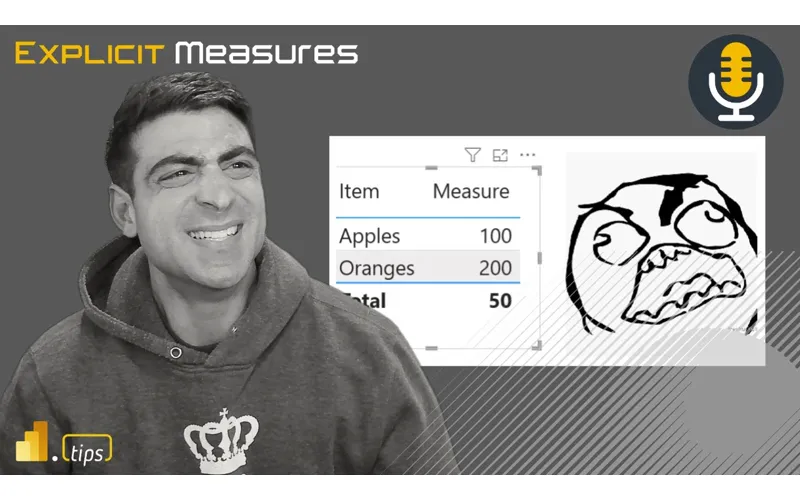
Measure totals in Power BI can be maddening. In this episode, Mike and Tommy unpack the shenanigans behind why DAX totals don’t always match what you’d expect—drawing on Daniel Otykier’s deep research into the mechanics. Plus, big industry news: dbt Labs merges with Fivetran, and Dataflows Gen2 gets a serious performance upgrade.
News & Announcements
-
From Dataslows to Dataflows: The Gen2 Performance Revolution in Microsoft Fabric — Dataflows Gen2 gets significant performance improvements, addressing one of the biggest complaints about the original experience.
-
AI Is a Coworker: Elements of Style for AI-Augmented Development — A thoughtful guide on treating AI as a development coworker rather than a magic autocomplete.
-
dbt Labs and Fivetran Merge — Major industry consolidation: dbt Labs (transformation) merges with Fivetran (ingestion), creating an end-to-end data pipeline company. Mike and Tommy discuss what this means for the broader data ecosystem.
Main Discussion: Measure Total Shenanigans
The Problem
You build a measure. It works perfectly at the row level. But the total row shows something unexpected—sometimes wrong, sometimes just confusing. Every DAX developer has encountered this.
Why Totals Misbehave
Drawing on Daniel Otykier’s LinkedIn article, Mike and Tommy explain:
- Totals evaluate in a different filter context — The total row doesn’t sum the visible rows; it re-evaluates the measure with a broader (often blank) filter context
- CALCULATE and context transition — Measures that use CALCULATE or iterate over tables can produce different results at the total level
- Implicit vs. explicit — Implicit measures (column aggregations) behave differently from explicit DAX measures at the total
- HASONEVALUE / ISINSCOPE — Common patterns to detect whether you’re at a detail row or a total, enabling conditional logic
Practical Patterns
- Use ISINSCOPE to detect the total row and return appropriate values
- Be explicit about what the total should show (sum of visible? re-evaluation? blank?)
- Test measures in a matrix visual with totals enabled—don’t assume row-level correctness means total-level correctness
- Daniel Otykier’s research goes deeper into the engine behavior behind these patterns
Resources
Looking Forward
Measure total behavior is one of those “advanced fundamentals” that trips up even experienced DAX developers. Understanding filter context at the total level is essential for building reliable, production-quality semantic models.
Episode Transcript
Full verbatim transcript — click any timestamp to jump to that moment:
0:00 Heat. Heat. Good morning and welcome back to the
0:34 Explicit Measures podcast with Tommy and Mike. Hello everyone and welcome back to the show. Oh yeah. What are you doing? The cool the Kool-Aid Man. Is that Is that Hulk Hogan? , I think that was a mix of Hulk Hogan and the Kool-Aid Man. [laughter] That’s something that only 80s kids will know, I believe. I think that’s that’s what it was. And and appreciate and appreciate. True. , today’s is a recorded episode. So, the today’s episode will be recorded item. , today
1:06 We’re going to talk about a wonderful article that was written by Daniel Okair around measure shenanigans. He he just goes into the deep abyss of measure totals don’t always make add up at the end of a table. So really good article, very well written, lots of good examples. We’re going to unpack it here on this show. We’re going to go through it and just talk about measure totals and why it’s such a hot debated topic inside the community around PowerBI and just how to update our mental thinking, update our mental model around what total is h what
1:40 Totals are doing and why they sometimes appear to be off which I think is very important for us to understand especially as we do data modeling and go a bit more just beyond building the report pages actually making our own measures and making our own semantic models. Okay, that is our main topic for today. But before we do that, I have a really great news article. Tommy, do you remember when we talked, I think it was after the Microsoft Vienna Fabcon event, there’s an announcement made that dataf flows gen 2 is getting a huge super boost of speed and in addition to that,
2:15 It’s going to make the efficiency of that be much much higher. So couple of the features here that were announced it was a new net backend parallelization on running queries like on large loading data from lots of large tables that can parallelize the work and do transformations on the data in parallel at the same time multi multi-threading things. This is amazing. I was very excited about this feature when it came out and I I said this is going to be a game changer and this is going to really make people want to revisit again the data flows experience. And I also
2:48 Make this an announcement too. If you have a dataf flow gen two and you’re using it today currently, you need to go look at this feature because you may be leaving a lot of compute on the table that you don’t need to use anymore. You might be able to save yourself a ton more money and keep those capacities at a lower level because this is going to make things a lot more efficient. Okay. , did you see the article from Nicola Illic? Yeah. And it’s all about that modern evaluator feature that changes everything. And he’s using the image from the blog which
3:23 I always you always love any any new technology when they show a graph comparing previous is my favorite thing in the world because it’s just so pretty but it actually does make it different. So that modern evalator and partition compute feature. Yes. now execute parts of that transformation logic in parallel so you’re not spending as much time to complete. So yeah yeah let’s get the setup of the article here because the setup of the article is really good. So what Nicholas sets up he
3:55 Actually sets up his own test. He says here’s what I’m going to do. He’s got 50 CSV files that are all containing around 575,000 records. So we got 50 * 500,000 essentially records. So around 29 million records of dummy data, approximately 2.5 gigabytes of information to process. He has them all stored in SharePoint which has its own level of restrictions and limitations as well cuz SharePoints has throttling and there’s some there’s some issues there as well. So I like the fact that he’s even using SharePoint. This is seems
4:27 Realistic to me. Like I’m going to have big files sitting in SharePoint and I’m going to want to bring them to PowerBI. This is what I want to use Gen 2 for. Like this makes sense. I will also echo getting files out of SharePoint is a bear. [laughter] You can’t do it very easy with a notebook. It’s such a pain. So having data flows make this easy to connect to and get the data and files out. It’s a dream. Like that that is by far the best experience from a user that I have found of getting the data out of SharePoint. Then he runs the test with Gen One, Gen 2 without any enhancements,
5:03 Gen 2 with the modern evaluator. That’s the .NET evaluator. That’s supposed to speed up a little bit. And then the third option he sets is Gen 2 with the modern evaluator and using partitioned compute. So partition compute allows it to plan out a job, divide the job almost like you would do with Spark, right? Here’s the job I want to go do. Can we can we parallelize the job, break it into multiple pieces, and then pull everything back together? So that’s really what’s happening there. More like Spark, I guess, is what it’s doing. And then he runs the test. He sets up a
5:35 Pipeline. He runs each of the pipelines in sequence and he just watches the analytics of it. And I think this is amazing. I’ll just pause right there. What do you think, Tommy? So, yeah, when looking at the Gen two with no optimizations before, that makes sense. It’s runs just as much as Gen One, it is a lot of compute, but that just the modern evaluator just turning that on. What did he kill by almost 50% in terms of time and
6:09 Computational units? That’s insane. Yep. Yes. So I I’m curious though with the transformations that he’s doing. So just taking a look he again he’s just pulling from the CSV files. Doesn’t look like too many transformations. One of the things to keep caution is in the documentation under limitations. Microsoft even says, “We’re not sure which actions and transformations can make this work faster. We’re not sure
6:43 That some of these may make this go really slow at your own risk.” Yes, I would also argue here too a lot of this is when I look at data flows and I look at notebooks and other experiences I can use inside the fabric ecosystem. A lot of times I just need some very I try to make my data flows as simple as possible. I think to make them as easy as you can to get the data into a table and into some lakehouse or warehouse. I was also doing some testing recently around copying data into lakehouse versus a data warehouse and I
7:18 Found substantially copying data to the lakehouse again we’re going I’m going from a database to a source right the lakehouse was generally cheaper to run than the warehouse to get data in the data warehouse was somewhat comparable but it and when I did my testing like hey let’s run this pipeline and copy data let’s run this copy copy job and move data. And I did it both. I said, let’s run a a pipeline with a copy activity. Go, let’s go to a lakehouse. Let’s go to a SQL data warehouse. Which
7:51 One’s faster? Right? Let’s do a copy job. Go to a lakehouse. Go to a warehouse. Which one’s faster? Which one takes less CUS? And I found there’s it’s it’s not a huge amount, but it is cheaper to go directly to the lakehouse and do things inside the lakehouse. It does come with its trade-offs, but it seems to me like when I’m when I’m looking at this the surveying the landscape of what things are out there, your data source of where the destination data goes as well will even have an impact on how well or how efficient these things are running. What I did find interesting in this
8:22 Article, Tommy, I’m happy that the modern evaluator went much faster. I’m a little disappointed around the modern evaluator and partitioning was basically the same. Maybe a little bit slower at the modern evaluator and partitioning schema. And that’s something that I’m not quite sure I like. I wish it was a a bit more of a better result there, but they may be improving some things as well. So towards the end of the test, you’ll note he does he has everything listed out. How long it took, how many seconds, how many with the modern evaluator, with the partitioning versus all gen
8:54 One. So I like the fact that these numbers are all coming side by side. I’ll pause right there. What are your thoughts? Yeah. So the partition compute is really only for it’s not just another booster so to speak. It’s for certain situations which is for basically allowing you to do query folding. It’s even if you’re doing things off the data lake storage gen 2 to get a partition of the list of the files. Yep. Retrieve the list. So, especially with this example, you think that would be a little faster, too. But I guess I think the point here though is
9:26 You have to test it. Like this is something where it’s an easy check of a box when you’re doing your loading process on whatever you’re doing. Once you have hit like equilibrium, I’ll call it, right? Once you’ve done a a load once or twice and the data gets in, you may want to go check these options. It’s just it’s no other cost. Run the job again and just turn on or turn off the box and see which one goes faster. So there’s a little bit of testing. It would be nice, I think, if I could see a little bit of like, again, this is probably why it’s in preview and and Microsoft is just pushing this out.
9:58 There may be some guidance at some point in the future. It’d be really nice, Tommy, if we ran a job and and data flows Gen 2 and it recommended to me, hey, Mike, I see you’re doing something that would be really good for the modern evaluator. You recommend you check that. Would you like us to check this option? Yes. , hey Tommy, you you’re doing something that looks really good and we know that the performance of this would likely improve if you’re using partitioning. Do you want us to use modern evaluator and partitioning? And you just say yes and you watch the results. So, I do think Microsoft will need to gather some statistics on this over time and figure out what patterns work well when using this. And I’d
10:32 Really like those recommendations back to us so we can see how that’s running. Yeah, it actually even says this would be easy for them to implement a copilot, but under the partition compute documentation considerations, not nec not necessarily limitations. for best performance, use this to load directly to staging as your destination or to a fabric warehouse. Use the sample transform file function from the combined files. partition compute only supports a subset of
11:04 Transformations. Yep. And finally, it’s recommend that you choose partition compute when you have sources that don’t support query folding. So, makes sense . Yeah. But our the real allstar here is the modern evalator, which I I’m assuming is probably just going to be default in data flows gen 2 at some point. I hope so. , that that makes honestly, Tommy, that makes the most sense, right? if you’re going to with one click of a button and it just lights up a lot of performance across the board
11:35 Like that should be just the default option. I should have to go in and tweak things. One other thing that I didn’t see in the article as well that I know that [snorts] is an impact here is the vordering. so I know that when you do compressing or bringing data over to the lakehouse, there’s this concept of storing it in columner stoages. And I didn’t see anything in the article that talked about the V order. what I’m saying, Tommy? Yeah, I remember that. I’m looking at the documentation here. So, we have the modern evalator. I think the screenshots, let me just
12:07 Double check the screenshots here because I this is a performance tuning capability of the of the data flow. So, let me let me just give you some other notes of what I’m thinking here so people understand what we’re talking about. When I do a write data into the lakehouse, you can use the normal delta formatting of just put it in however you want or you can do a what they call a zorder indexing which basically takes a column and sorts it in a it takes a column sorts it and then puts the data
12:39 Down and packs the files. VORing is a Vertipac engine optimizer where when you write the data down, it packs the files the same way the Vertipac engine would pack the same files in column restore. That way when the PowerBI model reads the files, it doesn’t have to resort files, doesn’t repack anything. It just reads them directly and knows, oh, I know how these files are optimized. I’m just going to be as performant as as it can. So the vordering is like a very specific if I have tables coming to a lakehouse that I’m going to go get into
13:12 A semantic model. Verering is where you want to you want to apply that information. Does that make sense Tommy? Yeah but I is I don’t know where that would be available in the data flows like in the options settings. I don’t think it is. So this is my point. This is my point. Sometimes in data flow so this is one of the features that I think is a bit hidden in data flows. I don’t even know if you can turn off. I don’t even know if you can write data to a lakehouse. Is it just a setting in the code? This is where Alex Powers would like be really nice here. maybe Alex, you could give us a note in the comments of is there is there even an ability for me to turn off vorder inside a dataf flows gen 2
13:46 Because sometime again back to the article’s point here, right? Even the documentation from Microsoft when you bring data in with data flows, you want to do as few transformations as possible. Get the files, combine them, and immediately write them down to the lake. That’s your first step. then you may want a second data flow behind that that does additional data transformations because then it can read the files more effectively in the beginning stage and it’s more it can be more paralyzed. So even how you design your data flows I think is going to need to change because when you bring in the data and you land
14:18 It and then pick it up again and land it again there’s actually some better performance. , I also know that there’s this idea of the staging lakehouse. You can stage the data. So, it brings the data in, writes it down to a lakehouse for staging or SQL data warehouse for staging, then picks it back up and then uses it in the data flow. Again, you may not need that. You may not want to turn on the staging stuff for the data flow. So, these are these are the tuning options that I wish it was like all in one place. It’s a little bit easier to understand exactly what those things are doing. ,
14:51 And it’s again, I understand it’s a clicky clicky draggy drop buttony user interface. I get it. You better believe it. But me as the as the, , not a basic Power Query or Power, , , a dataf flow user, right? As a, as one who goes to the intermediate and even the advanced level, I need to know where those controls are. And that will help me stay in the dataf flow experience longer as opposed to dropping it and just going over to like, okay, screw this. I’m it’s too much work. I’m going to go right to notebooks. I’m going to go right to something else that’s more efficient, right? Does that
15:24 Make sense? No, , listen, dude. This is it’s one of those things where we talk about this all the time. Easy nice clean UI. However, however, with a nice easy just start connecting the data. There’s a lot of considerations that usually is usually these settings and a lot a lot of other tooling is written in in code, right? So, and if someone actually saw V index and I had had a slider, they wouldn’t know what to do. And again, there’s just a lot of testing with this. So, we’re still dealing with enterprise level tools.
15:58 All right, that’s enough for my first my first one. I I have a a a bonus one here for you, Tommy. Okay. I This is about AI. You’re going to love AI because you just love talking about AI. Okay. So, I was talking with my team internally about some projects we’re working on and we’re using AI to help us generate code and what we have found we’ve had some instances where our engineers have built something for like a day like we’ve worked with AI we’ve had it write some functions we built some things and it changed like 15 files lots of things doing all these changes into inside our our data our our software basically and you look at it
16:32 Going a little unnecessary like you like like you’re adding logging where it doesn’t need to be added. You’re doing extra code that doesn’t So the AI thought it knew what it was doing but overbuilt a little bit. Right? So day two, okay, our engineer says, “No, what? We’re not going to do that anymore. We’re just going to delete all those changes and I’m going to reprompt it again on day two.” So day one was like learning how to work with the AI. Day two, it you basically change the prompt a little bit and say, ”, here I need you to give me the instructions. Give me the plan on what you’re going to build.” And then after
17:06 Seeing the plan, adjustments can be made to the plan. And then you can say, “Okay, now I’m happy with this plan. Now execute this plan to develop the software, the code, the whatever.” And I find this very interesting, Tommy, because I think my experience with code has been it’s very it’s very known. It’s very defined. I write the code, it does the thing, and if you don’t write it right, it doesn’t do the thing. It’s very it’s very linear. I get exactly what I put into it. And I remember talking to my kids about computers. I was like, computers are dumb. They only do what they tell you to do. If you tell
17:38 It to do something wrong, it will do the wrong thing every single time. Now, here’s where I want to introduce like the concept of AI. AI is less like a computer and more like a human. And what by this is it’s non-deterministic. And Tommy, I can give you some requirements. I can give another engineer the same requirements. And I can give a third engineer additional requirements. Each of your outputs might come out with a different outcome. Some may get what I wanted
18:11 Initially. Others like other engineers may have a totally different take on those those things. But I find this very fascinating because we have to start treating our AI less like a computer and more like a coworker, I think. Oh yeah. Let me just pause there. What What are your thoughts on this one? So this is a huge part especially if you’re doing bigger projects we are we’ve been so used to like the chat tpt interface where there’s it’s just a chatbot right and it’s like hey find me John Cle’s jokes in about
18:44 PowerBI haha AI works however once we start getting into more codebased projects and al just more complex things not just code but when we’re also dealing with a lot of multi steps, you actually have to guide those AI through it. And that’s this introduction of the agents. So, for example, right, you’re working with your developers. They probably said, “Hey, let’s update this with, , let’s add a nice new new button on
19:16 The top that does X, Y, and Z.” Well, does the AI have the context of the code base? what is the, , what you have in your head is very different what the AI is going to have. So what’s really being introduced is multiple agents in the background to help that the execution agent so to speak. So what I normally do if I’m working on a major project is I first write my own prompt to what I call the documenter or the the planner. It’s like hey
19:48 Yes help me like I’m trying to completely revamp X Y and Z and we need to change all these APIs. help map out a game plan and provide that, , summarized context. Yep. So that that’s a huge part of this is different. Oh yeah, absolutely. Two months ago, I wasn’t even thinking this way. Like this is a whole new line of thinking on how to work with the AI agents. And I think this is also, , when you start talking with agents in like deep thinking or thinking about process or they’re adding things to the
20:21 Agents themselves to make this possible. like this wasn’t I don’t think models 2 months ago were even able or capable of doing this. It’s just these newer models that are able to handle more of this planning and processing side of things before it actually gets going. Yeah. And the other thing that honestly with a lot of these agents too is also this concept of skills that being added. I just I’m going to put it in the podcast episode description too, but there’s this g great GitHub repo which is actually a 1918 elements of style that’s
20:55 Been re reconfigured for agents to really help an AI agent understand what’s in the AI context and help the AI agent basically write back and ask you additional questions and what the explanations are. Yeah. So this is a huge part of what we have to do and we have to understand too with all these things from co-pilot especially co-pilot it’s a ongoing no that’s not right I know I’m trying to do this it’s a
21:28 Guiding process you working together so I think this is this is revolutionary for me in thinking about how AI is going to be doing these things it’s it’s very exciting to be in the space things are changing very quickly my company has greatly adopted the idea that we’re going to have to use AI to be more productive and efficient. This will be the way we’re going to be building things moving forward. So, I just wanted to point this out as like I’m learning a lot about the AI pieces and it’ll be interesting to see where more of this AI appears inside Microsoft Fabric. I I think about a lot of the
22:00 Developer experience. These MCP servers are getting to be very interesting right now inside Fabric. There’s a Fabric MCP server. There’s a real time analytics MPC server that’s coming out that’s that’s already out in preview on GitHub as well. So these are tools that you can just communicate to again using like human language and letting the tool then do actions against particular APIs or work directly with a service. This is going to really change the game I think and and really going to need to improve our speed around how we build things. Anyways, really good topic there. I just
22:33 Wanted to quickly note off here on this, , thinking about AI as a co-orker and my last final thought around AI, Tommy, I think we’re I’m going to make a prediction again. This is another prediction. You ready? I’m I’m hearing the So, a long time ago, probably about 6 months ago or so, I heard this idea of like AI is going to create experiences when you’re browsing something or on a post or an article that’ll be hyper stylized and customized to just you. So, let’s let’s imagine an ad campaign, right? And the ad campaign
23:07 Knows something about you, Tommy, on the platform, the social media platform that you’re on. , they they know you where your demographic is from. Imagine the ad that runs is generated in the on the fly in real time, either a video or an image or the messaging where the entire ad campaign is 100% dynamic. Or maybe better yet, let’s imagine, Tommy, you’re going to go visit a website and the website isn’t even built in actual code. The website builds itself as you arrive on the web page. And as you it it has literally one page
23:42 And if you click a button, the code generates the next page behind the scenes based on your user journey, your preferences, what you’re reading on the page. And so potentially you could have I think I think I’m going to see the I’m going to say this is probably in the next year or less we’re going to see AI generative websites that you don’t even make a website. You just tell the AI when this person shows up to this website here’s what I’m trying to do. I’m trying
24:13 To sell this product. I’m trying to give information about this. you AI decide the best way to engage that customer to build the website on the fly on demand when you go to the website. How wild would that be? Like when it just dynamically generates a site as you are using it. Oh, we’re probably not even 6 months away from that, I bet. , I think this is the way it’s going to go. I think we’re going to get to a point where you’re going to have these really highly stylized and customized experiences. It will know you. It’ll know you going to this
24:44 Website. it’ll generate the site for you and when you come back to that site, it’ll be able to regenerate that site based on what you saw previously and potentially give you more additional details. And so me as the web developer or the person who’s building the site will just prompt it and say, “Here’s the objectives I want you to produce off of this website.” And then the AI just figures it all out that that I think we’re I think we’re going to get to this stage. , I I just saw something on GitHub 2 is is simply a browserbased tool where your your AI can
25:18 Control the web and it’s also with MCPS too. Strawberry I think is what I think I saw the same advertisement. The AIS are looking listening to both of us Tommy because they both know we’re we’re talking about AI. I think it was like a strawberry browser I think is what I think I saw. There’s one Perplexity the the Perplexity search engine. Yes, they have a browser called Comet which actually will like, hey, book a hotel for me and just Oh, yes. So, Strawberry is in ba in beta right now. It’s the self-driving browser. Strawberry brings intuitive AI automation to your existing workflows and you basically get a a browser and
25:51 You build agents inside the browser that do things. Hey, I want you to go recruit people off of LinkedIn. Go scrape these pages and put them in Google Sheets or like it’s getting crazy what’s what’s coming out right now, Tommy. And I think we’re at a point in this moment what I see is there’s so many new technology pieces that are coming out from these large language models that everything is like a wash with just new ideas and we haven’t had we haven’t quite had the consolidation effort. Sorry, last last thinking point to run this Tommy. I have one more here. did
26:24 You did you see that DBT got bought out by Fiverr? No, I did not. So, I believe there’s an article that just got announced DBT is database tools by I think it’s Fiverr and I think what’s happening Tommy and I just saw an article on this one. EBT labs is an open- source database tools I think is what it’s called is how you say it. They have just recently been bought by Fiverr which is not an open source tool and is a company for profit. I
27:00 Think we’re starting to see these we had a proliferation of data tools. I think we’re starting to see Tommy a consolidation of resources now. These big corporate companies are coming in and buying up these smaller companies and absorbing them into their code base. I think we’re going through consolidation. I think I think organizations and people want not a thousand little tiny tools all sticking together. They want one consolidated tool that does all the things. And this is what I’m seeing inside data bricks. This is what I’m seeing inside snowflake. And also it definitely feels
27:32 Like we’re seeing the same thing inside fabric. So I think there’s a trend happening here where we had so many proliferation of tools. We’re now seeing the market starting to contract and companies aren’t as interested in buying the all the tools. They’re looking at buying the one tool that does all the things they need to do. And I think this is going to be a trend for the next year or so. We’re going to continue to see a consolidating of tooling down to just a single set of all-inclusive does everything type tools. Dude, I I think what we’re basically getting there now, too. With Claude, you
28:06 Can basically connect to all of your notion your Outlook, everything can just basically easily go through the chat. That was actually Kurt Curt Spieler’s mention on his AI agents article on SQLBI how Claude could actually connect to Fabric. the last thing I’ll say from the AI side and then I think we need to jump in here is Yeah, I agree with you Mike. Claude can now actually generate PowerPoints, Word documents,
28:41 And Excel. I know. I know. This is crazy, Tommy. Like what are we gonna need? Why do we need these things anymore? Like what? It’s getting nuts. And I think it’ll do a little better actually than co-pilot. I’m going to send you an article. Blow your mind. How does it Anyways, but that’s amazing. Love it. Love it. I think we need to dive into this article. Okay, so let’s kick this on on the road. We’ll kick the AI conversation for later. the algorithm definitely loves AI. So Tommy, anytime we talk about this, all of our shorts do really well
29:12 [laughter] when we talk about AI cuz I think again I think this is a very new space. There’s so many new things and developments coming out. It’s just such a good topic to talk about. Anyways, that being said, Tom, let’s get into the main topic. The main topic today, we’ll be talking about the Daniel O’ar’s and he’s the gentleman who invented Tabular Editor and he’s the one who is running Tabular Editor 3. that that tool is essential for when you’re doing like big large deployments and you want a lot of code pieces. Now, I’ll argue Microsoft is very rapidly chipping away
29:44 At things that tabular editor used to do and building them in directly into the product. So, I think the need is less than what it was previously. but Daniel’s really smart, understands models really, really well. And he tackles this issue of measure totals in a table don’t necessarily always add up. And so he goes in detail as to what is wrong with our mental model of how this is supposed to work. Tommy, what do you think? What’s what’s the article like to you? Oh, baby. So, we are finally talking about it. Mike, this is actually background for those who maybe have
30:17 Never been online before and with PowerBI. Maybe you’ve seen this, maybe you haven’t. However, there’s been a few people on the webs on the internet who have really been how do you say making noise about measure totals and measure totals simply if you’ve worked in DAX you understand that I can put together a table say some year to date each number is right for its context on its particular
30:51 Row yep or field, but the actual total of that table would look dead wrong or absolutely completely wrong. Not I’m always I’m going to refrain from saying wrong. I’m going to say not the desired result. So, some people on the socials have really made a fuss and noise to say this, we need to fix this. This is ridiculous. how can Microsoft allow this their enterprise product get released with having wrong measure
31:24 Totals and not sure where you’ve been on that argument but I think we’ve both been on the same side of things so back and forth you’ve seen a lot of people comment and when you see people post about it and finally what we’re actually getting at here with Daniel is we’re done. The conversation’s over in terms of PowerBI is being broken. He goes into a great overview of basically our evaluation context doing
32:00 Snapshots and basically why the totals are what they are. And he’s gone even deeper than I think would have been a very simple explanation. If you’ve worked and studied evaluation context, then you should understand why measured totals are what they are. Anyways, I’m not gonna get ahead of myself here. I think this is a great article and again I think it unpacks a lot of these challenges because I think what are I think there’s a misnomer a little bit. I think the total on tables the DAX measure is doing things correctly. It
32:31 It’s removing filter context. But I think one of the weaknesses that I see when users are looking at tables and and trying to unpack like why does the total match or not match, I think it really goes back to understanding when you look at any number in any visual, can you identify the filter context? What is influencing that number to result in that value? And I think for me my mental block was once I understood that oh the total is the sum of the entirety of the model where this measure applies and
33:05 Filters were applied to it in various places. So the rowle detail is a filter that’s being applied to the data to calculate that number. But then when you get to the total you basically have no filters except what’s been applied to the whole page or the whole visual as itself. So you can get yourself into situations where the the totals at the bottom don’t actually match what you’re seeing inside the the table itself, which to me that was an unlock moment. That was the moment where I was like, “Oh yeah, this makes a lot of sense.” The other situation that I think gets a lot of people confused is, and I see
33:38 This a lot with larger or more complicated data models, granularity of the data, different granularities, very difficult to deal with. And so I’ve had a lot of conversations around people, why doesn’t it work right and why can’t I get this number? There’s this concept of I’m trying to report on a granularity that’s higher. There’s more detail than like my med my summary, right? So, I have like let’s give you an example here. I have a budget. My budget is at the monthly level, but I have data down
34:11 To the daily level. And so, often sometimes you you have to remember to aggregate or roll up the daily numbers, the daily projections up to monthly, then you can compare apples to apples. The grain of the data is the same. And so, for me, a lot of challenges come with people when they’re trying to join different granularities of data. And it’s not their fault. It’s just the way the data comes to them. Sometimes the data comes to them with the wrong grain of information in it. And the DAX gets so incred incredibly difficult to compare. And so we solve a
34:44 Lot of those problems with like a tables and other tables in the middle that allow you to do proper comparisons against the information and the data. So those are the two main problems that I think I’ve struggled with and had to unpack and those are clearly outlined in the article here. talks about, , non-additivity. He talks about an inventory example. He also talks about the many to many relationships, which frankly, Tommy, I avoid many to many, like the plague. I just I don’t I only use them when I need to have them. I I really dislike the
35:17 Many to many relationships cuz I feel like it just makes my head melt and I’m like, I don’t understand what the heck it’s doing. I am, first off, many to many is not the only way you’re going to run into this. situation here. So, I I appreciate that Daniel is going through that with the many many many religious, but again, I don’t he’s just trying to be comprehensive. If you’re looking at this and you’re saying, “Oh, good. I don’t have to worry about this at all because I never use many many so all my measure
35:50 Tools are going to be totally fine.” That’s not true at all. So you can it’s so I think this is why this is a conversation to me about a misunderstanding of how context actually works. And that’s where this begins and end Mike’s. I like I really like the example in the many in the many to many relationships. That one made a lot of sense. I liked his example. I like the tables that he showed. I liked the tagging and and you have to sit there and look at it for a
36:22 Bit, but you can clearly see where the totals are coming from and why it’s aggregating something differently across the two tables because it is doing what it should be doing. It was the numbers are exactly right, but when you go down to the totals area, it totally changes the output of the information because of how you look at the data. So I really that was I think a very clear and clean example of why many to many relationships causes challenges when you’re doing that measures total area. Oh yeah 100%. And I think the the people always say it’s wrong. They always say
36:57 That hey the total’s wrong so we can’t show this and leadership’s going to be upset. But one thing from training that I’ve always tried to make sure people understand is what we call more or less the desired result. The best example that Daniel does is let’s say you’re looking at the opening balance by month. That’s probably the greatest thing. Well, in that case table doesn’t really make a lot of sense, does it? So, or the total doesn’t make a lot of sense. What are you actually going to show? All the
37:29 Months, but it’s opening balance. So there’s a lot of situations and even when you’re looking at monthto date or if you’re doing ranking where measure totals are irrelevant. However, where we get into issues again is when we’re not understanding or aware of where our filter context is actually coming into play. One of the examples that I always do during training when we do our advanced stacks is I show our sales year to date for based on a date
38:04 Table and sales year to date based on the fact table and numbers look great. when you look at the total it’s like okay the [clears throat] numbers are exactly the same. Then I simply add in the products and show sales both measures year-to- date on date year to date on fact. And then you start noticing these weird issues where some of the products for the normal the normal one we do is blank but there’s a number showing for that product for based on the fact
38:37 Table. How can that be? Why are the totals exactly the same still for both measures? And I always try to get people to try to answer that. And simply put, again, based on your relationships, based on what how you’re putting your DAX measures together, if you’re not aware why that could be why that is, which for those who are listen playing at home, it’s because my fact table would have the filter context with that product. So it’s looking at the latest year for that particular product, not necessarily the latest year in my model.
39:11 Again, you might not know that if you’re just writing some simple DAX messages, but even if you’re well in the game, we have to be aware of these things. And to me, I don’t know why people are getting so emotional about this because to me, that sounds like a lot. You don’t understand exactly how the evaluation context actually works. That’s the key. That’s the key. I think people are getting so bent on this idea is because their mind is looking at the simple solution and and there’s a lot of
39:42 Argument here at the very bottom of the article. I think Ding does a really good job of just like doing a quote unquote summing it up. It’s he’s little play on words there, but I liked his his wrap-up here. When totals don’t add up, don’t blame the product. Look inwards. Try to understand the in intricacies. And I would I would add here the intricacies of your data model. What are you doing? Is it the granularity? To your point, Tommy, am I trying to sum summarize something that has a relationship where there’s missing
40:14 Data? There’s a lot of bad data that shows up in models. So if you have a blank record in your fact table that does not in contained in the dimension table and you’re using the dimension table, your dimension table won’t be able to filter all the correct information and you won’t see it correctly in the report. So there will be blank there’s blanks in there that don’t have relationships. They they call that a what’s this term for that Tommy? I for I’m blanking on the name here. When you data integrity is it referral
40:45 Oh referential integrity. Yeah yeah yeah that’s important. So referential integrity saying that all the records in the dimension table are all contained in the fact table. That way there’s no missing blanks between the two relationships. That’s what causes problems and people get under I don’t understand why is it not work because you’re missing data and so some of that but back to Daniel’s point there’s so much to learn and the world becomes a better place when people think critically and consider the nuances of their data model. So I I like this one. and at the very end he just says well
41:21 If this is too much for your head don’t he goes or don’t and just use your Excel instead which gives you instant gratification on the sum of the total the it the rows is actually the total no matter what no matter what you’re doing there. So I thought that was cheeky and very fun there as well. if you’re if you’re stuck in the Excel mindset and to your point Tommy I think this table experience is coming from an Excel mindset. I do a sum. The sum is clearly of the rows. , I’ll pause right there. I have a question for
41:52 You, Tommy, but I’ll pause right there and just get your reaction to to my statements. Yeah, I I think I would completely agree even though I know some of the people who’ve been commenting have been doing PowerBI for a long time. Y but so it is it is always striking to me when I do see this start ramping up on the comments and the post online because it [sighs] I don’t want to Here’s my hot take, Mike. If you’re trying to put just a random post going measure totals are wrong even though
42:24 That’s clickbait. You’re doing clickbait. because let’s main takeaway already. PowerBI tools are not broken because it’s behaving based on your filter and valuation context. Yeah. So that’s my first takeaway. Mike, what’s your question for me? So my question is where does this fit in the context of visual calculations? So, I didn’t see a whole lot of information inside this article that’s talking about in visual calculations cuz I my
42:57 Understanding is the visual calculations does that solve this or not? , honestly, dude, I am not entirely sure because visual calculations doesn’t use if I’m mistaken filter context like a normal model. Correct. Well, it yes it it doesn’t the measure well so let’s say this way a visual calculation only sees the data that’s been presented to the visual. So there’s DAX that goes behind the visual that produces the numbers that make each row of data available. So
43:30 If you’re looking for like a running total you can use a visual calculation to do a running total at the row level and it will just total up the items and give you the total in the visual. So it’s essentially in some in some ways it’s actually more efficient because I do want to aggregate all the data from the model produce a handful of rows in the visual and then summarize the data inside the visual as opposed to doing some more complicated things. So I like visual calculations for that purpose. but I I just wonder if does this article and what you’re seeing here do you think
44:02 Visual calculations change this article in any way? Does that make it easier to work with? Does that help you at all in the totals area? I I don’t know. No, no, it really doesn’t because visual calculation is still a pretty specific use case. Like for example, [clears throat] I’m really not using a lot of visual calculation if I’m handing anything over still right now. Okay, I agree. So, but that that’s that’s an a conversation for another day. Okay. digital calc simply mask the symptom, right? Because they’re not actually
44:35 Fixing any cause. You can make the everything appear correct because it’s operating after the visuals been rendered but that doesn’t mean anything with DAX is right because it’s just a presentation point of view. It has nothing to do with the actual calculation. it it relies on it’s it’s a stacking of calculations is how I’d look at it. It’s stack like you have the core model calculations. So if you use sum of sales on a column, you can then use that sum of sales and you can then leverage that to do some math inside the visual. So like I do think there’s a
45:08 Very strong use case and I’ve done some really complex things with DAB building some visuals and whatnot but having DAB having an inal an invisual calculation engine where you can like regroup data split it apart do that’s what we need sometimes in visuals because today all the visuals that are being built from PowerBI desktop you get one table of data to pass to the visual. If you’re talking about visualizations and things that are possible, when you look at the other space of what how visuals are
45:41 Being built, one visual may need two or three or more queries to run things. And let me give you the example here. An example would be I’m in a map, right? I zoom out. If I zoom out, I’m looking at data by country, right? I could zoom in and look at data by state in the US. I can zoom in even farther and see data by county and then even further and see it like by physical address, right? If you look at the the way maps zoom in, you could aggregate that data at
46:13 Multiple levels and the visual could be much more efficient if you had those aggregations done in the model and then you could have multiple queries running to the visual and picking which query it needed to at the right time instead of having to send all the data directly to the visual. So there’s there’s things there that I think would help in and having like not just a singular data set going to the model or to the visual itself. But back to your back to my point earlier around the visual calculations. I I feel like visual calculations are are trying to help users simplify the DAXs that they
46:46 Need to build, not have to build these complex model calculations, but build on top of them and and add simple things on top of it because again, yeah, visual calculations are always going to be evaluated after everything the filters and aggregations have already been resolved and applied. So it’s just a cosmetic thing. So, I wouldn’t necessarily say if you’re having issues with your measure totals, just use Visual CX to fix it. That’s the same thing as what we used to do with our PowerBI reports. Just add a filter card towards to every visual. If you
47:19 Don’t know how the DAX works, it’s the same thing to me where rather than just figuring out the DAX statement, I just added a bunch of filters to every visual to make sure that number just showed just right. But again, that’s the band-aid here. So, as as we’re going here, mics, does that answer your question? When it comes to when we’re talking about the visual calculations at least, , maybe I just it feels to me like the visual calculations is potentially a solution here to help us solve some of
47:50 These problems that give us what we need to to simplify. So, this is this is where the article goes. If you look at the comments of the article, right, going down the comments, , Will Thompson is paying attention to this one. , , there’s a lot of other community members jumping in on this topic as well. , I think I think there’s this need for people to like, again, it goes back to do you really understand what you’re building? I think is what it boils down to me. Do you really understand how DAX is working? If I look at a visual, can I
48:23 Can that user identify what is the filter context of that particular cell, that data? What’s influencing that calculation? If you can put your mind around what that means, then I think you’re able to more accurately build better DAXs so that it works better in the visual. So this is all well and great for us the PowerBI pros and developers where we understand the semiative measures. We know that those examples of when the totals don’t add up
48:55 And we also know that the total is shown and evaluated under a different context than anything else in the table. Great, easy. We know that. But I think to play a little devil’s advocate, those on the other side who say they’re broken, well, this is that’s all well and great. That’s how PowerBI works. But a business user or stakeholder more importantly doesn’t know that. And if you’re going to have something that says total in a
49:28 Table and it’s not actually the total and again without possibly in the report having like a reference or like some text content to say by the way you’re not looking at the total of the table yada yada. Well, that doesn’t help anyone. Then I I think there’s assumptions. Again, I’ll go back to what is your mental model of how tables should work, right? If you’re coming from if you’re coming from Excel, right? The assumption would be is the the total if you have the word
50:02 To your point Tommy if they have the word total at the bottom my first assumption isn’t oh I’ve removed the rowle filter context at the row level and I’m looking at the entire model now not just the items in the list right so there there’s already something there that is like my mental model of what a table does and functions as is not the same what I think people are arguing here in the comments is people. To your point, Tommy, this new users to this, the ones that are just starting to figure this out, the
50:34 Assumption is the total at that row should be the total at the row. Like if if you’re looking at the rows of details, it should add up no matter what all the time cuz that’s what your mental model tells you about Excel. And I think there’s commenting that is alluding to should this be an Excel-like feature? Should this be a toggleable button? Should I be able to go into the visual and say, “Make the totals act like Excel. Every row just gets summed at the bottom. Done.”
51:08 Right? Does is that is that what we’re talking about here? And so I think Daniel is trying to make the point that that’s not what people want or what you should that’s not the the right solution cuz that could give you false data by itself as well. Just turning that on adds another whole can of worms around other issues you’re going to find if you just do that. So Daniel’s point I think in the article is look you don’t understand what’s going on here. Here are situations where this occurs. You need to learn about these situations and become educated on those pieces. So I
51:43 Guess my question to you Tommy maybe is what’s the balance between brand new users who are just starting to use tables and and understand this and starting to see these issues for the first time and users who are more seasoned and experienced who actually understand what’s going on. Like how do we get you there? When does this occur? Is this a missing is this a missing feature or a missing instructional opportunity for Microsoft to tell users what’s going on or do we just have to assume like you’re going to run into this blockade, get
52:16 Some training and go through it, just figure it out? Like what’s your what is your thinking here on this one? Does that make sense what I’m asking? maybe. So feel free to rephrase my question if it makes more sense a different way. So you’re basically almost wishing that for new beginning users that if someone was creating a certain using a certain function or many to many like you get the popup when you do many to many it’s like oh your measures are going to show weird totals learn more here [snorts] or is this one of those like an
52:48 Initiation right it’s like ah you ran into the measure total problem welcome to the club my friend so it’s a transition ition between like I think it’s a transition between I’m a report builder and I’m just going to consume a model that’s given to me, right? That’s that’s a certain level of knowledge at to to do that. How do I build visuals? What’s impactful? How do I do stylizing and designs of reports? That’s a that’s a different knowledge area than what we’re talking about now, which is okay, I now need to understand the interaction between the visual and the model. Like there there’s a there’s
53:22 A new level of knowledge that has to be acred here. And I guess maybe what I’m asking Tommy is how early in the development cycle or the engineering’s learning curve, how early do you introduce this? Is this like a very first thing that you do? Is this one of the first demos that you go through and say, “Hey, filter context is important. You must learn filter context and here’s why. Here’s an example of why this is not working.” Is that like day one training? Is that like month number two training? Like where does this fit in the scale? Does that make sense? If I’m the data zar here, if you are going to
53:55 Be creating reports, even if it’s managed self-service, you’re going to be writing any DAX and it’s going out to any consumers, then yeah, you have to understand this because I think that actually goes along nicely with a question I was going to ask you. Whose responsibility is this? It’s the person who’s developing that model. If you don’t know what you’re doing and you’re just creating some nice, , , year-to- date measures, well, that’s not on the stakeholder to go, well, this guy’s a beginner. I’ll, , infer from here. No, anyone to me
54:29 If they’re writing any DAX measures or doing anything that’s going to evaluate over the model. Yeah, you have to understand measure totals, you have to understand the idea when it comes to the semi-additive and non-additive type of data and you got to understand how why measure totals do what they do. by the end of that by the end of your training or your boot camp, you’ll never say the measured totals are wrong. You’ll say that it’s just not the desired result.
55:01 And understand exactly what that means. So to me, if you’re the business user or you’re going to be in the BI team, if you’re writing DAX on a model, you have to know this. Yeah. Does that answer your question? I think so. And again, I think it goes back to this point here, Tommy. Like I think this goes into our enforcement of the idea that okay, look, if you’re building things in PowerBI, you really as a as a leader, as a central BI team or as you’re rolling PowerBI out, like this is there’s some
55:33 Right of passage that has to come with learning or education or getting up to speed on things. If you’re bringing someone’s purely from Excel, there’s some knowledge gaps between what you’ve done in Excel to what is happening in PowerBI, particularly around the modeling side of things, right? throwing down PowerBI into an Excel user’s hands, they’re going to treat it like Excel, bar none. Right? So, that’s how I came into this world. I came in fullon Excel, everything Excel, loved it, building macros, all the the shadow IT things I should not be doing inside Excel. I was doing those things.
56:05 Fast forward now, you give me PowerBI and now I have to update my mental model to what’s different about this. And so this is why I think having a center of excellence is very important here and making sure that there is a bare minimum of hey team member you’re going to get PowerBI it’s time to run you through the 101s of modeling and rapport building like I think those are gates that you hold closed until they’ve gone through the training either internally pick a class online hire
56:37 Tommy to do it like like all the like there’s a lot of people out there a lot of educators out there that would be happy to like run your team through basic training. That way you’re they’re not one if you get like there’s a barrier to this. If you don’t do the training, you get frustrated. You don’t know why it’s doing it and you don’t know what’s happening. So it makes the development cycle of anything longer, slower, and now you have frustrated people. However, if you do a little bit of onboarding or training, here’s how the tool works. Here’s how DAX works.
57:10 Here’s what filter context is. I think some of those aha moments, you don’t get it day one. It takes some time for you to like bend inside the modeling experience, but eventually you start getting it. Oh, I understand why this is different. Oh, I can see there’s a birectional relationship. There’s a many to many happening here. this is a design pattern that I need to be aware of that I don’t accidentally do inside my semantic models. Like so I think to your point Tommy there’s there’s this level of like bare minimum knowledge we’ve got to like upload to our people so that way
57:43 They’re not frustrated and they they like the tool. A lot of times I’ve seen companies that don’t hire the right person or they don’t have someone who actually knows what PowerB is doing. They come in, they get frustrated, the business gets angry because things aren’t getting produced. And then they say, “Well, PowerBI is not for us. We’re going to throw it out because we don’t understand it and it’s not working for you.” And you go back to whatever you were doing before, writing a bunch of SQL queries. Development is slow. All these other things that they were doing previously. So I think there’s this this knowledge expectation that has to be applied here
58:16 To new users to the system. Would you agree or is that am I off base? I I thousand%. But the problem is Mike, you can provide the knowledge center and the center of excellence having the documentation to this. However, this is one of those things that unless you actually run into the situation, it’s going to be hard to know what you’re looking for, right? So, you can the best we can do with in terms of getting people making sure that we can trust them is that they’re aware of when to look for like, hey, I should probably check my measure.
58:49 Isn’t that what I just said though? is I just that’s the training part but that’s training I’m saying that’s the best we can do and I don’t think that’s for me that I wouldn’t even say that’s good enough because honestly Mike you can have that knowledge but once someone’s developing a report and everything looks right here I don’t want to say until you’ve been burned and someone told you something’s wrong then you’re going to remember it because that’s not right either but but it happens like I can’t get I can’t get away from that. It’s it’s there’s
59:22 Going to be a situation where I do something wrong. It’s going to get out in the world. It looks like based on the filter context that I initially build, it works. It works correctly. This is also a risk that you run when you build models that you give out to the the broader part of the business. Like again, if you’re a report consumer and you’re building your own reports on top of Tommy’s semantic model, it’s really important to build models that are very star, , starred star models, right? Star diagrams, right? Where you have this a fact table and a lot of dimensions around it. Adding complex
59:55 Tables and relationships on things just confuses the end user. And you don’t want to have measures that are like, well, I you can’t use that measure here. It doesn’t work. You can’t use that measure in this situation because it doesn’t work correctly. You you need your base model when you’re doing self-service to be simple and easy to use. And you really have to design that model for the end user like what are they trying to produce with the data and focusing on a star model is really good to get started with. As users get more educated or if you have specialized reports that need very
60:28 Specific things now you can play a little bit more games with like more complex stacks. And I would even argue some of that more complex DAX should live more in the report side. So there’s there’s I think there’s also this idea of like DAX that’s used to calculate data and there’s DAX to use to stylize the report. Conditional formatting, text boxes. I I think there’s even a difference between where that stuff should live. I don’t think that all should live in the main core model. I think more of that should be living in in the thin reports especially if you’re doing one report with only one customization around
61:01 Custom conditional formatting something like that if you’re going to reuse that over and over again put it back in the model but then use folders to hide it like there’s a there’s a whole bunch of strategy here that I think we’re not talking about yet that that helps users get started on those models. Oh man, I I I think at the end of the day, if you are building reports and building models, Mike, we regardless of how we have the training or set people up, we have to have the assumption and that they have the level
61:34 Of experience working PowerBI, right? And and to be to actually manage these situations, it’s not just measure totals I think we’re talking about here, too. I think you made a really good point. It’s like sometimes it’s just the numbers are right here but not here and I need to like why can’t I just get everything just to align perfectly and I think we just have to whatever our process is if you are going to be my model builder or you’re in
62:08 Analytics just like I would expect you to know Python R or whatever advanced Excel formulas you you you have to have the experience in the background in PowerBI. Now, if you want to build visuals, like you said, Mike, it’s a , we’re giving you a standard clean model. You can’t break it. No. Yes. Correct. Yeah. But I think for everything else, absolutely. I think regardless of what’s in in our knowledge center, regardless of what training people go
62:42 Through there, you we have to assume that they have this level of experience and know this. If they don’t know measure totals can or like this situation can occur, they probably shouldn’t be building models. I wouldn’t go that that’s a very bold statement I think you’re making. I I wouldn’t go that far. I think it’s just a I I I think you have to really consider the size and audience. Like everyone is on this journey. We’ve all we’ve all been there. We’ve all made the
63:14 Mistake. We’ve all gotten this problem. Like we’ve already run into it. Tommy, you and I just ran into it like back in 2017, 2018. Like as opposed to like other people now who are just starting to pick up PowerBI. They’re just getting to it now. So I think I feel like you have to give some grace to this. And I think the idea here is you need to at least educate people to let them know here’s some potential pitfalls that you’re going to get into. When you see this, here’s what it is. And I think it’s just a lot of acknowledgement around realizing that when you do this work on models, these are patterns that you will see. You may not see them now,
63:47 But you may see something like this in the future. And again, it’s not my responsibility to make sure you do it right. It’s my responsibility to make sure I give you the knowledge and information that you can lean on to educate yourself. Only you can train yourself. Only you can take the initiative to figure things out and learn them and understand them on your own. I can’t I can only bring you the water thing. So to me, this is one of these situations where I’m going to bring the water to you, but you need to take the drink, learn it, and at least just stash it away in your heads
64:20 For sometime in the future. And then you may not even understand. You may you may recognize the pattern show up. But that’s what the center of excellence BI team is supposed to be there for is hey I’m doing something in my model. It’s giving me some weird results. I don’t know what what it’s doing. I think it’s related to measure totals. Can you help me? And then you bring in an expert like someone who knows what’s going on. Oh yes, I can see your granularity is wrong. Oh, do you really need this birectional many to many relationship? Is that what you require here? And so by unpacking that, you can then help them see, oh, now I understand. So you’re
64:52 Right, but we have to I think you have to be graceful here in this in this stance. You can’t you can’t just say you can’t do it because you don’t know it. They have to be able to learn it, right? , yeah. Yeah. I don’t understand why you’re so hard on people. No, no, no. That’s what happened to me. I I think the biggest thing No, that’s what . That was our story, right? I dude the first time. Do you have a horror story with measure totals? Your first time you ran into that? No, I just I teach about it and I know that’s there. I I don’t do a lot
65:25 Back in the day maybe. I don’t remember. that’s like 10 years ago. Like we’ve been doing PowerBI since 2016 almost nine years 10 years now. 2015 is when we started, right? So we’ve been doing Power Like I don’t remember that. I it wasn’t it wasn’t burned in my brain that much. Now I know how now I know how it works and I I don’t do that anymore. So like I can identify it. I can fix it. I know what the problems I and this is some of the reasons why I like not having very complex models. The reason why I like doing more data engineering and aggregating things up to the right granularity across multiple
65:57 Calculations. This is why I do these things because I don’t want to get into a position where I’m trying to do these really weird complex aggregations of things. It’s it’s not worth the brain power to build really complex DAXs to aggregate and pre-calculate. I’d rather have all those pre-calculated values happening outside of PowerBI, Power Query, data flows, data engineering. I’d rather build that upstream and and then really hone in on the final data model that supports the reporting. Dude, I I remember like you may not remember, but I remember the first time
66:32 It hit me like a ton of bricks where it was a sales year to date report or like year-to- date previous year for the sales team and everything was great. They’re happy and then the state one of the vice president of sales like hey he was totally cool about like totals don’t match up. Can you take a look at that? and went through shock looked at the report and again this was early and I’m like everything looks right why is that total not right and that first idea the heck’s going on here so I
67:08 [sighs] those were very green times my friend those were the early days and again that’s that’s where like you’re just trying to figure out like a lot of things things that I remember in the very early days were things like man I like working in PowerBI with building like a data model and relationships way more than working in SQL. And I was thinking about all the SQL queries I had to build to like look at data and aggregate it and group it by something and it was a lot of work. I had to write a lot of code just to get the answers out. When I went to PowerBI, when I went to
67:40 PowerBI, I could literally just drag fields on a page summarized drag fields on a page summarized. Like I could I could do a lot more data investigation very fast to figure out what was going on in the data. So, I like that part of it. And maybe for me it was like I had a lot of early aha moments of understanding like there’s a difference between knowing how to use the semantic model and understanding how it works. And and I do remember in the early days I was working on heavy projects. you you’ve done this Tommy. You worked on a project so hard that you go to bed and you dream about Excel. You dream
68:12 About the measures. You dream about what you’re writing. The best. I wouldn’t agree with that. But , you you work so hard that your your brain’s mentally consumed by the entire part of the problem. And I I remember in those early days really like dreaming about DAX and dreaming about how the calculations are working, trying to really my brain was trying to just unpack and understand how it works now, which is it was fun in those early days. I enjoyed that. And now I’ve moved on and I’m now I’m I’m a lot more like let’s been there, done that, got got the t-shirt. I don’t really
68:46 Build a whole lot of models anymore. I do a lot more architecting and fabric and big data migrations, lots of data. How do we load data in fast? How do we build things efficiently? So, a lot more of my time now is consumed on the the architecting side. I have team members that are all specializing in those areas now more so than I am. Anyways, great article. I want to wrap up here. We’ve been over time a little bit. Thank you all for participating and listening to this podcast. I hope you are challenged with measure totals inside a calculated table. Hopefully that will help you as well. unpack a
69:20 Little bit of what’s happening here. Maybe we just talked in circles. I’m not sure if we actually gave you any actionable items out of this this discussion today, but we hope you enjoyed it. That being said, if you want to watch these episodes, this is a pre-recorded episode. If you are interested in our channel, if you like what we’re doing, we release these as soon as we record them on our members area. , so if you go to YouTube on our YouTube area, we actually have a membership area where you can get these episodes as soon as we record them. So we’d love for you to become a member and join our team in the PowerBI tips podcast explicit measures. Tommy, where
69:53 Else can you find the podcast? You can find us on Apple, Spotify, or wherever. Get your podcast. Make sure to subscribe and leave a rating. It helps us out a ton. Do you have a question, idea, or topic that you want us to talk about in a future episode? Head over to powerbiad.tiff/mpodcast. tipsodcast. Leave your name and a great question. And finally, join us live every Tuesday and Thursday, 7:30 a.m. Central, and join the conversation on all of PowerBI tips social media channels. Thank you all so much, and we’ll see you next time.
Thank You
Want to catch us live? Join every Tuesday and Thursday at 7:30 AM Central on YouTube and LinkedIn.
Got a question? Head to powerbi.tips/empodcast and submit your topic ideas.
Listen on Spotify, Apple Podcasts, or wherever you get your podcasts.