
Getting Started with Real Time Intelligence – Ep. 472
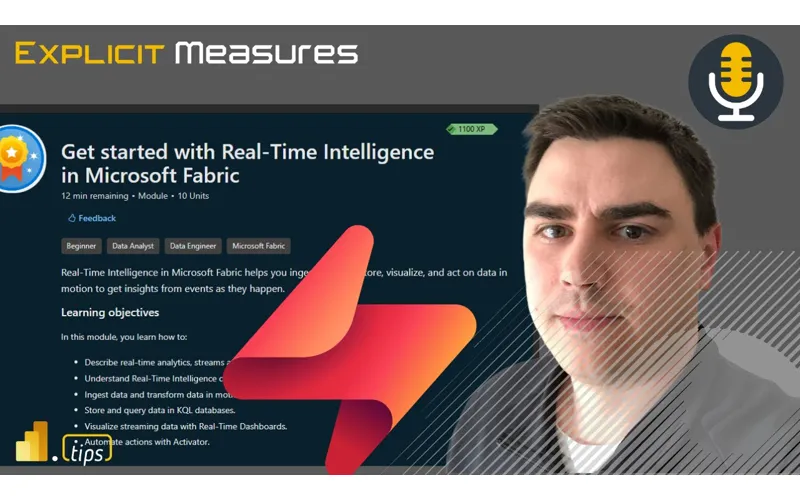
Real Time Intelligence in Fabric isn’t just for data engineers. In this episode, Mike and Tommy break it down for Power BI pros: what it actually is, when you’d use it over traditional import/DirectQuery patterns, and how to get started with KQL (Kusto Query Language) and event-driven architectures.
News & Announcements
-
Fabric October 2025 Feature Summary — The monthly roundup of Fabric updates and improvements across all workloads.
-
Power BI App Copilot AI Scoped to Curated Content in an App (Preview) — Copilot in Power BI apps can now be scoped to only the curated content within that app, improving relevance and reducing noise.
Main Discussion: Real Time Intelligence for BI Pros
What Is Real Time Intelligence?
Fabric’s Real Time Intelligence workload is built on Kusto (the same engine behind Azure Data Explorer):
- Event-driven data — IoT sensors, application logs, clickstreams, transaction feeds
- KQL (Kusto Query Language) — A query language optimized for time-series and log data
- Sub-second latency — Data is queryable almost immediately after ingestion
- Built into Fabric — No separate infrastructure to manage
When Do You Need It?
Mike and Tommy help BI pros identify the right use cases:
- Traditional BI (scheduled refresh, import mode) works fine for most reporting
- Real Time Intelligence shines when data is continuously streaming and decisions need to happen in seconds or minutes
- Examples: monitoring dashboards, fraud detection, operational alerts, live event tracking
Getting Started as a Power BI Pro
The on-ramp for BI developers:
- Learn KQL basics — It’s similar to SQL with a pipe-based syntax
- Start with the tutorial — Microsoft’s official Real Time Intelligence tutorial walks through the full flow
- Connect to Power BI — KQL databases can be used as data sources for Power BI reports
- Think in events — The mental shift from “snapshot of state” to “stream of events” is the hardest part
KQL vs. DAX vs. SQL
They compare the query languages:
- SQL → Set-based, declarative, great for relational data
- DAX → Measure-oriented, optimized for aggregations over star schemas
- KQL → Pipeline-based, optimized for time-series filtering and aggregation
Resources
Looking Forward
Real Time Intelligence is becoming a core skill for Fabric professionals. As more organizations adopt event-driven architectures, BI developers who can work across both batch (lakehouse + semantic models) and streaming (KQL + Real Time Intelligence) will be in high demand.
Episode Transcript
Full verbatim transcript — click any timestamp to jump to that moment:
0:00 Heat. Heat. Good morning and welcome back to the
0:34 Explicit Measures podcast. We’re happy to have everyone back here. Good morning, Tommy. How you doing? Good morning, Mike. I’m I’m feeling I’m feeling a little just woken up and spicy this morning. All right, good. it we’re jumping back into today with our another main topic of getting started with real time intelligence what are the we’ve been talking about it for a couple days now where where do we get going? What what should be some of your first projects? What what [clears throat] might that look like? So that’s what we’re going to talk about today and then with that let’s jump into some news
1:06 Items. Tommy, you’ve got a couple beat from the streets here and maybe some actual news items. You want to start with the news and go down the news route first? Yeah, we’ll do the news. I the actually Mike I think we need to get into a few things before we actually talk about the good things. Oh, okay. So, you’re you want to do the beat from the street or some let’s just get let’s get it off our chest out in the open thing. So, first off, I’ve obviously done a lot with data agents and they’ve been working great. Also done a lot with copilot studio the
1:40 Integration. and they’ve come out with more updates like all right let’s really integrate a data agent which is the fabric equivalent of querying a data semantic model or a lakehouse and again triggering actions getting relevant results it’s more conversational now one of the biggest things that Microsoft has touted is in copilot studio this is the Microsoft global now not just fabric you can create a agent that has tools that’s very equivalent to giving something skills one of is a fabric data agent. So you can simply give it the skill of
2:14 Talking to a data engine in fabric. Why would you do that and not just have the data agent? Well, with a co-pilot agent, I can have that conversation in teams. I can have that really conversation anywhere that agents available and I can trigger other actions from that. Okay, so just a brief recap here. The biggest one that I at least talk on the air is a data agent that I have a semantic model that looks at all my starred repos. It’s comes from a Jupyter notebook that APIs the data was starred.
2:47 I get the readme file. So I can look at anything if I want to say hey what were the recent repos? I know there’s this one about fabric that I started this month. What was it? Or it has fabric in the readme. Just get that information quickly. You because there’s a ton of things. Sure. Okay, data agent works great, , and it’s a great test to show, , metrics, but also get information, not just simply what’s the number works great in data agents. So, did the connection. It’s so easy to set up to in copilot studio. the tooling works
3:21 Like, okay, this is going to be really neat. So, we finally published it. I’m in Teams. oh, look, there’s my data agent. There’s the GitHub agent. Okay. I asked it a question like okay let me ask very similar basic question show me what repos did I start that had Python in the description this month it queries says hm looks like you’re trying to go to fabrica and I went yes said well I can’t access fabric directly let me give you a prompt you
3:56 Can ask your data agent and you can go into fabric and do yourself interesting So, Mike, I ask you, like I’ve asked this question in other settings, what’s the point? What is going on here? Yeah. If it’s not going to be able to communicate through to the other agents, what’s the point of linking them together, I guess, right? Exactly. This is insane. Yeah. This is I I was so along your So, I like your
4:30 Story, Tommy. So there’s some disconnects between the co-pilot type experiences between data agents. One of the so let me give you again I’ll jump onto your grievance with my grievance as well right is when I build things in fabric today or if I’m an ISV or I’m developer for things for fabric everything I must consume has to be from from fabric. there’s I can’t develop a workload that allows me to spend C use that the customer is going to be able to be using from my workload. Well, because of
5:02 That, because I can’t share that cost burden in the same way that Microsoft can with their workloads, I I have to like figure out how to pay for this co-pilot or AI stuff on the side. And that just makes the billing method really difficult for people to like have agents and things that assist you inside building workloads. So to your point here, Tommy, like I want more capabilities for like data agents. Like I yes, it’s a data agent, but like I may want my tool or something to interact with more than just the data that’s in the agent. I wanted to do other things
5:35 Like anything that an AI large language model could run, I may want to run that inside a fabric workspace for whatever reason. So, I don’t know why I need to be locked on to like a data agent that only can look at the data and doesn’t really have any other ability to do that’s what a copilot studio is for. Well, see, this is my point. Like, why can’t I bundle up a co-pilot studio thing and just land it in the workspace and then it just runs there? Like, so to your point, Tommy, there’s it feels like there’s disconnects between which teams are working on things and and so let me ask another
6:06 Question, Tommy. I there’s copilot studio, there’s AI foundry and data agents. You’re talking about copilot studio. Are you is that the same thing as as AI foundry? That’s is that separate other thing? Completely separate. That’s more that’s model creation and deploying models out. So like using a model using it. Exactly. Exactly. But again, I don’t I’m not sure where it all fits. So again, maybe another story here for you. Tell me around the co-pilot
6:40 Thing. Maybe we’ll get on to the news here. I had another like note here around all this. And I was looking at this going, “Oh my gosh, this is insane to me.” Because I was So I’m I’m adding dynamics to my business. I’m going through some things. Bless you. Oh boy. Yes. I’m trying to just use I’m just trying to use I should have gone to the summit time because I could have gotten some like 101 ones of like I found some good YouTube videos. I found some people that are really doing a good job explaining how to use like the basic features of the tooling. and I got so frustrated because even just setting up
7:16 Basic things like hey I wanted to integrate with my email. You click this button here that says integrate with your email it says fail. I’m like well how do I unfail it? Like there’s really no help. And then I started looking at like where does C-Pilot exist? What can I use for Copilot? And to be honest, like it’s the simple things that make it easier to use. But when I look at like other tools that are out on the market, like the one I’ve been talking about a lot recently is n.io is really interesting to me. And I can do like pick up data. I can throw it to a large language model. I
7:48 Can do some things and I can push it back down. It have all these tools and other things that go along. I look at this going, where’s Microsoft’s equivalent to these other tools out there? Like, I think we’re in a place right now that Microsoft is so big and monolithic when it comes into the AI space, it’s just able to kick out a couple recent decent features, but there’s so many small companies out on the periphery that are building like really creative, really innovative things that are all it’s it’s happening like so much faster other places. And I’m looking at all these things in the
8:21 Marketplace going there’s a whole bunch of co-pilot AI things that are happening. It doesn’t really feel like we’re getting those features landed to us quickly enough inside the Microsoft products. And again, I I shouldn’t be a surprise because Microsoft’s never usually the first to market, but usually when they get to market, they usually do it really well. So, it’s actually it’s funny you said that. I I actually did a webinar yesterday with Cloud Revolution, and we’re doing a four-part series on AI in your organization. wow. Yeah. So, I’ll send you the link, but we kicked off yesterday on we went over Gartner’s real study
8:55 And they found that 85 to 95% of all companies who were trying to integrate AI fail because the thing and what’s funny? It’s themes that you and I have talked about previously. So, they’ve probably been listening to the podcast then. That’s probably they got all the information from the podcast. [laughter] But but the biggest parts though too to your point is right now a lot of companies are trying to find a problem or have they have a solution but they don’t have a problem. So they’re like well we just need we need AI. Okay. Okay. But the bigger part is just like you and I have talked about
9:30 Like you’re the N or N and other tools like that they exist but they are not enterprise ready because they don’t talk to legacy systems and they don’t work in the workflow. So like you Mike and Carlo can use it. It works great. What Microsoft’s trying to do is so people can actually what I think the other number that they found is while all the companies that they interviewed that were not working 80% of them are using their own individual
10:01 AI tooling themselves that they bought with their own dime and they’re using that dayto-day. So with Copilot Studio, what they’re trying to do with data agent is supposed to be something off your own data and more than just conversational, right? So it’s not I just don’t want to query something. I want it to act. I want to help be even more efficient. But once you realize that we just have a solution, but we don’t have the problem. That’s where we run into a lot of issues. And with if I keep having these integration errors even with things that are new like
10:33 Fabric data agents and an existing semantic model you are dealing with a completely different situation though too because let’s not forget that dynamics is the back end is legacy Mike so once you get into it it may have a pretty interface but that is years of infrastructure under that and licensing and all that it’s it’s impressive in general. , in general, like again, I was also looking at this going like, okay, I could use that or I could use some like hot internet random company, but like it all goes down to
11:06 Like, can I get the data out? And I’m like, look, I’m a Microsoft shop. Like, I’ I’ve got to get the data out or the information out of it somewhere at some point in time. So why not just grit and bear it here for a bit go get the tool turn it on and then when I want to do reporting on things that come out of the tool like now I’ll have more context to like any customers who are using Dynamics with Fabric or PowerBI I’ll have the ability to like learn what’s going on there and the pain points they’re going through I need to understand to to more clearly talk to what’s happening inside
11:40 The Dynamics world. Anyways, it’s interesting. I will say this, the one feature everything just feels right now with the co-pilot, it just feels very disjointed for me, even though I’m wearing the co-pilot shirt today. , but the the one thing I really do love is there’s this feature that they’ve added that allows you to add images or text anywhere you want that has a lot of fields. So, like if you’re making like a lead or a customer, whatever, you can literally just copy the entire email text or you can just copy from the website. Oh, I’m going to highlight some
12:12 Text of like this is the location. This is the website. You can just copy that and just paste it right into a little window that’s like right from your clipboard. Just paste it here and we’ll eat it up. AI will figure it out and then it’ll put the fields in the appropriate places which I have found already. Again, I’m just starting out this journey. That’s a super great feature. Like that was like yeah, this is where AI should be used. It should be this like throw anything over the wall at it. it should be able to read the the form fields that you’re on as well as interpret the data that you’re giving it
12:43 And it should match them up as best as it could. So I have found that part to be very effective and super useful. So already I’m starting to see like little it’s like these little winds that that are happening. and [clears throat] I and again I think maybe I’m just very disillusioned right now is because I really want like an N8 Power Automate like experience. , Power Automate is good, but man, what N is doing with all these nodes and the community part of it and making all these widgets and like everything is not everything. Everything’s like
13:14 Not for free, but like they have everything included. You pay for the number of runs. You don’t pay for like more connectors. You don’t pay for other things. It’s just it’s just to me I look at it going, man, this is what Power Automate should have been feeling like. It should have been feeling more like this. Anyways, enough said. , let’s move on to your other news items. Speaking of co-pilot, Mike, first number, first item up. Yeah, it power app copilot AI scope to the curated content in an app. So, this is on the PowerBI blog and what we got here, my friend, is something I am
13:48 Intrigued to get your thoughts on where I’m in a PowerBI app and there’s this is an app scoped co-pilot. So, the co-pilot is only going to look at the context of the app that you’re in. So ask questions to get summaries. Again, we’re still dealing with the conversational piece of this. just like when I can prep data for AI and submit your model, there’s verified answers. So we can prep that data. We can have helpful tips for the app authors in terms of u making sure that it’s getting connected to the type
14:20 Of answers that we expecting. Add content for the co-pilot reference and helping with discoverability too. So if we’re try like so users are new this makes more sense this makes so much sense like this is like this is this is what we want like I love this feature and this is what I’ve been thinking for a while like yeah co-pilot home should be built into the apps total sense yeah it goes back it goes back to what you literally just said about that chatbot or or the little almost extension rather than always having to
14:53 Go to a URL to go talk to your AI or Yes, correct. This is just enhancing the experience you’re already in. So, I’m in an app. Okay. Right. And I’m not just asking, , what are my leads? It’s actually like, hey, I’m looking for content for, , what anything we got on emails or or , , digital marketing efforts. Yeah. And here, not only is going to show you a report, but it will also show you, hey, here’s some the relevant visuals that are going to help with that. Here’s some of that context there as well. So, this is just again an enhancement to
15:25 Something you’re already doing. I’m not doing something different. I I think this is makes a lot of sense in in the idea that like look an app is a curated group of things. It it naturally lends itself to like having focus control around what users see cuz Tommy one of the things that we’ve been doing a lot for a long time now has been is recommending to companies and organizations when you’re building PowerBI content even back before we had fabric was when you distribute you distribute through apps. like that’s the way to go. So, so now
15:57 Inside the app you have like okay great you may have workspaces with lots of reports you may have so the co-pilot home experience is is a little bit overwhelming because it’s like it could search for anything like so there’s a lot of things you could be going after unless you specify to your point Tommy the data agent is like now scoping down to a semantic model a lakehouse and starting to give you a a smaller context window this in the app makes again a lot of sense now just because it shows up there Tommy does it means is there any ability for you to write custom
16:28 Instruction in custom instructions for app with co-pilot integration or is it just more of like it’s just scope to that and you get what you get? So [snorts] you can do some prep but there is no like system instructions that that yeah it’s you’re not basic you’re not creating your own like app agent so to speak. Can you can you bolt on a data agent in the app yet? Not yet. Not yet. right now still this day and this is another question you’re saying the only place I can actually interact with the data agent
17:00 Is on the editing page again which we’re at you can pull the data agent in on the co-pilot home experience so you can you can add context to the agent there but to your point Tommy though like it it feels like this is interesting the definition of an agent there is a difference like between a chatbot and an agent and we are mixing the two and problem So an Asian extension that does things on your behalf. It’s a tool. It’s basically like if you add something on local like cloud code, you give it a
17:32 Skill where it gives instructions on it can write these functions. That’s not what sends you to a chatbot. But that’s not a data agent though. A data agent doesn’t really do that, right? It’s it’s more like a chatbot with more instructions. that would that’s more of what what a dead agent feels like to me. An agent itself should be more than just a conversational chat piece. Yes, correct. It it feels it it feels like a data agent is like you have like agents as you would look as you think about like what cloud code or GitHub copilot is doing. There’s agents that are like
18:05 I’m writing code for you. I will manipulate things, right? And then there is on the other spectrum there’s like chatbot co-pilot AI based things and so data agents feels like it’s somewhere slightly the middle. You’re giving it some instructions. are it’s more like you’re giving your chatbot a or you’re giving co-pilot a skill or a tool rather than acting like an agent. Data agents feel more like skilling a co-pilot thing and not actually doing like they’re starting to get to be something. Anyways, this is interesting. Okay, I still think a lot of this is getting teased out that the the product is not quite we’re very early days I
18:38 Believe. I have a prediction. I have a prediction. I have a prediction. Then we’ll move on. I think in the upcoming year too because right now everything’s called Copilot Microsoft Copilot D. there’s way too many everything named Copala that are different things. I think we’re going to start seeing different names of some of these features across the Microsoft platform because right now interesting I think it’s too broad right now. They’re just trying to put a everything they’re just equivalating AI and copilot is the same thing and I think that’s becoming very confusing for a lot of people. But anyways,
19:10 I’m going to disagree on your prediction. I think it’s going to continue to stay the same. What I think is going to happen though is it’s going to be it’s going to get a little bit more seamless. I think things will feel more similar, but I still I don’t think they’re going to get away from it. I think Copilot is the brand by which they’re going to do everything through. That’ll be that’ll be what you use moving forward. Okay. there’s one more other item here, Tommy. There’s a October 2025 feature summary. I know we’re at time here. Yeah. do you want to quickly pick out anything that you thought was interesting here and then we’ll move on? Let’s just do a quick rundown, Mike. I I got a few Well, actually, did anything
19:43 Stick out to you? Because I can do a quick rundown, too. We don’t need to just pick one thing that you like and then we’ll go from there. I’ll pick one. Okay. So, one of the biggest things that I saw was actually just from the fab. I’m just going to jab you a little more around the UI, the fabric platform where keyboard shortcuts are now getting integrated into the fabric experience. I saw that one. Yeah. And also just more of a focus mode. So, they’re really they are starting to put a lot of work onto that new developer experience where I
20:16 Actually and I actually like it, Mike. , it’s not perfect yet where I can have the tabs in the browser rather than actually having actual browser tabs. We’re on to the right idea here. I don’t know, man. I know. I think it I have found it more useful than having multiple tabs open for different circumstances. Granted, once you get past two or three things, then it just gets very crowded. Okay. But it’s it’s it’s we’re getting somewhere where I think we’re going to
20:48 Really enhance that experience. Yeah. I think the design needs work more there. I I still don’t , to be frankly honest, I don’t like it. I’m not using it and I just go I don’t even the f the bottom right hand button when you’re switching over between fabric and PowerBI. I just stay in PowerBI mode all the time. I I [laughter] don’t actually ever switch over to fabric mode. I don’t I don’t like the new UI on that one as much. I think it’s I think it’s just very duper different to way I’m used to working and I don’t I don’t really love
21:19 The look at maybe it’s going to wear on me. Maybe I give it a try. , they’re gonna I think really revamp it. I’m just going to quickly shout out and then we’ll just move on. Something I really like with notebooks. , and this is almost taking right from a Google Collab where if I actually have connections like right, let’s say you have a connection to a database and it’s not necessarily connected to that fabric notebook, you have to like specify all those credentials yada yada and anytime you need to call it again, you have to write that code. Well, they actually have a new tab in your notebook
21:51 Where you can actually create a connection to an outside data source and anytime you need to reference that, you just simply add that to the code the cell. So, let’s say you had like Azure data lake storage and other storage types is simply is like a saved snippet of that credentials in that connection. So, I I really like that. So, that’s what I got. So, I I’m I’m going to pick on some weird ones here, aside from all the really cool RTI things that are coming out, which was neat here. , I think one of the more impactful ones here that was
22:23 Announced was the Spark Connector for SQL databases. Yeah. In the past, I’ve done some Spark connection to SQL and it’s been quite a pain and it’s not easy to do. I believe they’ve simplified this experience a little bit more. It’s in preview. So, again, I I like to preview things right now. I think there’s a large number of people who want to who will want to get access to data from SQL databases and I think having that available directly to you in Spark is a good thing. I think that’s just going to make it easier anytime you make it easier for me to get my data into a different experience. Really, really like that. So anyways,
22:56 I’m going to pick my pick for this one is Spark Connector for SQL databases. I think that’s going to be a major winner for me, especially when I have a handful of SQL databases now inside fabric, which is awesome. and they’re enabling PIS spark with it in addition to Scala and has OS and RLS already included and cls column level security. We got your security for days security for everything. So anyways, very cool feature right there. I like this that feature there as well. Anyways, let’s jump in. Let’s go into our main topic for today. Our main topic
23:28 Today is coming back to talking more about let’s just get it back to we’ve talked about how many things work in real time intelligence. Let’s talk about how would you get started with real time intelligence? What does that look like? What’s a beginner’s journey look like? where where might we start? How do we pick up business use case maybe and where we begin? And with that, I’d love to introduce back to the podcast. Chris, welcome back again. Appreciate you being on for another episode of Real Time Intelligence. We really appreciate your time here. We know it’s extremely valuable to you. but thanks for
24:00 Joining. Yeah, thanks Mike. Thanks Tommy. Nice to see you guys again. It was a a very good conversation this morning. Well, the the co-pilot things is is who coffee. I’ll also say this as well. When Tommy and I look at the analytics, like we do a lot of YouTube shorts, we do a lot of stuff on YouTube. All the hot topics that we find, things that get a lot of hits, everything’s related to AI right now. I I think everyone’s just clamoring to understand like where does it fit? How do I use it? Where can I apply it and
24:34 It’s it’s so common. It it seems to be it’s so new. I was talking with another friend of mine, Armando. I’ve done a couple podcasts with him on the channel here a little bit and Armando and I keep going back and forth about man, what is this going to look like in like three months, six months from now? It it’s the things things are changing so fast. It’s so quick and at the same time I feel like Tommy we’re at the same place where when PowerBI came out and there was so many new features every month and it was so different. I remember back in the back in the day
25:06 2015 2015 2016 when everything was coming out brand new I’m like a I feel so overwhelmed. I’m so behind I can’t get my hands around it quick enough. I feel like that’s the same feeling I’m having around like AI and agents and all this other stuff that’s coming out now as well. So anyways, good topics there as well. All right, Tommy, kick us off here with a little bit of the topic. Let’s let’s frame some of this conversation for we’ve talked about the PowerBI pros and how they get started. Where do we start with like let’s just begin. Okay, you convinced me, Tommy. I’m ready to start with with real time
25:38 Intelligence. What’s the What’s the main topic here? How do we start this off? So, you just said it. I I did. Yeah. [laughter] So what yeah I think what we’re concluding our series here on real time fabric events is we’ve talked about it being in applications and application based system. We’ve talked about really again what is it in the fabric landscape and we’ve even talked about data modeling. So the one thing we really got to conclude here is let’s get
26:12 Started. So what are some of those prerequisites? What are some of the things that we can apply today? What do I need to know? So, help me set up my environment, set up the architecture here and just getting this kicked off and for my organization and for my tenant. Yeah. So, I think Tom, it’s a great question and I I was reflecting on your question the last couple of days because I knew you knew you were going to ask this. So like I was thinking a little bit about when you want to get started, how do you get started? What
26:46 Are the different things? And to start, I think the best place to start is to think about your data in terms what it can do for you, not what you can do for your data. Right? To to steal an old quote, right? To steal a very famous quote that we probably all know, right? Yes. instead of instead of asking our data like hey what can I do for you today? How can I pull this data and put it on a schedule like what can my data do for me within my environment? So
27:19 Before you even start sitting down with anything in fabric or with any tool, like change the mindset, right, of how do I think about all these different tools and things? And I know you were talking about AI right before and like I think when we talk about AI it’s so confusing right now because there’s so many different things out there and it’s such a new space that there really isn’t like we’re all clamoring to understand excuse me [clears throat] we’re all clamoring to understand what is AI what does it mean for me what
27:51 Does it mean for my organization and you mentioned a minute ago Tommy we know that a lot of AI projects don’t really realize the value for what businesses are expecting from them, right? And my theory and this is this is my thought, right? But if I start at the the fundamental and I look at an AI agent, whether it’s conversational or whether it’s agentic or whatever it is that I’m building, if I’m building that data on what happened historically and I don’t have a real time view of what’s happening in my
28:24 Environment, then immediately the perception of value within that agent is going to decrease, right? of being able to come back and say what happened yesterday is not nearly as impactful as saying what’s happening now like we were talking about on Tuesday right how fast am I driving right to me like being able to ask that question isn’t nearly as impactful as being able to say well I have an agentic application and I know when I hit this certain speed or I know if I’m running delay if I’m running behind and I want
28:58 To go send a notification to maybe a merchandiser or someone who’s waiting for me on the other end that hey Chris is running late on his route right those are the kinds of values that we start to get when we start to ask that question of what can my data really do for me because we’ve really broken the problem down from saying instead of moving this entire set of data like these are all the things that I want to watch right it’s go ahead go ahead Bill that’s I was gonna say you’re just making you’re really sparking here
29:30 Something very similar to what I saw when PowerBI is rolling out and I think what’s happening with AI in general is right now all these investments are it’s a solution looking for a problem and I think that’s what makes these very difficult to in a sense see the success and I look at real time and I’m looking right now I’m looking at the end to end tutorial that’s available in the Microsoft documentation and it’s going through fabric events co-pilot KQL KQL query cl create an alert create a PowerBI report. So this
30:04 Is obviously going through the whole gamut. But when you when I think about all of those features, right, I I’m just going back to that kind the concept of here is like those are all solutions. Well, for these okay before we’re actually going to see success where like what are those problems and I think you’re touching on that is trying to identify that like where does my data work for me and really starting there, right? what what do I want my data to do? Now in fabric, we have so many different tools and so many different
30:37 Ways to consume data beyond just PowerBI reports that whenever we start a project, I think the first thing we should do is take a step back and say what’s the right action system that I want to go make available for my data. Yeah. Do I like I might need a PowerBI report, but maybe the PowerBI report is a part of that solution. Maybe I want that PowerBI report and I also want an activator alert or maybe I don’t know what I need. I want to create these actionable systems because I’m really taking that step back and saying how do I want my data to integrate into the the
31:11 Fabric of my business, right? Pun intended, right? Of how do I take data, turn it into something actionable and then integrate it to all those different pieces. And although event stream is the primary method for getting data into real-time intelligence, it’s not the only method, right? We have lots of ways to get data into an event house. And the tutorial walks you through an event stream and we can use event streams to flow that data, but we can also shortcut data from one link, right? So if we want to use pipelines and maybe we’re not getting that data and maybe it’s not happening every few seconds and like we talked about before, maybe it’s a vendor
31:43 File that’s coming in every couple of hours and I can’t use continuous ingestion in a vent house for whatever reason. But maybe I want to use a pipeline or maybe I’m using a notebook or maybe I’m using mirroring any of these things that I’m leveraging to move data into one lake. You can shortcut that data into your event house as well. So being able to shortcut that data into your event house and then you really unlock all these different action systems that become available to you. So it’s really about I said sitting back and taking that asking that question of what do I really want this data to do? Am I am I just a data gatherer where I’m
32:17 Just gathering all this data and I’m a as you just put it Tommy a solution looking for a problem right of I’m going to pull all these different pieces or am I trying to solve this specific use case and if I’m trying to solve this specific use case yes what are those things that I want that data to then go do so that that was my one takeaway I think what we’ve been talking here for the last two weeks or so Chris is around that exact thing is identify something like identify the use case first right so I think it’s one one of these things I look at this I go through
32:48 All the tutorials like it’s interesting to just stand stand up the systems so you need you have like two parts of knowledge you need to understand one is how do I get stuff into these real-time systems that that’s just a basic understanding I think going through the tutorials is very useful there’s actually a really good Tommy gave me the link for it so I got to credit Tommy this one there’s a getting started with real time fabric real time intelligence inside Microsoft fabric module it’s about 12 minutes along gives you like the overview of describing what real time analytics is understanding the intelligence
33:20 Components and then ingesting some data. So really good tutorial as well. So both those links are all in the chat window here as well as also in the description of the video. But in addition to those things, right, I think it’s so important to stand back and say, “Okay, why are we going down this path? What makes sense for us to do this extra effort or spend this extra money to make something a bit more real time?” And for me, again, going through the demo demos, anytime you’re working with a vent house or one of these other systems here, they
33:52 Actually have a really good starter sample data set. So, if you go through the tutorials, it’ll say, “Hey, hook up to this taxi data or hook up to this stock market data.” And it does a great job of just caking you lots of information quickly. It’s on the high volume side of things, not necessarily more the event driven because if we’re really thinking about it, right, it would be very dumb for you to like do a demo and [laughter] have to wait one day at a time to to complete the tutorial and things like that. So, that’s so caution there. , I turned on a real-time demo and it it made a lot of
34:24 Data very quickly and it stored a lot of information. Fine. It got the tutorial done, but make sure that if you’re doing these tutorials with real-time data stimulations that you’re being mindful of that. Don’t leave them on for long times. Just do your test, get it done. Once you understand how it works, delete the the items, , and get rid of them. I I will say this though, in my in my experimenting and getting things started, it’s actually really easy. A lot of the a lot of the things connect between each other fairly seamlessly and it it the connection points between the
34:56 Different systems between KQL between the custod it seems to talk to fairly well between the systems which I think is very helpful. Well, I think there’s a reason for that. When you think of the way most fabric workloads and the way most data workloads have been put together so far, a lot of the tying and the integration has really been left up to the developer or the analyst or whoever it is that needs to put together. Like yes, I want to use I want to move data from A to B. How do I do it? I need a pipeline to do that. So, okay, I’m going to go into my toolbox and I’m going to go find
35:28 The pipeline and I’m going to go find the data warehouse. I’m gonna go find data lakehouse. I’m gonna go find all these different things. I’m gonna tie everything and go. I have to wire it up myself, right? Yeah. with RTI, we’re we’re all one big product group within Microsoft. And so, yes, that end to end seamless ingestion, we really see from beginning all the way to the end, right? And so, like what however you ingest it and then however you move it to be able to consume it, all happens. But I want to go back to what you were just talking about from the samples. The samples are a great place to get started.
36:00 Yes. But don’t feel like you’re they’re your only samples that are available to you. True. Copilot, Copilot or, , chat GPT or Claude or whichever one you want to use, right? All of them are very good at generating sample scripts nowadays. , and so interesting, good call being able to ask it. And so I do this all the time. I do this almost every single day. Right. Great. Love this. I’m talking to a customer who says like, “Well, I work in logistics or I work in supply chain or I work in, , , financial
36:34 Analysis or like whatever, right? Whatever it is that they’ve got, right?” So, I just go to co-pilot and I just say, “Hey, create me a stream based off whatever the leading system is.” Like, I’ll I’ll do some background work first. I’ll be like, “What’s the leading background or like what’s the leading software tool for such and such or for whatever it is?” And then I’ll ask copilot and I’ll say give me the schema for that. So now I understand the schema like so the primary data that’s being created out of that system now I know what that schema looks like. And then I’ll go back to my LLM of choice and I’ll say now create me a sample stream
37:09 That simulates that schema going to an event hub. And I Oh, interesting. And I choose an event hub because event stream has a custom endpoint. And so that custom endpoint is the same thing as an Azure event hub. So, I can take the event hub connection information from Copilot and I just plug in the the publisher that I’ve created inside my event stream to serve as my event hub and then I just have a sample stream that flows. And so, almost every demo that I do is personalized, right? I
37:41 Hardly ever use and in all fairness, I rarely use those built-in samples because they’re useful for getting started. If I just want to click and I just want to drag or maybe I maybe I’ll use them in like a conference or something if I’m walking to a conference and I know that, , I’ve only got an hour to speak. So, I’ve got time is of the essence, right? Yeah. Yeah. If I’m talking to a customer or if I’m talking to anyone else, I will typically go create something like that where I have an end toend flow because then I can really make it relatable and I can make it can understand and we can really see oh here’s what this data can
38:15 Really do for me when it’s coming in in real time like how do I understand all these rowle things and how do they become important. So don’t feel like you’re limited just based off what’s in the samples alone. Really with with these LLM systems, the the world is your oyster. So, and I’m glad you say that because I one of the initial samples that when event stream first got released in fabric created that whole event stream and woof looking at the tables that it generated like okay oh
38:47 Look these visuals let me edit that and then you went to the back end you’re looking and I believe it was KQL but however that just simple tables being visualized the amount of code they were like I don’t even know where to get started with this because it was a it’s a those samples are I would say be cautioned with those ones the generic ones because it’s very comprehensive so it’s very hard to reverse engineer that. So I actually I love what you’re saying here about what I’m going to do after this I use projects and all my AI tools while I go all the
39:21 Custom instructions. I’m going to create a sample script generator. because this is a great idea where you can in a sense dumb it down where it’s not every samp every solution in fabric is oh we’re going to create everything for you. It’s like I just need to look at bits and pieces of this. so I I love that breaking down side of it too which also helps to with rather than looking at all these features but I’m not sure what problem that solves. We can be a little more specific here. I want to I want to I’m gonna do I’m gonna
39:53 Use a term for Microsoft I want to double click on what you said Chris around don’t do that don’t do that I’m double clicking double click I’m gonna double click on this one I maybe I was recently in too many Microsoft calls so I want to ask more more questions around I want to understand more mechanics here on this one so I I really like what you said there Chris I love the idea of being able to like Google some things this is where I think co-pilot really shines or whatever agent for that matter shines walk me through like where are you putting the script that’s generating the code? Is this like an an Azure data
40:26 Function or an Azure function that you’re using to generate code? Like where where are you what scripting are you using that’s actually going to be doing the schema generation of this like real time data for the demo here? Are you going to Azure to stand up something? I I didn’t understand what you what you do there. I don’t stand anything up in Azure. so to be there’s no that makes me happy. That makes me stay only in fabric. Okay. So walk in in the logic. So in my prompt when I’m asking I’ll say I’m building a fabric notebook. Right.
40:58 Okay. Now I will either use a fabric notebook or I will use that to create if I want everything to be self-contained and repeatable and maybe I’m going to go share it with others. Maybe I’m not even going to present it to the customer, right? Maybe I’m building it for you to present it to the customer. Yeah. Just mucking around with it. I’ll just put it in a fabric notebook and I’ll be like it’s no big deal, right? like whatever if now I’m with you. Got it. If I’m in a candidly, if I’m in a non-Microsoft environment and I know that I’m paying for it on my personal subscription where I have, I won’t create a fabric notebook for it. I’ll
41:30 Just run it locally in VS Code and I’ll just say just point at this event hub and just fire away. Oh, so I don’t necessarily need a notebook, but I usually use a notebook just because it’s much simpler for me to go stand up, but I use just VS Code for it as well. I love the VS Code agent, the Copilot agent that’s recently really been improving a lot. Yeah, it’s been leaps and bounds, man. I love it. I agree with you. being able to just tell it I want to create a sample stream on
42:02 Project management data or whatever whatever it is that I’m pulling from wherever it’s I’m coming from and just say go create me a script that just takes all this data finds the same the schema that I need and then goes and sends it to an event hub like it’s it’s leaps and bounds what used to take me three days now I can do in three hours right so it’s so much quicker than what I previously used to do but you don’t have to use Azure you don’t really have to do anything. You can do it locally if you want. If you don’t have access to do it locally, just create a fabric notebook. Just send it. it’s so easy. yeah, I’ve heard of
42:35 Composer. it’s super super cool. a friend of mine plugged me into that. Tommy, give us give me a hookup. Let’s talk about composer real quick. So this is cursor composer. Tommy, quickly give me a What’s that one all about? Well, I talked to GitHub at I think GitHub team at Ignite and they call Cursor the Cword, which I thought was just perfect Oh, no. [laughter] Well, so Cursor, you mentioned VS Code and yeah, the the co-pilot agent in VS Code is really good, but if you’re like, what, I’m I just want to go
43:08 Full in Barry Bond style into this look at Cursor. And they just actually had an update yesterday about something called Composer and Cursor 2.0, know which I can set up cursor with my own custom commands, my own custom agents and a lot of times what I’ll do is to your point and I’m going to try this is I want to create this event stream these are specifications I’m going to go grab coffee you let me know when it’s done and it same idea here but they just actually introduced their new model called composer which is specifically
43:40 Meant for the ID that environ for yeah that environment for the environment so everyone’s coming out with codebased things. So like Grock’s got fast code. You’ve got some other Grock things that are out there. Copod’s coming out with some stuff. Claude Code is very much codecentric. Okay, this is total random side tangent. I watched Do you guys watch I’m sure you watch YouTube cuz we’re on YouTube right now. So I’m sure so I’m going to assume you watch YouTube. Have you never What is that? I only I still use my Zoom. Like what’s going on? [laughter]
44:13 So, , a gentleman that I like to follow, have you heard of Network Chuck? He’s the guy with a big beard. Talks about a lot of like code and network things. Have you heard of Network Chuck yet? Oh, hidden gem. Okay, you guys are going to both of you guys need to go check out Network Chuck on YouTube. And he just did a video around , and Tommy, you may know about this one. All these agents now are coming out with their own CLI. So, they’re now I’m like, “What the heck, dude?” Like why do I want to like I have all these nice
44:44 Copilot windows. I have VS Code like why why on earth would I want a CLI for an agent? Like why do I want to install the the chat agent in a CLI? Oh my goodness, the information that these chat agents were giving you from the command line and the experience there. Again, I’m I’m going way nerdy on the very deep end of this this pool here. So just be be aware I’m I’m going crazy here. I was floored by how much more capability there was, how much more writing code,
45:16 Making files and then all these like other experiences around like learn docs like when you write something with agents you can have them like learn from what you’ve taught them or they resummarize this and put it into a markdown file so that later on I have additional context what’s going on here. This is incredible. And I I Mike, I I think we need to do a dedicated one on the terminal. I would be interested if I could integrate terminal with this event stream, but let’s get quickly a little back on track
45:48 Here because time is flying by. So, we are cruising. We we’re cursing. Yeah. So, we talked about where to start in terms of like identifying a problem or identifying the actual action here. So I think that it goes into for me the next logical step is the not just the infrastructure but the technical knowledge or the language right so a big part here is let’s be honest do we do you need to know custoto KQL and like how much of that
46:20 If I want to in a sense get started here is what’s my baseline of what what I’m using even know just to prompt my AI on what to do if all you’re looking for is to be able to answer the question of what can my data do for me, right? And how do I take action on those things as they occur? Shortcut the data into an event house and maybe you need to write a sample query, but we have a co-pilot which makes it really easy that you can then leverage to go create an activator alert or whatever. So the short answer to your
46:52 Question is maybe a little but not very much. the deeper you get into real time and event- driven architectures, the deeper you’ll want to go into custo. But it’s certainly not a prerequisite to get started. It’s not like, well, I can’t really do anything because I don’t know custo right that there’s so many things you can go do with real-time intelligence that don’t require custo right when I look at the tone of what we’re talking about earlier around the endtoend integration between all the different tools. Now that I have a SQL transform operator in event stream, I can stream all it into an event
47:25 Stream, use the SQL transform operator and then drop it into an event house and then just make it available in whatever downstream system that I want. So there’s lots of different tools that become available to you, but you don’t necessarily have to know it, but in transparent it will help and you’ll want to know more the deeper you get into the product. So this is this is the cho the dilemma of choice here. And I I love what you just mentioned and also I’m going to give you a little shout out too on your your blog articles the real- time dispatch you had a few on data
47:58 Transformations in real time. So I love this and I love that you’re mentioning this because I think there’s a diversion point in terms of okay I’m getting started here. we want to start developing real time but generally speaking when we think of doing transformations right where if it’s usually it’s for something that’s going to be I’ll call it more of an ongoing thing I am doing transformations in a notebook so it sits in a lakehouse that can be applied to other things I obviously have all my I’m doing transformations for my semantic model
48:31 And again they serve do two different purposes but to me I see both of those as these are very universal tools where I’m going to have universal data out there that I can apply in other areas. When we’re thinking about transformations in real time here, how much does this divert in terms of the when you think of the journey of data, right, where I’m already getting data in I want to make sure that I’m not overlapping some of my data in in so many words. So, you mentioned Maxim’s
49:05 Roach’s maximum in your articles. By the way, Mike and I, huge fans of that. Yeah, love it thing. So, big fan question, too. So, now you’re going to make me think of a new answer. [laughter] But, , when we think about doing transformations in real time, what considerations go into that? Because I think that’s a big part of just getting started too is how much should I do beforehand? , how much do I focus on doing all my transformations just in , real time? So you touched on it, right? Think the answer
49:37 To that question is when we think about data transformation, anytime we’re transforming data at the very end, whatever that very end might be, right? Maybe it’s in PowerBI, maybe it’s in a data lakeink with a notebook, whatever it is, right? It’s to me it’s not really fixing the root of like what’s causing that data quality or what’s causing that transformation. there will always be some type of transformation that you have to do to data in order to make it just usable in a in a human form, right? But I do really like Roach’s Maxim and I’ve used
50:09 It for for years because the further upstream you can do those transformations because then you just fix it once and then it’s taken care of. It’s not really I think I think all it’s really doing Tommy is taking the data that’s or those transformations that you would otherwise be doing in a notebook and saying hey I’m going to go run this and I’m going to go run it after the fact right and I’m going to go apply it on this big set and I’m taking those transformations and I’m moving them upstream right so following that maxim as far upstream as possible and as far downstream as
50:43 Necessary so as far upstream as I can possibly get I can’t really get much more upstream stream. Then the second the source system generates it, I feed it into my analytical system and I transform it right within like half a second of that happening. Like that’s just about as fast as I can possibly humanly get. Yeah. So like being able to do those transformations upstream allows you to do it once and then however you want to do it completely is up to you, right? Maybe I do that transformation and then I, , write it into my event house and then I send it downstream to my lake
51:16 House or maybe I put it in my event house and take some whatever my action on it is, right? But I know that by doing that transformation as far upstream as I can, I only have to do it one time. I know that no matter what happens again, that data is already been cleaned and transformed for that use case for what it’s being built for. I want to point kick on a couple two other ideas just as we’re talking about like getting started where do we begin? I and again I want to get your gauge on this too Chris like if we’re if we’re talking about the new users coming to RTI or getting in here. I think one of the the
51:49 First use cases that I see as being useful here is you’re getting data coming in from somewhere whatever that may be something’s something sending you data in information. , there’s two in preview. Well, one one in preview, but another one that’s a bit more available is there’s the real-time dashboard. So, you can create a real-time dashboard directly on top of the KQL database. , again, ro data to the KQL system, have data showing up there. That seems like a pretty easy starting point. You have to enable it’s it’s currently a feature you need to
52:21 Enable in the admin portal, but you basically pick the real-time dashboard. you have a visualization page basically and then from there you can just start picking out data sources and and putting them on visuals directly on the page that feels pretty straightforward to get started like what’s that’s one of the easier things. The other one that just came out which was at Fabrecon Vienna was real time maps as well. So now there’s another object in the create items in your workspace and again the same concept. You can do a real time map. You can create the map and
52:54 Then have data showing up there. So let me just gauge those two first steps. Chris, what are you what are your thoughts on the map and the real-time dashboard? Are those good first steps for new users? Yeah. So one I think for the real time dashboard it doesn’t even necessarily have to be in an event house that you have to configure. Okay. Yes. What by that is in real time hub, you can actually take the real time hub, configure it to connect to an event stream and then say send this to a real-time dashboard and we’ll build the event house for you. So there’s like load it all in.
53:25 Yeah. Not not having to write KQL to do something. It just like boom, you’re you’re off to the races. So being able to leverage some of those pieces. So yes, you’ve got real-time dashboards. That’s a great place to get started. It’s very simple, very straightforward. You can leverage co-pilot now to even just say hey within [clears throat] co-pilot like how can I go build this real-time dashboard right or I want to go create this so so there’s lots of different options that are available to you and then with maps what maps allows us to do is start to get that really rich geospatial insight into everything that’s happening and I’ll
53:57 Tell you what I learned last week which really blew my mind so maps can actually be used for indoor mapping too you can upload a a custom map for some indoor environment and then go leverage it. So when we think of like nice how we used to do things like in PowerBI we had like the synoptic panel and all these other things that required extra in fabric maps like we can load those things and then go create it. So, there’s a lot of different pieces and like if if you’re around and you’re listening, make sure you register for Ignite and for the
54:29 Real-time intelligence session that Gitsac is going to deliver. because I I won’t spoil it, but I will say there’s even more coming beyond just maps and dashboards and activator. Like, we really want you to be able to embrace what I was just talking a few minutes ago about what can your data really do for you as an organization, right? How does it get into that agentic? How does it get into those experiences that really take data from being something that’s static and turning it into a dynamic breathing part of the business?
55:02 I like that. That’s really good. Okay. , let’s go through maybe some final thoughts here on those new users getting into fabric real time intelligence. I think this is again if I’m if I’m looking at the lens of the world, my lens has traditionally been PowerBI, right? That’s that’s I think the audience that we talk to today is that’s that is our space and one of the things I’m very excited about for fabric is it opens up a whole new world for these other experiences that we haven’t really been able to have before. I didn’t want to spin up event hubs inside Azure to go get information and do
55:36 Things with. So I feel like there’s a there’s a huge barrier that has been removed for any of this real-time intelligence piece because now it’s just part of fabric. So I’m very encouraged by this. I do think this is something that you want to start experimenting with. And so this is something where you need to get your your feet wet. You need to jump in start experimenting with these things inside real-time intelligence because I think you can find some simple use cases. And I do want to be careful. Real time intelligence isn’t always about the streaming event high volume stuff. I think real time actionable events is also extremely useful when
56:09 We’re talking about eventdriven architectures. I think that’s also very real time but a very different use case. So I think those are really important. Tommy over to you. Final thoughts. I’m going to yield my final thought to a question for Chris here and because you were our hearts are PowerBI. So what are just some of the best use cases of not the data coming in PowerBI creating a PowerBI report off of event stream using the integration. So obviously you can create all the visuals in
56:41 Eventstream and or in EventHub but where have you seen the best examples of the PowerBI report utilizing real time and having the highest impact for teams or an organization? Yeah, it it’s a good question. It’s anything you really want. Like imagine your PowerBI report today. How often does your PowerBI report refresh? What if you could get that data in real time, right? We used to have things like streaming data sets. We used to have some of these other things, but they were really complicated to set up. Now you can load all that data into real time and you can put it all in an event
57:13 House and you can put PowerBI directly on top, right? So even if all those other things that we were talking about and you’re like, hey, I just need a reports, right? Okay, but what if you could get that report as those events or as those facts are being generated, right? Load all that in and then run your your PowerBI report on top. Like the the use case can really be whatever business process you’re trying to measure, right? What are all the different things that you’re looking for to go say like, man, this data is useful. Wouldn’t this data be way more useful if I could get this data to refresh much more often?
57:45 Gotcha. because I’m thinking why the difference on why would I just create the visuals and the event stream like that dashboard feature. So I think that’s a very important question to ask yourself is what I keep going to goes back to our old thing about it’s got to have if it’s got to do something better than something else or has no reason to exist. Yeah, it’s and it’s it’s if I’m going to get the data faster, what decision am I making until the next point of data shows up that I need to do something? Like if you if you if you just want to see it just because you want to see it, that’s not a good reason why you want to
58:16 Put it in real time intelligence. You need to be able to look at it and go this when I get this data quickly, I’m able to make faster decisions. That’s the point here. That’s the point really. And back to our moniker, Tommy, we’ve been saying for years now, if the report doesn’t make you money or save you money, it’s not worthing putting in the report. I think this is the same applies here for real-time intelligence. What is real-time intelligence helping you do to either make money or save money with that information? That’s a good barometer of is it is it a fancy flashy feature that I just want to show off or
58:48 Is it really driving like end of the day business value making you money in your business? And I think that’s a good barometer of like if it does if it ticks that box, we’re good to go. I I love that. Is it making money or is it saving money? If it’s real, many people have. [laughter] Yeah. , every every report lens you look at, , if you if you really distill it down, right, every report should be doing one of those two things. And if it doesn’t, I would question why does it exist? And I would take that a step further and I would say, why does it always have to be a report? Maybe I need a report to do
59:23 One of those two things. Exactly. There are with AI and with all these other things that we’re talking about, I’m not only limited to those things anymore. And now if I want to make money or save money, I have all these other things that are available to me, right? I can leverage all these new tools that are available within fabric, typically an RTI where I can say, hey, as these things are occurring in my environment, how do I use it to make money faster or how do I use it to save money faster, right? Of all these pieces. Listen, this goes back to my existence of the iPad, man. It’s the same steel spiel that Steve Jobs said. And this is
59:57 Where I’m I’ve focused so much too on all the choices we have. Steve Jobs said if we’re going to create a tablet, it’s got to do something better than the other things that we have or no reason to exist. Yeah. So, and though we have to identify too not just the problem, but if I’m going to create visuals in the event stream, if I’m doing it in PowerBI, it has to do something better or better experience for users. Anyways, but I love that. So, all right. All right. I want to put in more one note here in the chat window. So, the webinar from Ignite or the session, I guess it’s like an hourong session. The
60:29 Session that is in Ignite that you should check out, I believe it’s called Unlock the Power of Realtime Intelligence in the Era of AI. That’s the session. I got the link from the Ignite website. It’s actually in the chat window as well. So, if you want to check out this session, make sure you go hit up that sess session. I think that’s the one we’re looking for. , you can Okay, Chris is confirming for me. So, we’re good to go. Check out that session. I think you’re going to see your mind blown. Again, I don’t know anything. Chris is the insider here for Microsoft. He’s saying this is something to pay attention to. So, if
61:01 Chris says it, I’m going to pay attention to it because you’ve given us a lot of really good things to think about over the last two weeks. But that being said, Chris, thank you so much for your time. I really appreciate you spending all this extra time with you preparing and thinking about things and trying to unpack this story with us around real time intelligence, an area that I think is undiscovered a little bit inside the fabric world. that being said, thank you all so much for joining. We really appreciate you. If you don’t mind, give us a like. Let us know in the comments down below. Did you like this [clears throat] content? It’s just helping you at least become less scared around trying to
61:34 Touch some more real-time intelligence. I think that’s our hope here is get started. It’s not it’s not super intimidating. Hopefully, this gave you a couple techniques. I’m going to definitely take away that notebook one about building notebooks and some real-time data somewhere else even in my co-pilot on my VS Code and start sending events to u some things that that sounds really interesting to me. So, I’m really looking forward to that. Maybe we’ll have to get Chris on a future episode or or start doing a quick tip with Chris at some point. We may have to like get you back on the show at some point, Chris, to have like build one with us in real time here so we can actually see
62:06 What it looks like. That would be super cool to have a demo of you building some like, all right, we’re going to just green field it here. , pick a pick a topic and we’re going to make our own schema and go. Anyways, , Tommy, over to you. Where else can you find the podcast? You can find us on Apple, Spotify, wherever you get your podcast. Make sure to subscribe and leave a rating. It helps us out a ton. And share with a friend since, , we do this for free. Do you have a question, idea, or topic that you want us to talk about in a future episode? Head over to powerbi.tips/mpodcast. Leave your name and a great question. And finally, join us live every Tuesday
62:39 And Thursday, 7:30 a.m. Central, and join us on all PowerB tips social media channels. Chris, thank you so much. We’ll see you next time. Thanks. down.
Thank You
Want to catch us live? Join every Tuesday and Thursday at 7:30 AM Central on YouTube and LinkedIn.
Got a question? Head to powerbi.tips/empodcast and submit your topic ideas.
Listen on Spotify, Apple Podcasts, or wherever you get your podcasts.