
AI-Assisted TMDL Workflow & Hot Reload – Ep. 507
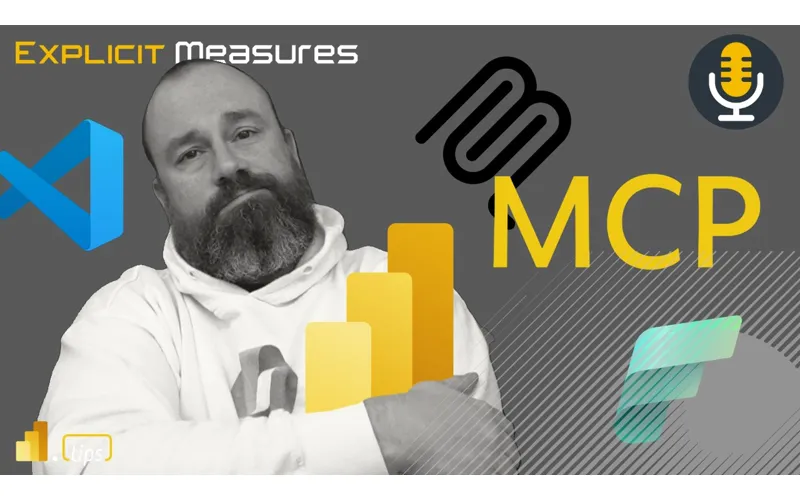
Mike and Tommy explore AI-assisted TMDL workflows and the hot reload experience for faster Power BI development. They also cover the new programmatic Power Query API and the GA release of the input slicer.
News & Announcements
-
Evaluate Power Query Programmatically in Microsoft Fabric (Preview) — Microsoft has introduced the ability to execute Power Query M scripts programmatically through a REST API in Fabric. This turns Power Query into a callable data transformation engine that can be invoked from notebooks, pipelines, and external applications. It supports 100+ data sources including on-premises access via gateway, making Power Query a first-class compute engine within Fabric.
-
Input Slicer: Filter Reports and Collect User Input (Generally Available) — The input slicer (formerly “text slicer”) is now generally available in Power BI. It lets report consumers type or paste values directly into a slicer to filter reports — no more scrolling through long dropdown lists for order IDs, customer names, or product codes. It also supports free-form input collection for translytical workflows like comments, approval notes, and data writebacks.
Main Discussion: AI-Assisted TMDL Workflow & Hot Reload
Mike dives into his AI-assisted TMDL workflow, showing how leveraging AI tools alongside the Tabular Model Definition Language can dramatically speed up Power BI model development. The combination of TMDL’s text-based format with AI code generation creates a powerful development loop.
TMDL and AI: A Natural Fit
TMDL’s plain-text, human-readable format makes it an ideal candidate for AI-assisted development. Mike walks through how AI tools can generate measures, tables, and model changes directly in TMDL format, bypassing the traditional point-and-click approach in Power BI Desktop. This text-first workflow means developers can iterate faster and leverage version control more effectively.
Hot Reload for Rapid Iteration
The hot reload capability takes this workflow to the next level by allowing developers to see changes reflected in their model almost instantly. Instead of the traditional save-refresh-wait cycle, hot reload pushes TMDL changes directly to the running model. Mike and Tommy discuss how this dramatically reduces the feedback loop during development, making it feel more like modern software development.
Practical Applications and Workflow Tips
Mike shares practical tips on integrating AI-assisted TMDL editing into day-to-day work. The workflow involves editing TMDL files with AI assistance, hot reloading changes to validate them, and committing working changes to source control. Tommy and Mike discuss the implications for team development and how this approach could standardize model development across consulting teams.
Looking Forward
The AI-assisted TMDL workflow represents a shift toward treating Power BI development more like traditional software engineering. As these tools mature, expect tighter integration between AI code generation, TMDL, and the Fabric development experience. Mike encourages listeners to experiment with TMDL-based workflows and share their experiences with the community.
Episode Transcript
Full verbatim transcript — click any timestamp to jump to that moment:
0:00 Tommy and Mike lighting up the sky. Dance to the day to laugh in the mix. Fabric and AI get your fix. Explicit measures. Drop the beat now. Pumpkins feel the crowd. Explicit measures.
0:25 Hello and welcome back to the Explicit Measures podcast with Tommy and Mike. Good morning, Tommy. Good morning, Mike. How you doing?
0:32 I’m hanging in there. Got a little bit of a cold going on, so my throat and voice sounds a little bit raspy today, so it’s going to sound a bit rough. I apologize about the audio, but we’re still here. We’re making it work.
0:43 Listen, your worst is better than my best when it comes to the sound of the voice. So, don’t worry, my friend.
0:51 I think what’s going to liven you up, you don’t need medicine. We have a great topic today.
0:54 We do. Our main topic today is going to be AI assisted TMDL workflows and hot reloads. So what does that mean in this editing TMDL? What does this look like when working with files and reports?
1:09 So we’re going to talk about that. Really the thing we’re probably going to mostly beat up here is the AI assisted part. That’s probably going to be the piece that we’re going to talk about the most. Oh yeah, AI assist.
1:19 Yes! There we go. We’re going to say the word AI a lot probably today. Jumping in before we get into the main topic, we do have a couple items for news we’d like to cover here.
1:29 Tommy, you found one here about execute Power Query programmatically. What’s all this about?
1:34 So, this is pretty cool, Mike. We love our Power Query. We love our data flows. And what we now have is the execute query API, which actually allows you to run Power Query M scripts directly from pipelines and notebook jobs, HTTP clients. But get this, Spark notebooks — you can run Power Query.
1:56 Yeah. All right. I told you you’ll be waking up quickly. So this, we can automate.
2:04 We could talk amongst yourselves. We can do automation, trigger M transformations, integration with Power Query, Spark, SQL, Python and pipelines. We can reuse the logic across systems.
2:17 And again the execution works by getting an access token, a Dataflow Gen 2 artifact which provides the context that you need obviously, and allows you to pass that down.
2:28 So again the main highlights here: run existing Power Query with refreshing a data flow, dynamically pass in scripts at runtime, integrate with Spark, Python and SQL, permissions, all those things you would expect to work, and columnar Arrow output for analytical workflows.
2:48 I need to unpack this one for a bit, Tommy.
2:51 Yeah, man. I believe I remember hearing something about Dataflows Gen 2 being able to be parallel processed. Does that ring a bell, Tommy?
3:03 Slightly, slightly. I think Dataflows Gen 2 was like a revision on Dataflows Gen 1 and something came out with Dataflows Gen 2 where it was able to be accelerated by parallel executing, or it’s able to take the query plan of whatever the M was doing instead of being a single running job it can then be parallelized.
3:25 The fact that you call out this Spark notebook now being able to call Power Query, this feels like you needed to fix the M language first, make it run on multiple machines to run a query. Because now when you want to execute the query on all these different machines, now that’s what Spark does. It’s a lot of workers, right?
3:48 You now get the parallelism of running that M code at scale across all those items. This is interesting, Tommy.
3:58 I’m assuming if I ran my M code on Spark, I’d be charged the Spark pricing.
4:07 I don’t think so. Be interesting. Yeah. How much would that change though if that was the case?
4:14 I don’t know. Is the Spark cluster just turning on and running the M code with all the Spark compute? So, it’s just like building the — I would assume it’s building the normal Spark away. You’re not spinning up another set of compute to run the code on the Spark cluster.
4:28 I think there’s something to this, Tommy. This might have been — as I unpack — the ability to run Power Query on Spark. I think this might be a really interesting something that we need to discover here.
4:45 There’s something here. Someone needs to do some testing on this. Let’s get some hands on this. Where’s MIM when you need him? MIM, go test this. Let’s run some Power Query M loading things on Spark and compare results against running it purely in Power Query and running it purely in notebooks.
5:01 Also Tommy, I would maybe argue here this is one more reason why you shouldn’t be scared of Spark going from M. It just runs your existing M from other places. Like if you had an M query that was pulling data in from somewhere, you could just take that whole section of code and just right into the notebook.
5:28 Because the example that they give is simply pulling a table from a lakehouse, which is cool. Well, they do transformations, too. It’s not just pulling. It’s not just lakehouse done.
5:42 Yeah. Look, we can create a table from a lakehouse. Not sure I needed that. That’s the limitation though.
5:51 No. Honestly, they’re getting a table from the lakehouse. They’re adding a monthly stats column, doing a table group, sorting it. So, it looks like obviously there’s going to be the limitations here, but I see where you’re going with this, Mike.
6:07 Now, obviously, what you said really matters here. Where’s the cost here? Are we using the Power Query mashup for our computation or is it using Spark?
6:23 It’s very interesting and we’re going to have to unpack it as we go on. I think we need to see examples to say is this going to be part of a general workflow or a normal workflow. Because that’s always where I go with new features — is this cool but is it necessary? And I think that’s still what I want to see.
6:44 Yes. So, let me go down to the key capabilities. Okay. Some interesting considerations and limitations. There’s a 90-second timeout. Seems a bit fast. No actions are supported. Fine. No native queries in custom mashups. Okay. Interesting.
7:05 Then down in the pricing, this is the one I was looking at when you initially announced this, Tommy. I’m thinking, interesting. Execute query API shows up in the capacity metrics apps as Dataflows Gen 2 run query API, billed as the same meter that Dataflow Gen 2 refreshes.
7:22 Okay. The consumption is based on the duration of the query. So it sounds like it’s not going to become part of the Spark engine and they’re just running something else at the same time on the Spark engine that’s doing something else. So maybe not what I was thinking, which was maybe they were trying to really sneak in M code directly into your Spark notebooks.
7:46 Yeah, this takes away a little bit of the wind out of my sail. Not sure if that was exactly what I was hoping for when I could just lift and shift M code into notebooks and get the pricing of what the notebooks would run as. So not sure I love that.
8:00 I still think there’s going to be a place for it. What that case is, I’m not sure yet, but I think there’s going to be a place for this.
8:11 Maybe I don’t think at the amount of AI that we can throw at things anymore, Tommy, at how easy it is. It’s just pretty straightforward to say, here’s my M code. Just translate this to Python, right? Just turn this into Spark SQL. It’s pretty dang good. It’s fairly competent to transition those bits of code.
8:37 And I’d argue the barrier to do that is getting less and less the more people have access to better engine models, ChatGPT or Copilot or Claude Code. All these languages, anything that writes code will understand how to translate this stuff. Pretty straightforward.
8:52 Well, let me ask you this. Oh, there’s my voice going. Let me ask you this. If Power Query was the same cost as Spark and the same speed as Spark, just the only difference is the language, which one is preferred?
9:08 I think again I’m going to take from where people are coming from. People are coming from the world of Power BI. They’re already used to seeing some level of M code. I think honestly it’s not necessarily the code. It’s more of the “I have a nice pretty user interface and it’s all written in M and I just go in and edit what I want to edit and things just show up,” the tables up here, right? That’s the ease of what we’re talking about here for the Power Query experience.
9:34 I’ve been talking to Gil Raviv a long time ago when he was writing books and things around Power Query. And his books, he talks pretty heavily about like 80 to 90% of your work is done only in the UI. You don’t really need to write the M code to do M transformations on top of things, and the times that you do it’s very hyper-specific things that you need to write the M code.
9:57 So again my opinion is if you’ve got let’s call it 100 times more users on the Power BI side that are coming to notebooks, that are coming to Fabric, they’re just going to want to use what they’re familiar with, which is the user interface of Power Query, whether they actually use the code or not.
10:18 Maybe, maybe not. But you’re going to be migrating things. I think you’re going to step into Fabric with a lot of existing M code and you want to use the lakehouse from your existing M code. And I think the easiest first step is just point it at the lakehouse, write it there, or go from Dataflow Gen 1, move over to Dataflow Gen 2 and now write the data down to the lakehouse.
10:41 There’s still an argument to be made to me though because despite the breadth and the flexibility of the Python language because you can use packages and all these packages, the Power Query M language — let’s pick a lane — the M language, the primary purpose of the M language is tabular modifications. Like that’s the only thing it’s supposed to do.
11:07 Yeah. It does individual records and it does records, lists, tables but it’s meant — it can parse JSON into a table.
11:18 Sure. Yeah. So tabular modification is meant
11:20 Yeah. So tabular modification is meant to work on tables. That’s the only reason it exists.
11:25 And why are you picking on that feature compared to Python? I’m not sure I’m grasping what I’m trying to say to my previous question, would you go one or the other if they were all things being equal?
11:44 It’s a language that honestly can be very effective for users if you’re trying to do a spark notebook, you’re trying to manipulate a table. My argument here is there’s an argument to be made that the M language would be preferred.
11:56 Because it’s one, something you’re familiar with most people. And then two, its only purpose is to modify tables.
12:07 What you need to know about the language is pretty straightforward. Table.Sort, Table.Group, everything is about what you’re trying to do to modify a table.
12:14 Compared to the breadth of the Python language, that’s all things being equal. Yeah, I’m going to agree with you, but a little off center.
12:23 I don’t think it’s the M language that people like; it’s the M UI and interface that people like. That’s the part that people enjoy, it’s easy to use.
12:39 I think that’s the piece that people want to engage with, and that’s the difference between that and Python. Python is cells, notebooks.
12:47 I like notebooks, I like running in cells. I’d also argue Spark SQL is actually great, or TSQL.
12:55 The TSQL notebook is wonderful. I like the whole idea of having multiple cells and I really dislike going to data warehouses and having tabs of individual queries all across the page.
13:15 I would rather have a notebook-like experience in the data warehouse as well. Write this SQL, run the execution, write this SQL, run the execution.
13:28 That way I can see by scrolling up and down, I can just see the results side by side. So I’m going to argue, Tommy, people don’t love the M language, they’re not picking it because of that.
13:29 They’re picking it because the UI is easy to use and simple to learn, and you’ve already seen it for 10 years. So that’s why I think people are going to go towards that direction.
13:35 It’s just comfortable, it’s a comfort thing, I think.
13:40 And then there’s Alex Powers who writes M code in his sleep. He doesn’t even use the UI, he uses Notepad, he doesn’t even use an IDE.
13:46 Yeah, he dreams in M code. That’s how it works.
13:50 He’s the only person who ever writes down Notepad on paper. All right, so that’s a good one.
13:55 So the next one, Mike, this one I think is going to meet your fancy a little more. All right.
14:00 And what we got here is input slicer is generally available, and the capabilities are here, Mike.
14:10 The input slicer was formerly the text slicer, it is now upgraded to input slicer because it lets the user type or paste values directly to filter a report. The core capabilities here is you can type multiple values and you can search with partial matches.
14:28 And this is a slicer, not the filter pane. I don’t even know if it was recorded or we just talked about filter overload.
14:44 Our last podcast we talked about using the filter pane or using a slicer and which one is preferred in what use cases. The fact now that a user can use those advanced search features or advanced filter capabilities in a slicer.
14:52 I don’t know if that changes our argument too much, but it does allow a user to do things such as matching data by contains all, contains any, does not contain any, starts with any, is or is not. And what it also allows you to do is use a large list, situations where you only know the partial text.
15:16 But the coolest feature to me is the trans-analytical ability here. It allows for data right back using an unbound slicer to collect comments or even approval notes and submit them back via trans-analytical task flows.
15:35 This has been a piece missing for quite a while in PowerBI. I think other visualization tools have this concept of a general input box that you can just use and inject a number, a string, or whatever you want.
15:46 I believe everything, and you’ll have to correct me if I’m wrong on this one, Tommy. When you input data into this slicer it does not render any numbers, everything is text, I think.
16:05 So this is only a text thing. If you wanted to add this to something that said, “Hey, I want you to input a number 50 or 100 or some ID,” you could put it there.
16:13 It will still search for it, but it’s still searching for the text value of whatever I think that is. I think you could do some fancy finagling around measures and things in the model that would help you get around some of that as well.
16:27 But the concept here is having a free input text box is really useful. I think this is incredibly powerful.
16:33 When I was doing trans analytical, your workshop. Yeah, I did a one-hour demo of this and how to use this.
16:43 We use this text input slicer everywhere, and it’s nice seeing it going GA, meaning it’s now part of the product. It will be supported long term, I’m very happy that Zoe has cleaned up whatever needed to be cleaned up to make it go into GA.
16:58 Those things are now complete and finished, so very happy to see this one go. Useful tool needed, I think, as close as a product gap that Microsoft had compared to other visualization companies in the space.
17:11 100% 100%. So this is, I’m really excited to see this, and I really hope now personally for me, Mike, gripe with trans-analytical task flows is the lack of both community and official examples.
17:25 Workshops and really just content on this, because that’s how I dive in things I can download, start using, or start trying out and see what the use case is like. With this being GA we start seeing a little influx of this because I just talked to someone yesterday.
17:45 I literally just had this conversation yesterday on how they can implement PowerBI to have that more application-like feature. If it’s trans-analytical, I’m going through my head on so many more use cases to allow that.
18:01 I would agree with you Tommy and I think this is one of the reasons that makes trans-analytical more difficult to work with. It’s like three parts, you have to build it into the report, then you have to build the user defined function, and you have to build the storage of where it goes.
18:25 So there is no easy way for someone to say go to my blog, download this one thing, and deploy it and it works. When you share reports, you get a PBX file that you can just immediately import and it just works.
18:41 So when I look at that, that’s the ease of what people need to do in order to get things working. When you have things that are very complex like this where we have multiple items, you have to upload multiple things, run these functions and deploy.
18:59 It’s a bit more friction for people to get started with examples and demos. That’s what causes some problems with trans-analytical task flows.
19:06 Yeah. So I love it. All right, dude, we have a great mailbag as we continue with our March mailbag mania.
19:15 Okay, let’s go with the dive in. Yeah, let’s get into our main topic, our main topic today is talking about GitHub Copilot and some additional leg work here to help people get done and building things in the Tindle format.
19:26 All right, Tommy, take it away. It’s time for you to read our question, actually, hold on, I should do this.
19:31 You got mail. There we go, all right, here we go.
19:37 I love using GitHub co-pilots, do the leg work for me on some busy work. For example, when developing calculated columns, I like to first do that.
19:46 I like to first delete them. I like to first not think about them at all.
19:54 Do that in DAX because I love the DAX query view. And it makes it easy to test the logic.
20:02 Every single time I want to migrate these DAX calculated columns to Power Query as far upstream as possible for better compression to Vertipac. Yeah, yes, 100%.
20:16 Among others, it is quite nice to have the AI do that in bulk. The big issues I have with that is I always need to close PowerBI Desktop and reopen the project so that the changes are actually visible in PowerBI Desktop.
20:33 Oftentimes there’s quite a back and forth if the AI introduced some error so PowerBI Desktop cannot load. My question goes towards the best practices to streamline this.
20:45 Best case, Microsoft lets us reload the model from Tinville without closing it. Or maybe there’s some little tool that analyzes code, maybe as MCP, or would you recommend to stop messing with the TIM build directly and wait for a PowerBI Desktop MCP by Microsoft?
21:03 That lets me do those things without breaking the project. Would love your discussion on this, maybe tabular editor 3 with an agent would be a good approach to this as well.
21:16 No name. W. All right, so let’s, a lot of good things to unpack here.
21:25 I like this one. Tabular Editor 3, and we’re going to maybe hold off on that part of the conversation.
21:30 Let’s unpack what I think has happened here from a design process. Now, I would like to argue with, I think the pattern here is valid, right?
21:41 I want to add another column, I need to add some information, I need to filter something in my report. Get it? You already like DAX query view.
21:48 It’s easy for you to add another column or calculate a column writing some DAX. Okay. Also, very fine.
21:56 I’m okay with this. I would argue while you’re in development mode, discovery new calculated columns totally acceptable.
22:05 Happy for you to do it. When it leaves your hands and you give it to your business, that’s when I would be like you do want that final migration step of we’re not going to do calculated columns.
22:16 We’re going to give it to the business with columns that are made inside the Vertipac engine. Right, I do agree, so one of the comments here there was a question.
22:31 You couldn’t actually see what was written, the question here toward the end was I want to migrate those DAX calculated columns to Power Query as far upstream as possible for better compression in Vertipac. Right?
22:40 It was actually a question for better compression in Vertipac.
22:43 The answer is yes. You always want to move those columns upstream. The memory of your model will thank you. You’ll have better compression on that column when you load it in.
22:52 When it goes into the memory of the model, it still has to unpack those columns, but when the model’s being stored on disk or moving things around, it’ll always be more efficient as well and faster.
23:01 And that column will then be considered in the shuffling process because when the Vertipac engine compacts the data, it shuffles which rows need to be oriented which place in order to get the best optimal compaction for the model.
23:16 So I’d highly recommend moving as much as you can into the Vertipac engine. Don’t keep production stuff with calculated columns. You want to ditch those.
23:27 If you’re doing testing and figuring things out, I’m okay with it short term as long as you have a hard requirement to not have it go into production.
23:34 Yeah. And I just want to focus on that real quick. I know this is something we’ve talked about before, but calculated columns, please get away from them. It’s not just compression, Mike. It’s anytime the data — well, no, it’s evaluation context.
23:48 Anytime a model’s evaluated, if you have a calculated column, that’s part of the issue. That’s part of what the model has to do. I can have a million measures in my model — does not affect any time the runtime in terms of when a query is evaluated. It’s only evaluated when I use that measure.
24:05 A calculated column is part of the model now. So even if I’m not using that calculated column in a visual, if it’s part of the table, you’re slowing everything down. Don’t use calculated columns. Don’t use calculated columns. Avoid calculated columns.
24:19 And to be clear here, what Tom I think you’re speaking to is the measures are always calculated as they’re used on the visuals when they’re used, when they’re rendered.
24:28 The calculated column has to be calculated during the refresh of your model. So it immediately slows down the refreshing cycle. You have to then take the entire calculation and then it’s not actually stored with the table.
24:43 It’s actually stored in just a calculated element. Once it calculates that column, it then has to store that column uncompressed, non-Vertipac compressed with the columnar storage inside the model somewhere.
24:57 So it has to do a lot of extra leg work to make that column exist. And that’s why we say don’t do it. Just don’t do calculated columns.
25:08 I like to see as we move on here, I like to see that we’re having more conversations around more mailbags. I’m seeing too people are finally talking about AI to us. We’re no longer have to talk to them about AI.
25:18 And it’s interesting the use case that I see here with the mailbag because I see it where the users really talking to me — if I’m reading this correctly, they’re probably in VS Code or Cursor or an IDE and using the project and using GitHub Copilot to do the modifications.
25:40 So what they’re looking at — what I’m going to ask, what did they say that gave you that inclination? I did not read it that way honestly.
25:49 Well, okay, so Mike, if I’m using TMDL and I’m asking GitHub Copilot to make modifications, I’m probably doing this in VS Code because I have the project view.
25:59 I’m asking an AI agent to do this. Yeah. Okay. So you’re picking up the vibe of hey, I can — I’m using TMDL, potentially making some changes there, but if I do that I need to do a bunch of things to desktop to make it work correctly.
26:14 Modify the TMDL to take a calculated column in TMDL and then transform that to Power Query in TMDL. So they’re looking at the project files, they’re in the project mode.
26:25 Which I think that’s actually a pretty solid use case for where you should be using TMDL. You have a large language model, you could say this column is being calculated, I’d like you to add this column to this table using the large language model.
26:37 Again, back to what we were talking about earlier, large language models are pretty good at figuring out what code you need to write and where you need to write it. So, I would argue with you, Tommy, this is a pretty solid use case for where a hard thing that’s not easy to do — AI could just figure it out, right? Just go do it, which is interesting.
26:52 And here’s the thing, though, with some of the — the calculated columns still bother me. People don’t use calculated columns. Let’s just come on. We got to move past that.
27:04 We’ve made that call. Yes. Agree.
27:08 Mike, first I would — if you were on the same page here, I want to focus on the bulk operations I can do using Copilot or really agentic features just on my local machine. Unless you want to go a different direction.
27:21 No, I do want to go that direction. Can you hold that thought for just one second because I do want to just ping your brain one time. Tommy, do you know when this question was made?
27:30 Because I believe there’s been some advances inside desktop and VS Code that have changed slightly how I think you work with these experiences on top of desktop.
27:43 It was the last three months, but I can get you the exact.
27:44 Okay. The reason I say that is because I think there’s some change. So, there’s two parts in here that was stated in the question that I think have been slightly resolved since this question was made.
27:57 First one is there’s the issue that they speak about where if I edit the TMDL I have to close desktop and reopen it to get the changes in. That was true originally. When you’re editing the TMDL, desktop had no visibility to changes you were making inside the TMDL file.
28:16 Now TMDL has gotten more advanced. The editor has gotten better. Desktop has gotten changes and now Power BI desktop can now refresh itself. So you make a change to TMDL. If you want those changes to be brought into Power BI desktop, you just need to refresh the data which will then get the new definition which then pulls it in.
28:37 There is no auto-detect feature — so today currently there is no feature that says hey look you made a change to the model. I recognize there’s a change and now do you want me to refresh? There’s no message that pops up.
28:51 So, you can edit TMDL and until you refresh it, that’s when stuff comes in. Now, again, this comes with some caveats. If you’re bringing in big tables and you have lots of information, refreshing the model may take a while.
29:04 So, you may want to be careful about that and not jump in immediately and start refreshing all the time every time you’re making TMDL changes. I think there’s an optimization step that could happen in the future that would make it easier for you to work with TMDL.
29:18 Right? I don’t need to refresh the whole thing. I’m only modifying this one table. How can I refresh the minimum amount of things in order to get that change implemented into the model?
29:28 Because I just want to call that part off.
29:31 I like this and I like where you’re going with this and honestly because of that barrier — and I don’t want to call it an issue but because of that hiccup, I’ll probably be a better term for lack of a better term.
29:45 I’m primarily using the TMDL and I do use it a lot but when I am dealing with project-based files I am not trying to modify Power Query or do a lot of translations there, especially if I’m doing debugging or testing.
30:02 Right, because okay, to your point you do deal with okay now I have to wait 15 minutes and that’s missing the point of TMDL for me.
30:12 So I am really dealing when it comes to working my workflows with using an IDE or using something agentic in TMDL. I’m very much focusing on DAX creation. I’m very much focusing on table cleansing.
30:26 So, what table, what columns do I really need, adding the descriptions, that’s the primary workflow. Anything that’s going to be going back to some mashup Power Query or whatnot — we’ll talk about the MCP but I’ll say for now I do not use or focus on the TMDL and the project-based approach for Power Query or transformations happening to a query.
30:53 So I’m going to jump in here also. Okay, love that you gave that comment on me and I would agree, I do the same workflow with you as well.
31:00 The other thing I just want to quickly call here as well is there’s a comment here that says or maybe some little tool that analyzes the code integrity maybe as an MCP. This also makes me think that this came out before we actually had the Power BI MCP server.
31:16 So there is a Power BI MCP server and the Power BI MCP server can talk to desktop and models that are in the service. So when you are in VS Code, you can jump in there and you can use the MCP server to manipulate your model.
31:35 Now a couple things I want to call out here. The TMDL spec to write or modify models is unique to TMDL — to models. How you add a description is unique. So when people work through the TMDL experience directly, you need to tell your large language model, here’s what TMDL is, here’s how you should manipulate it, here’s what you can and cannot do based on the TMDL specification.
32:03 So that’s one area that I would say is a downside of just working directly in the TMDL. It is powerful. I will say that you can add a lot of things also very interesting. You can do mixed modes of documenting measures, documenting columns.
32:20 I would argue that the MCP server, which now does exist, is actually a way better experience because there’s a lot of tools that exist in the MCP server that let you interrogate the model, run queries against the model, get column information, get measure information.
32:39 And the MCP server will still write TMDL for you. It will still modify the model in a way that TMDL will be present, but it won’t have any limitations of the syntax errors or it’s going to add a property that literally does not exist, can’t do certain things.
32:57 So the MCP server I think is a little bit more of a safer surface area to make changes against the model. And more recently in the last month the MCP server now does bulk changes.
33:14 So MCP server can say you tee up a bunch of changes, lots of columns. I’m going to make a lot of measures. I want to document a lot of things. It will make all those changes in a temporary way and then batch commit them all at once, which is better than just editing.
33:30 Well, that’s really — TMDL can be that too. And TMDL could do it too, but I’m just saying if you had an MCP server that every time you had to edit a column, it would commit that change, it would just be slow.
33:43 And so I personally had an experience where I was working on a really large model. I was rearranging some things. I was adding some documentation to it. And in doing that, it was actually faster for me to then use the MCP server because I had to add many different descriptions to many different columns. It was mass updating.
34:01 It was mass updating different columns. It was just doing it all at once. And so if I was in desktop actually typing out descriptions, it was just slow because every time I hit enter, it was like confirm the changes, commit to the model. It just took time. So using the MCP server
34:18 was really fast for me. Yeah. So I’ll give you some facts here. This is just fun. The person submitted the mailbag on November 13th, 2025. The Power BI model MCP server came out November 17th.
34:33 Oh, it was like just on time. Okay, so it was like just around that
34:37 a week. If he was on vacation, it would have been a different question.
34:40 Okay, this makes sense now. Hilarious.
34:43 Wait, Tommy, correct me. Say that again. The Power BI MCP server came out in November.
34:49 Local model one is dated. That’s what Kurt Ber said. The model MCP is now available. Jeffrey Wang’s talk to your data model introducing the Power BI modeling MCP was unveiled on day one of Ignite.
35:02 Tommy, this is wild to me. I could have swore the MCP server for Tindle was out way longer than that.
35:09 MCP server for the little Power BI remote.
35:13 Yeah, but I feel like
35:16 Oh, yeah. I feel like I was late in the game.
35:18 Yeah. I’m looking at this going I feel like it’s been forever since this has been out and almost it’s only November.
35:24 Well that was my thought too but yeah.
35:28 I’m mystified there a little bit. I guess it must be the AI of things and how much I’ve intensely focused on learning AI and where to apply it and how to use it. I’ve been so heads down since December of this year. Stuff has been changing.
35:44 It is not like we’ve gotten a little bit, it’s not like we’ve leveled up once. We’ve leveled up like 10 times since December about what’s going on right now.
35:52 If you look at the history of what you and I have learned in the past year, right? If you’re like what was your life before?
35:59 Not even the last four months. Last four months. I’m saying just put the perspective right of just what a year has been. What a difference a year makes. That’s very true, Tommy.
36:08 What was your life before OpenClaw and all these things? But to your point, which I love, is when I started using the MCP server, it was not November. It might have been December or even January.
36:20 And I was like, “Wow, this is really cool.” Like, I’m so late to this though. No, no, no. Things are just happening ridiculously fast.
36:28 Now, regardless of the fact the person just waited until Ignite to ask this question, I still think for me there are two fundamental questions we have to ask ourselves that I would like to answer.
36:37 What is the preferred or primary purpose for Tindle and GitHub Copilot, that agentic approach, and what is the preferred and primary purpose for the MCP server? Going back to my philosophy that each thing can do one thing better than the other, it doesn’t need to exist.
36:53 I would like to answer that because even with what the MCP can do, and it can do a lot, I still think there are things the Tindle approach can do better. And I think we need to go through that with you in really diving into when do you want to use Tindle and GitHub, when do you want to use the MCP server?
37:16 I would like to go through that with you Tommy and actually for those who are interested in learning about the model MCP server, I will push you to the GitHub repo so you can actually look about this one. So this is the Power BI model MCP server and I’ll put it here from GitHub. The GitHub link here is in the chat window as well right here.
37:41 So the Power BI MCP server is now here and there’s a whole bunch of functions halfway down the page talking about the available tools which I will also link to for everyone to see those as well. So these are the tools that the server can give you.
37:58 I’d be curious, Tommy, you said the Tindle might be a little bit better in some things that the MCP server can’t do. I’m curious. I maybe have one, maybe two things I can get my head around but that I think would be useful. So I’m curious to hear your list. Give me your list. What do you think?
38:14 So I meant I also wanted to add a caveat to this outside of descriptions. The most obvious one where Tindle shines and is a preferred approach with an agentic point of view, not just Tindle by itself, is description writing. It’s incredible for that where it can go through DAX measures and columns and tables and add descriptions very efficiently and to your point, bulk.
38:40 That’s where Tindle shines but I think that’s the most obvious one and I think we need to challenge ourselves a little more here rather than just saying that is the only one or the primary one. So with that in mind, for me Mike, when I look at the Tindle approach, I’m gonna go two ways here. Two approaches where I find it more efficient and a better output.
39:01 Okay, let’s write down the two ways. All right, what two ways are going to make Tindle better? Or
39:05 Number one, data or query validation. My DAX measures, that they’re in the best, that they’re formatted, that we’re not missing anything from just verifying that they’re the right measure.
39:20 Based on instructions and also interaction with the agentic thing to ask me questions if something doesn’t look right.
39:26 So going through DAX queries is my number one approach where Tindle really shines and is faster. Diving in that a little more and I’ll pause after that. I go through and I don’t just say change my DAX measures. I say hey, evaluate my measures. If there’s something that seems off based on what it’s trying to do or unsure, let me know. Tell me and let’s walk through together to ensure that our DAX queries have a pure purpose and that it’s not missing the point.
40:00 Ooh. So you’re actually doing some more intent. Now
40:03 Why would that be any different using Tindle versus the MCP server? I would argue
40:09 So MCP server can be a bit slow at times and also too it takes a lot more tokens because it’s not dealing with code at that point. It’s dealing with that remote server which is a difference in terms of how it’s actually containing. What I have found with the MCP server to be a limitation is it times out sometimes because trying to take a look at everything from a model-based view and then it goes try again, click the retry button, and that’s very frustrating to me.
40:36 I think the newer versions of the MCP server have addressed some of those issues. Again, let me be also very clear. MCP server for Power BI desktop or Power BI is also in preview. So, it’s constantly being reviewed and edited.
40:54 I literally went logged into GitHub here just a second ago and just saw that Ruy had updated some documentation on the readme and I believe there’s just constant updates coming for the MCP server in general. So, I have not experienced the same slowness or sluggishness that you described.
41:15 I have found for me, so that was your point number one. So point number one, query validation and DAX format. Give us point number two. Tommy, what was your second point?
41:21 Point number two is cleaning up and removing columns that I don’t need.
41:26 It looks at the report and looks at basically what I’m using, any dependencies, and then I’ll update the Power Query that way. I didn’t mention there is one particular way I’ll update Power Query and this is it. I go, hey, go through all the report pages, all my measures, all my DAX calculations if I have them,
41:50 and let’s review what I’m not using at all
41:53 and write me a list first.
41:55 Provide a markdown file of what’s definitely not necessary, which ones I may want to review. Yep. And then it goes through and I validate, I update that file and next thing you know, Power Query is updated and I just have to refresh it. So I would agree with that statement.
42:09 I only do transformations in Power Query with agentic workflows where it’s quick and easy updates, right? It’s not like, oh, we’re adding a new column or transforming may break something. It’s like, no, just remove columns, right? Things that are easy to do in Power Query, but tedious if you’re looking at entire model.
42:30 Makes sense. I would agree with your second, cleaning and removing columns that are unused. I would maybe tack onto that idea the additional thought of I have it document models that I have been given. Right? So grabbing a PBX file, pulling it down to your machine or saving as a PBIP and then using the MCP server to go after the model and saying document all the tables, tell me which ones are facts, which ones are dimensions.
42:55 And to your point, Tommy, when you save the file as the PBIR format or the PBIP project, you can then say, go find all the visuals and everywhere all the columns are referenced and give me a where is everything used.
43:11 I’ve actually had a model go through page by page and say I’ve used the MCP server, go through every page of the document, find every reference, filter pane, hidden items, filters on visuals, have all that being done.
43:27 And I’d also look at this Tommy, going this is an opportunity. So there’s other programs, one of them is called Measure Killer. Measure Killer does a good job of finding things that are unused as well.
43:37 And I would argue this is a huge feature that you pay money for to get that done. Now, this in the MCP server, you can just write a skill that uses the MCP server to do the exact same thing. And I would argue potentially even better because then you get rich documentation. You can actually have it formatted in the way that you understand and what do you want?
44:01 So I would argue here the MCP server alone is a really good tool set.
44:05 Yes. When you add skills to the MCP server using your VS Code, that is like a double whammy. Now you can build repeatable programmable things that you don’t need to write code for. You can just describe, hey agent, this is what I did recently.
44:29 I had it add descriptions to a single table in a model that had like 40 or 50 tables in it. And I had documentation somewhere else. There is no tool on the market today, Tommy, that can read existing documentation, not in a table or easy to use format.
44:47 So, literally I had a pile of SQL and descriptions and other things that were just being written on the side and I pointed the large language model and said go read this HTML document that described all my tables from Unity Catalog.
45:01 Understand the intent of all these columns and then go use the MCP server to go write the columns and definitions back into the model. It saved me so much time. I think I saved two days of working on going back and forth between these two documents through all the tables.
45:17 But I did it on one table.
45:19 I told the agent, build yourself a skill
45:21 I told the agent, build yourself a skill to do this and then it just did it on all the tables. So when you combine the MCP server with the capability of building skills or repeatable business logic, that’s the power of it. And now I can communicate in English or whatever language I talk to the model, give it my intent and it’s able to understand and do all those things for me programmatically.
45:47 I can get a very deterministic outcome, a very consistent outcome by using skills to help me build the patterns I need for it to build and change things in the model.
45:58 And this is when I go back to those moments where I’m like, do you remember 10 years ago and what we had to do to try to do this and how much time we saved?
46:09 Totally. Yeah. My team looks like geniuses now because we can do all this work in like hours or minutes. People will give us models and be like hey tell me what’s going wrong with my model. We throw an MCP server and we run some of our skills against it.
46:33 And we say to your point Tommy, you just said are my DAX measures formatted correctly, cleanly in a good way. Right. That’s right. That’s a prime skill.
46:54 Go build a skill. Hey, go to the website called DAX patterns and go through the model and go read up on DAX patterns. Go see what patterns are being used in my model. That’s amazing. That’s the stuff we can do.
47:29 You are talking about really to me the key for making work with GitHub Copilot. It’s skills and I’m really really more and more leaning on this. If I’m doing something more than once at this point, I am immediately having a skill.
47:50 Also, skills translate. Skills are a universal idea now across AI systems. It’s not just Claude anymore. So, there’s no excuse — Cursor, OpenAI, Gemini has even adopted. They’re all adopting this approach here.
48:10 And to me there’s no excuse if you are working in Power BI and TMDL to create your own skills and to use or more importantly just even I don’t care if you download skills from existing places to use skills because it’s not going to work nearly as effective as what your expectation is if you’re not using skills at this point.
48:47 And I would argue also if so we’re saying things about skills. Yeah. I think the company right now leading this whole skill building comprehension thing, like what is the skill, what does this mean? I’m just put some link in the documentation here.
49:01 This is Claude Code documentation and it’s talking about extending Claude with skills. Tommy I knew what skills were but then I needed, I knew I needed to use them. So I was working with an agent. I think it was like ChatGPT or something like that.
49:40 I had it do a simple thing with me, go through step by step. Once I completed those steps, I said I literally gave it the documentation from Claude Code and say, “This is what I want you to build. Go read this website. Go get the skills. How to build a skill and just write yourself a skill for what we just did.”
50:20 And I’m doing this more and more where I am starting a clean context — I know I’m going to need to do something repeatedly, a task over and over again. So I start a new context window. I clean everything out and then I go down and say that’s what we want to build.
50:55 And one thing I want to be very clear about — VS Code has adopted the .github and the Claude syntax for building skills and things. VS Code will learn or use both of them. And so the idea is VS Code and the large language model, if you say I need you to do said skill, it will search both the Claude folder and the .github folder in your repo or wherever your workspace inside VS Code is.
51:28 So that’s super powerful and you don’t have to know how to write skills. You just have to know the link to the documentation of skills and then tell it go read this and just build your own skill. I just put a link in the YouTube chat and will be also in our podcast, but this is the GitHub repo for skills.
52:02 Again, it is an open source, not just Claude. And just to give another reiteration on that, Mike, the description that they have, I could not say better myself. Agent skills are a simple open format for giving agents new capabilities and expertise.
52:38 Skills are simply a folder of instructions, scripts, and resources that agents can discover to use and perform better at specific tasks. Write once, use everywhere. So, the world’s your oyster at this point.
52:56 And these work, Mike, this works not just in TMDL and GitHub Copilot, which is really cool, but also with using the MCP server. Yes. And to me, this is a lot of the secret sauce here.
53:29 A lot of these tools are good in their own right, but now that we have example skills, documentation, all these things that we want to build around the skill part, this is where things level up.
54:03 And I think for me over the last three months, since November, right, since this stuff all started rolling out at Build, this has been the ramp up. This has been the part that’s like, wow, I see the potential now because of all these really rich agent skill type things. This makes sense to me now. And now a lot of things are clicking.
54:43 And it’s good to have tools that are very useful, but I don’t want to write the same prompt over and over and over again. That’s not helpful. And also, I want the agents to do things that are a bit fuzzier, right? Read this documentation, interpret it, find equivalent tables and columns, and update my actual model with the documentation.
55:20 Right, Tommy, we are so close to — and I’m not sure who’s going to do it, but someone needs to build it. Hey, team member, you’re a BI analyst. Go have a meeting with your BI team, your business team. Go record the video. Just have a conversation. Tell me about your data. Tell me what you need.
56:01 Tell me what kind of information. Let’s just talk through some of these columns we have in these tables. What do they mean to you? How do you interpret them? Having a human conversation with someone in the business team.
56:31 You’ll be able to take that video, bring it back over to your workspace, your computer. The AI will be able to transcribe the video, pull out the information, document every single thing the business user said, and then push it right into your model.
57:10 So, people should be involved with the tell me why this works, tell me what these columns mean. That’s where the connection for people or analysts need to focus their attention is how can I help you remove pain from your process? Describe this to me. Tell me why this data means something. What do these columns mean to you?
57:50 That’s what we need to bring back. And then everything else can be almost 100% automated. Now, Mike, not only are you talking about a situation that would be nice to have, this is a situation that’s already happening. Are you doing it now?
58:24 Let me tell you a story. All right, Tommy. Let’s hear. So, I’ve probably mentioned this already, but I want to dive into more detail just for the sake of the conversation today. MCPs are getting to a point with skills where the entire workflow can be done provided the context.
59:07 We had a call and we had the rawest of raw Excel files. They’re exports from the system just to get an idea and none of it — it’s when you want to talk about just raw data, none of them associated with one another in a sense. But we had a call, one with the files but more talking about what are we trying to build from this, what’s the conceptual model.
59:53 It was a conceptual model meeting. Well every meeting I get the transcript and I add it to Notion. Notion has AI custom agents which are great. And I asked it, basically Notion, to begin to format the transcript based on hey we’re going to translate the model.
60:31 I have an agent in Notion for translating my transcripts into a deliverable way. What types of tables that we need? Now I open up Claude and I open up a blank Power BI file. It’s like hey Claude since you can look at Notion, take a look at this transcript and take a look at this project.
61:06 There we go. Take a look. Also take a look at this folder of files. I need to see what we have, what we’re missing, what can we build based off this. Are there potentials for relationships? Are there potentials to build what they’re desiring just based off the files?
61:49 Mike, I didn’t even look at Power Query once and it built out dim employee, dim equipment, the production, but it also gave me the comprehensive list of where there are gaps in the data. It created the entire model for me, the entire semantic model relationships, cleaned and transformed Power Query for me without me having to provide any instructions.
62:29 All I said is take a look at what was already talked about. Yes. And next thing I know I have a model with relationships. Then I said okay based on what else we have, what metrics can we create, and go ahead and create those in the relevant tables. So I had 25 measures. It was about eight tables with the relationships.
63:10 That was all based on the transcript, all based on what the desirable goals are. Again this was not a technical meeting. This was a conceptual meeting. Yes. I want to reiterate that this was not “well we need a fact and dim tables.” Like we have employees, we have equipment, we do X, Y, and Z and I need to track this.
63:48 So it translated not just Power BI into Power BI — it talked people into Power BI. It also provided for me where the gaps were. We cannot do these measures because we need to make — you need to have these tables, I don’t see that anywhere.
64:28 And the entire workflow, 30-35 minutes of not just refining existing clean tables but going through the rawest of process. So not only what you said is a dream that you want to come true. It’s my now primary approach when I’m working with data, man.
65:05 There’s a lot of concepts here I want to unpack. So, one, I love the example. This is how I think the world is going to be moving towards. There’s a — have you heard of the term, Tommy? Software eats the world. Have you heard of that?
65:42 I have. I feel like you’ve said that maybe — maybe I’ve said it a couple times, but I’ve been hearing people saying like software eats the world. And the idea here is as it became easier, as it becomes easier and easier for people to build more software, what does this do, Tommy? The thing that you’re just describing is what happens when we have…
56:41 Describing is what does when we have tools that remove additional friction from creating models, relationships, descriptions for customers, for people, all this does is it accelerates the ability for anyone to make models faster.
56:57 So this concept of, Tommy, we thought we had a lot of software right now. Today there’s a lot of software. I don’t think we even understand how much software will be generated in the next year to three years because everyone now has the ability with a minimal subscription and access to tokens and AI, anyone can build software.
57:21 Anyone like this is you can be a program manager, you can be an executive assistant, you can be a CEO.
57:33 Push back a little there. Anyone can. I’m telling you, Tommy, it does not matter. As long as you have an idea and how to articulate a problem to solve, anyone can build software. And all this is going to do is accelerate the amount of models and things that are being created across the platform.
57:50 So, this is going to continue to accelerate. People are going to get better capabilities on top of this. And so, the barrier or the moat for companies to have software is going to be very difficult for them to uphold unless every tool you build is incorporating AI into the tool.
58:12 Like the price of software to buy is going to be dropping through the floor and everywhere. The amount of models you can make really easy right now. Like Tommy, why would I want to build one model when I can build five at the same time and then just test them all? Which one’s easier? Which one works better?
58:33 We need a one-off. Now, okay, it’s almost no effort for me to build a one-off model anymore. There’s this whole idea of like if you make it easy, the volume of items being made is going to substantially increase.
58:47 And so, right now, I’ll argue this. So, let me give you a piece of data that actually argues my point. You’re familiar with the OpenClaw project?
58:55 Yes, I am familiar with the OpenClaw project.
58:58 For some people who don’t understand or don’t know, OpenClaw is a large language model based basically a little piece of software you can run on your computer that will help you use a large language model and basically makes an AI personal assistant. It can do things. It can open websites. It can do all these other things.
59:18 That software, we’ll call it, the agents themselves can manipulate its own software.
59:26 So if you find a bug in the software, you can go to the software and say, “Hey, agent, go fix this thing, make a new button. This doesn’t work correctly. I want you to update the code so it works better.”
59:39 So the agent itself can go in and adjust its own code, configure itself, and fix things. What this has done, if you go to the OpenClaw project on GitHub, it has over, last time I checked, it has over 4,000 pull requests.
59:55 That’s crazy. 4,000.
59:57 And a project that was started in like November, like we’re talking like months, it’s got over 100,000 stars. It’s got over 4,000 pull requests. I don’t even know what it’s at right now, Tommy. I’d have to Google it.
1:00:11 But what has happened now is the bottleneck has moved from the software creation side to now the quality checks of the changes to the software. So anytime you accelerate one part of the pipeline, and this is, trust me I’m getting back to the point here, anytime you accelerate one part of the pipeline all it does is it adds another choke point somewhere further down the pipeline.
1:00:34 Yeah. So in model development, what we’re now getting is we now have the ability to almost with no effort or very little effort create lots more models. Great. The next problem is Tommy, you can create 10 models. How do I know they’re all correct? How do I verify they’re right?
1:00:54 Where does the human or the reviewer, it doesn’t have to be a human reviewer, where does the reviewer in the loop jump in to make sure that whatever you built is good and acceptable to be sent out to the business.
1:01:05 This is the new bottleneck. It’s not software creation. The new bottleneck is how do you get it checked and reviewed? And so all of this to me is just going to put a heavier emphasis on Git integration, automatic checking, throwing agents at automated checks on semantic models.
1:01:26 Building rules on how our semantic models should behave and what is good modeling and what is bad modeling. All of that now needs to be automated at a higher level using agents and skills to review things that are being built. The only way you get higher output is improving every part along the pipeline to getting stuff out the door.
1:01:49 I think you need a sound for our future predictions. Like looking into the glass ball. Not that one. No, like look into the glass ball. So that’s our AI one.
1:01:59 So but because I see what you’re saying, but I don’t think we’re there yet. I can no longer say the words we’re not close to that anymore because how fast things are moving.
1:02:09 I don’t know. We don’t even know anymore.
1:02:11 I don’t know. But let me say what you just said. I don’t think we’re there yet because I’m gonna say a new concept here that organizations are going to need to adopt. There are skills and there are hyper skills or specific skills because what you’re talking about are going to be very department and very organizational specific.
1:02:31 Pacific. That’s my…
1:02:32 Specific.
1:02:33 Thank you. That’s always been a word my entire life. Could not say. Yeah. Pick a different one.
1:02:36 Very particular on what skills they choose. Correct.
1:02:40 And because to your point, data validation, model validation. Well, that’s how do you know the numbers are right. So skills are going to, I think skills, this is my prediction.
1:02:51 This is my point. My point is more automation needed. Sorry. Your predictions.
1:02:56 Yeah. My prediction is the coming future, not just BI teams, but especially BI teams who are managing companies’ data are going to be building skills just as much as models because they are going to need those skills to do data validation.
1:03:12 They’re going to need those skills to be organized for their organization, what they’re trying to do. So I think it’s going to be a really essential part too.
1:03:23 Yeah. I’m saying in larger organizations. Right.
1:03:25 But Tommy, developing a skill is as easy as me talking to you. I know. I know. Oh yeah. I know. I know.
1:03:35 It’s so the barrier to get started. It’s going to be requirement. And if for those who are super effective in using agents will be the ones that build the better skills. Now the next challenge to that is how do you distribute skills that Tommy made across everything you’re trying to build?
1:03:49 Like how does that work? There’s another whole problem here of like okay do we have a library of agents that are being used and how do we get all skills across all agents and having them update themselves.
1:03:58 We are handling this in our company by building a repo that houses all of our skills and then every agent pulls down the repo and periodically updates its skills.
1:04:08 So we have decided that GitHub and to be honestly Tommy, GitHub is like my new social media page.
1:04:17 Dude, I spend as much time reading. And one other thing, one other observation, Tommy. I can immediately tell which repos are maintained by an agent when you look at the stinking documentation on the readme.
1:04:33 Immediately, it’s evident to me because any repo that’s maintained by an agent has really good documentation. Here’s the project. Here’s the folders. Here’s what we do. Here’s what we don’t do.
1:04:46 Like agents are so good at describing projects. Now I can easily read, this has been as a development team that does development things. This is the bane of my existence when working with the dev team is everyone works really hard on the code and no one documents why it’s there, what we’re doing and what changes were made. The readme is like the last file you update.
1:05:05 And so I got to send you, I got two skills for creating documentation like a quick start. No, it’s the same thing. So, I think that’s going to be a central part.
1:05:15 So, I know we’re over time. This has been a great conversation, dude. I love this.
1:05:18 Let’s wrap this at the very end here. Let’s pull this all together, right? So, yep.
1:05:23 Two main key concepts here. Should I be using TMDL to edit things? I’m going to vote no. I’m going to vote the TMDL is good. It’s helpful to see what’s going on. You need to use the PBIP format when you want to join model and report information. That’s when you want to start pointing agents at the TMDL and the report side.
1:05:47 So PBIP I think is the place where you want to start when you’re using agents with Power BI building, all local development all inside VS Code. I would argue that the Power BI MCP server is the preferred approach for new users getting started with agent and building things with agents.
1:06:08 Just because that is so focused on building the agent side of things. So that’s what I’m going to pitch. I’m going to pitch model MCP server over the TMDL editing directly with agents. What do you think?
1:06:19 No, I think honestly I think TMDL does have its place, but right now more and more I’m finding myself starting projects and really doing the heavy lifting in MCPs. I think TMDL’s great for my documentation or if I need to verify code.
1:06:36 Yeah, sounds good. With that being said, thank you so much for listening to the podcast. We appreciate everyone listening today. Hope you enjoyed this conversation around TMDL models, editors, large language models. This is going to be the new world.
1:06:49 Everyone will be wanting to use agents to build and edit and manipulate models. This is the best tool now to work with models. I think moving forward and this is only going to get better. We’re just starting the early phases of this.
1:07:03 This is going to be the software that eats the world. This is going to be the software that eats the BI world. It will be, you have to learn this. This is something that’s going to be so pivotal moving forward.
1:07:13 That being said, Tommy, where else can you find the podcast? You can find us on Apple, Spotify, wherever you get your podcast, make sure to subscribe and leave a rating. It helps us out a ton. You have a question, idea, or topic that you want us to talk about on a future episode, head over to powerbi.tips/podcast.
1:07:28 Leave your name and please leave a great question. And join us live every Tuesday and Thursday, 7:30 a.m. Central and join the conversation on all Power BI social media channels. Awesome. Thank you all so much and we’ll see you next time.
Thank You
Want to catch us live? Join every Tuesday and Thursday at 7:30 AM Central on YouTube and LinkedIn.
Got a question? Head to powerbi.tips/empodcast and submit your topic ideas.
Listen on Spotify, Apple Podcasts, or wherever you get your podcasts.