
From PL-300 to DP-600: Level Up Your Analytics Skills
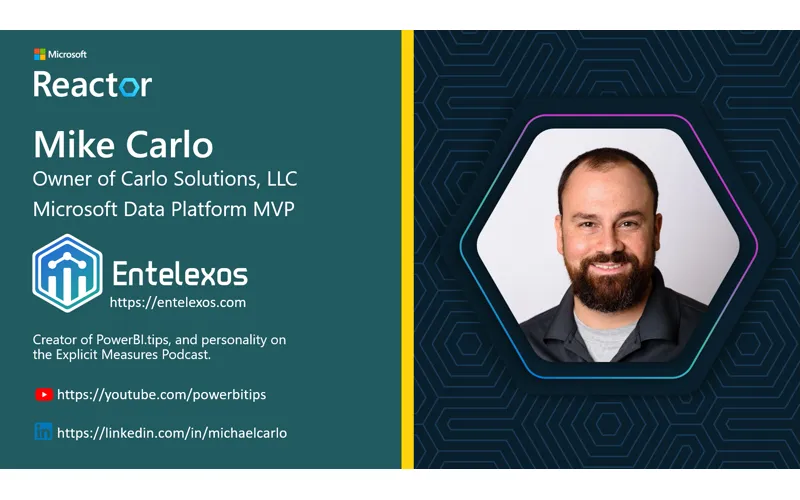
Already certified as a Power BI Data Analyst (PL-300) and ready for the next step? In this Fabric Data Days session, Mike Carlo and Pragati break down the key differences between PL-300 and DP-600, walk through every skills area on the exam, and share practical tips for making the transition to Fabric Analytics Engineer.
Overview
The DP-600 (Fabric Analytics Engineer) certification is the natural next step for PL-300 holders. It’s an intermediate-level exam that validates your ability to build scalable analytics solutions in Microsoft Fabric — going beyond single-report Power BI work into enterprise data engineering, semantic model management, and solution lifecycle governance.
The exam breaks down into three major areas:
- Prepare and enrich data for analysis (~50% of the exam)
- Implement and manage semantic models (~25-30%)
- Maintain a data analytics solution (~25-30%)
If you’re already comfortable with Power BI, you have a strong foundation — the DP-600 expands those skills into Fabric’s unified platform.
What Is Microsoft Fabric?
Mike kicks off with a high-level overview of Fabric as a unified data platform. The key insight: most of the technology inside Fabric has existed for years in Azure — Microsoft brought it all together under one roof with seamless integration.
OneLake is the foundation — a single storage layer where all your data lives in a common format (Delta/Parquet). Everything reads from and writes to OneLake, which eliminates data silos between teams.
The platform is entirely browser-based. Mac users, Windows users — everyone can build pipelines, transform data, model it, and create reports directly in the browser. Mike notes he spends far more time in the browser now than in Power BI Desktop.
Data Storage: Lakehouses, Warehouses, and SQL Databases
Fabric gives you multiple storage options depending on your team’s skills and needs:
- Lakehouse — Highly scalable, schema-on-read storage. Great for raw data, semi-structured files (JSON, images, video), and the medallion architecture (bronze → silver → gold). Best for bulk loading and long-term storage.
- Data Warehouse — Enterprise-grade MPP (Massively Parallel Processing) SQL engine. Ideal for teams comfortable with SQL who need relational schemas and heavy query workloads.
- SQL Database — Smaller-scale transactional database. Mike is building real applications on top of SQL databases in Fabric, with automatic mirroring to OneLake for analytics.
All three read from and write to OneLake. You’re only charged for what you use — if SQL database isn’t busy, that capacity is available for other workloads.
Getting Data into Fabric
In Power BI, data prep happened in Power Query for a single semantic model. In Fabric, you prepare data once so it can be reused by multiple teams, models, and reports. Four key methods:
Dataflow Gen2
The familiar Power Query online editor — same transforms you already know, but with a key addition: you choose a data destination (lakehouse, warehouse, SQL database, KQL database). In Power BI dataflows, you never worried about where data landed. In Fabric, you control that explicitly.
Notebooks
Support Python, PySpark, Scala, SQL, and R — all in one notebook. Pragati shares her experience: “I started with notebooks and literally didn’t know what to do. But I started with SQL because that’s what I knew, then moved to PySpark.” Notebooks excel at complex calculations and large-scale data processing where Dataflow Gen2 might be slow.
Pipelines
No-code orchestration for automating data movement. Pragati demos a simple pipeline that triggers a dataflow and sends an email on failure. Pipelines include built-in monitoring, error handling, and scheduling. “It’s just click click click — you really don’t have to write any code.”
Shortcuts
Reference data from other workspaces or external sources without duplicating it.
Direct Lake: The Game Changer
This is the biggest mindset shift from PL-300 to DP-600. In Power BI, you had two modes:
- Import — Pull data, compress it, store it in the semantic model
- Direct Query — Query the source live, no local storage
Direct Lake is the third option: data is pre-compressed upstream in the lakehouse as columnar Parquet/Delta files. When the semantic model needs it, it loads directly from the lake into memory — no import step, no live query latency.
Key details:
- If the model exceeds limits or hits security constraints, Direct Lake can fall back to Direct Query mode
- You can disable fallback to force Direct Lake only (it fails instead of falling back)
- Composite models let you mix Direct Lake tables with Direct Query tables or tables from multiple lakehouses in the same semantic model
Optimizing Semantic Models
Mike shares practical optimization tips for enterprise-scale models:
- Use views over direct table references in SQL — but keep views lightweight (select + where, not chains of joins on views on views)
- Remove unnecessary data — if users only need 3-5 years, filter out the rest. Drop unused columns.
- Incremental refresh and partitioning — segment data by time periods for efficient loading
- Correct data types — don’t store numbers as strings
- Query folding — do column removal, renaming, and row filtering first in your transformation steps so queries can be pushed upstream to SQL
- Document and educate — business users need to understand the model’s relationships and structure, not just consume reports
Security and Governance
Fabric security operates at multiple levels, from broad to granular:
- Workspace roles — Admin, Member, Contributor, Viewer
- Item-level permissions — Control access to individual notebooks, lakehouses, dataflows, pipelines
- OneLake data access controls — Granular file/folder level access
- Semantic model security — Row-level security (RLS), object-level security (OLS), sensitivity labels
Best practice: fewer, well-designed semantic models with proper roles beats many models with loose access. Filter on dimension tables, not fact tables.
Managing the Development Lifecycle
Fabric adds enterprise DevOps capabilities that PL-300 doesn’t cover:
- Deployment pipelines — Move content from dev → test → production with governance (familiar to Power BI users)
- Git integration — Version control workspace items via Azure DevOps or GitHub
- Testing and validation — Verify data accuracy and model integrity before production
- Monitoring — Workspace-level activity monitoring, tenant-wide monitoring hub, and Fabric Capacity Metrics (for capacity admins)
- CI/CD automation — Leverage APIs and service principals for repeatable deployments
Next Steps for DP-600
Mike’s advice for exam preparation:
- Get hands-on with Fabric — Click buttons, navigate the UI, build small projects
- Use sample data — Every lakehouse and SQL database has a one-click sample data generator
- Learn T-SQL — It’s everywhere in the platform
- Complete Microsoft Learn modules — Free, comprehensive, aligned to the exam
- Join a study group — Fabric Data Days offers study group resources
Resources & Links
-
Prepare for Exam DP-600 — Microsoft Learn collection with study guides, learning paths, and hands-on labs for the Fabric Analytics Engineer certification.
-
Fabric Data Days — Microsoft’s 50-day series of data and AI learning sessions, including live streams, contests, and community challenges.
Video Transcript
Full verbatim transcript — click any timestamp to jump to that moment:
0:09 Hello everyone. Thank you for joining us for the next session of our fabric data for the next session of our fabric data days series. My name is Anna. I’ll be days series. My name is Anna. I’ll be your producer for this session. I’m an your producer for this session. I’m an event planner for Reactor joining you event planner for Reactor joining you from Redmond, Washington. from Redmond, Washington. Before we start, I do have some quick Before we start, I do have some quick housekeeping. Please take a moment to housekeeping. Please take a moment to read our code of conduct. read our code of conduct. We seek to provide a respectful We seek to provide a respectful environment for both our audience and environment for both our audience and presenters. While we absolutely presenters. While we absolutely encourage engagement in the chat, we ask encourage engagement in the chat, we ask that you please be mindful of your that you please be mindful of your commentary. Remain professional and on commentary. Remain professional and on topic. topic. Keep an eye on that chat. We’ll be
0:41 Keep an eye on that chat. We’ll be dropping helpful links and checking for dropping helpful links and checking for questions for our moderators to answer. questions for our moderators to answer. Our session is being recorded. It will Our session is being recorded. It will be available to view on demand right be available to view on demand right here on the Reactor channel. here on the Reactor channel. With that, I would love to turn it over With that, I would love to turn it over to our speakers for today. Thank you so to our speakers for today. Thank you so much for joining.
1:00 Much for joining. Hello and welcome everyone. We are
1:01 Hello and welcome everyone. We are excited to be here. My name is Mike excited to be here. My name is Mike Carlo. I’m with with here also with Carlo. I’m with with here also with Pergotti. Pergotti. You
1:07 You Hey. Hey everyone. Hope everyone is
1:09 Hey. Hey everyone. Hope everyone is doing great and quite ready for this doing great and quite ready for this session today.
1:14 Session today. We’re going to jump right in today.
1:15 We’re going to jump right in today. We’re going to start right off with our We’re going to start right off with our introduction slides here. We have a introduction slides here. We have a number of people helping out in the chat number of people helping out in the chat as well. So, we’re going to just go as well. So, we’re going to just go through a couple intro slides here through a couple intro slides here introducing who we are and what we’re introducing who we are and what we’re going to hear teach you about today. going to hear teach you about today. Today, we’re talking about the PL300 Today, we’re talking about the PL300 going up to the DP600. going up to the DP600. These are leveling up your skills. These These are leveling up your skills. These are exams that you can take to qualify are exams that you can take to qualify what you already know in your head and what you already know in your head and what you’re doing on a day-to-day basis. what you’re doing on a day-to-day basis. So, this is a great way for you to show So, this is a great way for you to show your knowledge and use it as a resume your knowledge and use it as a resume builder for you as well. That being builder for you as well. That being said, let’s jump right on in.
1:49 Said, let’s jump right on in. My name is Mike Carlo. I am the owner of My name is Mike Carlo. I am the owner of Carlos Solutions. I’m a Microsoft data Carlos Solutions. I’m a Microsoft data platform MVP. we build a number of platform MVP. we build a number of data products for you built on top of data products for you built on top of the fabric platform, one of those you’ll the fabric platform, one of those you’ll see is Intelexos. Anyone who has ever see is Intelexos. Anyone who has ever spent some time at PowerBI.tips. If spent some time at PowerBI.tips. If you’ve Googled anything about PowerBI, you’ve Googled anything about PowerBI, you probably have stumbled across the you probably have stumbled across the website at some point. I’m also the website at some point. I’m also the creator of PowerBI.tips. And if you want creator of PowerBI.tips. And if you want to catch me, I have some social media to catch me, I have some social media things down below, YouTube and LinkedIn. things down below, YouTube and LinkedIn. Over to you, Patti. Hi everyone, this is me Pragati and I’m a Microsoft data platform MVP as
2:26 I’m a Microsoft data platform MVP as well and I work at Avenat here in United well and I work at Avenat here in United Kingdom London and my main skills are Kingdom London and my main skills are helping clients basically build helping clients basically build sustainable and scalable self-s served sustainable and scalable self-s served Microsoft fabric solutions and my social Microsoft fabric solutions and my social link is on the screen. It’s a LinkedIn link is on the screen. It’s a LinkedIn link. So if any of you guys want to link. So if any of you guys want to connect with me then yeah definitely go connect with me then yeah definitely go and hit connect there. Over to you, and hit connect there. Over to you, Mike.
2:51 Mike. Excellent. We have a number of people
2:52 Excellent. We have a number of people helping out in the chat today. So, I helping out in the chat today. So, I want to call out Matt, Cecilia, and want to call out Matt, Cecilia, and Kevin. Thank you so much for your Kevin. Thank you so much for your participation. Please ask lots of participation. Please ask lots of questions. These are experts of the questions. These are experts of the community that’ll be here to help you community that’ll be here to help you and educate you and ask answer your and educate you and ask answer your questions as best we can. So, please be questions as best we can. So, please be mindful of the chat. ask your mindful of the chat. ask your questions there and we’ll get right into questions there and we’ll get right into it. it. All right, kicking things off here with All right, kicking things off here with Fabric Data Days. We’re going to have a Fabric Data Days. We’re going to have a couple announcements here around this. couple announcements here around this. This is a 50 days of data and I and AI This is a 50 days of data and I and AI learning education. Definitely check out
3:25 Learning education. Definitely check out this link below. There’s going to be a this link below. There’s going to be a lot of information there on that site. lot of information there on that site. Other links and other videos you want to Other links and other videos you want to participate in or things you want to participate in or things you want to pick out and learn. Make sure you pick out and learn. Make sure you participate here and follow this link. participate here and follow this link. Okay. Here’s some upcoming next week or Okay. Here’s some upcoming next week or this week, sorry. We have fabric data this week, sorry. We have fabric data days getting certified some data days days getting certified some data days professional data viz contest elements professional data viz contest elements here which is awesome. I love seeing here which is awesome. I love seeing what people create across the community. what people create across the community. This is very exciting for me because it This is very exciting for me because it inspires me to build better things. Also inspires me to build better things. Also you have this session the DP 300 and 600 you have this session the DP 300 and 600 leveling up your analytic skills. And
4:00 Leveling up your analytic skills. And then check out data viz design with the then check out data viz design with the world champs. This is what we just had world champs. This is what we just had recently. The world champs of bit data recently. The world champs of bit data design were nominated at the fabric design were nominated at the fabric conference Vienna and I think those are conference Vienna and I think those are the champions that will be there talking the champions that will be there talking about what they’ve built. For the full about what they’ve built. For the full schedule, check out the link down here schedule, check out the link down here at the bottom. We definitely want you to at the bottom. We definitely want you to get engaged there as well. get engaged there as well. Some contests and challenges that are Some contests and challenges that are coming up. If you want full swag, I have coming up. If you want full swag, I have a nice little shirt here with a little a nice little shirt here with a little fabric icon on it. And if you want other fabric icon on it. And if you want other swag items or swag related things, you swag items or swag related things, you should definitely check out these
4:32 Should definitely check out these contests. There is exclusive fabric contests. There is exclusive fabric swag being given out here and you’ll swag being given out here and you’ll also see appearances from your live also see appearances from your live finale showcases as well. So definitely finale showcases as well. So definitely check these out as well. Most of these check these out as well. Most of these end on November 25th. So if you’re end on November 25th. So if you’re interested in participating, we really interested in participating, we really want to engage you in the community. want to engage you in the community. Again, check out the link down below at Again, check out the link down below at the bottom. That will help you get all the bottom. That will help you get all the information that you need around the information that you need around jumping in and getting started. All right, getting certified. This is what we’re talking about a what we’re talking about a little bit today. You can complete a little bit today. You can complete a skills challenge and get discounts on
5:06 Skills challenge and get discounts on things. a DP600. Here’s a link for things. a DP600. Here’s a link for that aka.ms link and a DP700 exam as that aka.ms link and a DP700 exam as well. If you’d like to join a study well. If you’d like to join a study group, we have links for those as well. group, we have links for those as well. Fabric data days, that’s fddst Fabric data days, that’s fddst studygroup.com. A study study group and studygroup.com. A study study group and then akas aka.ms fabric data days as then akas aka.ms fabric data days as well. Again, check out your discount well. Again, check out your discount codes here as well if you want to look codes here as well if you want to look at those and get some discounts on your at those and get some discounts on your exams. We really think this is important exams. We really think this is important for your career and exciting for you to for your career and exciting for you to get started with these get started with these certifications. All right, another slide
5:40 Certifications. All right, another slide here around some announcements. Get a here around some announcements. Get a free DP600 free DP600 certified for free. So, here’s your QR certified for free. So, here’s your QR code link here. I’ll leave it here for code link here. I’ll leave it here for just a moment. If you want to get out just a moment. If you want to get out your phone, scan this QR code. You can your phone, scan this QR code. You can check it out directly here at this cert. check it out directly here at this cert. You can also use the link down below if You can also use the link down below if you’d like to get there as well with the you’d like to get there as well with the link. link. All right, we’ll move on. All right, we’ll move on. All right, on to the main the main show All right, on to the main the main show here. All right, I’ll kick it over to my here. All right, I’ll kick it over to my co-presenter Pathi. Up to you.
6:12 Co-presenter Pathi. Up to you. Thank you so much, Mike. , thanks Anna
6:14 Thank you so much, Mike. , thanks Anna for sharing my screen. Okay, so let’s for sharing my screen. Okay, so let’s get to the topic today for what we all get to the topic today for what we all are here. So today we all are going to are here. So today we all are going to talk about like how we can level up our talk about like how we can level up our skills from PL300 to DP600. Basically skills from PL300 to DP600. Basically leveling up our analytical skills. Now leveling up our analytical skills. Now before I go into details of the session, before I go into details of the session, one thing that I really want to mention one thing that I really want to mention in the starting is like today we are in the starting is like today we are covering all the skills included in covering all the skills included in DP600 in a single hour. So it’s a lot of DP600 in a single hour. So it’s a lot of content and the slides that we are going content and the slides that we are going to present today are very high level but
6:47 To present today are very high level but we’ll attempt to touch on all the skills we’ll attempt to touch on all the skills group equally. group equally. So in this session today we are going So in this session today we are going to cover or we’ll try to translate your to cover or we’ll try to translate your power via expertise into your fabric power via expertise into your fabric fluency basically from one lake direct fluency basically from one lake direct lake to semantic models pipelines lake to semantic models pipelines lakehouses and deployments so you can lakehouses and deployments so you can actually pass DP600 and deliver value in actually pass DP600 and deliver value in fabric. If you’re already feeling fabric. If you’re already feeling confident with your PowerBI skills and confident with your PowerBI skills and you’re ready to start working further you’re ready to start working further up in the data stack and want to level up in the data stack and want to level up your skills and building solutions up your skills and building solutions that scale then this session is for you. that scale then this session is for you. So let’s get started.
7:22 So let’s get started. Okay. Okay. So what we are going to cover today? So So what we are going to cover today? So today we are going to explore how today we are going to explore how Microsoft fabric help us grow from Microsoft fabric help us grow from building reports in PowerBI to building building reports in PowerBI to building fully analytic solutions as an fully analytic solutions as an analytical engineer. We’ll start with analytical engineer. We’ll start with data preparation which is the key data preparation which is the key foundation. So like in PowerBI if you foundation. So like in PowerBI if you have already done PL300 then you’re have already done PL300 then you’re already an expert in PowerBI. So if so already an expert in PowerBI. So if so in PowerBI we usually use Power Query to in PowerBI we usually use Power Query to prepare our data to create a single
7:55 Prepare our data to create a single semantic model. But in fabric the only semantic model. But in fabric the only difference is that it it expands to like difference is that it it expands to like using different methods like data using different methods like data factory pipelines, data flow genu or factory pipelines, data flow genu or notebooks for transforming and managing notebooks for transforming and managing your data across multiple sources in one your data across multiple sources in one link. link. Then further we’ll move to semantic Then further we’ll move to semantic modeling where we are going to cover modeling where we are going to cover some familiar concepts like for example some familiar concepts like for example relationships and measures that we can relationships and measures that we can scale up. We will also learn how scale up. We will also learn how enterprise semantic models directly mode enterprise semantic models directly mode and governance let you build trusted and governance let you build trusted reusable reusable data products instead
8:30 Reusable reusable data products instead of one-off models. of one-off models. Then further down the line we are going Then further down the line we are going to cover maintenance where we are going to cover maintenance where we are going to keep our solutions reliable. So to keep our solutions reliable. So fabric adds tools like monitoring fabric adds tools like monitoring capacities, managing your workspaces and capacities, managing your workspaces and automating automating your deployments automating automating your deployments with CI/CD. This is where you shift your with CI/CD. This is where you shift your report management basically to report management basically to managing your analytical systems. managing your analytical systems. Finally, we’ll talk about the DP600 exam Finally, we’ll talk about the DP600 exam readiness like how you can prepare for readiness like how you can prepare for this exam like through using Microsoft this exam like through using Microsoft learn paths, using hands-on labs, the
9:04 Learn paths, using hands-on labs, the community resources and so much other community resources and so much other stuff that we have got out there for stuff that we have got out there for DP600. DP600. By the end of the session, you will be By the end of the session, you will be in a state hopefully to understand what in a state hopefully to understand what it takes to move from PowerBI it takes to move from PowerBI practitioner to a fabric analytics practitioner to a fabric analytics engineer and how the DP 600 basically engineer and how the DP 600 basically helps you validate those skills. So helps you validate those skills. So let’s dig down into DP600 skills in let’s dig down into DP600 skills in detail. detail. So before I dig one very important So before I dig one very important thing, let’s make this session more live thing, let’s make this session more live and interactive. We have got amazing
9:36 And interactive. We have got amazing three moderators in the chat and I know three moderators in the chat and I know they’re going to answer all your they’re going to answer all your questions because they’re community questions because they’re community experts. We really don’t have to answer experts. We really don’t have to answer anything but keep it more proactive. Add anything but keep it more proactive. Add your comments, add your questions that your comments, add your questions that you have. We all are here to you have. We all are here to clear all your doubts and queries around clear all your doubts and queries around DP600. DP600. Okay. Okay. So data analytics certification. Now So data analytics certification. Now here we are going to quickly here we are going to quickly just look at what all data analytics just look at what all data analytics certifications are available especially certifications are available especially when you come from RBI background what when you come from RBI background what skill sets you’ll need to skill
10:08 Skill sets you’ll need to skill up yourself to achieve some of these up yourself to achieve some of these analytics certifications. So I will analytics certifications. So I will quickly go to the next slide and we are quickly go to the next slide and we are going to discuss around what those data going to discuss around what those data analytics fabric rolebased analytics fabric rolebased certifications are. So when we talk certifications are. So when we talk about fabric role-based certifications about fabric role-based certifications mainly there are two certifications that mainly there are two certifications that come through in the analytics side. One come through in the analytics side. One is PL300 which is your PowerBI data is PL300 which is your PowerBI data analyst certificate and the second one analyst certificate and the second one is DP600 which is your fabric analytics is DP600 which is your fabric analytics engineer certification. In addition engineer certification. In addition there is also a third certificate which there is also a third certificate which is DP700 but that is fabric data
10:42 Is DP700 but that is fabric data engineering certification. But if you engineering certification. But if you are trying to scale up from PL300 to the are trying to scale up from PL300 to the next level then DP600 is the right next level then DP600 is the right certification to go for. DP700 is more certification to go for. DP700 is more for the people who more for the for the people who more for the audiences who or for the skill set who audiences who or for the skill set who come from data engineering background. come from data engineering background. So today we’ll talk more about DP600. Let me now quickly switch to my screen where I would like to show you some where I would like to show you some certification.
11:21 Sorry, I think my link just they got disabled. disabled. , so when it comes to DP600 , so when it comes to DP600 certification, it covers certain areas certification, it covers certain areas till the slide is loading. Let’s quickly till the slide is loading. Let’s quickly go to the slides. So this fabric go to the slides. So this fabric analytics engineer certification is a analytics engineer certification is a intermediate level certification and as intermediate level certification and as a candidate for this certification, you a candidate for this certification, you should have subject matter expertise in should have subject matter expertise in certain areas. certain areas. Now let me directly go to the study Now let me directly go to the study guide for this certification where we guide for this certification where we can see like what all areas this
11:54 Can see like what all areas this certification covers quickly. certification covers quickly. So when it comes to skills measured in So when it comes to skills measured in the certification, it covers the certification, it covers three main areas like like how you can three main areas like like how you can prepare and enrich your data for prepare and enrich your data for analysis, how you can secure and analysis, how you can secure and maintain your analytics assets within maintain your analytics assets within the environment and how you can the environment and how you can implement and manage your semantic implement and manage your semantic models. On top of this, this models. On top of this, this certification also requires you to be certification also requires you to be skills skilled in using certain skills skilled in using certain language like SQL. Now if we look at these skills at a glance
12:30 Glance these three hope everyone can see my these three hope everyone can see my screen screen main and data analytics solution is 25 main and data analytics solution is 25 to 30% of this certification. to 30% of this certification. prepare your data is nearly 50% of your prepare your data is nearly 50% of your certification. So if you are a PowerBI certification. So if you are a PowerBI skilled person, this is where you make skilled person, this is where you make most use of your skills. Third is most use of your skills. Third is implement and manage semantic models implement and manage semantic models which is again 25 to 30%. which is again 25 to 30%. So maintaining a data analytics solution
13:03 So maintaining a data analytics solution when we talk about this area this covers when we talk about this area this covers more around how you can say implement more around how you can say implement security and governance in your security and governance in your workspace or in your workspace or in your environment by putting some workspace environment by putting some workspace level access controls item level access level access controls item level access controls and rowle column level object controls and rowle column level object level controls and also sensitivity level controls and also sensitivity labels and endorsements. And when it labels and endorsements. And when it comes to maintaining the analytics comes to maintaining the analytics development life cycle, it’s more around development life cycle, it’s more around how you can do the version controlling how you can do the version controlling of the assets within your workspace. How of the assets within your workspace. How you can create and manage your PowerBI you can create and manage your PowerBI desktop project files or say how you can desktop project files or say how you can configure or manage your deployment
13:37 Configure or manage your deployment pipelines or how you can manage your pipelines or how you can manage your semantic model say using XMLA endpoint. semantic model say using XMLA endpoint. So these are the different aspects of So these are the different aspects of the certification that you’ll be the certification that you’ll be required to learn for this. And when it required to learn for this. And when it comes to prepare your data and comes to prepare your data and especially PowerBI users who have especially PowerBI users who have already cracked PL300 prep already cracked PL300 prep PowerBI has got power query which is PowerBI has got power query which is used for preparing in data but when it used for preparing in data but when it comes to fabric it adds to some comes to fabric it adds to some additional methods that help you prepare additional methods that help you prepare your data. So for example getting your your data. So for example getting your data by various different sources you
14:10 Data by various different sources you can also choose lakehouses warehouses can also choose lakehouses warehouses and event houses where your data can and event houses where your data can land in. you can implement lakehouse land in. you can implement lakehouse integrations. And when it comes to integrations. And when it comes to transforming data, you will be required transforming data, you will be required to know more around views function to know more around views function functions and stored procedures, how you functions and stored procedures, how you can implement star schema for lakehouse can implement star schema for lakehouse or warehouse, how you can aggregate or or warehouse, how you can aggregate or merge, how you can resolve duplication merge, how you can resolve duplication or null values or how you can filter or null values or how you can filter data. And when it comes to querying and data. And when it comes to querying and analyzing data, it’s more around how you analyzing data, it’s more around how you can use visual query editor in fabric can use visual query editor in fabric which is very easy to use and it’s quite
14:44 Which is very easy to use and it’s quite interactive as well. and how you can use interactive as well. and how you can use SQL, KQL or tax language to analyze your SQL, KQL or tax language to analyze your data. [clears throat] Then the third data. [clears throat] Then the third section is more around implementing and section is more around implementing and managing your semantic models and this managing your semantic models and this is more around what storage is more around what storage modes you should use. Now when we talk modes you should use. Now when we talk about fabric whenever you publish a about fabric whenever you publish a semantic model you have a directly mode semantic model you have a directly mode enabled in it and in the PowerB time we enabled in it and in the PowerB time we were used to working with like say were used to working with like say direct query mode and import mode but direct query mode and import mode but now this is a third mode which is now this is a third mode which is available in power fabric available in power fabric environment. This also requires you to environment. This also requires you to know how you can implement those
15:16 Know how you can implement those relationships on the model. How you can relationships on the model. How you can write calculations using DAX variables write calculations using DAX variables and functions. How you can implement and functions. How you can implement calculation groups, field parameters. So calculation groups, field parameters. So this is all that we have been already this is all that we have been already doing as PowerBI developers. Then doing as PowerBI developers. Then further it also expands to how you can further it also expands to how you can optimize your enterprise scale level optimize your enterprise scale level semantic models. Now that’s the major semantic models. Now that’s the major difference when you want to scale up difference when you want to scale up your skills in fabric. In PowerBI we are your skills in fabric. In PowerBI we are used to working with one semantic model used to working with one semantic model but when it and its optimization but but when it and its optimization but when it comes to fabric we think about when it comes to fabric we think about optimizing a enterprise level scale
15:48 Optimizing a enterprise level scale semantic models. So it’s not just about semantic models. So it’s not just about one semantic model but it is about one semantic model but it is about creating a semantic model that can be creating a semantic model that can be used as a trusted source by multiple used as a trusted source by multiple people to create reporting on top of it people to create reporting on top of it or using using it for further analysis. or using using it for further analysis. So, so that’s like a quick view on what So, so that’s like a quick view on what this DP600 certification has got. this DP600 certification has got. I’ll quickly jump back to my slides. I’ll quickly jump back to my slides. Okay. So, this is what we quickly Okay. So, this is what we quickly covered what this certification is covered what this certification is around. So, now next Oh, sorry. Did I around. So, now next Oh, sorry. Did I just skip a slide? No, sorry. So, the
16:24 Just skip a slide? No, sorry. So, the next slide talks more around the areas next slide talks more around the areas that I already covered in the study that I already covered in the study guide. so these are the three main guide. so these are the three main sections where we went through what all sections where we went through what all topics it has and I’m sure one of our topics it has and I’m sure one of our chat moderator moderators will be more chat moderator moderators will be more than happy to put a link to the study than happy to put a link to the study guide for DP600 then that would be guide for DP600 then that would be lovely and as I also mentioned few lovely and as I also mentioned few things like when it comes to preparing things like when it comes to preparing data section then we as PowerBI data section then we as PowerBI developers need to just use our developers need to just use our skills here and just step up skills here and just step up our game by just learning scalable
16:58 Our game by just learning scalable scalable ability in fabric so that we scalable ability in fabric so that we can implement our skills there. can implement our skills there. Now over to you Mike.
17:08 Now over to you Mike. Excellent. So I’m going to give a quick
17:10 Excellent. So I’m going to give a quick introduction of what is fabric and just introduction of what is fabric and just go through a couple highle elements here go through a couple highle elements here as well. I want to be clear a lot of as well. I want to be clear a lot of this technology that you’re looking at this technology that you’re looking at here that is now inside the unified here that is now inside the unified platform of fabric. These are tools and platform of fabric. These are tools and technologies that have existed for many technologies that have existed for many more years than you have seen inside more years than you have seen inside fabric. We’re seeing a lot of the great fabric. We’re seeing a lot of the great rich technology that Microsoft is rich technology that Microsoft is developing over in Azure being brought developing over in Azure being brought into a single unified platform and into a single unified platform and that’s why we’re so excited to use this. that’s why we’re so excited to use this. The integration between these different The integration between these different tools is just so seamless and makes our tools is just so seamless and makes our customers extremely happy going from customers extremely happy going from loading in data using data factory doing
17:44 Loading in data using data factory doing data engineering work shaping and data engineering work shaping and transforming the data and then serving transforming the data and then serving it out in our service layer in the it out in our service layer in the PowerBI layer as well. So there’s a lot PowerBI layer as well. So there’s a lot of tools being added here. Let’s go to a of tools being added here. Let’s go to a quick overview of this platform. We quick overview of this platform. We don’t have to spend a lot of time don’t have to spend a lot of time combining different data from different combining different data from different data sources. We have again this unified data sources. We have again this unified platform. And one that’s really platform. And one that’s really important to note here is the unified important to note here is the unified data foundation, the one lake. All of data foundation, the one lake. All of your data is reading a similar format your data is reading a similar format and can be stored and read from the same and can be stored and read from the same storage area, the one lake platform. storage area, the one lake platform. Inside the one lake, you build these
18:16 Inside the one lake, you build these things called lakehouses. Those things called lakehouses. Those lakehouses are easily storing all lakehouses are easily storing all your information. But it makes it really your information. But it makes it really easy to distribute this information or easy to distribute this information or provide metered access to it using provide metered access to it using workspaces and things that you see that workspaces and things that you see that you familiar with inside the PowerBI you familiar with inside the PowerBI realm. So that that centric architecture realm. So that that centric architecture the pivotal part here that makes this so the pivotal part here that makes this so useful is the fact that one lake is useful is the fact that one lake is binding all these different tools binding all these different tools together. So super important there. together. So super important there. Another couple features we’ll call out Another couple features we’ll call out as well especially when you’re building as well especially when you’re building code. I’ve been finding an immense code. I’ve been finding an immense amount of value with co-pilot.
18:50 Amount of value with co-pilot. Everyone’s been talking about large Everyone’s been talking about large language models and agentic things that language models and agentic things that are in the place right in in the the are in the place right in in the the marketplace right now. And copilot is marketplace right now. And copilot is extremely useful for when you need a extremely useful for when you need a little bit of extra help writing some little bit of extra help writing some SQL or you have some trouble with a DAX SQL or you have some trouble with a DAX statement or you need to give it some statement or you need to give it some suggestions around Python in potentially suggestions around Python in potentially a notebook. This is where co-pilot a notebook. This is where co-pilot excels. The data and information is excels. The data and information is protected. It’s in your organization. protected. It’s in your organization. It’s not being sent anywhere else. you It’s not being sent anywhere else. you can guarantee that what you’re asking can guarantee that what you’re asking the co-pilot to do is in your the co-pilot to do is in your organization from a security standpoint, organization from a security standpoint, but also it’s now helping you get above
19:23 But also it’s now helping you get above and beyond. This has fully removed any and beyond. This has fully removed any fears that I had about building Python fears that I had about building Python inside Python notebooks. I can easily inside Python notebooks. I can easily ask a co-pilot what I need to know in ask a co-pilot what I need to know in order to develop and build out what I order to develop and build out what I want for my fabric environments. We also want for my fabric environments. We also get this really rich data factory. I get this really rich data factory. I love data factory things. There’s a lot love data factory things. There’s a lot of pieces in this that you can use. You of pieces in this that you can use. You can use dataf flows gen 2. You have can use dataf flows gen 2. You have pipelines and you have real-time pipelines and you have real-time analytics over here in the real-time analytics over here in the real-time intelligence area where you can get intelligence area where you can get real-time analytics from event hubs and real-time analytics from event hubs and have that information flowing directly have that information flowing directly into your reports as well. We also get
19:56 Into your reports as well. We also get for those who love SQL, we have some for those who love SQL, we have some really rich SQL tools here as well. Data really rich SQL tools here as well. Data warehousing and databases both run on warehousing and databases both run on SQL and if you are a SQL developer, SQL and if you are a SQL developer, you’re going to love these experiences. you’re going to love these experiences. One that I’m really enjoying right now One that I’m really enjoying right now is the TSQL notebook. a little bit is the TSQL notebook. a little bit different than how you’re used to different than how you’re used to writing a SQL statement. You could writing a SQL statement. You could have command blocks just like you would have command blocks just like you would do in a Python or Jupyter notebook, but do in a Python or Jupyter notebook, but you now can do the same thing with TSQL, you now can do the same thing with TSQL, which is extremely exciting to me and which is extremely exciting to me and very useful when you’re doing a lot of very useful when you’re doing a lot of testing or manipulating or trying to testing or manipulating or trying to understand what’s inside your data and
20:28 Understand what’s inside your data and data tables. Anyways, this is a great data tables. Anyways, this is a great tool. We hope you really enjoy this one. tool. We hope you really enjoy this one. I think you’ll find a lot of value from I think you’ll find a lot of value from all these different experiences here as all these different experiences here as well. well. Moving on. Moving on. Okay, here’s a little bit more around Okay, here’s a little bit more around your data storage experience. So you can your data storage experience. So you can build out a single centered location for build out a single centered location for all this one lake. So one lake is the all this one lake. So one lake is the system, right? And then the lakehouses system, right? And then the lakehouses are all inside these different are all inside these different buckets basically. So when we talk about buckets basically. So when we talk about one lake, one lake is like a service, one lake, one lake is like a service, but then we talk about where the data is
21:01 But then we talk about where the data is actually being stored. We’re storing all actually being stored. We’re storing all that data directly inside our lake that data directly inside our lake houses. So that’s what we’re doing here houses. So that’s what we’re doing here as well. we also have things that can as well. we also have things that can really work very well with different really work very well with different teams. So if you think about your teams. So if you think about your organization, we have a lot of different organization, we have a lot of different areas of the business that may need areas of the business that may need specific access to tools. You may have a specific access to tools. You may have a team that’s a bit more comfortable team that’s a bit more comfortable working in Python. You may give them an working in Python. You may give them an area where they’re going to be using area where they’re going to be using a notebook to access that data. You may a notebook to access that data. You may have a different department that’s have a different department that’s actually really good at SQL. They have actually really good at SQL. They have hired a lot of SQL developers. Their hired a lot of SQL developers. Their skill set lives in SQL. And you may need
21:34 Skill set lives in SQL. And you may need to give them a data warehouse. The neat to give them a data warehouse. The neat part about this is again all the data part about this is again all the data can be stored in that one link can be stored in that one link environment but the tool that you’re environment but the tool that you’re using to access that information is using to access that information is based on the needs for that team or based on the needs for that team or those users. So again you have the SQL those users. So again you have the SQL database KQL as well that’s more for database KQL as well that’s more for like real-time analytics. It has its own like real-time analytics. It has its own query language but we have fully query language but we have fully supported TSQL across all these query supported TSQL across all these query layers directly on this lakehouse layers directly on this lakehouse information. This I think is one of the information. This I think is one of the biggest features here that we can talk biggest features here that we can talk about because it really breaks down data about because it really breaks down data silos between different customers. ,
22:10 Silos between different customers. , one thing you’ll notice here inside the one thing you’ll notice here inside the DP600 because we’re talking about that DP600 because we’re talking about that particular topic as well. The DP600 particular topic as well. The DP600 really focuses on batching your data. really focuses on batching your data. , there is some streaming of data , there is some streaming of data inside fabric and real-time inside fabric and real-time intelligence, but that’s not really kind intelligence, but that’s not really out of the scope for today. But the of out of the scope for today. But the DP exam is going to really focus on that DP exam is going to really focus on that batch processing, loading of data in batch processing, loading of data in that data engineering process. All right, let’s move on over to what happens in our warehouses. You have a happens in our warehouses. You have a data warehouse and you have a SQL data warehouse and you have a SQL database. SQL databases are recently
22:43 Database. SQL databases are recently added to our platform, which is awesome. added to our platform, which is awesome. If you are a SQL developer or a DBA, If you are a SQL developer or a DBA, you’ll find great comfort in these tools you’ll find great comfort in these tools that you use inside Fabric. that you use inside Fabric. The data warehouse is just like Azure The data warehouse is just like Azure SQL but it it scales out a little bit SQL but it it scales out a little bit better. It’s enterprisegrade. It’s better. It’s enterprisegrade. It’s multi- parallel processing MPPP massive multi- parallel processing MPPP massive parallel processing on top of the parallel processing on top of the warehouse. So it distributes your warehouse. So it distributes your queries. It has hyper availability to queries. It has hyper availability to large data sets and need to have a lot large data sets and need to have a lot of access to data. Your SQL database is of access to data. Your SQL database is a bit smaller in size. It’s for data a bit smaller in size. It’s for data sets that are using for your team still
23:18 Sets that are using for your team still full SQL and you can do prototypes. You full SQL and you can do prototypes. You can do referencing data that you’re can do referencing data that you’re going to supply to other parts of your going to supply to other parts of your lakehouse or you have a specific app lakehouse or you have a specific app that you need to build on top of this. that you need to build on top of this. me personally and in my business I’m me personally and in my business I’m building real apps on top of SQL building real apps on top of SQL databases that live in fabric. So this databases that live in fabric. So this makes a great pairing between I have an makes a great pairing between I have an application that’s doing real application that’s doing real transactional data and that data transactional data and that data automatically lives inside fabric and automatically lives inside fabric and when I want to do analytical things with when I want to do analytical things with it, it’s already easy to access that it, it’s already easy to access that information with other tools as well information with other tools as well directly inside fabric.
23:52 Directly inside fabric. Both these two tools, the warehouse and Both these two tools, the warehouse and the SQL analytics the SQL analytics database can read directly to and database can read directly to and from one lake. So if you’re working with from one lake. So if you’re working with a massive data model or a small project, a massive data model or a small project, you’ll get the same experience. And I you’ll get the same experience. And I love this feature about it as well. love this feature about it as well. You’re only charged for what you use in You’re only charged for what you use in those services. So when you buy your those services. So when you buy your fabric capacity, if you are not fabric capacity, if you are not hitting the SQL database very hard, you hitting the SQL database very hard, you have other capacity available to run have other capacity available to run other experiences inside your fabric other experiences inside your fabric environment. Okay. Lakeouses in fabric. So the data lake is this really highly scalable
24:28 Lake is this really highly scalable distributed storage space. It allows you distributed storage space. It allows you to have a read on schema. So you can to have a read on schema. So you can just throw files in there like JSON just throw files in there like JSON files and then it uses this schema on files and then it uses this schema on read. When you access that with a read. When you access that with a notebook or when you access with other notebook or when you access with other tools they can read the tables that are tools they can read the tables that are there and identify the schema and pull there and identify the schema and pull those out for you. This is one of the I those out for you. This is one of the I would call it the modern data would call it the modern data architecture. It works really well for architecture. It works really well for organizations who are looking to get organizations who are looking to get started quickly and this adds a wide started quickly and this adds a wide variety of other data formats other than variety of other data formats other than just semistructured or structured data.
25:01 Just semistructured or structured data. You can also add images, video You can also add images, video [clears throat] in there in the [clears throat] in there in the lakehouse as well. It’s just a file lakehouse as well. It’s just a file storage system. Also, you have the data storage system. Also, you have the data warehouse. The data warehouse allows you warehouse. The data warehouse allows you to build relational schema. So, as you to build relational schema. So, as you transform your data, you’re going to transform your data, you’re going to build tables of knowledge for your build tables of knowledge for your business. And this is you can talk about business. And this is you can talk about the bronze, silver and gold the bronze, silver and gold architectures. The medallion type architectures. The medallion type architecture here where you take this architecture here where you take this raw unformed data from the lake and you raw unformed data from the lake and you pick it up, transform it and pick it up, transform it and then put it back down in better, more then put it back down in better, more designed tables for your business and designed tables for your business and consumption and businesses. Now you have
25:35 Consumption and businesses. Now you have this data warehouse where you can then this data warehouse where you can then directly query that data using a model directly query that data using a model with relationships between tables. Other with relationships between tables. Other things that I really like, I’m a big fan things that I really like, I’m a big fan of all the Spark environments. So you of all the Spark environments. So you can do a lot of transformation in Spark can do a lot of transformation in Spark notebooks or TSQL in Spark notebooks as notebooks or TSQL in Spark notebooks as well. That’s also an option for you to well. That’s also an option for you to query your data directly. query your data directly. So this is a major shift for PowerBI So this is a major shift for PowerBI users. What we’ve been doing in the past users. What we’ve been doing in the past is we typically would pull data from is we typically would pull data from some data service, put it into some data service, put it into memory and we would store that data memory and we would store that data directly inside the semantic model. directly inside the semantic model. What’s happening here now is we’re
26:08 What’s happening here now is we’re moving a lot of that data engineering moving a lot of that data engineering that we used to be doing in Power Query that we used to be doing in Power Query and now we have a wide variety of other and now we have a wide variety of other tools that will allow us to build any tools that will allow us to build any transformations or additional transformations or additional enrichment to that data. So we can store enrichment to that data. So we can store these tables and then you can use direct these tables and then you can use direct lake which comes right from the lake. lake which comes right from the lake. The tables are already optimized and can The tables are already optimized and can be immediately loaded into PowerBI be immediately loaded into PowerBI reports or semantic models. This is a reports or semantic models. This is a major shift in how we’ve been building major shift in how we’ve been building things for PowerBI. I’ve been building things for PowerBI. I’ve been building PowerBI since it came out and we’ve PowerBI since it came out and we’ve always been thinking about direct query always been thinking about direct query and import. The direct link mode is a
26:40 And import. The direct link mode is a gamecher. Think about all the data gamecher. Think about all the data engineering that you do in your job. engineering that you do in your job. Imagine if you never had to import Imagine if you never had to import another model again and you could just another model again and you could just directly pull that information right directly pull that information right from a lakehouse. That’s pretty cool and from a lakehouse. That’s pretty cool and one of the features that I really really one of the features that I really really like to use and find very impactful when like to use and find very impactful when we start moving into fabric. So you we start moving into fabric. So you could think a lot of this as could think a lot of this as we’re doing a lot more data preparation we’re doing a lot more data preparation and a lot of transformation inside and a lot of transformation inside fabric and this is one of the major I’d fabric and this is one of the major I’d say differences between when we start say differences between when we start talking about the 300 exam versus the talking about the 300 exam versus the 600 exam is we’re now able to expose
27:15 600 exam is we’re now able to expose ourselves to a lot more of these rich ourselves to a lot more of these rich tools that help us build better data tools that help us build better data engineering pipelines to get this data engineering pipelines to get this data into our semantic models and ultimately into our semantic models and ultimately our reports. our reports. All right, I think we’re about ready to All right, I think we’re about ready to transition again over to you again.
27:38 Thank you so much Mike. Okay, so after great introduction around Microsoft great introduction around Microsoft fabric by Mike, let’s now dig into how fabric by Mike, let’s now dig into how we can prepare data in fabric. Now Mike we can prepare data in fabric. Now Mike already touched base few things like already touched base few things like okay there are in fabric there are more okay there are in fabric there are more there is more which we can use as there is more which we can use as powerbi developers right so let’s just powerbi developers right so let’s just dig into how we can get transform data dig into how we can get transform data in fabric [snorts] now one thing before in fabric [snorts] now one thing before I go to the next slide is I want to I go to the next slide is I want to point here is like in powerbi most of point here is like in powerbi most of our prep used to happen in power query
28:11 Our prep used to happen in power query right and the data model was or the right and the data model was or the semantic model was usually for a single semantic model was usually for a single report. But when it comes to Microsoft report. But when it comes to Microsoft fabric, we are still doing the same fabric, we are still doing the same things but we are doing those things at things but we are doing those things at scale. So in fabric we’ll be preparing scale. So in fabric we’ll be preparing the data once. So we it can be reused by the data once. So we it can be reused by multiple teams, multiple models and multiple teams, multiple models and multiple reports. So basically we are multiple reports. So basically we are not duplicating things. We’ll be not duplicating things. We’ll be creating a more trustworthy source. creating a more trustworthy source. We’ll be basically
28:44 We’ll be basically creating a model that can be leveraged creating a model that can be leveraged by different people in the team or by different people in the team or multiple teams to do the task that they multiple teams to do the task that they are entitled to. So today we’ll break are entitled to. So today we’ll break this into three steps. Basically this this into three steps. Basically this section we’ll start with getting data. section we’ll start with getting data. Then we’ll see how we can transform data Then we’ll see how we can transform data and then we’ll also see how we can query and then we’ll also see how we can query and analyze data showing how and analyze data showing how each of this section expands beyond our each of this section expands beyond our PowerBI capability. So let’s just go to PowerBI capability. So let’s just go to the next slide. Okay. So now the next slide. Okay. So now in fabric again saying the same thing.
29:20 In fabric again saying the same thing. Fabric has got something more to what we Fabric has got something more to what we are used to doing in PowerBI. We have are used to doing in PowerBI. We have probably used like say some different probably used like say some different data sources like say Excel or SQL or data sources like say Excel or SQL or web sources. But when it comes to web sources. But when it comes to fabric, it it in a way adds some fabric, it it in a way adds some scalability and flexibility to ingesting scalability and flexibility to ingesting the data from dozens of sources the data from dozens of sources or you can also bring batch data or you or you can also bring batch data or you can also bring streaming data. Now tools can also bring streaming data. Now tools like data factory pipelines these these like data factory pipelines these these tools actually help us automate our data
29:55 Tools actually help us automate our data flows while data flow gentle and spark flows while data flow gentle and spark notebooks they can really help us notebooks they can really help us prepare and transform our data before it prepare and transform our data before it is even modeled. So when it comes to is even modeled. So when it comes to fabric, these are the four key methods fabric, these are the four key methods which we use to ingest data and prepare which we use to ingest data and prepare data. Dataf flow genu which is very data. Dataf flow genu which is very similar to what powerbi users are used similar to what powerbi users are used to using that’s basically the online to using that’s basically the online power query editor power query editor backed up by some scalability backed up by some scalability and parallel processing and parallel processing power in the fabric. Then the second one
30:29 Power in the fabric. Then the second one is notebooks. Notebooks is again good is notebooks. Notebooks is again good for parallel processing and especially for parallel processing and especially good for working with big data. Then good for working with big data. Then pipelines we can use pipeline to copy pipelines we can use pipeline to copy data or we can also use pipeline for say data or we can also use pipeline for say orchestrating our existing processes. orchestrating our existing processes. Then there are shortcuts also that we Then there are shortcuts also that we can use to bring in data say in a can use to bring in data say in a different workspace or say we can use different workspace or say we can use shortcuts just to reference the data shortcuts just to reference the data rather than duplicating data. rather than duplicating data. So these are the different ways we can So these are the different ways we can bring get data in the fabric bring get data in the fabric environment. So basically the idea here
31:01 Environment. So basically the idea here is in fabric is we have one ingestion is in fabric is we have one ingestion process that can actually feed like say process that can actually feed like say multiple reports or dashboards or multiple reports or dashboards or analytical products. We are not analytical products. We are not basically anymore copy pasting or you basically anymore copy pasting or duplicating data or know duplicating data or creating one of semantic models for creating one of semantic models for doing all the analytics. doing all the analytics. So let’s go to transform and explore So let’s go to transform and explore data. I’m going to quickly go through data. I’m going to quickly go through these slides because I want to show you these slides because I want to show you some ready demos that I’ve got in the some ready demos that I’ve got in the environment. So when it comes to environment. So when it comes to transform and expo exploring data again transform and expo exploring data again when it comes to if we go back to the
31:35 When it comes to if we go back to the PowerBI world we are used to doing PowerBI world we are used to doing transformations using power query transformations using power query usually usually just for a single usually usually just for a single semantic model right. So we bring in semantic model right. So we bring in data do the transformations within data do the transformations within PowerBI itself create model and use it PowerBI itself create model and use it for reporting. But in fabric for reporting. But in fabric transformations happen even before the transformations happen even before the data reaches a report and they are data reaches a report and they are usable by anyone in your organization or usable by anyone in your organization or anyone in your team. So basically we are anyone in your team. So basically we are doing everything we already do we doing everything we already do we already know like joins or filters or
32:09 Already know like joins or filters or aggregations or different aggregations or different transformations but we are also transformations but we are also leveraging the capability that Microsoft leveraging the capability that Microsoft fabric has got not just data flow genu fabric has got not just data flow genu but like say Apache spark notebooks but like say Apache spark notebooks which are very good for when you’re which are very good for when you’re working with larger complex data sets working with larger complex data sets than yeah doing all aggregations than yeah doing all aggregations data before modeling. So let’s So now data before modeling. So let’s So now what I’m going to do is I’m just going what I’m going to do is I’m just going to quickly switch my screen to show to quickly switch my screen to show you some ready demos. you some ready demos. So this is my fabric environment. Okay, in the demos it happens. Now as I understand most of the audience come
32:48 Understand most of the audience come from the PowerBI world. So let’s let’s from the PowerBI world. So let’s let’s let’s start doing things when it comes let’s start doing things when it comes to using online power query editor to using online power query editor because we are already used because we are already used to using power query. Demo gods are a to using power query. Demo gods are a little slow on my site today. little slow on my site today. okay, let it load. We go to the next okay, let it load. We go to the next slide. Rather than wasting time, let’s slide. Rather than wasting time, let’s go to the next slide until it loads. Okay, so this is what I was about to show you
33:22 So this is what I was about to show you getting and transforming data with dataf getting and transforming data with dataf flow gen 2 because that’s the low code flow gen 2 because that’s the low code no code graphical environment for no code graphical environment for defining ETL solutions within fabric defining ETL solutions within fabric environment and and that’s something we all as PowerBI developers are used to using developers are used to using okay my screen loaded so let’s go back okay my screen loaded so let’s go back to fabric environment now I’m going to to fabric environment now I’m going to just just show you one of the data flow show you one of the data flow and when I open this data flow it will and when I open this data flow it will look very familiar to Excel users or
33:55 Look very familiar to Excel users or PowerBI users because data flow gen 2 is PowerBI users because data flow gen 2 is basically just the online parkquery basically just the online parkquery editor and it gives you the same editor and it gives you the same capabilities with some additional capabilities with some additional capabilities that we have got in PowerBI capabilities that we have got in PowerBI desktop parkquery editor okay we’ll go back to slides again we are not wasting Hi. So when it comes to are not wasting Hi. So when it comes to using data flow genu is very similar to using data flow genu is very similar to how we are used to using data flows in how we are used to using data flows in the powerbi universe and it is again the powerbi universe and it is again the cloud cloud ETL process where we can
34:28 The cloud cloud ETL process where we can load load data from various sources we load load data from various sources we can transform it. The only difference can transform it. The only difference that comes into data flow genu is that that comes into data flow genu is that in the earlier days when we used to use in the earlier days when we used to use data flows which was actually the data flows which was actually the powerbi data flows we never were worried powerbi data flows we never were worried about where our data is going to get about where our data is going to get stored where my final transformed stored where my final transformed data is going to be written but when it data is going to be written but when it comes to fabric environment and I’m comes to fabric environment and I’m trying to write my path query code trying to write my path query code using dataf flow gento I have choice to using dataf flow gento I have choice to land my data to a certain destination land my data to a certain destination because as Mike said earlier in one of
35:01 Because as Mike said earlier in one of in one his slides that fabric gives us in one his slides that fabric gives us capability to choose the data capability to choose the data storage we want it to be. It could be a storage we want it to be. It could be a lakehouse, it could be a warehouse, it lakehouse, it could be a warehouse, it could be a KQL database, it could be a could be a KQL database, it could be a SQL database. So that’s what dataf flow SQL database. So that’s what dataf flow genu allows you to do once you have got genu allows you to do once you have got your data ingested and transferred. You your data ingested and transferred. You can you can actually choose a can you can actually choose a destination where you want to write that destination where you want to write that data as a table. So you can either data as a table. So you can either choose a lakehouse warehouse based on choose a lakehouse warehouse based on whatever you are looking to do. Again, whatever you are looking to do. Again, data flows also run independently or you
35:34 Data flows also run independently or you can also create a pipeline activity to can also create a pipeline activity to trigger these data flows. Let’s see if trigger these data flows. Let’s see if the environment got loaded. Yes. the environment got loaded. Yes. So, this is a very So, this is a very let me know if the screen is not visible let me know if the screen is not visible guys. I’ll try for the data flow gen. And as I said this is very much similar to what we are used to very much similar to what we are used to using in PowerBI. using in PowerBI. you can see all the transformations you can see all the transformations that are available there. We can add
36:08 That are available there. We can add columns. Then we can view some columns. Then we can view some stats. See in addition the only stats. See in addition the only additional thing there are two additional thing there are two additional things actually here. One is additional things actually here. One is this diagram view and what this diagram this diagram view and what this diagram view view does is it shows me like my does is it shows me like my queries have been merged. Now now queries have been merged. Now now I don’t have anything merging but I want I don’t have anything merging but I want two queries to result a third query then two queries to result a third query then it would have shown me that flow it would have shown me that flow here. So this diagram view is really here. So this diagram view is really important in that sense just to important in that sense just to understand visually what’s really
36:41 Understand visually what’s really happening with the queries within my happening with the queries within my power query editor. power query editor. I’ll just turn this off right now. And I’ll just turn this off right now. And then the next thing that differs in data then the next thing that differs in data flow genu is whenever you are done with flow genu is whenever you are done with your transformations then you have to your transformations then you have to choose a data destination where you want choose a data destination where you want to write your final transform data. Like to write your final transform data. Like in this case I went ahead and chose lake in this case I went ahead and chose lake house. Now it’s up to you what you are house. Now it’s up to you what you are really really looking to do. Now lake really really looking to do. Now lake I just chose lake house because I just chose lake house because lakehouse supports both structured and lakehouse supports both structured and unstructured data but you can choose
37:13 Unstructured data but you can choose warehouse if you want to you choose warehouse if you want to you choose warehouse and there are other options warehouse and there are other options also you you can choose as data also you you can choose as data destinations. So that’s what data flow destinations. So that’s what data flow genu is about. It’s very much similar to genu is about. It’s very much similar to what we already know. what we already know. Let’s going let’s go back to the slide. Let’s going let’s go back to the slide. So that was a quick look around what So that was a quick look around what data flow genu is about. data flow genu is about. Then orchestrate data with pipelines. Then orchestrate data with pipelines. Now as I mentioned earlier that we can Now as I mentioned earlier that we can use pipelines to in fabric to basically use pipelines to in fabric to basically automate a data movement and automate a data movement and transformation at scale. So this is
37:47 Transformation at scale. So this is basically something that goes basically something that goes beyond what what we are used to doing beyond what what we are used to doing like a PowerBI refresh. We can actually like a PowerBI refresh. We can actually orchestrate like multiple sources, orchestrate like multiple sources, schedule batch or streaming loads and schedule batch or streaming loads and write directly into lakehouses, write directly into lakehouses, warehouses or SQL database. And these warehouses or SQL database. And these pipelines also include like monitoring pipelines also include like monitoring and error handling. So for example, if and error handling. So for example, if you are trying to create a you are trying to create a productionready process, then this is productionready process, then this is the pipeline that you would the pipeline that you would create because it is going to create because it is going to in a way build a foundation for
38:20 In a way build a foundation for enterprise analytics because it is kind enterprise analytics because it is monitoring your processes and it is of monitoring your processes and it is also helping you to error handle if also helping you to error handle if anything fails in your environment. Then few things that I I can actually quickly show you a pipeline in the quickly show you a pipeline in the environment as well. Let me just close environment as well. Let me just close my data flow. my data flow. Okay, it always does that. It is little Okay, it always does that. It is little slow. I’ll give it some time to load.
39:01 I’m going to make a little note here as we’re talking about this. I’m making we’re talking about this. I’m making some comments here to what’s in the in some comments here to what’s in the in the the chat window here as well. I want the the chat window here as well. I want to address something that’s coming out, to address something that’s coming out, which is a great point. People are which is a great point. People are asking like, “What happens if I have a asking like, “What happens if I have a Mac? How do I get access to things? What Mac? How do I get access to things? What does all this do?” And so, , Pathi, does all this do?” And so, , Pathi, while you’re getting your browser while you’re getting your browser figured out here, notice all of this is figured out here, notice all of this is happening inside her web browser. And happening inside her web browser. And there, this is the neat part about there, this is the neat part about Fabric is it’s all browserbased in Fabric is it’s all browserbased in general. And you can build pipelines, general. And you can build pipelines, you can load your data, you can model you can load your data, you can model your data, and you can even build your data, and you can even build reports and pageionate reports directly
39:33 Reports and pageionate reports directly inside the service. So yes, you can inside the service. So yes, you can still use PowerBI desktop and PowerBI still use PowerBI desktop and PowerBI desktop does require a Windows computer desktop does require a Windows computer to use PowerBI desktop, but no longer do to use PowerBI desktop, but no longer do you have to be bound only to using you have to be bound only to using desktop. Mac users can very much build desktop. Mac users can very much build and create very rich reporting solutions and create very rich reporting solutions directly inside fabric as well. So again directly inside fabric as well. So again the idea here is this is a all web based the idea here is this is a all web based browser. So Safari will work, Chrome, browser. So Safari will work, Chrome, Edge, any modern browser will be able to Edge, any modern browser will be able to do all these data engineering processes do all these data engineering processes for you directly in your browser. And for you directly in your browser. And I’m finding me personally more and more I’m finding me personally more and more I’m spending way more time directly in
40:09 I’m spending way more time directly in web browsers building and data solutions web browsers building and data solutions than actually going to desktop. I spend than actually going to desktop. I spend much much less time in desktop anymore. much much less time in desktop anymore. I find myself spending a lot more I find myself spending a lot more time particularly in the data time particularly in the data engineering space. There’s a lot of work engineering space. There’s a lot of work to be done there mostly for to be done there mostly for organizations but I’ll spend a lot of organizations but I’ll spend a lot of time doing the data engineering side and time doing the data engineering side and again all that happens inside a browser again all that happens inside a browser in fabric. Sorry go ahead. Yeah. Yeah. in fabric. Sorry go ahead. Yeah. Yeah. And I that’s that’s the beauty of And I that’s that’s the beauty of Microsoft fabric, right? It has got all Microsoft fabric, right? It has got all the capabilities. I keep on saying this the capabilities. I keep on saying this line. It has got all the capabilities line. It has got all the capabilities under single hood. You really don’t have
40:42 Under single hood. You really don’t have to go anywhere else to create a entire to go anywhere else to create a entire process from data ingestion to data process from data ingestion to data analytics. You can actually do every analytics. You can actually do every step in a single single browser. So, so step in a single single browser. So, so this was this is basically a very simple this was this is basically a very simple pipeline. Basically what it’s doing it’s pipeline. Basically what it’s doing it’s triggering one of the data flow within triggering one of the data flow within my work space and if it fails my work space and if it fails then it triggers an email to my email then it triggers an email to my email address. Okay my my data flow failed and address. Okay my my data flow failed and just just to give you an idea around just just to give you an idea around this is what a pipeline looks like. You this is what a pipeline looks like. You can see different activities
41:14 Can see different activities that you can add for a pipeline. Like that you can add for a pipeline. Like for example you can create a copy data for example you can create a copy data activity. You can have a copy job. You activity. You can have a copy job. You can add a data flow activity which I can add a data flow activity which I have already created. You can also have already created. You can also trigger a notebook from here. So there trigger a notebook from here. So there are so many other different things you are so many other different things you can do using a pipeline and and again can do using a pipeline and and again you can run the pipeline, you can you can run the pipeline, you can schedule the pipelines as well. Like for schedule the pipelines as well. Like for example, if I want to run this pipeline example, if I want to run this pipeline which will eventually trigger my data which will eventually trigger my data flow, say I want to run it like every flow, say I want to run it like every four hours. So I can four hours. So I can add that schedule and make that
41:48 Add that schedule and make that pipeline run every four hours. So my pipeline run every four hours. So my data flow runs and does all the data flow runs and does all the magic and writes all the data back to my magic and writes all the data back to my lakehouse. So so that’s how easily you lakehouse. So so that’s how easily you can create pipeline. it’s it’s can create pipeline. it’s it’s like just click click click click. You like just click click click click. You really don’t have to write any code in really don’t have to write any code in there. And that’s something trust there. And that’s something trust me guys I’m a core PowerBI person. I me guys I’m a core PowerBI person. I never knew all these things. I have no never knew all these things. I have no idea how Azure pipelines work. But when idea how Azure pipelines work. But when I was given this fabric environment I I was given this fabric environment I was able to follow things. I was able to was able to follow things. I was able to create pipelines because it’s like very create pipelines because it’s like very much user friendly. It is very much user friendly. It is very interactive. It is just no code really.
42:23 Interactive. It is just no code really. It is a no code based approach. I It is a no code based approach. I really didn’t have to write anything. It really didn’t have to write anything. It was just click job. So that’s how easily was just click job. So that’s how easily you can create pipelines in fabric you can create pipelines in fabric environment. And and this is actually an environment. And and this is actually an example of orchestration where I’m example of orchestration where I’m trying to call my data flow and if it trying to call my data flow and if it fails I’m trying to send an email to an fails I’m trying to send an email to an email address that okay this my data email address that okay this my data flow fail and I can also on top of that flow fail and I can also on top of that schedule this pipeline. schedule this pipeline. So let’s go back to the slide and and So let’s go back to the slide and and and one good thing about pipelines is and one good thing about pipelines is also like these can be reused across you also like these can be reused across reports and dashboards and and
42:57 Know reports and dashboards and and they’ve also got like built-in they’ve also got like built-in monitoring logging and error handling. monitoring logging and error handling. Like for example the ones I showed you Like for example the ones I showed you or the one on the diagram here on the or the one on the diagram here on the PowerPoint is like if it fails then PowerPoint is like if it fails then don’t trigger the notebook but when it don’t trigger the notebook but when it runs then only trigger the notebook. So runs then only trigger the notebook. So so it is trying to error handle so it is trying to error handle as well. So that’s the beauty of using as well. So that’s the beauty of using pipelines and they are so easy to use pipelines and they are so easy to use because you can automate batch and because you can automate batch and streaming workflows. You can orchestrate streaming workflows. You can orchestrate your processes using pipelines. your processes using pipelines. yeah let’s go to the next slide. Now yeah let’s go to the next slide. Now let’s quickly go and see how data
43:31 Let’s quickly go and see how data transformation and exploration can be transformation and exploration can be done with Python with notebooks. Now done with Python with notebooks. Now again for for PowerBI users this could again for for PowerBI users this could be like something okay notebooks I have be like something okay notebooks I have never done coding in my life. I get you never done coding in my life. I get you I feel you. I relate to you. I have I feel you. I relate to you. I have never done coding in my life and never never done coding in my life and never good as like Mark because Mark Mike is good as like Mark because Mark Mike is like a great data engineer there but like a great data engineer there but like as a layman person who doesn’t know like as a layman person who doesn’t know coding I ended up writing a notebook and coding I ended up writing a notebook and this was like very easy guys this was like very easy guys trust me
44:03 Trust me I started notebook I literally didn’t
44:05 I started notebook I literally didn’t know what to do
44:07 Know what to do yeah I started
44:10 Yeah I started with the notebook I literally didn’t with the notebook I literally didn’t know what to do with it trust me but know what to do with it trust me but when I started exploring I was like, when I started exploring I was like, “Oh, I can write the code.” “Oh, I can write the code.” Because the beauty of notebooks in Because the beauty of notebooks in Microsoft fabric is it doesn’t support Microsoft fabric is it doesn’t support one language. It support multiple one language. It support multiple images. Now I started my career as a images. Now I started my career as a database developer then moved to data database developer then moved to data analytics. So I know SQL. So I was like analytics. So I know SQL. So I was like okay can I write SQL code in notebooks? okay can I write SQL code in notebooks? Yes.
44:43 Yes. Yes, I can write SQL Yes, I can write SQL code and not let me upskill myself for code and not let me upskill myself for how many years will I just write SQL? So how many years will I just write SQL? So I started exploring PI spark because somewhere in my previous years one of my data engineer left the company and I had data engineer left the company and I had to take over his work. So I had I have to take over his work. So I had I have so I started exploring PP spark core. so I started exploring PP spark core. Okay. So, Okay. So, so this is a very simple notebook. Don’t so this is a very simple notebook. Don’t get
45:17 Get scared about the code because I won’t scared about the code because I won’t take credit for first three cells of take credit for first three cells of book which I did. So, so this is a book which I did. So, so this is a simple notebook. It looks pretty good. simple notebook. It looks pretty good. We have got multiple language support. We have got multiple language support. See, if Python, you can write See, if Python, you can write Pispark. If you’re a data engineer, you Pispark. If you’re a data engineer, Scala, you can write Scala code. If know Scala, you can write Scala code. If you’re someone like me, a data analyst, you’re someone like me, a data analyst, a database developer, SQL. So a database developer, SQL. So you can write SQL queries within a you can write SQL queries within a notebook. So you can literally create a notebook. So you can literally create a notebook just with your SQL queries. You notebook just with your SQL queries. You really don’t have to know Python or R or really don’t have to know Python or R or TSQL or Scala. You can just write
45:53 TSQL or Scala. You can just write everything using SQL. So this is the everything using SQL. So this is the beauty of fabric. It it has got beauty of fabric. It it has got everything for everyone. It is not everything for everyone. It is not stopping you from learning new skills stopping you from learning new skills because it is giving you that because it is giving you that environment where you can use your environment where you can use your existing skills existing skills in the same time upskilling yourself to in the same time upskilling yourself to run learn new methods of data injection run learn new methods of data injection and transformations. and transformations. So that’s how I ended up writing the So that’s how I ended up writing the notebook and it was pretty very easy to notebook and it was pretty very easy to write the notebooks. This this is write the notebooks. This this is this is the pi spark code I know guys this is the pi spark code I know guys but this this is very simple which kind
46:25 But this this is very simple which reads a of reads a same and then you displace the data and same and then you displace the data and it was very easy to do certain it was very easy to do certain informations which I analyzed while informations which I analyzed while analyzing this data in the lakehouse and analyzing this data in the lakehouse and then did some cleaning and then wrote it then did some cleaning and then wrote it finally as a table in my lakehouse. So finally as a table in my lakehouse. So yeah, notebook looks tough but it’s not. yeah, notebook looks tough but it’s not. You can write. If I can write notebooks, You can write. If I can write notebooks, trust me guys, anyone can write trust me guys, anyone can write notebooks. notebooks. Let’s go to the Let’s go to the slides again. So I quickly showed you slides again. So I quickly showed you how you can quickly yeah definitely I
47:00 How you can quickly yeah definitely I had a pi spark code there but you can had a pi spark code there but you can write a spark sql code there. the write a spark sql code there. the benefit around using notebooks is like benefit around using notebooks is like there are certain some some somewhere there are certain some some somewhere there sometimes there are scenarios there sometimes there are scenarios where our data flows can’t where our data flows can’t handle the large models or handle the large models or large volume of data or complex large volume of data or complex calculations especially complex calculations especially complex calculations then notebooks could be the calculations then notebooks could be the way to go. Now I should not say dataf way to go. Now I should not say dataf flow gento can’t handle large volume of flow gento can’t handle large volume of data because now we have got this data because now we have got this fast copy functionality in data flow
47:32 Fast copy functionality in data flow where it is really good with handling where it is really good with handling good amount of data. I have tried it good amount of data. I have tried it with few billion rows of data and it with few billion rows of data and it works pretty fast but when it comes to works pretty fast but when it comes to complex calculations data flows can complex calculations data flows can still be little slow. So when you are still be little slow. So when you are doing those calculations, maybe doing those calculations, maybe notebooks is are the way to go just to notebooks is are the way to go just to speed up your process and speed up your process and notebooks also support notebooks also support exploration experimentation. You can exploration experimentation. You can also do some testing also do some testing before even modeling your data and they before even modeling your data and they integrate very easily with your integrate very easily with your lakeouses and warehouses. So you can lakeouses and warehouses. So you can directly write your data there and also
48:06 Directly write your data there and also it complements data flows for enterprise it complements data flows for enterprise scale data engineering. So basically say scale data engineering. So basically say you’re ingesting your data through data you’re ingesting your data through data flow but doing all the heavy complex flow but doing all the heavy complex calculations using notebooks and then calculations using notebooks and then writing it back to lakehouse. So you can writing it back to lakehouse. So you can use these two things together pretty use these two things together pretty well and they they would really help you well and they they would really help you with some large scale with some large scale optimization and scaling. optimization and scaling. Now querying and analyzing data. Now now Now querying and analyzing data. Now now let me again quickly show you let me again quickly show you switch to my window. switch to my window. So whenever we write a data to a
48:39 So whenever we write a data to a lakehouse, let me go to my workspace. So whenever it comes to whenever you create a lakehouse in a fabric create a lakehouse in a fabric workspace, what it does is it also workspace, what it does is it also creates a SQL analytics endpoint. Now creates a SQL analytics endpoint. Now when I say SQL analytics endpoint by the when I say SQL analytics endpoint by the name of it you can understand it allows name of it you can understand it allows you to query your data using SQL queries you to query your data using SQL queries the one thing here is this SQL analytics the one thing here is this SQL analytics endpoint is read only. Okay, you just endpoint is read only. Okay, you just read data from here and what it does is
49:15 Read data from here and what it does is when you enter into the SQL analytics when you enter into the SQL analytics endpoint, it shows you all the tables endpoint, it shows you all the tables that you have written down in the that you have written down in the lakehouse. lakehouse. And on top of those tables, you can And on top of those tables, you can actually run SQL queries like you can do actually run SQL queries like you can do counts, you can do groupings, you can counts, you can do groupings, you can just try to understand how your data is just try to understand how your data is basically. So like for for example within my lakehouse I have got few tables in lakehouse I have got few tables in there. Time to load. there. Time to load. So let’s quickly flip to the slide
49:49 So let’s quickly flip to the slide again. So you can clearly see like I I I again. So you can clearly see like I I I show I showed you the very similar view show I showed you the very similar view where I had my queries. I’ve got my where I had my queries. I’ve got my tables and then you can see there’s a tables and then you can see there’s a query going on here which is a very query going on here which is a very simple select top 100 from this table simple select top 100 from this table and it gives me results. and it gives me results. The good thing about this approach is The good thing about this approach is even before creating any semantic model even before creating any semantic model you are you have a capability to analyze you are you have a capability to analyze your data in an environment where you your data in an environment where you are capable with you can not only are capable with you can not only explore your data just with writing SQL explore your data just with writing SQL you can also explore that data using KQL
50:22 You can also explore that data using KQL DAX or even even using notebooks you can DAX or even even using notebooks you can test all your transformations and also test all your transformations and also validate your data at scale here and validate your data at scale here and this is really good for ad hoc this is really good for ad hoc analysis before even your data analysis before even your data reaches is to your report developers for reaches is to your report developers for reporting. reporting. Let’s see if it loaded. Oh yeah, it Let’s see if it loaded. Oh yeah, it it didn’t load the data unfortunately. it didn’t load the data unfortunately. Oh yeah, it loaded. So you can see the all the data all the tables
50:56 Tables that I’ve written here. When I click on that I’ve written here. When I click on them, I see a good preview of them also them, I see a good preview of them also here. it will take some time to load so here. it will take some time to load so I’m not loading it but yeah on top of I’m not loading it but yeah on top of this data you can actually write SQL this data you can actually write SQL queries like like for example I ended up queries like like for example I ended up writing a very simple SQL query which writing a very simple SQL query which just selects countst star on my just selects countst star on my table I can run that I can I can see table I can run that I can I can see okay what’s count and similarly I can re okay what’s count and similarly I can re I can write more complex queries based I can write more complex queries based on the analysis I want to run on on the analysis I want to run on these tables so so very friendly these tables so so very friendly environment very easy environment very environment very easy environment very easy to pick up if you are coming from a
51:29 Easy to pick up if you are coming from a SQL background SQL background Keeping time in mind, I’m going to a Keeping time in mind, I’m going to a little bit run quickly now. Okay, I little bit run quickly now. Okay, I think I’m on time. think I’m on time. Okay, so the next mic.
51:42 Okay, so the next mic. Excellent. We’ll jump right here and
51:45 Excellent. We’ll jump right here and we’ll go into implementing and we’ll go into implementing and managing semantic models. So, we’ll managing semantic models. So, we’ll we’ll jump in here to semantic model we’ll jump in here to semantic model elements here. And this is where okay, elements here. And this is where okay, we’ve done work. We’ve made tables. we’ve done work. We’ve made tables. We’ve put these tables in and out of the We’ve put these tables in and out of the lake a couple times. We’ve refined the lake a couple times. We’ve refined the data and made it clean. So again, data and made it clean. So again, refining the data, getting storage of refining the data, getting storage of it. Now we’re ready to start really it. Now we’re ready to start really presenting this data out into the presenting this data out into the semantic model range. So what does this semantic model range. So what does this do for us? If I my mental model here is do for us? If I my mental model here is we have all these really rich data we have all these really rich data engineering tools, pipelines, notebooks, engineering tools, pipelines, notebooks, SQL databases, data warehouses, and
52:18 SQL databases, data warehouses, and that’s like a very large funnel on the that’s like a very large funnel on the ingestion of the data side. we get down ingestion of the data side. we get down to the semantic model and the semantic to the semantic model and the semantic model really describes what our business model really describes what our business does with their data, what tables are does with their data, what tables are important to them, what dimensions are important to them, what dimensions are important to our product team and all important to our product team and all that information can then be relayed that information can then be relayed together. And that’s where the semantic together. And that’s where the semantic model comes into place. It’s super fast. model comes into place. It’s super fast. It runs really well. And so you It runs really well. And so you have this narrowing effect after you’ve have this narrowing effect after you’ve done all the data engineering, you get done all the data engineering, you get down to this really nice semantic model. down to this really nice semantic model. And then once we leave the semantic And then once we leave the semantic model on the other side we have a
52:52 Model on the other side we have a proliferation of other tools that we can proliferation of other tools that we can use to visualize the data. Build a use to visualize the data. Build a pageionate report build a PowerBI report pageionate report build a PowerBI report use a scorecard. There’s all these other use a scorecard. There’s all these other analytical visualization elements that analytical visualization elements that we can bolt onto these semantic models. we can bolt onto these semantic models. So models are really made to be that So models are really made to be that changeable knowledge base of how does changeable knowledge base of how does our business leverage our data and our business leverage our data and that’s what this is designed to be here. that’s what this is designed to be here. We really want to emphasize that models We really want to emphasize that models can get really large. They’re designed can get really large. They’re designed to be scalable. They’re designed to be to be scalable. They’re designed to be built quickly and maintained with those
53:25 Built quickly and maintained with those with your team members and add those with your team members and add those insights directly to your team. insights directly to your team. So also here we can do some really neat So also here we can do some really neat techniques here as well as we shape the techniques here as well as we shape the data upstream with all the data data upstream with all the data engineering tools. We can do really engineering tools. We can do really interesting things like aggregation interesting things like aggregation tables or incremental refresh. again tables or incremental refresh. again really helping us design the model that really helping us design the model that supports the business needs. some supports the business needs. some people in the chat here were talking a people in the chat here were talking a little about what what about real-time little about what what about real-time analytics? What does that look like? So analytics? What does that look like? So when we really design these models, we when we really design these models, we actually also want to put in some actually also want to put in some business context as to how the data is
53:58 Business context as to how the data is coming to us and do we need reporting coming to us and do we need reporting that is real timebased? Do we need that is real timebased? Do we need reporting that can be aggregated and reporting that can be aggregated and batch processed into larger amounts? So batch processed into larger amounts? So a lot of times when we’re talking with a lot of times when we’re talking with customers around real- time analytics, customers around real- time analytics, you’re not building a single semantic you’re not building a single semantic model or a single report that’s going model or a single report that’s going to handle all the analytics for real to handle all the analytics for real time and everything else that is time and everything else that is slowly changing batch processing as slowly changing batch processing as well. You’re really thinking about what well. You’re really thinking about what is that unique solution and again we can is that unique solution and again we can have this all bundled and packaged have this all bundled and packaged together in an organizational app which
54:31 Together in an organizational app which makes it really easy for us to take makes it really easy for us to take these real time reports and reports that these real time reports and reports that are being built on batch processes as are being built on batch processes as well and now we can have this really well and now we can have this really consolidated view of multiple analytic consolidated view of multiple analytic solutions in one delivery solution. solutions in one delivery solution. All right, moving on. All right, moving on. So these are the things that we were So these are the things that we were typically familiar with import and typically familiar with import and direct query. That’s what we’ve done in direct query. That’s what we’ve done in the past. The direct lake is the change the past. The direct lake is the change mindset here. So when we were doing mindset here. So when we were doing import, we were using power query. We import, we were using power query. We were using our own compute to grab all
55:03 Were using our own compute to grab all the data, compress it. typically data the data, compress it. typically data is coming from a SQL server or some is coming from a SQL server or some other Excel file, SharePoint, other Excel file, SharePoint, whatever that is. And what happens is whatever that is. And what happens is that data is stored at the row level. that data is stored at the row level. When we build data sets and semantic When we build data sets and semantic models, we’re trying to compact this models, we’re trying to compact this data into columner storage and that’s data into columner storage and that’s very fast for us to read and process the very fast for us to read and process the data quickly to get it into our reports. data quickly to get it into our reports. The neat part here is when we talk about The neat part here is when we talk about direct lake, the compression of that direct lake, the compression of that data is happening upstream before we get data is happening upstream before we get to the semantic model. And that way when to the semantic model. And that way when the semantic model is ready to grab that
55:36 The semantic model is ready to grab that data from direct lake, it immediately data from direct lake, it immediately loads the data in to memory and the loads the data in to memory and the model’s caching that memory and model’s caching that memory and running those models directly on running those models directly on reports. So there’s a lot of really rich reports. So there’s a lot of really rich behavior inside the direct lake. if behavior inside the direct lake. if your models are doing something your models are doing something interesting with security or the model interesting with security or the model size exceeds its limits, there is some size exceeds its limits, there is some fallback capabilities where the direct fallback capabilities where the direct link will fall back to direct query link will fall back to direct query mode. And there’s also designs where you mode. And there’s also designs where you can force the the model to never fall can force the the model to never fall back and only use direct link and then back and only use direct link and then it will fail or not send the data to the
56:08 It will fail or not send the data to the reports if it’s overwhelming the model reports if it’s overwhelming the model with all the queries that are in there with all the queries that are in there or the loading. So again depending on or the loading. So again depending on what your business needs. If you want to what your business needs. If you want to have to fall back to direct you can turn have to fall back to direct you can turn that on. If you don’t want it to fall that on. If you don’t want it to fall back you only wanted to use direct lake back you only wanted to use direct lake mode you can turn that on as well. So mode you can turn that on as well. So it’s again a lot of flexibility as you it’s again a lot of flexibility as you build these systems. Another thing I build these systems. Another thing I want to point out here as well is you want to point out here as well is you can build composite models. So not every can build composite models. So not every table in your model needs to come from table in your model needs to come from the lake, the direct lake. Some of it the lake, the direct lake. Some of it can come from multiple lakes. So you can come from multiple lakes. So you could have two different lakes could have two different lakes supporting the same semantic model. Or supporting the same semantic model. Or you may have a table that’s doing some
56:42 You may have a table that’s doing some direct query and some from one some from direct query and some from one some from the direct lake. You can actually mix the direct lake. You can actually mix and match here the different tables and and match here the different tables and where they come from and put them all in where they come from and put them all in the same semantic model. Again providing the same semantic model. Again providing more flexibility to what the designs more flexibility to what the designs need to be for your solutions. So, let’s talk about optimizing semantic models. This is a big topic. You could models. This is a big topic. You could spend weeks just talking about spend weeks just talking about optimizing things directly inside your optimizing things directly inside your semantic models. So, here’s a couple semantic models. So, here’s a couple tips and tricks right away to help you tips and tricks right away to help you get a better design semantic models. get a better design semantic models. When you’re working with a relational
57:14 When you’re working with a relational database, for example, a SQL database, database, for example, a SQL database, it’s best advice to use a view instead it’s best advice to use a view instead of creating tables directly in that of creating tables directly in that view and pulling them into your PowerBI view and pulling them into your PowerBI model. if your SQL server or if the model. if your SQL server or if the upstream data set changes slightly upstream data set changes slightly you you can you can basically handle you you can you can basically handle those changes directly with the view. If those changes directly with the view. If columns are added, if things are going columns are added, if things are going to break, you can adjust those with the to break, you can adjust those with the view. One thing I will note is when view. One thing I will note is when you’re building views inside direct, you you’re building views inside direct, you don’t want to build views that take a don’t want to build views that take a long time to render. Again, my mental long time to render. Again, my mental model here is I think of views as being model here is I think of views as being a select these columns and
57:48 A select these columns and adding maybe a wear clause on there. You adding maybe a wear clause on there. You want your views to be very lightweight want your views to be very lightweight and very fast to run. So when you’re and very fast to run. So when you’re building them, try not to have a bunch building them, try not to have a bunch of joins and don’t have a bunch of views of joins and don’t have a bunch of views built on views built on other views. It built on views built on other views. It just slows everything down. It’s not as just slows everything down. It’s not as efficient for your semantic model. So efficient for your semantic model. So recommend using views, but use them in recommend using views, but use them in an efficient way. when you’re an efficient way. when you’re building your tables, get rid of building your tables, get rid of anything that you don’t think you need. anything that you don’t think you need. When you’re beginning to build your When you’re beginning to build your model, everyone loves to have all the model, everyone loves to have all the tables, all the columns, everything in tables, all the columns, everything in one big model. That’s good for
58:20 One big model. That’s good for development. But when you really want to development. But when you really want to deliver this model to the business out deliver this model to the business out to your business stakeholders, you only to your business stakeholders, you only want to keep the items that are want to keep the items that are absolutely necessary. Get rid of the absolutely necessary. Get rid of the other rows that are not needed. If you other rows that are not needed. If you have 10 years of data and your report have 10 years of data and your report users only need three or five years, put users only need three or five years, put a filter in. Get rid of that extra data a filter in. Get rid of that extra data that you don’t need in there. That’ll that you don’t need in there. That’ll make your model much more efficient, make your model much more efficient, faster to load, and easier to process. faster to load, and easier to process. Very good techniques as well. Same thing Very good techniques as well. Same thing with columns. Get rid of columns you’re with columns. Get rid of columns you’re not using. when you get larger models not using. when you get larger models very much think about incremental very much think about incremental refresh talk about partitioning of that refresh talk about partitioning of that data. So these are allowing you to build
58:54 Data. So these are allowing you to build segments of data inside the semantic segments of data inside the semantic model and a lot of that’s handled for model and a lot of that’s handled for you automatically in the model. You you automatically in the model. You don’t have to build the individual don’t have to build the individual partitions but when you’re thinking partitions but when you’re thinking about bringing data into the semantic about bringing data into the semantic model is you’re being mindful of what is model is you’re being mindful of what is the cuts in time how big these the cuts in time how big these partitions need to be for the model to partitions need to be for the model to be performant. be performant. Also, another thing that’s really key Also, another thing that’s really key here to use is make sure you have the here to use is make sure you have the proper proper data types. So, if you’re proper proper data types. So, if you’re storing a string column, don’t store storing a string column, don’t store that number in a string column. Change that number in a string column. Change the column type to be a number. That’s the column type to be a number. That’s what it should be stored as. It’ll
59:27 What it should be stored as. It’ll actually help out a lot when you’re actually help out a lot when you’re building those models. A lot of things building those models. A lot of things when we build our models are you build when we build our models are you build it to make it work well with using it to make it work well with using measures, but you also need to build it measures, but you also need to build it well with what your users will see when well with what your users will see when they come to the model. Can they they come to the model. Can they understand it? Does it make logical understand it? Does it make logical sense? So, a lot of times organizations sense? So, a lot of times organizations build these monolithic super big models, build these monolithic super big models, but when you throw this at business but when you throw this at business users, they don’t understand the users, they don’t understand the relationships between the tables. relationships between the tables. Another best practice that I like to use Another best practice that I like to use when we do consulting projects is to when we do consulting projects is to make sure we spend ample time
1:00:00 Make sure we spend ample time documenting, educating, and making sure documenting, educating, and making sure everyone understands exactly what’s everyone understands exactly what’s happening inside those models. happening inside those models. Last one I will touch on here is make Last one I will touch on here is make sure you’re doing query folding. Query sure you’re doing query folding. Query folding happens when the analysis folding happens when the analysis service engine can fold a query upstream service engine can fold a query upstream to a data source of its choosing. to a data source of its choosing. Typically, this is in SQL. I can Typically, this is in SQL. I can remove columns, rename columns, I can remove columns, rename columns, I can filter some rows of data. If you do filter some rows of data. If you do those steps first in the data those steps first in the data transformation steps as you’re bringing transformation steps as you’re bringing information in, those queries can be information in, those queries can be rewritten in SQL and pushed upstream to
1:00:32 Rewritten in SQL and pushed upstream to upstream data sources. Again, extremely upstream data sources. Again, extremely helpful for making your data load fast helpful for making your data load fast and efficiently. All right, let’s transition back over. Okay, so now we come to the last topic of today’s session. I’m going to quickly of today’s session. I’m going to quickly wrap this up. So we’re going to talk wrap this up. So we’re going to talk around maintain an analytic solution in around maintain an analytic solution in fabric. Now in PowerBI we are used to fabric. Now in PowerBI we are used to refreshing models and managing few refreshing models and managing few reports. In fabric we we maintain a
1:01:05 Reports. In fabric we we maintain a complete big analytics solution which complete big analytics solution which becomes much broader because our data becomes much broader because our data models and pipelines can serve multiple models and pipelines can serve multiple workloads workloads across the organization. across the organization. So let’s so in this section we are going So let’s so in this section we are going to basically focus on few different to basically focus on few different areas like we’ll start with some areas like we’ll start with some security. So we are going to first security. So we are going to first talk about data security and fabric. Now talk about data security and fabric. Now earlier we used to talk around more earlier we used to talk around more around workspace permissions but in around workspace permissions but in fabric we have got different levels of fabric we have got different levels of permissions set up. It starts with
1:01:38 Permissions set up. It starts with workspace role roles where we can give workspace role roles where we can give different permissions to users at different permissions to users at workspace level. Then we also have item workspace level. Then we also have item level permissions. So if we have got level permissions. So if we have got different items in the workspaces like different items in the workspaces like notebooks or lakehouses or data flows or notebooks or lakehouses or data flows or pipelines we can actually give different pipelines we can actually give different permissions at different of these item permissions at different of these item levels or we can also give like computer levels or we can also give like computer granular permissions or one lake data granular permissions or one lake data access control. So again we have we have access control. So again we have we have everything in control within fabric everything in control within fabric environment. It is us who can environment. It is us who can control that access like based on which
1:02:11 Control that access like based on which user can access the one link or which user can access the one link or which user can access the semantic model to user can access the semantic model to further use it for reporting or say further use it for reporting or say which user have access to these which user have access to these notebooks so that they can make changes notebooks so that they can make changes or they are just read only for or they are just read only for them or they can edit them. So those are them or they can edit them. So those are the different levels of securities or the different levels of securities or permissions we can set up in fabric at permissions we can set up in fabric at different other levels. [snorts] one different other levels. [snorts] one thing for having this layer protection thing for having this layer protection is like is like It actually starts at a It actually starts at a workspace level and then you workspace level and then you can go further down and then
1:02:44 Can go further down and then narrow it to the item level and then you narrow it to the item level and then you can further go deeper down and can further go deeper down and you you can go at a engine level whether you you can go at a engine level whether you want to give them one lake access or you want to give them one lake access or not. So every level has got a different not. So every level has got a different level of permission that you can work level of permission that you can work with based on what access rights with based on what access rights you want to give to the user or you want to give to the user or security user group. security user group. Then security at the semantic level. Now Then security at the semantic level. Now obviously at semantic portal again we obviously at semantic portal again we can play around with lot of secure can play around with lot of secure different security. Now one good different security. Now one good thing that we need to keep in mind as thing that we need to keep in mind as part of best practice is like we should
1:03:18 Part of best practice is like we should have fewer but have fewer but welldesigned semantic models and roles. welldesigned semantic models and roles. Rather than having 10 semantic models Rather than having 10 semantic models have four semantic models but have the have four semantic models but have the right roles on them. we can easily right roles on them. we can easily create dynamic roles on the semantic create dynamic roles on the semantic models like say we can create role level models like say we can create role level security or object level security to security or object level security to work around with those roles and work around with those roles and wherever possible we should try to wherever possible we should try to filter the dimension tables and not fact filter the dimension tables and not fact tables because obviously when you’re tables because obviously when you’re trying to filter a fact table it’s going trying to filter a fact table it’s going to take a lot of time to process it also
1:03:52 To take a lot of time to process it also we should try to match the credentials we should try to match the credentials that we’re using between the desktop and that we’re using between the desktop and service because if there’s a mismatch in service because if there’s a mismatch in that then we are going to run into that then we are going to run into access issues. Then there is other capability that is pretty important part of fabric pretty important part of fabric environment is like we can manage assets environment is like we can manage assets through the development life cycle. As I through the development life cycle. As I mentioned earlier, fabric has got mentioned earlier, fabric has got the solution at scale because we have the solution at scale because we have created a solution which is more created a solution which is more scalable, right? So we need to have some scalable, right? So we need to have some process in place to manage those
1:04:25 Process in place to manage those assets. Now there are few ways we can do assets. Now there are few ways we can do that. I would like to start with that. I would like to start with deployment pipelines. The reason is deployment pipelines. The reason is because PowerBI developers are already because PowerBI developers are already already used to creating those already used to creating those deployment pipelines. And yes, we do deployment pipelines. And yes, we do have deployment pipelines in fabric as have deployment pipelines in fabric as well where we can move content from dev well where we can move content from dev workspace to test and production workspace to test and production environments with proper governance and environments with proper governance and consistency in place. Then the second consistency in place. Then the second thing is we can do version controlling. thing is we can do version controlling. Now version controlling can be done on Now version controlling can be done on your workspace items using git your workspace items using git integration or Azure DevOps. Then the
1:04:59 Integration or Azure DevOps. Then the third thing is testing and validation. third thing is testing and validation. We can easily verify data accuracy, We can easily verify data accuracy, model integrity and security before model integrity and security before pushing the content to production. And pushing the content to production. And also there are inbuilt many monitoring also there are inbuilt many monitoring capabilities within fabric workspace. capabilities within fabric workspace. When I say many, yes, there are many, When I say many, yes, there are many, not just one monitoring cap capability not just one monitoring cap capability within fabric environment. Then the last within fabric environment. Then the last but not not the least is automation. We but not not the least is automation. We can actually leverage CI/CD to automate can actually leverage CI/CD to automate our APIs and service principles our APIs and service principles for repeatable and handoff deployments. for repeatable and handoff deployments. I would quickly show you one
1:05:35 I would quickly show you one thing in a fabric environment is thing in a fabric environment is that whenever you go to a workspace that whenever you go to a workspace there is a under workspace settings there is a capability where you can actually add capability where you can actually add your Git integration which your Git integration which allows you to back up your item and it allows you to back up your item and it also helps you work work collaboratively also helps you work work collaboratively with your with your team members. So you can easily do this team members. So you can easily do this git integration or git integration or through Azure de DevOps. The next thing
1:06:10 Through Azure de DevOps. The next thing I want to mention is monitoring within I want to mention is monitoring within the workspace. This is a very good the workspace. This is a very good feature around monitoring your feature around monitoring your workspace. You can monitor all the workspace. You can monitor all the activities that are happening within activities that are happening within your workspace. And this is again like a your workspace. And this is again like a click thing. You just turn it on and it click thing. You just turn it on and it starts monitoring stuff. Then the other starts monitoring stuff. Then the other additional thing is this monitor area additional thing is this monitor area within the environment where you can within the environment where you can let me just remove the filters where you let me just remove the filters where you can see all the activities happening can see all the activities happening within your entire tenant basically. So within your entire tenant basically. So like what all processes I have created like what all processes I have created who is who has created what processes
1:06:44 Who is who has created what processes what has succeeded what has failed. This what has succeeded what has failed. This is really pretty good is really pretty good place where you can start place where you can start looking and monitoring the activities looking and monitoring the activities across all workspaces within your across all workspaces within your Microsoft fabric environment. Then last Microsoft fabric environment. Then last not not but not the least is something not not but not the least is something called fabric capacity metrics. Now this called fabric capacity metrics. Now this fabric capacity matrix is only available fabric capacity matrix is only available for capacity. I’m not going to open it. for capacity. I’m not going to open it. It will take some time. But this fabric It will take some time. But this fabric capacity metrics is only available for capacity metrics is only available for the person who is actually your capacity the person who is actually your capacity admin. not for everyone else though the admin. not for everyone else though the capacity admin can share this metrics
1:07:19 Capacity admin can share this metrics report with other users who have either report with other users who have either got admin role or member role on the got admin role or member role on the workspace. So this is again a area where workspace. So this is again a area where they can monitor what’s really they can monitor what’s really happening in their environment. I’ll happening in their environment. I’ll quickly go back to the slides quickly go back to the slides and yeah over to you Mike again.
1:07:37 And yeah over to you Mike again. Excellent.
1:07:39 Excellent. What’s next in the fabric data days? So What’s next in the fabric data days? So let’s go jump in here. I was answering let’s go jump in here. I was answering some questions in chat. This is chat is some questions in chat. This is chat is very lively today. I’m I’m very pleased. very lively today. I’m I’m very pleased. I think there’s a lot of people I think there’s a lot of people interested in the the CIC de DevOps interested in the the CIC de DevOps being able to store that value. I can’t being able to store that value. I can’t speak highly enough of all the speak highly enough of all the improvements Microsoft has been doing improvements Microsoft has been doing around the productionalization of around the productionalization of using DevOps. So, jumping in here to using DevOps. So, jumping in here to some more around the DP600 exam. Here’s some more around the DP600 exam. Here’s a link for you right now. So, if you’re a link for you right now. So, if you’re feeling a little bit more confident feeling a little bit more confident about this, we would highly recommend about this, we would highly recommend read up on the materials. There’s a lot
1:08:10 Read up on the materials. There’s a lot of documentation. There’s a lot of learn of documentation. There’s a lot of learn docs. as well. But if you want to go docs. as well. But if you want to go get prepared for this exam, check out get prepared for this exam, check out this link here. Make sure you get really this link here. Make sure you get really familiar with some of these general familiar with some of these general Azure data engineering concepts, right? Azure data engineering concepts, right? So, this is going to be a lot of things. So, this is going to be a lot of things. If you already have been doing data If you already have been doing data engineering in Azure, a lot of this is engineering in Azure, a lot of this is going to feel very similar. I started in going to feel very similar. I started in Azure data factory and I love pipelines Azure data factory and I love pipelines and fabric because it feels so similar. and fabric because it feels so similar. So, that’s really going to be useful if So, that’s really going to be useful if you have experience in these areas you have experience in these areas previously. you’ll feel very at home previously. you’ll feel very at home here as well. So get started right
1:08:45 Here as well. So get started right away. Make sure you get your hands on away. Make sure you get your hands on fabric. I think the best way to learn is fabric. I think the best way to learn is actually get into the product, click the actually get into the product, click the buttons, navigate the UI, figure out buttons, navigate the UI, figure out what works for your design and your what works for your design and your patterns in your organization. patterns in your organization. start with some small projects. I do a start with some small projects. I do a lot of like little side projects to lot of like little side projects to experiment. you’d be amazed how many experiment. you’d be amazed how many small little workspaces I have with test small little workspaces I have with test this, test that, build this, get some this, test that, build this, get some data from YouTube, go get data from the data from YouTube, go get data from the internet or the web. So do a lot of internet or the web. So do a lot of those little experimentation pieces those little experimentation pieces because it really starts helping you because it really starts helping you understand the familiarity of what to understand the familiarity of what to click on and what things can be done or
1:09:19 Click on and what things can be done or not be done within the fabric experience not be done within the fabric experience and what you need to do to build and what you need to do to build regular processes. One really good regular processes. One really good technique I’ll I’ll mention here, technique I’ll I’ll mention here, especially when you’re in fabric. A lot especially when you’re in fabric. A lot of times I’m doing demos and I need of times I’m doing demos and I need demos that have dummy data in them, demos that have dummy data in them, sample records. Every time you build a sample records. Every time you build a SQL server or a lakehouse, there’s SQL server or a lakehouse, there’s actually a one button click you can do actually a one button click you can do use when you start that environment to use when you start that environment to automatically build some sample data automatically build some sample data directly in there, which is amazing. directly in there, which is amazing. Super fun to have that in there. And Super fun to have that in there. And again, makes it really easy for you to again, makes it really easy for you to demonstrate a lot of things. , spend
1:09:52 Demonstrate a lot of things. , spend some time working on your TSQL. this some time working on your TSQL. this is some somewhat of a new language for is some somewhat of a new language for some people. I came from the data bricks some people. I came from the data bricks realm and a lot around the Python realm and a lot around the Python development. So I’m spending a lot more development. So I’m spending a lot more time learning a lot more SQL. in my time learning a lot more SQL. in my master’s degree, I got some time spent master’s degree, I got some time spent getting a direct SQL class as well. So getting a direct SQL class as well. So if SQL is your jam, if that’s what you if SQL is your jam, if that’s what you like to use, it’s all over the platform. like to use, it’s all over the platform. I think you’re really going to love that I think you’re really going to love that as well. Make sure you utilize all the as well. Make sure you utilize all the Microsoft Learn modules as well. There’s Microsoft Learn modules as well. There’s a ton of items there. You can get a a a ton of items there. You can get a a wealth of knowledge directly from the wealth of knowledge directly from the learning platform that Microsoft
1:10:25 Learning platform that Microsoft provides for you so you’ll be ready for provides for you so you’ll be ready for the exam. the exam. Let’s go to the next slide. All right, Let’s go to the next slide. All right, here’s the wrap-up here. Here’s what’s here’s the wrap-up here. Here’s what’s happening again this week. So, we have happening again this week. So, we have the I believe it’s the 6th is the next the I believe it’s the 6th is the next one that we’re going to talk about. Data one that we’re going to talk about. Data viz design with world champs. That’s viz design with world champs. That’s gonna be your next section you’re want gonna be your next section you’re want to check out. These guys are amazing. I to check out. These guys are amazing. I love watching experts build things love watching experts build things because I can stand back and just say, because I can stand back and just say, “Wow, these people are amazing and I “Wow, these people are amazing and I love learning from them because I can’t love learning from them because I can’t do it myself.” And the only way for me
1:10:57 Do it myself.” And the only way for me to get better at my report building and to get better at my report building and designing is watch these experts build designing is watch these experts build amazing products. So, I think you’re amazing products. So, I think you’re really going to enjoy that. That’s a really going to enjoy that. That’s a great lesson to learn things and you’ll great lesson to learn things and you’ll see a lot of things you’ve never seen see a lot of things you’ve never seen before and it’ll give you an an idea to before and it’ll give you an an idea to open your mind up of what you can open your mind up of what you can possibly build. Again, the phrase is possibly build. Again, the phrase is what is the art of or the possible? what is the art of or the possible? That’s the show you want to That’s the show you want to watch here for the data viz design with watch here for the data viz design with the world champs. the world champs. All right, here lastly again, if you All right, here lastly again, if you want to get certified, here’s the want to get certified, here’s the discount codes. If you’re interested, discount codes. If you’re interested, make sure you take a screenshot of this. make sure you take a screenshot of this. This will also be up on YouTube and
1:11:30 This will also be up on YouTube and these are the links that you’ll need to these are the links that you’ll need to get your discounts. get your discounts. We would love for you to get use these We would love for you to get use these vouchers and use them up and get engaged vouchers and use them up and get engaged with our community and get certified with our community and get certified here. is a great opportunity for you to here. is a great opportunity for you to to get a lot of these discounts. to get a lot of these discounts. All right, finally, our last closing All right, finally, our last closing slide here is the DP600 certification slide here is the DP600 certification for free. Make sure you get your exam for free. Make sure you get your exam voucher by the 5th or request it by the voucher by the 5th or request it by the 5th and then make sure you use it and 5th and then make sure you use it and get it enabled by December 31st. So, get it enabled by December 31st. So, there is some time limit here. Make sure there is some time limit here. Make sure you get it and go get certified right
1:12:02 You get it and go get certified right away. So, don’t delay. Do it today. away. So, don’t delay. Do it today. [laughter] All right. Excellent. Let’s [laughter] All right. Excellent. Let’s move on. move on. final resources. Here you go. aka.ms, final resources. Here you go. aka.ms, DP600 prepare and akas. Fabric data DP600 prepare and akas. Fabric data days. Thank you so much for attending days. Thank you so much for attending today. We really appreciate everyone today. We really appreciate everyone here. please check out these here. please check out these resources. This is a great opportunity resources. This is a great opportunity and thank you for joining the live and thank you for joining the live stream. This has been super fun. Chat’s stream. This has been super fun. Chat’s been amazing. A lot of great been amazing. A lot of great opportunities to see things going here opportunities to see things going here in chat as well. So, thank you so much in chat as well. So, thank you so much and really appreciate your time.
1:12:33 And really appreciate your time. Thanks everyone and good luck with your
1:12:35 Thanks everyone and good luck with your DP600 journey. Thank you all for joining and thanks again to our speakers. again to our speakers. This session is part of a series. To This session is part of a series. To register for future shows and watch past register for future shows and watch past episodes on demand, you can follow the episodes on demand, you can follow the link on the screen or in the chat. link on the screen or in the chat. We’re always looking to improve our We’re always looking to improve our sessions and your experience. If you sessions and your experience. If you have any feedback for us, we would love
1:13:08 Have any feedback for us, we would love to hear what you have to say. You can to hear what you have to say. You can find that link on the screen or in the find that link on the screen or in the chat. And we’ll see you at the next one. chat. And we’ll see you at the next one. [music]
1:13:34 [music] [music]