
PowerBI.tips

Business Ops Update: Bugfix
October 3, 2021 By Mike Carlo
Business Ops Update: Bugfix

UPDATE: All downloads for business ops has moved to github releases page dedicated to this project here: https://github.com/MikeCarlo/BusinessOps/releases

Howdy folks!

We have just published a bugfix release for Business Ops; Version 2.0.2 is now available for download. Please see the instructions below for details.

Instructions

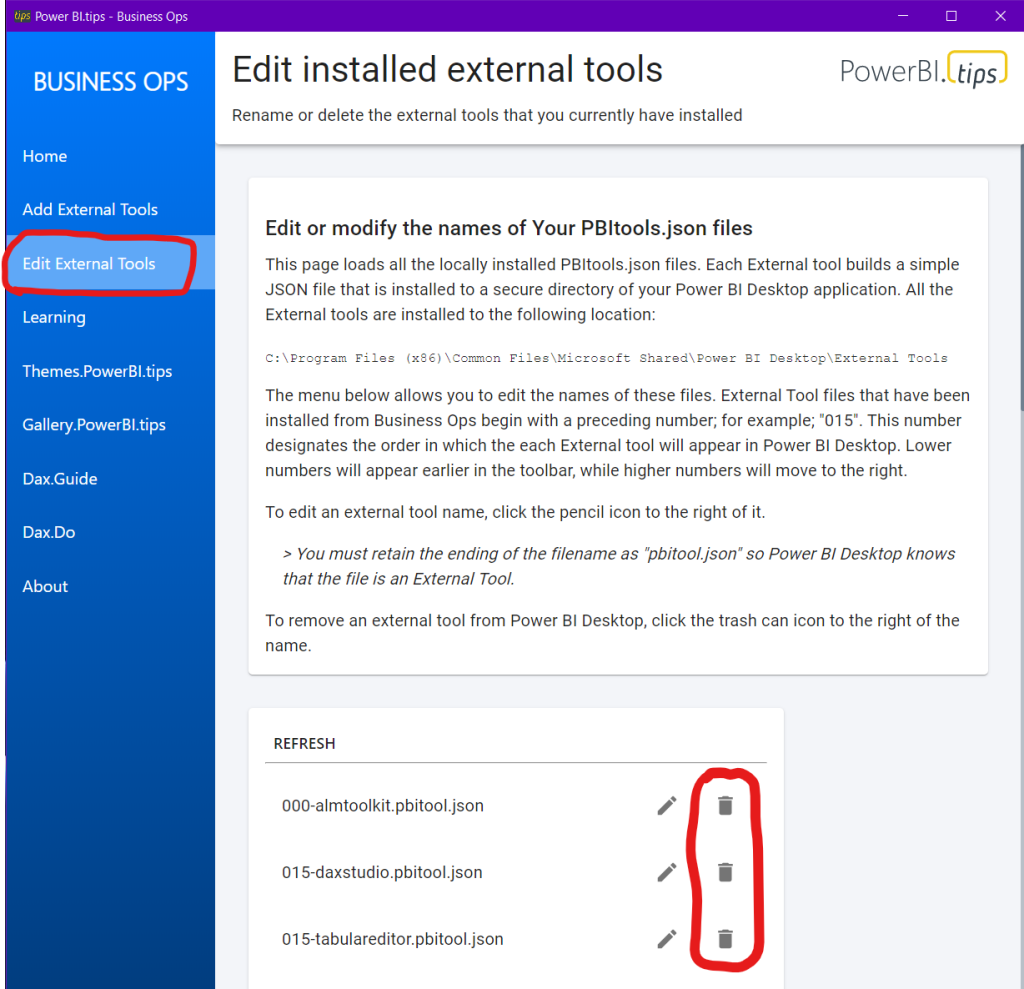
If you have installed Business Ops 2.0 or 2.0.1, you should use the “Edit External Tools” menu to remove the External Tools you have installed, then close and uninstall Business Ops.
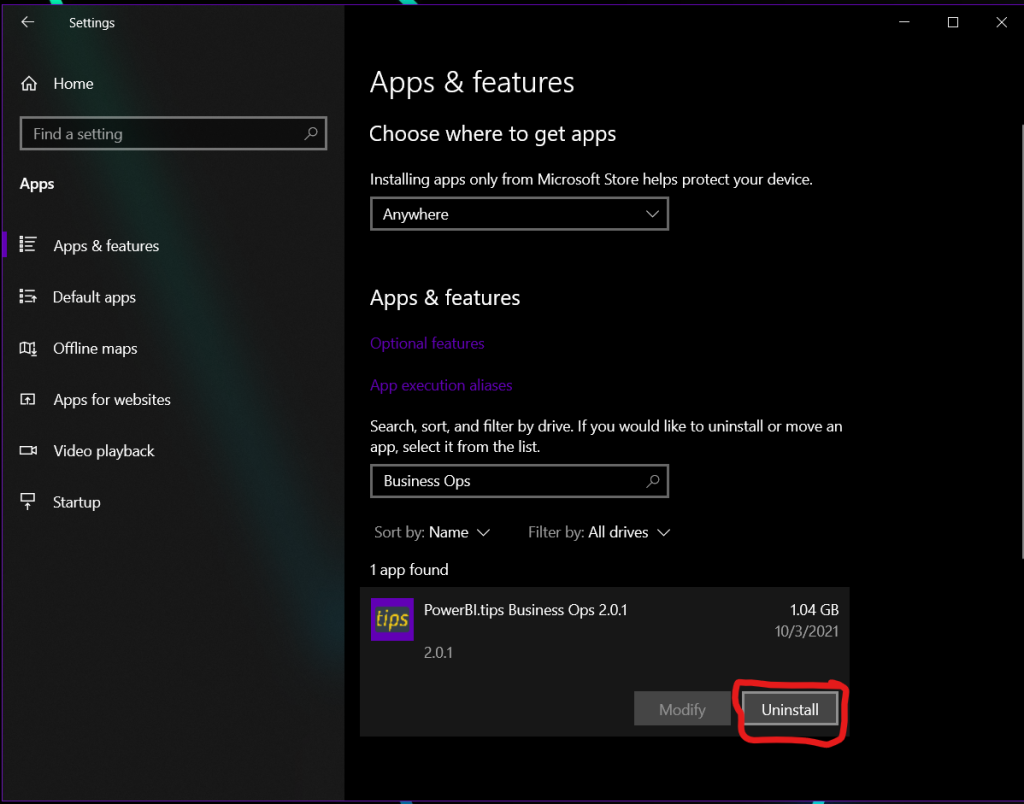
Then, just download and install the latest version of Business Ops, and reinstall your favorite External Tools. That’s it!

What Happened?

In previous versions of Business Ops, its installation path was C:\Users\\AppData\Local\Programs\pbi-tips-business-ops\, which could be accessed by any process running on the machine. This struck us as somewhat insecure, so we decided to beef up the security. When we released Business Ops 2.0, we changed the installation path to C:\Program Files\PowerBI.tips Business Ops\, which requires elevated permissions to modify any files inside. This change increased the security of Business Ops, but those of you who are familiar with how file paths work can probably guess how it also had some other, unintended consequences. For those who aren’t, here’s what happened:

The installation path in previous versions did not have any spaces in it, and everything was working fine. But when we changed the installation path to one that includes spaces, several of the included External Tools in Business Ops stopped working. This wasn’t immediately obvious because it only affected the handful of External Tools which launch a PowerShell script by calling its absolute path. Once we identified the cause of the issue, the fix was pretty straightforward, and we got everything working again.

Thanks for reading!

James

Previous

A better way to Mobile

More Posts

Mar 6, 2026

Kicking Off Fabric the Right Way - Ep. 508

Mike and Tommy break down what it really means to start a Fabric implementation the right way, from setting expectations early to choosing practical first moves that won't box teams in later. They also cover a coming permissions change for Fabric data agents that makes semantic models easier for more people to use.

Mar 4, 2026

AI-Assisted TMDL Workflow & Hot Reload – Ep. 507

Mike and Tommy explore AI-assisted TMDL workflows and the hot reload experience for faster Power BI development. They also cover the new programmatic Power Query API and the GA release of the input slicer.

Feb 27, 2026

Filter Overload – Ep. 506

Mike and Tommy dive into the February 2026 feature updates for Power BI and Fabric, with a deep focus on the new input slicer going GA and what it means for report filtering. The conversation gets into filter overload — when too many slicers and options hurt more than they help.