Jul 19, 2023
In Ep. 233, the crew answers a mailbag question on how much detail belongs in a Power BI report—covering model grain, drillthrough patterns, and ways to keep users in flow without turning VertiPaq into a row-level warehouse.
Jul 14, 2023
In Ep. 232, Mike, Tommy, and Seth break down the symbiotic relationship between data governance and data storytelling—why trust, ownership, and clear lineage are what turn dashboards into decisions.
Jul 12, 2023
In Ep. 231, Mike, Tommy, and Seth unpack what a “data model” actually is and why it matters—from conceptual diagrams to logical fields and finally the physical star schema you build in Power BI. You’ll learn how clearer modeling conversations reduce DAX complexity, improve trust, and set teams up for scalable, reusable reporting.
Jul 7, 2023
In Ep. 230, Mike, Tommy, and Seth continue their domain roles series and map out how responsibilities shift as you move from Power BI into Microsoft Fabric. You'll learn practical ways to define ownership, reduce duplication, and build trust using clear governance and promotion/certification patterns.

Jul 5, 2023
In Ep. 229, Mike, Tommy, and Seth break down Fabric domains and why they’re only useful when paired with clear ownership and process. They debate central BI vs. business-led models, workspace roles, and the promotion/certification path needed to keep Fabric enablement from turning into chaos.
Jun 30, 2023
In Ep. 228, Mike, Tommy, and Seth break down PBIP (the Power BI Project format) and what it unlocks for real Git workflows: diffs, pull requests, and repeatable CI/CD. They also discuss Fabric Git integration and why preview features still demand cost and governance discipline.
Jun 28, 2023
In Ep. 227, Mike, Tommy, and Seth explore what Fabric adoption really requires: governance, ownership, and cost visibility—not just new tech. They debate OneLake discoverability and the ‘lakehouse per dataset’ question, then land on a practical distinction: data quality is the condition of your data, while data governance is the operating model that keeps it trustworthy.
Jun 23, 2023
In Ep. 226, Mike, Tommy, and Seth unpack Microsoft Fabric capacities with a cost-first lens: how to read CU consumption, what ‘hidden’ background artifacts can imply for spend, and which controls (like pausing a capacity) help you experiment without getting surprised.
Jun 21, 2023
In Ep. 225, Mike, Tommy, and Seth unpack why ‘workspaces’ are getting noisier in the Fabric era: new item types that appear automatically, what should be hidden vs. governed, and the simple standards that keep teams productive while the platform shifts under your feet.
Jun 16, 2023
In Ep. 224, Mike, Tommy, and Seth use Microsoft’s Fabric Decision Guide to clarify when a warehouse-first approach makes sense versus a lakehouse-first approach—and how to pick a default pattern your team can govern consistently.
Jun 14, 2023
In Ep. 223, Mike, Tommy, and Seth continue the data ingestion series with a pragmatic Fabric lens: when to use pipelines vs. dataflows vs. Spark, what tradeoffs actually matter, and how to standardize ingestion so it’s scalable, governable, and maintainable.
Jun 9, 2023
In Ep. 222, Mike, Tommy, and Seth use Microsoft’s Fabric Decision Guides to pick practical defaults for ingestion and storage—and explain how to govern those choices so teams stop reinventing the platform on every project.
Jun 7, 2023
In Ep. 221, Mike, Tommy, and Seth break down OneLake and Direct Lake in Microsoft Fabric—what they are, how they work together, and where the sharp edges still are. If you’re trying to pick a durable lakehouse pattern, this episode gives you the mental model for shortcuts, security, and performance before you bet your architecture on the new stack.
Jun 7, 2023
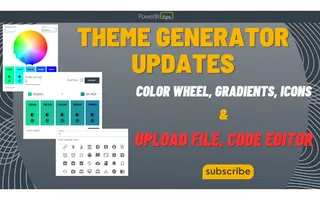
At Power BI Tips, we’re committed to providing you with the best tools and resources to enhance your report building experience. That’s why we’re thri...
Jun 2, 2023
In Ep. 220, Mike, Tommy, and Seth break down Git integration for Power BI in Microsoft Fabric—what version control changes for BI teams, how branches and pull requests map to report development, and the simplest way to start adopting source control without slowing delivery.
May 31, 2023
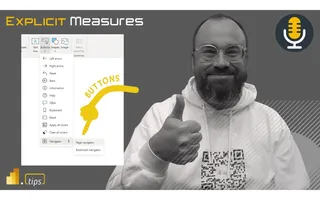
Ep. 219 is all about Power BI’s evolving button experience—especially navigators and slicer apply/clear patterns—and how a few small UX choices can make reports easier to understand, faster to use, and harder to break by accident.

May 26, 2023
Ep. 218 is a high-energy breakdown of Microsoft Fabric—why it feels like the next evolution of the Power BI platform, and the governance, capacity, and admin decisions you should consider before enabling it broadly.

May 24, 2023
Ep. 217 is a practical conversation about Power Query functions—how to build a small library of repeatable helpers, where reuse breaks down inside PBIX files, and when it’s time to move transformations into shared dataflows or upstream pipelines.
May 19, 2023
Ep. 216 explores where Python fits in the modern Power BI skill stack—why notebooks are creeping into BI workflows, when SQL and DAX still matter more, and practical ways to start learning without derailing your day job.
May 18, 2023
In this episode of the Explicit Measures Podcast, we discuss the values of adding Python k...
May 17, 2023
Ep. 215 dives into the March 2023 visual container upgrades—subtitle, divider, and padding—and how they unlock cleaner report layouts. The team also explores viewing PBIX reports directly from SharePoint/OneDrive and what it means for versioning and governance.
May 12, 2023
Ep. 214 breaks down how to collaborate during data exploration—when to pull others in, how to split the work, and how to keep findings reproducible and reviewable. You’ll leave with practical ways to share half-finished work without derailing the project.
May 11, 2023
Ep. 213 is a deep dive into Power BI’s new ability to edit semantic models in the Service—when web-based changes make sense, how they interact with Desktop workflows, and what teams should do now to keep governance and version history intact.
May 10, 2023
Low-code is less about ‘no programming’ and more about accelerating real work with guided UI, defaults, and reusable patterns. In Ep. 212, Mike, Tommy, and Seth break down how Power BI, Power Query, Power Apps, and automation fit on that spectrum—and what guardrails and ‘wizard’ experiences would make teams faster without sacrificing fundamentals.
