
Fabric Liquid Clustering – Ep.559
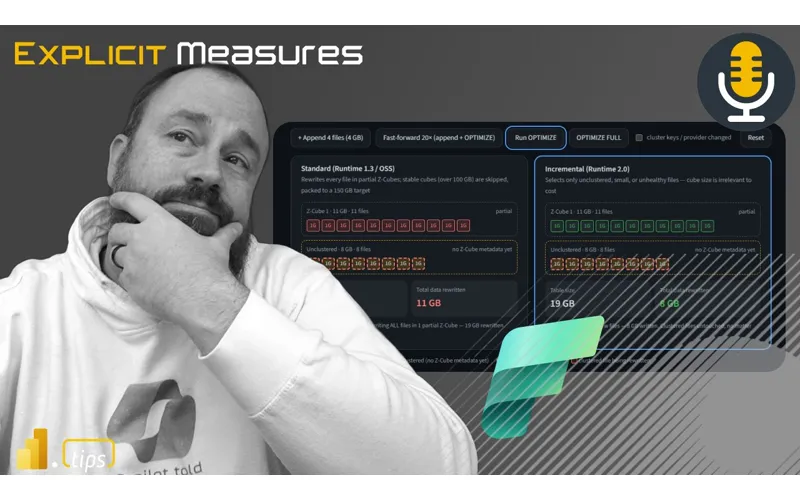
A Delta table looks like one object in a Fabric Lakehouse, and liquid clustering is the layout feature that decides which files a filter actually opens. Tommy and Mike use Miles Cole’s Runtime 2.0 post to show why an optimize on Runtime 1.3 could rewrite data you had already clustered, and what to do before Microsoft makes Runtime 2.0 the default.
News & Announcements
-
Chicago Fabric & Power BI User Group — September 24 — Thursday, September 24, three weeks out from this episode, with more people already registered than the August meeting. The session is a full demonstration of AI tools for Microsoft Fabric work: a second brain that holds project context and instructions, MCP so that context stays consistent for the task, and a workflow they will build in the room. The group has the rest of the year on the calendar. December is an end-of-year party and gift exchange where members show what they have been building.
-
Fabric August 2026 feature summary — Tommy calls it a backend month: Fabric runtime, the native execution engine, data agents, and real-time intelligence, with few interface changes. He highlights notifications, operations management, activity logging, and MQTT event streams — Azure capabilities landing so Fabric feels more complete, as product depth rather than a pile of new workloads. He also flags items that cost money if you are not watching: native execution engine performance, the runtime itself, and warehouse GPU acceleration. On the GPU path, he describes Microsoft caching data, moving it to the GPU, and running the query there at a speed that impressed him, with the caveat that GPU capacity is expensive and not aimed at most people. A feature he likes on its own is Fabric Warehouse schema compare in VS Code: diff a warehouse against another warehouse or a SQL database project object by object (tables, views, functions, and the rest), choose what to keep, update the project from the repo, and deploy from VS Code so the database project stays in sync with Git. Mike’s aside on the web app: he still avoids the tabbed app.fabric.microsoft.com experience and lives in Power BI, and he treats the Fabric web UI as too new to have settled.
-
Data agents inside that same August rollup — Tommy pulls two items out for Mike’s reaction. DAX generation for semantic models and data agents is built in and uses Fabric skills, the same semantic-model query path Tommy sees in Fabric, Power BI, and Copilot skills. His view is that skipping Fabric skills means leaving a lot of agent quality on the table, and that those skills should come along with MCP or plugins instead of as a separate install. The data agent orchestrator is locked to GPT-5.1; you cannot switch the model, which a listener in the chat (Jen) confirmed, along with Tommy’s read on Fabric skills. Mike is unconvinced they are the answer on his projects. He finds them more useful than Power BI Q&A, and he can still build something he trusts more for the end user. His sharpest complaint is analytics: when someone uses a data agent, he cannot see the questions they asked or the topics they care about, so he would rather run his own agents and keep that trace. Tommy’s priority is place. Data agents are in public release on Microsoft Foundry and could sit inside Copilot, and he still wants them wherever he is already working, with a clear view of what the agent did.
-
How incremental liquid clustering works — Miles Cole’s July 24 post, from someone the hosts place on the Microsoft product team. It is the spine of the episode: liquid clustering as table metadata rather than a folder-per-value partition, why a small append plus
OPTIMIZEon Runtime 1.3 (Delta 3.2) could rewrite a whole partial Z-cube, and how Runtime 2.0 only revisits files that are unclustered, small, unhealthy, heavy with deletion vectors, or pulled in by auto reclustering. Mike picked it for the explanation and for the interactive model in the middle of the page, where a full rewrite and an incremental one are something you click through instead of only read. -
Runtime 2.0 in Fabric — The documentation Tommy says he is reading while this lands. Runtime 2.0 is generally available and still an explicit opt-in, at the workspace Spark settings or on an environment item used by a notebook or Spark job definition. It is Spark 4.1 and Delta Lake 4.2, with the native execution engine in the box, and liquid clustering listed under data layout. The docs’ plan matches what the hosts say on air: Runtime 2.0 becomes the default in the product and for new workspaces and environments in late September 2026. Tommy’s advice is to start now. Moving from 1.3 is low risk, this is GA, and he does not expect 2.0 itself to send spend up exponentially. Mike’s companion point, from the runtime section of the August notes, is that the native execution engine improvements are there to make the same work faster and cheaper once you are on them.
-
Fabric Runtime 2.0 is general available — The summary article linked from the episode. Wolfgang’s version-to-version sheet is the short map beside the docs: Spark 3.5.5 to 4.1, Delta Lake 3.2 to 4.2, with liquid clustering called out as part of that Delta upgrade, plus vectorized CSV parsing in the native execution engine. He records the same opt-in window, default in late September 2026, and notes that Runtime 1.3 moves into long-term support on October 1, 2026.
Main Discussion
Topic: Incremental liquid clustering on Delta tables in Fabric Runtime 2.0
Mike sets the Lakehouse picture first so the feature has a place to live. Tommy explains the idea with boxes of baseballs. They then stay inside Miles Cole’s post: what a full optimize does on Runtime 1.3, what incremental liquid clustering does on Runtime 2.0, and the development pattern at the bottom of the article.
-
A Lakehouse table is a Delta table with a file layout under it. To the person querying it, the table is one object that can keep growing. Under that, Mike describes Delta format: a metadata file that records where the data lives, Parquet files that hold the rows, and ACID transactions. Writes add new files. They do not update the old ones, which is what gives the table its versions. Every optimize reads data into memory and writes it back, and those reads and writes are the expensive part. Liquid clustering sits on top of that Delta table. It is a feature of the layout, and the rest of the episode is about that feature in a Fabric Lakehouse.
-
Tommy’s picture is boxes of baseballs. Blue, red, and green balls are mixed across every box, so a request for the blue ones makes Fabric open a lot of boxes. Cluster them and the blue balls sit with other blue balls. Open one box, see a blue ball, and the rest of the blue balls are likely in that same place. A request for red skips the blue and green boxes. Fewer files opened means a faster query and less work for the engine. He calls it liquid because the groups are flexible — order date, region, product category — and you can change the settings. Classic partitioning used a rigid folder layout. Here the clustering rules live in the table.
-
Cluster for the filters reports already repeat. Mike connects the layout to semantic models. Dates show up constantly. A sales team may live in the last three months; a review may be this year against last year. Those recurring slices are the columns worth grouping, the same way same-colored baseballs share a box, so a query reads that subset of files. A one-time partition on date and customer is finished the day you create it. When the questions change shape, you read more files than you meant to. Liquid clustering is the point where you can change the layout again as the query pattern moves.
-
Runtime 1.3 rewrites the healthy data. Runtime 2.0 clusters what you added. Tommy works an example on the page: about 30 GB already optimized, then 4 GB appended and still unclustered. On Runtime 1.3, optimize processes the whole set and he reads the write at about 64 GB, roughly a doubling, because that runtime has to handle everything. On Runtime 2.0, liquid clustering optimizes the new 4 GB. Mike takes the interactive model from there: add files (he uses four new 1 GB files), run optimize, and fast-forward that append-and-optimize cycle about 20 times. On 1.3 the bytes written to disk stay high, and he puts the growth in the neighborhood of 10x to 15x as the cycles continue. The failure mode he names is the quiet one. Delta tables feel easy for months, and then a job is slow because the runtime has been rewriting data you thought was already done.
-
The post is a demo you can click, which is why Mike assigned it. Halfway down, Miles compares a standard Runtime 1.3 rewrite with incremental clustering on Runtime 2.0, and the page lets you add data and watch the two strategies diverge. Mike’s comparison is a children’s museum exhibit: the explanation is there, and a button lets you see the behavior. He treats interactive sections like that as a way to teach a layout topic that is hard to hold from prose alone. Tommy uses the same page for the practical chapters after the demo: which columns to choose, how to judge whether the layout is healthy, and a working pattern.
-
Tommy asks why a small table would still use a dataflow. If Runtime 2.0 does what it advertises, including for a table around a gigabyte or a million rows, he wants the argument for any other transform. A lot of the clustering happens in the engine either way. Mike’s answer splits by workload. For large batch work he wants Spark: faster and more flexible as volume grows, compute only while the job runs, and bronze, silver, and gold tables whose ongoing bill is mostly storage. People who still live in Power BI often know Power Query and Dataflows Gen1 or Gen2, and they want each step and its result in front of them. A notebook can show those steps, and it is less visual. Spark is also a poor fit, in his experience, for quick updates of a few rows in the middle of a process, and for watching a pipeline continuously. Streaming can do the live path, and the capacity then stays on the whole time. If a client needs to see data and act immediately, he steers away from ordinary Spark Delta tables. Tommy separates that real-time case from the transforms he means: copy jobs and micro-batches every 30 or 60 minutes are Spark work, and he has already left Dataflows Gen2 in his own workflows. The interface is comfortable. An agent in VS Code can take the same request — find these columns, build this table — and write the notebook, which is how Mike is doing a lot of projects now. He reviews and tests the result. Tommy’s analogy for the choice is a Ferrari against the Honda Odyssey he actually drives: the fast option costs more to keep running. Both of them still see a skills gap around Spark and agents. It is narrower than it was, and it is still there. Mike’s related warning, once the talk turns to who is allowed to use AI at all, is shadow AI. Blocking the tools pushes people toward a personal subscription and company data going somewhere the organization cannot see, the same pattern as shadow IT.
-
Miles closes with a pattern, and Mike reads it as the assignment. In development: shallow-clone a table,
ALTER TABLEto apply liquid clustering on the filters queries actually use, run optimize yourself, and run the same query against the old table and the new one. That test can sit beside production without touching the main flow. Once it is faster, production is a different list. Enable liquid clustering, run optimize on a schedule, and let incremental selection and automatic reclustering handle the day-to-day maintenance. When a clustering key changes, run a full optimize after that change. The line Mike underlines: do not schedule a full reclustering just because it feels safer. The Runtime 2.0 engine is built to tolerate small imperfections in exchange for much lower overhead on the writer.
Looking Forward
Tommy’s closing recommendation is to treat Fabric Runtime 2.0 as the runtime to learn now. It is generally available, a move from 1.3 is low risk in his view, and Microsoft is making 2.0 the standard in September.
If you want the layout benefit without a surprise rewrite, use the development loop from the end of Miles Cole’s article. Shallow-clone a real table, cluster it on the filters those reports already use, optimize, and compare the query with the table you have in production. Save a full optimize for the day the clustering keys change.
Episode Transcript
0:00 Tommy and Mike light up the sky. Dance till the day, laugh in the mix. Fabric and AI, get your drive. Explicit measures. Turn on the beat now. Pumpkins feel the crowd. Welcome back to the Explicit Measures podcast with Tommy and Mike. Good morning, Tommy. How are you doing? Oh, I’m fine, Mike. How are you?
0:30 Mike. How are you? Glad to hear that, Tommy. I’m fine too. fine too. This week has already been very busy. It passes quickly. I just love love building things, creating, creating, designing. I feel like nothing, nothing is out of reach for me now, with all these new AI innovations. I guess it does n’t… it doesn’t feel like I can, I can, you I can, I can,, if I know, if I set my mind to something, I can create it. I
1:00 I can create it. I notice that I have become much more much more selective about what to work on or what to build, unlike in the beginning when I tried almost everything that came to mind. And that’s fine, but,, in a , in a way, there’s a lot of redundancy, because there are a lot of different paths you can take. And I think now for everything I try try to create, I make a plan: what do I want to achieve,, what is the use case use case, is it worth it? Because, again, just because you can create it, will I continue to use it? use it? So that was an important moment for me.
1:30 moment for me. But yes, I really see the benefits of this. I’ve been I’ve been taking on a lot of projects lately, Tommy, and I do n’t know if you’re designing and building the same way. Before I ask you a question, I’ll quickly state our main topic, and then we’ll come back to this question. Let ‘s come back here. So, let’s So, let’s talk about our main topic. Our topic today is called Fabric liquid clustering. What the hell is this, Tommy? And why is this important to us? This is something that has recently recently emerged and was
2:00 emerged and was demonstrated by Miles Cole. He seems to work on the Microsoft product team. Yes, that Yes, that seems to be what you were talking about, but Miles wrote this very interesting blog post called “How Incremental Sparse Clustering Works.” And I thought, first of all, we need to understand how these things work, just technically, what’s going on. going on. A table is not really just a table. There is a certain structure hidden under the table. So what is the structure underneath the tables
2:30 the tables coming out of Delta Lake? And what I thought was really great about this article is, first of all, it’s just great. First, this is a great article in itself. And secondly, the way he wrote this post, it has a bunch of interactive sections right in the middle of the article. And when he explains to you, hey, I’m going to do a full rewrite instead of an incremental one, his blog has interactive elements that you can click on and they do something. And I
3:02 they do something. And I thought, this is the future of blogging with artificial intelligence. It shouldn’t just be an article you read. The article should have interactive sections throughout the text. text., think about it. If you’re trying to create an article, you want people to interact with your content. If you are trying to create an illustration or explain a complex concept, you should have an interactive game page where you can click buttons, buttons, trigger something, and this will help help the user better understand what you are trying to explain.
3:32 . Mhm. Mhm. I think this article is perfect for that. In short, I, I really I really liked the reason why I chose this article. First of all, it’s a topic, and secondly, I really like these interactive sections of the report, articles, pages, and I thought, this is really cool, I really like it. . Yes, you’re actually giving me an idea, because the article I’m writing has prompts, but it’s not interactive. But Notion allows you to publish pages and build all these connections there, so I think it’s interesting. And a big
4:02 interesting. And a big part of what I was writing about, Mike, while you were talking, is demonstrating the different prompts that I always keep in Notion. . Yes. Yes. So maybe there’s something to this. No, I, I can imagine that. I don’t want to, I think that’s a high threshold for everyone. Some people just like writing articles,? But yeah, I’m just saying that if you’re trying to stand out as an article writer, right? Anyone can take it and just write an article. And now with artificial intelligence, you can go for a walk, a walk, discuss with AI what article you want to write, and it will
4:32 to write, and it will help you help you develop this idea. So I feel like the fact that we can now bring code and examples and things to the masses with AI, that’s important. Mhm. I believe that this makes it possible to stand out from all the other people on the internet who are doing the exact same thing. One of the reasons we do this podcast, Tommy, is because we want to be unique. We want to be a little different. We could just blog just blog about everything we’re discussing right now, but , but we could just
5:02 we could just keep keep interviewing people. Yes, we could just do a podcast consisting of just interviews. So we decided to take a slightly different approach to discussing news about Fabric and Power BI and simply explain what we’re learning and spending time on building these things. In any case, it’s just a different way of looking at things. I thought that was very interesting. Okay, having said that, let’s get back to our introduction. Yes. So, you had a question for me. Yes, I wanted to ask you about your development process using AI., have
5:36 you noticed lately that you ‘re finishing projects more often than just than just starting them and stopping, stopping, well, are you managing to get things done? I am ? I am M-m. I find myself taking on more AI projects that directly address my problems related to running a business, applications, and building automation systems around AI that create apps,
6:06 software—things that I use all the time., and ., and I have one project in mind where I like to build something “from scratch” rather than going back and trying trying to redo an existing project. And then, when I learn something on a new project, I formulate how it should work. And then I go back and build,, other things or fix old ones, so I usually create a completely new project before I go back to fixing the old one. Yes. Well, for me,
6:37 Yes. Well, for me, initially there were a lot of “rabbit holes” and things that you and I talked about offline where there were too many offshoots that didn’t provide much benefit. And when I changed a few of my habits, I realized that I had to be a lot more more focused in terms of choosing what to do and be do and be a lot more selective, because there are a thousand thoughts going through my head, but then again, there are a bunch of random projects that are just sitting around, so yeah. yeah. I try to be very careful and write down—I actually still use pen and
7:07 use pen and paper, that’s my belief— belief— write everything down before I just give a request to randomly generate things, what I actually want to achieve, what the app would do, and say, ” Okay, is this really going to be useful, right?” “Because, yes, the very fact that I can I can create anything all the time. it’s still time, so I try to be like: okay, what are the things right now that I would like to see? The example I gave in the previous previous podcast where I created this workflow to look at my repository of contracts and projects in Notion to
7:38 projects in Notion to sync them and create my create my pipeline in PowerBI, you pipeline in PowerBI,, in the Fabric runtime and in the know, in the Fabric runtime and in the report. I really wanted to say that I want this to work well. I want to make sure it’s useful and that I’ll keep coming back to it, and I , and I try to be very selective about what it does and when, which I think are the two most important things, because there’s usually some trigger or automation. When would I use this? How would I use this? And these are the four questions I usually ask. So, what would I do about it? When would I do that? How, and then how
8:10 do that? How, and then how often, would he do what he was supposed to do? Is there any trigger? How often would that be? And then, when would I use it? I, yes, I agree with these statements. But I just want to clarify a little. So one of the side projects I told told you about recently is Tommy Ju. Remember Google Inbox in the good old days? Yes. Oh, that’s a good topic. Yes. Yes. Good. I Good. I loved Google Inbox, man. man. Me too. I thought,
8:41 Me too. I thought, firstly, I just really liked the program, and secondly, I don’t have, listen, have you tried you tried connecting your agents to your Outlook or Microsoft mail? I can with mine, but the problem is that with so many so many clients I have a lot of other email addresses that they don’t allow. allow. They won’t let me connect them. No. No. So, in Notion I can do that, but I do n’t rely on it. It hasn’t become a habit for me. Good. So what if
9:12 Good. So what if Google Inbox and the two most dangerous words were, right? Google Inbox, and then the concept of an agent-centric Outlook. So, let’s make Outlook, well, an app, shall we? An application on your computer that you can log into. It has the same
9:33 Microsoft security features. You can, but what if you had an app that was exactly like Outlook and used the same authentication as you do to log in to those email services? It’s your opinion, Tommy, is n’t it? What you described are cross-referenced email addresses that should be in one place. Now you can do this in Outlook; you can log in to multiple accounts. accounts. Each login gets email addresses for this service, collects them in the Outlook app, and you can switch between each, well, each
10:04 between each, well, each address, right? But you don’t have the option to give access to this to your agent; There is no MCP server in the Outlook application. There are a whole bunch of things that are missing, and I feel like they’re just not there. So I’m trying to create an updated version of Google Inbox with my agents, right? This concept where each letter has its own set. When emails arrive, they are automatically grouped by these topics. topics. When the sets fill up, you can simply review the set and
10:34 review the set and then, say, delete them. And, again taking some some design ideas from that world a little bit. But on the other hand, I want to be 100% be 100% focused on agents. And I struggle with the same thing you do, you do, Tommy. I have several tenants with many email addresses who all who all need to be monitored by an agent just to catch the email; if I get spam, great. Just move it to the spam folder, which I’ll look at later. But I don’t have access to urgent things, things that are
11:04 things, things that are important, and I and I need the need the information from the letters to reach my reach my agent. So that my agent can act. Some will say, “Well, use Work IQ.” We at Microsoft have just changed the licensing of Work IQ. And although I have Work IQ installed on agents, now I need to have AI credits for Work IQ. It doesn’t work just because you bought Copilot. And I think to myself: why would I
11:34 why would I buy Copilot then if you don’t give me Work IQ as part of Yes. All I get is a chatbot connected to my email, which works slowly and sometimes responds. responds. He doesn’t even work. He doesn’t even work, Tommy. I recently tried tried using Copilot in Outlook. I simply said that I had the text of the letter and three different dates and times for meetings. These are meetings, and I just wanted the AI to create calendar calendar invitations for these three events. So I literally highlighted them, opened up Copilot, and said, “Add these three meetings to my
12:04 meetings to my calendar.” He couldn’t do it. He said, ” Sorry, I can’t.” So I went straight to Grok, connected it to my email, and said, “Make these three entries appointments.” Boom. I did it right away. No problem. problem. Yes, these are the basic things that he should support. support. Your own Your own tool can’t do what do what others can. This is just crazy to me. So I’m thinking, why should I even pay for M365 Copilot, because at this point it’s completely useless and just a waste of money.
12:34 waste of money. Auto- Auto- creation—sometimes I think, “Hey, I was chatting with someone 3 months ago, help me find that address if I might have lost it.” This works well. That’s pretty good. But with the calendar, for example, I do extra extra activities on Sundays, Sundays, and I need to create create recurring recurring invitations for those people every second and fourth Sunday of the month. month. It’s a little tiring, because before this Tuesday, there were about four appointments that I had to create, and I thought, ” Yeah, the agent should be able to handle this,” and he
13:04 handle this,” and he couldn’t. He simply explains how to do it. I know how to do it myself, I just want just want you to do it. So yeah, I think it comes down to us finding hyper- use cases in how we navigate the web or our or our workload, and now we have the ability to customize the way we work in a way that’s comfortable for us. This is a great way. So, way. So, speaking of ways to use all
13:35 use all the power of Microsoft Fabric, not necessarily Copilot, let’s get to the news, Mike. So, we have an update for August, but first I wanted to make an announcement. The next Chicago PowerBI Microsoft Fabric User Group meeting will be held in three announcement. The next Chicago PowerBI Microsoft Fabric User Group meeting will be held in three weeks, on Thursday, September 24th. You still have plenty of time to confirm your participation. We already have more people registered than for the August meeting. And the entire session will be dedicated to using AI using AI tools to tools to work with Microsoft Fabric. We’ll
14:07 work with Microsoft Fabric. We’ll talk about creating a “second brain” in more or less compatible applications to shape the context of your project and instructions, using MCP to, in a sense, have a consistency of setting up the context needed to needed to perform tasks in Fabric, and then a seamless seamless workflow. We will do a full demonstration. Another thing we want to encourage users to do while we are actively building everything is to learn about the
14:37 is to learn about the successes of participants and hear their stories. We have a schedule of all user group meetings for the entire year. For example, the December meeting is a gift exchange where our “gift” will be an end-of-year party where we give everyone a chance a chance to celebrate what they’ve been working on and show it off to others. Great, there’s a lot going on, going on, but be sure to RSVP RSVP to Chicago meetup. com Chicago PowerBI. . That’s news, but for Mike, one of the most important events
15:08 most important events was the next big update for Fabric in the August 2026 feature rollout. Mike, it’s been a backend month for me. If you read this, everything that’s happening here is about is about built-in features, integration, a lot about the about the Fabric runtime, which we’ll talk about, the native native execution engine, and data agents. So, I don’t know if you had time to look, but I found it interesting. A lot of attention has been paid to data agents, a lot of attention to
15:40 real- time intelligence, and again a lot of attention to how everything works on the backend. Few UI improvements , if that makes sense. , Fabric is probably mostly about the fact that most that most tools already have ready-made interfaces that are fully customized., I feel like a lot of this is just little conveniences that we get now, get now, right? The backend, the flip side of things, makes everything a little smoother, easier to run,
16:10 easier to run, adding more functionality to each individual element. It seems It seems quite natural to me. But I assume I assume you’re the one who says that even though I hate app. fabric. microsoft. com or the tabbed fabric interface, I don’t use the fabric interface. I should should use Power BI. So, everything can be improved. improved. The situation is still getting better. Well, like Yes, the Yes, the fabric web interface is still too new. There are too many too many new things appearing there that will still change. But that’s what I’m
16:40 But that’s what I’m like, but from a fabric backend perspective, all these updates make sense to me, right? It’s clear to me that they’re doing a lot of things that are either in preview mode or becoming publicly available right now. They implement many internal features like notifications, better operations management, activity logging, and MQTT event streams. This is great, because it’s all the things that were in Azure that we just didn’t have time for, and now it’s coming to Fabric, and the product becomes
17:10 product becomes holistic, right? It’s becoming becoming more functional, with the same infrastructure as Azure, so I guess that makes sense, but again, it again, it feels like a product enhancement, not like adding a bunch of completely new workloads. Well, and a lot more, Mike, I was looking at things that can cost money if you don’t know what you’re doing. For example, the native native execution engine has some performance improvements. The Fabric runtime we talked about. The
17:41 talked about. The data warehouse now has GPU accelerators. Sounds great. Yes, that’s what I I remembered. Mhm. Interesting. But I know that every time Microsoft gives access to GPUs, it costs a lot of money. money. Oh yes. Yes. It’s not for the faint of heart and not for most people. But what I found interesting is that a lot of our requests are for models, right? When we ran we ran a query earlier, Microsoft found
18:11 a query earlier, Microsoft found that caching the data, moving it to the GPU, and then processing and executing the query via the GPU was incredibly fast, it was truly impressive speed. So if you think about it, if we do everything on the CPU, CPUs are very fast and powerful, but a , but a GPU is specifically designed to do a lot do a lot more more computation, a lot more. That’s why we have these GPUs for for artificial intelligence.
18:41 artificial intelligence. They are just good at mathematical calculations. And the fact that you can now use this use this system to process your requests makes sense. sense. Yes. Yes. So I want to explore this feature a little more. Yeah, it’s exciting because I read a book about Jensen Huang, who runs Nvidia, and one of the
19:03 Nvidia, and one of the coolest things is that they were the ones who developed the concept of GPUs GPUs. Nvidia was… Yeah, others did it too, but they were… … They’re actually the ones who coined the term GPU because… Yeah, the real pioneers in this area, I think the Sound Blaster Pro was out there, a long time ago. But they were the ones who thought, “Let’s show this in Task Manager so we can so we can measure measure performance.” And again, all of this was created for
19:33 was created for graphics; That’s why it’s in the name. They just found that it also lends itself very well to mathematics, incredibly well. Just like any any warehouse. Mike, one of the interface differences or another feature I wanted to talk about is that they have a lot of capabilities in Fabric Warehouse other than GPU. One of my favorites is deploying Fabric Warehouse Warehouse using Schema Compare in VS Code. This allows you to compare a Fabric warehouse with another warehouse or SQL database project.
20:04 SQL database project. View View differences between all tables, views, views, functions, and other objects in object-by-object mode. You can select the changes you want, update the project from the repository, and deploy it all to VS Code. Keeping Keeping database projects in sync with Git is really cool, Mike, and I like the like the interface. I like like how well I think they designed the app for this extension. That’s what we’re talking about. Yes, I agree, and one more
20:34 Yes, I agree, and one more thing we’re going to talk about today, touching on our main topic, is that if you look at all the recent articles, the Fabric 2. 0 runtime is now publicly available. Yes. So I’m glad it’s here. GA Fabric runtime 2. 0 is now available. Perfectly. Class. It’s nice to see that. And there are many improvements to Spark’s features. There are many many Spark job definitions and improvements. With this Spark 2. 0 runtime, you get performance improvements to the
21:04 get performance improvements to the built-in execution engine. So, again, these are things that you just need to need to use to use to make the job faster and cheaper. Before we Before we get to that, I need to hear your thoughts, your perspective on the two updates, and find out what you think about it. So the first one is about about data agents. There is a lot of information about data agents. The first is DAX generation for semantic models and data agents. Yes. Yes. It’s built-in, and the DAX generation just uses
21:34 uses Fabric’s skills, which I think is very interesting. The same semantic model query mechanism is used in Fabric, Power BI, and Copilot skills. So, it’s interesting that, in my opinion, if you’re not not using using the skills for Fabric right now, you’re missing out on a lot. For me, this is undeniable. I think it’s already at the stage where they should be installed installed automatically if you use MCP or plugins; this should be a standard standard installation, part of the code, not something that needs to be done separately.
22:05 And with the data agent orchestrator—well, it runs on GPT, not on the cloud. You can’t change that. I know you have your own opinion on this matter. So, Mike, I’ll let you continue. Our model is tied to ChatGPT. 5. 1. This, this is a data agent orchestrator. Harmonist. No… Yes. Not. Yes. Not. Yes. So, this is a slightly more specific thing. Yes. I don’t know if the data agent itself allows you to choose between the different models that you have. I do n’t even know if that’s
22:35 n’t even know if that’s possible,, honestly, Tommy, I’m not excited about about data agents. I don’t mean that they are completely useless. I think Microsoft is definitely trying trying to figure out what this should look like. Over time, I think it gets better., but I’m a little… Data Agents was somewhat somewhat successful for me. Have they become a panacea for all my projects? No. Are they better than Power BI Q&A?
23:06 Yes, better. They seem a bit more functional than him. But can I create something without data agents that would be more efficient? Yes, I can. I create things myself that seem more useful to the end user than what data agents give me. So for me, it’s a “build it “build it yourself or buy it ready-made” scenario when I look at it,? Should ? Should I just build what I want and get get more use out of it, or wait for wait for Microsoft to do it? One of my biggest complaints about some of
23:36 complaints about some of these data agents is that is that when users use them, use them, Tommy, we have no way of no way of knowing, for example, what exactly did the user enter? Where is the list of questions? How do I find out what topics these users are interested in when when they work with these data agents? At this point, they provide very little analytics. I think this needs to be improved. So I prefer to build my own solutions and use my use my own agents to get more get more details. details. I like it. Yes, I, I, I agree. I think there are some
24:07 costs to consider if you try to create your own agent, but at the same time, the main thing for me is the is the location, location, right? It right? It uses a uses a data agent and is now available on Microsoft Foundry. This is a public release from Microsoft Copilot, so it could be part of Copilot, but for me, again, I want to be able to use this use this wherever and whenever I need to, and I need to understand what exactly this data agent does, so , so Jen in the comments here confirms a few things: first, she also confirms your statement about Tommy having a
24:37 your statement about Tommy having a great experience with the skills for Fabric, I agree. I think there’s a lot of great knowledge, skills for Fabric on GitHub—it’s an amazing project, definitely worth taking the time to check it out. You will get a much better result from your agents, for sure. The second part she mentions is that she also she also confirms that you can’t choose a choose a model in model in data agents. So let me ask you another question, Tommy, when you work with agents in any tool, are
25:08 you going to use ChatGPT 5. 1? I don’t want, I honestly don’t want my own Fabric. You’re in VS Code, trying to talk to something, and you have a list or a dropdown menu: “Hey, Tommy is going to do something with some agents.” Which agents do you choose? What models do you choose? You don’t choose anything. I choose very few GPT models. I stopped my subscription to the chat… from OpenAI. OpenAI. Yes. Honestly,
25:38 Yes. Honestly, Mike, I’ll choose Cursor, it’s an IDE. Since xAI or Space AI bought them, Grok now says, “You can’t change the default model anymore,” and ,” and I don’t I don’t like that because they say, ” say, ” Use our Use our top model,” oh, what’s it called? Grok, which is perfectly normal. I’m a fan of what Anthropic has done and their integration, so I can so I can trust them, and I think that’s the most important thing. This is interesting. Tell me, because I… I’m leaving, I think… sorry. This…
26:10 think… sorry. This… there’s another article that just came out, I was looking at it. Another article from, it seems, Uber. Uber initially spent a ton of money on their AI budget, and there was an article that they burned through their entire AI budget at the beginning of the year. Well, another article just came out about how Uber is now controlling costs and implementing AI across the company, and they have a whole system of evaluating which models and what they do. How do they create things? And,,
26:41 create things? And,, in this article, Tommy, there’s a great estimator of the number of users, users, the number of tokens you’re you’re using, and the output they’re getting. So, is the result of sufficient quality? Is the answer correct? How many iterations do you do? So, even if if Anthropic appears, does it help you get the answer or result you need faster? And to be honest, Tommy, I think Anthropic is starting to fall behind. I think
27:13 fall behind. I think they were the best for a while, but now that I’ve been I’ve been using XAI more and more, I like their experience more. It allows you to get a successful result faster than, in my opinion, Anthropic does. And I feel like I’ve been having to tweak Anthropic models too much lately. I think Grok can be a little,, I’ll find the right word, free in its choices, and I’m not talking about politics, I’m talking about it
27:43 about politics, I’m talking about it going overboard more often, although Grok models can be very be very effective, but I like the like the stability of Anthropic, but I don’t use… well, I used Grok 4. 6 a few times, and then I started using it using it a lot more. I started, well, recently with Grok bots. Grok bots are amazing. I really like this whole system, but it’s basically just a Cursor. So, if I had to
28:13 if I had to compare the Anthropic system to the Cursor system, Cursor, in my opinion, is much more flexible and fits much better with the way I build and design things. So Cursor wins here. I think I’ve been talking about Cursor for years, Mike. Finally, finally you saw the light. Sorry. Sorry. I didn’t have a good reason
28:34 good reason to switch—I didn’t know where it was going, but now it has good support and a good program. Yes, Yes, she is really very good. And the Grok build is pretty impressive too. So now I So now I prefer this system over Anthropic because I feel like Anthropic with Sonic models… And they’ve gone a little off track. And honestly, I get better results from XAI models with fewer tokens tokens compared to the cost of cost of Anthropic models. With Anthropic I have to
29:04 Anthropic models. With Anthropic I have to do do more iterations. I do n’t think he quite understands them. He’s not building exactly what I want. Maybe it’s just because I haven’t set up my skills in Anthropic properly, but it feels like Anthropic needs a bit more effort and tweaking tweaking before before things really start working. working. Perfectly. Well, Mike, I think it’s time to move on to our main topic, and we have quite a topic. Mike, you yourself introduced me to liquid clustering, and then I asked: what is liquid clustering? So I did some
29:34 So I did some research, I tested a few things, and, Mike, I want to try to explain it to you. Yes. Yes. Come on just… yeah. Let’s figure out what it is, okay? , okay? Let’s structure this so people get a baseline—what the hell are we talking about? So I’ll give you a five-year- old version, Tommy’s version of this. Okay. And then you explain the technical side of this issue. Let me give a conceptual vision vision before we move on to your to your conceptual description. I just want to quickly, quickly,, paint , paint a picture for those who
30:04 a picture for those who say, “Okay, sparse clustering, where does that even even apply in Fabric?” » I just want to explain that there is a lot to Fabric. Where exactly does this work? So I want to,, give you this “lighthouse” view to show you where the pitfalls are here. . Lighthouse. Oh, I understand you. . Lighthouse,. What stones are we talking about? Yes, I understand. So, we So, we can potentially avoid some some pitfalls. Good. So when you build something in Fabric or even in Databricks, there are things like delta tables. When you create a table
30:34 you create a table in Lakehouse, to you as the end end user, it is just a table. It looks like a single point of access, a single record, or a table containing a bunch of records. Okay, great. As you add more data, as you input more information, this table can just keep getting bigger. To us, the end users, it users, it looks like a single object. object. Yes. But “under the hood” of a delta table there is a whole structure that provides ACID transactions, right? So, an ACID transaction is…
31:04 ACID transaction is… it’s,, it’s editable editable; you can, you can ensure its sustainability; you can,, there’s a certain pattern that goes with it. So delta format is exactly the format that these these tables are in. So, the table is presented in delta format. The delta format has a metadata file that describes exactly where all this data is stored. And there are also things like Parquet files. Parquet files are all those files that actually contain the data itself. Every time you write data to a delta table, you
31:34 delta table, you create new files. You never You never update old files. So one of the characteristics that gives these tables ACID transactions is that you are actually versioning the table. Every time you shuffle things, optimize them, or rearrange rearrange columns, you read all the data, load it into the computer’s memory, and then write it all back. So one of the most expensive things is,, reading data and also writing data to disk—those are two expensive operations. So
32:05 operations. So everything that we’re going to talk about now, and what Tommy’s going to talk about — we’re talking about a specific thing, we’re going to get into the details, yes, we’re talking about delta tables, we’re talking about Fabric Lakehouse, but ” liquid clustering” — it’s like a function. Yes. Yes. On top of the delta tables, and I just wanted to start with this so people have a base to understand: okay, what exactly are we studying in this topic. Okay, now let’s get to the point: what is sparse clustering? I’ll give you a conceptual, abstract view, and then we’ll move into the
32:35 then we’ll move into the runtimes themselves and really discuss the effects of that. So, Mike, So, Mike, let’s say I have a bunch of boxes, a bunch of boxes with a bunch of different baseballs inside. Some were blue, some were red, some were green, and you come up to me and say, ” Mike, I want all the blue baseballs, you baseballs,, the ones we’re know, the ones we’re going to play with. That’s all I need.” And the problem is that all these balls are scattered throughout all the boxes. Fabric
33:05 boxes. Fabric has to has to open a bunch of these little boxes to find the blue balls and pull them out. This requires a lot of work. work. When you say, “Mike, I’m going to make a version of your balls with dynamic clustering.” What can be grouped is when all the blue balls are next to other blue balls, sorry, not cars. Blue balls lie next to blue balls. And then I always know that no matter no matter which box I look into, if I see at least one blue ball,
33:35 one blue ball, chances are all the others are there too. And if I ask for all red balls, Fabric will simply skip all boxes with blue or green balls. So, fewer objects open or processed means faster and less load less load on the computer. We call it call it liquid because it’s flexible. These groups are flexible. This is not necessarily categorical information. This could be the order date, region, or product category. And again, you can change
34:05 , you can change these little settings. So unlike the old style of partitioning, dynamic dynamic clustering does not require a rigid folder structure. The clustering rules live inside this table. table. Of course, there are many more technical details here, but this is an abstract view if you are trying to create a create a conceptual model. Come on,, I like this like this example. I also want to add another example, let’s think about
34:35 think about semantic models. Let’s think about how data queries get here. get here. So, dynamic clustering also applies to how you access data. I think dynamic dynamic clustering is more about how you create objects and prepare data to be read over and over again, right? Yes. I right? Yes. my mean my semantic model, right? My right? My semantic model will have many data tables, and there are certain dimensions that will be reused all the time, , right? Dates, date and time are one such
35:06 are one such example, right? And in your reports, you’ll notice that certain patterns are starting to form in in how these reports are structured for your audience, right? Does your business team or or sales department constantly review the last three months of data to assess to assess performance and communicate with customers?, are you doing annual reviews this year compared to last? How are we doing in terms of terms of efficiency this year compared to
35:36 year compared to last? So, there are certain patterns in the way you look at this data, there are regular regular recurring samples of data, right? I think liquid clustering helps us because it tries tries to take this data as a data-driven way of understanding which elements in your model or table should be grouped together., like in your analogy with baseballs of different colors, you always group balls of similar colors
36:06 similar colors together. That way, when you need this need this information, you only access that subset of files. That’s why sparse clustering is interesting, because usually when you set up a delta table, you just create it. Hey, I’m going to split the data by date and by customer, or by some other column, and that’s it. You are finished. If your requests come in a different structure or format, you have to read more or fewer files depending on the data coming in to load it. And this is where
36:36 to load it. And this is where, in my opinion, sparse clustering becomes much smarter. Here’s the thing: now you can make can make incremental changes. For example, today I use a lot of date and time values, but in a month or three months the query base might change and you might need to need to re-allocate these things or change the way you lay out the data so that it’s optimized for users. Is what I’m I’m describing clear, Tommy?
37:06 describing clear, Tommy? This really becomes relevant when you are dealing with certain features that can be applied. And again, there are certain concepts here about unoptimized and optimized data, and I think that’s where the significant impact is felt. So when you actually actually process the data, sorry, in both environments, there’s a great example on the website. If I have
37:36 example on the website. If I have two different versions: one environment with Fabric runtime 2 and the other with 1. 3, and I start adding data to the cluster, then over time there will be a need to a need to optimize it, as the system has to rewrite and process all this data. So, data. So, optimization is a function or action that can be performed in a Spark notebook. The most interesting thing is that once the data has been added and optimized once in Fabric runtime 2. It does not
38:05 in Fabric runtime 2. It does not need to be reprocessed or optimized again. And this is the main point. Mike, I’m Mike, I’m looking at an example here: let’s say you had 30 gigabytes of data that was already optimized. If I decide to optimize it again, because I added, say, four more gigabytes of files that need to be optimized along with the main data. So, I have 30 gigabytes of optimized data. Four gigabytes remain unclustered and unoptimized at this point.
38:37 Version 1. 3 will actually write 64 gigabytes of data. It will double the volume because it has to process process everything at once. Yes. This is a key point. Whereas in runtime 2. 0 using liquid clustering, only these four gigabytes are optimized, that is, what was added. This is an incremental process. We know what incrementalism is. We’ve heard about incremental updates, and the concept is still relevant. Especially when you’re trying to understand your data and optimize it using the
39:07 optimize function, the key is to only optimize what really needs to be optimized. Version 1. 3 is forced to handle everything. Mm. So, this is a complex concept, Tommy, and I think that’s where it’s a complex topic, and that’s one of the things I wanted to emphasize, and that I really liked about this piece. The first part of the article explains what incremental change is. Why does runtime 1. 3 work this way? So I
39:38 ? So I think Miles did a great job great job simplifying this explanation. Let’s give a clear example of what’s happening here. About halfway through the article, Miles talks about full rewrites versus incremental ones. It compares the standard runtime 1. 3 with the incremental runtime 2. 0. Right? So, standard versus incremental ” loose” loose” clustering. And it simply lets you add four new files of one gigabyte each. Yes? Just start
40:08 Just start adding data to the table. Look what it does. And one of the things that I think is really nice about this article is that it’s happening happening whether whether about it or not. . Yes. That’s right., the 1. 3 runtime picks up the files, optimizes the data, and writes it back to disk. The sooner you can understand what this this incremental rewrite or sparse clustering looks like when you apply it to a table, the sooner you can get to larger file sizes. Here,
40:38 larger file sizes. Here, for example, here I,, use as an use as an example, press fast forward 20 times, add and optimize tables. So, I have,, essentially two tables with,,,, ,,, overlapping data, right? Either simply, or if you drop this example and just do an add do an add for the files and run run the optimization, you’ll see what that does. And it says that when you do this every time, you add more files; in the
41:08 1. 3 runtime you actually do a lot of reading and writing. The total amount of data written to the disk is very high. And as you continue to do this, you’re talking about a 10x, 15x increase in data being overwritten over time. And so it’s one of those things, when you start you start using using delta tables, you think, oh, they’re amazing. Perfectly. I like it. Very easy. Let’s move on. And then,, after 6 months you ask: why is it taking so long? What is ? What is going on here? And here’s what’s actually
41:38 actually happening. And that’s why I like this article, because it successfully combines a text version, an educational part, and an interactive demonstration. It’s like visiting a children’s museum. No, really, it feels like they’re saying, hey, we’re going to talk about vortices, and there’s this,, exhibit , exhibit that shows me a vortex, and I can push a button on it and see how it works. it works. But it helps me, it helps me with understanding. So, I really
42:08 I really like this like this article because it actually has a hands-on exhibit that I can interact with. That was very good. It was wonderful. But Mike, let’s actually get to some of the hot topics, because obviously there’s a lot more: choosing the right columns, measuring measuring health,,, health,,, and even how you organize it, what’s a good working template. I want to really dig into this for the user who is listening to us. When I’m learning
42:38 listening to us. When I’m learning this, I’m reading the documentation for Fabric runtime 2. 0. I see this ad. The only thing I can think of is that there is currently currently no other way to use Fabric other than with Spark and runtime 2. 0. If that’s the case, and it works as advertised — and it clearly does — then why would I use use data flows? Why would I use any use any other template for for data transformation now? I’m not saying you should do all the clustering yourself, but you’re right: a lot of it
43:08 right: a lot of it happens on the backend, whether about it or not. Yes. Yes. But just for the average user who user who has, say, a gigabyte of data, right? I’m not even talking about 30 gigabytes of data. Even if they have a table, let’s say, with only a million rows, what’s the argument against anything else, to me? Are there any arguments against other options? Well, I really think Spark has its advantages. But it also has
43:38 But it also has certain weaknesses. For example, if you are engaged in batch processing of large amounts of data, you are reaching a higher level of level of data work. I just didn’t see the see the data streams working as well as I would have liked,? liked,? I think Spark is faster. It is more efficient and flexible from this point of view. So when data volumes grow, I grow, I prefer Spark. This seems like the cheapest and most economical option: I run the calculations only when needed, create my
44:08 create my bronze, silver, and gold tables, and the only thing I’m really paying for is storage, right? What level of storage costs do I incur? So, going back to your argument, Tommy, I think there is some hesitation from people coming from the Power BI space. Many organizations still only use only use Power BI. They didn’t switch to Fabric. And if they if they use Fabric, they only provide access to a narrow circle of people. They don’t provide Fabric to every employee in the organization. So I
44:39 organization. So I think there is also a limitation: “I know Power Query because I used it”, or “I know “I know gen 2 or gen 1 dataflows because I could use it in use it in regular Power BI”. And so there’s this atmosphere that I like graphical programming. and the ability to see step-by-step results in the table below. Spark seems to do this. You can reproduce the same behavior in Notepad, Notepad, but it’s not as simple or graphically
45:09 or graphically clear as what you get with data flows. So I’m probably going to dodge dodge the answer a little bit here, Tommy. Here’s what I’ll say. In my experience with Spark, when you try to perform updates on individual rows of data and do it quickly, for example if you are in the middle of a process and trying to write a few rows to a Lighthouse table, it is not as efficient. This is slower. He’s not
45:40 This is slower. He’s not doing very well with this. You are actually actually streaming streaming data, and it changes your entire process. So I don’t really like like monitoring the process with Spark unless you’re doing streaming, which, again, starts to add to the cost because now the machine has to run the whole time while the streaming is going on, , right? right? So, this is a certain limit for me. If a client comes to me and says, “Hey, we want to want to use Spark use Spark for everything.” I say, ” Well, what’s
46:10 Well, what’s your data speed? How fast are you making decisions about things?” Yes? Do you need to view this data in real real time, and is there data coming in that you need to need to track immediately? Well, if the answer is yes, then I probably won’t choose choose Spark delta tables. Yes, Yes, unless we’re doing something like Spark streaming. I think I think real time is a different block, right? I different block, right? the usual mean the usual transformation methods, right? Let’s say using using data streams, you have Spark, there are copy jobs and or micro-batch
46:40 or micro-batch data processing, right? every 30 minutes, every hour, I try to process some great candidate for Spark. But I think, Mike, what I’m trying to prove is that no matter what, we’re excluding real-time again because I think it’s a separate entity because you’re never going to compare Spark and real-time for the same purpose. Real-time has its own special needs compared to why I would use
47:10 I would use data streams to store in Lakehouse what I’m trying to store there, right? And I think that’s different from real time. This is different from real-time, even though data streams give me a nice interface and I can easily switch to them, right? We now know, and have known for years, the difference in cost and Spark’s ability to flexibly process and store data, which
47:36 store data, which allows me allows me to manage costs in an incredible way. Again, I can let one team try out a dataflow, but only so that we can we can later convert it to a it to a Spark runtime, because right now I don’t see any argument why I should use use Dataflows Gen2. I really don’t see it. see it., in , in my my workflows, I’ve already moved away from that., and I really think the
48:06 , and I really think the user interface has a certain level of usability. That is, the interface is convenient. It’s easier to easier to look at, but I would also argue that now, in the age of artificial intelligence, you can you can download download notebooks and work with them directly in VS Code. Listen, Tommy, I can either go into Dataflows Gen2 and push a bunch of buttons, or I can just tell the AI agent what I need. Hey, take this table. Find me a Find me a list of all columns
48:36 list of all columns based on this, this, and this. Create this table. In general, the way I work on many projects now is that I I just talk to the agent, describe what I want, want, and he and he handles all the clicks, buttons, code, and Python, writes everything necessary, and then I review and test the results of his work. First, it’s faster than I can write it myself. And secondly, it’s better, using using richer tools, it builds and optimizes everything at the same time. So I
49:06 same time. So I like this like this approach. I think that’s good, but it’s just another tool in our arsenal. I always I always find it interesting., I find it funny to hear that you find comfort in data streams. Mike, if I liked to liked to go fast, use a lot of gas, and enjoy enjoy driving, I would buy a Ferrari. But what? I have a Honda Odyssey minivan because it does the job well. I don’t use a lot of fuel, and it’s practical, and Yeah, but they don’t
49:36 Yeah, but they don’t make a five-seater Ferrari for your big family, do they? It seems like it’s true. But I wouldn’t want a Ferrari. Well, . Well, you also pay a Ferrari price for Ferrari things. So, you also know what Tommy’s budget can afford. Well, I understand the analogy, but still, at some point you have to say: I really have to stop and stop and think about how much each of these computing computing systems costs and which one is costing me more, right? right? Truth. And if I’m
50:06 Truth. And if I’m going to drive it all the time like a Ferrari,, I have to be prepared to spend money on its maintenance and keeping it in working order. Then I… and this is also important, again, we still know that there is this this skills gap. Yes, we have AI, and we have agents. Of course, you and I use it, but again, again, it is being shortened. It is getting smaller, but the gap is still there. I agree with you. The gap still exists, but I think it’s getting smaller as more people master AI.
50:37 Yes, but that’s another conversation. Let’s put this aside for later. How many companies allow their teams to use AI? That’s a different question, because that’s a different question. Yes. Security and management are now a whole separate issue. like how do you give your teams AI and are they even they even using it using it effectively and everyone I talk to says it’s a big no because people say, I can have my own subscription and just copy and paste this code,, is that any different than exporting to Excel?
51:07 exporting to Excel? I know, I… is that any different, no, it’s not, for that matter, it’s more risky not to have some policy around it, because if people see the value in it and say, I need this… how bad is it when they say, ” Okay, I’m an employee. I’m going to buy my own subscription for $100 for some service, and then potentially give my data to this service somewhere.” This is a big, big big, big security hole. And secondly, it’s simply because the organization says, ”
51:37 the organization says, ” No, you’re not allowed to do that.” It’s as if you are now holding back, suppressing all your employees. It just . It just seems seems shortsighted to me. Listen, some organizations will make that choice. They will decide not to provide it to people. I understand. Do I agree with this? No. Do I think you are actually opening up new areas of risk? Yes, open it. And you… this is the same shadow IT that’s happening everywhere, now turning
52:07 now turning into,, AI, shadow AI, right? , it’s the same approach. People want to use it, and if you don’t give them the tools they need, they’ll find them find them elsewhere and eventually get all of it. Everyone wants the same thing. We want to work faster, with better quality, and better configure configure processes and data. Dude, I Dude, I like this. Mike, I know we’re coming to the end. So I just want to summarize my thoughts.
52:38 I didn’t know about it at first, but just look at what it’s capable of. And the best part is, if you’re just starting out, moving from 1. 3 to version two, or starting from zero to two, there are a few concepts that I highly recommend learning. But with that in mind, if you’re on 1. 3 now, then moving to 2. 0 doesn’t carry much risk, right? This is also an important part. This is the GA version. This is not a previous version. This doesn’t mean we’ll be
53:08 we’ll be spending money exponentially in different places because of 2. 0. 2. 0. So this is the standard that Microsoft Microsoft is moving to in September. Everything will be 2. 0 anyway. So, having said that, I’ll give my opinion: why don’t you start working on it? I don’t think I would hesitate, meaning I think you should start with that. This is GA. This is training. Get in there and start and start learning how to use it. I believe this will be to your advantage. This will make you more efficient. This
53:38 efficient. This will be a great scheme to work with. I also want to point out that Miles did a great job at the end of the article. So, at the very end, he explained very well, saying that this is a practical practical working model. I love articles like this that end end with examples of exactly what needs to be done. Just thrilled with this. At the very bottom he writes: when you are in the development process, here is what you should do. Do a shallow clone, create a new table, use alter use alter table, apply liquid clustering based on regular
54:08 based on regular query filters, manually run the optimization and see what happens. Run the same query on the old and new tables. This is very simple to do. Again, you can run tests right next to your production data without affecting the main data flow, which is great. So, first of all, I , I like it. like it. This development template was simply wonderful. He then says: okay, when you’re done developing and have a clear understanding of what it does? Does it really improve
54:38 it really improve performance? Does it speed it up? Then you go to the go to the production environment and it says to enable liquid clustering strategies. You run optimization on a schedule, and if you have n’t done so yet, you should start. This will really help. You allow allow incremental selection and automatic automatic reclustering to take over the ongoing maintenance. So you just let the system automatically optimize itself. And then when you change a key, that is, a key in a table,
55:08 key in a table, for example, a key value, well, keys and foreign keys, every time you make changes to the keys, you say, ” Now run Now run full optimization after key change.” And this is cool, he says,, his point here is: don’t run a full reclustering on schedule just because it’s ” safer.” The runtime 2. 0 engine is designed to tolerate small flaws in exchange for significantly lower overhead for the writer.
55:38 the writer. So, in any case, a very good article. I found this very pertinent and felt that this article was really helpful. So all of this leads me to believe this pattern is worth exploring. The article is excellent. Everything is explained well in it. That’s where I stopped. Tommy, where else can I find this podcast? Oh, exactly. You can find us on Apple, Spotify, or wherever you usually listen to podcasts or subscribe. Be sure to subscribe and leave a rating. This helps us a lot. Would you like us to tell you more about sparse
56:08 tell you more about sparse clustering? Do you have other ideas? Go to powerbi. tips/mpodcast. There you can leave your name and an interesting question that we will discuss in the podcast. And finally, Mike, by the way, you can join can join us live too. Join us live every Tuesday and Thursday at AM Central Time on all on all Power BI Tips social channels. Thank you all very much for this interesting and very deep conversation. I know this isn’t interesting to everyone, but I think you should know about it. So you can leverage this and work more efficiently by
56:38 efficiently by creating products in Delta tables, in your lakehouses, and in Microsoft Fabric. Thank you very much everyone, see you see you next time. Tommy lights up the sky. Dance to the laughter in the mix. Fabrics and AI will give you drive. Open measures. Let’s beat it now. Pickpockets won’t steal from the crowd. Open measures. Open measures.
Thank You
Want to catch us live? Join every Tuesday and Thursday at 7:30 AM Central on YouTube and LinkedIn.
Got a question? Head to powerbi.tips/empodcast and submit your topic ideas.
Listen on Spotify, Apple Podcasts, or wherever you get your podcasts.