Dec 9, 2021
Measuring Data Culture Success
This topic was gleaned from the absolute wealth of knowledge put down in the MSFT [Power BI Adoption Roadmap](https://docs.microsoft.com/en-us/power-b...

Page 18 of 25
Dec 9, 2021
This topic was gleaned from the absolute wealth of knowledge put down in the MSFT [Power BI Adoption Roadmap](https://docs.microsoft.com/en-us/power-b...
Dec 7, 2021
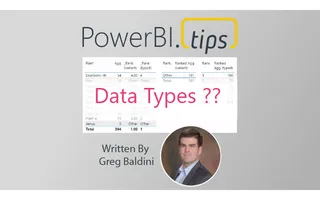
To say this another way. Not all columns have datatypes in DAX, specifically speaking to using dynamic ranking with an “Other” category. Let me explai...
Dec 2, 2021
Trolling… we should clear up the definition of this right off the bat. We aren’t talking about the type of trolling where we spend a bunch of time fin...
Nov 27, 2021
We’ve been having an amazing amount of fun having conversations on our podcast “[Explicit Measures](https://powerbi.tips/explicit-measures-power-bi-po...
Oct 19, 2021
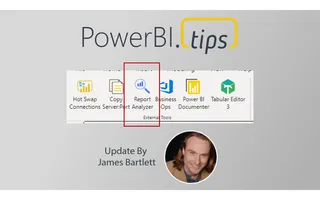
Howdy, folks! This past weekend, I was a man on a mission. There were two pressing reasons for a new release of Business Ops: 1. The authors of man...
Oct 6, 2021
Learn how to use the Power BI Scanner API to manage your tenant's entire metadata. Thanks to Ferry Bouwman and Rui Romano for their contributions.
Oct 3, 2021
**UPDATE**: All downloads for business ops has moved to github releases page dedicated to this project here: [https://github.com/MikeCarlo/BusinessOps...
Sep 23, 2021
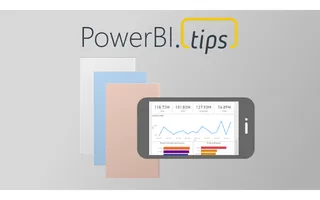
Where does the Power BI Mobile app fit within your report building plan? This topic is widely un-discussed within the Power BI community. Many blogs a...
Sep 23, 2021
Howdy folks! I just published three new time-saving scripts for Tabular Editor to the PowerBI.tips TabularEditor-Scripts repository.
Sep 12, 2021
Howdy, folks! A few months ago, I was writing and running various PowerShell scripts to manipulate the connected data models in my Power BI Desktop f...
Jun 22, 2021
How do I use Power BI bookmarks without making the report unmaintainable?
May 19, 2021
_This article follows from Episode 5 of the new Explicit Measures Podcast, a whole new way to talk about Power BI. If this article strikes you as rele...
May 11, 2021
This is part 3 of 3 in a series designed to help Power BI users and enthusiasts. This post focuses on representing your skills when the time comes.
May 4, 2021
Welcome to a new podcast from PowerBI.tips — the Explicit Measures Podcast featuring Mike Carlo, Tommy Puglia, and Seth Bauer.
Apr 25, 2021
**One of the biggest improvements you can make to your life and career is embracing a learning mentality.** If you are here, I assume one of your inte...
Mar 9, 2021
Using Power Apps Power BI and Power Automate together can unleash huge benefits and enhance your solutions. Creating an end-user-centric dashboard and...
Feb 19, 2021
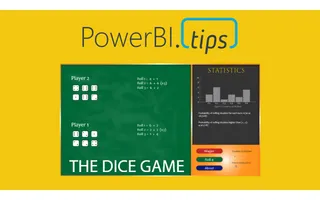
Well, it’s Friday, time to take a little break and play the Dice Game! The Power BI community is creative and is always developing amazing ideas. This...
Feb 16, 2021
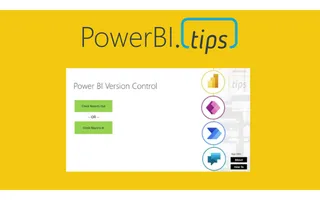
Power BI Version Control is a free, fully-packaged solution that lets users apply version control, local editing, and manage PBIX or PBIT files. The s...
Feb 11, 2021
Power BI took the BI world by storm 5 years ago, there has been a release of the Power BI Desktop almost every single month. The infant that was Power...
Jan 5, 2021
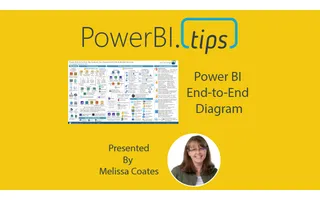
Melissa Coates of Coates Data Strategies has produced a new version of the Power BI End-to-End architecture document. If you haven’t seen this documen...
Jan 1, 2021
## **Please navigate to the following page to see Power BI Version Control:** https://powerbi.tips/2021/02/power-bi-version-control/...
Dec 22, 2020
I was having a candid conversation with Phil Seamark from DAX.tips about Aggregation Tables. During that conversation, I was aski...
Dec 16, 2020
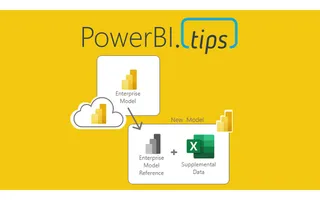
What is a Power BI composite model, and how does DirectQuery to a semantic model work?
Dec 13, 2020
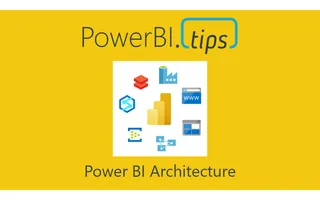
This article will focus on Power BI architecture within a data solution. In this context, Power BI architecture describes how Power BI can slot in a...