Jun 3, 2020
Model Performance in DAX Studio
Understand more about your model then you thought possible! This is part two in our series on DAX Studio. If you missed part one be sure to check out...

Page 20 of 25
Jun 3, 2020
Understand more about your model then you thought possible! This is part two in our series on DAX Studio. If you missed part one be sure to check out...
May 29, 2020
Let’s say you have a Power BI file connected to an Analysis Services machine. Then you want to change the data source to PowerBI.com using a Live Conn...

May 25, 2020
If you’ve played around with MapBox in Power BI – you’ll know that it has loads of great features to create really rich and beautiful maps, including...

May 19, 2020
If you’ve played around with MapBox in Power BI – you’ll know that it has loads of great features to create really rich and beautiful maps! One featur...

May 14, 2020
Darren Gosbell & Marco Russo join PowerBI.Tips in a 4 part series on how and why to use DAX Studio! They show us why **DAX Studio is the ultimate tool...

May 12, 2020
If you’ve played around with MapBox in Power BI – you’ll know that it has loads of great features to create really rich and beautiful maps! And one of...

May 8, 2020
The Milwaukee Brew City PUG for April kicks off with some quick updates and highlights of upcoming events. We spend a quick minute on why we’re so exc...
May 6, 2020
The April 2020 Power BI desktop release is an amazing release. This month the Power BI team has released a new lasso feature to enable users to select...
Apr 16, 2020
The ALM Toolkit is an excellent tool for aiding users with Tabular Model management. Christian Wade has been generous enough to provide us with a deta...

Apr 7, 2020
Maps are a fantastic way to communicate spatial data – and lucky for us Power BI has loads of awesome mapping visuals to choose from. However, the Map...

Apr 2, 2020
Tabular Editor is an incredible Tool that enables users to manipulate a Tabular model at lighting speeds. Daniel Otykier is the creator of the Tabula...

Mar 23, 2020
The Milwaukee Brew City PUG for February had tons of rich demo content. Steve Campbell delivered quite a session for an hour and a half. We were able...

Mar 4, 2020
I was recently working on some new ideas for a Scrim when I stumbled upon something interesting. A scrim is pretty specific in its layout, and this on...
Feb 17, 2020
As a report author it is important that you build the necessary context for your end users. The main areas most often needing context either relate to...
Feb 12, 2020
This report is just over the top amazing cool! Check out the work done by the Microsoft team to make this incredible report. It is called the Microsof...

Feb 10, 2020
This article is the second part in a series on API calls. It will look at some best practices and considerations when using API calls in Power Query....

Feb 4, 2020
Recently I had the privilege of working with Microsoft doing a Webinar on layouts. One thing we are passionate about at PowerBI.Tips is good looking r...
Feb 4, 2020
Here we are, jumping in to 2020. This Month PowerBI.Tips is kicking off and sponsoring the next year of Power BI user groups (PUGs) for Milwaukee. If...
Jan 29, 2020
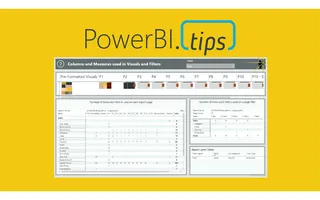
How do I find where columns and measures are used in a Power BI report?

Jan 22, 2020
This month we did a webinar with the Microsoft team on how to build different custom visuals in Charts.PowerBI.Tips a...
Jan 16, 2020
This article examines using the advanced editor in Power Query to better handle when things go wrong. It will also allow custom actions to be triggere...
Jan 14, 2020
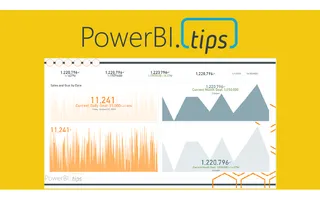
KPIs are a key visualization type used to convey high level metrics to the end users. They provide an at-a-glance metric that allows business users to...

Dec 23, 2019
PowerBI.tips is excited to announce our new tool to help you build the best looking reports, Scrims. We’ve...
Dec 21, 2019
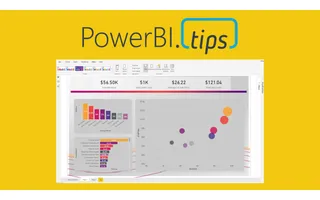
Thanks for your interest in our product Scrims. For more details on what is a scrim click this link to Learn More. **Download** a scrim from the prod...